Following the downfall of 911 S5 proxy, numerous proxy providers have emerged in the market, positioning themselves as viable alternatives. However, the question remains: Is there a successor capable enough to surpass the renowned reputation of 911 S5 proxy?
To shed light on this matter, we will evaluate PIA S5 Proxy, a rapidly growing provider that boldly proclaims itself as the ideal substitute for 911 S5. You might have encountered their advertisements comparing their services to the aforementioned legend. Let's delve into this Socks5 provider and determine whether their claims hold true.
1. PIA S5 Proxy key features
| Parameter | Feature |
| IP Type | Residential |
| Price Charged | IP quantity |
| Price Sample |
200 IPs – $ 50 5GB - $17.5 |
| Payment Method | Credit cards, cryptocurrencies, local payments, Alipay, public account transfers |
| IP Pool | 350M+ |
| Location Coverage (city-level) | 200+ |
| Filter/Target | Country, state, city, zip, ISP |
| Proxy Protocol | Socks5 |
| IP Rotation | Static |
| Authentication | Username/Password |
| Speed | Ok |
| Free Trial | No |
| Refund Policy | No |
| Support | Telegram, Messenger Live Support, FAQ, User Guide, Video Guide, API Guide |
2. PIA S5 Proxy special promotional code

We have a unique promotional code from PIA S5 Proxy that grants you a 5% discount on any of their plans.
3. Get a new proxy on Pia S5 proxy
- Firstly, you need to log into your PIA S5 Proxy account.
- Get proxy credentials (taking Socks5 proxy as an example). View the proxy list, click to select the residential proxy, click on the package name to switch to different packages to choose from.
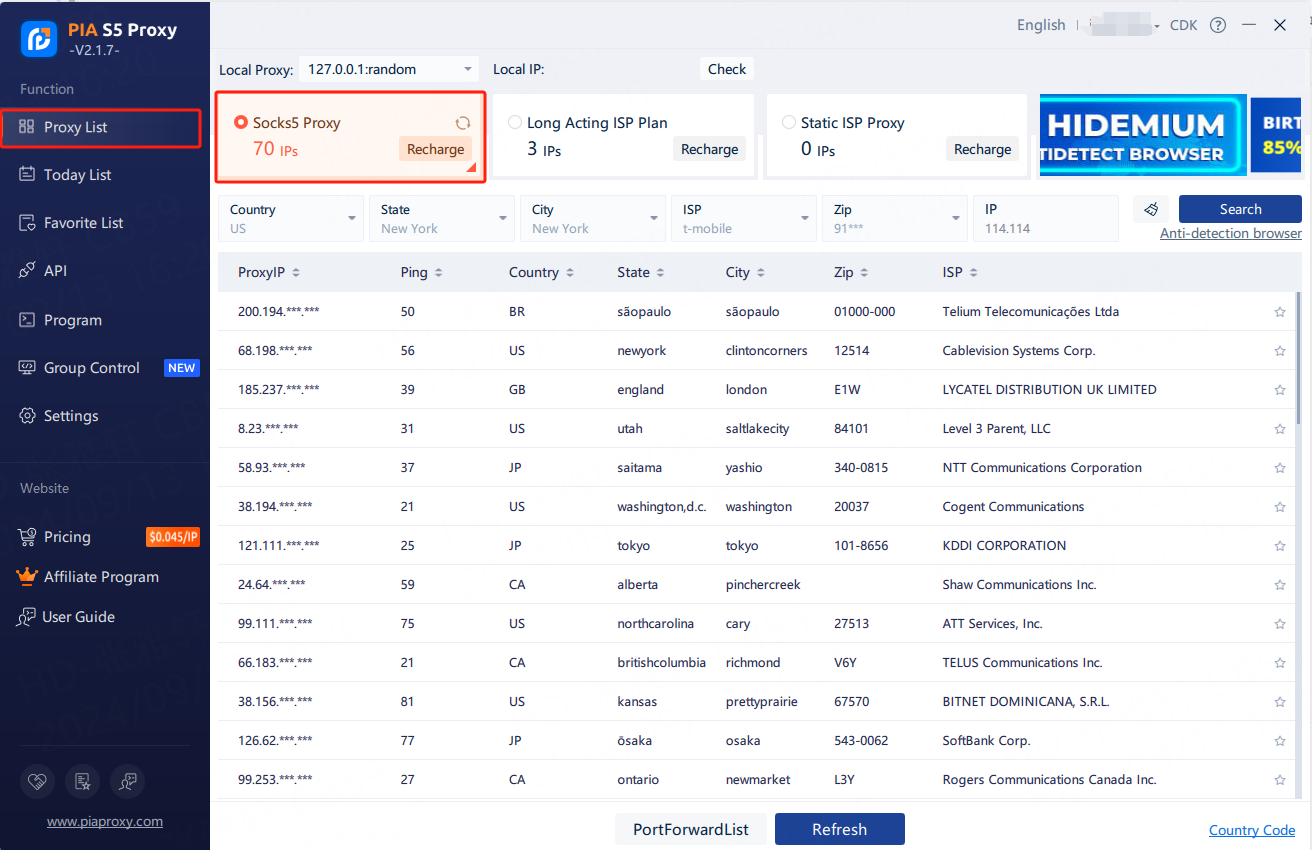
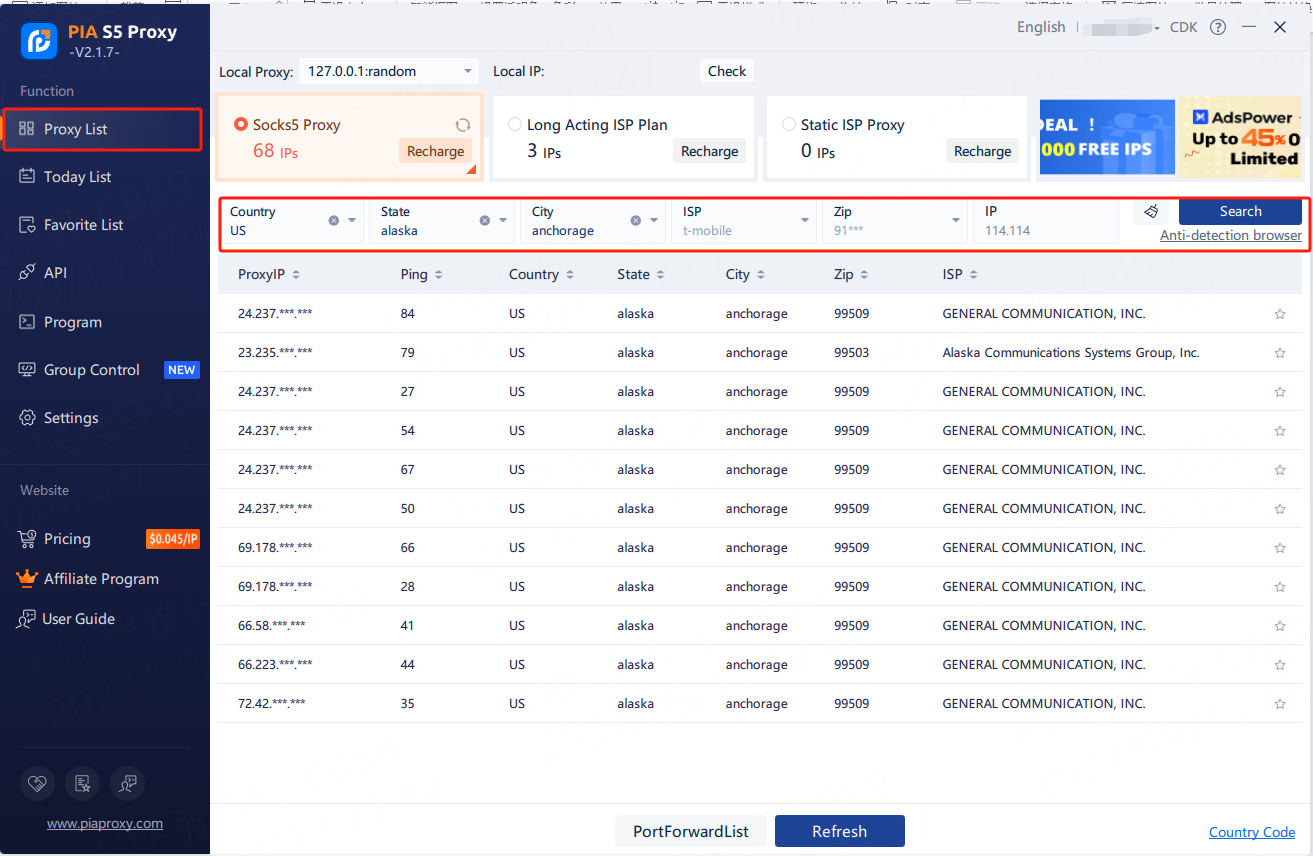
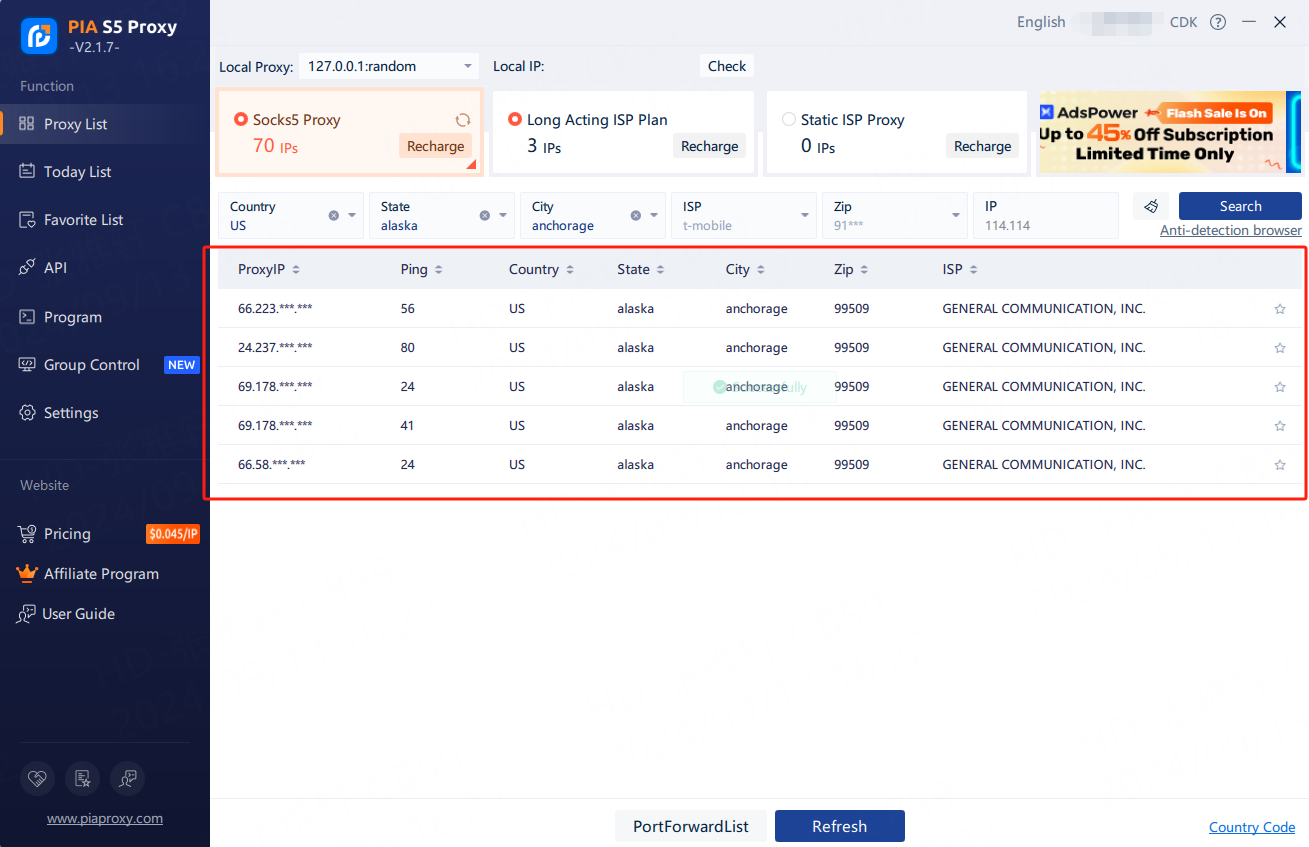
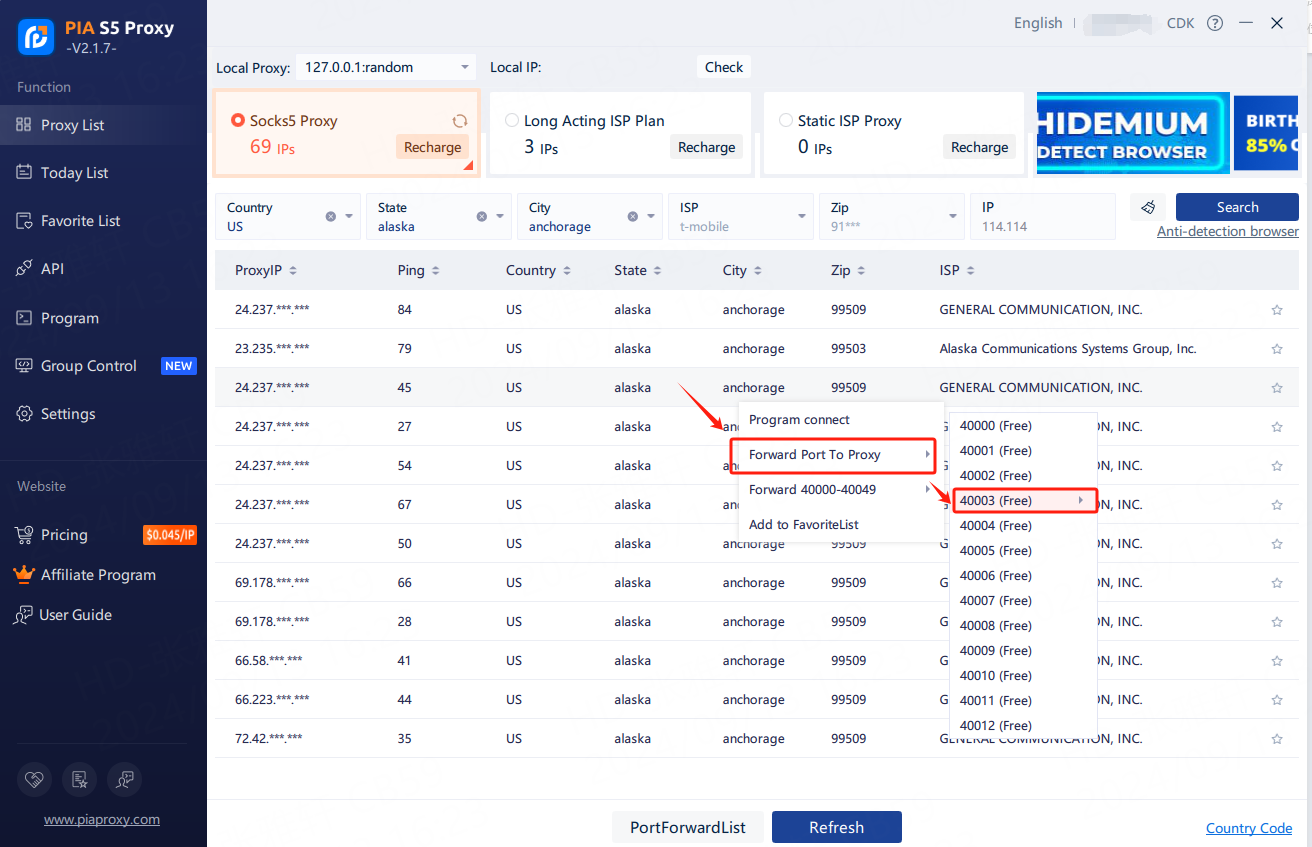
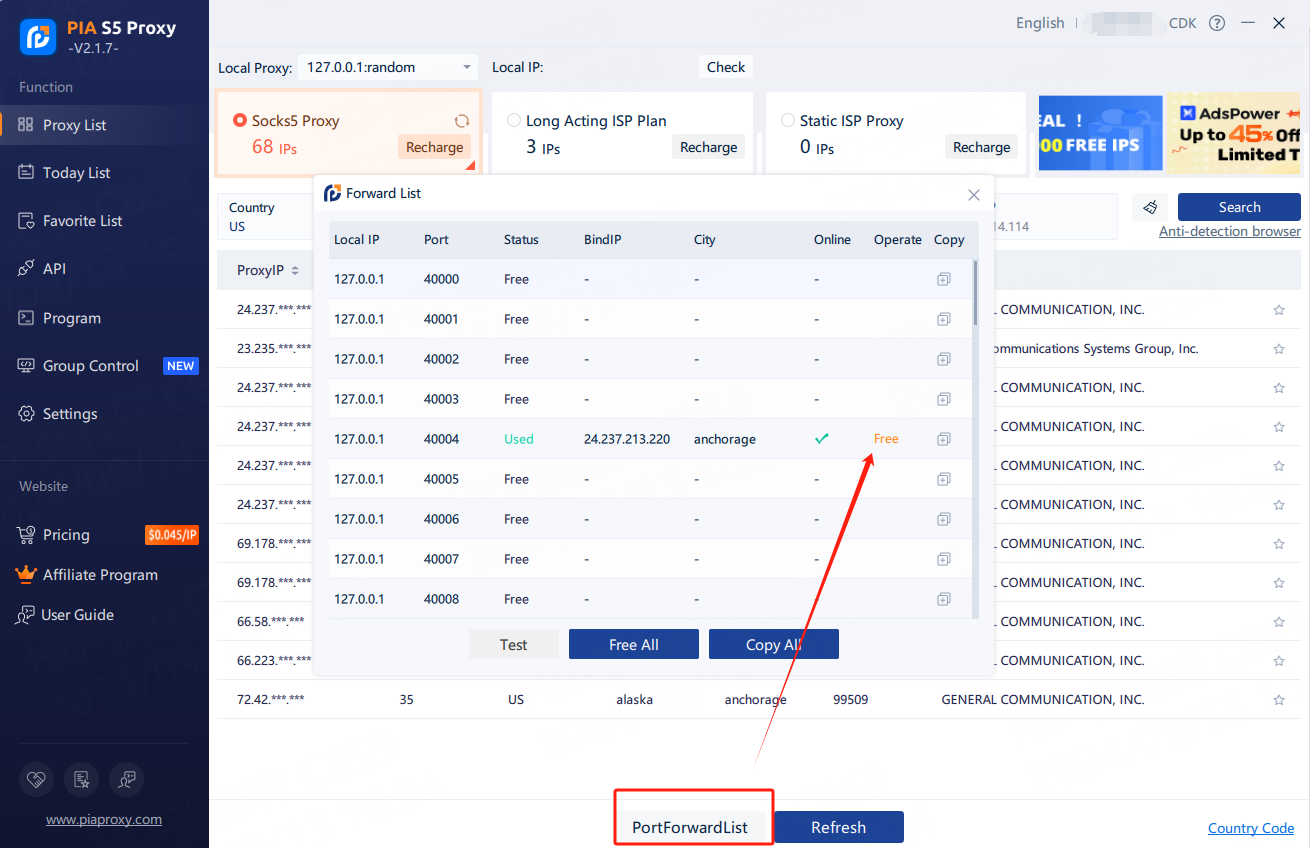
6. The proxy IP credentials are extracted successfully. Next, open the Hidemyacc.
4. Setting up PIA S5 Proxy in Hidemyacc
Hidemyacc is a browser designed to counter detection by concealing your original browser fingerprint and generating new and distinct fingerprints for each profile. With this software, you can simulate multiple computers with different setups and profiles, effectively protecting your accounts from being detected by web services.
Each account operates within its own browser, complete with its unique set of cookies, local storage, and cache. This allows you to customize various parameters to create diverse browser fingerprints according to your needs. Furthermore, you have the option to integrate a proxy into your Hidemyacc profile, which modifies your original IP address.
Here is a quick guide on how to set up PIA S5 proxy in Hidemyacc antidetect browser:
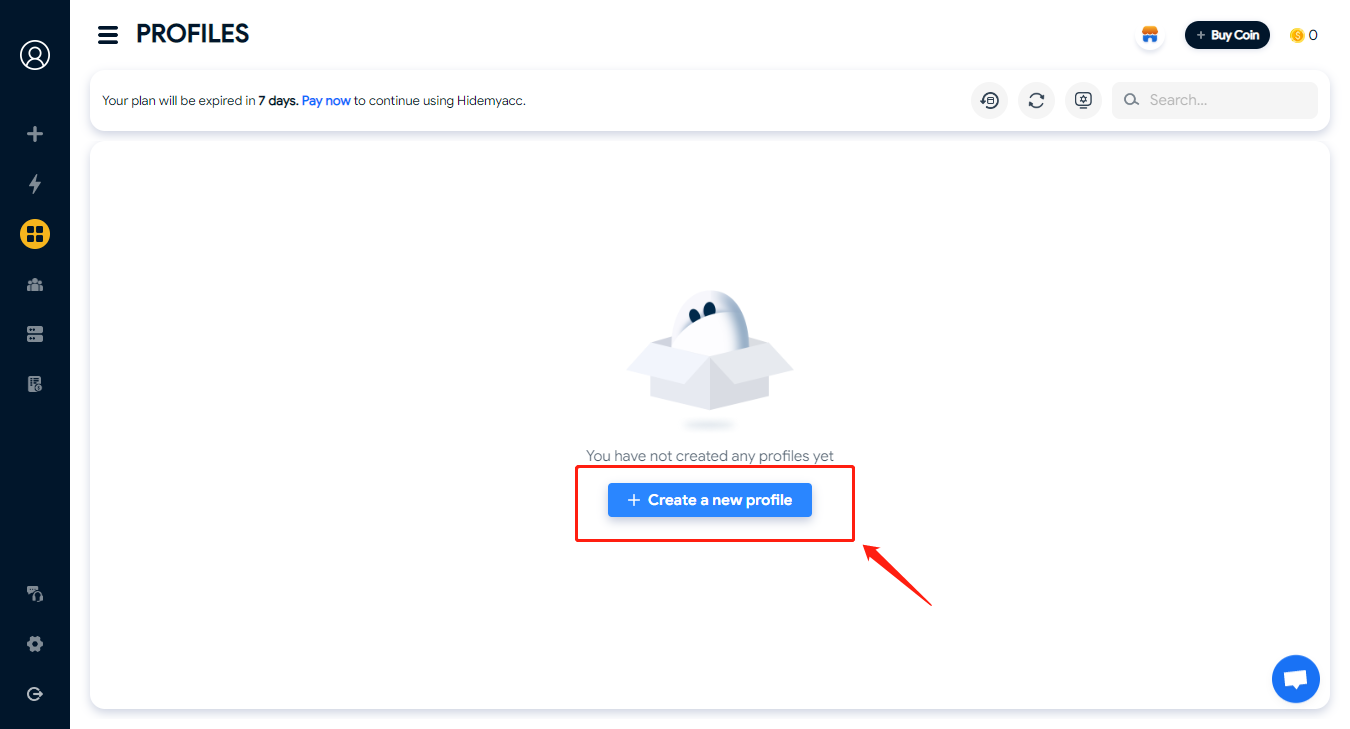
- Create a New Profile on Hidemyacc.
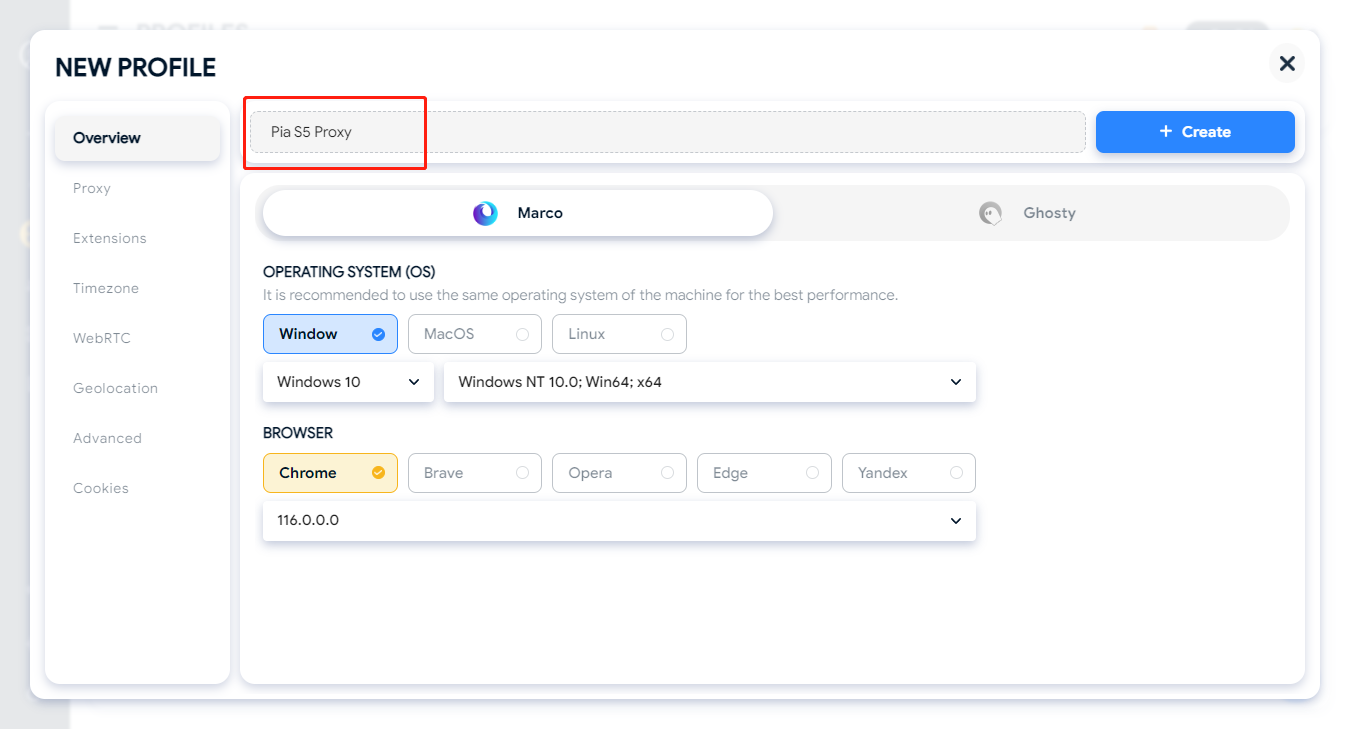
2. Enter a name
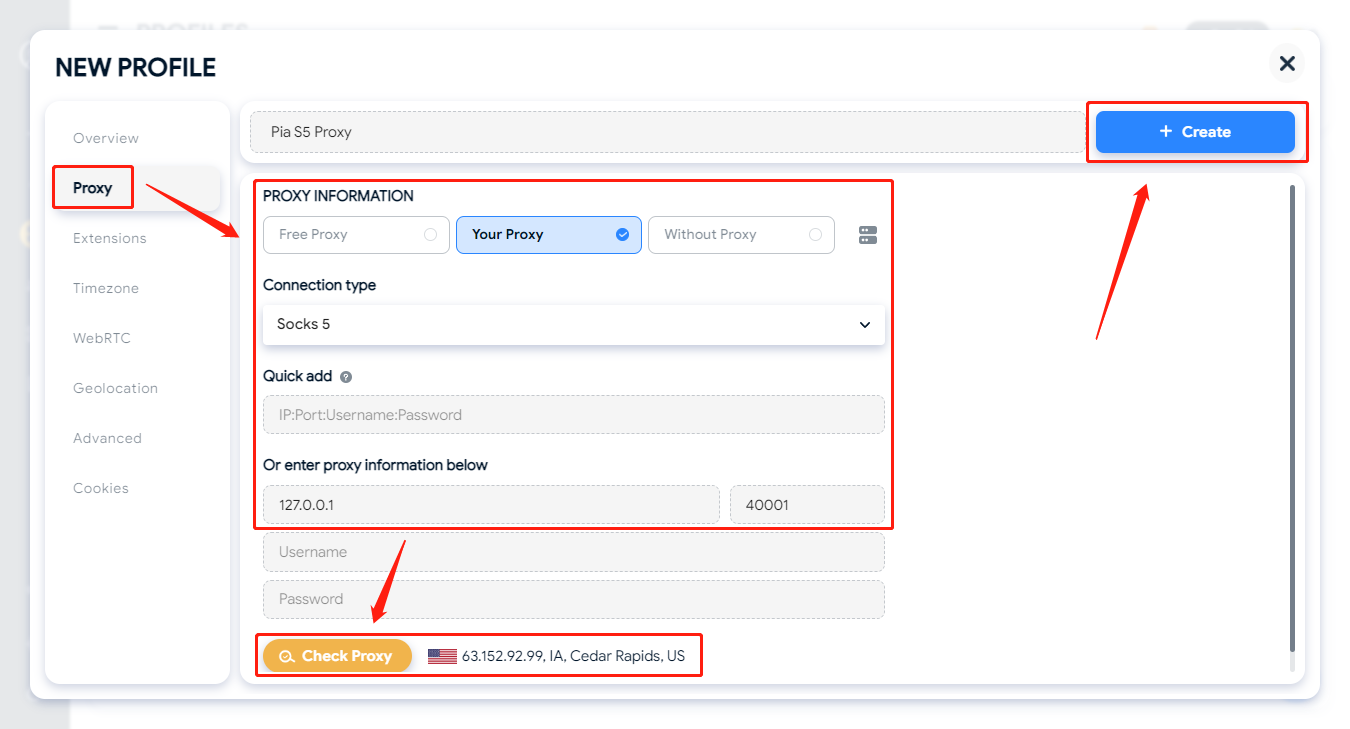
3. Click "Proxy" again, select "Your Proxy", select Socks5 as the proxy type, paste the copied proxy IP and port, click Test, if the test is successful, click Save.
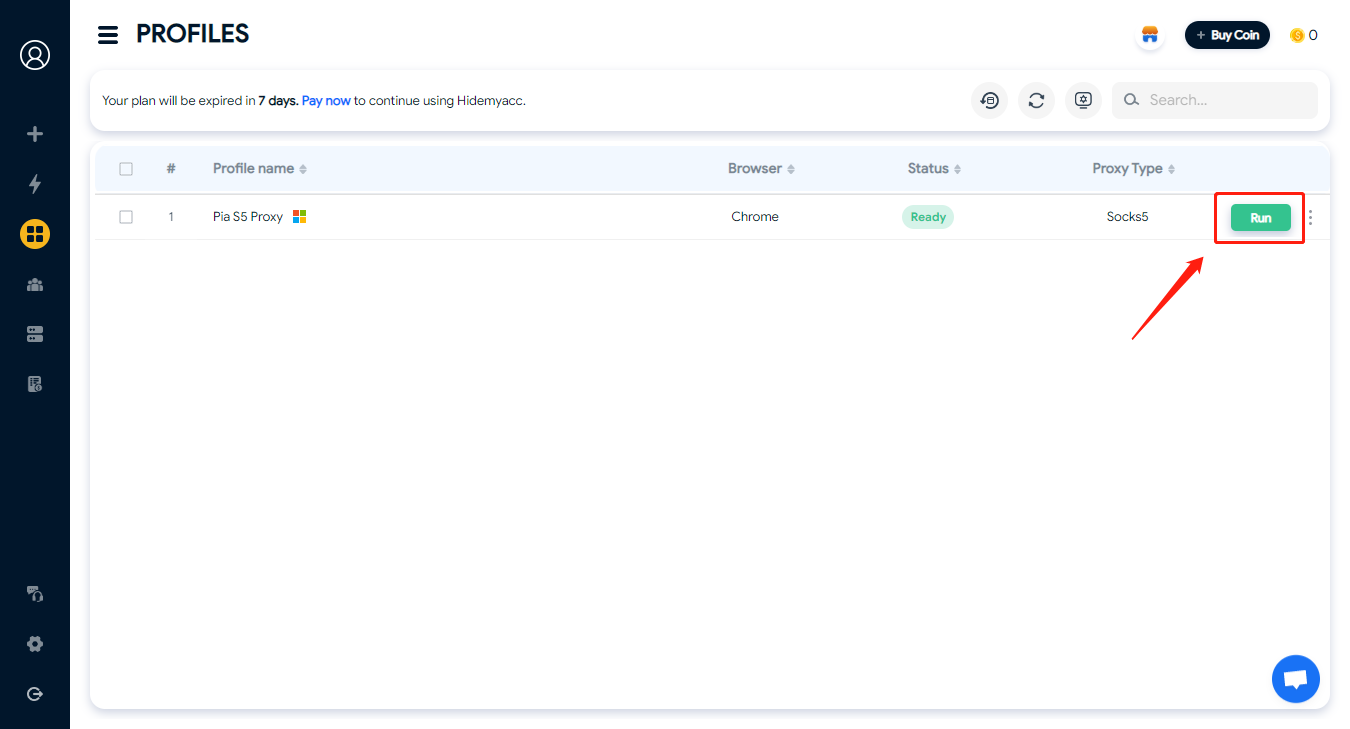
4. After saving successfully, click "Run"
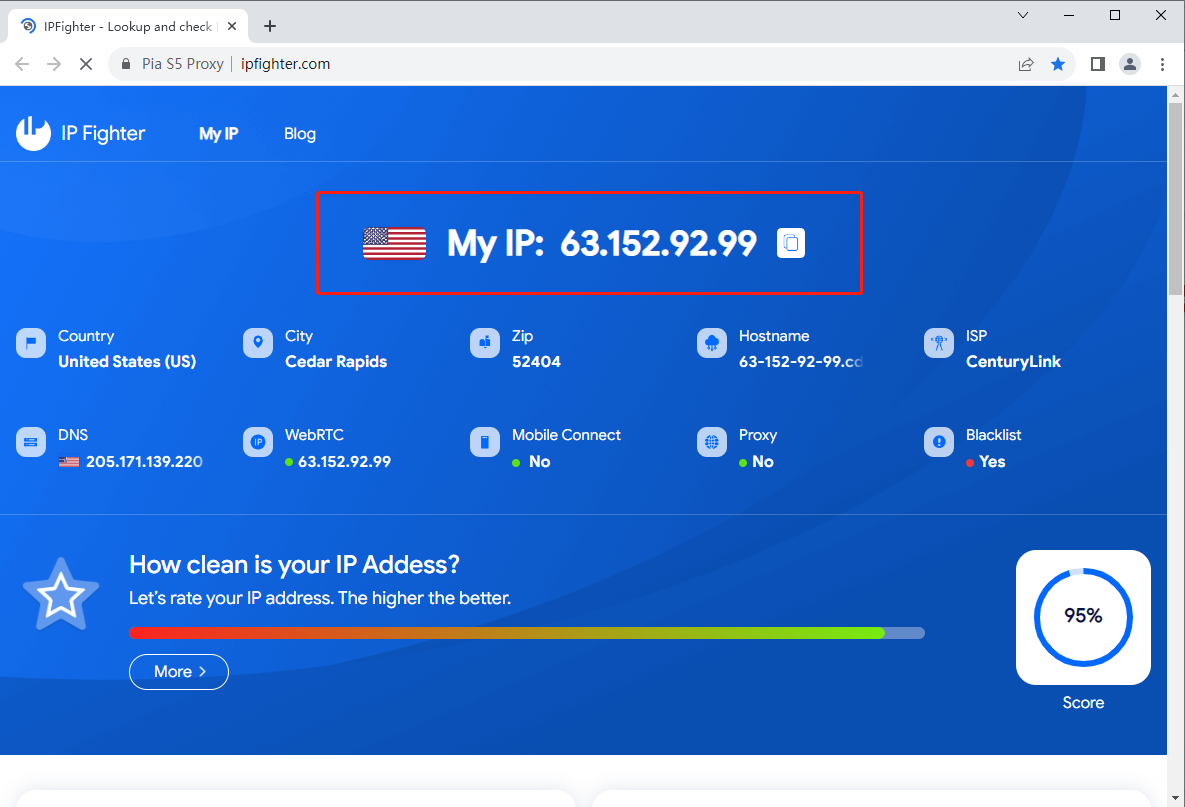
5. You can see that the current IP address has been modified
5. Conclusion
PIA S5 Proxy is a legitimate residential proxy provider with a large IP pool, strong city-level targeting, and a Socks5-focused infrastructure that closely mirrors what 911 S5 offered. For users who need static residential IPs with granular location control, it's a solid option.
That said, the lack of a free trial and the no-refund policy are significant drawbacks. Before committing to a paid plan, make sure your target platforms accept Socks5 residential proxies and that static rotation fits your workflow.
Overall, PIA S5 Proxy is one of the more credible 911 S5 alternatives on the market — but whether it's the best depends entirely on your use case. If you need rotating proxies or HTTP support, you may want to compare it against other providers before deciding.
You May Also Like:
- Review Asocks proxy: Does it provide the most effective residential proxy?
- Proxys.io - Features, Pros and Cons
- Review Luna Proxy 2023: Is this the best residential proxy provider?
- Who are the best proxy providers in 2026? Top 15 services reviewed
6. FAQ
Is PIA S5 Proxy a legitimate 911 S5 replacement?
PIA S5 Proxy offers a similar Socks5 residential proxy infrastructure to what 911 S5 provided. While no provider has fully replicated 911 S5's scale at launch, PIA S5 is one of the more established alternatives currently available.Does PIA S5 Proxy offer a free trial?
No. PIA S5 Proxy does not offer a free trial. You'll need to purchase a plan before testing the service.What is PIA S5 Proxy's refund policy?
PIA S5 Proxy does not have a refund policy. Make sure to evaluate your needs carefully before purchasing.What proxy protocol does PIA S5 support?
PIA S5 Proxy supports Socks5 only. It does not support HTTP or HTTPS proxy protocols.Can I use PIA S5 Proxy with Hidemyacc?
Yes. PIA S5 Proxy is fully compatible with Hidemyacc's antidetect browser. You can add the proxy directly to any Hidemyacc profile via the Proxy settings tab.How does PIA S5 Proxy pricing work?
PIA S5 offers two pricing models: by IP quantity (e.g., 200 IPs for $50) or by traffic volume (e.g., 5GB for $17.5). Choose the model that fits your usage pattern.