Home/ Blog/What is the optimal Facebook image sizes to prevent blurriness

What is the optimal Facebook image sizes to prevent blurriness

logo Hidemyacc circle

The quality and correct Facebook image sizes are crucial factors for making your posts stand out and attracting viewers. Choosing the wrong size can result in distorted or blurry images, which negatively impacts user experience. In this article, Hidemyacc will share the optimal Facebook image sizes to ensure that your photos always display clearly and professionally.

1. Why is it necessary to choose the right Facebook image sizes?

Facebook is not only a platform for personal connections but also a powerful promotional tool for businesses. Selecting the correct Facebook image sizes offers several key benefits that enhance the effectiveness of your message:

  • Meets display standards: Images with the correct dimensions display clearly without blurring or cropping, allowing your content to reach potential customers in a complete and visually appealing way.

  • Build a professional image: Using optimized Facebook image sizes demonstrates professionalism and ensures that content displays correctly, especially when used in ads.

  • Convey the message clearly: Standard Facebook image sizes help banners, cover images, and other visuals communicate messages fully, understandably, and attractively.

  • Enhance user experience: Properly sized images make it easier for viewers to absorb information, creating a positive impression and boosting the credibility of your brand

Choosing the right Facebook photo size brings many important benefits

Learn More: Best times to post on Facebook in 2024 for maximum engagement

2. Latest standard Facebook image size

To ensure that images on Facebook always display clearly and attractively, understanding the latest standard sizes is essential. Below are the best Facebook image sizes to help you post content optimally and professionally.

2.1 Profile Photos

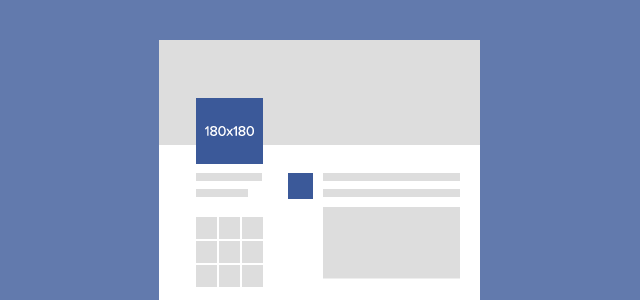
Profile photos on Facebook serve as digital business cards, representing brand identity and creating a first impression with customers. Since they appear across all business interactions on the platform, choosing the correct Facebook image sizes and profile photo layout is crucial. Here are the recommended Facebook image sizes for an optimized profile picture:

  • Maximum size: 2048 x 2048 px

  • Minimum size: 168 x 168 px

  • Standard image ratio: 1:1 (square image)

Note: Profile images display as circles, so avoid placing important details in the corners and focus key content in the center

Facebook photo posting size to optimize profile picture

2.2 Personal page cover photo

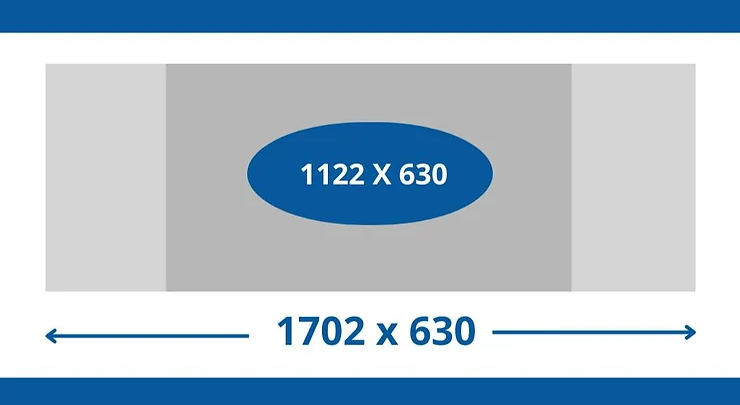
The Facebook cover photo is prominently displayed on a personal page, creating a strong first impression for viewers. This is a valuable opportunity for brands to tell their story and capture attention instantly. Here are the recommended Facebook image sizes you need to design a high-quality cover photo:

  • Size displayed on PC: 1702 x 630 pixel

  • Size displayed on mobile: 1122 x 630 pixel

Note: Facebook automatically crops the sides of the cover photo on mobile displays, so place key information in the center to ensure all content remains visible and impactful.

The size of a Facebook photo you need to know to design a standard cover photo

2.3 Fanpage and Group cover photos

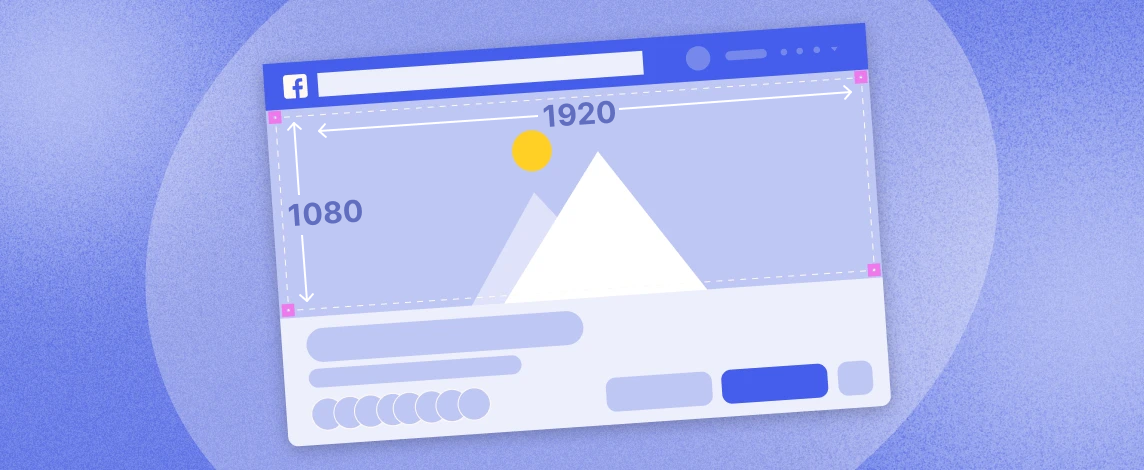
Facebook Fanpages and Groups are excellent platforms for brand promotion and community engagement. To make a positive impression on viewers, the cover photo should be designed attractively and professionally. Here are some key points on Facebook image sizes and the layout for Fanpage and Group cover photos:

  • Recommended size: 1920 x 1080 px (suitable for both computers and phones)

  • Layout: Avoid placing important content on the sides of the image, focus the main information in the middle.

Fanpage and Group cover photos can feature product images, promotions, or business services, with a simple yet informative design.

Facebook post size and Fanpage and Group cover photo layout

2.4 Photos posted to the timeline

When you post a photo to your Facebook timeline, it appears in the newsfeed and significantly impacts user engagement. Photos can be displayed in portrait, landscape, or square formats, each with its own recommended Facebook image sizes. Here are the detailed specifications for each type:

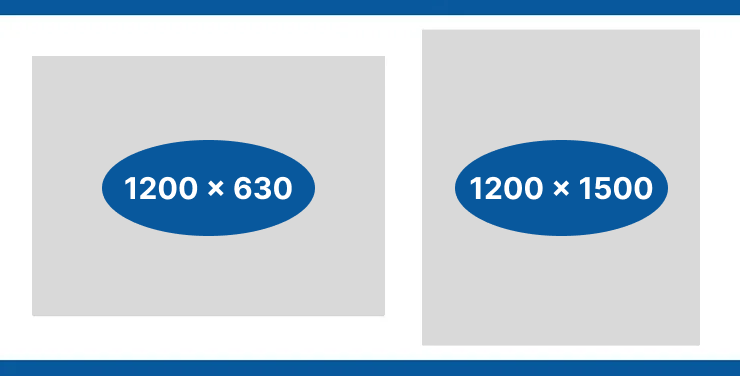
  • Vertical photo: 1200 x 1500 px, ratio 4:5

  • Square photo: 1200 x 1200 px, ratio 1:1

  • Horizontal photo: 1200 x 630 px, ratio 1.9:1

Size of photos posted to Facebook timeline

2.5 Event cover photos

Cover photos for Facebook events play an important role in attracting attention and promoting the brand. To ensure images display well on both desktop and mobile interfaces, choosing Facebook post size matching is essential. Below are the Facebook event cover photo size parameters you should know:

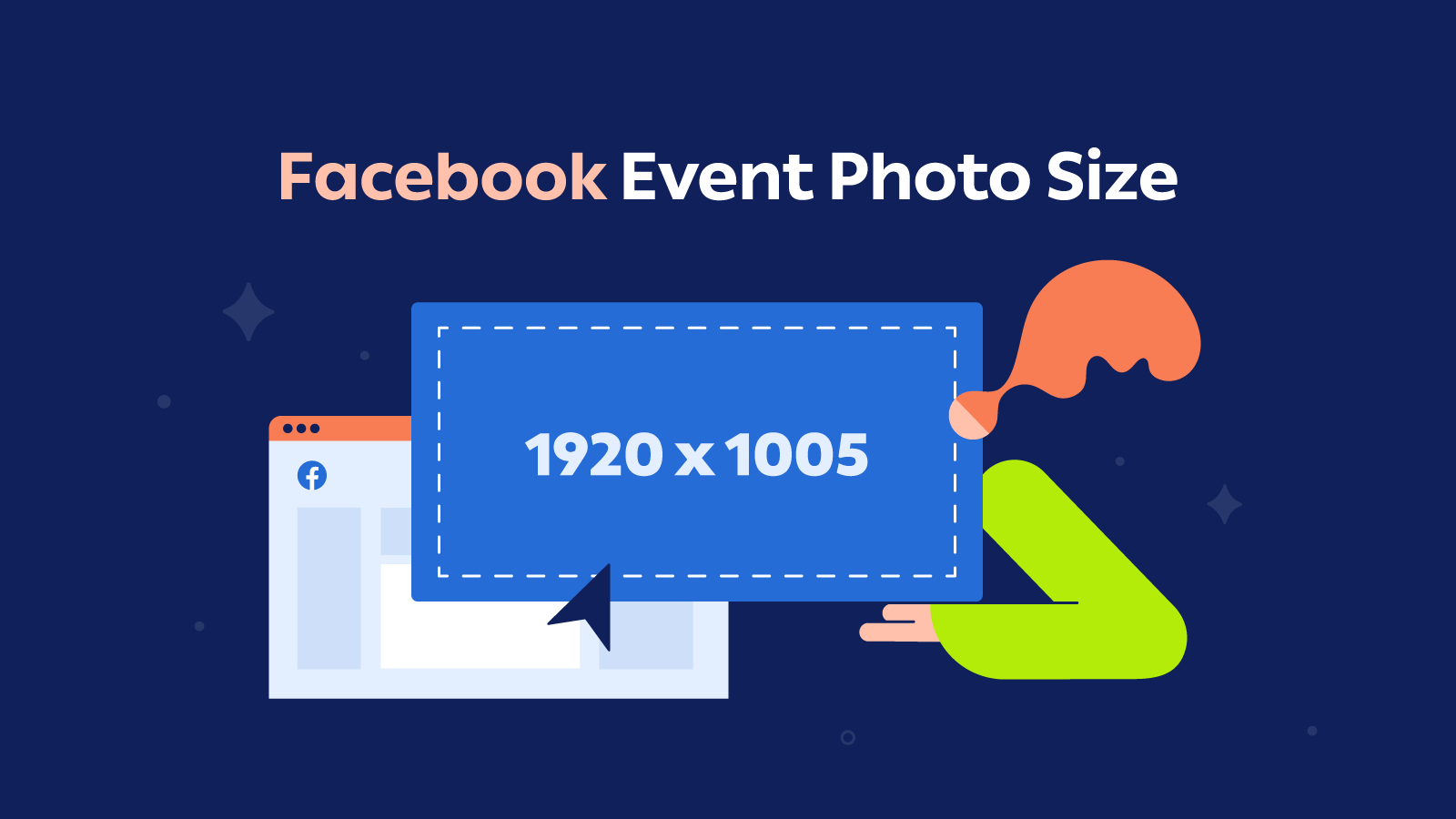
  • Ideal size: 1920 x 1005 pixels. This size ensures that it contains enough information about the organization and time without being cropped.

  • Maximum size: 1920 x 1008 pixels. This is the optimal size for images to be displayed clearly on all devices.

  • Minimum size: 1200 x 628 pixels. If you don't need too much information, you can use this size.

Event cover photo size parameters on Facebook

Similar article: Struggling with Facebook Videos Won't Autoplay? 4 Effective Ways to Fix It

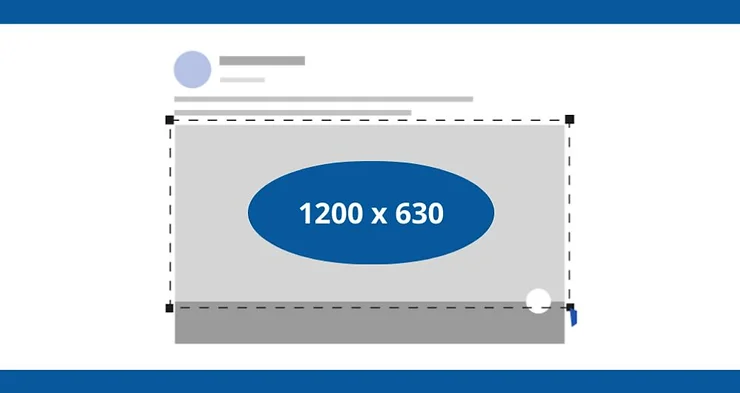
When sharing links on Facebook, using the correct image size is crucial to ensure images display perfectly without cropping or distortion. Facebook’s content distribution system automatically selects images from posts, and non-standard images can reduce visual appeal and weaken the effectiveness of your message. Here are the recommended Facebook image sizes for link sharing:

  • Optimal size: 1200 x 628 pixel

  • Recommended rate: 1.91:1

Using properly sized images helps improve display quality, creating a strong impression on viewers and enhancing your brand’s value.

Recommended Facebook photo sizes for link-sharing photos

2.7 Photos for Stories and Reels

Facebook Stories and Reels are powerful marketing tools that capture attention and drive viewer engagement. Stories, with their 24-hour display period, create a sense of urgency, sparking curiosity and prompting quick interaction. Meanwhile, Reels offer a creative, engaging short video format, allowing brands to reach potential customers and leave a lasting impression. To optimize user experience, it’s essential to use the correct Facebook image sizes for Stories and Reels.

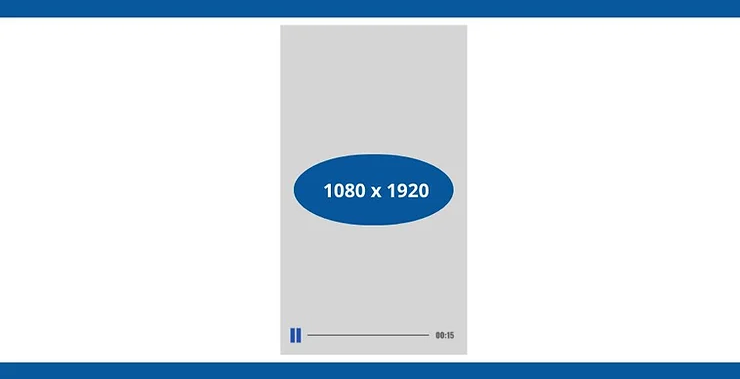
  • Standard size: 1080 x 1920 pixel

  • Proportion: 9:16 to 1.91:1

  • Format: Vertical image, optimized for mobile screens

Size of Story and Reels photos posted on Facebook

Linked article:

3.  Facebook post image sizes for articles

When posting on Facebook, image size is essential for capturing viewers' attention. Using standard Facebook image sizes not only ensures clear, sharp images but also enhances the visual appeal and professionalism of your content. Below are the ideal image sizes for Facebook posts.

3.1 Size for posting a single photo

For individual photo posts, using the correct size is key to clear display. Here are the recommended dimensions for each photo type:

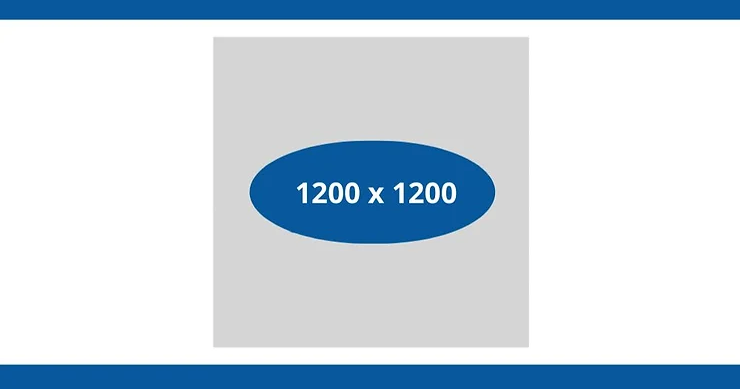
  • If you choose to post square photos, Facebook image size Ideally 1200 x 1200 pixels. 

  • For vertical photos, the size should be 960 x 1200 pixels.

  • If you post landscape photos, the recommended size is 1200 x 800 pixels.

Size for posting 1 photo on Facebook

3.2  Size for posting 2 photos

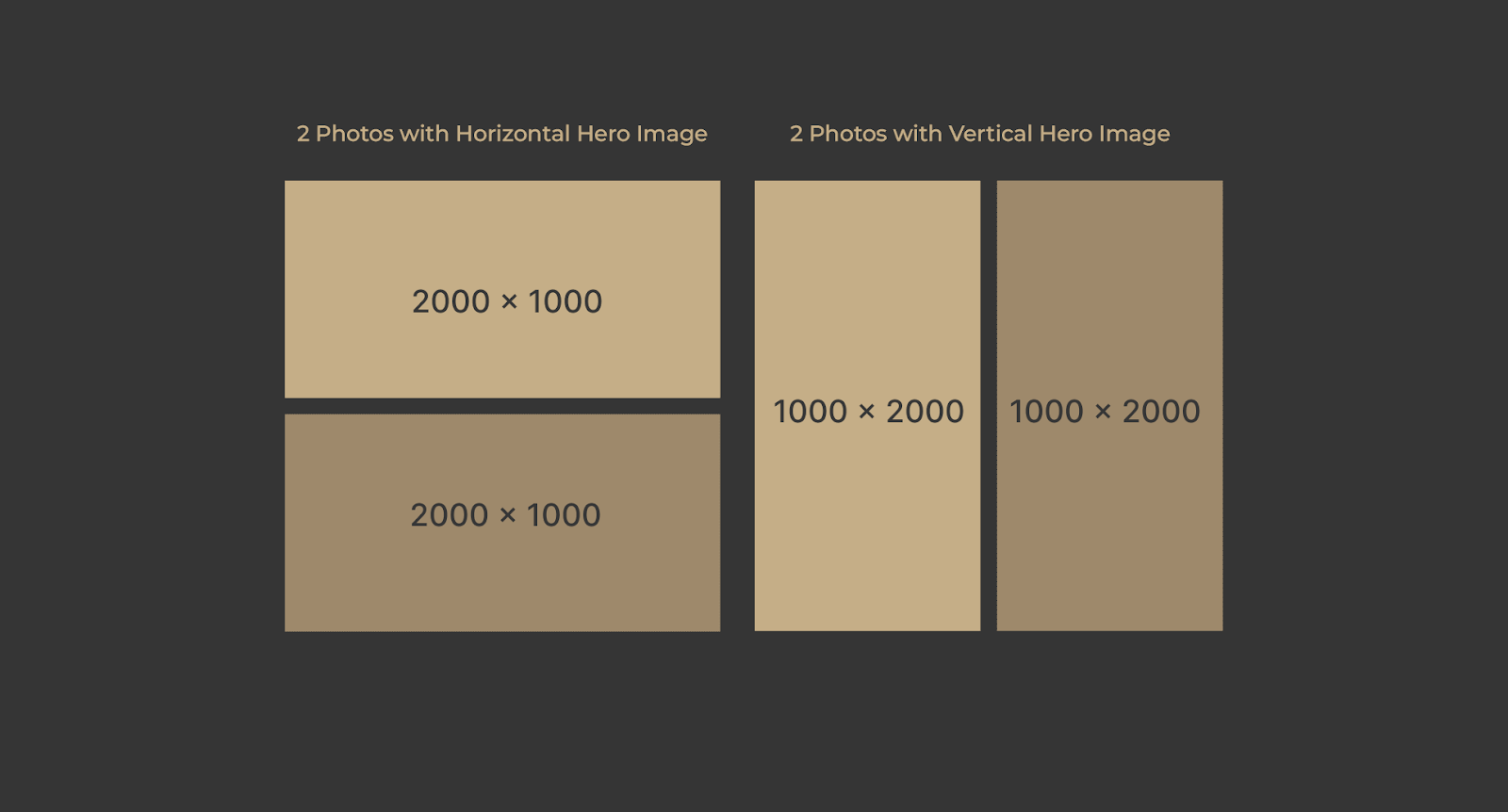
When posting two photos, you can choose between a horizontal or vertical layout. Selecting the right layout and Facebook image sizes helps create a balanced and visually appealing post. Here are the recommended dimensions:

  • For 2 horizontal images, the size of each image is 2000 x 1000 pixels. 

  • If you choose to post 2 vertical photos, each photo will be 1000 x 2000 pixels in size.

Size for posting 2 photos on Facebook

3.3 Size posted 3 photos

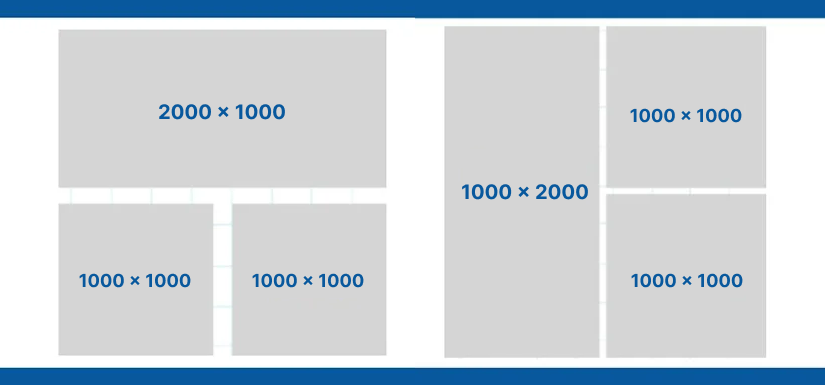
When posting three photos, you can use a vertical or horizontal layout with a designated main photo and supporting images. Here are the ideal Facebook image sizes for arranging three photos:

  • If using a vertical main photo, the main photo size will be 1000 x 2000 pixels and the secondary photos will be 1000 x 1000 pixels.

  • On the contrary, if you choose a horizontal main image, the main image size is 2000 x 1000 pixels, accompanied by secondary images of 1000 x 1000 pixels.

Ideal Facebook photo size for 3 photos

3.4 Dimensions for posting 4 photos

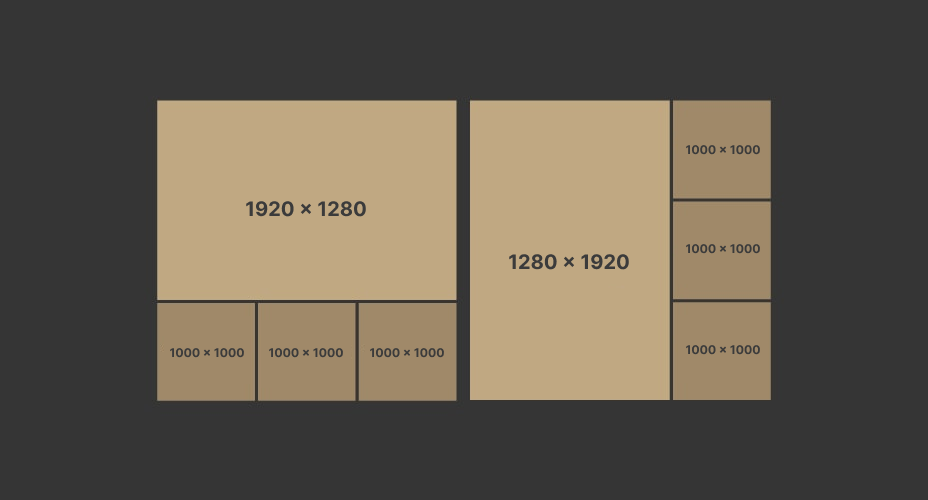
Posting four photos allows you to create a balanced and visually appealing post. You can opt for a uniform layout or highlight a main photo. Here are the recommended Facebook image sizes:

  • Post all 4 square photos at 1000 x 1000 pixels.

  • Arrange vertical main photo with size 1280 x 1920 pixels and 3 secondary photos with size 1000 x 1000 pixels.

  • Arrange the main photo horizontally with the size of 1920 x 1280 pixels and 3 secondary photos with the size of 1000 x 1000 pixels.

Size and layout of posting 4 photos on Facebook

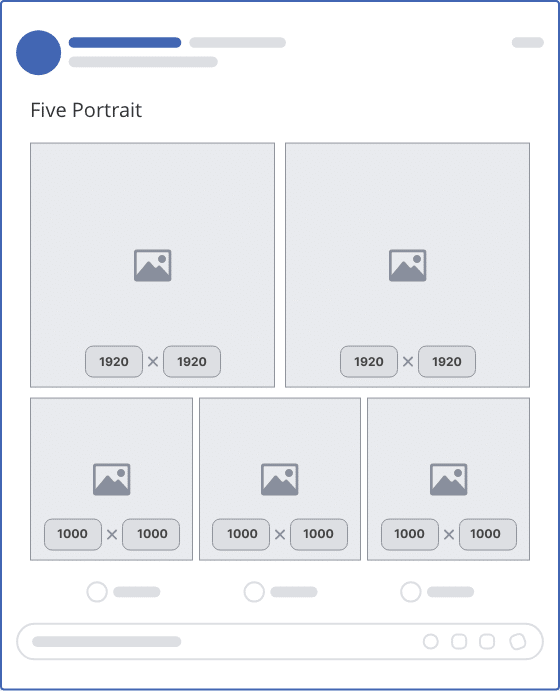
3.5 Dimensions for posting 5 photos

When posting five or more photos, using a large main photo alongside secondary images can help capture viewers' attention. Here are the recommended Facebook image sizes for a visually appealing layout:

  • Use two main images sized at 1920 x 1920 pixels each, combined with secondary images sized at 1920 x 1280 pixels.

  • Use two main images sized at 1920 x 1920 pixels each, combined with secondary images sized at 1000 x 1000 pixels. 

Size for posting 5 photos on Facebook

4. Facebook image sizes for ads 

When running ads on Facebook, selecting the correct image size is essential for effective campaigns that attract consumer attention. Below are the recommended Facebook image sizes for each ad type to help optimize your content:

  • Single Image Ad (Single Image Ad): Dimensions 628 x 1200 px (Ratio: 1.91:1) with high resolution and text not exceeding 20%.

  • Carousel Ad: All carousel images should have the same dimensions of 1080 x 1080 px (Ratio: 1:1).

  • Video advertising: Minimum resolution 600 x 600 px, with dimensions 1080 x 1080 px (Ratio: 1:1), can last up to 240 minutes.

  • Slideshow advertising (Slideshow): Use a high resolution image with dimensions of 1280 x 720 px (Ratio: 16:9, 1:1 or 2:3).

  • Collection Ad: The first photo or video should be 1080 x 1080 px (Ratio: 1:1).

  • Advertise on Stories: Size 1080 x 1920 px (Ratio: 9:16), make sure to center important content to avoid cropping.

  • Newsfeed advertising: Size 1080 x 1080 px (Ratio: 1:1) with minimum resolution 600 x 600 px.

  • Ads on the right sidebar: Size 1200 x 1200 px (Ratio: 1:1) with brief content.

  • Advertise on Facebook Marketplace: Size 1200 x 1200 px (Ratio: 1:1), keep the image attractive and suitable for the product/service.

Recommended Facebook post photo sizes for each ad type

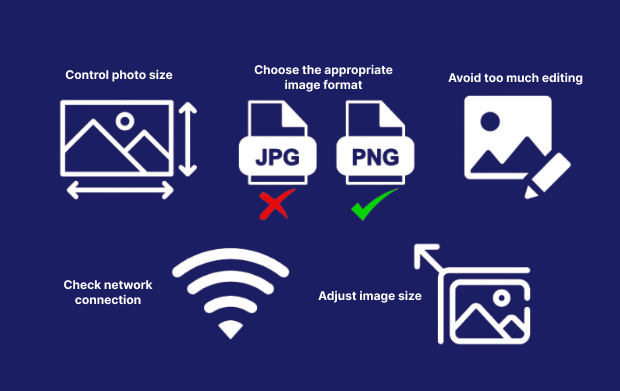
5. Tips for posting beautiful, clear photos on Facebook

To make your Facebook photos stand out and attract attention, consider these tips:

  • Choose the appropriate image format: Use formats like JPEG, PNG, or GIF to ensure images display well on any device.

  • Control photo size: Compress images before posting to reduce size, help download quickly and save storage.

  • Arrange photos properly: For multi-photo posts, arrange them in a logical order so they're easy to follow.

  • Guaranteed image quality: Use high-resolution images to make a good impression on customers.

  • Adapt image size: Post images in standard sizes for each type of article to avoid cropping or distortion.

  • Choose eye-catching colors and layouts: Use bright colors and reasonable layouts to attract attention and increase post engagement.

Some things to keep in mind to post beautiful, clear Facebook photos

6. Summary table of Facebook post image sizes

Below is a summary table of recommended Facebook image sizes to help you easily reference and optimize your personal profile or Fanpage effectively:

Photo type

Size

Proportion

Avatar

Maximum: 2048 x 2048 px

Minimum: 168 x 168 px

1:1

Personal page cover photo

Maximum: 1702 x 630 px

Minimum: 1122 x 630 px

Optional

Fanpage, Group cover photo

1920 x 1080 px

Optional

Sharing links (Seeding)

1200 x 627 px

Optional

Event cover photo

Maximum: 1200 x 628 px

Minimum: 500 x 262 px

Optional

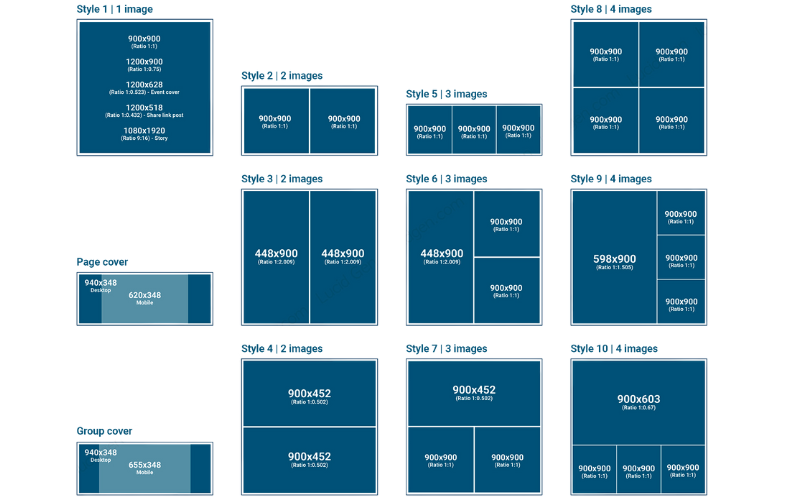
Post 1 photo

Square photo: 900 x 900 px

Horizontal photo: 1200 x 900 px

1:1

1:0.75

Post 2 photos

Two square photos: 900 x 900 px

Two vertical photos: 448 x 900 px

Two horizontal photos: 900 x 452 px

1:1

1:2.009

1:0.52

Post 3 photos

3 squares: 900 x 900 px

1 vertical image: 448 x 900 px + 2 square images: 900 x 900 px

1 horizontal photo: 900 x 452 px + 2 square photos: 900 x 900 px

1:1

1:2.009 and 1:1

1:0.502 and 1:1

Post 4 photos

4 squares: 900 x 900 px

1 vertical image: 598 x 900 px + 3 square images: 900 x 900 px

1 horizontal image: 900 x 603 px + 3 square images: 900 x 900 px

1:1

1:1,505 and 1:1

1:0.67 and 1:1

Post 5 photos or more

Square photo: 900 x 900 px

Horizontal photos: 1 top photo 245 x 245 px + 3 bottom photos 245 x 163 px

Vertical photos: 1 leftmost photo 245 x 245 px + next 3 photos 163 x 163 px

1:1

Above is detailed information on the most standard Facebook image sizes to help make your posts look professional, attract attention, and leave a positive impression on viewers. We hope the insights shared by Hidemyacc assist you in building a professional and impactful personal profile or Fanpage. If you have any questions, please reach out to Hidemyacc for prompt advice and support!

>>> Read more:

promo-hidemyacc

Read more

How to earn money from Twitter (X) for beginners

How to earn money from Twitter (X) for beginners

Twitter (X) is no longer just a place for sharing opinions or news; it has become a gold mine for those who know how to exploit it. Many believe you need tens of thousands of followers or a verified badge to make money. In reality, there are many ways to how to earn money from twitter through external sources, allowing even small accounts to generate steady monthly income. This article provides a comprehensive overview, from comparison tables of income streams and participation requirements to tips for account optimization and common pitfalls to avoid.

logo Hidemyacc circle
How to earn money on Pinterest: a step-by-step guide

How to earn money on Pinterest: a step-by-step guide

Pinterest is not just a place to find ideas and inspiration; it can also become an effective income channel if utilized correctly. Instead of paying directly for views, Pinterest helps users reach potential customers and drive traffic to online business activities. Depending on your goals and resources, you can leverage this platform to promote products, build websites, develop a personal brand, or deploy other monetization models. The article below will help you understand how to earn money on pinterest and choose the most suitable direction.

logo Hidemyacc circle
How to make money on OnlyFans for beginners

How to make money on OnlyFans for beginners

OnlyFans is a social platform where creators earn income directly by providing exclusive content to fans. However, many beginners fail, thinking that just having good photos is enough. In reality, stable income depends heavily on marketing strategy and driving external traffic. This article provides a detailed guide on operation methods, income streams, and the safest solutions for managing your accounts on how to make money on onlyfans.

logo Hidemyacc circle
How to play Roblox unblocked easily and effectively

How to play Roblox unblocked easily and effectively

Being unable to connect or facing access restrictions to your favorite games is frustrating. Fortunately, there are various technical methods to resolve this quickly. This article provides a detailed guide on how to play roblox unblocked safely, helping you restore your connection, prevent gaming interruptions, and enhance account security while logging in.

logo Hidemyacc circle
Buy aged Reddit accounts: 9 trusted sites & buying guide

Buy aged Reddit accounts: 9 trusted sites & buying guide

Buying aged Reddit accounts can save months of account aging, karma building, and community engagement. However, account quality varies significantly between sellers, making it important to choose carefully. This guide compares account types, pricing, and trusted marketplaces to help you make a better purchasing decision. You'll also learn how to manage multiple Reddit accounts safely and reduce the risk of account restrictions.

logo Hidemyacc circle
How to get free TikTok views and trend faster

How to get free TikTok views and trend faster

Have you ever wondered why a video you spent hours editing gets no views, while simple videos easily go viral? The answer lies in how you operate and optimize your channel. This article will share practical, natural methods to free TikTok views that you can apply to your channel immediately.

logo Hidemyacc circle