Owning a "high-end" AI like ChatGPT Plus (GPT-4o) is a goal for most students and professionals. However, the $20/month fee is a significant barrier for students or small teams. So, is there a way to share a ChatGPT account that is both budget-friendly and safe from account bans? This article will suggest the most optimal solutions, from personal group-buys to multi-team usage.
1. Why should you share a ChatGPT Plus account?
Sharing access to a premium account is not just about optimizing performance and cost; it's also a matter of management mindset.
1.1. Optimizing personal financial costs
This is the most common reason. Instead of bearing the monthly fee alone, you can split this figure among a group of 3-5 people. In this case, each individual only pays about $2 - $4/month while still experiencing full features such as: fast response speeds, access to GPT-4o, DALL-E 3, and Advanced Data Analysis tools.
1.2. Maximizing performance and avoiding waste
Most individual users do not use ChatGPT continuously 24/7. There are times when you only need AI support for 1-2 hours and then leave the account idle all day. Sharing helps fully utilize the resources of the Plus plan. Instead of leaving the account empty, other team members can take turns using it, ensuring resources are exploited to the maximum level.
1.3. Learning and promoting collaborative thinking
For students working in groups or colleagues in the same team, sharing an account creates a shared prompt library. Members can observe how others ask questions (prompting), learn optimal commands, and solve common project issues together. This helps the whole team speed up the process of working with AI.
>>>See more:
2. Is sharing a ChatGPT account okay?
This is the core concern for anyone intending to team up for a group buy. The answer is: There are risks, but the level of damage depends entirely on how you manage it. Here are the issues you need to understand:
2.1. Violation of OpenAI's Policy
According to the Terms of Service (TOS), OpenAI stipulates that each account is for a single individual's use. The system recording login history from multiple computers in different geographical locations (e.g., one person in Hanoi, one in Ho Chi Minh City) simultaneously will be flagged as abuse or unauthorized account sharing for commercial purposes.
2.2. Risk of account ban
OpenAI's security system uses AI to scan user behavior extremely strictly. It is sensitive to constant changes in IP and browser fingerprints. If simultaneous login sessions are detected from different IPs, your Plus account could be locked immediately. Notably, when banned, you will lose the entire amount paid.
2.3. Risks to security and privacy
In a shared account, everyone has equal rights. All members can view, copy, or accidentally delete your chat history. Sensitive data such as unannounced business ideas, personal email content, or code snippets for secret company projects can be leaked if shared users lack security awareness or have malicious intent.
2.4. Disrupted user experience
When sharing via manual password sharing, you will frequently encounter "Access Denied" errors or be forced to verify constantly. This happens due to IP address conflicts when the system detects too many requests sent simultaneously from one account but from many different IPs, causing your work to be interrupted.
3. Solution for individuals - joining "Group Buy" communities
If you are an individual user who needs features like unlimited photo/file uploads, image generation, or code execution but find $20/month too high, a group buy is the most economical solution.
3.1. How it works
You search for groups on Facebook or Telegram specializing in providing Premium accounts. Group owners act as intermediaries, gathering 5-10 people to buy one account and sharing the login information (email & password) with the whole group.
3.2. Advantages
Ultra-saving costs, ranging from only $2 - $4/month. The price is equivalent to a cup of coffee, yet you still get full features at 1/10th of the actual price.
3.3. Note
The biggest risk is scams or being "abandoned mid-way." Choose providers with clear websites and 1-for-1 error warranty policies. Specifically, to protect privacy, you must go into settings and turn off "Chat History & Training." Otherwise, anyone in the group can read your conversations with the AI.
4. Solution for teams/agencies - sharing via Hidemyacc
If you work in a large team and want to buy a ChatGPT Plus account for shared use, you can consider using Hidemyacc. This is a solution that is both cost-effective and secure, used by many large teams.
4.1. Flexible management and authorization via separate Profiles
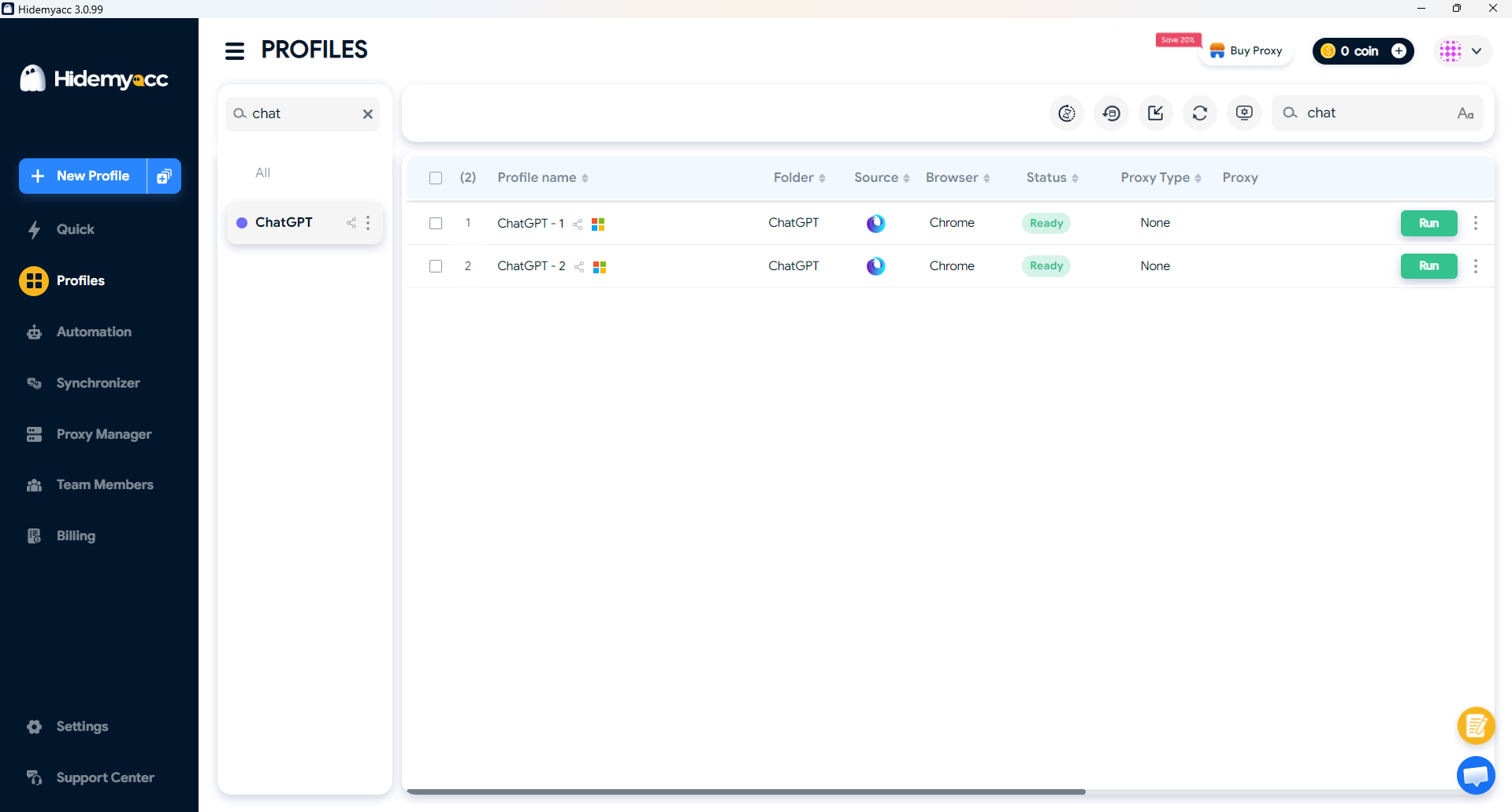
ChatGPT still allows users to log in on multiple devices, provided these devices belong to one person and are accessed from the same geographical area or familiar IP. Instead of everyone logging into the account on different browsers, you just need to log the account into a Hidemyacc profile and share the profile usage rights with other members. At this point, even if many people are using it, ChatGPT still recognizes the account as being opened on a single browser and a fixed IP address, helping to limit the account being suspected of being shared among different people.
4.2. Fixed IP and operational optimization
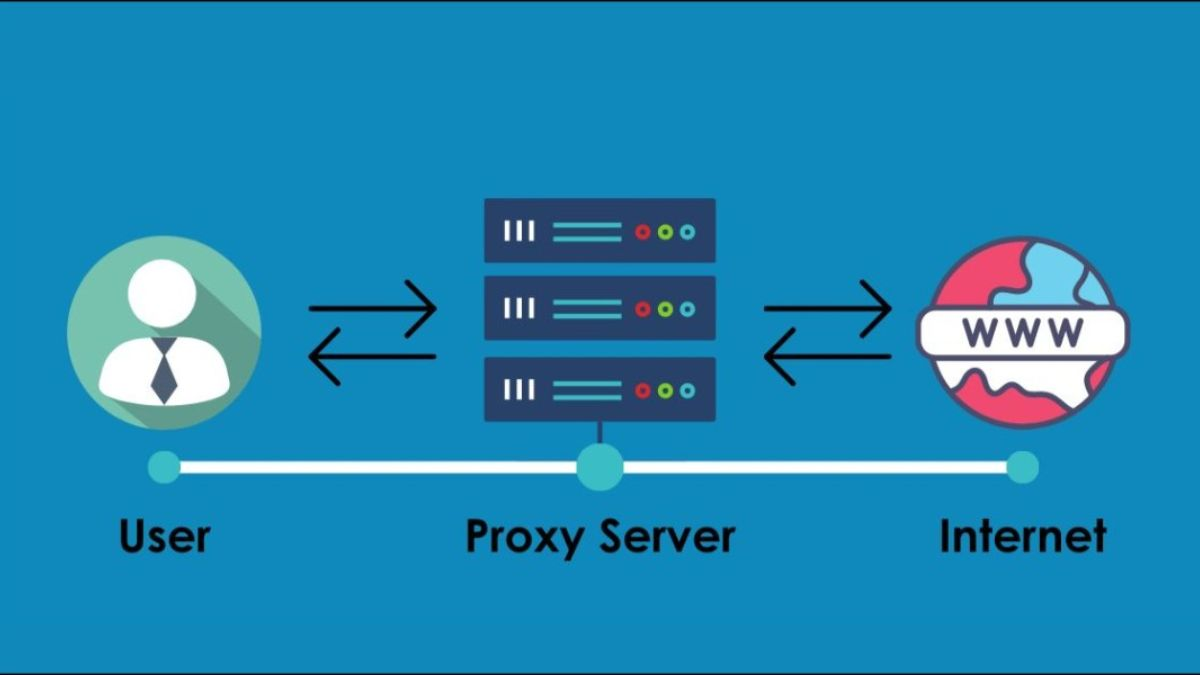
You can add a proxy to the Hidemyacc profile to change the IP address. Whether you access the profile at home, a cafe, a park, or the office, the account remains logged in from a single fixed IP address. If the whole group sits in the same office, adding a proxy isn't strictly necessary. Using the same internal network is the most natural way for OpenAI to see location consistency, avoiding system suspicion of intentional constant IP faking.
4.3. Cost optimization
With only one Plus plan, a team of 3-5 people can take turns using it. Team operational costs are reduced to a minimum while work performance still increases.
>>>Read more: Earn passive income with Hidemyacc's affiliate program
5. Notes to avoid being banned when sharing ChatGPT
To limit account bans when sharing with multiple people, you need to keep the following points in mind:
5.1. Do not log in/out continuously
Continuous login and logout actions on multiple devices in a short time is the clearest sign of unauthorized account sharing. Try to maintain the login session for as long as possible.
5.2. Choose high-quality Proxy/VPN
Absolutely do not use free VPNs because their IPs are easily scanned. Invest in private proxies for stable speed and high reliability.
5.3. Control the user list
If you use Hidemyacc, when sharing a profile, you can manage the list of who has access. Conversely, if you share a password and Gmail, you cannot control the number of people logging in. Once there are too many machines from many different IP addresses entering at once, your account will be permanently banned or temporarily suspended.
- 3 Top methods to make money online (Beginner-friendly guide)
- How to Make Money with AI for Beginners: A Complete A-Z Roadmap
- Make money with paid surveys: How much can you really earn?
6. Conclusion
Whether sharing a ChatGPT account is okay depends entirely on your purpose and risk management. If you only need a low-cost personal experience, group-buy communities are a suitable choice. Conversely, if a large team needs stability and security, logging into accounts via Hidemyacc profiles will be the optimal solution.
Whichever option you choose, always prioritize protecting privacy and following safe login principles. AI is a powerful assistant, but sustainability still lies in how you control the tool to optimize work efficiency at the most reasonable cost.
7. FAQ
Does sharing ChatGPT Plus limit messages?
Yes, definitely. The current Plus plan has a limit on GPT-4o messages every 3 hours. When shared, this limit will be exhausted very quickly. The advice is for the team to agree on specific usage hours (e.g., one person in the morning, one in the afternoon) or message alternately to avoid work disruption.
How can I prevent others from reading my content when sharing?
The most thorough way is to go to Settings -> Data Controls and turn off "Chat History & Training." Additionally, you can use the "Archive Chat" feature to hide important conversations from the main list.
How do I know if someone is secretly using my account?
Go to Settings -> Security -> Sessions. OpenAI will list detailed device types, operating systems, and locations of all machines currently logged in. If you see an unfamiliar device, select "Log out all devices" and change your password immediately.
Can two people message ChatGPT at the same time on one account?
It is possible, but practically not recommended. Sending simultaneous requests from multiple sources can trigger "Too many requests" errors, freeze the browser, or cause OpenAI's security algorithm to lock the account for verifying unusual behavior.
Does OpenAI scan IP addresses to ban shared accounts?
Yes. The system will scan if an account jumps IPs continuously between different provinces or countries in a short period. This is the main reason why cheap group-buy accounts often "disappear" suddenly.