


Antidetect browserfor multi-account management

 No credit card required


Trusted by 100,000+ users
Clean on browser fingerprint test
 Unlimited parametersUnique fingerprintReal-user authenticityHigh score on fingerprint tests
What is antidetect browser?
An antidetect browser is a specialized web browser built to create and manage many separate online identities from a single device — each one appearing to websites as a completely different, real person. Instead of one browser tied to one identity, an anti-detect browser lets you run dozens or hundreds of isolated profiles side by side, each fully independent from the rest. Learn how antidetect browsers work →Read more
How websites identify you
Every browser leaves behind a unique set of signals that websites use to identify users — even across different proxies or sessions. When these signals align, accounts get flagged, restricted, or banned.
Websites collect parameters such as Canvas, WebGL, screen resolution, fonts, and hardware information to build a unique identity for each visitor — persistent across sessions even without cookies. Individually these signals seem harmless, but combined they form a fingerprint so distinctive it can single you out among millions of users. Because it lives in your browser's own configuration, this identity survives incognito mode, cleared cookies, and even a switched IP — letting platforms quietly connect every account you open back to the same device.
IP address, WebRTC leaks, and DNS requests reveal location and connection details. Even when using proxies or VPNs, inconsistent network signals can still expose the real identity behind an account. A WebRTC leak can broadcast your true IP straight past a proxy, while a mismatch between your IP location and your browser's time zone or language instantly looks suspicious. Datacenter proxies get flagged even faster — platforms treat these conflicting signals as a clear sign of one operator hiding behind many accounts.
Cookies and session identifiers store information about your browsing activity and login state. Websites use these to recognize returning visitors and connect activity across multiple sessions — even after the browser is closed. Beyond simple login cookies, platforms plant tracking IDs, local storage entries, and cache data that quietly persist and follow you between accounts. Sign into a second account from the same browser and these leftover traces instantly link it to the first — which is why true isolation of every profile's storage matters as much as the fingerprint itself.
A smarter way to manage multiple accounts
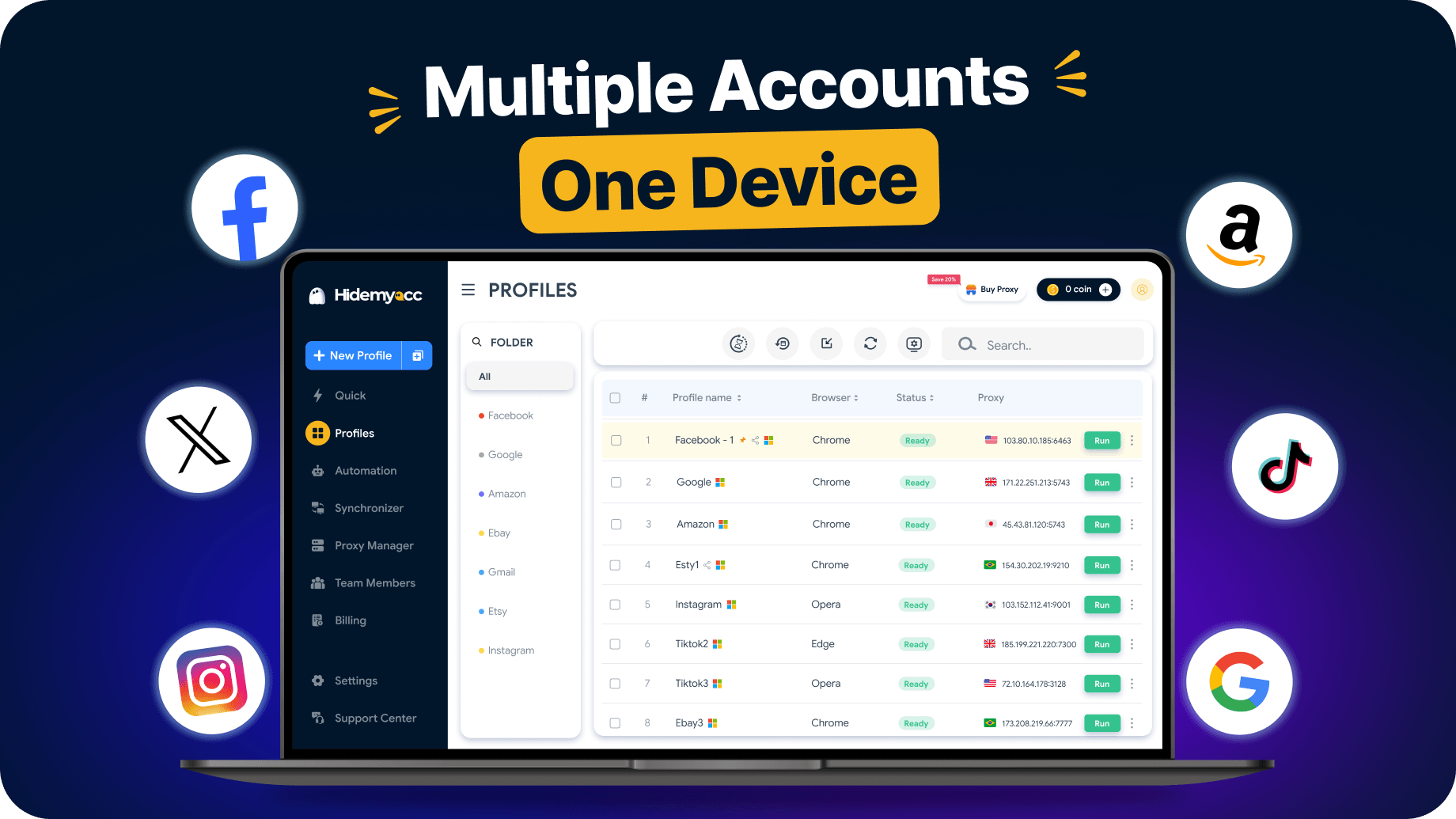
Hidemyacc helps users create separate browser identities through profile isolation, fingerprint management, and proxy integration, making multi-account management more secure and efficient.

Browser fingerprint control
Customize fingerprint settings for each profile — run multiple accounts on one device without getting detected or banned.
Try it free
Proxy management
Assign a dedicated proxy to each profile and manage them in one place. Every account runs on an IP, reducing exposure across sessions.
Try it free
Team collaboration
Share and transfer profiles between users. Create unlimited sub-accounts and control what each member can access or do.
Try it free
Task automation
Automate tasks across profiles and sync actions at the same time. Run repetitive workflows faster without touching each account manually.
Try it freeWatch how Hidemyacc works
See Hidemyacc in action and how it streamlines multi-account management.
One anti-detect browser for every multi-account workflow
Hidemyacc fits into any workflow that involves accounts, platforms, or teams. Each use case gets its own secure browser environment.




























Built for Teams running at Scale

No ceiling on profiles
Open API access and high-volume profile management mean your workflow scales with your operation — whether you're running 100 profiles or 10,000.

Fingerprints that hold under pressure
Reliable fingerprint consistency at scale, helping large account operations maintain separation and performance under increasingly sophisticated detection systems.

Full control over every profile
Assign roles, restrict access by profile group, and manage sub-accounts across departments or clients — with full activity visibility across your team.

A team behind your team
Enterprise clients get direct support and dedicated onboarding — a real person, not a ticket queue.
Trusted by multi-account
professionals









Frequently asked questions
Get answers to commonly asked questions
 Still need help? Chat to us
Yes — antidetect browsers are legal software, widely used for legitimate work such as managing business accounts, market research, ad verification, and web scraping. What matters is how you use it: you're responsible for following the terms of service of each platform you access and the laws in your region. Hidemyacc is built for privacy and multi-account management, not for fraud or illegal activity.
A VPN only changes your IP address — your browser fingerprint (Canvas, WebGL, fonts, hardware) stays the same, so platforms can still link your accounts. An antidetect browser goes further: each profile gets its own unique fingerprint, isolated cookies, and dedicated proxy, so every account looks like a completely separate device. In short, a VPN hides where you connect from; an antidetect browser makes each account a distinct identity.
Hidemyacc includes profile management, browser fingerprint customization, team collaboration, proxy integration, and automation tools - everything needed to manage multiple accounts efficiently from one place.
Hidemyacc is widely used in e-commerce, digital advertising, web scraping, social media management, and crypto airdrops — any workflow that requires managing multiple accounts across platforms.
Yes — many users run profitable make-money-online workflows with Hidemyacc, including affiliate marketing, dropshipping, and ad arbitrage. By managing multiple accounts safely, you can scale operations that would otherwise get flagged or banned.
Hidemyacc lets you create browser profiles with customized fingerprint parameters: OS, browser type, screen resolution, device memory, and more. Each profile can be assigned a proxy, which routes traffic through different points across the internet infrastructure to give each profile an IP address and network identity.
Not to get started — you can create and test profiles without one. But for real multi-account work, assigning a dedicated proxy to each profile is strongly recommended, since it gives every account its own IP and network identity. Hidemyacc supports HTTP and SOCKS5 proxies, and you can manage them all from one dashboard.
Look for a tool that offers reliable fingerprint protection, proxy integration, and team collaboration features. Hidemyacc combines these with affordable pricing, regular updates, and responsive support, making it a practical choice for both individuals and teams.
Yes. Log in from any device and enable data synchronization in the Advanced section to keep cookies, bookmarks, and history consistent across all computers.
Yes, Hidemyacc offers a 7-day free trial with 30 profiles. You can explore all features before committing to a plan.
Yes. Hidemyacc encrypts profile data and applies protective measures to keep your account information secure at all times.
All your accounts.
One place - Full control
- Free to start
- No credit card required
- Set up your first profile in minutes
Want to earn with us? Join our Affiliate Program