Multilogin was once one of the pioneer anti-detect browsers on the market and has now expanded into a platform combining both Browser Profiles and Cloud Phones. But does the hands-on experience match what is advertised on their website? This article records the complete hands-on review of Multilogin—from creating Browser Profiles and launching Cloud Phones to auditing fingerprints, proxies, network speeds, and website access capability. Rather than merely aggregating marketing claims, this content focuses on real findings during testing to deliver an objective perspective.
1. What is Multilogin Cloud Phone?
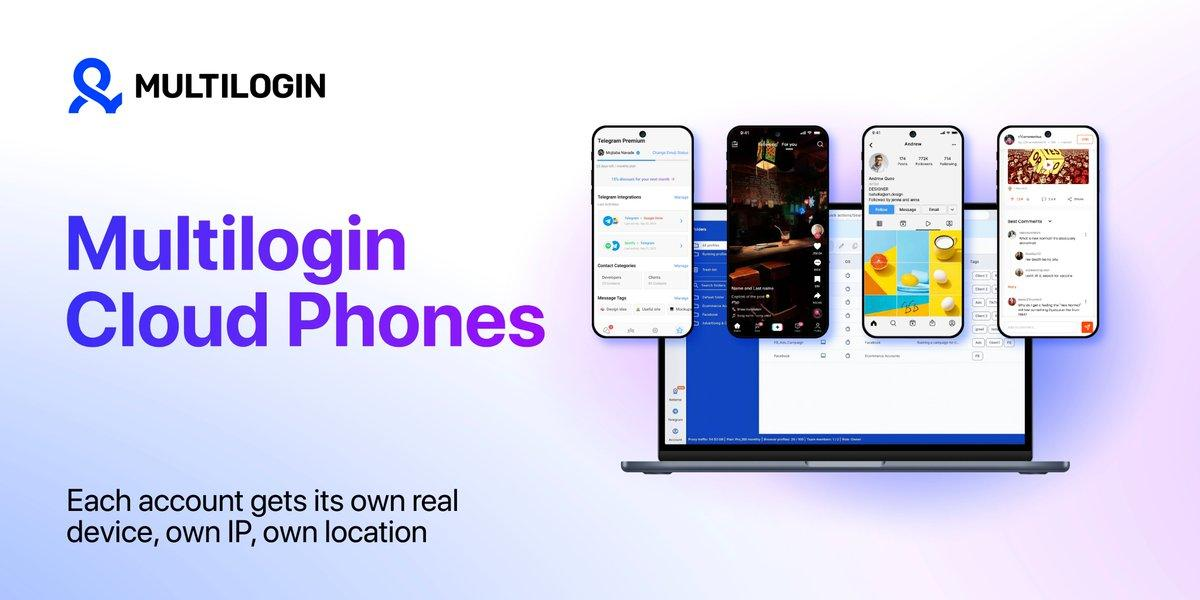
Multilogin is a Cloud Phone platform designed for users managing multiple accounts across both mobile and web environments. The platform offers Android Cloud Phones for mobile profiles and Browser Profiles for web operations. Each mobile profile runs on a dedicated virtual Android device in the cloud with independent apps, location, and digital identity, whereas each web profile operates inside an isolated Browser Profile with distinct cookies, session data, and IP addresses. This allows users to manage both Android and web browser contexts on a unified dashboard.
Every Multilogin subscription tier includes built-in residential proxies, allowing each profile to leverage a residential IP address tailored to its configured region, thereby increasing consistency between the IP and the profile's operational environment.
To verify Multilogin's official claims, this review centers on actual operational performance rather than promotional feature lists.
2. First impressions
After registering an account, Multilogin routes users to the main dashboard, where Browser Profiles, Cloud Phones, Team management, and Automation are all controlled within a single interface.
The initial impression is a modern, clean, and well-organized layout. Feature modules are divided into distinct sections, making onboarding relatively quick even for first-time users.
From the dashboard, switching between Browser Profiles and Cloud Phones requires only a few clicks. This layout demonstrates that Multilogin is no longer strictly focused on traditional anti-detect browsing, but is constructing a broader multi-account management ecosystem.
2.1. Account registration and Free Plan selection
Multilogin supports Windows, macOS, and Linux. The installation process is straightforward and requires no complex technical configuration.
Upon logging in, the dashboard displays separate sections for Browser Profiles and Cloud Phones. The layout is intuitive, helping users locate specific feature modules immediately upon first launch.
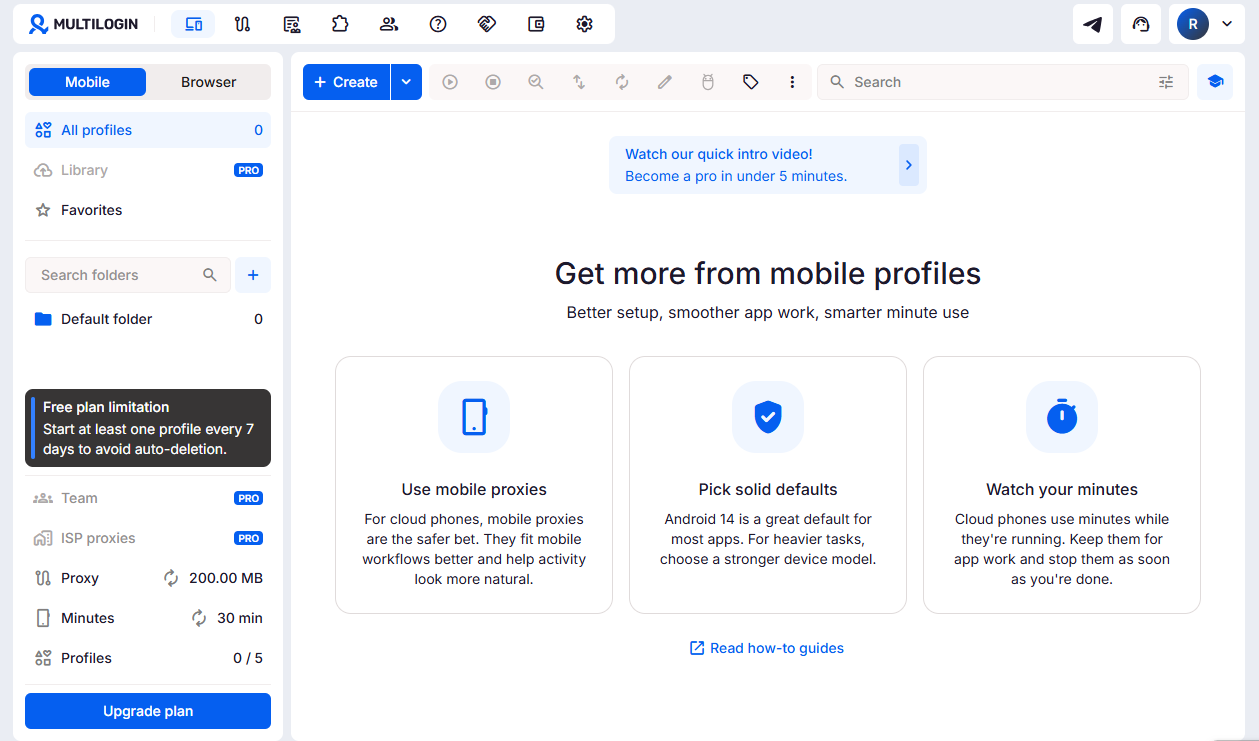
During evaluation, several small yet practical UX details stood out, including Drag & Drop profile organization, Color Tags for account categorization, dedicated Profile Notes, execution Hotkeys, and a Running Profiles monitor for real-time tracking of active sessions.
While these capabilities might seem minor on promotional pages, they significantly streamline workflows when managing dozens of profiles simultaneously.
2.2. Automation built for developers
Multilogin supports browser automation, though its approach differs from platforms offering visual drag-and-drop workflow builders. To build automated pipelines, users must interact directly with technical frameworks such as REST APIs, Selenium, Puppeteer, Playwright, ADB, or Postman.
During testing, API access was blocked on the Free Plan. Unlocking automation endpoints requires upgrading to a Pro tier or higher.
Overall, Multilogin's automation setup targets users with programming expertise or dedicated technical teams, rather than non-technical users seeking code-free workflow creation.
2.3. Manual profile migration process
Multilogin provides mechanisms for importing profiles from legacy tools. However, the migration workflow remains largely manual rather than automated via a single click.
In practice, migrating a profile involves exporting cookies from the source software, creating a new Browser Profile inside Multilogin, manually importing the cookie file into the newly created profile, and verifying profile session state before launching.
Currently, Multilogin lacks a bulk one-click migration wizard for importing complete profile libraries automatically. Consequently, transferring dozens or hundreds of accounts requires repeating this manual sequence per profile, making large-scale migration time-consuming.
3. Multilogin pricing breakdown: Official vs. actual costs
Before evaluating Cloud Phone and Browser Profile performance, understanding the pricing structure is essential. Alongside recurring monthly or annual subscriptions, Multilogin charges usage fees based on Cloud Phone active runtime minutes. During testing, published pricing claims were cross-checked against actual account charges to identify hidden operational nuances.
3.1. Official pricing plans
Multilogin offers several service tiers structured around profile allocations and feature limits. Below is the official tier breakdown for cost evaluation.
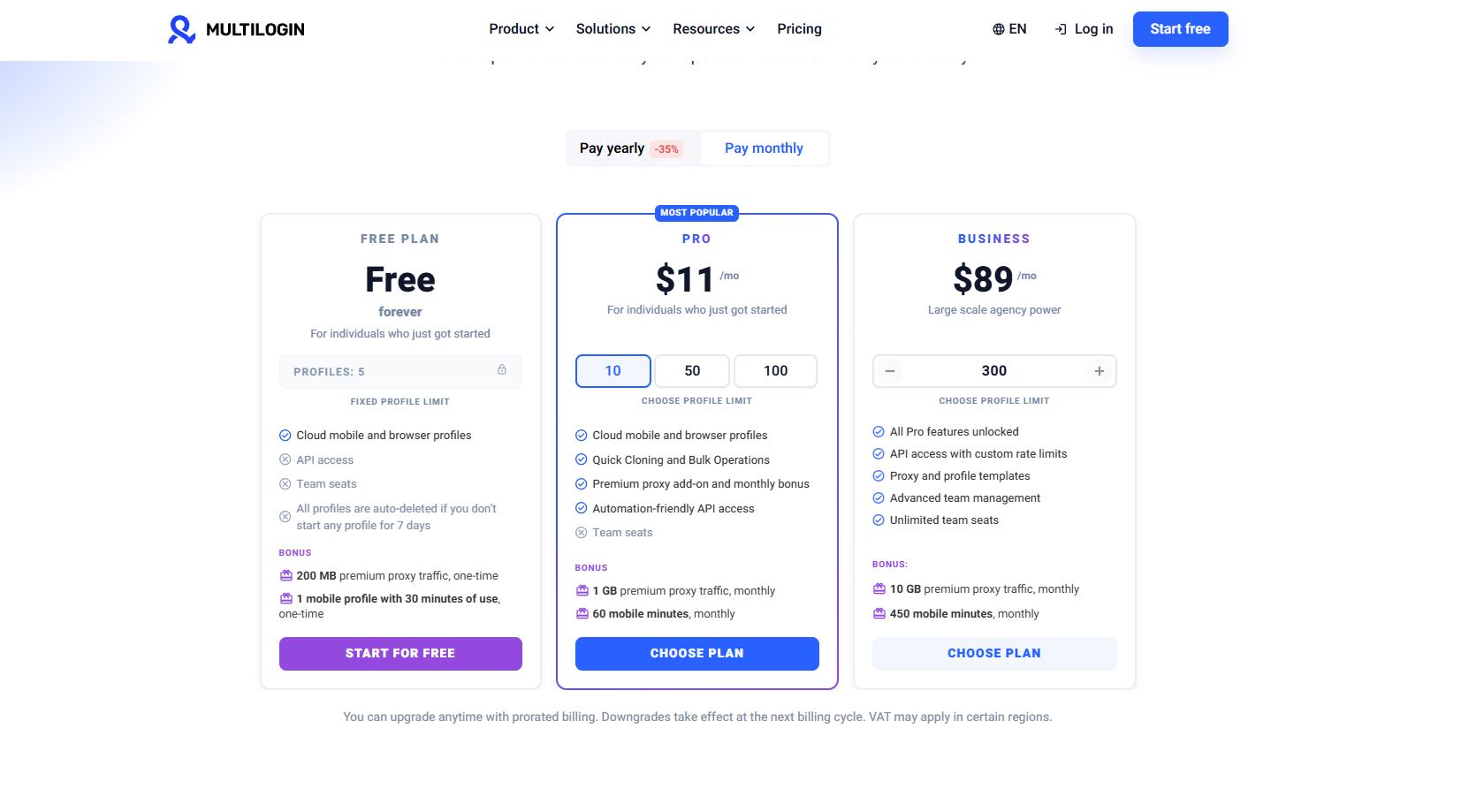 The table below summarizes the monthly costs published on Multilogin's official website.
| Plan | Monthly Price (Billed Monthly) | Monthly Price (Billed Annually) | Includes |
|---|---|---|---|
| Free | $0 | N/A | Cloud phone & browser profiles, 200MB proxy traffic & 30 mobile minutes (one-time bonus, non-renewable). No API. Profiles auto-delete if inactive for 7 days. |
| Pro 10 | $11 | $7.08 | 10 profiles, 1GB proxy traffic/month, API access included, 0 team seats |
| Pro 50 | $29 | $19.17 | 50 profiles, 3GB proxy traffic/month, API access included, 0 team seats |
| Pro 100 | $40 | $26.67 | 100 profiles, 5GB proxy traffic/month, API access included, 2 team seats |
| Business 300 | $89 | $57.08 | 300 profiles, unlimited team seats, 10GB proxy traffic/month |
Multilogin supplies a Free tier along with paid tiers that scale profile limits and residential proxy data quotas. The Free plan allows users to test the interface and basic workflows before committing financially.
3.2. Real-world cost & quota testing findings
During testing, the $0.011/minute Cloud Phone usage fee matched the rate displayed inside the app. Furthermore, the runtime meter activates strictly upon clicking Start and stops upon clicking Stop, rather than billing continuously from the moment a Cloud Phone instance is created. This pay-per-minute billing gives users precise control over operational expenses, particularly when pre-configuring devices prior to deployment.
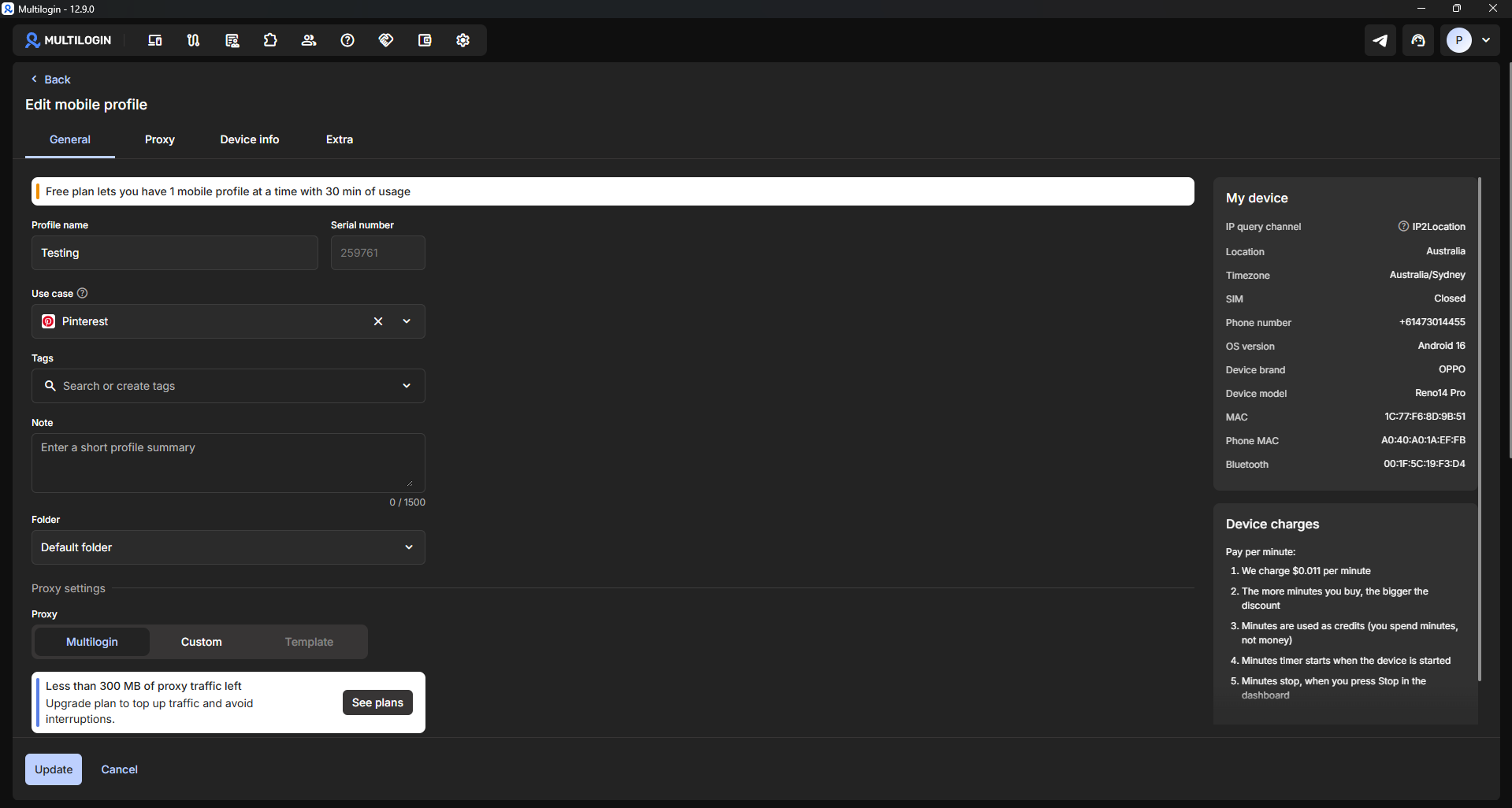
For the Free Plan, registered accounts receive: 5 Browser Profiles, 1 Mobile Profile, 200MB Proxy Traffic, and 30 Cloud Phone runtime minutes. These allocations align with official plan specifications. However, testing revealed notable resource limits not explicitly highlighted on the public pricing page.
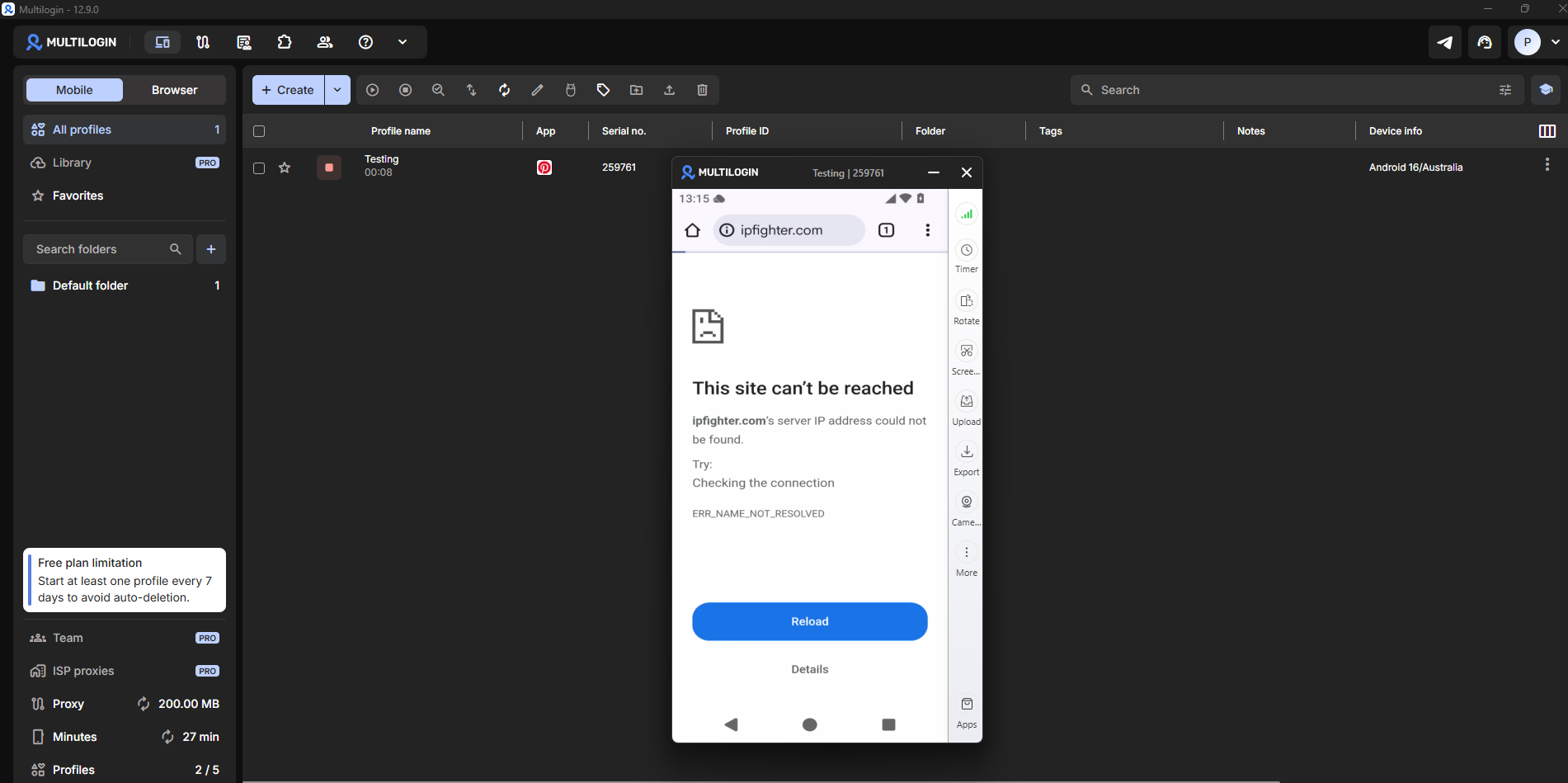
First, the 200MB Proxy Traffic quota depletes rapidly. After loading a few diagnostic sites (such as BrowserLeaks, Whoer, and IPFighter), the Cloud Phone proxy began dropping requests due to data exhaustion.
Additionally, the headline "5 Profiles" label can cause misunderstandings. In practice, the Free Plan allows creating only 1 concurrent Mobile Profile; the "5 Profiles" quota refers strictly to Browser Profiles. When attempting to instantiate a second Cloud Phone, the application prompted an error requesting deletion of the active Mobile Profile or an account upgrade.
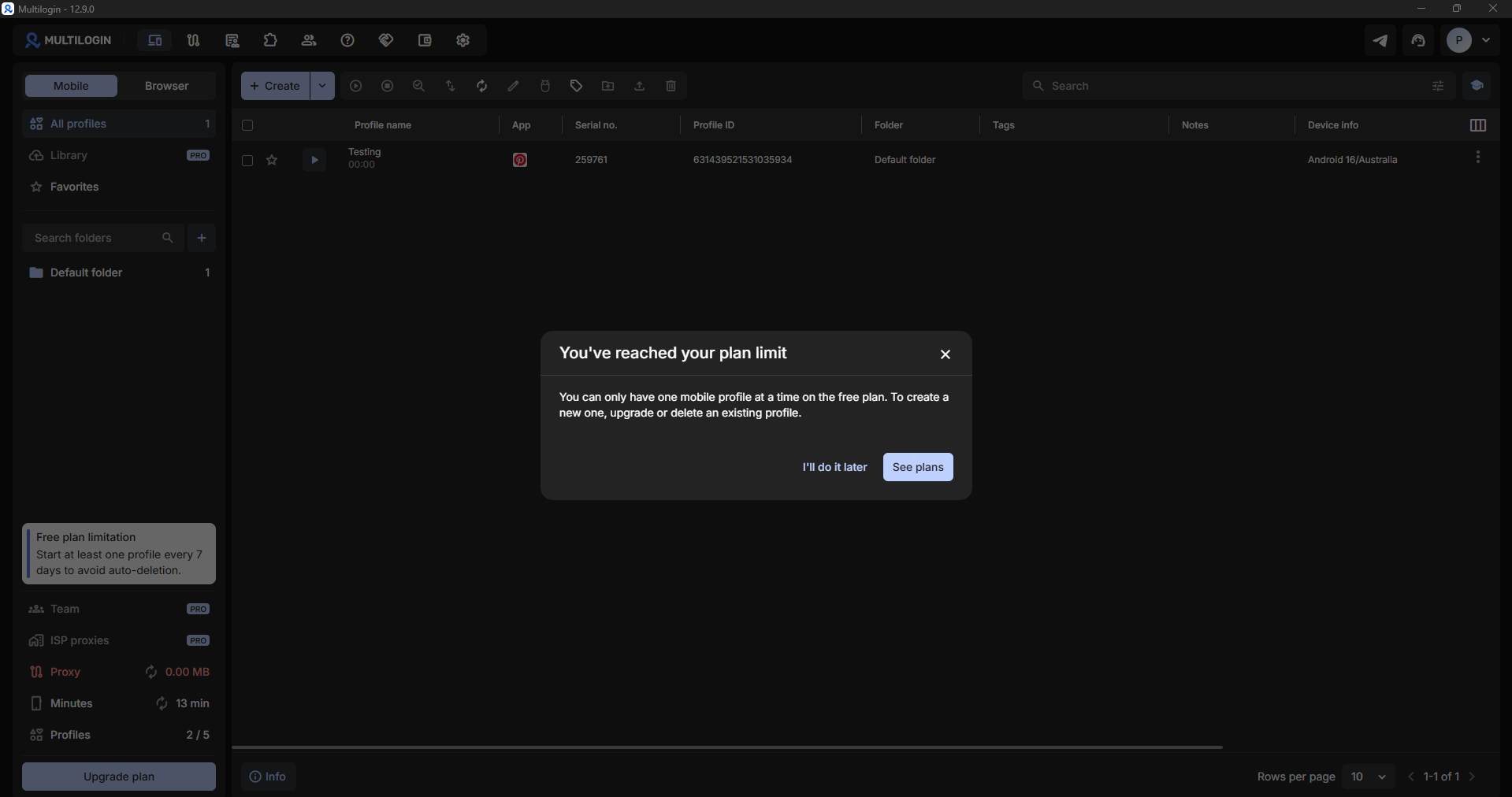
This distinction is important, as public pricing tables do not clearly separate Mobile Profiles from Browser Profiles, leading some users to assume the Free Plan supports 5 simultaneous Cloud Phones.
4. Android Cloud Phone hands-on review
Following initial setup, testing transitioned to inspecting Cloud Phone virtual instances directly. This evaluation focuses on hardware device profiles, UI responsiveness, proxy routing stability, browser fingerprint parameters, and peripheral support.
4.1. Assigned virtual hardware specifications
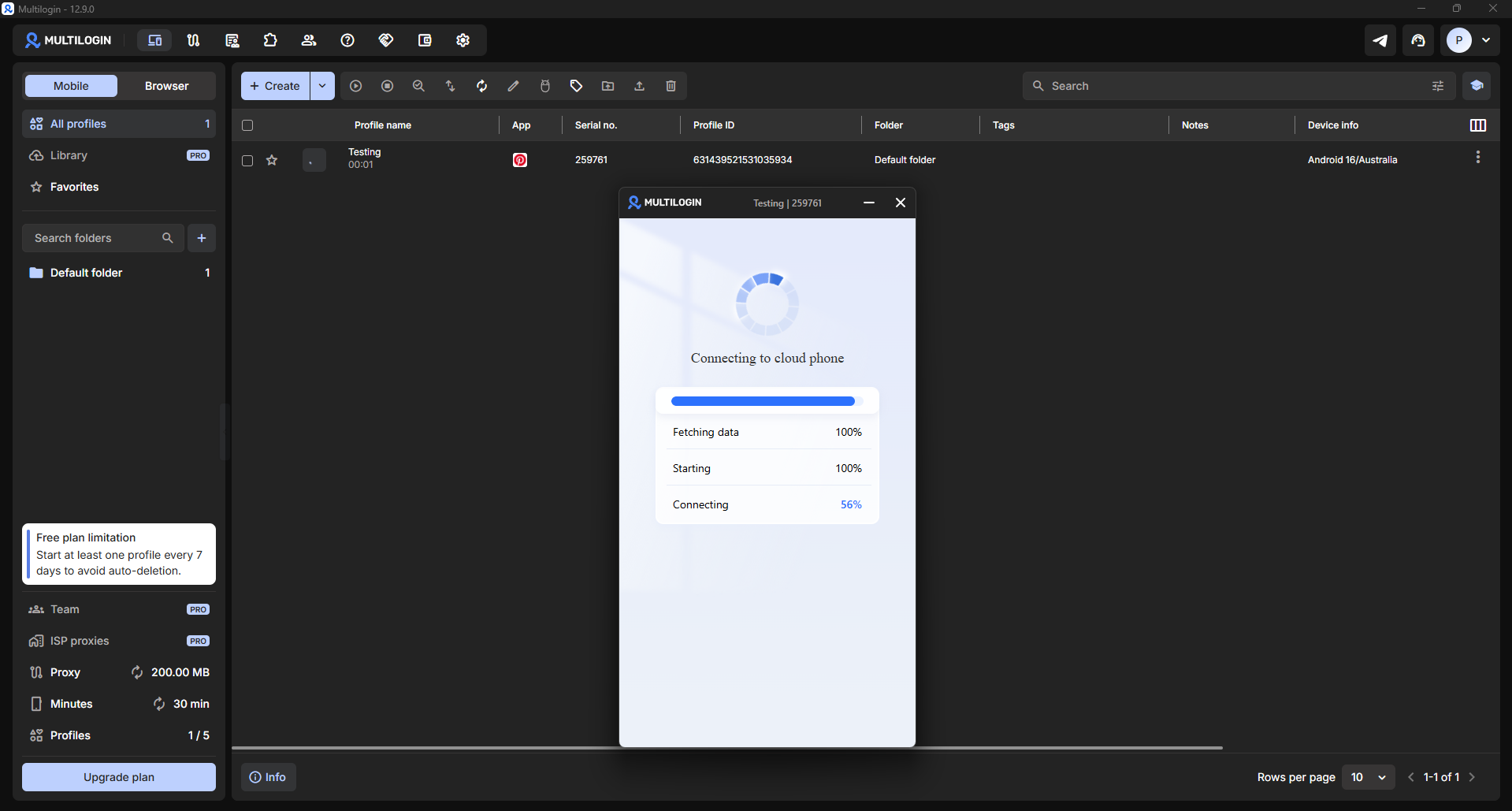
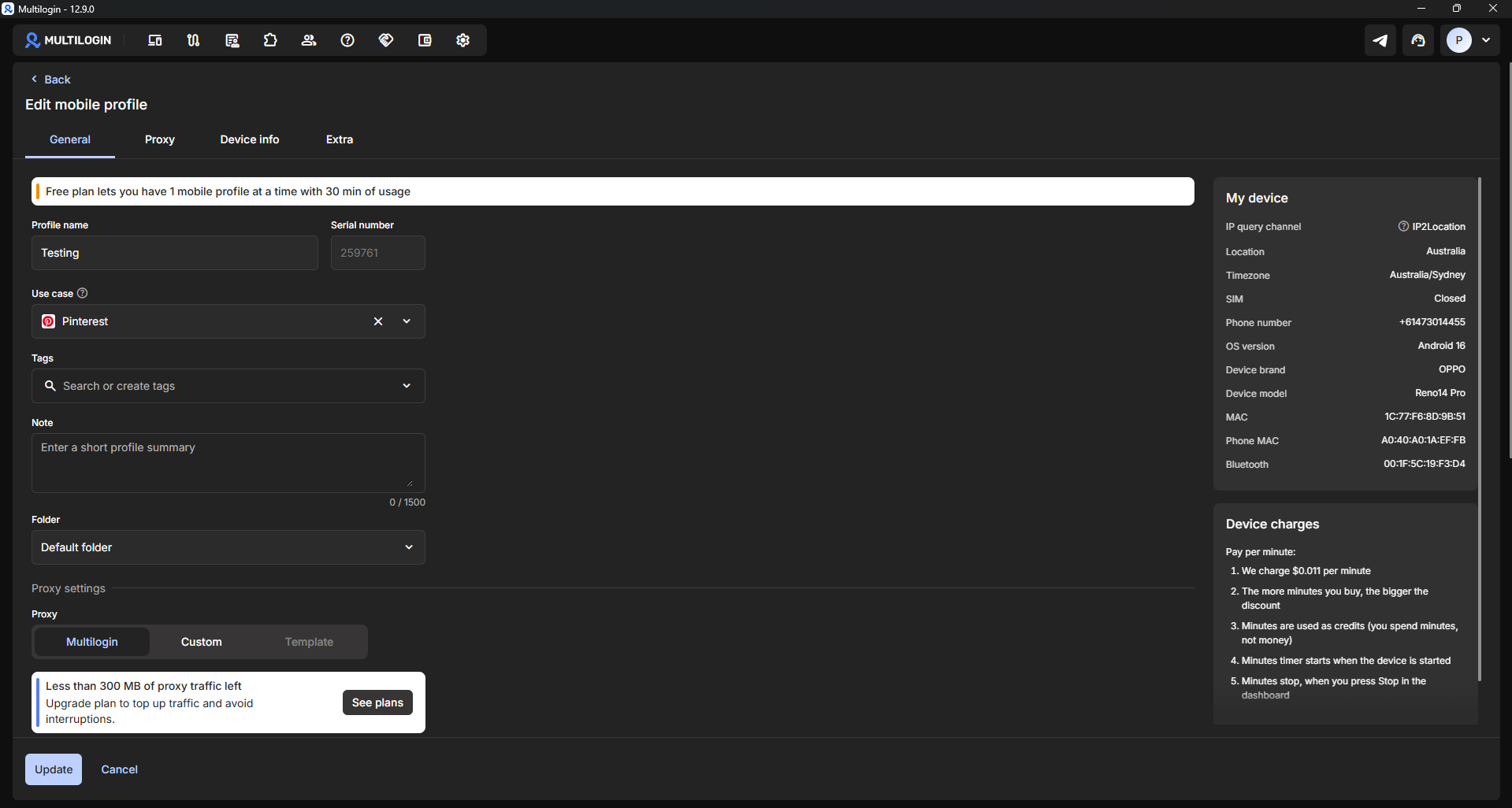
Upon spinning up a Cloud Phone instance, the system automatically provisions an Android virtual device. The generated test profile exposed the following specs: OPPO Reno14 Pro, Android 16 OS, Bluetooth support, MAC Address, Phone MAC, and a virtual phone number identifier.
On paper, the Cloud Phone closely mimics a genuine Android smartphone. Hardware parameters are exposed inside the profile configuration panel for verification before launching the instance.
4.2. UI layout and user experience
Once booted, the Cloud Phone environment presents a standard Android desktop pre-populated with core system applications: Google Search, Chrome, Play Store, Gallery, and Phone.
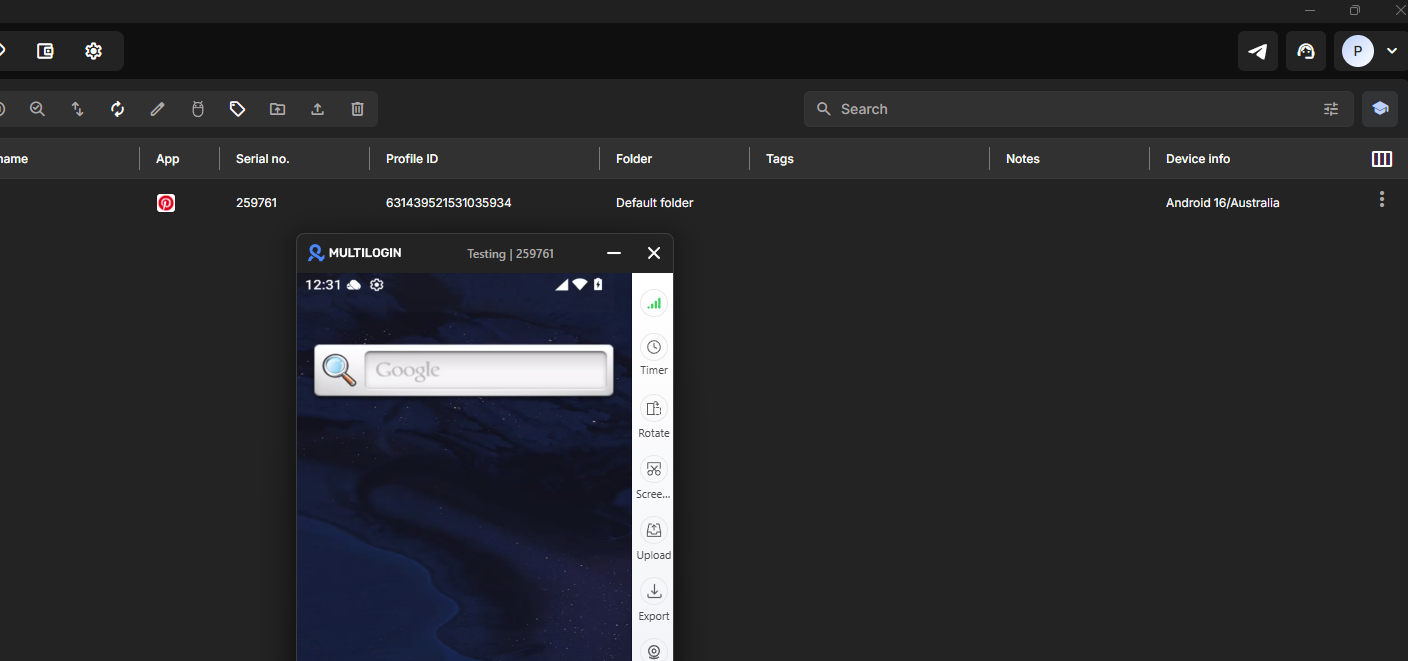
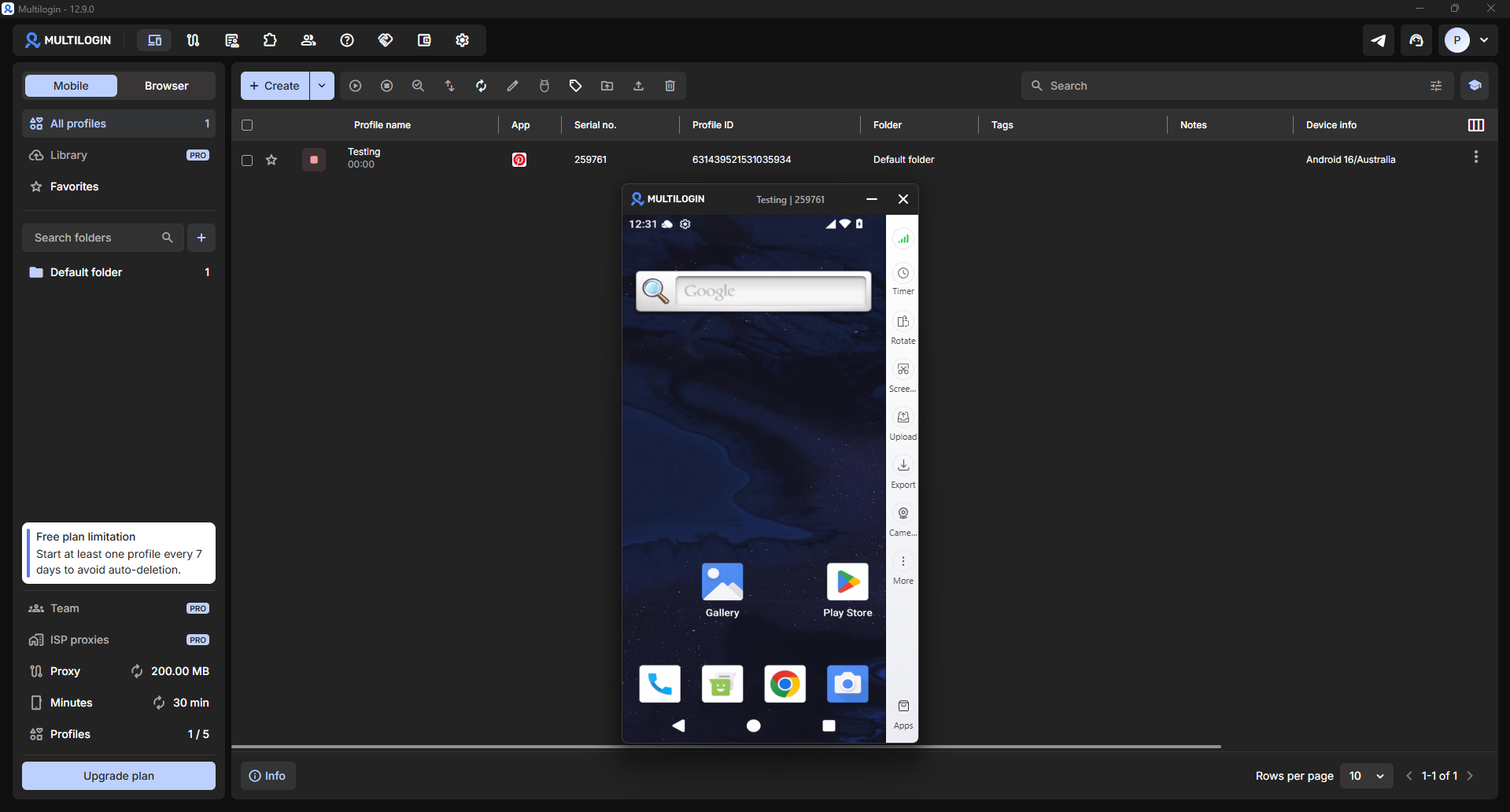
The interface feels familiar to anyone accustomed to physical Android devices. Navigation gestures, app launches, and home screen organization mirror standard mobile operating systems, requiring minimal adaptation time.
Throughout testing, interaction with pre-installed applications proceeded as expected without requiring additional system-level configuration.
4.3. System speed and UI latency
To measure virtual device responsiveness, routine operations were performed, including opening web pages, switching between apps, and loading hardware auditing tools.
Results: Interface interactions exhibited minor input lag; navigating between complex web pages averaged roughly 16 seconds. Diagnostic tool Whoer correctly identified the environment as Chrome 134 running on Android 16.
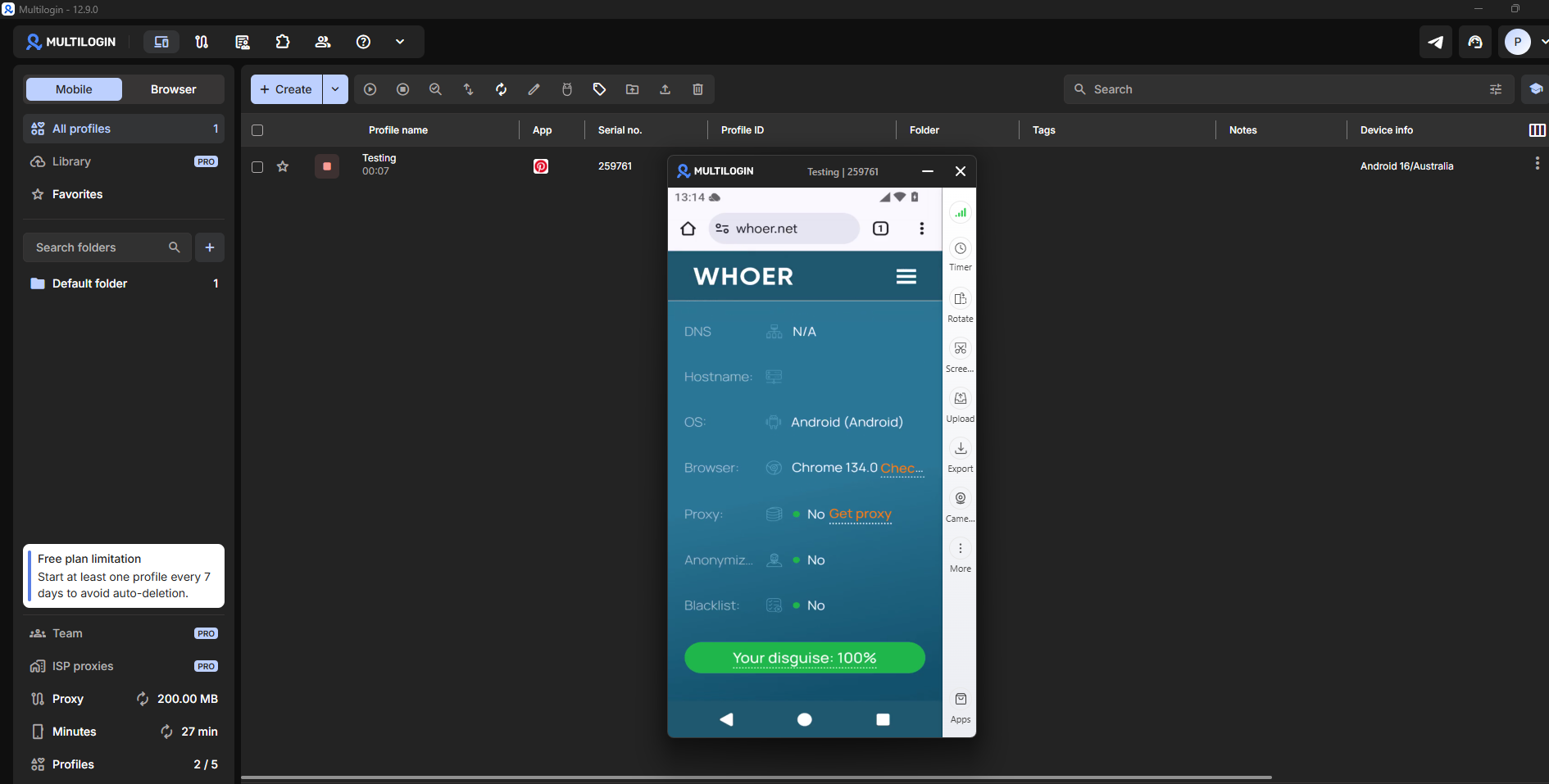
Overall, the Cloud Phone handles basic tasks like web browsing, site auditing, and app installation. However, interaction smoothness and frame rates do not quite match those of a physical Android device.
4.4. Bundled proxy performance on the Free Plan
During testing, the bundled residential proxy provided on the Free Plan (200MB allocation) was evaluated for connection stability. Running sequential IP lookup checks via BrowserLeaks and Whoer within the same Cloud Phone session returned two distinct IP addresses.
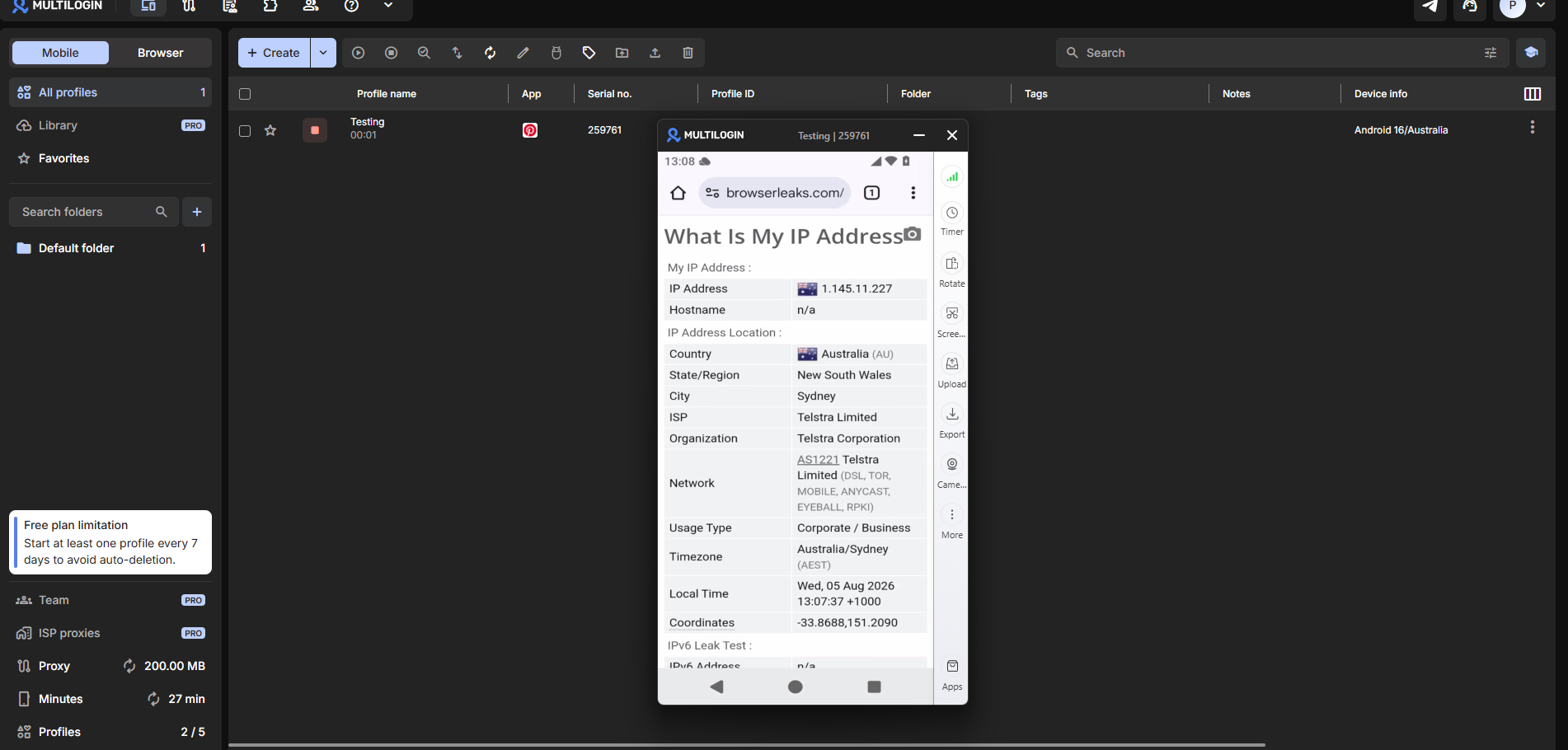
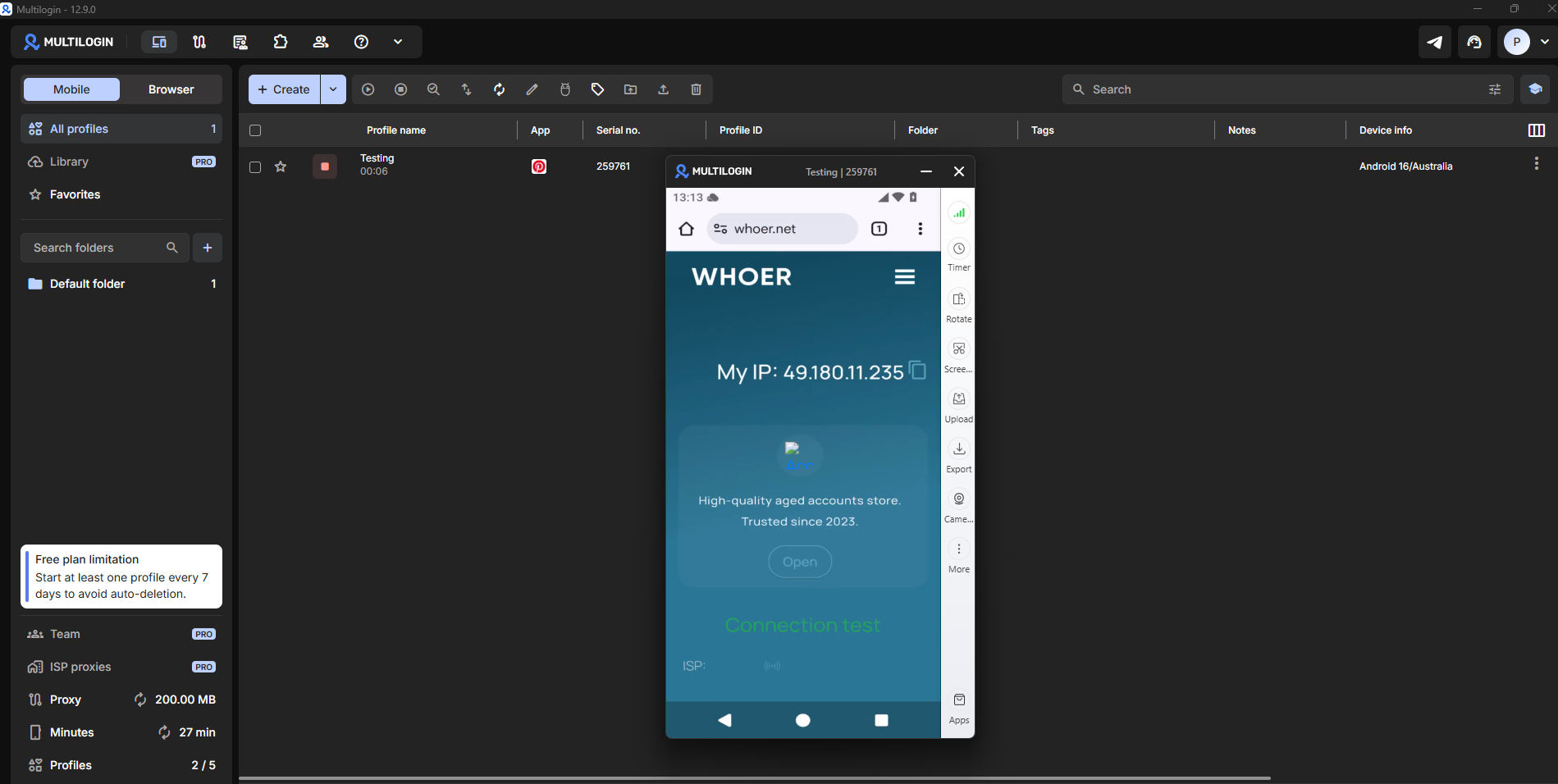
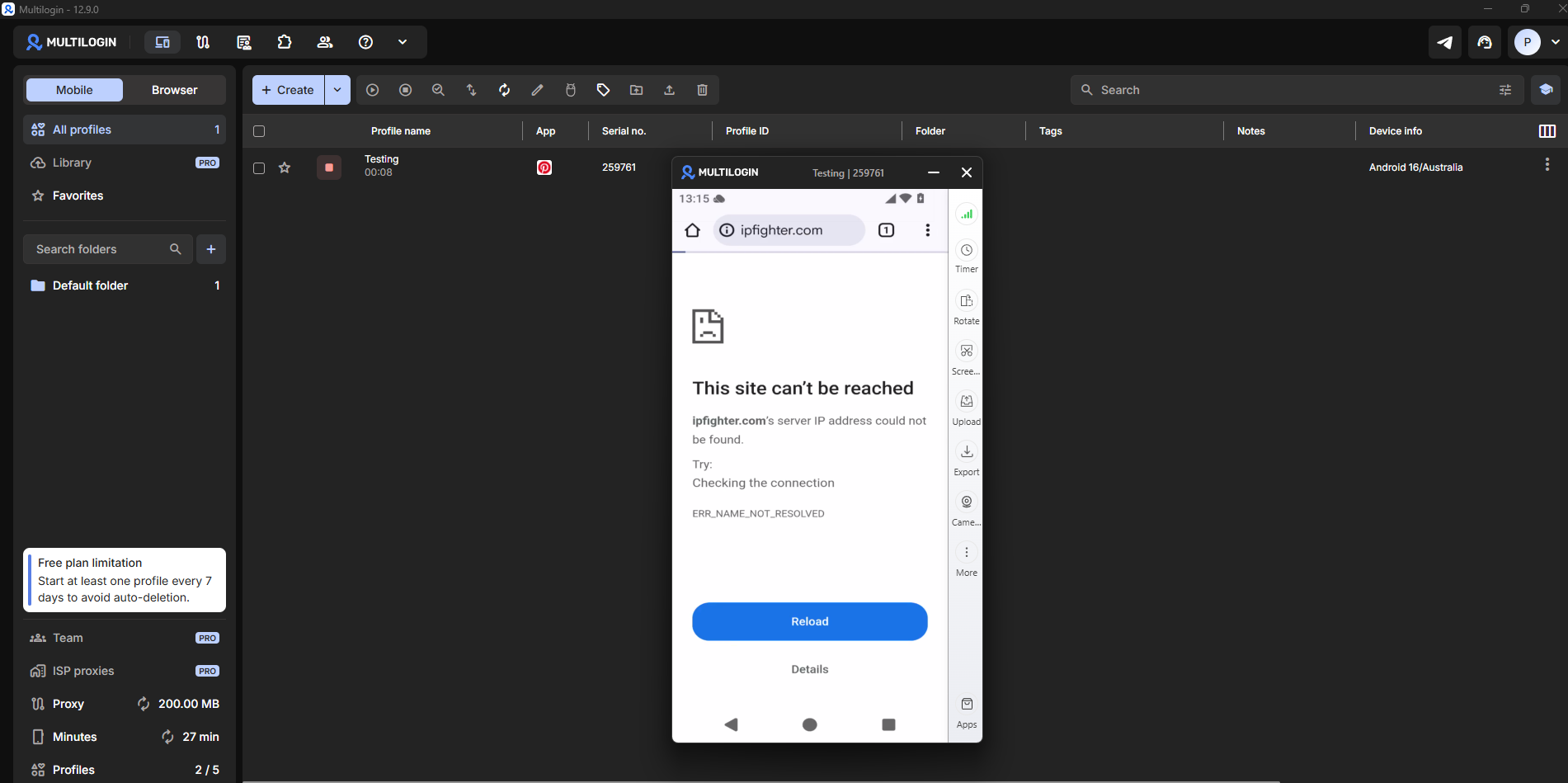
Attempting further web navigation with the bundled proxy triggered connection failures: IPFighter failed to load entirely, and TikTok returned an ERR_NAME_NOT_RESOLVED error. At this point, the 200MB proxy quota was fully exhausted, bringing mobile proxy testing to a halt.
4.5. Fingerprint auditing
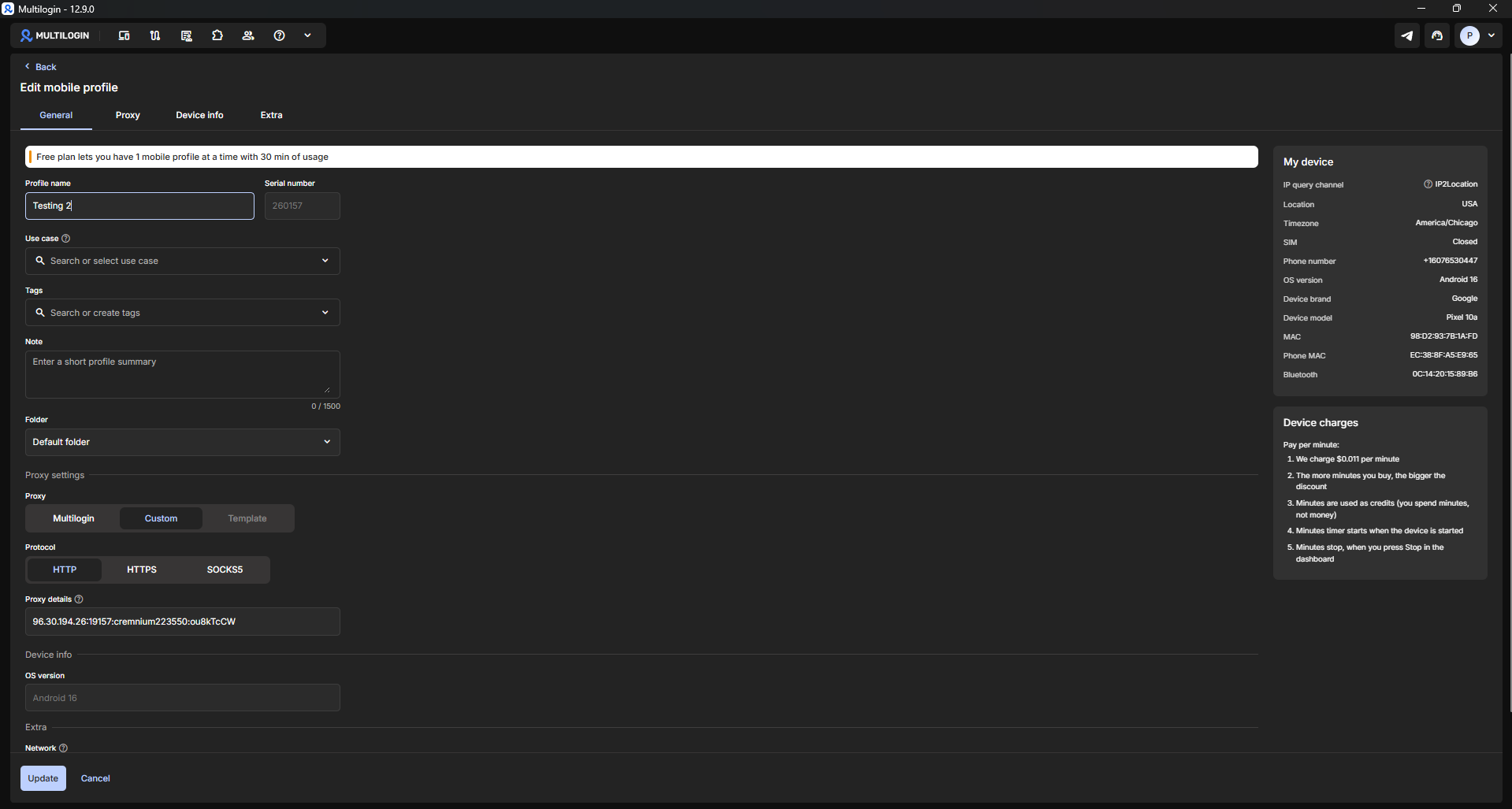
To conduct a thorough fingerprint audit, a fresh Mobile Profile named "Testing 2" was configured as a Google Pixel 10a running Android 16, localized to Chicago, USA, using a Custom Proxy instead of Multilogin's default connection. The profile was launched and analyzed using IPFighter Browser Fingerprint.
User-Agent: The browser was detected as Chrome 134 on Android. However, the full User-Agent string explicitly declared Android 10 instead of the configured Android 16 OS. This was the first parameter discrepancy recorded during testing: the OS build version inside the User-Agent header did not match the operating system chosen during Mobile Profile creation.
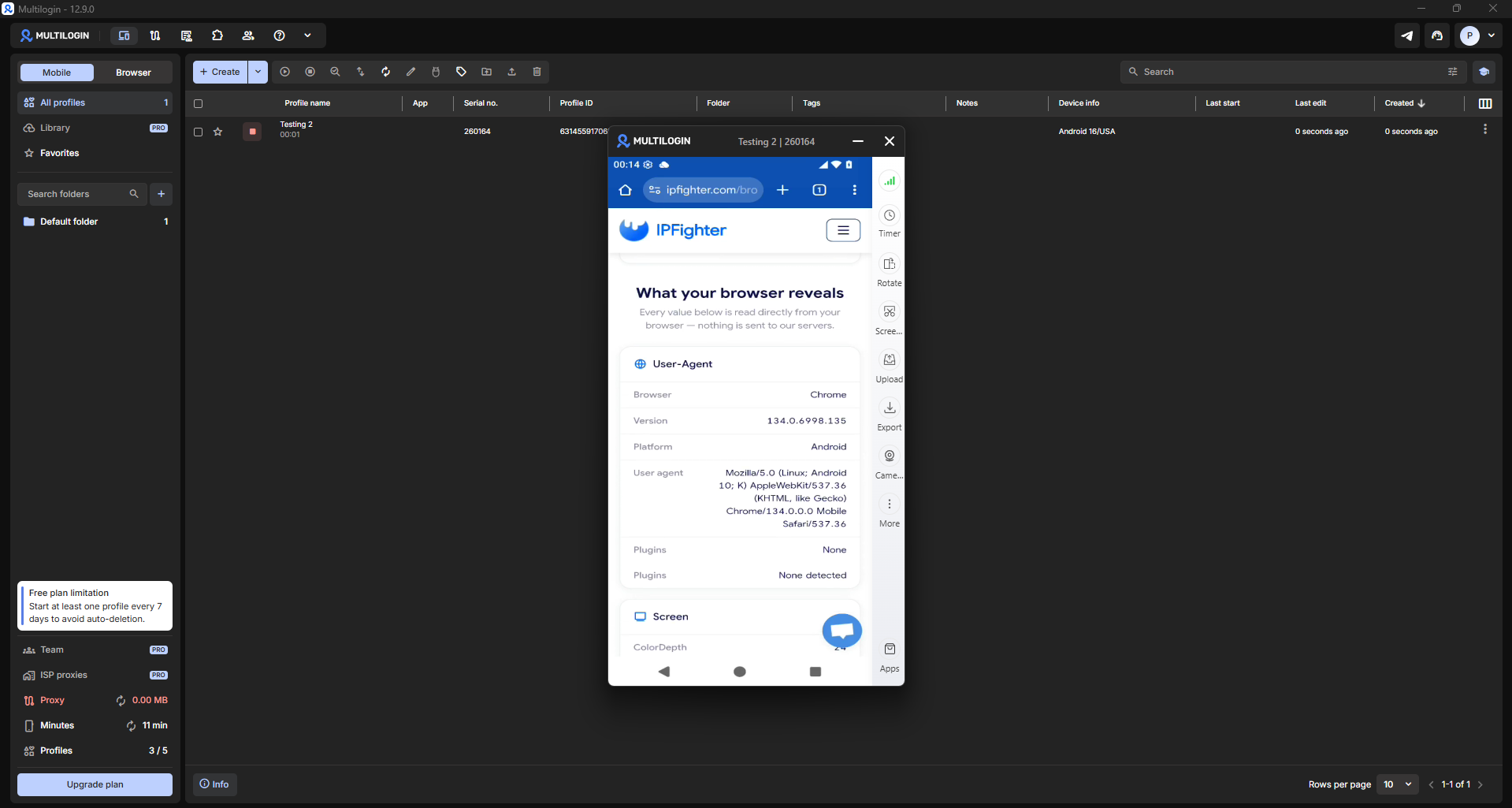
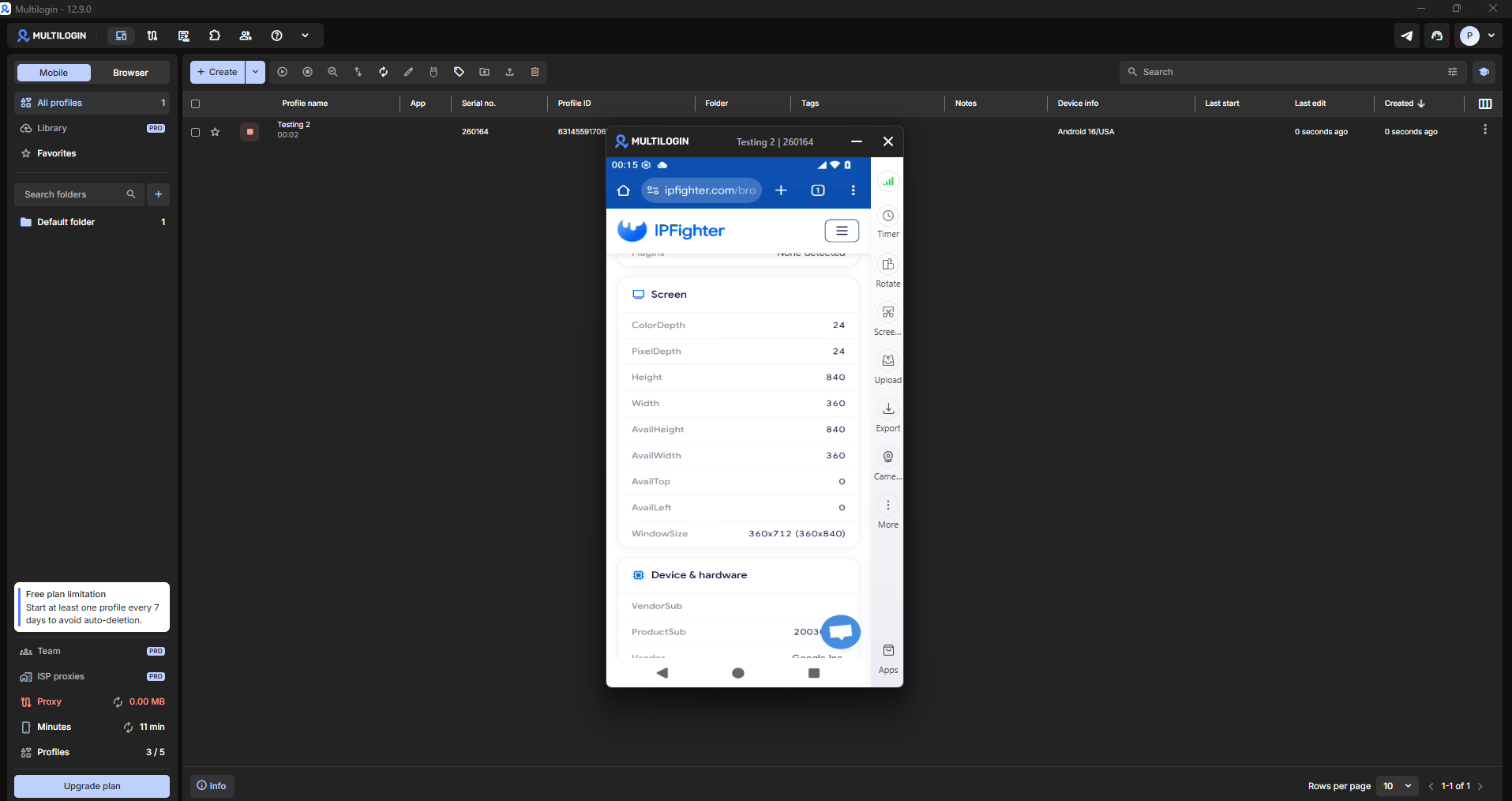
Screen & Device: Display resolution and hardware reporting parameters passed IPFighter verification without anomalies.
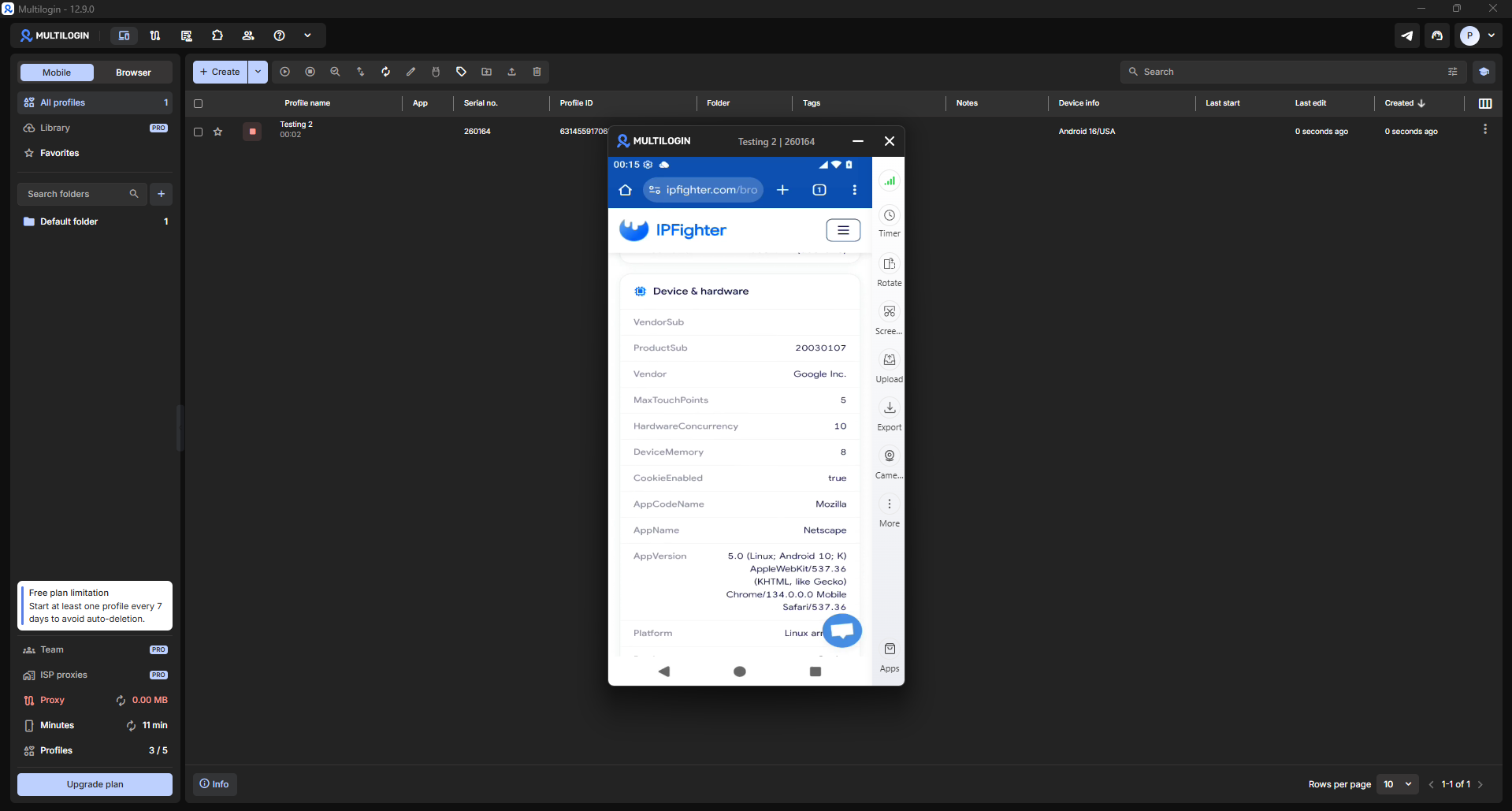
WebGL Details: WebGL auditing exposed a hardware mismatch. While the profile model was designated as a Google Pixel 10a, the WebGL Renderer reported a Samsung Xclipse 950 GPU. This is an important detail for fingerprint integrity. Xclipse graphics processing units belong to Samsung's Exynos chipset family (commonly found on Galaxy devices), rather than the Tensor processors used in Google Pixel phones. In short, while the device identified itself as a Google Pixel 10a, its WebGL hardware signature matched a Samsung smartphone. Advanced anti-fraud systems cross-checking device models against WebGL renderer strings may detect this mismatch.
Media & Permissions: IPFighter correctly enumerated available virtual audio and video devices present inside the Cloud Phone runtime environment.
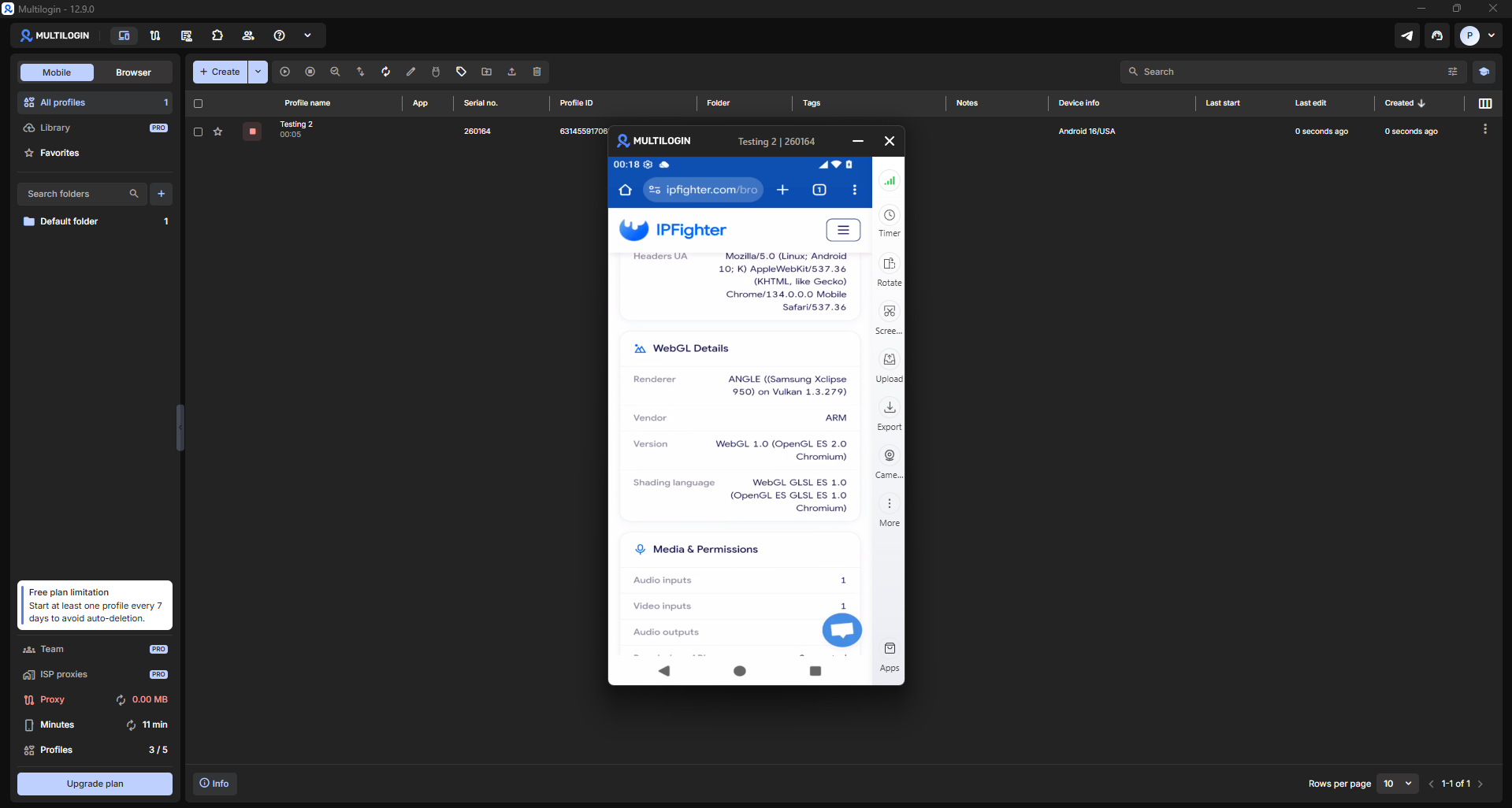
The fingerprint audit revealed two technical discrepancies between profile configuration and reported runtime metrics: an Android version mismatch inside the User-Agent header, and a WebGL Renderer exposing Samsung GPU signatures on a declared Google Pixel device. These details are worth noting if utilizing Cloud Phones for operations requiring strict fingerprint consistency.
4.6. Camera passthrough and Google Play Store
Camera Passthrough: According to official documentation, Multilogin supports routing host computer webcams into the Cloud Phone instance. This capability is useful for accounts requiring identity verification or camera-based authentication.
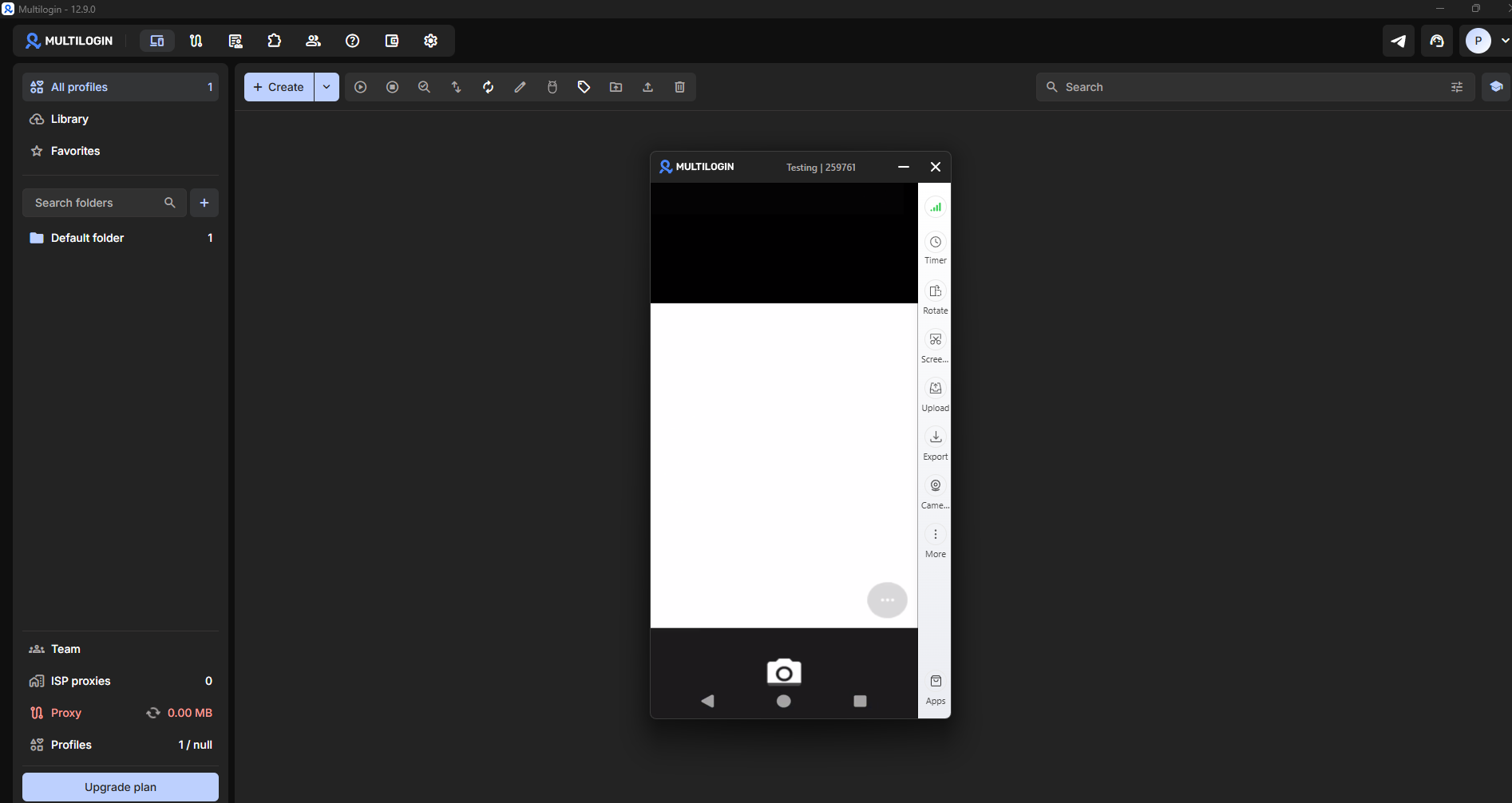
Google Play Store: The Cloud Phone comes with Google Play Services pre-installed. However, downloading third-party applications requires signing into a Google account, which is standard Android behavior rather than a platform restriction.
Quick takeaway
After testing, Cloud Phone provides a usable Android cloud instance that launches quickly. The UI is familiar, profile creation is fast, and basic system apps come pre-installed.
However, testing also identified points to consider: proxy IP rotation within active sessions, rapid consumption of the Free Plan's 200MB proxy allocation, and fingerprint discrepancies between declared device specs and actual WebGL output. These factors warrant consideration if your use case demands high session stability.
5. Browser Profile hands-on review
Following Cloud Phone evaluation, testing shifted to inspecting Multilogin's core product capability: Browser Profiles. As Multilogin's flagship capability prior to its Cloud Phone expansion, web browser management remains its primary feature for most users.
5.1. Browser Profile setup and Free Plan feature locks
Creating a Browser Profile is fast. Users simply specify a profile name, target operating system, proxy settings, and basic parameters to generate a runnable browser environment.
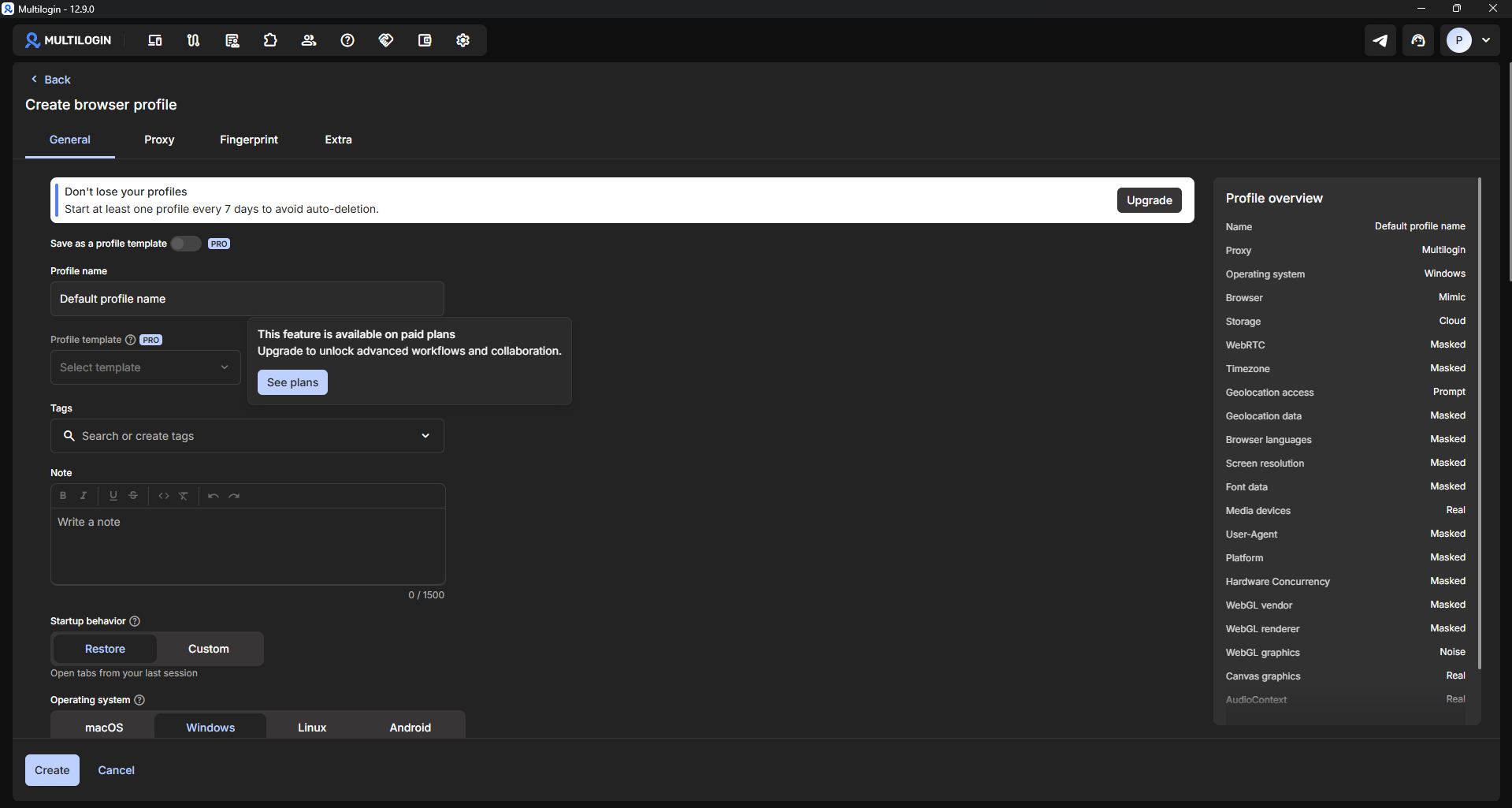
During profile creation, several advanced configuration features were flagged with "PRO" tags, including Save as Template, Profile Templates, and granular browser parameters. While basic profiles can be created without these options, scaling workflows across larger teams generally requires upgrading to paid tiers.
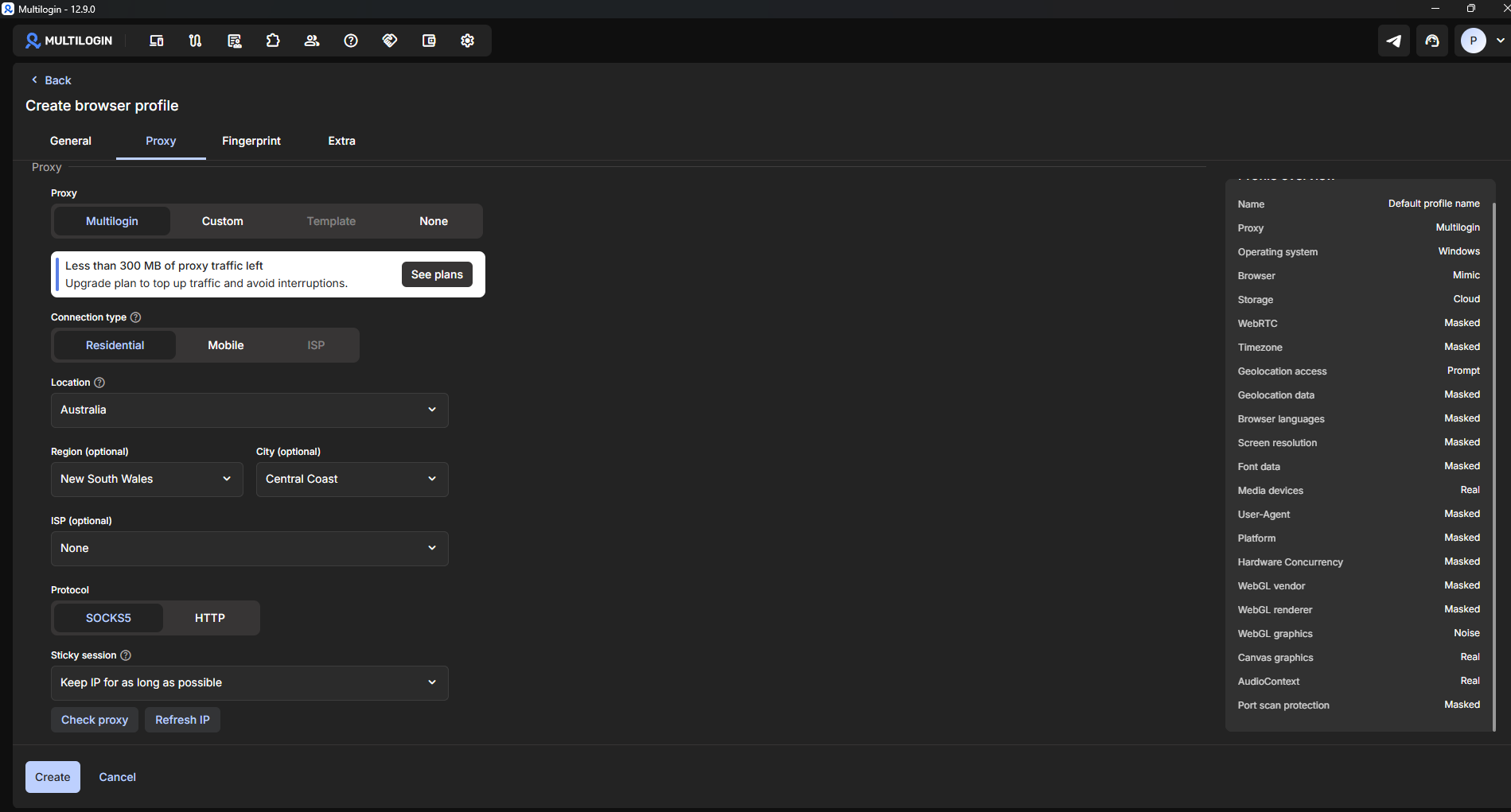
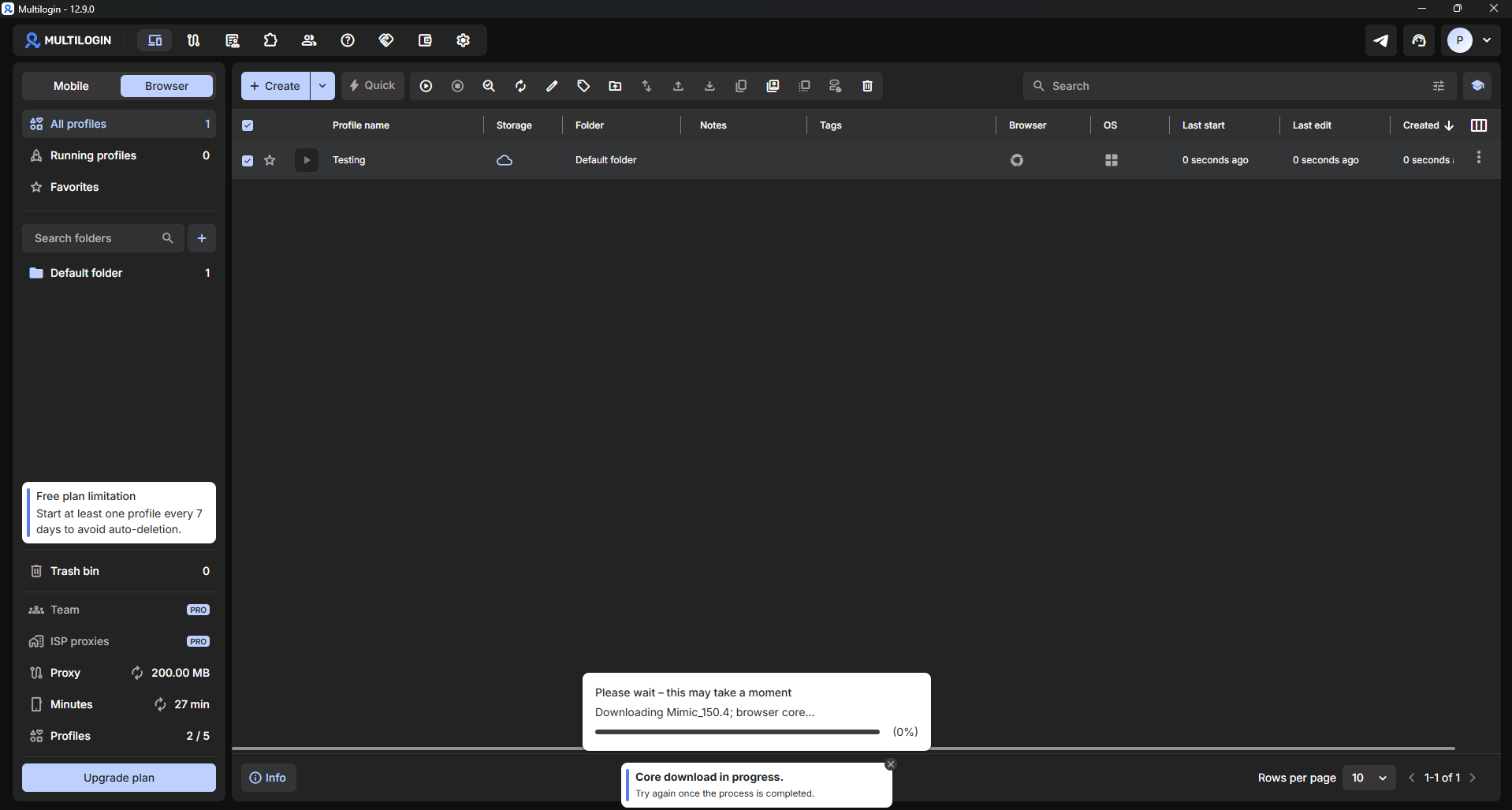
Additionally, upon launching a Browser Profile for the first time, Multilogin downloads the proprietary Mimic Browser Core before rendering the window. Unlike Cloud Phone instances that open immediately, initial Browser Profile launches require a brief download buffer.
5.2. Fingerprint masking approach
Reviewing the Profile Settings reveals that Multilogin selectively spoofs specific browser signals rather than randomizing all hardware parameters. Parameters explicitly marked as "Masked" include WebRTC, Timezone, User-Agent, Platform, and WebGL. Conversely, parameters such as Media Devices, Canvas Graphics, and AudioContext remain set to "Real" (hardware passthrough) by default.
This strategy indicates that Multilogin focuses on spoofing high-risk tracking vectors while leaving secondary hardware signals untouched to maximize site compatibility and minimize rendering errors. This balanced approach is common among modern antidetect browsers.
5.3. Browser Profile proxy testing
To thoroughly evaluate Browser Profile connectivity, multiple diagnostic tools were used to inspect proxy routing, WebRTC leaks, and website accessibility.
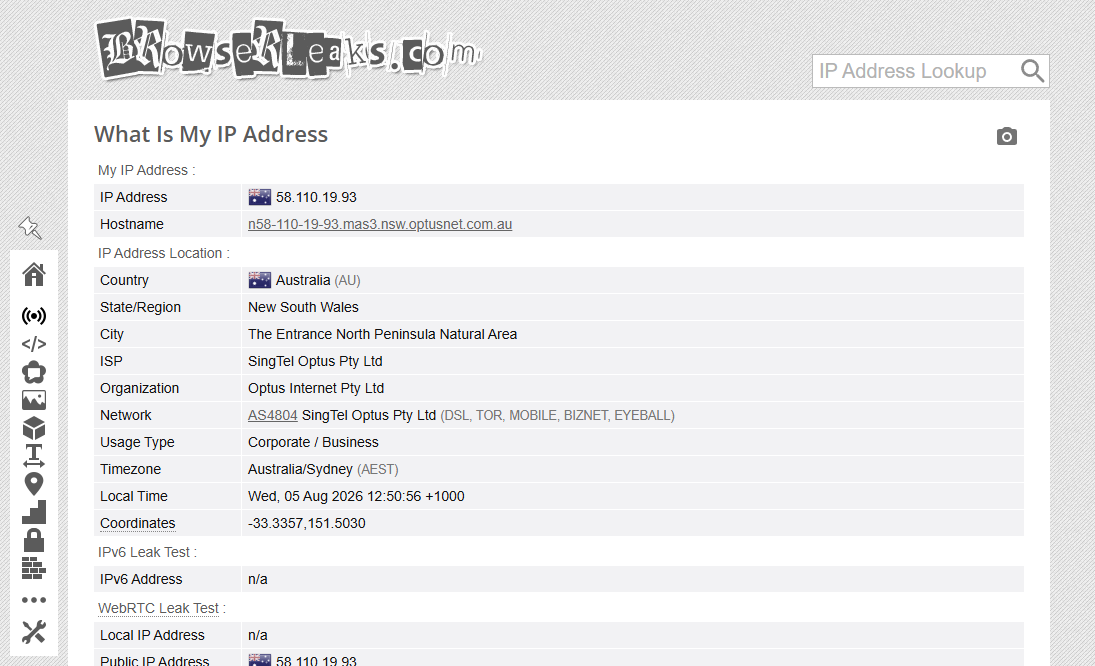
Initial checks via BrowserLeaks showed clean results: no WebRTC leaks were detected, and Public IP, Local IP, and Proxy IP addresses matched seamlessly.
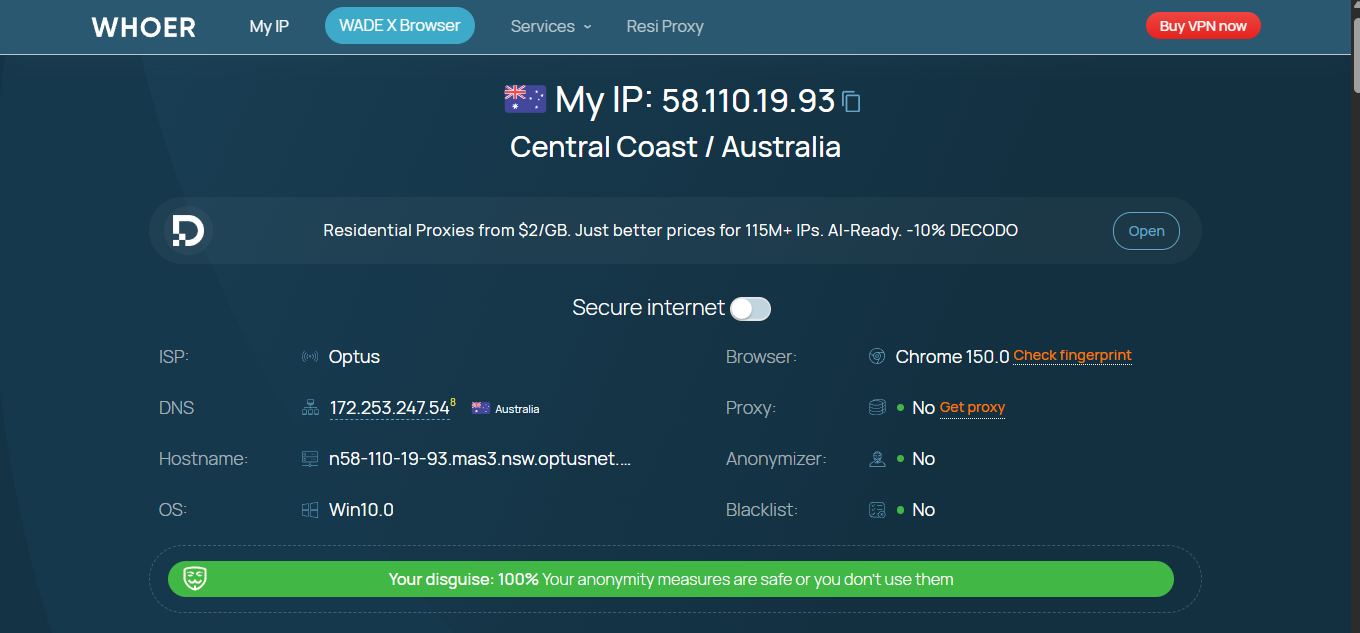
Checking the environment via Whoer returned Proxy: No, Anonymizer: No, Blacklist: No, and a 100% Disguise Score, indicating a clean browser profile presentation.
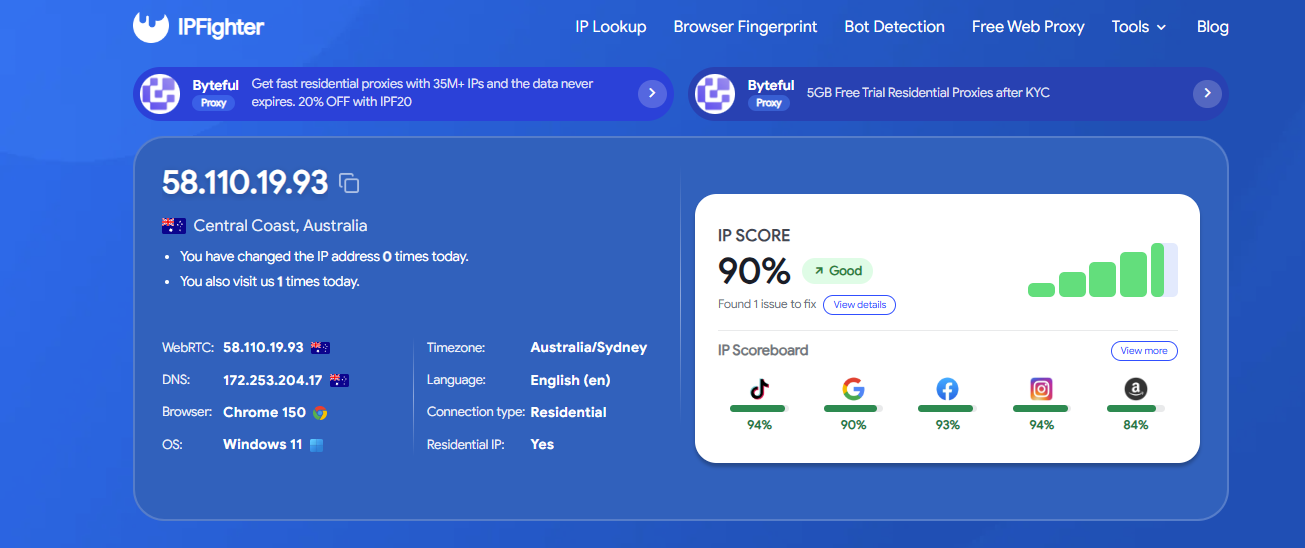
Audit results on IPFighter awarded an overall IP Score of 90% (Good), with platform-specific trust scores broken down as: TikTok 94%, Instagram 94%, Facebook 93%, Google 90%, and Amazon 84%.
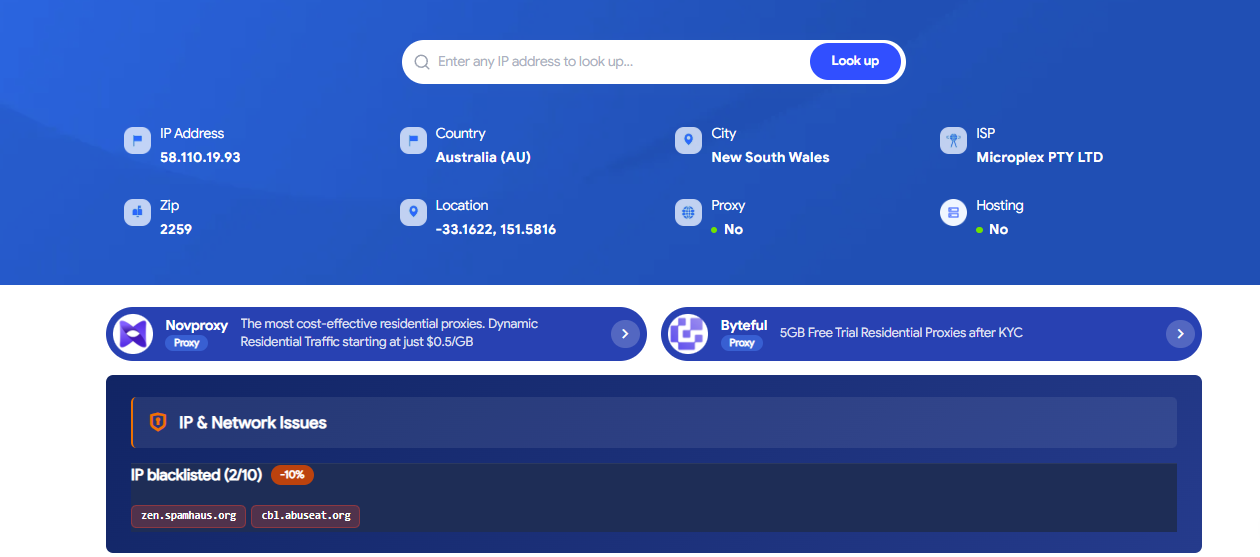
However, cross-referencing the proxy IP against alternative threat intelligence databases showed the IP listed on two public spam blacklists: zen.spamhaus.org and cbl.abuseat.org. This variance highlights that proxy quality scores can differ depending on the lookup database used, making multi-source verification advisable.
Google Search & reCAPTCHA Behavior: During testing, navigating to Google Search consistently triggered "Unusual Traffic" verification challenges instead of returning standard search results.
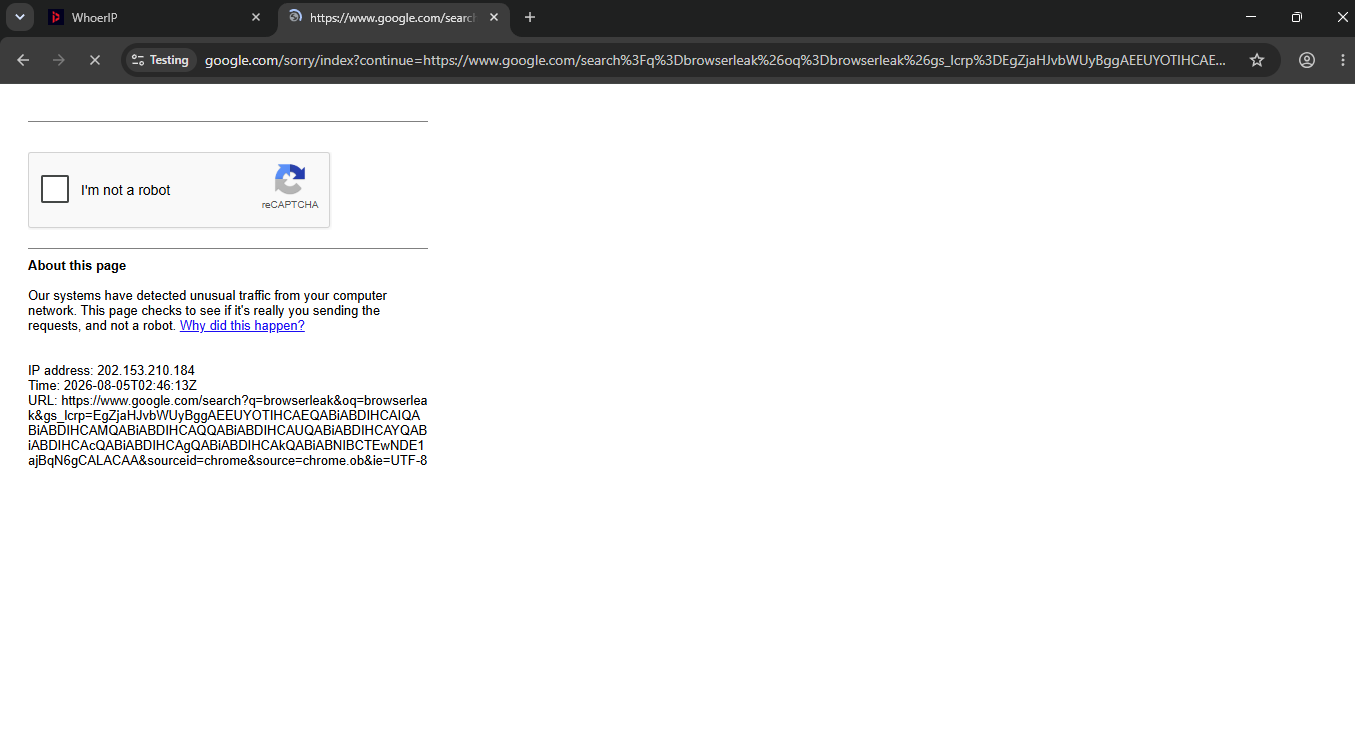
Completing the image challenge resulted in an error stating: "Cannot contact reCAPTCHA. Check your connection and try again." Multiple verification attempts failed to pass the block. Conversely, navigating directly to destination URLs (such as browserleaks.com, whoer.net, or tiktok.com) loaded normally. This search interruption occurred specifically when querying Google Search during testing.
5.4. IPFighter Browser Fingerprint audit
Beyond basic IP lookups, IPFighter features a dedicated Browser Fingerprint auditor that measures profile naturalness. The Browser Profile scored a 100% Fingerprint Score, with Fingerprint masking: Not detected, and Automation/bot: No automation detected.
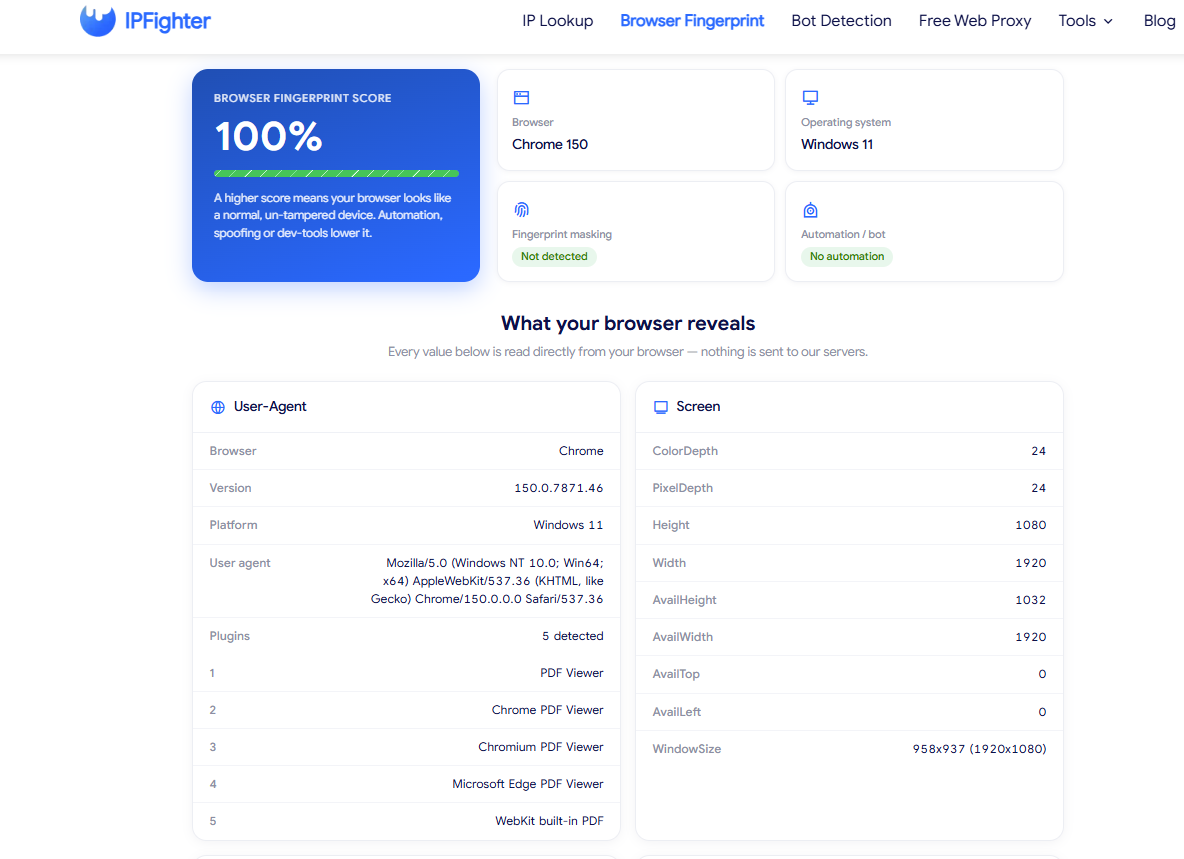
In this framework, higher scores indicate a profile that resembles an authentic user device rather than an automated bot or emulated browser. The Browser Profile presented as a clean user environment under this scoring model.
Comparing reported browser metrics against Multilogin's profile settings showed consistency across parameters: User-Agent strings matched the configured build (Chrome 150.0.7871.46 on Windows NT 10.0, Win64, x64), and display resolution reported accurately at 1920x1080.
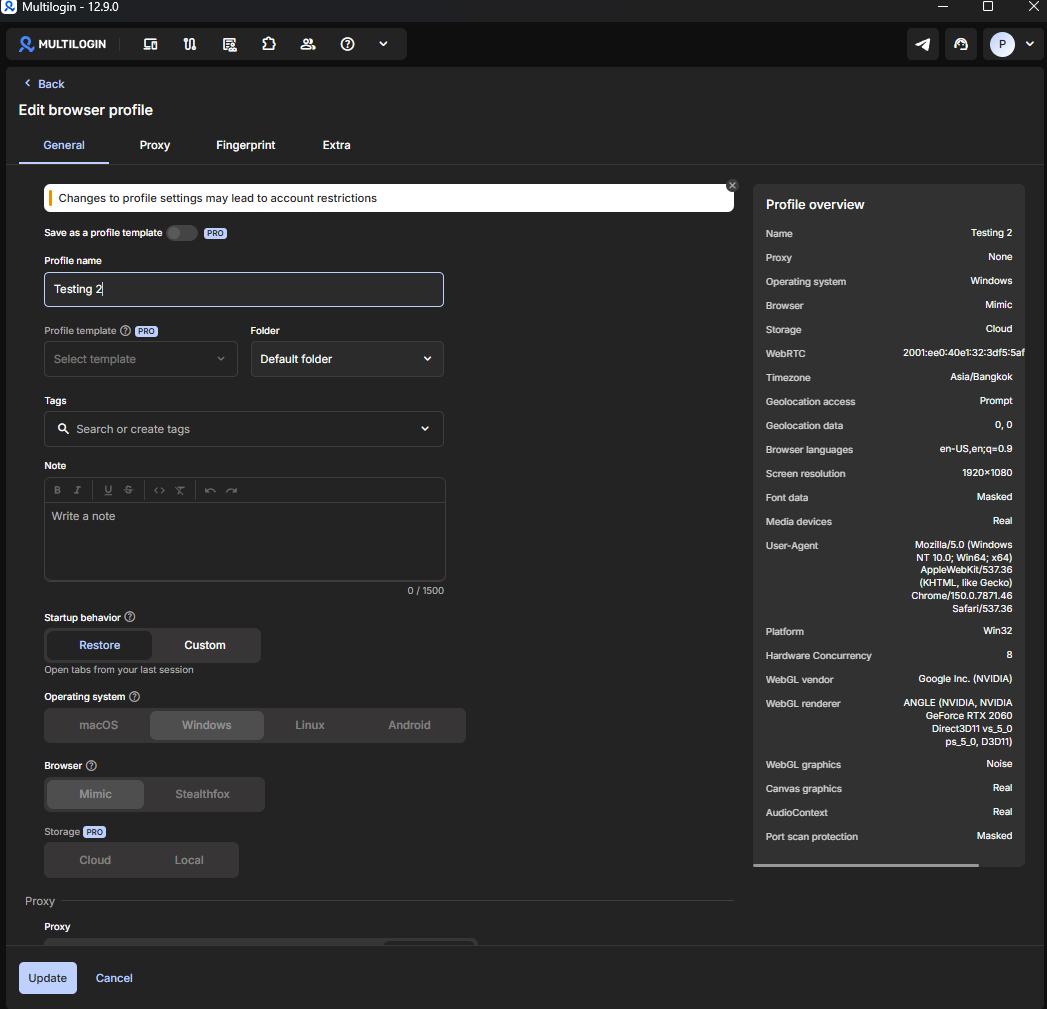
This contrasts with the Cloud Phone findings in section 4.5: while Cloud Phone testing revealed mismatches between reported Android versions and WebGL renderers (Samsung GPU signatures on a Pixel profile), the Browser Profile demonstrated parameter consistency and achieved top scores on fingerprint auditing tools.
5.5. Network speed benchmarks
Testing network throughput on the Browser Profile via Speedtest yielded: Download: 9.11 Mbps, Upload: 16.38 Mbps, Ping: 475ms.
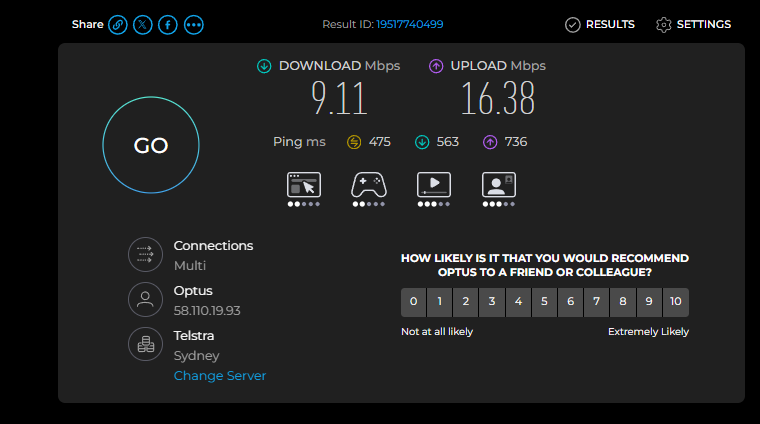
Download and upload speeds are sufficient for routine tasks like account logins, web management, or ad platform navigation. However, the 475ms latency is relatively high. For real-time applications such as live streaming, video calls, or remote session control, this latency may be noticeable.
Quick takeaway
Compared to the Cloud Phone, Browser Profiles demonstrated greater stability throughout testing. Fingerprint test scores were clean, WebRTC leaks were absent, and IP auditing tools yielded positive ratings. However, recurring Google reCAPTCHA challenges and differing IP blacklist lookup results suggest verifying proxies before deploying profiles into high-stakes workflows.
6. Key findings and observations
After testing both Cloud Phone and Browser Profile modules, several recurring patterns emerged that are worth highlighting. These observations offer practical context for evaluating long-term operational use.
6.1. Frequent Google Search CAPTCHA prompts
During Browser Profile testing, querying Google Search frequently triggered "Unusual Traffic" verification screens. Conversely, navigating directly to destination web addresses worked without issue. While this behavior is largely tied to the reputation of the active proxy IP during testing, users whose workflows rely heavily on Google Search should factor this into their setup.
6.2. Variance across IP quality checking tools
Testing highlighted how IP quality ratings vary across checking services: BrowserLeaks reported clean results, Whoer returned a 100% disguise rating, and IPFighter scored the IP at 90%, yet an independent threat database flagged the same IP on public spam blacklists. This reinforces the importance of cross-referencing IPs across multiple sources rather than relying on a single scoring tool.
6.3. Cloud Phone proxy IP rotation
A notable observation during Cloud Phone testing was IP rotation within active sessions: checks conducted minutes apart returned two different proxy IP addresses. If IP rotation occurs frequently within a session, it can impact workflows that require static IP consistency over extended periods, such as social account management.
7. Final evaluation and verdict
Following comprehensive testing of both Cloud Phone and Browser Profile features, Multilogin presents a mature platform for multi-account management. Beside its clean user interface and flexible profile management, certain limitations remain—particularly within the Free Plan quotas and Cloud Phone consistency.
Below is a summary of key pros and considerations based on hands-on testing.
7.1. Performance summary
Based on testing across both Cloud Phone and Browser Profile modules, here is a summary of core strengths and practical considerations:
| Pros | Considerations |
|---|---|
| Intuitive, modern, and user-friendly interface | Free Plan is strictly limited to basic feature exploration |
| Browser Profiles deliver clean fingerprint test results | Mobile proxy IPs rotated during testing sessions |
| Cloud Phone instances launch quickly with pre-configured Android | Automation relies on code frameworks (no drag-and-drop builder) |
| Browser Profiles & Cloud Phones managed on one dashboard | Camera passthrough requires additional testing for verification |
| Transparent pay-per-minute billing for Cloud Phones | Advanced operational features remain locked on base plans |
7.2. Key strengths
Intuitive and organized interface: Multilogin's dashboard feels modern and easy to navigate. Dedicated sections for Browser Profiles, Cloud Phones, and Team management make onboarding straightforward. Operational features like Color Tags, Profile Notes, Running Profiles monitors, and Drag & Drop organization help manage larger profile collections efficiently.
Clean Browser Profile fingerprinting: Across audits on BrowserLeaks, Whoer, and IPFighter, Browser Profiles performed well—showing zero WebRTC leaks, a 100% Disguise score on Whoer, and a 90% IP trust score on IPFighter. Overall, Browser Profiles offer a stable web browsing environment.
Rapid Cloud Phone provisioning: Cloud Phone virtual instances spin up quickly with pre-installed Android 16 and essential apps like Chrome, Google Search, and Google Play Store. This saves setup time compared to manually configuring local Android emulators.
Transparent billing metrics: Multilogin clearly displays active runtime, remaining proxy traffic quotas, and pay-per-minute charges. Crucially, the billing meter runs only while a Cloud Phone instance is active, allowing users to pre-configure devices without incurring idle charges.
Unified multi-environment dashboard: Rather than forcing users to juggle separate tools for mobile and web operations, Multilogin consolidates Browser Profiles, Cloud Phones, Team permissions, and Automation into a single interface—a practical benefit for agencies managing multi-platform account portfolios.
7.3. Practical considerations
Free Plan is suited primarily for trial evaluation: While the Free Plan allows exploring the interface, operational limits apply: only 1 concurrent Mobile Profile can be active, proxy traffic is capped at 200MB, Cloud Phone runtime is limited to 30 minutes, API access is locked, and inactive profiles auto-delete after 7 days. These bounds mean the Free Plan serves best as a feature demo rather than a ongoing operational tier.
Mobile proxy IP stability: Cloud Phone testing recorded proxy IP rotation during active sessions. While rotation policies can vary by proxy pool, users managing accounts that require static IP persistence over long sessions should verify their proxy configuration accordingly.
Developer-focused automation: Multilogin supports robust automation options like Selenium, Playwright, Puppeteer, and REST APIs. However, the platform lacks a code-free drag-and-drop workflow builder, and API access is restricted on lower plans. Non-technical users may find automation harder to leverage without developer support.
Camera passthrough setup: During testing, configuring host webcam passthrough on the Cloud Phone required additional setup. Users relying on camera-based identity verification should test this functionality within their specific environment.
8. Conclusion
Hands-on evaluation shows Multilogin to be a versatile multi-account management platform. Combining Browser Profiles and Cloud Phones inside a single dashboard eliminates the need for separate tools to manage web and mobile environments.
Browser Profiles delivered clean fingerprint audit results, an intuitive UI, and straightforward profile setup. Similarly, Cloud Phones provisioned quickly, offering ready-to-use Android cloud instances without needing local virtual machines or physical hardware.
At the same time, practical testing highlighted key factors to evaluate: Free Plan quotas are designed primarily for initial testing, proxy IP rotation occurred during mobile sessions, and Google Search frequently triggered reCAPTCHA prompts. Users should test their specific workflows against these parameters prior to full deployment.
Overall, Multilogin is a strong option if your operations require managing both web browser profiles and cloud Android devices within a unified platform. Conversely, if your primary need is managing browser accounts strictly on web platforms without cloud Android hardware, the antidetect browser Hidemyacc offers a cost-effective alternative for profile creation, fingerprint customization, and proxy management.
9. FAQ
1. Is Multilogin Cloud Phone a local Android emulator?
No. Cloud Phone operates on remote cloud infrastructure, delivering a virtual Android environment streamed to your desktop rather than running an emulator locally on your computer hardware.
2. Is the Free Plan sufficient for daily work?
The Free Plan is designed for exploring the interface and testing core capabilities. However, limits on runtime minutes, proxy data quotas, and feature locks mean it functions primarily as a trial tier rather than a full daily production environment.
3. How do Browser Profiles differ from Cloud Phones?
Browser Profiles create isolated web browser contexts for managing multiple web-based accounts. Cloud Phones provide virtualized Android hardware instances in the cloud, suitable for mobile-only applications such as mobile social media platforms.
4. Why did Google Search trigger reCAPTCHA prompts during testing?
During testing, Google Search flagged traffic from the active proxy IP as unusual, triggering verification challenges. Navigating directly to target URLs via the address bar worked normally. This indicates the prompts were tied to the specific proxy IP reputation during search queries.
5. Should I use the Free Plan for production account management?
It is not recommended for ongoing account management. The Free Plan is structured for feature testing and workflow evaluation, whereas paid subscription tiers offer the sustained proxy data and profile allocations needed for ongoing account operations.