Dive into Discord’s vibrant world where gamers, creators, and communities collide and discover the secret to juggling multiple Discord accounts without ever hitting a ban. Whether you’re a moderator hopping between servers, a social media pro managing brand profiles, or an airdrop hunter chasing rewards, switching personas on the fly comes with real risk. One wrong move, and you could lose access to your hard-earned accounts.
In this definitive guide, you’ll learn battle‑tested strategies and stealthy tools to stay under Discord’s radar. From clever proxy setups to smart session management, we’ll show you how to flip between identities like a pro-keeping your performance seamless and your accounts safely in line with Discord’s rules.
1. Understanding the need for multiple discord accounts
1.1. Why go multi-account?
The reasons for requiring multiple Discord accounts are as varied as the individuals behind them. Some maintain a personal space and a professional profile; others switch hats between their gaming guild and a specialized trading group. The ability to segregate these interactions ensures a targeted, tailored, and less cluttered experience, be it for privacy or to maintain a specific community's trust.
1.2. The diversity of benefits
Management capabilities is the key benefit here; by dedicating separate accounts to distinct purposes, individuals can maintain a pristine and uncluttered interaction space. For businesses, brand consistency and isolated departmental communications are best achieved with carefully segregated logins. Gaming communities, in particular, thrive on the multi-account strategy, as it allows players to engage with different roles and groups seamlessly.
1.3. The risks and challenges
Juggling multiple accounts can quickly become a digital circus act without the right approach. Discord's algorithmic monitors are trained to spot unusual behavior that could signify a single user operating multiple accounts, a common trait of spammers and trolls. The challenge lies in staying under this radar while keeping your digital experience streamlined and stress-free.
2. Strategies for running multiple discord accounts without ban
2.1. Layering your digital footprints
Employing a robust network of proxies/VPNs and antidetect browser is akin to wearing a digital disguise with every log-in. The key is to make the various endpoints diverge enough to appear like multiple users are accessing the platform. These layers between you and your multiple identities are your first line of defense against detection algorithms.
2.2. Fraud-proof account management
Maintaining the right blend of activity across your accounts is just as crucial. Regularly updating account information, switching between Discord identities with different browsing data, and varying the usage time and patterns will ensure that no single account becomes a pattern to be flagged by system safeguards.
2.3. Understanding Discord’s detection systems
Being aware of how Discord detects and flags irregular activities is critical. Get acquainted yourself with Discord’s Terms of Service will help you set clear boundaries for each account's purpose and usage. Remember, it's not just what you do—it's how algorithmically predictable your use is across these multiple fronts.
3. How does Hidemyacc antidetect browser function?
3.1. The defender of digital identity
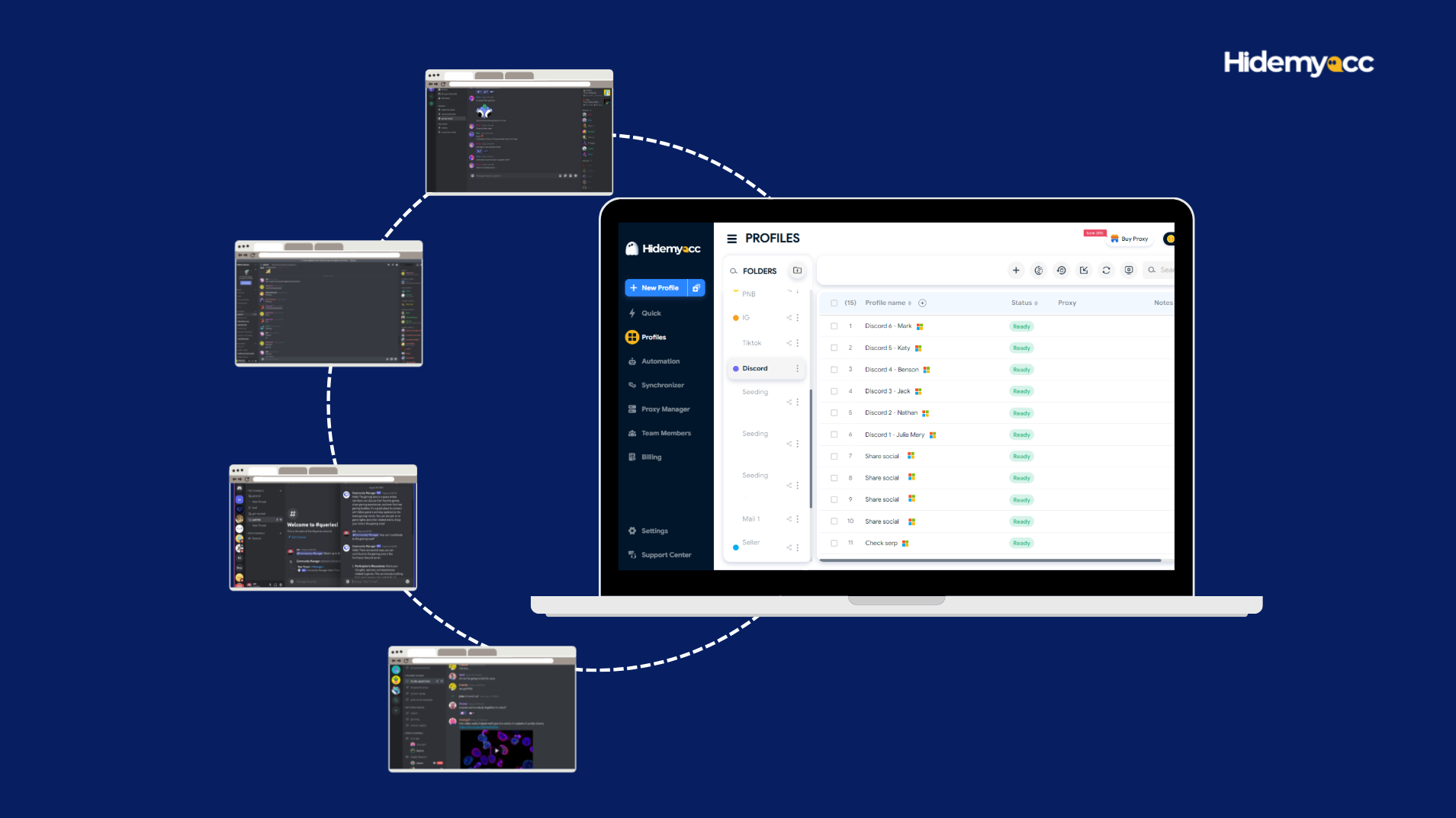
Hidemyacc is not just an antidetect browser, it's the gatekeeper to your virtual personas. It excels at keeping identities distinct with features like profile segregation, cookie isolation, and browser session emulation. With Hidemyacc, you're no longer limited by the number of Discord identities you can maintain.
3.2. Stealth in the shadows
Hidemyacc ensures that you're in control of the unique footprints each of your accounts leaves behind. By allowing you to manage account activities from different segregated browser profiles, it obfuscates any trail linking your various identities.
3.3. The benefits crystalized
For those who rely on multiple Discord accounts, Hidemyacc turns the operation of these into an art form. It's the linchpin in the delicate balance of managing multiple accounts, providing both the visibility and security needed to make this strategy your digital reality.
4. Step-By-Step guide to using Hidemyacc for Discord accounts
Step 1: Installing the shield
Download and install the Hidemyacc browser.
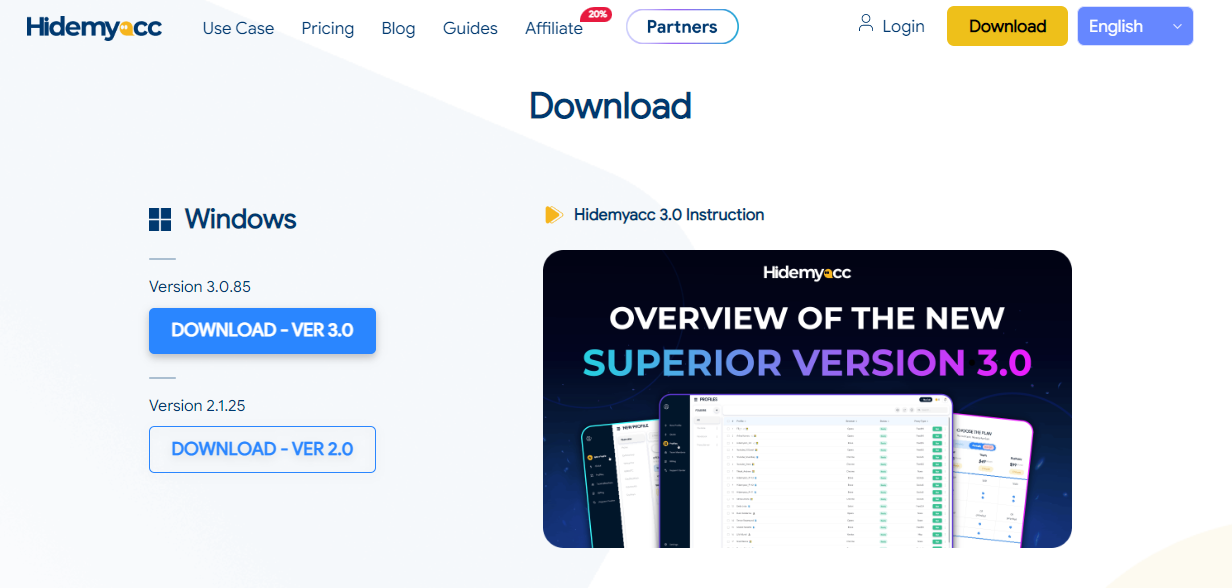
Then create an account, with a few clicks, you're on your way to managing numerous Discord accounts.

Step 2: Creating the Virtualized World
Set up separate browsing sessions for your different Discord accounts within Hidemyacc. Each session represents a unique, undetectable profile.

Customize each account with unique fingerprints, from user agents to IP addresses. This step solidifies the illusion of separately operated users.
If you are looking for proxy providers for your accounts, check out our Discord proxy article.


Step 3: Initiate multiple profiles
Initiate multiple profiles, and new browser windows will open. These windows represent your diverse online identities.
Now you're ready to use the browser, combining your favorite extensions and bookmarks.

Step 4: Login multiple Discord accounts
Log in to each account on each browser profile. Discord won't know that you're running all those accounts.

5. Best practices for avoiding bans and detection
5.1. Consistency without monotony
Create a routine that involves regularly rotating and updating the resources your accounts use, such as IPs, user agents, and device IDs. Your accounts should be active and consistent in engagement, but never predictable in behavior.
5.2. Keeping up appearances
Engage with other users and servers in a manner that fits each account's established personality. Randomize the time and frequency of interactions to avoid any telltale signs pointing to automated behavior.
5.3. Be vigilant, but not reckless
Stay informed about Discord's policies and updates regarding multi-account use. Your vigilance will be your best guide against making any move that could lead to a ban.
Avoid bans before they happen
Hidemyacc lets you manage multiple Discord accounts safely with fully isolated fingerprints, IPs, and environments, stay consistent, scale confidently, and avoid detection.
Get started with Hidemyacc6. Conclusion
Operating multiple Discord accounts can be empowering and strategically beneficial. With Hidemyacc as your tool of choice, the experience can be elevated to a level of efficiency and safety that maximizes your digital capacity. While the prospect of managing multiple identities may seem daunting, the tools and strategies provided here are a testament to the control and freedom one can have within the Discord ecosystem.
It's time to ascend with confidence into your role as a multi-account maestro. The Discord world is vast, and you are now ready to conquer its many realms, account by account, without fear of retribution, and you should also arm yourself with the knowleadge to run multiple social media accounts just in case.
7. FAQ
1. Can I have multiple Discord accounts with the same email address?
While Discord permits users to have multiple accounts, each account must be linked to a unique email address. Using the same email for multiple accounts may violate Discord's terms of service.
2. How can I ensure each of my Discord accounts remains separate and secure from one another?
To ensure the security and separation of your Discord accounts, you can look up their browser parameters and IP addresses on the IPFighter website and compare them.
3. What actions should I take if my TikTok account faces warnings or restrictions?
In the event of warnings or restrictions on your Discord account, it's crucial to promptly address the issue. Review Discord's community guidelines and terms of service to identify any violations and make necessary adjustments to comply with the platform's regulations.
4. Can I recover a suspended or banned Discord account?
Discord may offer the opportunity to appeal a suspension or ban in certain cases. If your account has been suspended or banned, follow Discord's provided instructions for submitting an appeal. Be prepared to furnish any required documentation or evidence to support your case.
5. Is there a limit to the number of Discord accounts I can create?
Discord does not enforce a strict limit on the number of accounts a user can create. However, users should be mindful of Discord's policies and refrain from creating accounts solely for spamming or malicious activities. If you encounter the case "Discord your account has been disabled" then this article is for you: https://hidemyacc.com/discord-account-disabled