Want to browse TikTok for entertainment but your phone is out of storage, or you're concerned the app wastes too much time and collects personal data? In reality, there are many ways to watch TikTok without downloading the app while still keeping up with the latest trending videos.
This article will walk you through how to access TikTok directly on a desktop or mobile browser, as well as suggest third-party tools to watch videos completely anonymously without logging into an account.
1. How to watch TikTok without app on a computer
If you regularly use a computer for work or entertainment, accessing TikTok directly through a browser is a very convenient option. You don't need to install any application, yet you can still follow most of the public videos being shared on the platform.
To get started, simply open a browser like Chrome, Firefox, or Edge and go to tiktok.com. Once the interface loads, you can use the scroll wheel or the arrow keys on your keyboard to navigate to the next video.
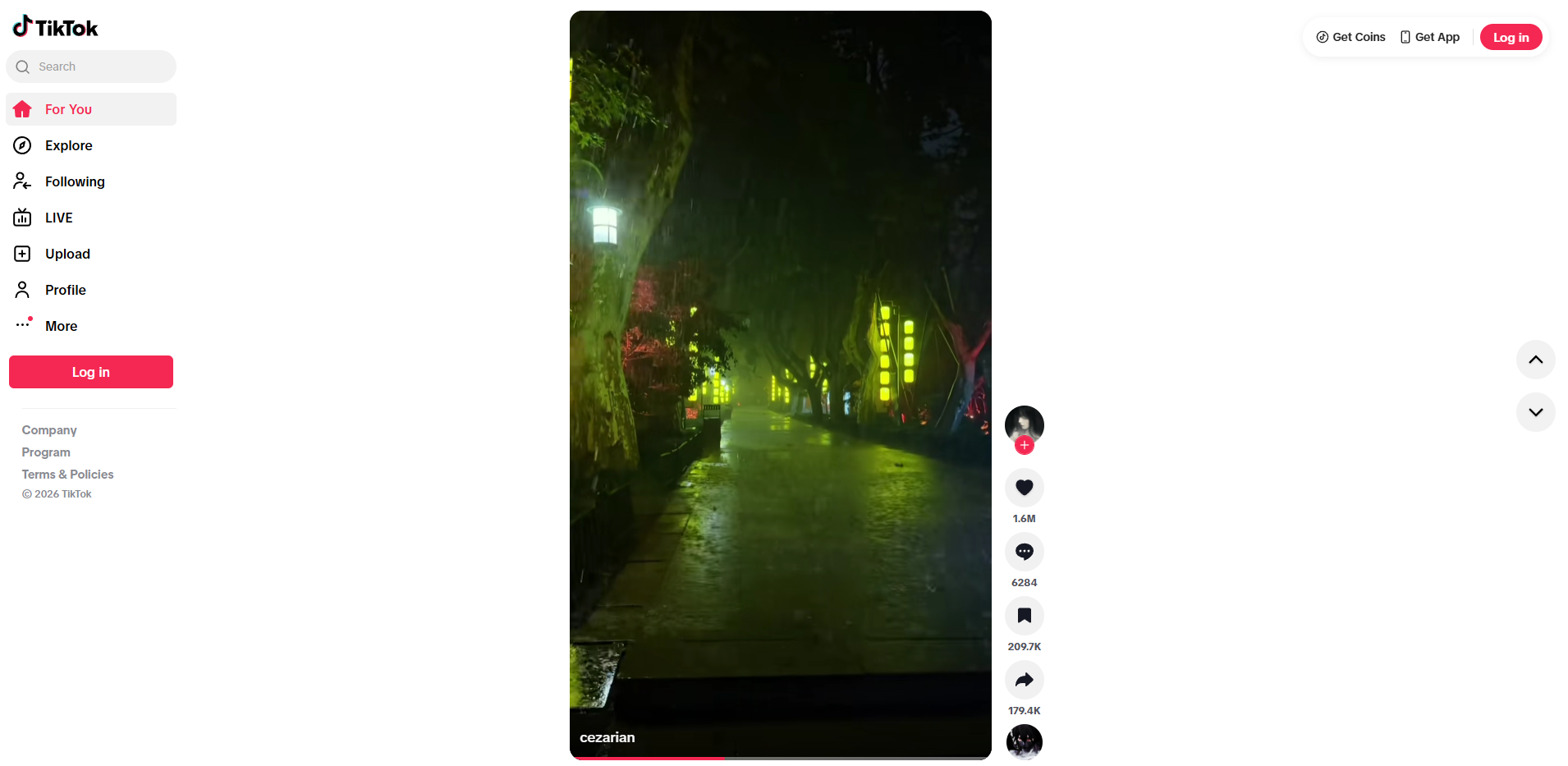
This method offers several notable advantages:
- Content is always complete and updated directly from TikTok.
- A more comfortable viewing experience thanks to a larger screen.
- You can watch public livestreams without logging into an account.
However, users will also encounter some limitations:
- After a period of use, the system may require you to log in to continue watching content.
- You cannot use features such as liking, commenting, following, or saving videos.
- There is no personalized For You page tailored to your interests.
- You can only see the comment count without being able to expand the full comment section in many cases.
To avoid being repeatedly asked to log in, you can try opening an incognito tab by pressing (Ctrl + Shift + N), or clear your browsing data and revisit the site.
2. How to watch TikTok without app on mobile
In addition to desktop access, you can also watch TikTok directly on your phone through a web browser. This is an ideal solution if you don't want to install another app or your device has limited storage space.
To do this, open a browser like Chrome or Safari and go to tiktok.com. When the system displays a prompt to download the app, simply select "Later" or "Continue on browser." You can then swipe up or down to watch videos just like in the TikTok app.
This option offers quite a few conveniences for users:
- Saves maximum device memory and resources since no app installation is required.
- You can access and watch videos quickly directly from the browser.
- Supports adding TikTok to your home screen for easier access.
To add TikTok to your home screen, simply open the browser menu and select "Add to Home Screen." Once done, the TikTok icon will appear on your screen just like a regular app.
That said, the mobile web version also comes with a few unavoidable drawbacks:
- Video loading speed can sometimes be slower than the app.
- You cannot use features like liking, commenting, following, or saving videos without logging into an account.
- Content is not personalized according to the user's preferences.
While browsing, the system frequently shows pop-ups inviting you to download the app — just tap the X button or select "Continue on browser" to dismiss them. If you keep getting login prompts, try switching to incognito mode on your phone or clearing the browser cookies to continue browsing normally. If your school or office network blocks TikTok access, using unblocked TikTok solutions on a mobile web browser will help you browse without interruption.
3. How to watch TikTok without app directly from shared links
In many cases, you don't actively search for videos but receive interesting TikTok links sent by friends via Messenger, Zalo, Facebook, or other platforms. In these situations, you can watch the content immediately without having to download the app to your device.
Here's how: Tap directly on the TikTok link someone shared with you. When the screen shows a prompt to open the app, select "Continue on browser" or "Later" to watch the video directly on the web platform.
Watching clips via shared links offers clear benefits:
- Very fast and convenient — lets you watch a video right away without having to search for the account name or video title again.
- Perfect for people who only need to watch a few specific videos sent by others and don't want to use the app regularly.
Despite being convenient, this method also has a few minor drawbacks:
- The viewing experience is limited since you can only watch the specific video that was shared.
- Once the video ends, it's difficult to scroll down and discover more related content the way you would when browsing a normal feed.
- Some pre-formatted links may repeatedly display a prompt requiring you to open the app before letting you watch the full video.
If tapping a link automatically redirects you to the app store to install the app, you can copy the link and paste it directly into a regular web browser. This is a highly effective way to watch TikTok without downloading the app, letting you view the content you need without being bothered by installation prompts.
4. How to watch TikTok without app via third-party websites
Beyond the official website, you can also watch TikTok without downloading the app through third-party intermediary websites. The advantage of this approach is that you can watch completely anonymously, without an account, and without being disturbed by app download notifications from the developer.
4.1. Urlebird (urlebird.com)
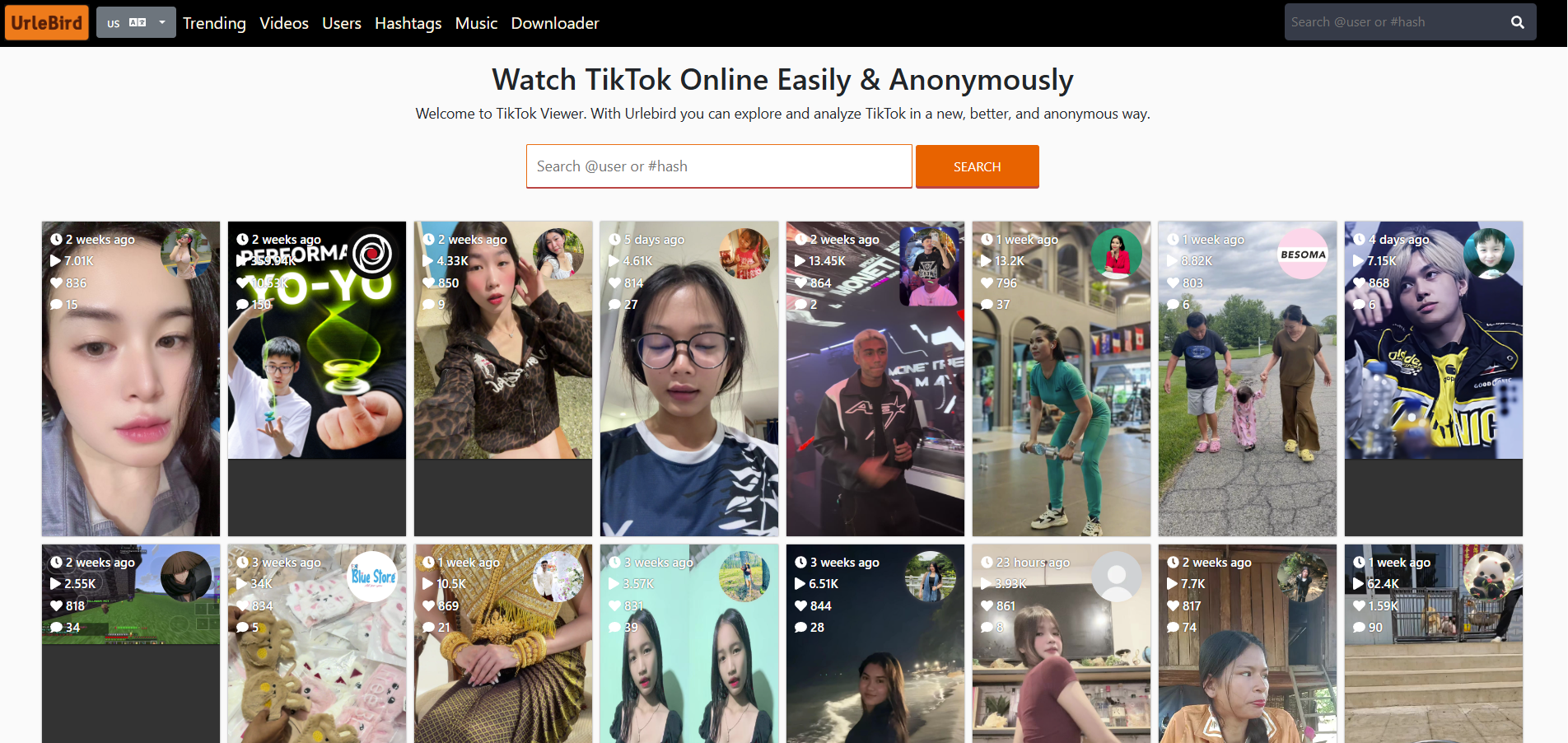
The access process is straightforward: visit urlebird.com on your computer or phone. On the main interface, type a username or hashtag into the search bar to find videos, or watch trending clips already featured on the homepage. Then simply scroll down with your mouse or swipe the screen to browse.
This website has several handy advantages:
- No account required and you'll never be forced to log in mid-session.
- Fast and accurate video search by username or hashtag.
- Built-in feature to directly download the video you're watching.
Alongside that, the tool also has a few downsides worth noting:
- Since it's a free site, the interface displays quite a few ads, making the layout look a bit cluttered.
- No smart algorithm to create a personalized For You page based on your interests.
- Video loading speed can be unstable during peak traffic hours.
The system can only scan and display videos from public accounts — private accounts cannot be viewed through the website. If ads block the video screen, just find and click the small X button to close them and resume watching normally.
4.2. TikWM (tikwm.com)
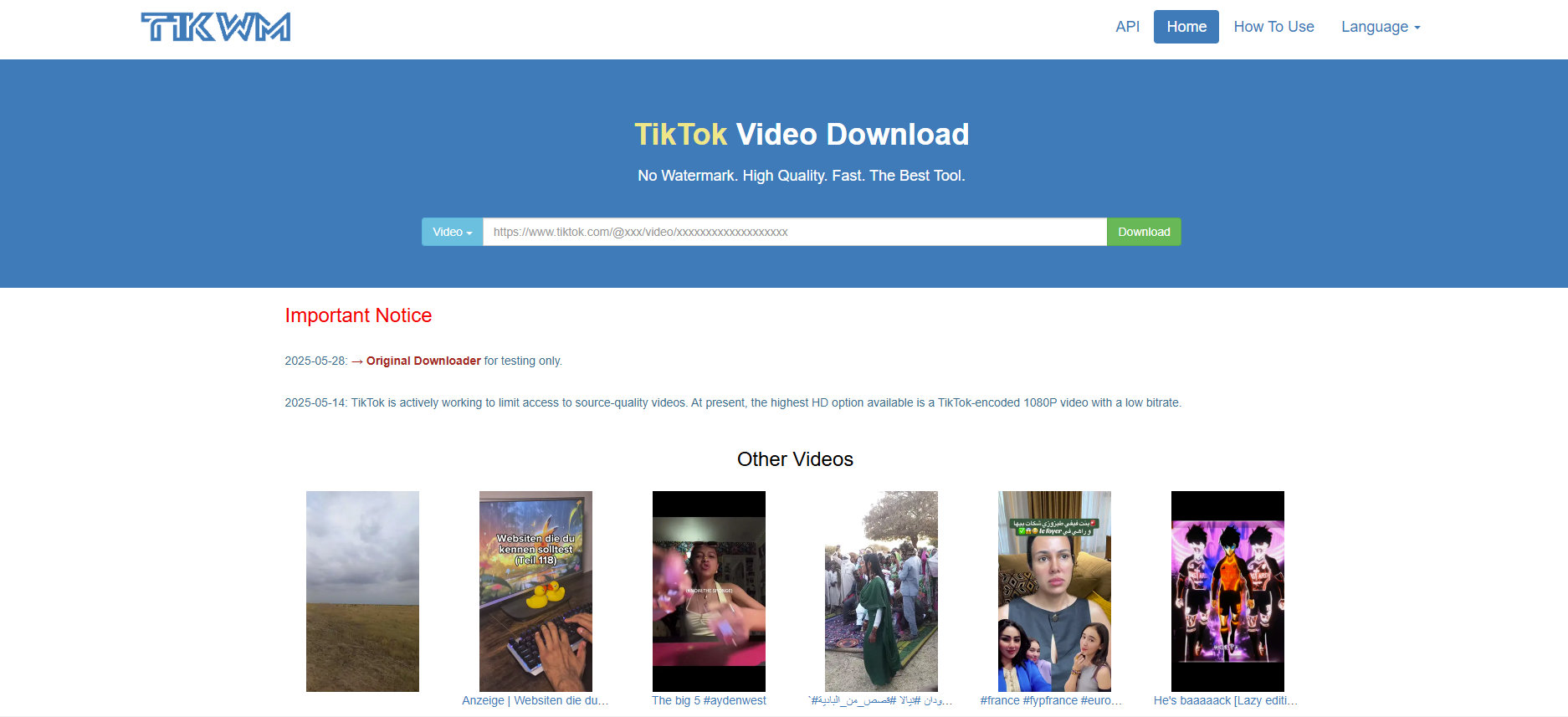
While Urlebird excels at comprehensive search, TikWM is a great tool for those who want to quickly view or save a specific clip. Simply go to tikwm.com, paste a copied video link or enter the exact username into the search bar, then click the Search button for the system to retrieve the content.
This tool is highly regarded by many users for the following reasons:
- Full access to its features without needing a personal account.
- Clean, simple interface with minimal intrusive ads for an undisturbed viewing experience.
- Supports quick video preview and provides an option to download high-quality videos to your device with ease.
However, there are a few minor limitations to consider:
- Does not support continuous scrolling-style video browsing, so you must have a specific video link or username ready in order to search.
- The minimalist interface doesn't look as visually appealing or intuitive as other platforms.
TikWM works best when you already have a specific video link you want to watch anonymously or want to download that video to keep.
5. Comparison of ways to watch TikTok without app
To help you decide which method suits you best, the detailed comparison table below gives a quick overview so you can find the solution that best fits your needs.
|
Criteria |
tiktok.com |
Urlebird |
TikWM |
|
Login required |
Not mandatory |
No |
No |
|
Browse feed |
Yes |
Yes |
No |
|
Search by username/hashtag |
Yes |
Yes |
Yes |
|
Download video |
No |
Yes |
Yes |
|
Ads |
Few |
Many |
Few |
|
Stability |
High |
Medium |
High |
Overall, the official website tiktok.com remains the best choice for most people thanks to its complete content library and stable servers. However, if you prioritize anonymous viewing or want to quickly download videos without logging in, Urlebird and TikWM are well worth considering. Depending on your actual usage needs, you can flexibly switch between methods for maximum convenience, rather than wasting storage space installing an app on your device.
6. How to watch TikTok without app and manage multiple accounts with Hidemyacc
If you only need to browse TikTok for casual entertainment, using a basic browser or third-party website is more than sufficient. However, if you're a content creator, MMO marketer, or need to manage and maintain multiple TikTok accounts simultaneously on the web without installing the app to avoid device fingerprinting — standard browsers make it very easy for accounts to get flagged by TikTok's IP duplication and device fingerprint detection algorithms, leading to mass TikTok account bans, TikTok getting 0 views, or suppressed engagement.
If you regularly log into and manage multiple accounts on the web, you can combine watching TikTok without the app with the Hidemyacc antidetect browser. Hidemyacc supports creating separate browsing environments with independent device configuration parameters. When combined with proxies to change IP addresses, you can easily log in and operate multiple TikTok accounts for work purposes on the web safely, with data security and without unnecessary system conflicts.
The setup process involves the following steps:
-
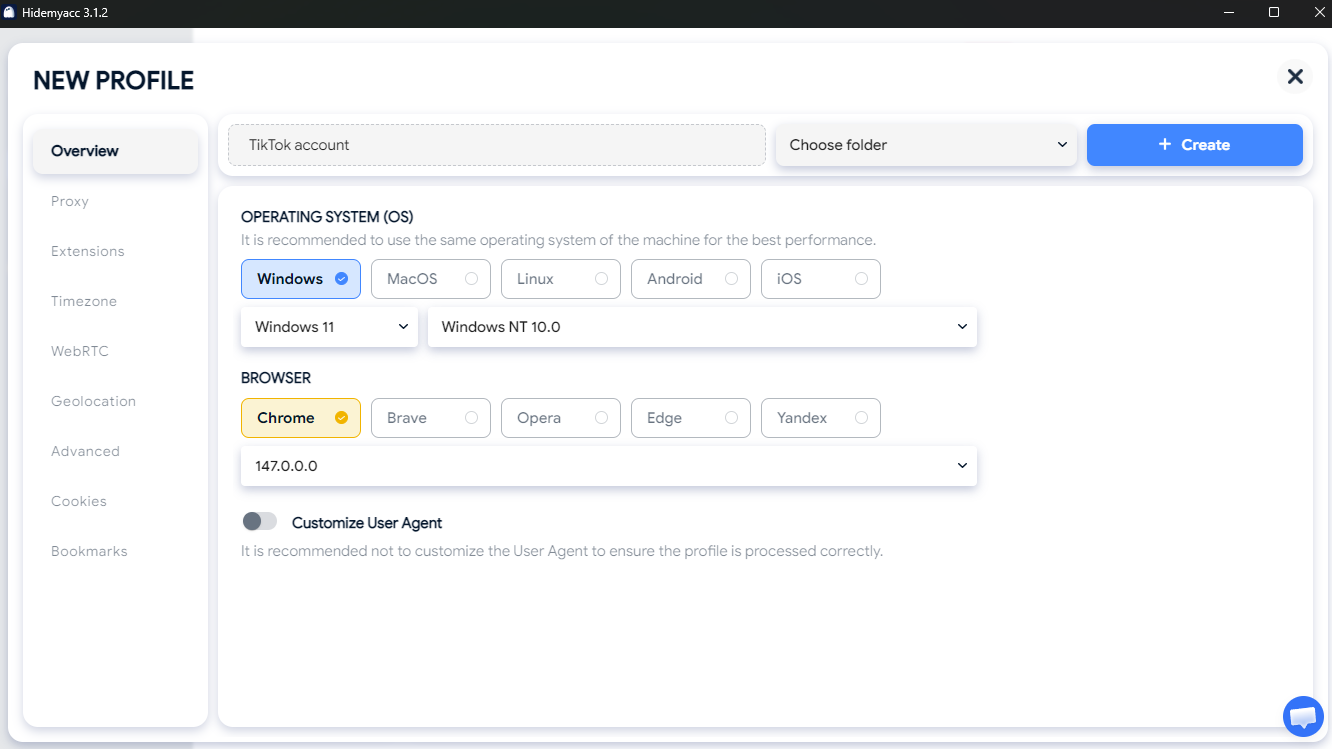
Step 1: Create a new profile on Hidemyacc.
-
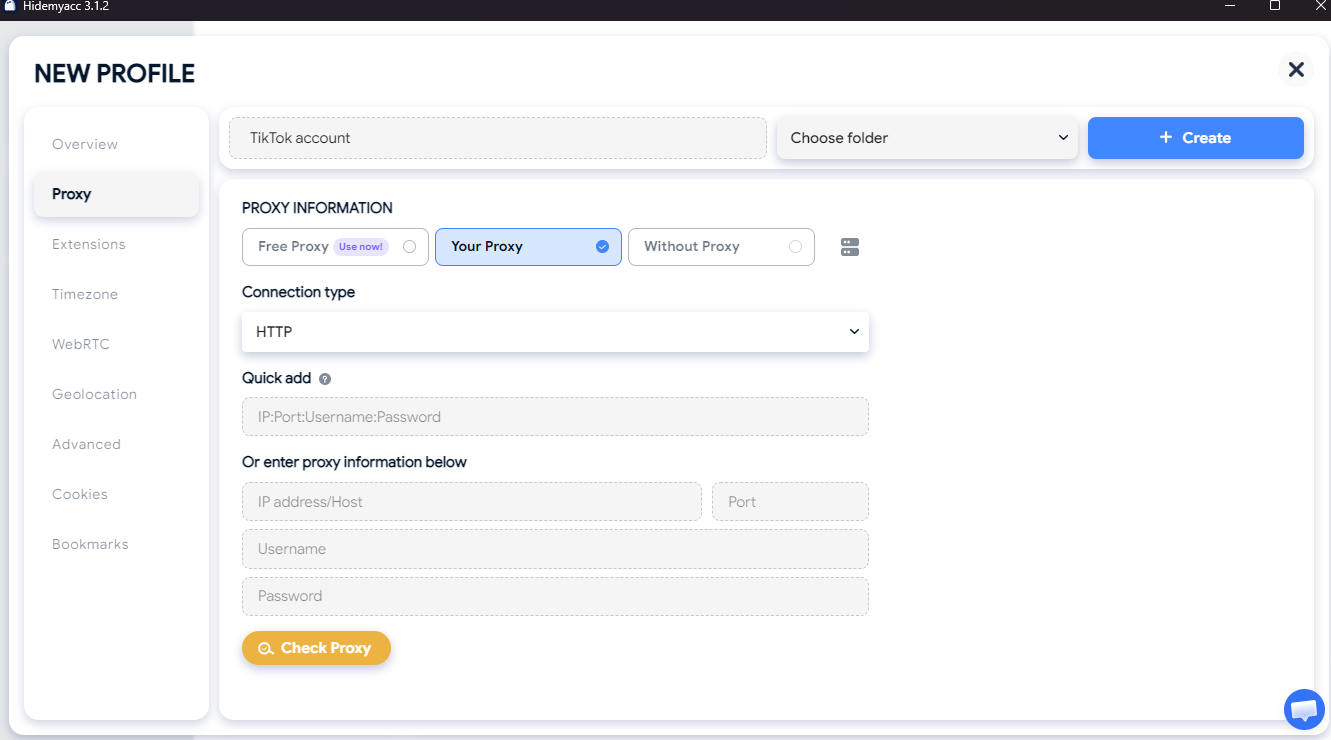
Step 2: Configure a proxy for each profile. Users can use the built-in free proxies or enter their own proxies to change the IP address for each work environment. Note that free proxies are typically datacenter proxies shared among multiple Hidemyacc users, so for greater stability and security, it's recommended to use your own dedicated proxies.
-
Step 3: Log into each TikTok account within its respective profile and begin managing your accounts.
Using the Hidemyacc antidetect browser combined with proxies to create profiles with separate working environments makes the account management process safer and more professional. If you work in Marketing or need to operate multiple accounts for your company and partners, this will be a valuable tool to optimize your workflow and minimize risks during account management.
7. Conclusion
There are many ways to watch TikTok without downloading the app, from accessing it directly on a browser to using third-party support tools. Each method suits a different need, whether that's watching videos for entertainment, following content anonymously, or managing multiple accounts for work. Instead of always installing the app, you can choose the solution that best fits your device and usage habits. With just a few simple steps, accessing TikTok has become far more flexible and convenient.
8. FAQ
1. If I watch TikTok on the web without logging in, will others know?
No. When you watch videos as a guest or use third-party sites like Urlebird, TikTok does not record your account information. Therefore, the channel owner will not see you in their "Who viewed my profile" or video viewer lists.
2. How do I download a TikTok video without a watermark when watching via browser?
If you're using tiktok.com, the official website does not include a download button. You can copy the video link and paste it into third-party tools like Snaptik, SaveFrom, or use the TikWM website mentioned above to download high-quality videos without a watermark.
3. Why does TikTok ask me to log in after watching for a while on the web?
TikTok typically limits the time you can use the platform in guest mode and encourages users to log in for a fuller experience. To get around this, you can switch to a new incognito tab or clear all browser cookies to continue watching.
4. Is content limited when watching TikTok without an account?
Yes. You can only view videos and public livestreams — private accounts are not accessible. Additionally, you cannot expand comments or access a personalized For You Page.
5. Is it safe to watch TikTok on the web?
It's safe if you use the official site tiktok.com. For third-party sites like Urlebird or TikWM, be cautious with ads and avoid clicking on unfamiliar links.