Proxies are widely used for privacy, security, and large-scale online operations such as web scraping, account management, advertising, and automation. However, not all proxies work the same way. Choosing the wrong type of proxy can lead to serious issues, including IP leaks, poor performance, or even account bans.
Many users assume that all proxies simply “change IP addresses,” but in reality, HTTP, HTTPS, and SOCKS proxies operate at different network layers, support different protocols, and serve very different purposes. Understanding these differences is essential if you want to use proxies effectively and safely.
In this article, we will break down:
- What HTTP, HTTPS, and SOCKS proxies are
- How each proxy type works
- Their strengths, limitations, and real-world use cases
- Which proxy you should choose based on your specific needs
Quick takeaway:
There is no “best proxy” for every situation. The best proxy is the one that matches your traffic type, security requirements, and usage goals.
1. What is an HTTP Proxy?
1.1 Definition
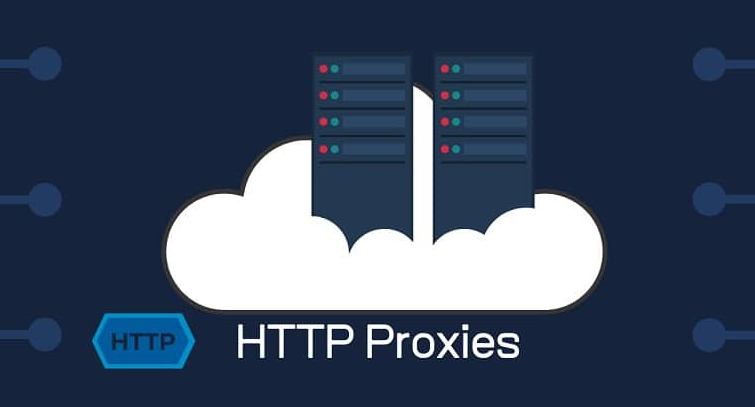
An HTTP proxy is a type of proxy server designed specifically to handle HTTP traffic. It works at the application layer (Layer 7) of the OSI model, meaning it understands and processes HTTP requests and responses directly.
Unlike lower-level proxies, an HTTP proxy is aware of the structure of web traffic. It can read, analyze, and even modify HTTP headers and content before forwarding the request to the destination server.
1.2 How an HTTP proxy works
When you use an HTTP proxy, the data flow typically follows this path:
Client → HTTP Proxy → Target Website
- The client (browser or tool) sends an HTTP request to the proxy server.
- The proxy analyzes the request, including headers such as User-Agent, cookies, and request method.
- The proxy forwards the request to the target website using its own IP address.
- The website sends the response back to the proxy.
- The proxy relays the response to the client.
Because the proxy fully understands HTTP traffic, it can inspect, filter, cache, or modify requests and responses.
1.3 Key characteristics of HTTP proxies
- Protocol support: HTTP only
- Network layer: Application layer (Layer 7)
- Traffic visibility: The proxy can read and modify HTTP data
- Caching: Supported (can speed up repeated requests)
- Encryption: Not supported by default
Since HTTP traffic is not encrypted, any data passing through an HTTP proxy can potentially be intercepted or inspected.
1.4 Common use cases for HTTP proxies
HTTP proxies are best suited for basic web-based tasks that do not require encryption:
- Web scraping of non-HTTPS websites
- SEO tools and rank checking
- Website testing by geographic location
- Content filtering and access control in corporate networks
- Reducing bandwidth usage through caching
However, because modern websites mostly use HTTPS, HTTP proxies are increasingly limited in real-world scenarios.
1.5 Limitations of HTTP proxies
- Do not support HTTPS traffic securely
- No built-in encryption
- Unsuitable for login pages or sensitive data
- Higher risk of data exposure
For these reasons, HTTP proxies are generally not recommended for account management, advertising platforms, or any activity involving authentication.
>>> Proxy Server: What is it and how does it work?
2. What is an HTTPS proxy?
2.1 Definition
An HTTPS proxy is an advanced version of an HTTP proxy that supports encrypted HTTPS traffic. It is designed to securely forward requests to websites that use SSL/TLS encryption, which now represents the majority of modern web traffic.
Like HTTP proxies, HTTPS proxies operate at the application layer (Layer 7), but they add an encryption layer that significantly improves security and privacy.

2.2 How an HTTPS proxy works
HTTPS proxies typically use the CONNECT method to establish a secure tunnel between the client and the destination server.
The data flow looks like this:
Client → HTTPS Proxy → Secure Tunnel → Target Website
- The client sends a CONNECT request to the proxy, asking it to establish a connection to the target server.
- The proxy creates a tunnel between the client and the destination.
- Once the tunnel is established, encrypted HTTPS traffic flows directly through the proxy.
- The proxy forwards encrypted data without reading the payload.
As a result, the proxy does not inspect or modify the encrypted content, which greatly reduces the risk of data exposure.
2.3 Key characteristics of HTTPS proxies
- Protocol support: HTTPS
- Network layer: Application layer (Layer 7)
- Encryption: End-to-end SSL/TLS encryption
- Traffic visibility: Encrypted payload (headers may still be visible)
- Caching: Not supported for encrypted content
HTTPS proxies provide a much higher level of security compared to standard HTTP proxies.
2.4 Common use cases for HTTPS proxies
HTTPS proxies are the preferred choice for secure, web-based activities, including:
- Logging into social media, advertising, or e-commerce accounts
- Managing multiple online accounts
- Running ad campaigns (Google Ads, Facebook Ads, TikTok Ads, etc.)
- Secure browsing and data transmission
- Accessing HTTPS-only websites
Because sensitive information remains encrypted, HTTPS proxies are widely used in professional and commercial environments.
2.5 HTTPS Proxy vs HTTP Proxy: Key differences
- HTTPS proxies encrypt traffic; HTTP proxies do not
- HTTPS proxies are suitable for login and authentication; HTTP proxies are not
- HTTPS proxies reduce the risk of traffic sniffing and man-in-the-middle attacks
For most modern websites, HTTPS proxies are the minimum standard for safe proxy usage
3. What is a SOCKS proxy?
3.1 Definition
A SOCKS proxy is a type of proxy server that operates at a lower network level than HTTP and HTTPS proxies. Instead of understanding or interpreting web traffic, a SOCKS proxy simply forwards network packets between the client and the destination server.
Because of this, SOCKS proxies are protocol-agnostic. They do not care whether the traffic is HTTP, HTTPS, FTP, SMTP, or any other protocol.
3.2 SOCKS4 vs SOCKS5
There are multiple versions of the SOCKS protocol, with SOCKS5 being the most widely used today.
SOCKS4
- Supports TCP traffic only
- No authentication mechanism
- Limited functionality
- Largely outdated
SOCKS5
- Supports both TCP and UDP
- Allows authentication (username/password)
- Supports IPv4 and IPv6
- Better performance and flexibility
In most real-world use cases, when people refer to a SOCKS proxy, they are referring to SOCKS5.
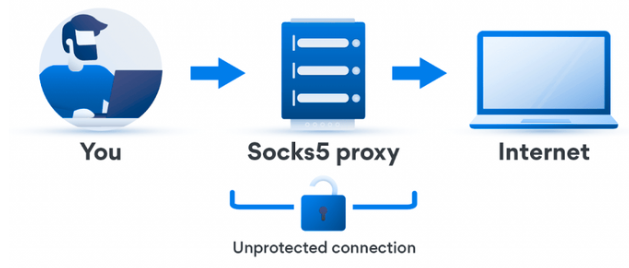
3.3 How a SOCKS proxy works
The data flow of a SOCKS proxy looks like this:
Client → SOCKS Proxy → Destination Server
- The client establishes a connection to the SOCKS proxy.
- The client instructs the proxy where to send the traffic.
- The proxy forwards packets without inspecting their content.
- Responses from the destination are sent back through the same proxy connection.
Since the proxy does not analyze application-level data, it introduces less overhead compared to HTTP/HTTPS proxies.
3.4 Key characteristics of SOCKS proxies
- Protocol support: Any protocol (TCP & UDP)
- Network layer: Session / transport level
- Encryption: Not built-in (depends on the application)
- Traffic inspection: None
- Performance: Typically faster and more flexible
SOCKS proxies act as a generic traffic tunnel, making them suitable for a wide range of applications beyond web browsing.
3.5 Common use cases for SOCKS proxies
SOCKS proxies are ideal for scenarios that involve non-web or mixed traffic types, such as:
- Online gaming and applications requiring UDP
- Video streaming services
- Torrenting and P2P traffic
- Automation tools and desktop applications
- Software that does not support HTTP proxies
However, because SOCKS proxies do not encrypt traffic by default, they should be combined with applications that already use encryption (such as HTTPS or secure protocols).
>>> Why You Should Check Proxy and Firewall Settings for a Secure Connection
4. HTTP vs HTTPS vs SOCKS proxy: Full comparison
To clearly understand the differences between HTTP, HTTPS, and SOCKS proxies, it is important to compare them across multiple technical and practical factors. The table below highlights how each proxy type performs in real-world scenarios.
4.1 Comparison tabe
| Feature | HTTP Proxy | HTTPS Proxy | SOCKS5 Proxy |
|---|---|---|---|
| Supported protocols | HTTP only | HTTPS | Any protocol (TCP & UDP) |
| OSI layer | Application (Layer 7) | Application (Layer 7) | Session / Transport |
| Traffic encryption | ❌ No | ✅ Yes (SSL/TLS) | ❌ No (app-dependent) |
| Ability to read/modify data | ✅ Yes | ❌ No (encrypted) | ❌ No |
| Authentication support | Optional | Optional | ✅ Yes |
| Caching support | ✅ Yes | ❌ No | ❌ No |
| Performance | Medium | Medium | High |
| Compatibility | Web browsers, web tools | Modern websites, secure login | Apps, games, automation tools |
| Security level | Low | High | Medium (depends on usage) |
4.2. Detail comparison
Security
Both HTTP/HTTPS proxies and SOCKS proxies act as intermediaries between the client and the destination server, helping to mask the original IP address and reduce traceability. However, their security models are fundamentally different.
SOCKS proxies do not include built-in tunnel encryption. They simply forward network packets without inspecting or securing the data. As a result, the level of security depends entirely on whether the application itself uses encryption (such as HTTPS or other secure protocols).
In contrast, HTTP and HTTPS proxies operate at the application layer and can introduce an additional layer of security between the client and the server. HTTPS proxies, in particular, establish encrypted tunnels using SSL/TLS, making them far more suitable for sensitive activities. Additionally, HTTP/HTTPS proxies are capable of detecting and blocking suspicious requests, malicious payloads, or spyware at the protocol level.
Summary:
- HTTPS proxies offer the highest security for web-based traffic
- HTTP proxies provide basic control but lack encryption
- SOCKS proxies rely on application-level encryption and proper configuration
Performance:
When performance is a priority, the type of proxy you choose plays a major role.
SOCKS proxies are generally faster because they operate at a lower network level and do not analyze or filter traffic. This makes them an excellent choice for tasks involving large data transfers, such as downloading, uploading, and streaming. SOCKS proxies are also well-suited for real-time applications where low latency is critical.
On the other hand, private HTTP and HTTPS proxies may introduce slightly more overhead due to data inspection, filtering, or caching. However, this same capability allows them to handle a high number of web requests efficiently. As a result, HTTP/HTTPS proxies often deliver stable load speeds and are better suited for scenarios that require managing many concurrent web requests per second.
Summary:
- SOCKS proxies prioritize speed and low latency
- HTTP/HTTPS proxies balance performance with control and stability
Functionality:
HTTP and HTTPS proxies are designed to understand and process web traffic. They can inspect data packets, filter requests, modify headers, and apply custom rules. Because of this, they are commonly used in cybersecurity projects, content filtering, and email protection systems. Their flexibility also allows them to be configured for very specific web-based use cases.
SOCKS proxies, in contrast, do not rely on the HTTP protocol and function as lower-level proxies. Their biggest advantage is versatility. Since they can handle almost any type of traffic, SOCKS proxies are widely used for content streaming, P2P file sharing, and applications that do not support HTTP proxies. They are also effective for accessing services behind firewalls or restrictive networks.
Summary:
- HTTP/HTTPS proxies excel in web traffic control and filtering
- SOCKS proxies are more versatile and protocol-independent
5. Which proxy should you choose? (Decision guide)
Choosing the right proxy is not about finding the “most advanced” option, but about selecting the one that best fits your traffic type, security needs, and usage scenario. Each proxy serves a distinct purpose, and using the wrong one can lead to poor performance or unnecessary risks.
If your work is limited to basic web activities and does not involve sensitive data, an HTTP proxy can still be a practical option. It is designed to understand and filter web requests, which makes it useful for simple scraping tasks or SEO-related tools. However, since HTTP traffic is not encrypted, it should be used cautiously and avoided for any authentication-related activity.
An HTTPS proxy is the recommended choice for most modern use cases. Because the majority of websites now enforce HTTPS connections, encryption is essential for protecting login credentials and session data. HTTPS proxies establish secure tunnels that significantly reduce the risk of traffic interception, making them suitable for professional environments.
HTTPS proxies are particularly well suited for:
- Managing advertising accounts
- Logging into social media platforms
- Accessing e-commerce websites
- Handling multiple browser-based accounts securely
For workflows that go beyond browsers, a SOCKS5 proxy offers greater flexibility and performance. Operating at a lower network level, SOCKS5 proxies support both TCP and UDP traffic, allowing them to handle a wide variety of applications. They are commonly chosen when speed and protocol compatibility are more important than application-layer control.
SOCKS5 proxies are often used for:
- Streaming and media applications
- Online gaming and real-time services
- Automation tools and desktop software
- P2P and file-sharing connections
In summary, HTTP proxies are best reserved for low-risk web tasks, HTTPS proxies should be the default option for secure web-based activities, and SOCKS5 proxies are ideal for performance-driven or non-web use cases. By aligning your proxy choice with your specific needs, you can achieve better stability, stronger security, and more reliable results.
6. Using proxies safely with Hidemyacc
Using the right proxy type is only part of the equation. To truly stay secure and avoid detection, proxies must be configured and isolated correctly. Improper proxy usage can still lead to IP leaks, fingerprint mismatches, or account bans, even when using high-quality proxies.
This is where an antidetect browser like Hidemyacc plays a critical role.
Hidemyacc allows you to assign a dedicated proxy to each browser profile, ensuring that every account operates in a fully isolated environment. This approach prevents IP overlap and reduces the risk of correlation between accounts. Each profile maintains its own fingerprint, cookies, and network settings, making it appear as a separate, legitimate user.
When using proxies with Hidemyacc, best practices include:
- Assigning one proxy per profile to avoid IP conflicts
- Matching the proxy location with the profile’s timezone and language
- Disabling or controlling WebRTC to prevent IP leaks
- Using HTTPS or SOCKS5 proxies depending on your traffic type
- For steps to set up a proxy on Hidemyacc, read here: How to Use Proxy in Hidemyacc: Step-by-Step Guide
By combining the correct proxy type with proper fingerprint isolation, Hidemyacc helps ensure that your proxy setup works as intended—securely, consistently, and without unnecessary risk.
Protect Every Account with the Right Proxy Setup
Assign one proxy per profile, eliminate IP overlap, and reduce detection risks with Hidemyacc. Designed for professionals who manage multiple accounts at scale.
Start for FREE7. Overall
HTTP, HTTPS, and SOCKS proxies each serve a specific purpose. HTTP proxies are suitable for basic, low-risk web tasks, HTTPS proxies are the standard choice for secure web-based activities, and SOCKS5 proxies offer unmatched flexibility and performance for non-web or mixed traffic.
Understanding these differences allows you to choose the right proxy for your needs while minimizing security risks and performance issues. When paired with a robust antidetect solution like Hidemyacc, proxies become a powerful tool for managing multiple accounts safely and efficiently.
If you have any further questions, comments, or suggestions, feel free to contact us via Telegram, Skype, or Facebook Messenger support.
>>> Read more:
- Internet infrastructure: What it is and why it matters
- Residential vs Datacenter Proxies: A thorough evaluation
- Mobile Proxy: Why you need them and where to buy
- Open Proxies Explained: How They Work, Their Risks, and Safe Usage Tips
- 15+ Trusted Sources for Free Proxy Servers
8. FAQ
Is a SOCKS5 proxy more secure than an HTTPS proxy?
SOCKS5 proxies are not more secure than HTTPS proxies for web-based traffic. SOCKS5 lacks built-in encryption and relies entirely on the application layer for security, whereas HTTPS proxies establish SSL/TLS tunnels that protect data in transit. For browser-based tasks such as account management or logging into platforms, HTTPS proxies offer significantly stronger protection against traffic interception and man-in-the-middle attacks.
Can I use an HTTP proxy for HTTPS websites?
HTTP proxies cannot establish secure connections to HTTPS websites and should not be used for modern web browsing. HTTP proxies operate without encryption and are unable to handle the SSL/TLS handshake required by HTTPS sites. Attempting to route HTTPS traffic through an HTTP proxy exposes your data to interception and will typically result in connection errors or security warnings on most modern platforms.
Which proxy type is best for managing multiple accounts?
HTTPS proxies are the recommended choice for managing multiple accounts in a browser environment. They support SSL/TLS encryption, which protects login credentials and session data, and are fully compatible with modern platforms including social media, advertising networks, and e-commerce sites. For best results, each account should be assigned a dedicated HTTPS proxy to prevent IP overlap and reduce detection risk.
Are SOCKS proxies faster than HTTP or HTTPS proxies?
SOCKS proxies are generally faster than HTTP or HTTPS proxies because they operate at a lower network level and do not inspect or filter traffic. This makes SOCKS5 a strong choice for bandwidth-intensive tasks such as streaming, downloading, or running automation tools. However, for high-volume web requests that benefit from caching and request management, HTTP or HTTPS proxies may deliver more stable throughput.
Do SOCKS proxies hide my IP address?
SOCKS proxies do hide your real IP address by routing your traffic through a proxy server before it reaches the destination. However, improper configuration can still expose your identity through IP leaks or DNS leaks. To prevent this, disable WebRTC in your browser, ensure DNS requests are routed through the proxy, and verify your setup using an IP leak test tool before use.
Can I use the same proxy for multiple accounts?
Using the same proxy across multiple accounts significantly increases the risk of detection and account bans. Platforms use IP addresses as one of many signals to identify linked accounts, and sharing a single proxy creates a direct connection between them. Each account should be assigned its own dedicated proxy, ideally paired with an isolated browser profile, to eliminate overlap and reduce detection risk.
How can I prevent IP leaks when using proxies?
Preventing IP leaks when using proxies requires several layers of configuration. First, use HTTPS or SOCKS5 proxies rather than unencrypted HTTP proxies. Second, disable or restrict WebRTC in your browser, as it can reveal your real IP even when a proxy is active. Third, ensure DNS requests are handled by the proxy server and not your local network. Finally, assign one proxy per browser profile and verify your setup with an IP and DNS leak test before use.
Do I need an antidetect browser if I already use a proxy?
A proxy alone is not sufficient for fully anonymous or multi-account operations. Proxies change your IP address, but websites also track browser fingerprints, cookies, canvas data, and other device signals that remain consistent regardless of your IP. An antidetect browser isolates each of these identifiers at the profile level, ensuring that each account appears as a completely separate user. For professional account management, using a proxy together with an antidetect browser is the recommended approach.
Which proxy is best for web scraping?
SOCKS5 proxies are generally the better choice for large-scale web scraping because they support both TCP and UDP traffic, introduce less processing overhead, and are compatible with a wide range of scraping tools and frameworks. However, if your target sites require HTTPS connections or session-based authentication, HTTPS proxies are more appropriate. For high-volume scraping, rotating SOCKS5 proxies combined with request throttling and proper header management delivers the best balance of speed and anonymity.
Can I use a SOCKS5 proxy in a browser?
SOCKS5 proxies can be configured directly in most browsers, including Chrome and Firefox, through the network proxy settings. Unlike HTTP proxies, SOCKS5 routes all browser traffic through the proxy server, not just web requests. For multi-account workflows, configuring SOCKS5 within individual browser profiles in an antidetect browser provides more precise control and prevents proxy settings from leaking across accounts.