For many users, proxy servers can present significant challenges when trying to access content. In this article, Hidemyacc will help you understand what YouTube proxies are, why they may block content, and how you can bypass these restrictions using various methods.
1. What is a YouTube proxy?
A YouTube proxy is an intermediary server that bridges you (the user) and the YouTube platform. It allows you to mask your real IP address, access restricted content, and protect your online identity. Below, we will break down the key features of YouTube proxies and the different types of proxies available.
1.1. Key Features of YouTube proxy
Using a proxy to access YouTube allows you to view restricted content. Below are the key features of a YouTube proxy.
- IP masking: Proxies can hide your real IP address by assigning a new IP from a different location. This is particularly useful for accessing content that is restricted in your region.
- Bypassing restrictions: Proxies allow you to bypass geo-blocks and content filters imposed by governments, organizations, or ISPs.
- Geo-blocking: Many videos on YouTube are unavailable in specific regions due to licensing agreements. Using a proxy can help you access these geo-restricted videos by simulating access from a location where the content is available.
- Privacy protection: Proxies are used to keep your identity and browsing activities private, especially in scenarios where you want to stay anonymous or prevent third parties from tracking your online activities.
These are the basic features of a YouTube proxy. Essentially, YouTube proxies share the fundamental characteristics of regular proxies, but they are specifically designed for YouTube.
1.2. Types of YouTube proxies
When choosing a proxy to bypass YouTube restrictions, you may consider the following types of proxies:
- Residential proxies: These proxies use real IP addresses that are assigned to residential locations. They are hard to detect by YouTube and work effectively for unblocking content while keeping a low profile.
- Datacenter proxies: Unlike residential proxies, these proxies are hosted on servers in data centers. They are faster but can be easily flagged and blocked by platforms like YouTube if too many requests come from the same data center.
- Mobile proxies: These proxies use mobile IP addresses, mimicking real-user activity by simulating access from a mobile device. They are especially useful when bypassing restrictions on platforms that target desktop traffic.
Each type of proxy comes with its own advantages and disadvantages. Residential proxies remain the most popular choice due to their security and the variety of providers available.
2. Why do you need to bypass a proxy on YouTube?
There are many reasons why you may need a proxy for YouTube. Read on to learn about the causes and how YouTube’s proxy-blocking mechanism works.
2.1. Common reasons for proxy restrictions on YouTube
YouTube is a global platform with millions of users accessing content from different parts of the world. While YouTube offers a lot of great content, it also restricts access based on the user's location, ISP, or the policies of organizations. The following are the most common reasons why proxies may be used to restrict YouTube access:
- Geo-blocking: Many YouTube videos are subject to regional restrictions. For example, a video available in the United States may not be accessible in other countries due to licensing issues. A proxy allows users to bypass these geo-blocks by making it appear as though they are accessing the platform from a different location.
- Organization restrictions: Companies, schools, and other organizations may block YouTube access to prevent distractions. In such cases, using a proxy can help employees or students regain access.
- ISP limitations: Internet Service Providers (ISPs) may impose restrictions or throttle YouTube content, especially when high-bandwidth streaming is involved. Bypassing these limitations can improve your YouTube experience, making it smoother and faster.
2.2. How proxy restrictions are applied on YouTube?
YouTube blocks content based on various factors. The most common way to enforce blocks is through IP detection. When you access YouTube, the platform checks your IP address to determine your location. If your IP is from a restricted country or organization, YouTube will block your access to certain content or even the entire platform.
In addition, YouTube uses account-based restrictions to block users from certain content. If your account is flagged or restricted, proxies can help you bypass these blocks by masking your real identity.
2.3. How proxy issues can affect user experience
When proxies interfere with YouTube access, it can lead to several issues:
- Inability to access specific content: If the proxy server cannot bypass geo-restrictions or is flagged by YouTube, you may be unable to access certain videos or channels.
- Buffering issues: Slow or unreliable proxies can cause buffering, which impacts streaming quality and user experience. The higher the quality of the proxy, the smoother the streaming experience.
- Inconsistent access: Free or unreliable proxies can lead to sudden disconnections, causing disruptions in watching videos or logging into your YouTube account.
Therefore, choosing the right YouTube proxy is crucial. You should consider the factors listed below when selecting a proxy for the YouTube platform.
3. Considerations when choosing a YouTube proxy
When selecting a YouTube proxy, there are several factors you should consider to ensure that you are choosing the best option for your needs.
- Speed and reliability: The proxy's speed is crucial for streaming high-quality content. A slow proxy will result in poor streaming performance, with frequent buffering and lag. It is important to choose a proxy service that guarantees fast connection speeds and high uptime.
- Security and privacy: Proxies should provide robust encryption to protect your personal information and ensure that your online activity remains private. Make sure the proxy service doesn’t log your data.
- Legal compliance: Before using a proxy, ensure that it complies with local laws and YouTube’s terms of service. Some countries may have strict laws against the use of proxies, and using one could lead to legal consequences.
- Cost: While free proxies might seem attractive, they are often unreliable and could put your data at risk. Paid proxies typically offer more stable and secure connections, ensuring that your YouTube experience is not compromised.
After purchasing the proxy, you should test its quality, especially by checking it directly on the YouTube platform.
4. How to set up a YouTube proxy on Hidemyacc
Hidemyacc allows users to create and manage multiple accounts on the same device. By adding a proxy to each profile, you can keep the profiles isolated and reduce the risk of accounts being linked. With Antidetect browser Hidemyacc, you can manage multiple profiles in separate browser environments.
You can follow the steps below to set up a YouTube proxy on your Hidemyacc profile and access YouTube without being blocked.
Step 1: Create an account on Hidemyacc
After registering an account on Hidemyacc, you will have a 7-day trial with 30 profiles. When creating a new profile, you can customize the settings according to your needs, or the system will randomly generate these settings for you.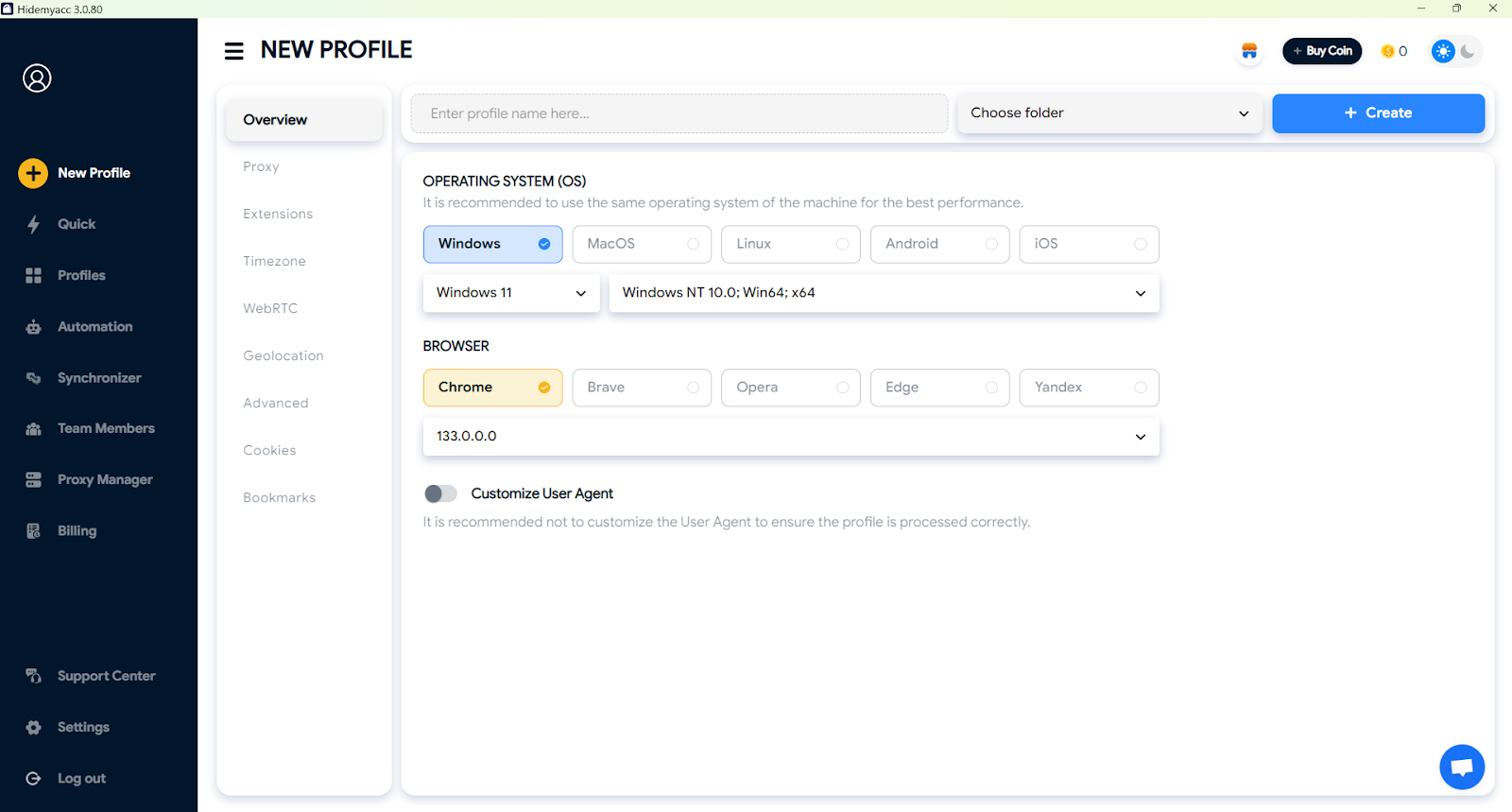
Step 2: Add proxy
In the Proxy section, choose "Your Proxy" and configure the proxy settings, including the proxy type and proxy information.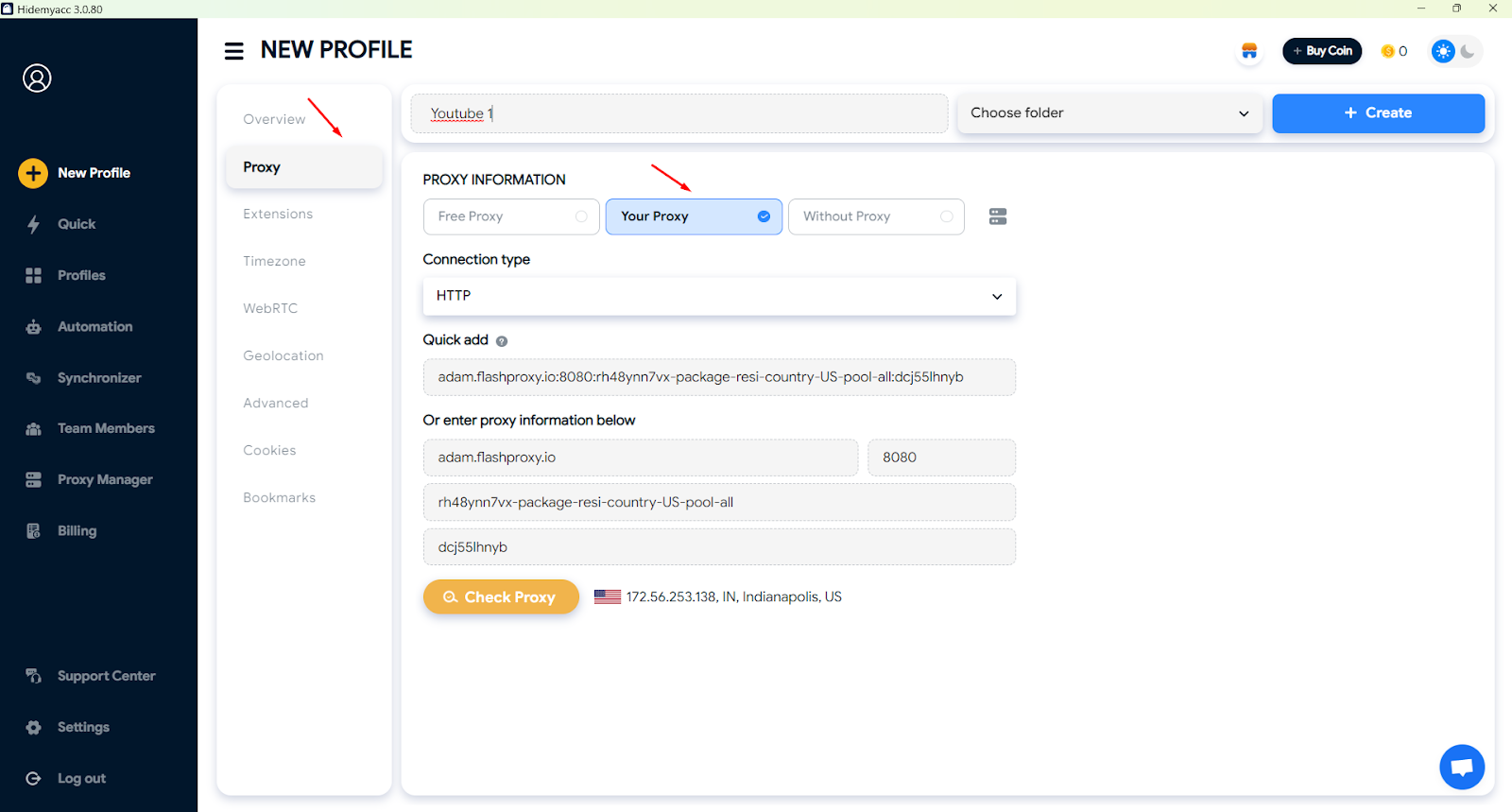
Step 3: Test the Proxy connection
Finally, visit YouTube and check if the proxy is working correctly. If everything is set up properly, you should be able to access previously restricted content and enjoy uninterrupted streaming.>>> How to get 1,000 views on YouTube for free without ads or bots
>>> How to increase views on YouTube? Tips, tricks & free method
>>> Multiple YouTube channels one account: Allowed or risky?
5. Cutting-edge proxy network
If you're looking to manage multiple YouTube accounts, combining a proxy with an antidetect browser is the most cost-effective and practical approach. Currently, services are offering a cutting-edge proxy network that changes the IP address of the YouTube video you want to watch, allowing you to bypass YouTube restrictions and access that content.
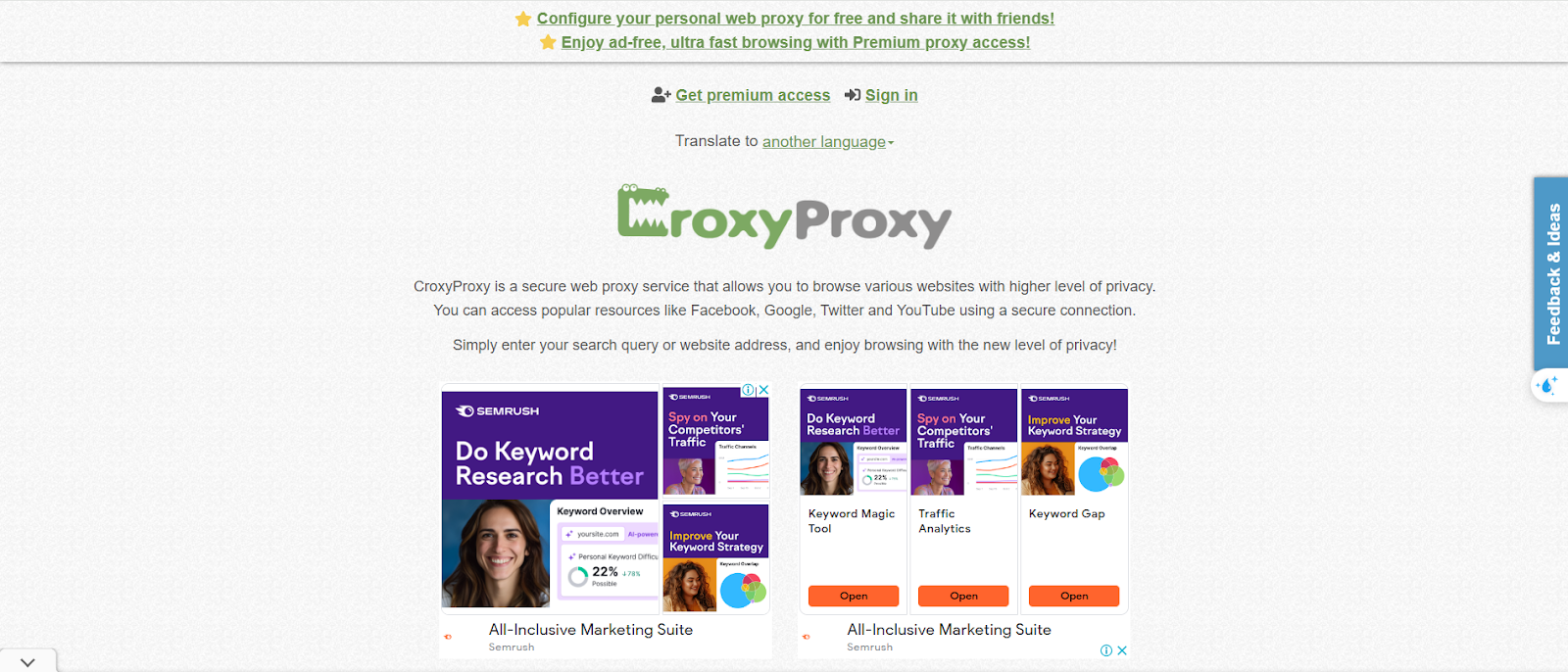
You can check out the services of CroxyProxy. When you add the URL of a YouTube video or any website, the system will automatically change the IP address of that website, allowing you to access the content on that channel.
6. Conclusion
Bypassing proxy restrictions on YouTube can significantly improve your viewing experience and provide access to a wider range of content. Using a reliable YouTube proxy, such as those offered by Hidemyacc, ensures privacy, security, and a smooth streaming experience. Remember to choose a proxy that meets your needs, provides fast speeds, and complies with legal guidelines.
If you want to bypass youtube on a specific browser, chrome, we have the article for you. How to unblock YouTube on Chrome: 7 simple and effective ways
7. FAQ
Question 1: What is the best proxy for YouTube?
Residential proxies are often the best option for YouTube, as they are less likely to be blocked compared to datacenter proxies.
Question 2: Can a proxy prevent YouTube from blocking my IP?
Yes, a good proxy can prevent YouTube from blocking your IP by masking it with a new IP address from a different location.
Question 3: What should I do if my proxy stops working on YouTube?
If your proxy stops working, you may need to try a different proxy server or check the settings for any misconfigurations.
Question 4: Is it legal to use proxies on YouTube?
Using proxies is generally legal, but you should always ensure that your use of proxies complies with YouTube's terms of service and the laws of your country.
Question 5: How do I know if a proxy is working correctly with YouTube?
You can test the proxy by accessing YouTube and checking if you can view previously restricted content without issues such as buffering or errors.