CAPTCHA appears on many websites to distinguish real users from automated bots. Whether you're creating an account, submitting a form, or logging in, you've likely encountered image challenges, checkboxes, or simple verification tests. In this article, you'll learn what a CAPTCHA is, how it works, the most common types available today, and why tools like antidetect Browser Hidemyacc can help reduce unnecessary CAPTCHA challenges.
1. What is Captcha?
Captcha codes are a type of test designed to differentiate between humans and automated software, also known as bots. Basically, Captcha codes require users to perform certain operations such as recognizing images, retyping distorted characters, or solving simple math problems to verify that they are indeed human.
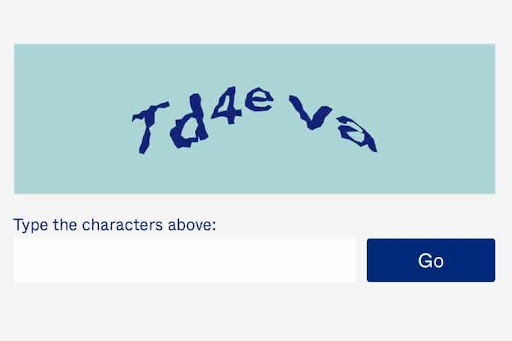
Captcha code helps distinguish between humans and bots
2. Why do websites require CAPTCHA verification?
When learning what a Captcha code is, you can see this type of code is not only a common form of security but also plays an important role in protecting websites and user data. Here are some of the main reasons you need to enter a Captcha code:
- Prevent bots: Bots are automated software capable of performing actions that normally only humans can do. For example, bots can create thousands of fake accounts, send spam, or even steal personal information. Entering Captcha codes helps prevent these actions by verifying that the person performing the action is a real human being.
- Data protection: In online transactions, especially those involving money, Captcha codes play an important role in protecting users' personal and financial information. Only real humans can enter this code correctly, thereby preventing bot attacks.
- Enhanced security: In addition to protecting personal information, Captcha codes also help prevent distributed denial of service (DDoS) attacks - a common form of cyber attack that crashes websites by sending large numbers of fake access requests. article bot.
3. Captcha code operating principle
CAPTCHA works by asking users to complete tasks that are easy for humans but difficult for automated programs. These tasks may include selecting specific images, recognizing distorted text, solving simple math problems, or following visual instructions. The goal is to verify that the request comes from a real person rather than a bot.
For example, one form of Captcha code requires the user to select all images containing traffic lights from a random series of images. This is a relatively easy task for humans but very difficult for bots, as they are not able to recognize images effectively.
4. Current popular Captcha code versions
Google reCAPTCHA has evolved from text-based challenges to behavior-based verification. In many cases, users only need to click the "I'm not a robot" checkbox, while additional image challenges are displayed only when suspicious activity is detected.
4.1. Captcha images
Image captcha is a popular and easy-to-use version that often appears on websites when you register an account or submit a form. This is a type of Captcha code that requires users to identify and select images as required. For example, you may be asked to select all images that contain buses, traffic lights, or bridges.
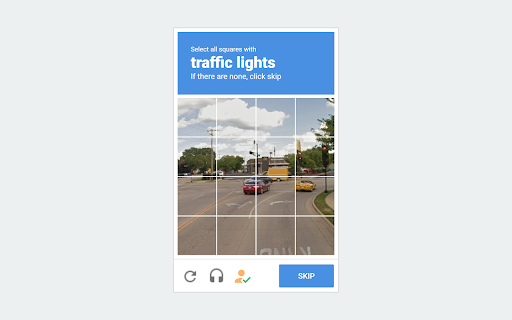
Image Captcha code requires the user to select the correct image as required
4.2. Audio Captcha
Audio captchas are designed to accommodate users who are visually impaired or who have difficulty recognizing images. The user will listen to an audio clip containing characters or words, then re-enter those exact characters or words. This type of Captcha ensures that everyone, regardless of disability, can access the website safely.
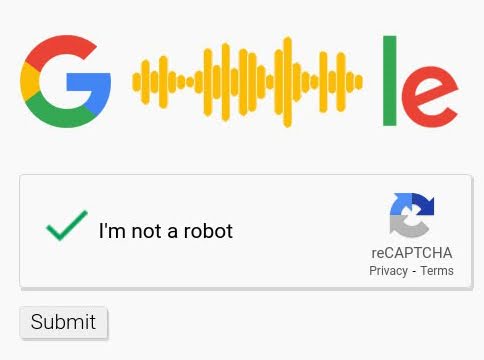
You will hear an audio clip and then re-enter the mentioned character
4.3. ReCaptcha and NoCaptcha
ReCaptcha is an enhanced version of Captcha, developed by Google. Initially, ReCaptcha required users to perform tasks such as retyping distorted characters or selecting images. However, with the development of technology, ReCaptcha has become simpler with NoCaptcha - where users just need to click on the "I am not a robot" box to verify.
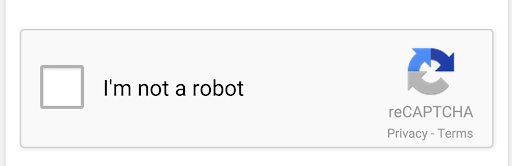
reCaptcha is the most popular type of captcha
4.4. Invisible Captcha
Invisible Captcha is a new form of Captcha that does not require the user to perform any action. Instead, it works on user behavior to determine whether they are a bot or not. This is a convenient solution that improves user experience without compromising security.
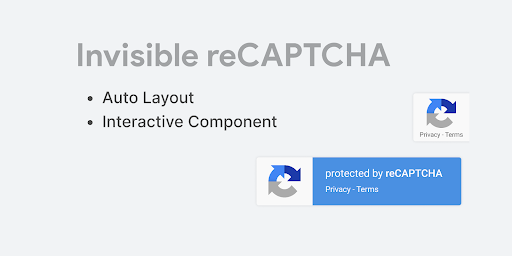
Invisible Captcha detects bots based on user behavior on the website
4.5. Math Captcha
This type of Captcha requires users to solve a simple math problem, such as adding, subtracting, multiplying, and dividing numbers. Mathematical Captcha is a quick and effective testing method that ensures that the user is a real human being.
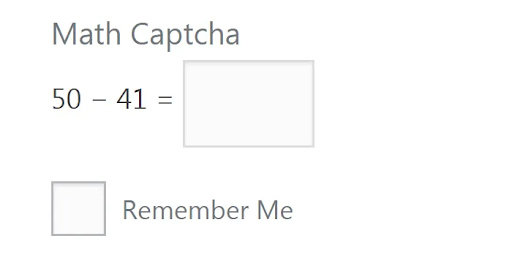
Math captchas require users to perform simple calculations
5. Can CAPTCHA be bypassed?
Captcha codes are designed to protect against bot attacks, but nothing is foolproof. Some advanced bots or hackers can use techniques such as image recognition, audio analysis, or even hire humans to perform Captcha operations to bypass this security layer. However, these methods require large resources and are not always successful.
Despite these vulnerabilities, Captcha codes are still one of the most effective security measures available today in preventing bot attacks. To increase efficiency, many sites combine Captchas with other security measures, such as checking IP addresses or requiring email verification.
6. Limit Captcha codes with Hidemyacc antidetect browser
Hidemyacc is an antidetect browser designed to help users manage multiple accounts in isolated browser environments. While it does not solve CAPTCHA challenges directly, it can help reduce the frequency of CAPTCHA requests by creating browser profiles with consistent fingerprint settings, separate cookies, and dedicated proxies.
You can manually set browser fingerprints such as operating system, browser, extensions, cookies, bookmarks, browser font, screen size,... for these profiles according to your own needs and add a proxy to Change their IP address.
For users running automated workflows, Hidemyacc provides an API that integrates with third-party CAPTCHA solving services. It also includes built-in automation features, allowing you to create workflows through drag-and-drop commands, action recording, or custom scripts.
Thus, the above article has explained What is Captcha code?, reasons to enter Captcha code as well as how to limit Captcha validation with Hidemyacc browser. Using a combination of Antidetect Browser Hidemyacc and proxy will help you create clean environments to grow a large number of accounts without being detected by websites and limit captcha exposure. This is an optimal solution for those who often use a large number of accounts at the same time or need to access highly secure websites. Sign up for a free 7-day experience with Hidemyacc!
>>> Learn more: