Having a Pinterest account suspended can make you feel confused or worried, especially when it is an important source of traffic or revenue. However, suspension does not mean the account is permanently lost. In many cases, the account can still be recovered if you follow the correct appeal process and comply with the platform’s policies.
In this article, Hidemyacc will guide you through the steps to take when your Pinterest account is suspended, analyze common causes, and provide solutions to avoid the same risk in the future.
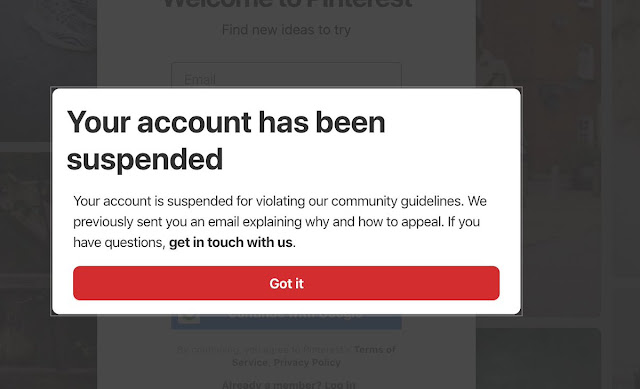
1. Why is a Pinterest account suspended?
A Pinterest account can be suspended for many different reasons. Below are the main causes that lead to suspension.
1.1 Violating Community Guidelines
Violating content policies is one of the most common reasons Pinterest accounts get suspended. Some examples include:
- Sensitive content: images or videos containing violence, pornography, hate speech, or racism.
- Clickbait: misleading titles designed to attract clicks but providing no real value.
- Misleading information: sharing incorrect or deceptive information.
- Copyright violations: posting content you do not have permission to use.
To avoid violating Community Guidelines, you should publish valuable content, avoid misleading information, and always ensure you have the right to use the material you post.
1.2 Unintentional spam
Sometimes accounts are suspended not because of intentional actions, but because behavior accidentally appears spammy. Typical examples include:
- Pinning a large number of pins in a short period of time.
- Reposting the same image or description repeatedly.
- Keyword stuffing in titles or descriptions.
To avoid suspension due to accidental spam, control the number of pins, maintain content diversity, and use keywords naturally.
1.3 Behaviors Pinterest considers spam
Pinterest uses algorithms to detect spam patterns. The following behaviors may cause account suspension:
- Only pinning your own content.
- Not interacting with the Pinterest community.
- Joining group boards that have been flagged as spam.
- Excessive affiliate links.
You should actively participate in the community, avoid excessive affiliate links, and only join quality group boards.
1.4 Using automation tools not approved by Pinterest
Pinterest does not allow the use of unauthorized automation tools. Examples include:
- Bots used to automatically post pins.
- Tools not listed in the Marketing Partner Directory.
To avoid violations, only use automation tools officially approved by Pinterest.
1.5 Unusual login behavior
Pinterest security systems monitor abnormal login patterns. Examples include:
- Logging in from multiple countries within a short time.
- Using the same IP address for many Pinterest accounts.
- Devices sharing identical browser fingerprints.
- Using unstable or low-quality proxies.
You should log in from a stable location, avoid shared IPs, and use high-quality proxy services if necessary.
2. Can a suspended Pinterest account be recovered?
A suspended Pinterest account can often be restored if you follow the correct appeal process.
- Submit a proper appeal explaining why the suspension may be incorrect.
- Avoid repeated serious violations.
If the account does not have multiple severe violations, the chances of recovery are higher. Pinterest usually does not restore accounts with repeated serious violations.
3. What to do immediately when your Pinterest account is suspended?
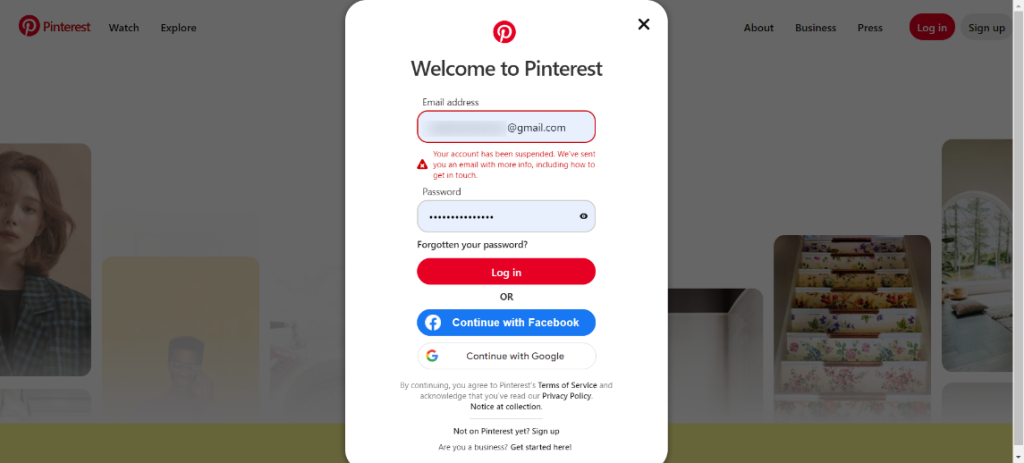
What to do immediately when your Pinterest account is suspended?
When your Pinterest account is suspended, it is important to take immediate steps to recover it. Here are the steps you need to take:
Step 1: Check the email from Pinterest
Pinterest will send an email explaining the reason for the suspension. First, locate this email and read it carefully to understand the reason for the suspension and decide how to proceed.
Step 2: Click the appeal link in the email
The email will contain a link to appeal the suspension. Click on this link to request the system to review your account’s status. This is the first important step in the recovery process.
Step 3: Visit the Help Center and submit an official appeal form
After clicking the appeal link, go to Pinterest’s Help Center and submit an official appeal form. Provide your username, email, and a clear description of the issue you are facing. Providing complete information will help the recovery process move smoothly.
Note:
- Avoid submitting multiple tickets in a short time: Submitting too many requests in a short time can cause Pinterest to flag your account as spam and delay the recovery process. Be patient and wait for Pinterest’s response.
- Stay calm and be patient: The recovery process can take several days, so you need to stay calm and be patient during the waiting period. Don’t rush and make sure you’ve followed the appeal process correctly.
These steps will help increase your chances of recovering your suspended Pinterest account quickly and effectively.
4. How to write an effective appeal
How to write an effective appeal
To increase the chances of recovery, your appeal must include the following:
- Use a polite and professional tone: Ensure you are respectful and professional in the appeal.
- Don’t blame the system: Show cooperation and don’t blame the system for the suspension.
- Acknowledge any mistakes briefly: If you made a mistake, admit it briefly and show your willingness to correct it.
- Commit to following Pinterest’s policies: Commit to adhering to Pinterest’s policies in the future.
- Request clarification on the violation: If the violation reason is unclear, ask for specific details on what caused the suspension.
Here’s a sample appeal email:
Subject: Appeal for Suspended Pinterest Account
Dear Pinterest Support Team,
I am [Username], and my Pinterest account with username [Account Name] has been suspended. I would like to appeal this suspension and request clarification on the specific reasons for this action.
I understand Pinterest’s Community Guidelines and am committed to fully adhering to the platform’s rules. If there were any mistakes on my part, I sincerely apologize and am ready to take the necessary corrective actions.
I would greatly appreciate it if you could provide further details about the reason for the suspension, so I can address the issue and continue using Pinterest appropriately.
I look forward to your assistance. Thank you.
Best regards,
[Your Name][Email Address]5. How to distinguish three common Pinterest account issues
Pinterest has three common error states that users may encounter when their account is affected. Each state has distinct features, which help you pinpoint the issue and take appropriate action.
Here’s a comparison table to differentiate between these error states:
|
Case |
Can you log in? |
Do the links work? |
Email notification received? |
|
Account Suspension |
Cannot log in |
Links do not work |
Received email from Pinterest |
|
Website Blocked |
Can log in |
Links do not work |
No email received |
|
Shadow Restriction |
Can log in |
Links work but with reduced traffic |
No email received |
Understanding these error states helps you easily identify the account’s status and take the necessary steps to resolve the issue.
6. How long does it take for Pinterest to respond?
Pinterest typically takes 5-10 working days to respond to account recovery requests. This response time may be shorter if it is due to a system-wide error, but there is no fixed response time.
To avoid delaying the process, you should not submit recovery requests multiple times in a short period.
7. What if the appeal is denied?
If your appeal is denied, you should:
- Read the response carefully: Review the reason for denial and adjust your appeal content for further clarification.
- Check all links and old pins: Ensure that all your links and pins comply with the guidelines.
- Submit a new appeal after a few days: After making adjustments, submit the appeal again to give your account another chance for recovery.
- Prepare a backup plan: If your appeal continues to be denied, consider alternative solutions, including creating a new account.
Note: Not all cases can be recovered, especially if the violation is serious.
8. When is an account permanently suspended?
A Pinterest account may be permanently suspended if:
- Repeated violations: Serious policy violations that occur repeatedly.
- Severe affiliate link spam: Violations involving excessive affiliate links that negatively affect users.
- Continuous use of unauthorized automation: Using unapproved automation tools to post pins regularly.
- Creating multiple fake accounts: Creating fake accounts to manipulate the system.
Repeated serious violations can lead to permanent account suspension.
9. What should you do if you have to create a new Pinterest account?
If your old Pinterest account cannot be recovered and you decide to create a new one, you need to follow certain steps to avoid detection and prevent the new account from being suspended:
9.1. Completely change the login environment
Pinterest may track your IP, device, cookies, and browser fingerprint. If you use the same login environment, your new account could be flagged. To avoid this:
- Do not reuse the old browser profile: Avoid using old account information or profiles on the same browser.
- Do not reuse the old IP: Use a new IP address to log into the account.
- Do not log into multiple accounts on the same browser: This can cause the system to recognize your account as fake.
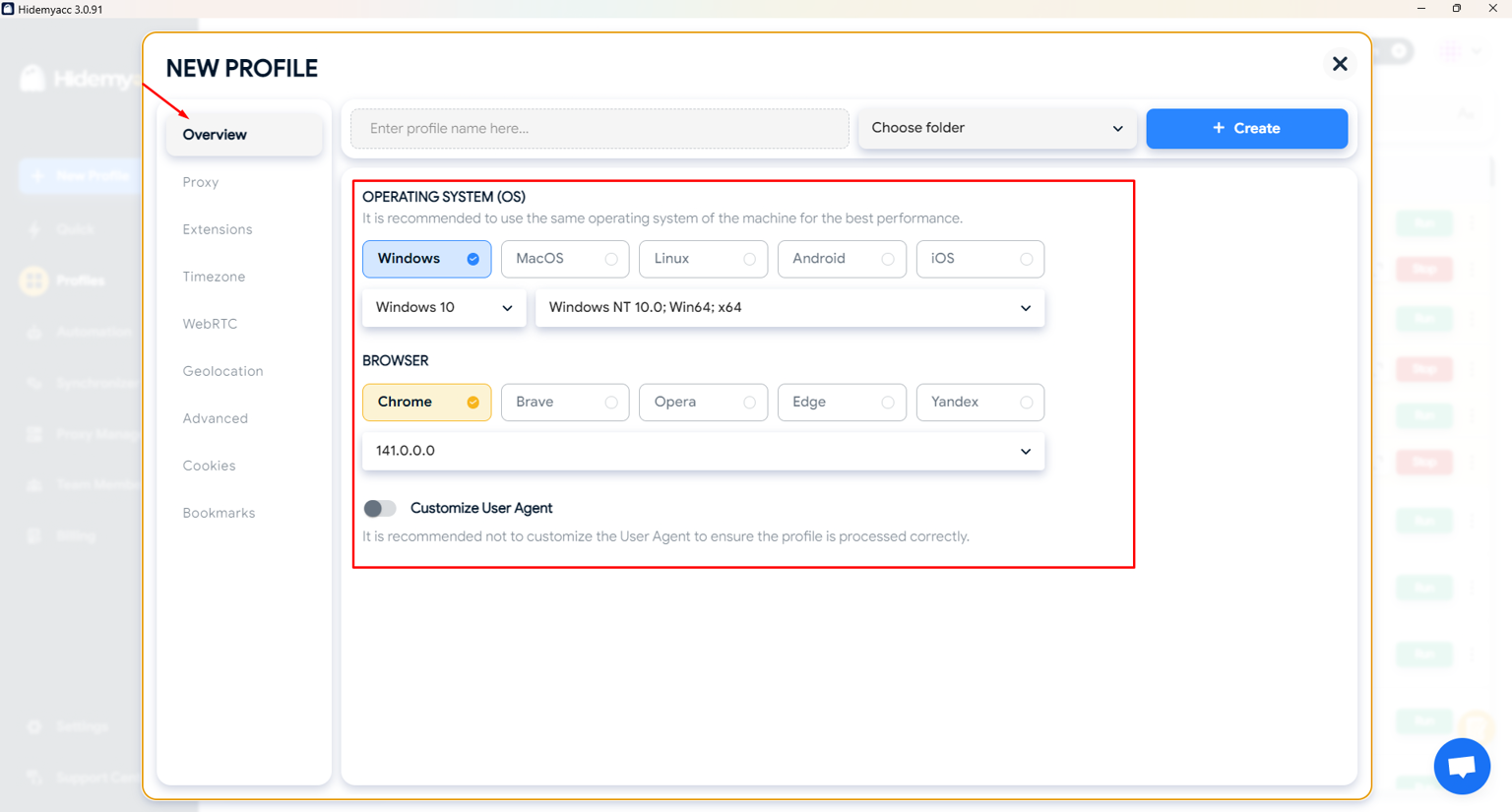
- Use antidetect browsers: Use tools that help separate your browser fingerprint and manage multiple accounts securely on the same device without being detected by the system.
Using an antidetect browser helps separate browser fingerprints and manage multiple accounts safely.
>>>> NEED TO READ: Can you create multiple Pinterest accounts?
9.2. Do not import all old content immediately
Pinterest can detect duplicate content. If you upload all your old pins at once, the system will see it as creating a spam footprint. Therefore, you should:
- Refresh your images: Use new or edited images to avoid duplication.
- Change the descriptions: Modify descriptions or titles to avoid repetition.
- Post gradually: Don’t upload too many pins at once; instead, spread out the uploads over time.
Uploading old content gradually helps avoid spam detection.
9.3. Warm-up the account for the first 7-14 days
In the first week, Pinterest will evaluate your behavior to ensure the account is legitimate. To avoid suspension:
- Don’t pin too much: Start by posting a small amount of content and increase gradually.
- Don’t join group boards immediately: Avoid joining group boards too quickly.
- Don’t focus heavily on affiliate links: Limit affiliate posts during this period.
The best practice is to:
- Pin small amounts regularly.
- Engage naturally with community content.
- Monitor analytics to see if the account is being affected.
A slow and natural warm-up period helps establish account trust.
9.4. Build natural and transparent behavior
Pinterest prioritizes users who behave like real people. To prevent your account from being flagged, you need to:
- Avoid using unapproved automation: Pinterest does not allow the use of non-approved automation tools.
- Avoid poor-quality proxies: Using unstable proxies can result in suspension.
- Do not log in from multiple countries in a short time: This behavior can make Pinterest suspicious.
- Maintain consistent frequency and gradually increase over time: Plan for long-term growth, and gradually increase the number of posts and activities on the account.
Maintaining natural user behavior helps protect your Pinterest account.
10. How to avoid being suspended again in the future
To avoid your Pinterest account being suspended again, you should:
- Pin regularly, avoid sudden spikes: Maintain a steady pinning frequency and avoid posting too many pins in a short period.
- Use only approved tools: Use tools approved by Pinterest in the Marketing Partner Directory to avoid suspension due to using unapproved automation tools.
- Create original content: Ensure that all content you pin is original and does not violate others' copyrights.
- Check links before pinning: Before pinning a link, make sure it is valid and does not violate Pinterest’s policies.
- Diversify traffic sources, don’t rely 100% on Pinterest: Don’t rely solely on Pinterest to create traffic. Find ways to diversify your channels and marketing strategies to minimize risks.
Consistent activity and policy compliance help reduce the risk of suspension.
11. Conclusion
A suspended Pinterest account does not mean permanent loss. Appeal correctly and be patient is the key to recovering your account. The most important thing is to adjust your behavior, follow Community Guidelines, and always have a backup plan when doing marketing on platforms like Pinterest.
>>>> YOU MAY BE INTERESTED IN: Pinterest affiliate marketing: The complete guide from A-Z to make money online
12. FAQ
1. Can a Pinterest suspended account be recovered?
Yes, if you follow the correct appeal process.
2. How long does it take for Pinterest to respond to an appeal?
On average, it takes 5-10 working days.
3. Why is my Pinterest account suspended without prior warning?
Pinterest uses an automated system, and it may suspend accounts immediately.
4. Should I appeal if I haven’t done anything wrong?
Yes, if you believe the suspension was a mistake.
5. Can I submit another appeal if my first one is denied?
Yes, you can adjust your appeal content and submit it again.
6. Should I create a new Pinterest account after being suspended?
Only create a new account if you cannot recover your old one.
7. How can I avoid being suspended again?
Follow Community Guidelines, pin regularly, check your content, and avoid using unapproved automation tools.