Does TikTok work normally on 4G, but the moment you connect to school Wi-Fi, it throws an "Access Denied" error? In most cases, the issue is not with TikTok or your smartphone, but rather with the school's network control policies. However, not every school blocks access the exact same way. Some filter strictly at the network layer, while others manage restrictions directly on school-issued hardware. In this article, Hidemyacc explains the common blocking mechanisms used by educational institutions, how to distinguish each scenario, appropriate approaches for personal vs. school-issued devices, and the essential risks and limitations to consider before trying any solution.
1. How do schools block TikTok?
When TikTok fails to load on school Wi-Fi, the initial reaction for many is to change DNS settings, install a VPN, or assume the app is experiencing a temporary outage. However, in most situations, these quick fixes fail simply because they do not address the actual root cause.
Today, most educational institutions do not build custom blocking systems from scratch. Instead, they deploy enterprise-grade network management and content filtering platforms such as GoGuardian, Lightspeed, Cisco Umbrella, Fortinet, or Palo Alto Networks. These systems allow IT departments to establish strict policies defining which websites, applications, and web services are permitted on campus grounds.
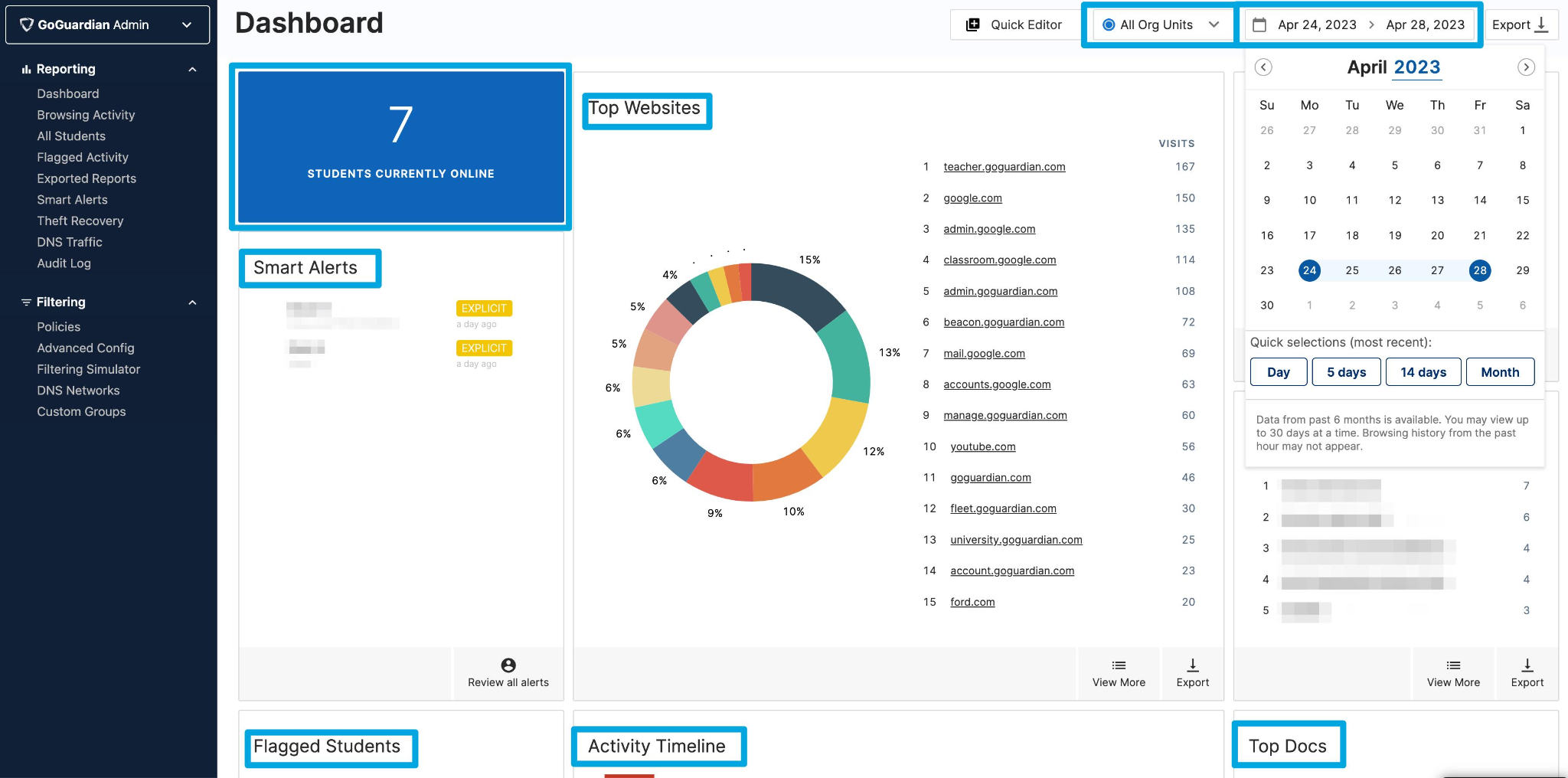
The crucial detail to understand is that not all schools implement the same blocking methods. Some only filter at the DNS level. Others deploy Deep Packet Inspection to inspect live network traffic. For school-issued devices like Chromebooks or iPads, Mobile Device Management (MDM) software is often installed to enforce controls directly within the operating system.
This explains why two students at different schools may encounter similar access denied messages, yet the underlying cause remains completely different. Without identifying which layer is enforcing the restriction, you risk wasting time on methods that are technically incapable of resolving the issue.
Below are the three most common mechanisms, ordered from basic to advanced.
1.1. DNS and domain filtering
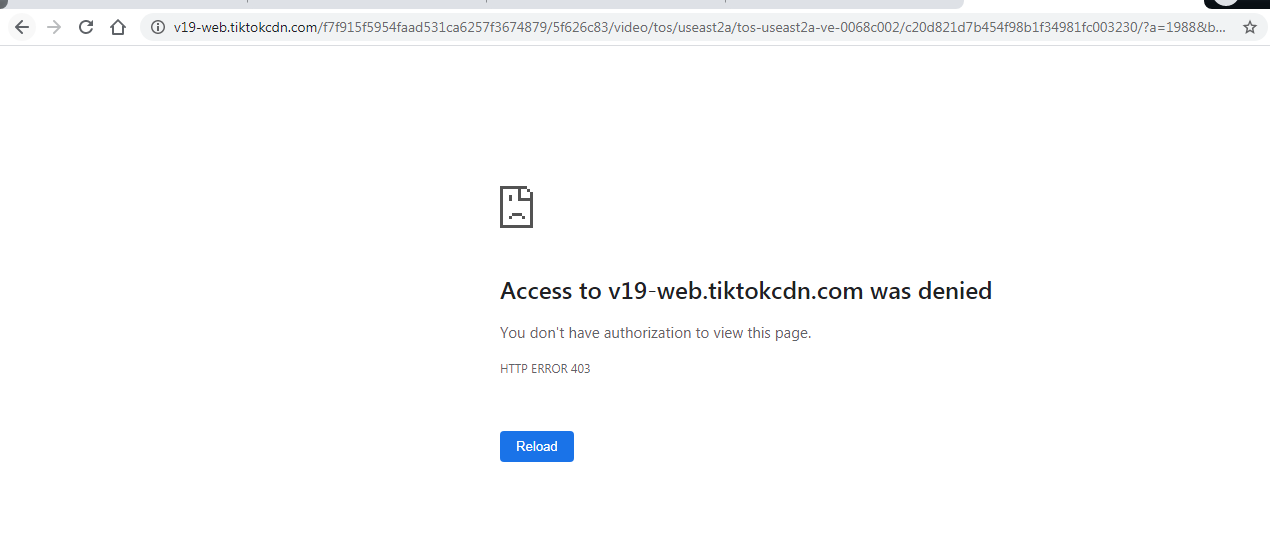
Domain filtering via DNS is the simplest and most widespread restriction method. When you launch TikTok, your device must resolve the server address corresponding to TikTok via DNS. On school Wi-Fi, these requests are directed to DNS servers managed by the school. Instead of returning the actual IP address for TikTok, the DNS server returns a null response or redirects your browser to a block page stating "Access Denied".
As a result, your smartphone cannot locate TikTok's servers, even if your underlying internet connectivity remains fully functional.
An important detail is that schools rarely block tiktok.com alone. TikTok relies on numerous auxiliary domains to deliver video feeds, images, and user data. If these CDN domains are also filtered, the application may load partially or fail entirely.
You can identify DNS filtering through several indicators:
- TikTok fails to load, but Google or YouTube operate normally.
- The browser displays a school block page or content filter warning.
- The error specifies domain resolution failures rather than a total loss of internet access.
If the school relies solely on DNS filtering, changing DNS servers or enabling DNS-over-HTTPS can sometimes restore access. However, as schools increasingly combine multiple defensive layers, DNS tweaks alone are no longer universally effective.
1.2. Deep Packet Inspection (DPI)
While DNS filtering only inspects which domain name you request, Deep Packet Inspection (DPI) goes further by analyzing the actual network data packets passing through the network infrastructure.
In simple terms, even if you bypass DNS resolution restrictions, all outgoing data packets must still cross the school's network gateway. At this stage, DPI firewalls can identify TikTok traffic using markers such as IP address ranges or specific data exchange patterns between the app and its remote servers. This explains why modifying DNS settings often fails to restore TikTok access.
For example, a student might switch to Google Public DNS and eliminate domain resolution errors entirely. However, the TikTok feed continues to buffer indefinitely or reports a connection failure. In this scenario, the restriction is no longer occurring at the DNS lookup stage, but at the packet inspection layer behind it.
Crucially, DPI does not need to decrypt video content to block TikTok. The firewall simply needs to recognize the packet signature as belonging to TikTok to apply bandwidth throttling or drop the connection. Therefore, if changing DNS yields no result, the school network is likely employing DPI filtering.
1.3. Mobile Device Management (MDM)
While DNS filtering and DPI operate at the network layer, Mobile Device Management (MDM) works directly at the device level.
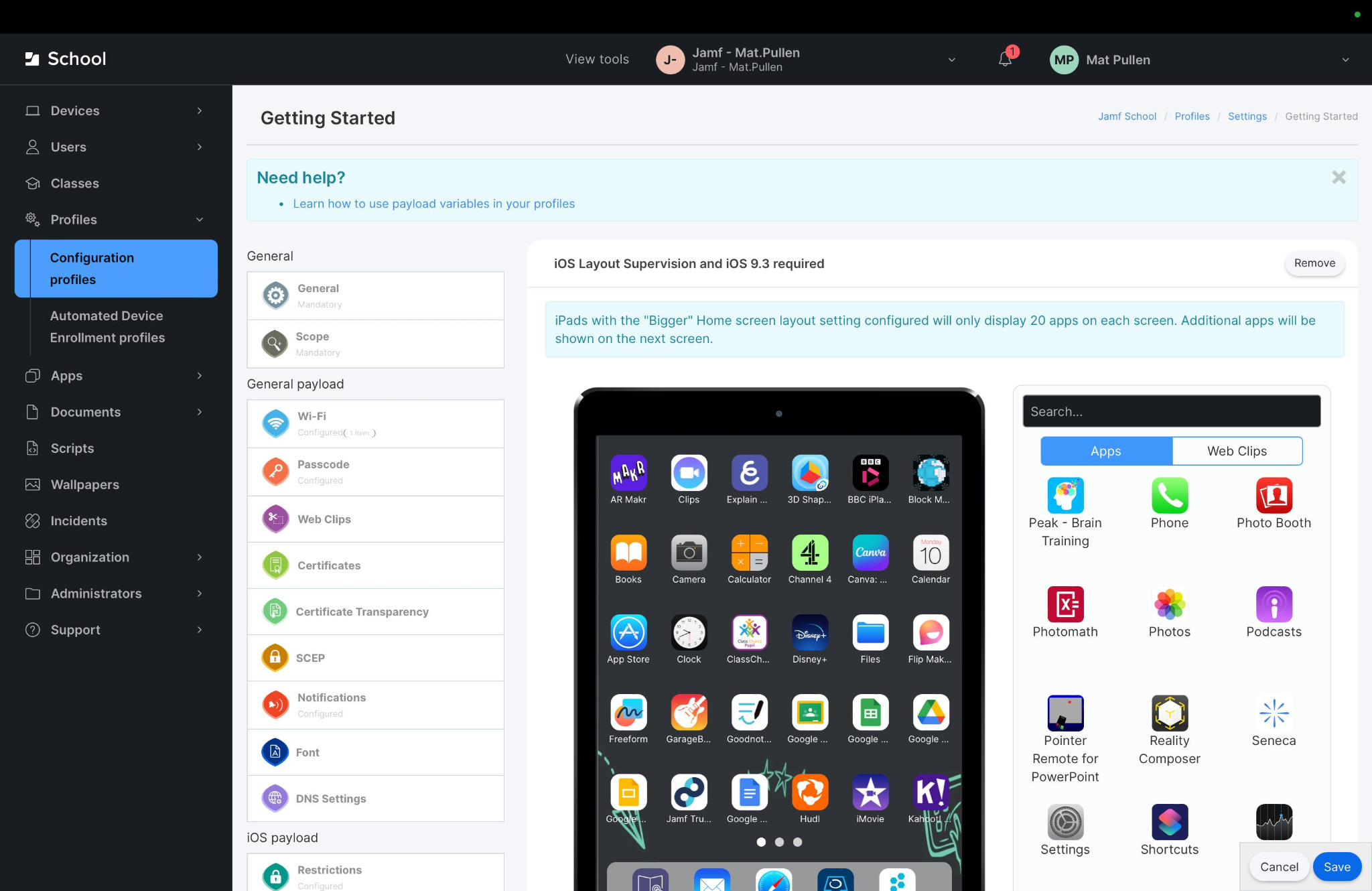
Many educational institutions distribute Chromebooks, iPads, or laptops for academic use. These devices are centrally managed using enterprise solutions such as Jamf School, Microsoft Intune, Google Admin Console, or Mosyle.
Through MDM, the school's IT administrator enforces OS-level policies dictating which applications can be installed, which websites are accessible, and which system features are restricted. This represents the most rigid layer of control.
For instance, if you connect a school-issued Chromebook to school Wi-Fi, TikTok is inaccessible. If you then tether to a personal mobile hotspot or turn on a VPN, TikTok remains blocked. Meanwhile, a personal smartphone connected to that same mobile hotspot accesses TikTok without issue. This confirms that the restriction is not tied to the Wi-Fi network, but enforced directly on the device itself.
This distinction is a common point of confusion. Network-level blocking and device-level management are fundamentally different, meaning their corresponding solutions are also distinct. The next section will help you differentiate between these two scenarios before attempting any workaround.
2. Network Wi-Fi blocks vs. school-issued device blocks
Understanding where the restriction takes place prevents unnecessary troubleshooting. Many students encounter a block and immediately attempt DNS modifications or VPN setups. However, these methods only address specific network scenarios and are ineffective when controls exist at the device layer.
In summary:
- School Wi-Fi blocks are active only while connected to the school's network infrastructure.
- School-issued device blocks remain active on the device itself, regardless of whether you connect to school Wi-Fi, home Wi-Fi, or a mobile hotspot.
| School Wi-Fi Blocks | School-Issued Device Blocks |
|---|---|
| Enforced at the network layer | Enforced at the operating system layer |
| Active only on the school network | Active across all network connections |
| Primarily impacts personal devices on Wi-Fi | Applies to school iPads, Chromebooks, or laptops |
| Lifts automatically when disconnecting | Persists as long as the MDM profile remains active |
For example, if you use a personal smartphone and TikTok is restricted only while on school Wi-Fi, switching to 4G/5G data restores full functionality. This confirms a network-layer restriction.
Conversely, if you use a school-issued Chromebook or iPad and TikTok remains blocked even on home Wi-Fi or cellular tethering, the restriction is enforced by MDM software rather than network filtering. Identifying your specific scenario saves time and prevents ineffective workaround attempts.
3. Workaround options for personal devices on school Wi-Fi
Note: The following methods apply exclusively when a personal device experiences network-level restrictions on school Wi-Fi. If you are using a school-issued device managed by MDM, proceed to the next section.
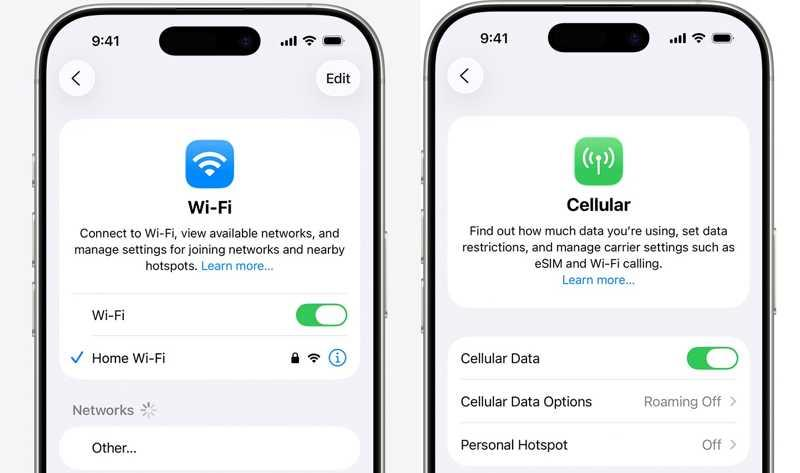
3.1. Switch to cellular data
Switching to cellular data is the simplest and most reliable solution for personal devices.
By disconnecting from school Wi-Fi and enabling 4G or 5G, your internet traffic routes entirely through your mobile carrier's infrastructure rather than the school network. Consequently, the school's DNS filtering or Deep Packet Inspection systems no longer inspect or restrict your traffic.
If TikTok loads immediately upon switching to cellular data, the restriction is conclusively isolated to the school Wi-Fi network.
Key advantages include:
- No additional application installs required.
- No manual network configuration changes.
- Minimal risk of connection instability or setup errors.
However, keep a few limitations in mind. Streaming video on TikTok can consume significant mobile data over time. Additionally, school policies may restrict personal phone usage during class hours, regardless of whether you use school Wi-Fi or cellular data.
3.2. Use a personal VPN
If cellular data is unavailable, using a reputable VPN is a common alternative. A VPN establishes an encrypted tunnel between your personal device and a remote VPN server. As a result, the school's network firewalls cannot inspect the specific destination or content of your traffic, allowing it to bypass basic network filters.
However, VPNs are not guaranteed to work on all networks. Modern network management systems often detect and block standard VPN protocols such as OpenVPN or WireGuard. In such environments, the VPN client may fail to connect or disconnect immediately upon initialization.
Beyond technical feasibility, review your school's Acceptable Use Policy. While VPN technology is entirely legal, using it to bypass network controls on campus infrastructure may constitute a policy violation.
Useful resources:
- How to enable a VPN on iOS, Android, and PC
- 7 best free VPNs for iOS
- 15 best free VPN software for PC
- How to install a VPN on Android phones
- Top 9 free VPNs for Android
3.3. Access TikTok outside campus networks
If your goal is casual browsing during breaks, accessing TikTok off-campus is the safest approach. Instead of attempting to bypass school filters, use TikTok on your personal phone after leaving campus grounds or switch to cellular data if school rules permit phone usage during breaks.
This avoids network bypass attempts entirely. You simply use the app in an environment free from institutional filtering policies. This approach requires no settings modifications and eliminates compliance and security risks associated with unapproved tools.
4. Why school-issued devices are the most difficult to modify
If DNS changes, VPNs, and mobile hotspots all fail to unblock TikTok, the application is blocked at the device level rather than on the Wi-Fi network.
Schools manage institutional Chromebooks, iPads, and laptops via Mobile Device Management (MDM) profiles. Unlike network filters that act only on local Wi-Fi traffic, MDM enforces administrative policies directly inside the operating system. Consequently, restrictions persist when connected to home Wi-Fi, cellular data, or VPNs. For this reason, workarounds intended for personal devices do not work on school-managed hardware.
Attempting to remove or disable MDM software is strongly discouraged. MDM is deployed according to school policies and device loan agreements. Tampering with administrative controls can violate school disciplinary codes, trigger IT security flags, or render the device unable to access required educational tools and coursework. For non-academic app usage, using a personal device is far more practical than attempting to modify school property.
5. Risks to evaluate before trying any workaround
No single method guarantees success across all school environments. Every institution implements different security stacks and maintains specific Acceptable Use Policies regarding hardware and network infrastructure.
Before testing any workaround, consider these three factors:
- No method is universally effective: If a school combines DNS filtering, DPI, and MDM controls, simple DNS tweaks or free VPNs will fail.
- Potential policy violations: Many Acceptable Use Policies explicitly prohibit students from attempting to circumvent network security controls.
- Avoid unverified third-party software: Online guides often recommend downloading untrusted free VPNs or "unblocker" extensions. These tools frequently carry malware, log user data, or compromise personal privacy.
If TikTok is restricted solely on school Wi-Fi, utilizing personal cellular data remains the safest and most compliant alternative.
6. Conclusion
Because educational institutions implement different restriction methods, there is no one-size-fits-all solution for accessing TikTok on campus. The key step is determining whether the restriction exists on the Wi-Fi network or on the device itself. Identifying the correct layer prevents wasted effort on ineffective workarounds.
For personal devices experiencing network-level filtering, switching to cellular data or using a personal VPN may offer a straightforward solution where permitted by school rules. Conversely, for school-issued Chromebooks, iPads, or laptops, attempting to bypass MDM software presents technical and disciplinary risks that far outweigh any benefit.
While this guide addresses accessing TikTok on school networks, managing TikTok accounts professionally for business, marketing, or affiliate work requires specialized tools. Platforms like the antidetect browser Hidemyacc solve multi-account operational challenges by creating isolated browser profiles—each with its own distinct digital fingerprint and proxy—allowing users to manage multiple accounts securely on a single computer.
Further reading:
7. FAQ
1. Are schools legally required to block TikTok?
No. Regulations vary by region, but there is no universal mandate forcing all schools to block TikTok. Restrictions are typically decided at the school or district level to manage network bandwidth and minimize classroom distractions.
2. Is using a VPN at school illegal?
Using a VPN is legal in most countries. However, if a school's Acceptable Use Policy prohibits bypassing network filters, using a VPN on campus infrastructure may result in administrative or disciplinary action.
3. Why does TikTok work on cellular data but not on school Wi-Fi?
School Wi-Fi routes your traffic through local firewalls and content filters that actively block TikTok servers. Cellular data routes traffic directly through your mobile carrier's network, bypassing school filters entirely.
4. Are school-issued devices monitored?
Yes. Schools utilize Mobile Device Management (MDM) software to monitor and configure institutional devices. While tracking depth varies, MDM typically manages application permissions, web filtering, and device settings.
5. Is there a compliant way to use TikTok during school breaks?
If school rules permit personal phone usage during breaks, you can access TikTok using your personal cellular data rather than school Wi-Fi, provided you follow campus policies regarding phone usage times and locations.
6. Should I attempt to factory reset or remove MDM on a school iPad or Chromebook?
No. Removing or bypassing MDM software violates equipment loan agreements and will likely alert IT administrators, resulting in device lockouts or disciplinary consequences.