



Scams and spam messages on Discord are becoming increasingly complex, directly affecting community quality. The most troublesome issue is how to find discord spam accounts and clean the server without accidentally affecting real members. In this article, Hidemyacc will introduce 5 optimal methods, including manual ways and using discord spam account finder tools, to help you protect your server safely.
1. Common red flags of a Discord spam account
Before diving into technical features, grasping common red flags is the most basic step to find discord spam accounts through observation. Here are the 3 most recognizable characteristics of junk accounts:
- Empty profile or suspicious links: A Discord spam account often has a very sketchy profile or almost no information. Most common is using a default profile picture, having no "About Me" section, or leaving the bio blank. In many cases, the bio only contains strange links or shortened URLs, indicating the account was created for spamming rather than long-term community participation.
- Unusual account age: Account age is a key factor in identifying a Discord spam account. Most of these accounts are created within a short time, usually less than 7 days, yet join many servers simultaneously. A newly created account appearing quickly in a series of servers indicates a high probability of being mass-created for spam or scams, not a real user.
- Shady behavior: Spam accounts often send private messages (DMs) to many strangers immediately after joining a server but almost never interact in public channels. They do not join discussions, have no specific roles, and only act when they need to send links or promotional content.
The line between a new user and a spam account can sometimes be thin, so knowing these basic signs will help you be more proactive and minimize accidentally banning real users.

If you need to farm and use multiple valid accounts simultaneously for work without worrying about Discord flagging them as spam or applying penalties, refer to our guide: How to safely run multiple Discord accounts without bans
2. 3 methods to find Discord spam accounts (for admins)
To proactively control and clean your server instead of relying only on manual observation, admins can apply these 3 methods to detect and handle Discord spam accounts through built-in signal filters on the platform.
2.1. Filter by unusual messaging activity
Discord has an automatic mechanism to detect and flag accounts that send too many DMs to users who are not friends within 24 hours. This is a very common behavior of Discord spam accounts used to send scam links, advertisements, or malicious content.
How to do it:
-
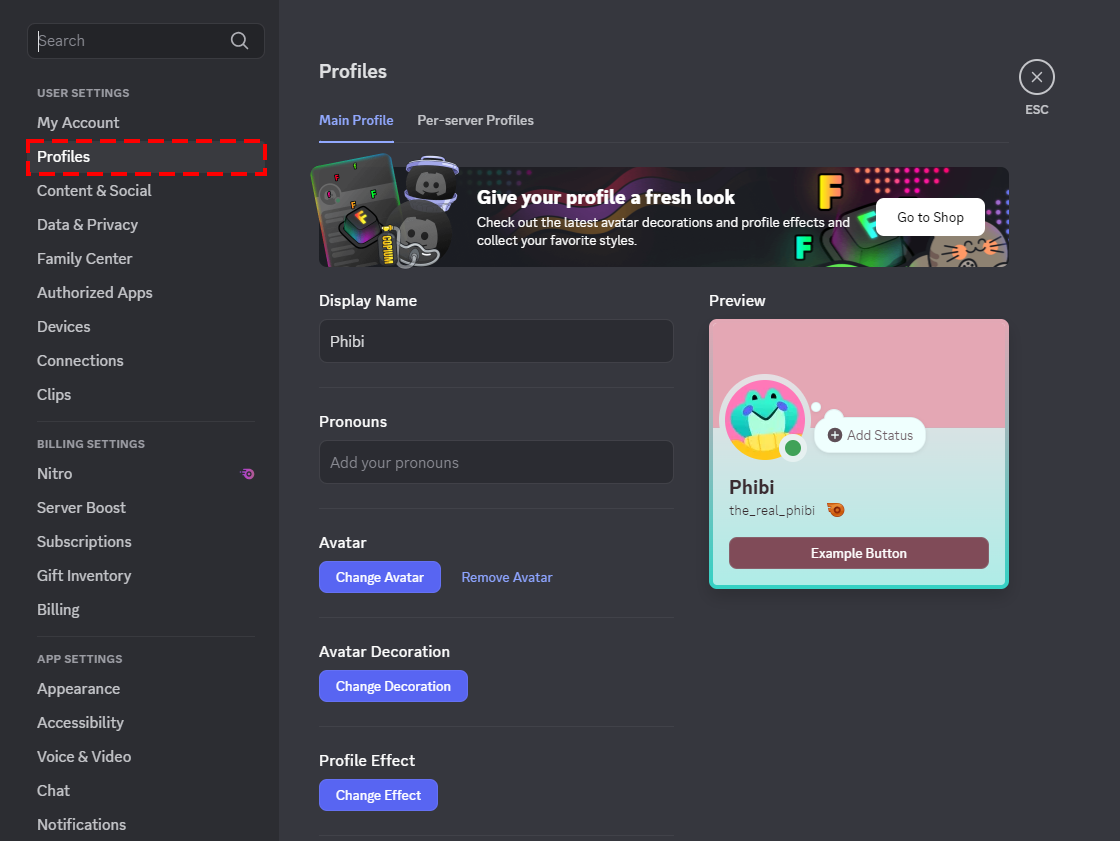
Step 1: Open the server you want to check, click the server name in the top left corner, and select Server Settings. In the settings panel, access the Members section to open the management list of all server members.
-
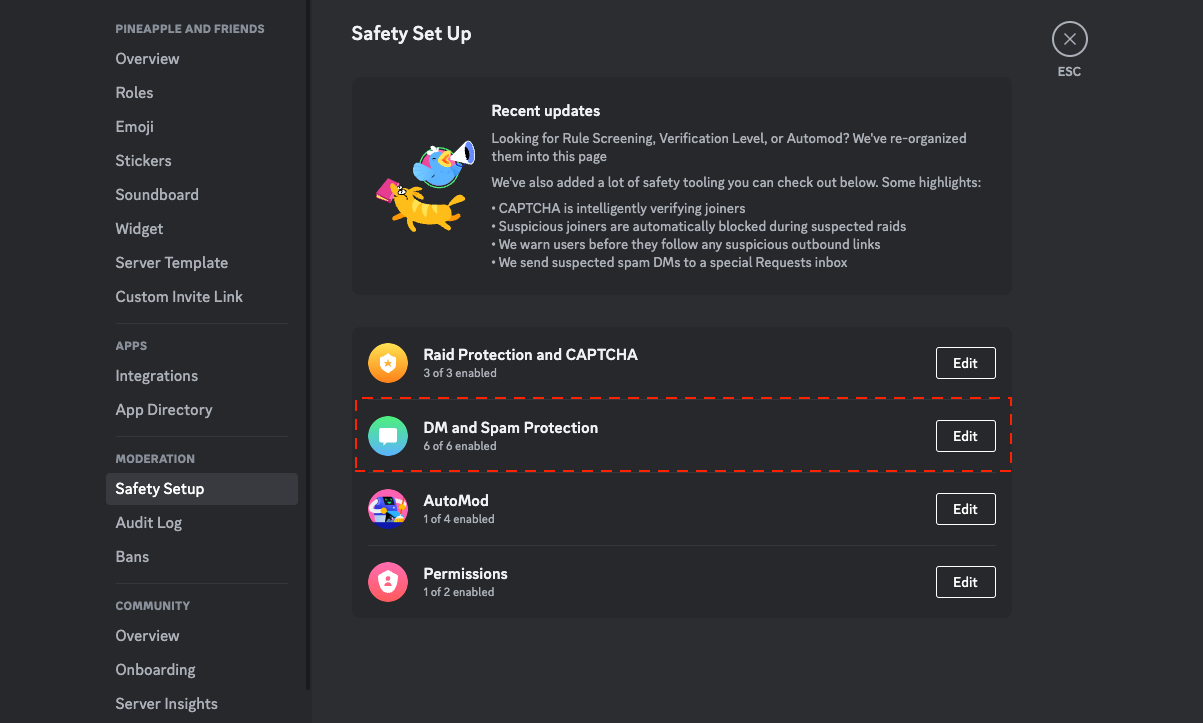
Step 2: In the Members interface, use the filter bar and select Signals.
-
Step 3: Turn on the Unusual DM Activity option.
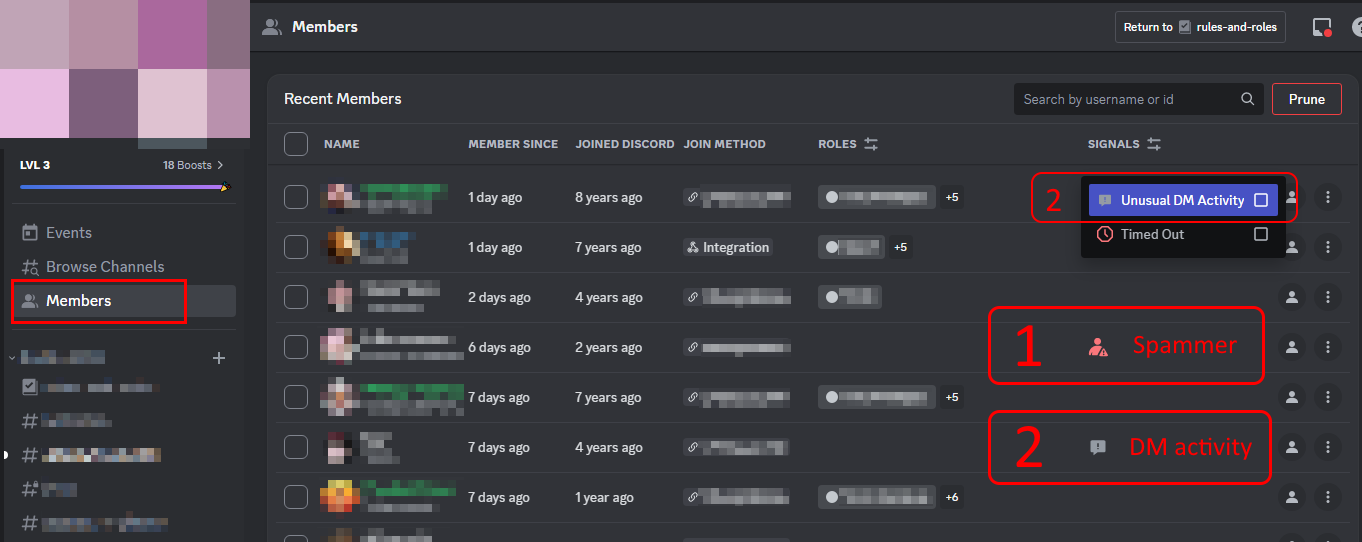
Once you have a list of flagged accounts, you should carefully check their activity history to make an appropriate handling decision, such as a warning, kick, or ban, to prevent harassment of other members.
2.2. Scan with unusual account activity
Besides DMs, Discord also tracks other abnormal behaviors, such as joining multiple servers in a short time or acting in bot-like repetitive patterns. These signs often indicate that the account was mass-created for spam and operates in a formulaic way, lacking natural interaction.
How to do it:
- Step 1: Go to Members
- Step 2: Open the Signals tab
- Step 3: Select Unusual Account Activity.
Tip: When using this filter as a tool to find discord spam accounts, check the account creation date and see if the account holds any roles. This helps avoid mismanaging new users who are just getting to know the server.
2.3. Trace through leaked invite links
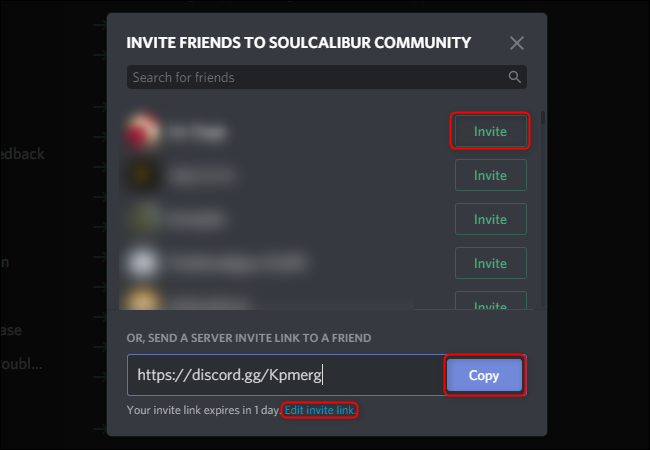
In many cases, spam accounts do not join a server randomly but through an invite link leaked outside. When this link is shared publicly, spam accounts can flood the server in a short time.
How to do it:
- Step 1: Go to Members
- Step 2: Check the Join Method column to see which link the accounts used to enter the server.
If you detect many suspicious accounts joining from the same invite link, go to Server Settings > Invites and revoke that link immediately to stop further spam infiltration. Utilizing the system's signal filters makes the review process faster and more accurate, especially when dealing with a large number of junk accounts.
During aggressive scanning and handling, the system can sometimes be overly sensitive and accidentally penalize the IP of real users. If you or a community member encounters this, you can refer to: How to handle a Discord IP ban to safely restore access without affecting your main account.
3. 2 Methods for both admins and regular users
In addition to automatic filters, coordination between administrators and community members plays an important role in detecting Discord spam accounts. Here are 2 ways that both admins and users can apply or contribute to keeping the server environment safe.
3.1. Manually check the "New Members" list
One of the simplest yet effective ways to detect Discord spam accounts is to check the list of members who recently joined the server. Spam accounts often appear in this group and show many abnormal signs.
- Implementation: Sort the server member list by the "Joined At" criteria (newest first).
- Checklist: Pay special attention to accounts with random, meaningless names (e.g., ajshd123). Also, check mutual servers; if they have none or only 1-2 mutual servers, combined with a bio containing sensitive terms (like Free Nitro, Airdrop, etc.), there is a very high probability that it is a junk account.
This manual review method helps detect suspicious accounts early, before they have a chance to send spam or harass other members.
3.2. Build a "Community Reporting" system
Besides self-checking, leveraging the community to detect spam is highly effective. When users have a clear reporting channel, spam behavior will be detected faster and its spread limited.
Deployment:
- Create a public channel like #report-spam so all members can see and use it.
- When detecting spam in public channels or DMs, members simply send a screenshot along with the offender's username.
- The server staff then just copies the username, pastes it into the search box in the Members tab to cross-check the activity history before taking action.
Manual review combined with timely reporting from members creates a solid defense network, filling the gaps that automatic tools might miss.
If your account is accidentally disabled during a system sweep, don't worry too much. Check out our quick guide: How to fix "Discord: Your account has been disabled"
4. Steps to take after finding Discord spam accounts
After successfully finding a Discord spam account, the next step is to handle it correctly to remove the spam while avoiding impact on real users. Depending on the level of violation and certainty of evidence, you can apply the following measures:
- Timeout: This measure should be applied when you only suspect an account of having abnormal signs but don't have clear evidence yet. Temporarily restricting messaging rights gives the system more time to monitor the person's behavior closely.
- Kick: Suitable for accounts that just joined, have absolutely no interaction, but show signs of being an alt account or created for spam. Kicking removes the immediate risk while still allowing the user to return if it was a misunderstanding.
- Permanent Ban: This is the strongest measure, reserved for cases with clear evidence such as sending scam links, mass spamming, or repeat offenses. This is the definitive way to protect the community from harmful behavior.
Important Note: When deciding to ban a junk account, always remember to select "Delete message history" for that account. This completely removes spam traces from the server and prevents malicious links from continuing to affect other members.
Efficiently controlling spam not only protects members but also lays the foundation for building sustainable value for the server. This is also an important step before applying Discord monetization models.
5. Automated Discord spam account finder solutions
As a community grows, manual checking will take a lot of time. This is when you need the support of automatic discord spam account finder tools to protect your server 24/7.
- Use spam search tools: Popular bots often used include Beemo, Wick, or the built-in Discord AutoMod. These tools can automatically detect abnormal behaviors like DM spamming, joining servers in bulk, or bot-like activity and handle them according to pre-set rules.
- Set verification levels: Requiring Email or phone verification before joining the server also significantly reduces junk accounts from the start. This is a basic but highly effective filter to prevent newly created spam accounts from invading en masse.
Combining automated tools to find Discord spam accounts with appropriate verification settings not only reduces the burden of manual review but also improves long-term spam filtering effectiveness for the server, especially as the community continues to grow.
6. Conclusion
Scams and spam are common issues but can be completely controlled if you use the right tools and processes. Finding discord spam accounts and stopping them early not only protects members' safety but also maintains the reputation of the community you are working hard to build.
Combine manual observation, system signal filters, and automated tools for a multi-layered defense that keeps your server clean and sustainable.
You may also be interested in: How to manage multiple social media accounts without getting banned
7. FAQ
1. What is the fastest way to find discord spam accounts in a large server?
The fastest and most accurate way is to use the "Member Safety" feature combined with Discord's built-in "Signals" filter. This feature will automatically flag users with unusual messaging activity or mass-joining behavior for easy review.2. Can I use a third party as a discord spam account finder tool?
Absolutely. Using dedicated anti-spam bots like Beemo or Wick is highly recommended for large servers. They can automatically cross-reference data and ban scam accounts as soon as they join.3. Why is an account flagged for "Unusual Activity" even if they haven't sent a message?
Discord's AI system analyzes many factors besides messages. If an account is too new, shares an IP address with previously banned accounts, or has a pattern of joining dozens of servers in a single minute, the system will automatically flag it for risk.4. Can regular users report spam accounts?
Yes. Users can report directly through the Message Requests feature or the server's internal reporting system (e.g., a spam report channel) to assist the review process.5. Does revoking an Invite Link stop spammers?
Yes, this is one of the most effective ways. Spammers often flood in mass through a leaked link. By checking the Join Method column and immediately revoking the link being exploited, you cut off their entry source completely.





