Ad platforms review campaigns with automated moderation, machine learning and traffic analysis. For media buyers and affiliate marketers, that means every campaign depends on more than the creative: landing page quality, traffic quality, account setup and the technical stack behind it all matter.
Two tools often sit side by side in that stack, but they solve different problems:
- Cloaking services decide which page each visitor sees, based on rules you configure.
- Antidetect browsers decide how each of your accounts looks to the platform, by giving every account its own isolated browser profile.
This guide was written together with our partner Cloaking.House. We explain how cloaking works, walk through a basic Cloaking.House setup, show where the policy line sits, and then cover how Hidemyacc fits into a media buyer's daily workflow.
1. What is Cloaking?
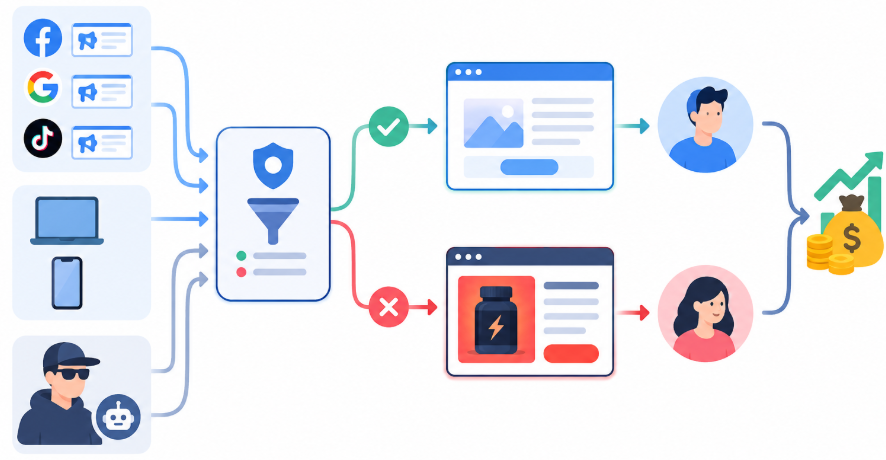
Cloaking is a traffic filtering technique that sends visitors to different pages based on rules applied to each request, such as IP address, location, device, browser and referrer.
A typical setup has two destinations:
- White Page: a neutral page served to visitors who do not match your targeting rules, for example bots, crawlers, scrapers and traffic from outside your target GEO.
- Offer Page: the main landing page built for your target audience.
Media buyers use traffic filtering to:
- Keep bot and irrelevant traffic away from the offer page, so it does not distort conversion data.
- Break down traffic by GEO, device, operating system and other parameters.
- Serve the right landing page to each audience segment.
- Spot unusual request patterns that may be hurting campaign performance.
Know where the policy line is
Be clear about one thing before you start. Google Ads, Meta and most major ad networks explicitly prohibit cloaking when it is used to show ad reviewers content that differs from what real users see. Google also treats cloaking aimed at its search crawler as spam. Google can suspend an ad account for this kind of violation without prior warning.
A cloaking service does not change those rules, and it does not guarantee ad approval or protect accounts from restrictions. Read the policies of every traffic source you run on, and make sure your filtering setup stays within them.
2. How to set up Cloaking.House
Cloaking.House is a cloud based traffic filtering service. Setup comes down to five steps: prepare a White Page, create a flow, set filtering conditions, connect your domain and review the statistics.
2.1. Prepare your white page
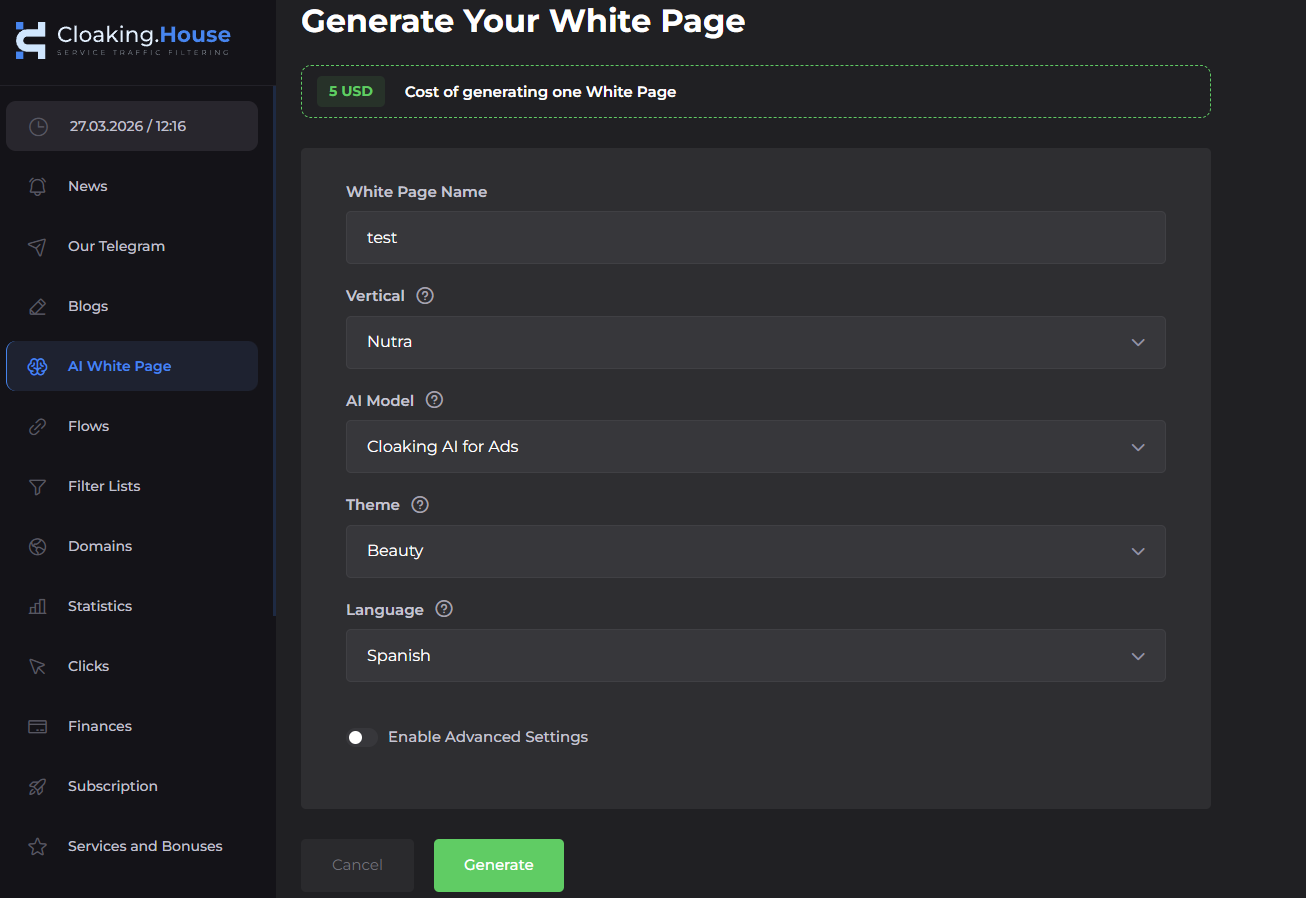
Build the page that will act as your White Page. You can generate one with the AI White Page Generator inside Cloaking.House or use a page you made yourself.
- Upload the page files to the domain you plan to use.
- If the main HTML file is named
index.html, rename it tosite.html. This avoids a conflict with theindex.phpfile used for the integration. - Open the page in a browser and confirm that it loads correctly with all its assets.
2.2. Create and configure a flow
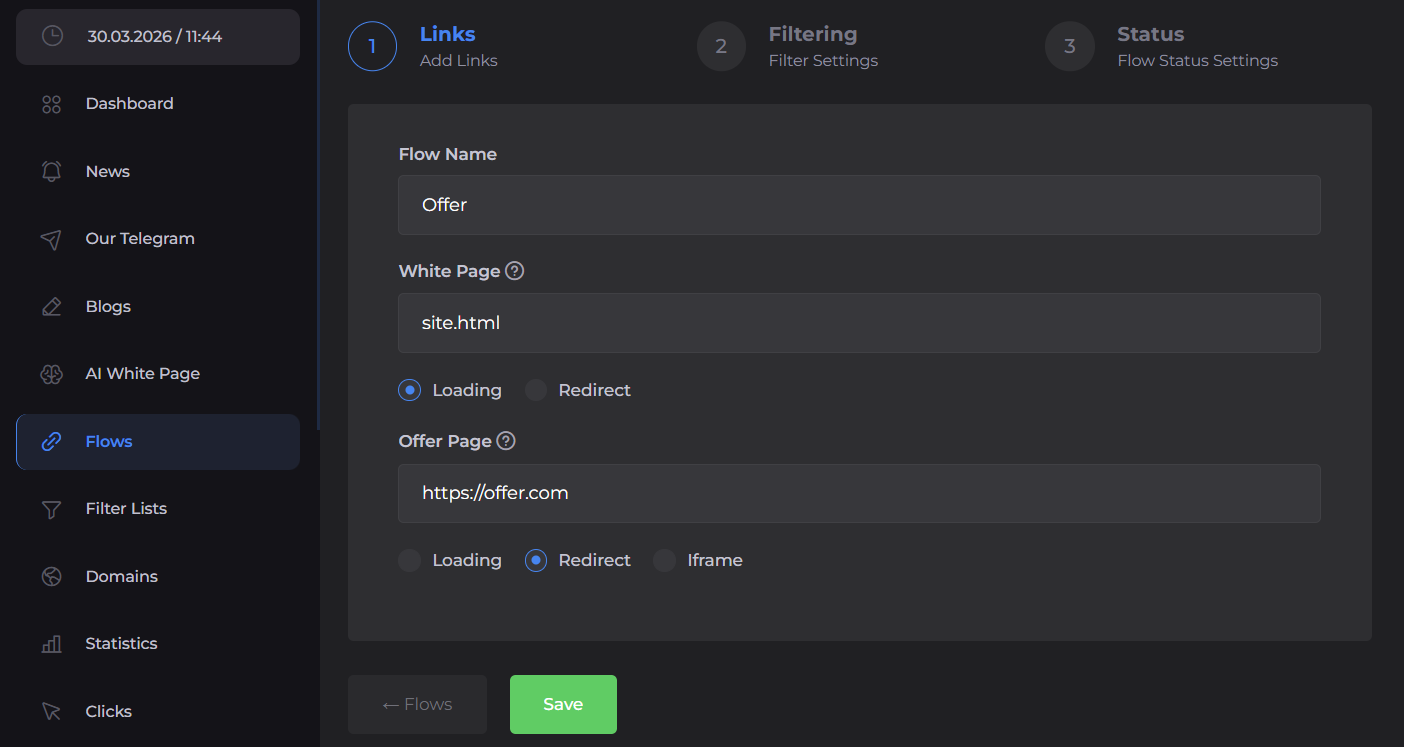
Open the Flows section in your Cloaking.House dashboard and set the destinations for incoming traffic.
- Enter the White Page file name, such as
site.html, and choose a loading method. - Add your main landing page URL in the Offer Page field.
- Choose a redirect method for the offer.
- Review the settings before you move on to filtering.
2.3. Set traffic filtering conditions
Next, define the parameters used to evaluate each request. The right configuration depends on your campaign, audience and traffic source.
- GEO and IP checks: country and city data show whether visitors match the campaign's target locations, while IP checks add context about each connection.
- Device, operating system and browser: device type, OS, browser and User Agent values describe each request and help surface inconsistencies worth a closer look.
- VPN and proxy detection: these signals separate connection types. How you treat them should depend on your target GEO and campaign requirements.
- ISP and hosting signals: the connection provider and hosting IP ranges help you judge traffic quality.
- Referrer analysis: when available, the referrer shows where a visitor came from, which helps you check traffic sources and investigate odd patterns.
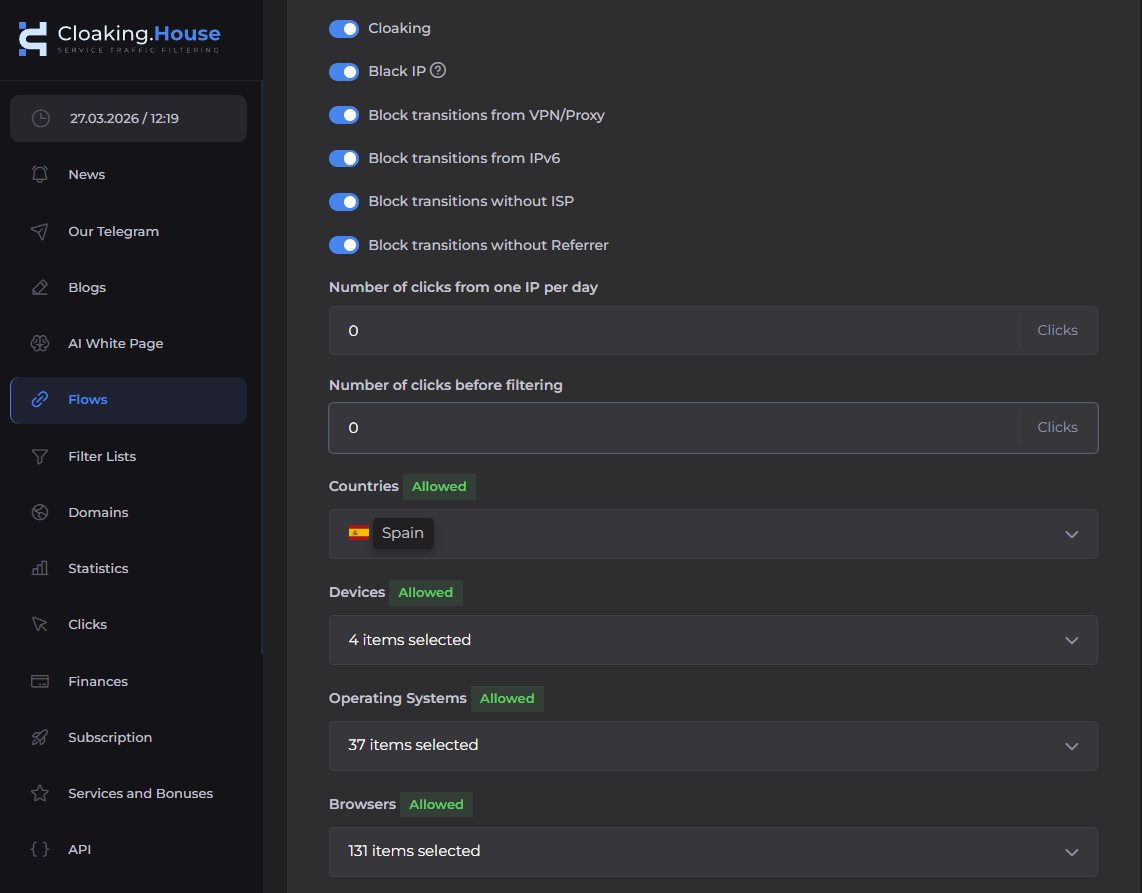
Look at how these signals work together instead of relying on one. No single filter can reliably judge the intent of every visitor.
2.4. Connect your domain
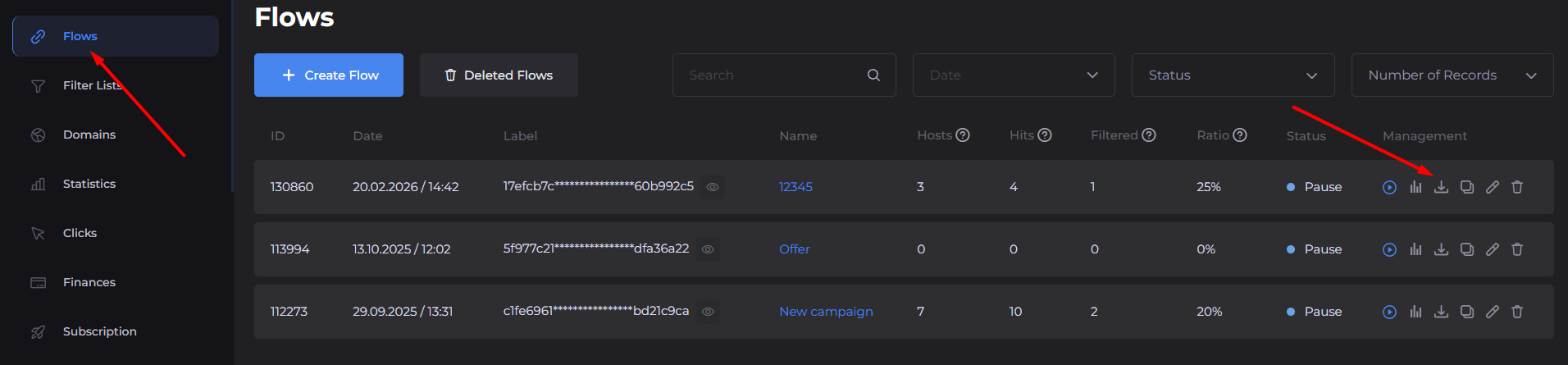
Download the ready to use index.php integration file from your Cloaking.House dashboard and upload it to the root directory of your domain. This connects the domain to the Cloaking.House filtering system. Follow the platform's setup instructions and test the integration before you send any campaign traffic.
2.5. Review statistics and refine
Once traffic starts flowing, watch the statistics:
- How visitors are split between the White Page and the Offer Page.
- Which filtering conditions trigger most often.
- GEO, device, browser and ISP patterns.
- Sudden changes in traffic volume or visitor profile.
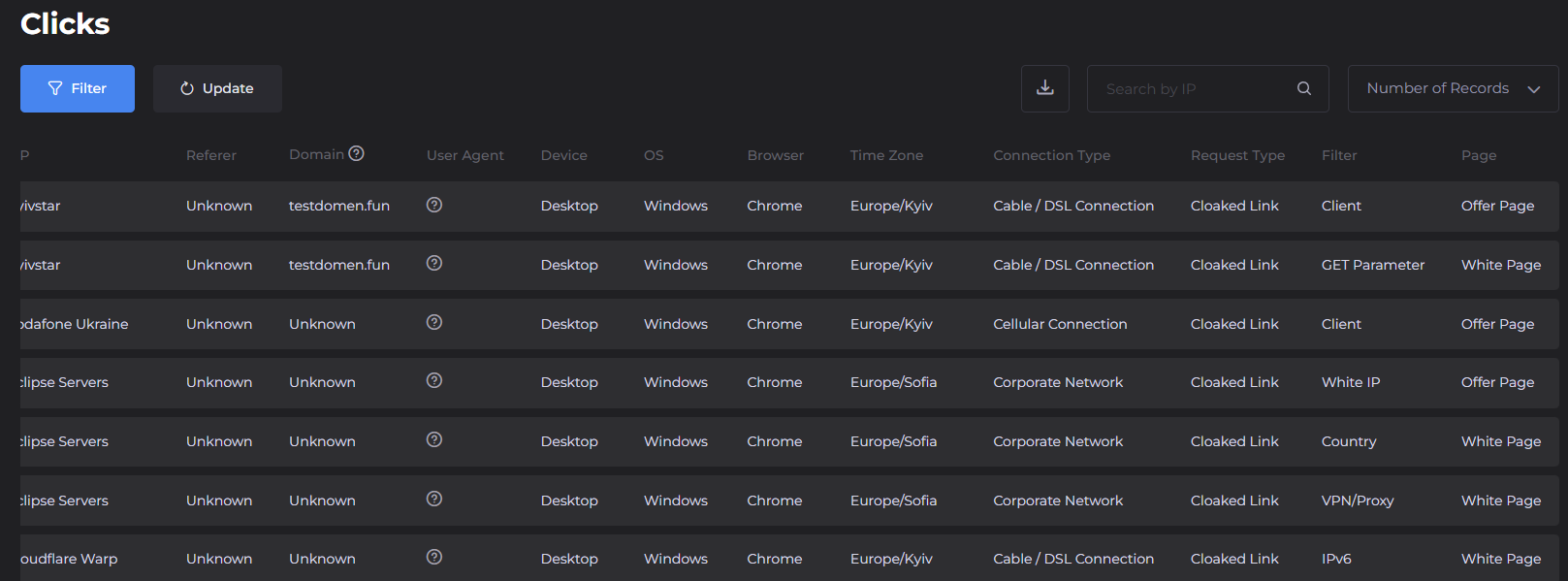
Use what you find to fix technical issues, improve traffic quality and adjust the configuration as campaigns change.
3. Cloaking vs Antidetect browser: Different jobs in the same workflow
Media buyers sometimes lump these tools together. They work on opposite sides of the campaign.
| Cloaking.House | Hidemyacc | |
|---|---|---|
| What it manages | Incoming visitors to your landing pages | Your own browser environments and accounts |
| Where it runs | On your domain, through a cloud filtering service | On your computer, as a desktop browser |
| Main job | Routes each request to the right page based on filter rules | Gives each account a separate profile with its own fingerprint, cookies and proxy |
| Typical question it answers | "Who is visiting my page, and what should they see?" | "How do I run many accounts without them being linked to each other?" |
4. Where Hidemyacc fits in a media buying workflow
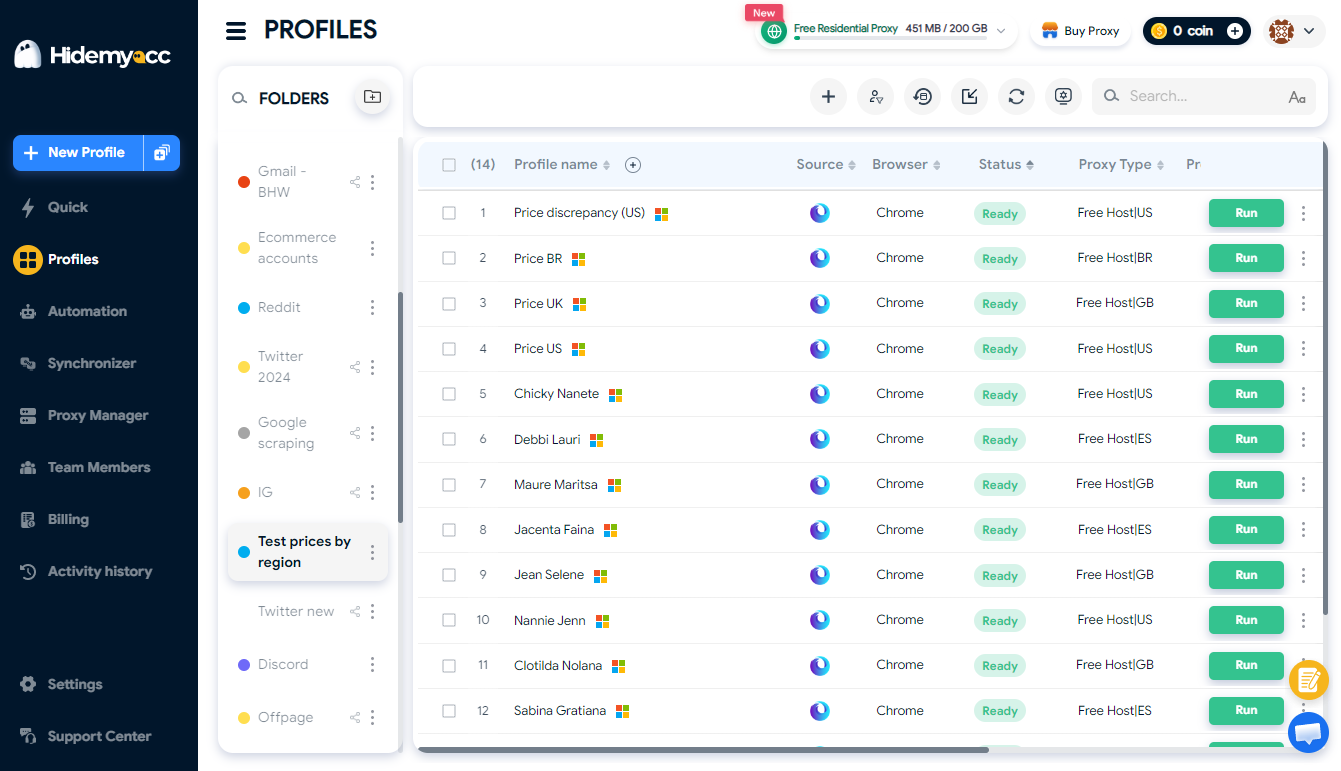
Running several ad accounts, client projects or traffic sources from one regular browser is how accounts get linked. Every account shares the same cookies, the same device fingerprint and often the same IP. Hidemyacc is an antidetect browser built to keep those environments apart. Here is how media buyers use it day to day.
4.1. One profile per ad account
Each Hidemyacc profile has its own browser fingerprint, cookies, local storage and history. Give every ad account its own profile, and the accounts no longer share a browser identity. Hidemyacc runs on Marco, its own Chromium based browser core, so profiles behave like a standard Chrome browser on the sites you work with.
4.2. Match the proxy to the profile
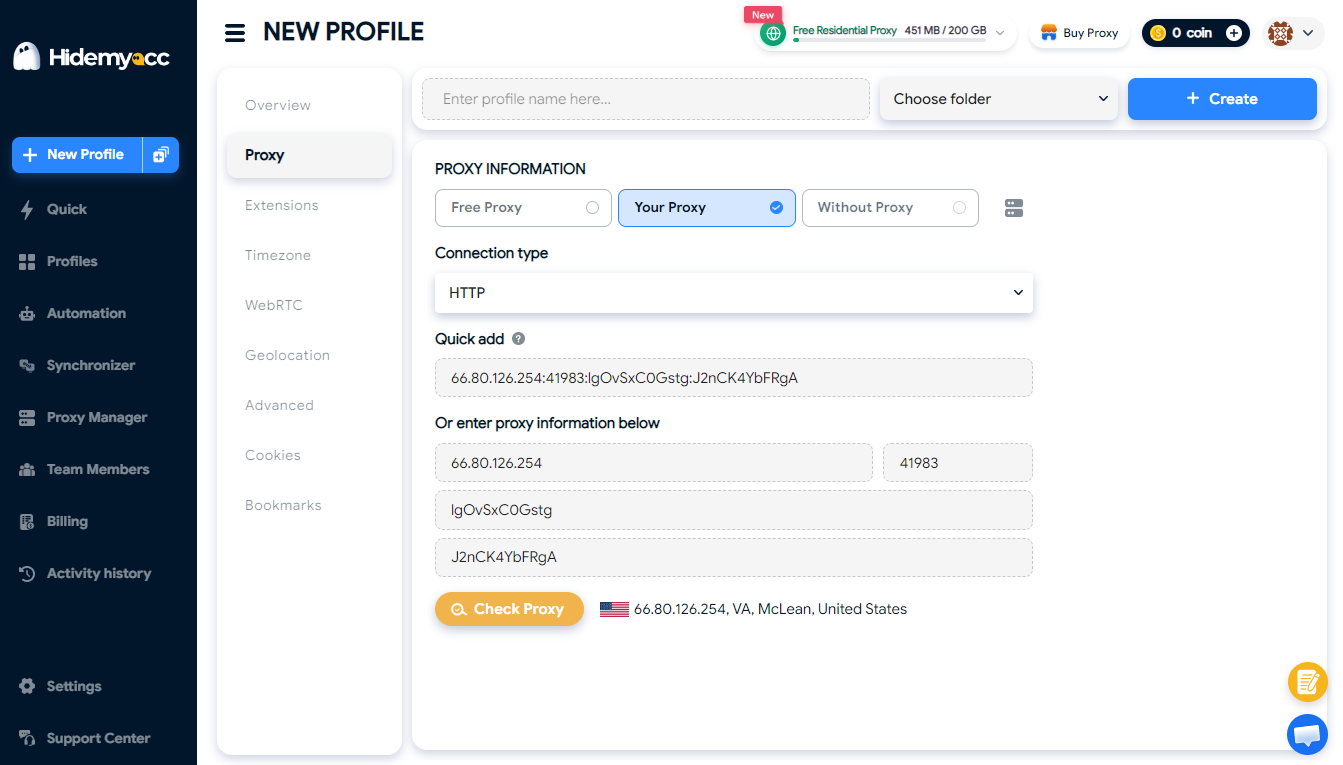
You can attach a proxy while creating a profile or pick one already saved in Proxy Manager. Timezone can follow the proxy IP automatically, and language can be set from the profile IP, so the browser's location signals match the connection instead of contradicting it. Proxy Manager also shows how many profiles each proxy is assigned to, which makes it easy to spot one IP that is quietly shared across several ad accounts.
Every paid plan includes free residential and datacenter proxies to get started. The residential proxies come with a data allowance that resets monthly.
4.3. Check your pages from the target GEO
Open a profile with a proxy in your target country to see your landing page the way local visitors see it. This is a quick way to confirm that the page loads correctly, the right language and currency show up, and the integration from Step 4 works as expected.
4.4. Work as a team without collisions
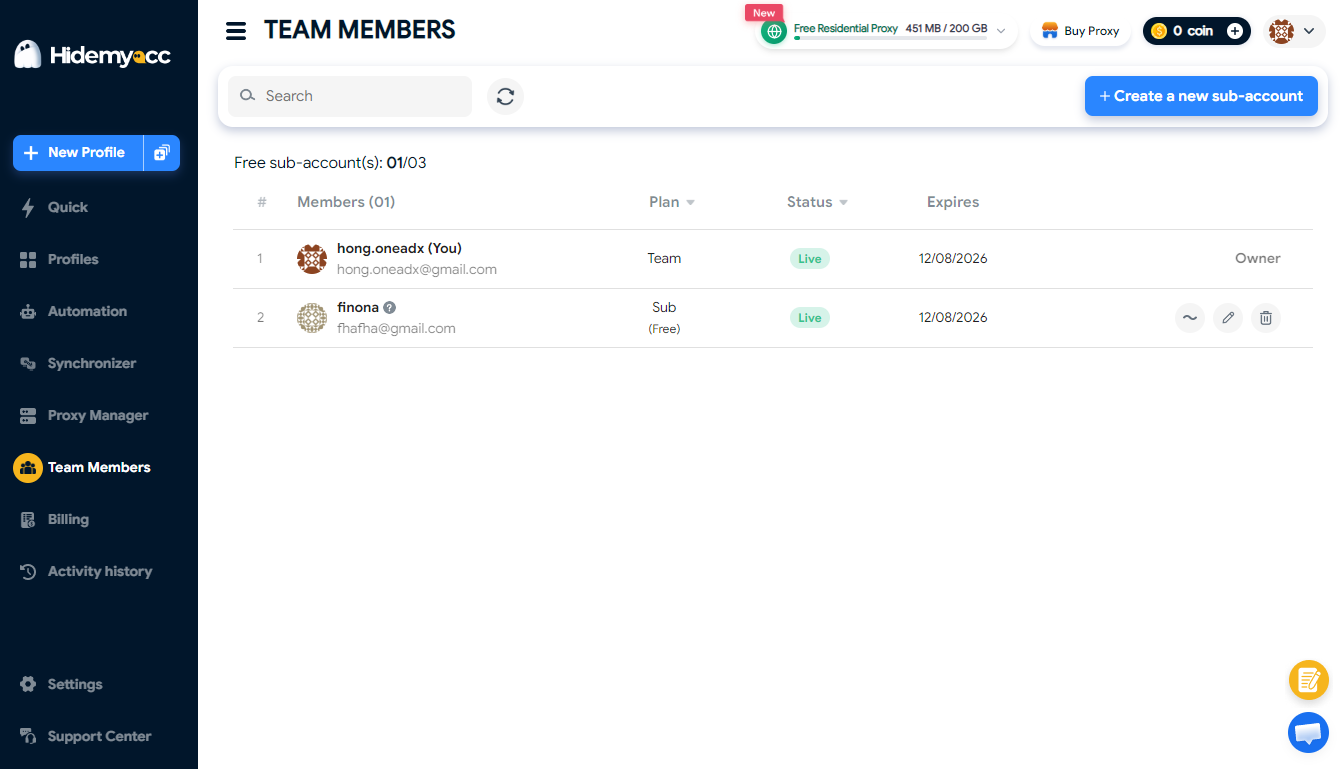
Agencies and media buying teams can share profiles across members. Only one person can open a profile at a time, so two teammates never log in to the same ad account from different places at once, which is a common trigger for security checks. See how teams set this up in our Agency and Teams use case.
4.5. Scale up without manual work
When the number of accounts grows, the Hidemyacc API can create profiles in bulk, and Automation can record and schedule repetitive browser tasks so you are not clicking through the same steps in every profile.
For more detail, see how Hidemyacc supports digital advertising and affiliate marketing workflows.
5. Final thoughts
Good media buying runs on a well organized technical setup: clean traffic data, landing pages that load correctly for the right audience, and ad accounts that stay separate from one another.
Cloaking.House handles the traffic side with cloud based filtering and landing page routing. Hidemyacc handles the account side with isolated browser profiles, matched proxies and team access. Each tool does a different job, and neither replaces following the rules of the platforms you advertise on.
Get started:
- Cloaking.House: use promo code HIDEMYACC for 30% off all plans.
- Hidemyacc: start a 7 day free trial with 30 profiles, and save 50% with annual billing.