



Trying to purchase youtube premium but not working is a common error when users register or renew the service. The problem may stem from the bank card, payment gateway, account configuration, or YouTube's processing system. If not handled correctly, the account's Premium benefits may be interrupted. This article analyzes the causes and provides detailed, easy-to-follow instructions on how to fix it.
1. What does trying to purchase youtube premium but not working mean?
Trying to purchase youtube premium but not working occurs when the system cannot complete the registration or service renewal transaction. The error usually appears during the card information entry process or when the system authenticates the payment. Users may encounter some common error messages such as:
- Payment declined
- Transaction failed
- Your payment method was declined
- Unable to complete purchase
These messages indicate that the transaction has been rejected at one of the payment processing steps.
In the case of a new registration, the user will not be able to activate the Premium service. If the error occurs during the renewal process, the account's Premium benefits may be suspended after the payment cycle ends. Understanding the cause will help the processing go faster and avoid repeating errors in subsequent payments.
2. Causes for youtube premium purchase error
To fix the issue effectively, first, it is necessary to determine why trying to purchase youtube premium but not working is happening. The error may stem from the bank, Google's payment system, or the user's account configuration. Each cause will lead to a different handling method.
2.1. Bank card has insufficient balance or exceeds limits
One of the common causes for trying to purchase youtube premium but not working is that the bank card does not meet the payment conditions. The system will automatically decline the transaction if it detects that the account is unable to fulfill the registration fee. The most frequent situation is that the account balance is insufficient to deduct the service fee.
Although the YouTube Premium fee is not very high, if the account is running low on funds or has pending transactions, the payment may fail. Additionally, many banks apply specific limits for online transactions. When the total payment amount for the day or month exceeds the allowed level, the system will automatically block the next transaction. Some other cases related to card configuration:
- The card has not activated the online payment function
- International payment is disabled by default
- The online transaction limit is too low
Services like YouTube Premium are usually processed through international payment gateways. Therefore, if the card does not support or has not enabled this feature, the transaction cannot be completed. To avoid errors, you should check your account balance, payment limit, and the card's international payment status before registering or renewing the service.
2.2. Authentication errors from the bank (OTP, 3D Secure)
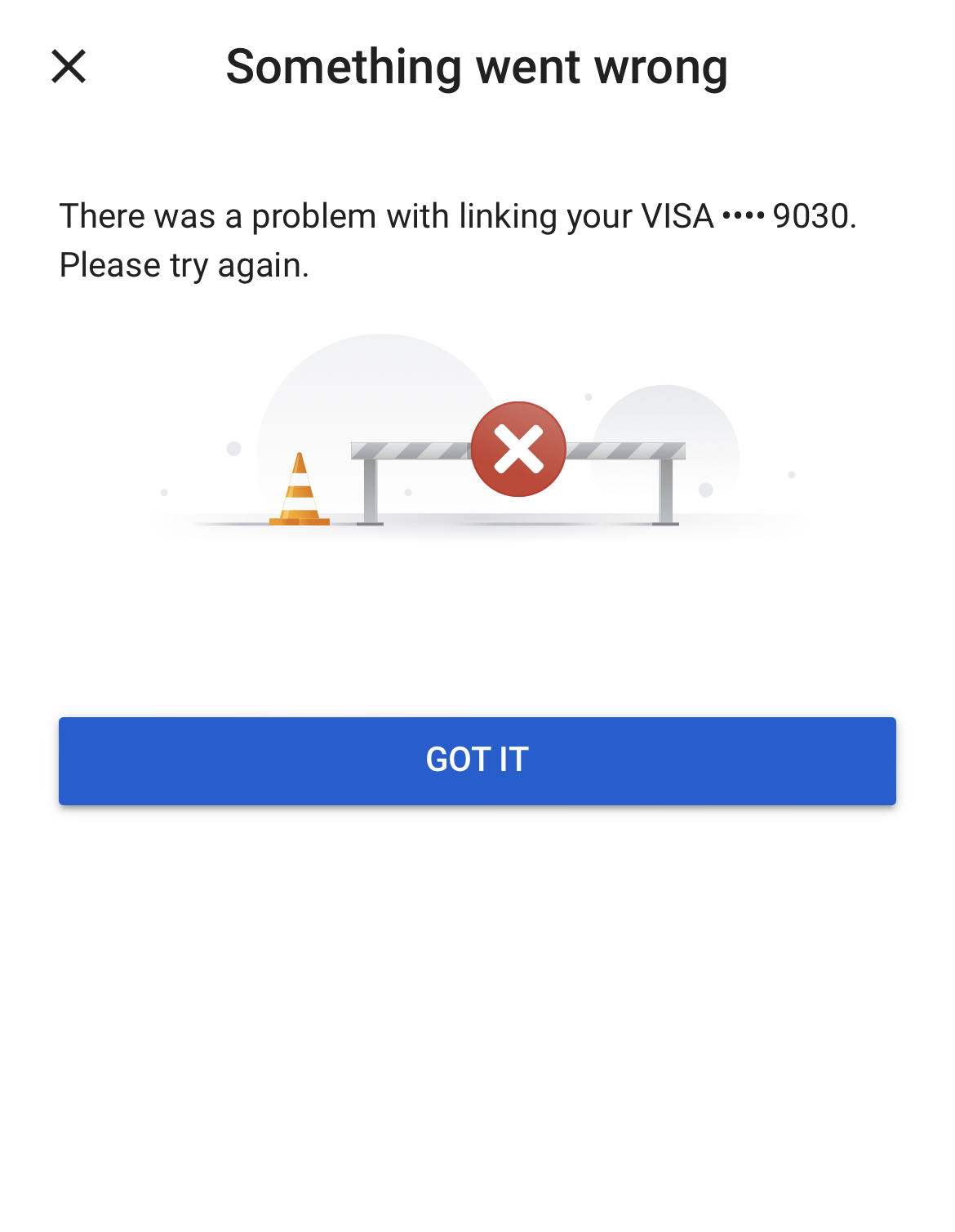
Online payment processes often require a security authentication step from the bank. If this step is not completed correctly, the transaction will be rejected, leading to the situation of trying to purchase youtube premium but not working.
Most banks today use authentication mechanisms such as OTP or 3D Secure. After entering the card information, the system will send a confirmation code to the phone or banking app. Users must enter the correct code within the specified time to complete the transaction. Some common authentication errors include:
- Entering the wrong OTP code
- The confirmation code has expired
- Not receiving the OTP due to network or signal errors
- Exiting the payment page before authentication is complete
Furthermore, the bank may temporarily block the transaction if the system detects unusual signs. For example, the transaction comes from a new device, a strange IP address, or a country different from the card's registration location. In these cases, the transaction will be rejected even if the card information and balance are valid. Users can retry the transaction or re-confirm the payment activity through the banking app.
2.3. Errors from Google Payments or YouTube
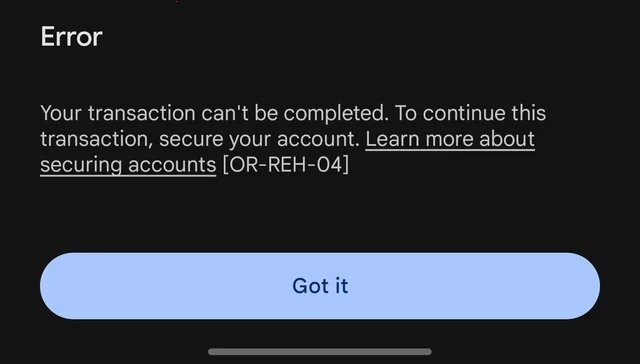
In some cases, the problem does not stem from the bank card but from Google's payment processing system. In that case, users may experience trying to purchase youtube premium but not working even though the card information and balance are valid. Google's payment system operates through the Google Payments platform. If there is an error during transaction processing, the system may refuse the payment to avoid risks or data discrepancies. Some common situations include:
- The payment method is rejected by the system
- The Google account is temporarily restricted from making payments
- The payment profile has not been fully verified
- System errors during transaction processing
Additionally, Google has a fairly strict fraud control mechanism. If the account shows unusual signs such as logging in from many strange devices or continuously changing payment information, the system may temporarily block transactions. A case that is unlikely but still possible is that the YouTube account has been suspended, which is why payment cannot be made.
In case the error stems from Google Payments, users can try to pay again after a period of time or check the status of the payment method in the account management section.
2.4. Incorrect payment information
Incorrect payment information is also a common cause for YouTube Premium payment failure. When entering incorrect card data, the system will be unable to verify the transaction and will reject the payment immediately. During the registration or payment method update process, users need to enter full card information. If even a small detail is wrong, the payment processing system will not accept the transaction. Common errors include:
- Entering the wrong bank card number
- Entering the wrong card expiration date
- Wrong CVV security code on the back of the card
- The cardholder's name does not match the bank information
Additionally, the billing address can also affect the transaction result. Some payment systems require the billing address to match the registration profile of the bank card. If this information is incorrect, the transaction may be rejected. Therefore, before confirming payment, users should double-check all entered information. Ensuring accurate data will help reduce the risk of encountering payment errors during the YouTube Premium registration process.
2.5. Errors due to VPN/proxy or constant IP changes
Using a VPN/proxy or constantly changing your IP address can also cause trying to purchase youtube premium but not working. Google's payment system has a risk detection mechanism to prevent suspicious transactions. When a user makes a payment from an IP address in a different country than the Google account or the card-issuing country, the system may flag the transaction as unusual. In that case, the transaction is often rejected or requires additional verification. Some situations that easily cause errors include:
- Using a VPN/proxy when making a payment
- The IP address belongs to a country different from the Google account country
- Changing the IP multiple times in a short period
- Paying from many different devices or networks
Furthermore, logging into an account from many different geographical locations in a short time can also cause the system to trigger security mechanisms. It is still possible to pay when a VPN or YouTube proxy is turned on, but it must be a high-quality VPN/proxy. To avoid this error, users should perform payments using a stable internet connection and should use a real IP address. This helps the system verify the transaction faster and reduces the chance of payment rejection.
3. How to fix failed YouTube Premium payments
After identifying the cause, users can apply appropriate solutions to handle the YouTube Premium payment error. Most payment errors can be fixed by re-checking the payment method, account configuration, or network connection.
3.1. Re-check card balance and limits
When experiencing the situation of trying to purchase youtube premium but not working, the first step to take is to re-check the balance and limits of the bank card. This is a common reason why transactions are rejected right from the payment system.
First, it is necessary to ensure the account has enough balance to pay the service fee. If the amount in the account is lower than the Premium fee or there are pending transactions, the system may not be able to perform the deduction. In addition to the balance, the online payment limit is also a factor that needs checking. Many banks apply specific limits for online transactions to control risk. When this limit has reached the daily or monthly threshold, subsequent transactions will be rejected. Some points users should check include:
- The account balance is sufficient to pay for the service
- The card's online payment limit
- International payment features have been activated
In cases where the limit is too low or international payment has not been turned on, users can contact the bank to adjust it. After updating the card configuration, YouTube Premium payments will usually be processed normally.
3.2. Try another payment method
If one payment method is continuously rejected, switching to another method is a simple way to fix the situation of trying to purchase youtube premium but not working. Each payment gateway or bank has its own authentication process, so changing the method can help the transaction be processed successfully. In many cases, errors occur because the card-issuing bank blocks international transactions or the authentication system fails to complete. In such instances, using a different card or payment platform can help avoid this issue. Some common options include:
- Using another bank card that supports international payments
- Using an e-wallet linked to your Google account
- Paying through Google Play or the App Store
Additionally, if you are using a domestic debit card, you can switch to an international card such as Visa or Mastercard. These types of cards are usually better compatible with the payment systems of online services. Trying multiple payment methods helps determine whether the problem comes from the bank card or the transaction processing system. This is also the fastest way to continue registering or renewing YouTube Premium when the initial transaction is rejected.
3.3. Remove and re-add the payment method
In some cases, the payment method saved in the account may be corrupted or no longer synchronized with the transaction processing system. This can lead to the situation of trying to purchase youtube premium but not working even though the card information is still valid.
Removing and re-adding the payment method helps the system refresh the data and eliminate previous configuration errors. This is a simple but quite effective way when encountering repeated payment errors. Users can follow these basic steps:
- Access the payment management page in the Google account
- Remove the current payment method
- Re-add the new card or payment method
- Double-check the card information before saving
During the process of re-adding the payment method, it is necessary to ensure that information such as the card number, expiration date, and CVV code is entered accurately. Additionally, the billing address should match the registration information of the bank card. After updating the payment method, users can try to perform the YouTube Premium registration or renewal transaction again. In many cases, the payment error will be fixed immediately after this step.
3.4. Turn off VPN/proxy and stabilize the network connection
If you are using a VPN/proxy during the payment process, this could be the reason why trying to purchase youtube premium but not working is occurring. Google's payment system has a mechanism to detect transactions with signs of risk, especially when the IP address does not match the account's country.
When connecting through a VPN/proxy, the user's IP address may show up in another country. This causes the system to suspect an abnormal transaction and refuse to process the payment. In addition to VPN/proxy, changing networks or devices continuously can also cause transaction verification errors. For example, logging in from many different IP addresses in a short time can trigger the security check system. To reduce the risk of errors, users should:
- Turn off VPN/proxy before making a payment
- Use a stable internet connection
- Perform transactions from a familiar device
- Limit network changes during the payment process
When the system recognizes a transaction from a stable and trustworthy environment, the likelihood of a successful payment will be higher.
3.5. Contact the bank or Google support
If you have tried the above methods but still encounter errors, the next step is to contact the bank or Google support directly. This is an effective way to accurately determine the cause when the error does not stem from the user's side.
First, users should check with the card-issuing bank. Some international transactions may be automatically blocked if the system detects unusual or risky signs. In that case, the bank may require a re-confirmation of the transaction before allowing the payment.
When contacting the bank, you should request:
- A check on the status of the international payment transaction
- Confirmation of whether the transaction is being blocked
- A request to open online or international payment permissions if necessary
If the bank confirms the transaction is not blocked, the cause may lie in Google's payment system. In that case, users should visit the Google support center to submit a request for an account check.
The support department can help:
- Check the status of the payment profile
- Verify the payment method in the account
- Provide instructions on updating or changing to a suitable payment method
Verification from both sides will help clearly identify the cause and provide an accurate solution to restore the YouTube Premium payment.
4. Notes to avoid YouTube Premium payment errors in the future
After resolving the situation of trying to purchase youtube premium but not working, users should apply some preventive measures to limit similar errors in the future. Preparing in advance helps the service renewal or registration process take place more stably.
4.1. Maintain a stable balance before the renewal date
YouTube Premium operates on an automatic monthly renewal mechanism. If the bank account does not have enough money at the time the system deducts the fee, the transaction will fail, leading to a failed YouTube Premium payment. Many users only deposit money into their accounts when they receive a failed payment notification.
However, this can cause the Premium service to be temporarily interrupted. To limit risks, you should ensure the account balance is always sufficient before the renewal date. A small reserve will help avoid cases where the service fee is not deducted at the right time. Some useful habits include:
- Checking the account balance before the billing cycle
- Maintaining an amount higher than the Premium fee
- Turning on transaction notifications from the banking app
Maintaining a stable balance helps the automated payment system process more smoothly and reduces the chance of errors when renewing the service.
4.2. Do not share payment accounts on many strange devices
Logging into a Google account on too many devices or from different locations can cause the security system to evaluate the activity as abnormal. Online payment platforms often track login behavior to detect risks. If an account suddenly appears on many strange devices or from many different IP addresses, the system may trigger a security check mechanism. Some situations that easily cause problems include:
- Sharing an account with many people
- Logging into the account on many devices never used before
- Performing payments from an unfamiliar device or network
To limit payment errors, users should prioritize using personal devices when performing transactions. Additionally, avoid sharing payment information with many people if not truly necessary.
Maintaining a stable login environment helps the system recognize normal account activity and reduces the risk of blocked transactions. If you have to manage multiple social media accounts, you should use an antidetect browser so that accounts have their own environments, reducing the possibility of payment errors.
4.3. Monitor notification emails from Google
When a payment issue occurs, the system usually sends a notification to the email linked to the Google account. These emails may contain important information explaining why trying to purchase youtube premium but not working happened.
Notifications from Google often include details about the rejected transaction, requests to update payment methods, or instructions for account verification. If users ignore these emails, payment errors may persist and affect service renewal. Some content that often appears in notification emails includes:
- Notification of a failed payment transaction
- Requests to update card information or payment methods
- Warnings about unusual account activity
- Instructions for verifying the payment profile
Checking emails periodically helps users detect payment-related issues early. By following the instructions from Google correctly, the Premium service recovery process will usually happen faster.
4.4. Limit changing the account country
Changing the country in the payment profile can cause many issues related to the transaction verification system. This is also a cause for trying to purchase youtube premium but not working.
Each country has a different payment configuration, including currency, supported payment methods, and transaction authentication processes. When a user changes the account country, the system may require re-verification of all payment information. Some problems that may occur after changing the country include:
- Billing address information no longer matches the bank card
- The previous payment method is no longer supported
- The system requires updating a new payment profile
Additionally, if the account country, IP address, and card-issuing country are not consistent, the system may flag the transaction as risky and refuse payment. Therefore, users should limit changing the account country if not truly necessary. Keeping the country information stable will help the YouTube Premium payment process proceed smoothly with fewer errors.
See more ways to increase views on YouTube:
- Want to increase YouTube views? These are the free and effective ways you should try
- How to get 1,000 YouTube views
- Making money on YouTube Shorts
- Can many YouTube channels use the same account?
5. When should you cancel and re-subscribe to YouTube Premium?
In some cases, repeatedly trying to pay does not help resolve the error. At that point, canceling the current plan and re-subscribing may be the appropriate solution if the trying to purchase youtube premium but not working issue persists.
This method helps the system reset the billing cycle and update the new payment method. At the same time, errors related to the payment profile configuration can also be eliminated. Below are situations where you should consider canceling and re-subscribing to the service.
Payment errors occurring multiple times
If the transaction is rejected multiple times despite checking the card, balance, and payment method, it is possible that the payment profile is experiencing a system error. When you cancel the plan and re-subscribe, the system creates a new billing cycle and can process the transaction normally.
Changing the payment country
When a user changes their account country or moves to a different region, the old payment method may no longer be suitable. In this case, canceling the plan and re-subscribing helps set up a payment profile according to the new country.
Wanting to switch from an individual plan to a family plan
Some users want to upgrade from an individual plan to a family plan to share with multiple members. If the system encounters an error during the plan change process, canceling the current plan and re-subscribing is usually the fastest way to switch to the new plan type.
6. Conclusion
The error of trying to purchase youtube premium but not working can stem from many different causes, including bank cards, authentication systems, payment information, or Google account configurations. In many cases, the issue only needs to be handled by re-checking the balance, updating the payment method, or stabilizing the network connection.
Identifying the correct cause helps users apply the appropriate solution and restore payment quickly. Additionally, maintaining stable account information and monitoring system notifications also helps limit errors in subsequent renewals. Understanding the causes and how to handle them will help you avoid service interruptions when encountering a failed YouTube Premium payment status.
7. FAQ
1. Why is trying to purchase youtube premium but not working even though the card has money?
This can happen when the bank card has online payment limits or has not enabled international payment features. Additionally, OTP authentication errors or payment system glitches can also cause the transaction to be rejected.
2. Will I be charged if the YouTube Premium payment is declined?
In most cases, if the transaction is declined, money will not be deducted from the account. However, sometimes the bank may place a temporary hold on the funds and refund them after a processing period.
3. Can I use e-wallets to purchase YouTube Premium?
Yes. Users can link e-wallets or pay through platforms like Google Play or the App Store if these methods are supported in the country currently being used.
4. Does using a VPN affect YouTube Premium payments?
It can. When using a VPN, the IP address may show as being in a different country than the Google account or the bank card. This causes the payment system to flag the transaction as a risk and decline the payment.
5. How long should I wait to try paying again after an error?
Users can usually try to pay again after a few minutes or a few hours. However, if the error is related to bank authentication or the payment system, you should check and resolve the cause before performing the transaction again.
6. When should I contact Google support?
If you have tried multiple payment methods, checked your card and network connection, but are still trying to purchase youtube premium but not working, you should contact Google support to check your payment profile and account status.






