The surge of artificial intelligence is reshaping e-commerce, making using AI to sell on Etsy a strategic move for modern creators. From Print-on-Demand to digital downloads, tools like ChatGPT and Midjourney are becoming indispensable. However, many sellers fall into the "autopilot" trap, assuming AI can handle everything.
The reality is that AI functions best as a collaborator, not a replacement. It excels at handling the "boring work" - scaling production and reducing manual effort, while you provide the essential human touch. This article will explain how to leverage AI tools for product creation, SEO descriptions, and marketing, while navigating Etsy’s policies and the vital role of human refinement in building a profitable, sustainable shop.
1. Can you use AI to sell on Etsy?
The short answer is yes. You can certainly use AI on Etsy, but the platform’s stance has evolved to prioritize transparency and "Human Creativity." As of 2026, Etsy’s updated policies emphasize that while AI can be your co-creator, the final product must still reflect your original vision and creative input.

Is AI allowed on Etsy?
Etsy officially allows AI-generated content under its "Creativity Standards," provided you follow one golden rule: Human-Centric collaboration.
The platform recognizes that AI is a powerful tool for ideation and production, similar to how a photographer uses Photoshop. However, you cannot simply "prompt and post." To stay compliant with Etsy AI policy, you must:
- Disclose AI use: You are required to inform buyers if a product was created using AI tools. This is done through a dedicated "AI Disclosure" field in the listing manager.
- Provide creative input: You must be the one providing the "original prompts" and making the final editorial decisions. Etsy's goal is to ensure the marketplace remains a home for "items made by real people."
What you can and can’t sell with AI
To build a sustainable shop, you need to know where Etsy draws the line. Here is a quick breakdown of what is currently "Etsy-legal" and what will get your shop flagged:
What’s OK (Allowed):
- Digital products: AI-generated wall art, digital planners, or greeting cards, provided you have refined the designs and added your own creative elements (fonts, layouts, or compositions).
- POD Designs: Using AI to create unique graphics for t-shirts, mugs, or tote bags sold through Print-on-Demand partners (like Printful or Gelato).
- Text Assistance: Using AI to help draft SEO titles, descriptions, and tags, though human proofreading is mandatory to ensure accuracy.
What’s NOT OK (Prohibited):
- AI Tools & SaaS: You cannot sell access to AI software, "prompt generators," or subscription-based AI services on Etsy.
- Unedited Prompt Bundles: Selling "packages of prompts" (e.g., "100 Midjourney Prompts for Boho Art") is strictly prohibited. Etsy views prompts as part of the process, not a standalone product.
- Misrepresentation: You cannot claim an item is "100% Hand-painted" if it was generated by AI.
Source: https://www.etsy.com/legal/creativity/ and https://www.etsy.com/seller-handbook/article/1275449912004
2. How sellers are using AI on Etsy today
Success in an AI Etsy business isn't about letting the machine run the shop; it’s about strategically integrating automation into your creative workflow. Today’s top sellers are using AI on Etsy to bridge the gap between a great idea and a finished, high-converting listing.
By treating AI as a high-speed assistant, you can scale your operations in ways that were previously impossible for a solo creator. Here is how the modern workflow looks across different departments of your shop.

Creating digital products with AI
Digital products are the "low hanging fruit" for anyone learning how to use AI on Etsy. Since there’s no physical inventory, you can test niches rapidly.
- Wall Art: Using AI to generate base textures or complex illustrations (like watercolor florals or abstract geometries) that can be upscaled and sold as high-resolution printables.
- Printables: AI helps structure the layouts for planners, coloring pages, or educational worksheets, allowing you to focus on the aesthetic theme.
- Mockups: Instead of buying expensive photography setups, sellers use AI to create hyper-realistic "lifestyle" mockups, showing how a piece of art would look in a modern living room.
Using AI for product descriptions and SEO
Etsy is a search engine, and AI is a master of language. However, the "Collaborator" rule applies here: use AI for the draft, then refine for the human shopper.
- Titles: AI can take a product idea and generate 5–10 SEO-optimized titles packed with long-tail keywords.
- Tags: Quickly brainstorm all 13 required tags by asking AI to identify "alternative search terms" customers might use.
- Descriptions: Instead of staring at a blank page, use AI to write a persuasive "benefits-driven" description that highlights your product’s unique value while maintaining a professional tone.
AI for design and image generation
This is where the "Not Autopilot" philosophy is most critical. Professional sellers don't just take the first result; they iterate.
- Midjourney workflow: Advanced sellers use specific "styles" and "aspect ratios" in Midjourney to create raw assets, then use "Vary Region" or "In-painting" to fix small errors.
- Canva refinement: Essential step: Never post a raw AI image. Sellers take their AI assets into Canva to add typography, borders, or branding elements. This ensures the final product is a "Human-AI Hybrid" that meets Etsy’s creativity standards.
AI for marketing and content
Promotion is often the "boring work" that gets neglected. AI makes it effortless to maintain a presence across multiple channels.
- Social posts: Turn one product listing into a week’s worth of Instagram captions or TikTok scripts.
- Email marketing: Use AI to draft welcome sequences or "abandoned cart" coupons for your shop's newsletter.
- Pinterest pins: Pinterest is a massive traffic driver for Etsy. AI can help you batch-create 20–30 different pin designs (using different angles and hooks) for a single product in minutes.
>>> Read more:
- Confirm Etsy account: Easy step-by-step guide to verify now
- Print On Demand Etsy: How to start Print On Demand on Etsy?
3. Best AI tools for selling on Etsy
The market is flooded with software, but the best AI for Etsy sellers isn't the one with the most features, it’s the one that fits seamlessly into your daily workflow. To build a successful AI Etsy business, you only need a core stack of tools that handle specific "heavy lifting" tasks while leaving the creative direction to you.
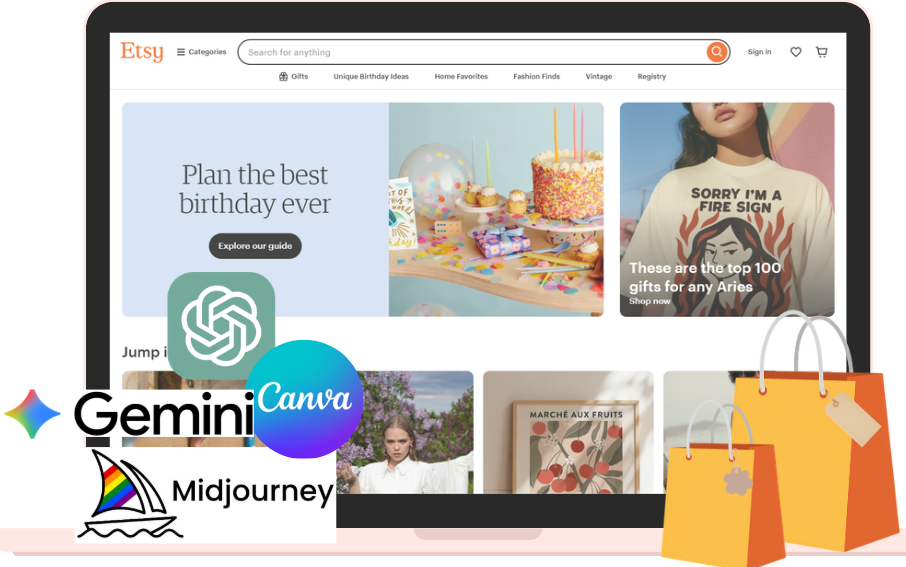
Content & Copywriting tools: ChatGPT & Gemini
To build a high-ranking AI Etsy business, you need more than just "good writing", you need data-driven copy. These two tools form the perfect brainstorming duo.
- ChatGPT: The gold standard for creative storytelling and tone of voice. Use it to draft persuasive, emotional product descriptions that connect with buyers or to "roleplay" as your target customer to find out what pain points your product solves.
- Gemini (by Google): The ultimate tool for real-time SEO research. Because Gemini is integrated with Google Search, it is exceptionally good at identifying current trending keywords and seasonal search spikes (like "Mother's Day 2026 gift trends").
- The Collaborator tip: Use Gemini to research "What are people searching for in the Boho Nursery niche right now?" and then take those keywords to ChatGPT to weave them into a poetic, high-converting product description.
AI image generators: Midjourney & DALL-E
Visuals are the heartbeat of Etsy. These tools allow you to create unique artistic assets that would otherwise require hours of manual illustration.
- Midjourney: Best for high-end aesthetic products. It excels at creating complex textures, watercolor styles, and "photorealistic" mockups. Most pro sellers use Midjourney to generate the raw "base" of their design.
- DALL-E (via ChatGPT Plus): Ideal for simpler, cleaner graphics or when you need a tool that understands specific spatial instructions (e.g., "a minimalist cat icon in the center of a white square").
- The Collaborator tip: Use these generators for the elements of your design, not the final product. A raw AI image often looks "too perfect", adding your own flair is what makes it sell.
Design & Editing tools: Canva & Photoshop
This is where the "Human Input" happens. Raw AI outputs are rarely ready for a premium Etsy listing without a professional polish.
- Canva: The essential "bridge" tool. Use Canva to take your Midjourney art and add high-quality typography, borders, or layout structures. It’s also the best tool for creating "listing images" that highlight your product’s dimensions or instructions.
- Photoshop: For advanced sellers, Photoshop’s Generative Fill is a game-changer. It allows you to "fix" small AI errors (like a sixth finger or a blurry background) and upscale your images to 300 DPI - the industry standard for high-quality printing.
- The Collaborator tip: Use Photoshop to ensure your digital files are "Print-Ready." AI tools often output 72 DPI, which will look pixelated when printed; human intervention here is the difference between a 5-star review and a refund.
4. Step-by-Step: Using AI to create and sell a product on Etsy
Building a sustainable shop isn't about clicking "Generate" and hoping for the best. To truly understand how to sell on Etsy with AI, you must master a hybrid workflow where your human intuition guides the machine's speed. Here is the proven 5-step blueprint for a successful AI Etsy business.

Step 1: Find a niche with demand (Human task)
Before touching any AI tool, you must put on your "Entrepreneur Hat." AI can’t tell you what people feel or desire, that is a 100% human task.
- The goal: Use tools like eRank, Marmalead, or simply browse Etsy’s "Bestsellers" to find a gap.
- Why it matters: If you use AI to create a product in a saturated niche (like generic "cat wall art"), you will fail. Use your human judgment to find a sub-niche, such as "Vintage Maximalist Cat Decor for Dark Academia Offices."
>>> Find out:
- 30+ Ecommerce business ideas to start in 2026 (Low risk, high growth)
- Best digital products you can sell on Etsy? 30+ ideas explained
Step 2: Generate product ideas with AI
Once you have your niche, use Gemini or ChatGPT as a brainstorming partner.
- The prompt: "I am targeting the Dark Academia niche for home office decor. Give me 10 unique product ideas for digital downloads that combine vintage botanical elements with library aesthetics."
- The result: Instead of one idea, you now have a "collection" of concepts to test.
Step 3: Create the product (Design or File)
Now, bring in the heavy hitters like Midjourney or DALL-E.
- The generation: Use descriptive prompts to create your base assets. For example, "Antique botanical sketch of a fern on aged parchment, high detail, scientific illustration style --ar 4:5."
- The essential edit: (Crucial step) Take that raw AI file into Canva or Photoshop. Add your own borders, adjust the color grading, and ensure the resolution is set to 300 DPI. This "Human-AI Hybrid" approach is what separates a professional product from "AI spam."
Step 4: Write optimized listings
Don't waste hours staring at a blank description field. Let AI do the first draft.
- The workflow: Feed your product details into ChatGPT and ask for an SEO-optimized title (using 140 characters) and 13 tags.
- The human touch: AI often uses "fluff" words like delightful or stunning. Remove the AI-speak and replace it with your brand's unique voice. Ensure your keywords feel natural, not "stuffed."
Step 5: Publish and Test
The final stage of how to use AI on Etsy is data analysis.
- Upload: Use AI-generated mockups to show your product in a real-world setting (this increases click-through rates).
- A/B Testing: If a listing isn't selling after two weeks, use AI to generate a different set of titles and tags to see if you can capture a different search audience. Etsy is a game of iteration, the faster you test, the faster you find your "winning" product.
5. The right way to use AI on Etsy (Most people get this wrong)
The internet is currently flooded with "get rich quick" tutorials promising that you can build a six-figure empire by simply clicking a button. This is why 90% of new AI-driven shops fail within three months. To be among the successful 10%, you must understand that using AI effectively on Etsy requires a shift in mindset: AI is your engine, but you are the driver.

AI is a tool - Not a business model
The biggest mistake beginners make is thinking "AI Art" or "AI Writing" is a business model. It isn't. Your business model is "High-Quality Home Decor" or "Digital Stationery for Professionals." AI is simply the tool you use to produce the assets for that business. If your value proposition is just "I have an AI tool," you have no competitive advantage because everyone else has that tool too.
What AI does well: Speed and scale
To win, you must lean into the strengths of a modern AI Etsy strategy:
- Speed: AI can turn a rough sketch into a polished illustration in seconds.
- Scale: You can create a cohesive collection of 20 themed greeting cards in the time it used to take to design one.
- Light Automation: AI handles the "boring work" like formatting files, generating alt-text, and brainstorming initial keyword lists, freeing you up for high-level strategy.
What still requires human input: The "Winning" ingredients
You cannot outsource the soul of your shop to an algorithm. These three pillars require 100% human intervention:
- Product selection: AI doesn't know that "Cottagecore aesthetics" are trending in Ohio right now, you do, through market research.
- Differentiation: AI produces "averages" based on existing data. To stand out, a human must add the "weird," the "unique," or the "personal" touch that makes a buyer choose your shop over a thousand others.
- Optimization: Only a human can look at Etsy Analytics and realize, "My conversion rate is low because my second mockup image looks unrealistic," and then fix it.
Why most AI Etsy shops fail
If you want to outrank the competition, avoid these three "death traps":
- Mass uploading: Flooding Etsy with 500 unedited AI images in a day is the fastest way to get your shop flagged or ignored by the algorithm.
- Zero demand validation: Creating "cool" AI art that nobody is actually searching for.
- Generic designs: Selling "A cat in a hat" when the market is looking for "A hand-drawn charcoal sketch of a Maine Coon for a minimalist nursery."
The bottom line: AI increases your output, but it doesn’t decide what sells. That’s your job.
6. Common mistakes when using AI on Etsy
While the potential for an AI Etsy business is massive, the barrier to entry is low, leading many to fall into easily avoidable traps. Avoiding these AI Etsy mistakes is the difference between a thriving shop and a suspended account. If you want to avoid the most common selling AI art Etsy problems, pay close attention to these four "red flags."
Publishing raw AI output
The most frequent mistake is "Prompt and Post." Raw AI images often have tell-tale signs: distorted limbs, nonsensical background text, or a "plastic" look that customers can spot from a mile away.
The fix: Always run your AI assets through an editing phase in Canva or Photoshop. Add your own textures, fix the lighting, and incorporate human-designed elements like typography to give the product a professional soul.
Ignoring market demand
Many sellers get excited because they created a "cool" AI image and assume people will buy it. However, Etsy is a search-driven marketplace. If no one is searching for "Cyberpunk Renaissance Frogs," you won't make a single sale.
The fix: Validate every idea before you generate it. Use SEO tools to ensure there is a healthy balance of search volume and manageable competition for your chosen niche.
Over-relying on automation
Automation is great for the "boring work," but using AI for 100% of your customer service or shop management is a recipe for disaster. Customers come to Etsy for the "human connection." If your messages sound like a robot, your reviews will reflect that lack of care.
The fix: Use AI to draft replies, but always read and personalize them. Let your unique personality shine through in your "About" section and buyer communications.
Not differentiating your products
Because AI tools are accessible to everyone, thousands of sellers might be using the same prompts as you. If your shop looks exactly like ten others, you'll be forced into a "race to the bottom" on pricing.
The fix: Create a unique "Brand Style." Don't just sell AI art; sell a specific vibe that is exclusive to your shop. Combine multiple AI outputs, hand-drawn elements, and custom color palettes that cannot be easily replicated with a single prompt.
>>> Related article:
- Can You Have Multiple Etsy Shops? A Simple Guide
- How to fix the "An error occurred, please try again" issue on Etsy
7. Can you actually make money using AI on Etsy?
The million-dollar question is: can you really build a sustainable AI Etsy income, or is it just hype? The answer is a resounding yes, but only if you treat it as a legitimate business rather than a "get-rich-quick" scheme. Make money with ai etsy is entirely possible in 2026, but the marketplace has become smarter, favoring quality over sheer volume.
What works: The "high-value" strategy
To see consistent sales, your AI Etsy strategy must focus on two things:
- A defined niche: General shops are dying. The money is in the "micro-niches." Instead of "Digital Art," think "Vintage Japanese Botanical Prints for Minimalist Offices." Specificity lowers competition and attracts "ready-to-buy" customers.
- Product quality & utility: Whether it’s a digital planner or a POD t-shirt, the end product must provide value. Does it solve a problem? Does it look beautiful? If a customer can’t tell it was made with AI because the design is so polished, you’ve won.
What doesn’t Work: The "low-effort" trap
If your plan is to "prompt and ghost," you will likely see $0 in your account.
- Spam listings: Uploading hundreds of nearly identical AI images (e.g., "Cat in a red hat," "Cat in a blue hat") will get your shop buried by Etsy’s search algorithm, which now prioritizes "listing quality score."
- Zero branding: A shop with no cohesive aesthetic, no "About" section, and robotic descriptions looks like a scam. Buyers on Etsy shop there because they want to support creators, not machines.
Realistic expectations: The "passive income" myth
Let’s be honest about the timeline. Using AI on Etsy is not "passive income" from day one.
- The learning curve: It takes time to master prompts and find your signature style.
- The testing phase: You will likely need to launch 20–50 high-quality listings and monitor their performance for 1-2 months before seeing significant traction.
- Active management: You still need to handle customer service, monitor SEO trends, and update your shop for seasons (e.g., Christmas, Wedding season). AI is your high-speed engine, but you still have to steer the car every day.
>>> Etsy automation: 15 best tools you should try
8. Final thoughts: Should you use AI to sell on Etsy?
The verdict is clear: Using AI to sell on Etsy is no longer a "secret hack", it is a professional standard for 2026. By automating the "boring work" like SEO drafting with ChatGPT or asset generation with Midjourney, you free up your mental energy for what truly matters: strategy and creativity.
Remember, the most successful shops are those that treat AI as a high-speed collaborator. Use these tools to scale your production and test niches faster, but never skip the human touch in refining designs and building a brand that buyers trust.
The Bottom Line: AI won’t build your Etsy business for you, but it can help you build it faster.
9. FAQ
Q: Does Etsy allow AI-generated products in 2026?
A: Yes, Etsy allows AI-generated items as long as you provide the creative prompts and make the final artistic choices for the product.
Q: Do I need to disclose if I use AI on Etsy?
A: Yes, you must use the AI disclosure toggle in the listing manager to stay transparent and comply with Etsy’s latest policies.
Q: Which AI niches are the most profitable on Etsy right now?
A: Micro-niches like personalized pet portraits, specialized digital planners, and unique nursery wall art are the top performers in 2026.
Q: Who owns the copyright for AI art sold on Etsy?
A: Copyright is strongest when you transform AI outputs by adding your own design elements, typography, or manual edits in tools like Photoshop.
Q: Is using AI on Etsy truly "Passive Income"?
A: No, while AI handles the "boring work" of production, you still need to actively manage SEO, research trends, and provide customer service.
Q: Can I sell AI prompt bundles on Etsy?
A: No, Etsy has officially banned the sale of prompt bundles, as they prefer finished creative goods over the instructions used to make them.
Q: Why is my AI-generated listing not getting any sales?
A: The most likely reason is a lack of market demand or zero differentiation; you must validate your niche and add a unique human touch to stand out.