In an increasingly competitive e-commerce landscape, especially within the Print on Demand (POD) sector, optimizing efficiency to cut costs is the key to survival and sustainable growth. In this article, Hidemyacc highlights the best AI tools for POD to assist with customer research, product development, design, and sales content. If leveraged effectively, this toolkit can replace the workload of a 3-5 person team.
1. AI Tools for Market Research, Competitors, and Customer Insights
Many beginners start their market research by manually reading thousands of news articles and reports. In reality, by the time you read an online article, it is often out-of-date and no longer relevant. Spending hours or even days just reading news is an inefficient use of resources. To solve this, modern AI tools help you find actionable insights in seconds based on real-time data at the exact moment you search.
1.1. Perplexity & Google Gemini
Perplexity and Google Gemini are not just ordinary chatbots; they are intelligent search engines with real-time data access. By connecting to social media, forums (Reddit, Quora), and news sites, these tools help you discover emerging interests or trends before they go viral on major e-commerce platforms.

- Pros: Scans real-time data to detect high-growth emerging markets. Specifically, these AIs can aggregate and analyze thousands of competitor customer reviews to identify "pain points," allowing you to create a superior product.
- Cons: AI cannot replace human intuition regarding sensitive political, religious, or specific local cultural nuances. You must be the final filter to avoid culturally insensitive issues.
- Utility: Reduces research time from weeks to hours. This ensures your product launch has a high acceptance rate because it is based on actual market demand rather than personal guesswork.
1.2. InsightFactory & Merch Informer
While Perplexity helps you find the "direction," InsightFactory and Merch Informer are the tools that let you "spy" on every move your competitors make on platforms like Etsy, Amazon, or Redbubble. These are specialized tools for POD sellers to measure market heat.

- Pros: Directly analyzes best-selling designs so you can learn from their design structures and keyword placement. The AI also provides accurate forecasts for keyword saturation and real-world competition levels.
- Cons: AI cannot 100% guarantee a "winning" design because markets fluctuate by season and consumer taste. It only provides probabilities based on historical data.
- Utility: Allows you to learn from the successes and failures of top models. From there, you can optimize your own niche, avoid previous sellers' mistakes, and focus on the most profitable keywords.
Once you have valuable market data and customer insights in hand, the next step is to transform those ideas into actual designs.
>>> Explore more:
- Best Print On Demand products to sell
- What is Ghost Commerce? Why it’s the New Trend for beginners
- Print On Demand Etsy: How to start Print On Demand on Etsy?
2. Best AI for High-Quality Product Design
A common mistake is neglecting the quality of the print file. If your design looks great on screen but turns out blurry, pixelated, or smudged when printed on a shirt, customers will immediately return the item and leave a negative review. A low-resolution design file is a primary reason for customer dissatisfaction, making long-term growth impossible. To fix this, you need AI to create smooth lines and ensure maximum sharpness for the physical product.
2.1. Midjourney & Leonardo.ai
Midjourney and Leonardo.ai are currently leading the race in AI image generation. While Midjourney excels in artistic quality and limitless creativity, Leonardo.ai offers flexibility and powerful supplementary tools for professional designers.
- Pros: Midjourney can generate complex styles like Watercolor, Oil Painting, or 3D Surrealism with incredible color depth. Leonardo.ai provides specialized models for Vectors and Stickers, featuring a "Canvas Editor" to fix errors, remove objects, or add details directly onto the image.
- Cons: File management is difficult (with Midjourney using Discord), and it occasionally misinterprets small details like finger counts or complex text within the image.
- Utility: Helps you create unique, "one-of-a-kind" designs that are extremely difficult for competitors to copy pixel-for-pixel. This elevates your brand's aesthetic and builds trust with customers seeking exclusivity.
2.2. Kittl AI & AI Upscalers
Creating a beautiful image is just the beginning; you need to turn it into a complete design with professional typography and industry-standard print resolution. This is where Kittl and upscaling tools come in.
- Pros: Kittl is a fantastic tool for POD sellers, supporting AI image integration with curved, draggable typography and professional effects in just a few clicks. Afterward, upscaling tools like Gigapixel AI or VanceAI automatically enlarge images to 4K/8K, removing noise and sharpening them to reach 300 DPI print standards.
- Cons: These tools cannot perfectly recreate details if the source image is too low-quality, blurry, or has a resolution under 500px.
- Utility: Ensures the print file is perfect, minimizing returns due to poor quality. It also saves hours otherwise spent switching between complex graphic software like Photoshop or Illustrator.
Owning sharp 4K designs is only a prerequisite. To get thousands of these products in front of the right customers on e-commerce platforms without spending months, you need the power of AI SEO and listing assistants.
3. Best AI Tools for SEO-Optimized Store Building
When your product count reaches the thousands, you cannot control everything alone. You can't manually write every title, description, or tag for each design without making mistakes. If the information is sparse or lacks keywords, your product will be "buried" under millions of other items. This is when you need AI to optimize your time and effort by automating repetitive tasks.
3.1. MyDesigns & Describely
In the POD world, "market saturation speed" is a vital strategy. If you have 1,000 designs, manually uploading each one to Etsy or Shopify is incredibly time-consuming. MyDesigns and Describely were born to solve this problem.


- Pros: MyDesigns allows for bulk mockup creation and rapid uploads via API connections. Describely integrates Vision AI to "observe" your design and automatically write titles, product descriptions, and suggest SEO-optimized tags based on platform algorithms.
- Cons: AI cannot 100% automatically screen for all Trademark violations. It may accidentally use prohibited keywords (e.g., famous brand names), so a manual keyword check is still required.
- Utility: Saves up to 95% of listing time. This technology allows a single individual to handle the workload of an entire team, significantly boosting productivity.
3.2. VModel.ai
Your main product image determines 80% of your click-through rate. Instead of using flat, monotonous 2D mockups, VModel.ai brings the professionalism of major fashion brands to your store.
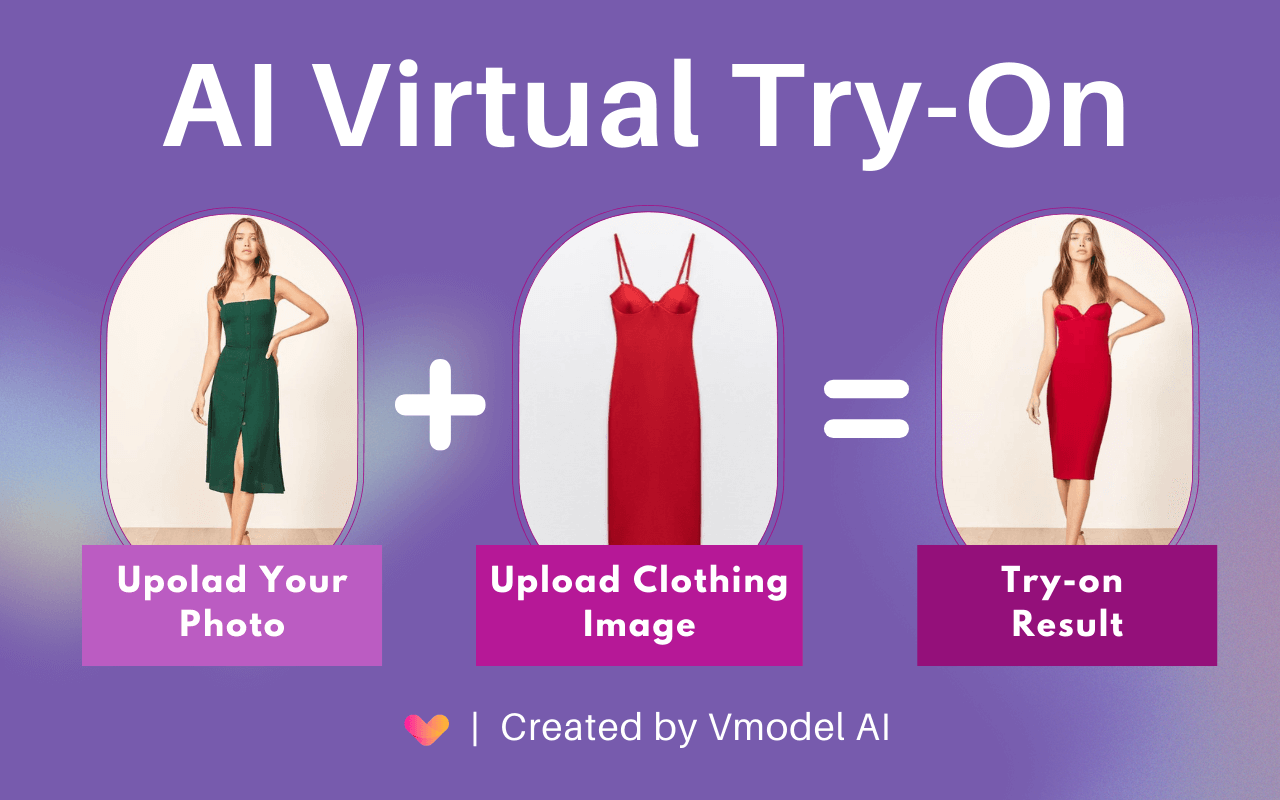
- Pros: Automatically "dresses" virtual models of various ethnicities and ages in your designs, set in professional studio or realistic outdoor backgrounds. You can change poses and model faces to fit your target audience.
- Cons: AI may struggle with details like unnatural fabric wrinkles or misaligned shadows if the source design has poor contrast or an incorrect format.
- Utility: Increases click-through rate (CTR) by 30-50%. Images with real people always build more trust and look more professional, helping your product stand out among competitors using default mockups.
Your store is ready with thousands of products, but to turn them into real "customer magnets," you must ramp up multi-channel marketing and communication.
4. Best AI Tools for Marketing & Sales
The harsh reality is that there are thousands of other shops selling products similar to yours - some with massive budgets and professional marketing campaigns. If you simply open a store and wait for customers without a specific, differentiated strategy, all your previous research and design efforts will be in vain. To compete with strong rivals, you need to leverage AI as your "marketing department" to build brand awareness and attract customers.
4.1. AdCreative.ai & Jasper/Copy.ai & Loveable
Running ads requires a constant stream of new content to avoid "ad fatigue." AI helps you produce ad content in high volumes at an extremely low cost.
- Pros:
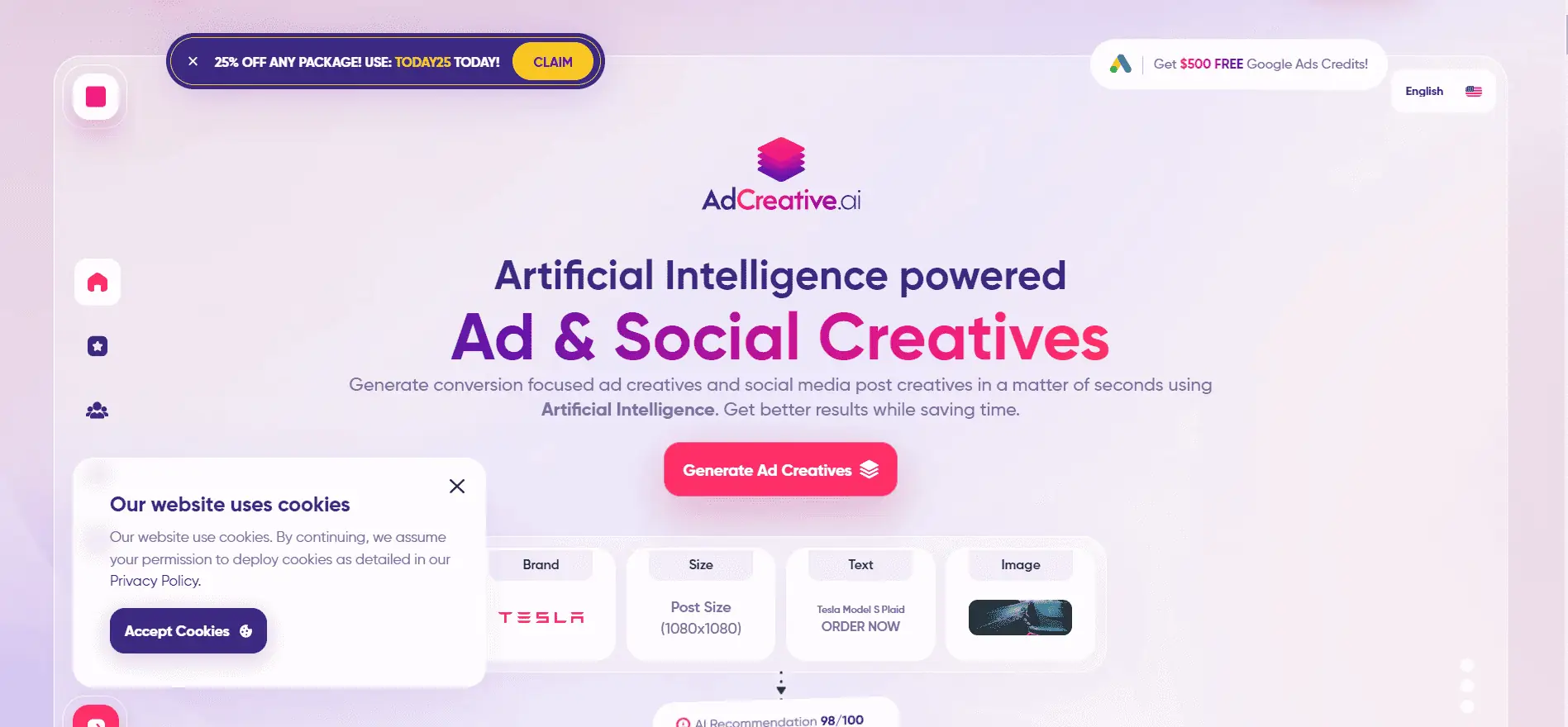
- AdCreative.ai: Automatically generates hundreds of ad banners in various sizes for Facebook and Google, forecasting conversion rates based on AI scoring.
-
Jasper/Copy.ai: Writes ad copy, email marketing, and long-form SEO blog posts in the correct format and brand voice.
-
Loveable: Helps quickly build professional websites for special sales campaigns using only text descriptions.
- Cons: AI cannot replace human strategic thinking in audience targeting and real-world budget management.
- Utility: Shortens the A/B testing phase, helping you find "winning" ad creatives faster while maintaining a consistent posting and email schedule without extra staff.
4.2. Predis.ai & OpusClip
In 2026, short-form video (Reels, TikTok) is the most abundant source of free traffic. However, creating videos daily is a nightmare if done manually.


- Pros: Predis.ai turns static designs into vivid short videos, automatically writing scripts, adding music, and scheduling posts across multiple channels. OpusClip helps trim long videos into viral short clips to drive traffic. AI also assists in analyzing campaign data to suggest creative adjustments.
- Cons: AI cannot yet interact directly or respond to customer comments with the natural, flexible, and emotional touch of a real community manager.
- Utility: Supports high-volume video content production to attract customers, indirectly driving store traffic. This keeps ad campaigns fresh and saves on monthly video production costs.
>>> Discover now:
- 30+ Ecommerce business ideas to start (Low risk, high growth)
- Ecommerce Automation: Top tools to scale faster and stay secure
- How to Make Money with AI for Beginners: A Complete A-Z Roadmap
5. Conclusion
To win in the 2026 POD market, you need the perfect blend of quality and speed. AI has leveled the playing field, allowing beginners to compete fairly with long-standing giants. However, remember that technology is only a tool; your niche strategy and marketing vision are what keep customers coming back. Start with a small niche today, consistently optimize your AI workflow, and you will see those first dollars flow into your account.
6. FAQ
Which AI tool is best for background removal (PNG export)?
Currently, Leonardo.ai and Adobe Express AI lead in intelligent background removal, preserving complex details like hair strands or intricate design edges.
How can I automatically check trademarks for bulk designs?
You can use Trademarkia or the built-in trademark check feature in Merch Informer. However, it is still best to cross-reference sensitive keywords on the official TESS system (US) for absolute safety.
What is the minimum cost to run an AI-powered POD workflow?
You can start with approximately $30 - $50/month for basic paid plans of Midjourney and MyDesigns to ensure print quality and bulk listing capabilities. Other tools can be used in their free versions during your initial testing phase.
Will using AI-generated images be considered "copying" others' designs and lead to a shop ban?
Since AI generates images based on massive datasets, the probability of a 100% identical duplicate is quite low. However, for absolute safety, you should incorporate personal elements (such as unique typography or custom patterns) to create a one-of-a-kind product. This helps you avoid being reported by competitors for having an overly generic style.
How can I convert AI designs into Vector files (SVG/AI) for unlimited print scaling?
You can use tools like VectorMagic or the Image Trace feature in Adobe Illustrator after using an AI Upscale tool. This process converts pixel-based color blocks into vectors, allowing you to scale your design to any size while maintaining perfectly sharp edges.