Are you seeing the message “an error has occurred, please try again” while browsing or purchasing on Etsy and feeling unsure why? This is a common issue that can stem from your internet connection, browser settings, or Etsy’s own servers. Whatever the cause, it can be a frustrating interruption to your shopping experience.
In this blog, Hidemyacc will provide a detailed guide on how to identify the root cause and apply simple solutions to resolve the error quickly, ensuring your Etsy experience gets back on track.
1. What is the “an error has occurred, please try again” issue on Etsy?
Before looking for a fix, you need to clearly understand the nature of this error to avoid taking the wrong steps and wasting time.
1.1. How does the error appear?
The “an error has occurred, please try again” issue often pops up while you are navigating Etsy, especially in these cases:
- Logging into your account
- Adding products to your cart
- Processing an order payment
- Accessing a shop page or specific listings
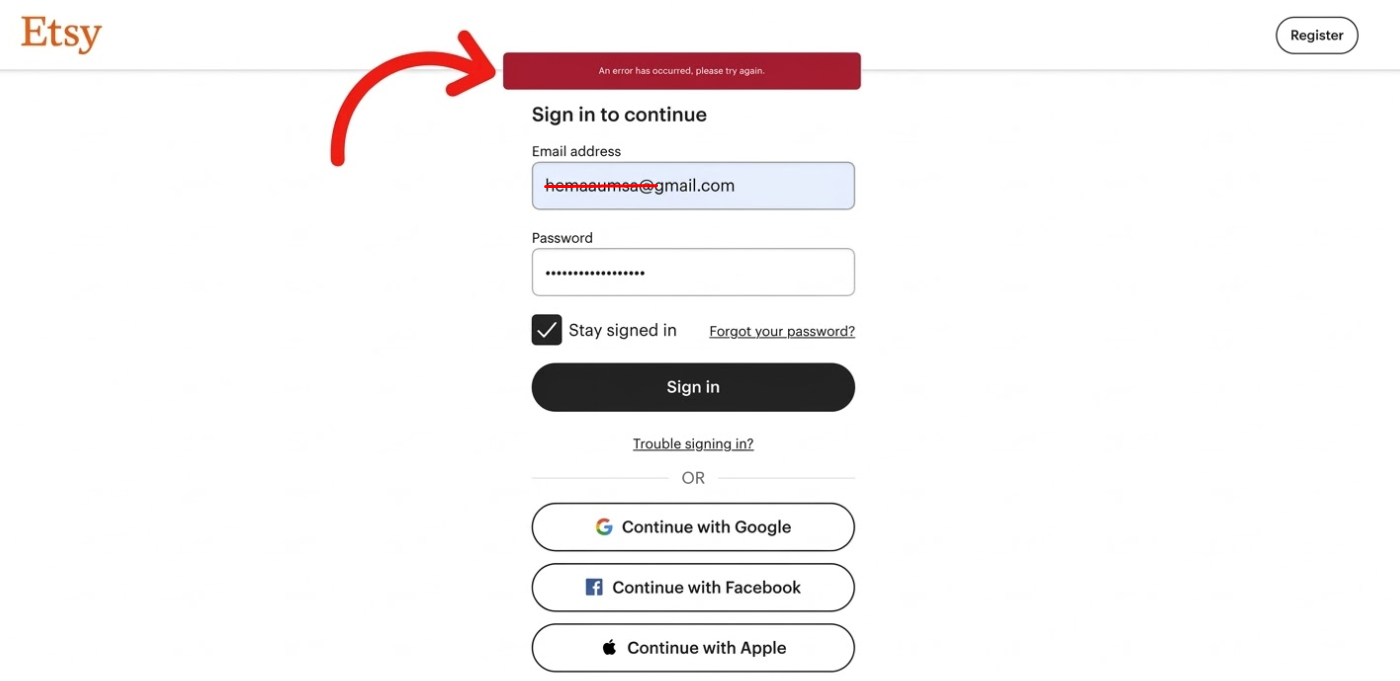
A common characteristic of this notification is that it is quite vague and does not specify the exact cause.
1.2. What is the nature of this error?
Essentially, this is an issue related to the connection or authentication between the user and Etsy's system.
- Requests from your device are not being accepted by Etsy.
- Your login session is invalid or has been interrupted.
- It is not a "Page Not Found" (404) error, but rather a general system response failure.
Overall, this error occurs when the data exchange between you and Etsy hits a snag, preventing the system from processing your request normally.
1.3. How does the error affect users?
While not overly critical, this issue still causes significant inconvenience:
- Inability to log into your account.
- Failed order payments.
- Interrupted browsing experience.
- Impact on both buyers and sellers.
If not handled promptly, these disruptions can directly affect your shopping experience as well as your business performance on Etsy.
2. Causes of the “an error has occurred, please try again” issue on Etsy
There are several reasons for this error; here are the most common cases you should check:
- Corrupted browser data: Old or corrupted cache and cookies prevent Etsy from recognizing your login session.
- Browser blocking cookies or JavaScript: If cookies are disabled or JavaScript is not functioning, the website cannot run its full features.
- Conflicting browser extensions: Extensions like ad-blockers, security tools, or anti-tracking software can disrupt the login or payment process.
- Using VPN or proxy: When you change your IP address, Etsy may flag it as suspicious activity and block the connection.
- Unstable internet connection: A slow or interrupted internet connection causes requests sent to Etsy to fail.
- Etsy server issues: The system may be undergoing maintenance or experiencing an overload, leading to temporary errors.
- Expired login session: When a session is no longer valid, Etsy will reject the request and display the error.
- Logging in on multiple devices simultaneously: Using your account on too many devices at once can cause authentication conflicts.
- Third-party login errors: For example, "Sign in with Apple" sometimes encounters authentication loops.
In short, the “an error has occurred, please try again” status on Etsy usually stems from an interruption in the authentication process between the user and the system. Identifying the correct cause will help you choose a faster and more effective fix.
3. How to fix the “an error has occurred, please try again” issue on Etsy
You don’t need to apply every method at once. Try these steps one by one, starting with the simplest, as many cases can be resolved with just a few basic actions.
3.1. Reload the page or restart the app
This is the quickest fix and should be your first attempt when encountering the error.
-
On desktop: Press Ctrl + R (Windows) or Command + R (Mac) to reload the page.
-
On mobile: Completely close the Etsy app and reopen it.
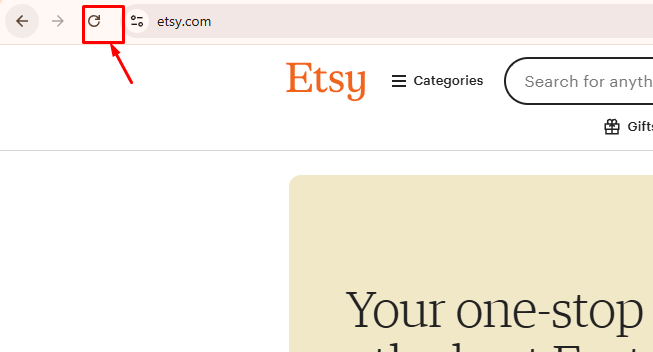
In many cases, the error appears because a request was interrupted or failed to load completely. Reloading helps reset the connection and can resolve the issue immediately.
3.2. Clear browser cache and cookies
Old or corrupted cache and cookies are among the most common causes of the “an error has occurred, please try again” issue on Etsy.
-
Access your Browser Settings.
-
Select Privacy & Security.
-
Clear Cookies and Cached data.
-
Restart your browser and log back into Etsy.
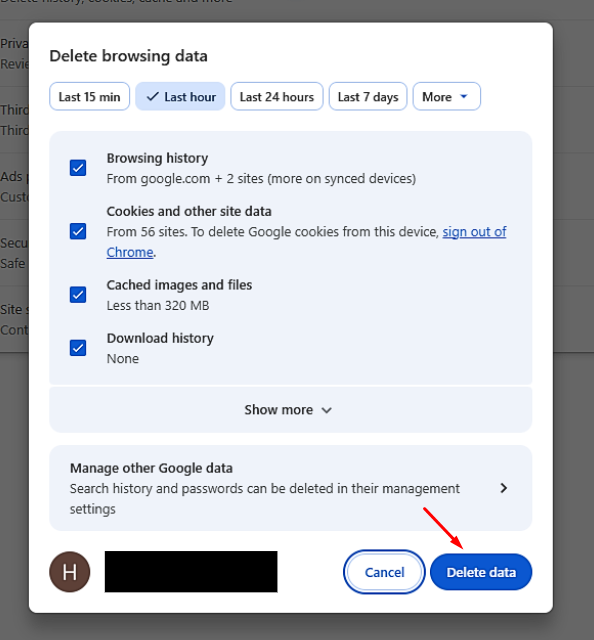
This action wipes out outdated data and forces Etsy to create a fresh login session, which often fixes authentication errors.
Read more:
- What is a browser cache? Understanding how browser cache works
- Ways to Manage Cookie Settings in Browsers: Chrome, Firefox & Edge
3.3. Disable browser extensions
Certain extensions might be conflicting with Etsy without you realizing it.
-
Go to the Extensions menu in your browser.
-
Temporarily disable all extensions.
-
Reload the Etsy page and check again.
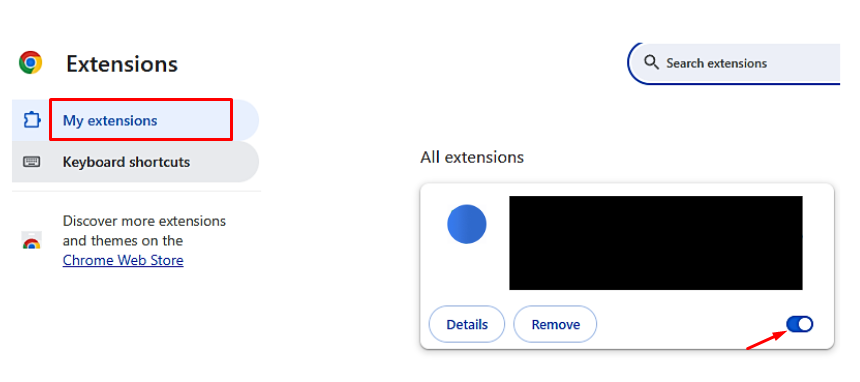
If the error disappears, you can re-enable them one by one to identify the culprit. Pay close attention to ad-blockers, script-blockers, or advanced security tools.
3.4. Turn off VPN or proxy
If you are using a VPN or proxy, this could be the direct cause of the error.
-
Disable your VPN or disconnect from the proxy.
-
Reload the page or reopen the Etsy app.
-
Try logging in again.
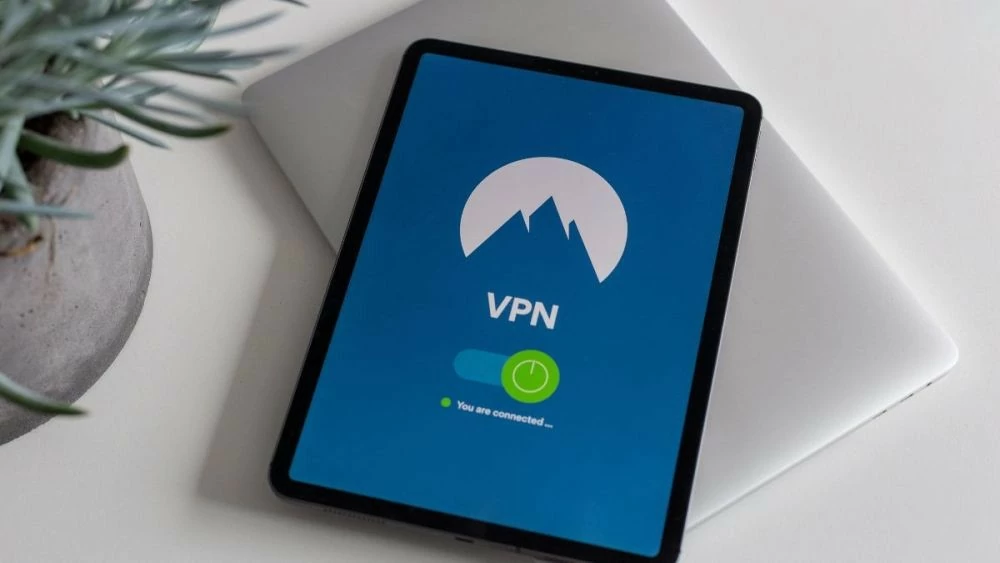
Etsy has security systems designed to detect unusual access; therefore, using anonymous IP addresses can cause your connection to be rejected.
3.5. Contact Etsy support
If you have tried all the steps above and the error persists, you should contact Etsy directly.
- Visit the support page: help.etsy.com
- Submit a Support Ticket with a detailed description of the problem.
- Provide information such as your device, browser, and the time the error occurred.
- Attach screenshots if available.
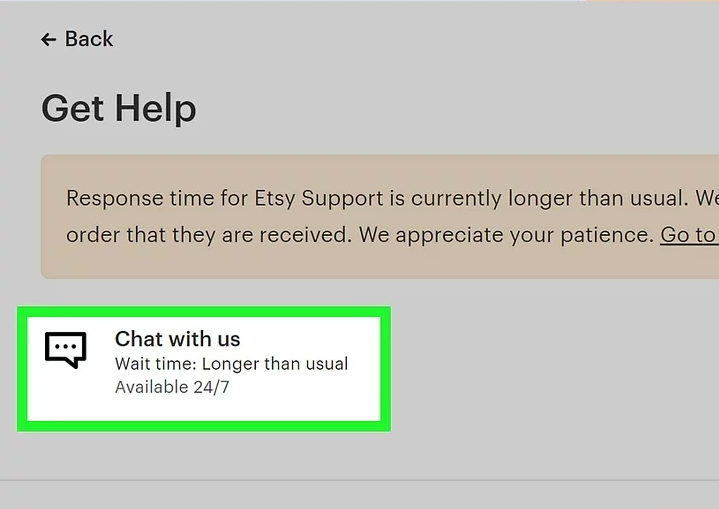
Etsy’s support team can check your account and system logs to provide a more accurate solution.
4. How to prevent the issue in the future
To minimize the risk of encountering the “an error has occurred, please try again” issue on Etsy again, you can adopt the following habits:
- Keep your browser and app updated: Always ensure you are using the latest versions for the best compatibility.
- Clear cache and cookies periodically: Regular maintenance helps prevent corrupted data from building up.
- Limit VPN usage during login: Avoid using VPNs or proxies when accessing your Etsy account to prevent security flags.
- Avoid installing too many extensions: Keep your browser light and reduce the chance of software conflicts.
- Log out properly: Especially when using public or shared devices, always sign out of your session.
- Avoid opening too many Etsy tabs at once: Multiple active tabs can sometimes cause session conflicts or overload your browser's memory.
- Enable cookies and JavaScript: Ensure these are always active so Etsy’s features can function correctly.
Overall, by maintaining a "clean" and stable browsing environment, you can significantly minimize the chances of facing this error on Etsy in the future.
Additionally, you can read more blogs about Etsy here:
- Can You Have Multiple Etsy Shops? A Simple Guide
- Etsy SEO: How to sell on Etsy (Full guide for beginners)
- How To Create Multiple Etsy Buyer Accounts?
5. Conclusion
The “an error has occurred, please try again” issue on Etsy is quite common, but it isn't overly complicated once you understand the underlying causes. In most cases, a few simple actions—such as clearing your cache, disabling your VPN, or checking your browser settings—can provide a quick fix.
The key is knowing how to identify the problem and addressing it correctly rather than repeatedly trying the wrong steps. We hope the guidelines in this article help you maintain a more stable Etsy experience and minimize this error in the future. As a result, your shopping or selling journey on Etsy will be much more seamless and efficient.
6. FAQ
1. Is the “an error has occurred, please try again” issue on Etsy common?
Yes. This is a very frequent error that many Etsy users encounter, especially during login or checkout when the system or connection is unstable.
2. Does this error mean my account is banned?
Not necessarily. In the vast majority of cases, this is simply a session or connection-related error and not a sign of a banned account.
3. Why does using a VPN cause errors on Etsy?
A VPN changes your IP address, which may lead Etsy to flag your activity as suspicious. For security reasons, the system may block or reject your requests.
4. How long does it take for the Etsy error to go away on its own?
If the issue originates from Etsy’s servers, it usually resolves itself within a few minutes to a few hours. You can try again after a short wait to check.
5. Does clearing my cache actually help fix the error?
Yes. Clearing your cache and cookies refreshes your browser data, which is highly effective at resolving errors related to expired or corrupted login sessions.
6. Should I switch browsers when I encounter this error?
Yes. Some errors are specific to one browser. Switching to a different browser or device often helps resolve the issue quickly. For example, if you are using Chrome, try Firefox, Safari, or Edge.