



"Port" là thuật ngữ quen thuộc trong lĩnh vực mạng máy tính, xuất hiện trong cả phần cứng và phần mềm. Cổng port đóng vai trò quan trọng trong việc kết nối và truyền tải dữ liệu giữa các thiết bị hoặc trong giao tiếp mạng. Vậy cổng Port là gì? Có chức năng gì và được phân loại như thế nào? Hãy cùng Antidetect Browser Hidemyacc tìm hiểu chi tiết trong bài viết dưới đây!
1. Cổng Port là gì?
Trong lĩnh vực công nghệ thông tin, "Port" là thuật ngữ chỉ cổng kết nối giúp các thiết bị hoặc phần mềm giao tiếp với nhau. Port có thể tồn tại dưới dạng cổng vật lý trên thiết bị hoặc cổng phần mềm để truyền dữ liệu qua mạng.
Dưới đây là một số ứng dụng của Port trong công nghệ:
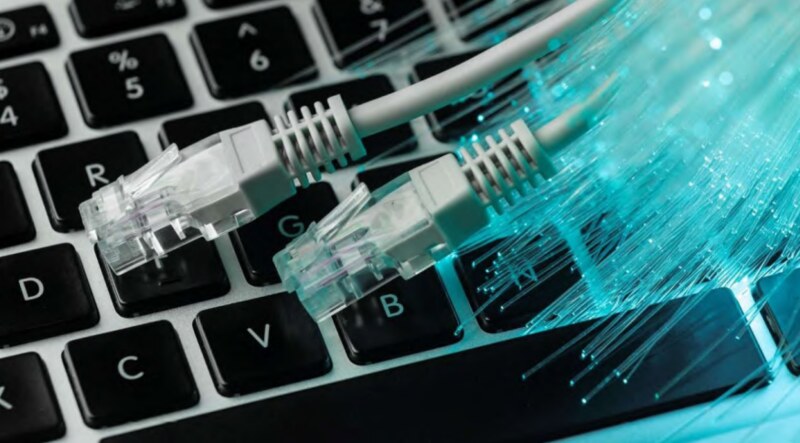
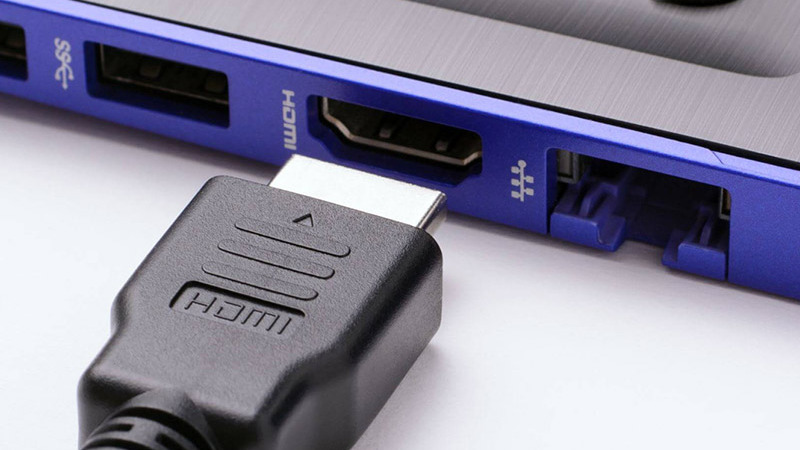
- Port vật lý: Là cổng kết nối trên thiết bị, như USB, HDMI, Ethernet, giúp truyền dữ liệu hoặc kết nối với thiết bị khác.
- Port phần mềm: Được dùng trong mạng để xác định dịch vụ, như cổng 80 cho web (HTTP), cổng 25 cho email (SMTP).
- Porting phần mềm: Chỉ quá trình chuyển đổi phần mềm từ một hệ điều hành hoặc nền tảng sang môi trường khác.
Ví dụ: Khi bạn kết nối ổ cứng di động qua cổng USB, cổng này đóng vai trò là port vật lý, giúp truyền dữ liệu giữa máy tính và ổ cứng. Tương tự, khi bạn truy cập một trang web, trình duyệt sử dụng port 80 hoặc 443 để kết nối với máy chủ web.
2. Những chức năng cơ bản của Port
Mỗi loại port có những chức năng riêng, giúp tối ưu hóa hiệu suất và đảm bảo tính bảo mật khi truyền tải thông tin. Dưới đây là những chức năng cơ bản của port mà bạn cần biết.
2.1. Chọn lọc và truyền tải thông tin
Mặc dù không trực tiếp thực hiện việc chọn lọc tin tức, nhưng Port đóng vai trò quan trọng trong quá trình truyền tải dữ liệu giữa các thiết bị và mạng, giúp kết nối thông tin nhanh chóng và thuận tiện hơn.
Việc chọn lọc tin tức thường dựa vào các công cụ và phần mềm chuyên dụng như bộ lọc thông tin, công cụ tìm kiếm, hoặc hệ thống quản lý nội dung. Sau khi được xử lý, dữ liệu này cần được truyền tải đến người dùng – đây chính là lúc Port phát huy vai trò của mình.
Port giúp kiểm soát dòng dữ liệu đi vào thiết bị, đảm bảo chỉ những tập tin phù hợp mới được phép truyền tải. Nếu dữ liệu không khớp với cổng quy định, thiết bị sẽ từ chối truy cập, giúp bảo vệ hệ thống khỏi các nguồn không an toàn. Nhờ đó, Port không chỉ hỗ trợ truyền tải mà còn góp phần quan trọng trong bảo mật thông tin.
2.2. Nhận diện tập tin, dữ liệu
Khi đăng ký port trên thiết bị, hệ thống sẽ tự động nhận diện và định tuyến tập tin hoặc dữ liệu đến đúng cổng phù hợp, đảm bảo sự khớp chính xác với bit của tập tin, giúp quá trình truyền tải diễn ra mượt mà và hiệu quả.
2.3. Ngăn chặn các xâm nhập có hại
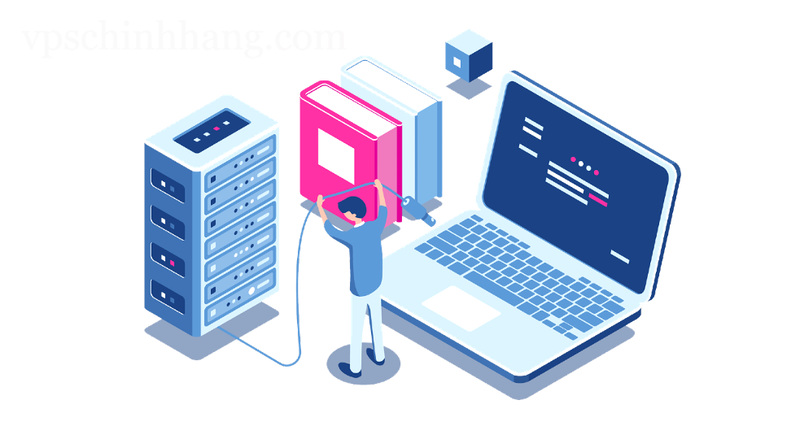
Mặc dù Port không có khả năng trực tiếp ngăn chặn xâm nhập, nhưng việc quản lý cổng Port đóng vai trò quan trọng trong bảo mật hệ thống. Mở Port không kiểm soát có thể tạo ra lỗ hổng, giúp tin tặc hoặc phần mềm độc hại dễ dàng xâm nhập.
Để giảm thiểu rủi ro, người dùng cần kiểm tra và cập nhật cấu hình bảo mật thường xuyên, đồng thời sử dụng các giải pháp như tường lửa (Firewall), phần mềm chống vi-rút, hệ thống phát hiện xâm nhập (IDS) và hệ thống phòng thủ an ninh mạng (IPS).
Bên cạnh đó, Port hoạt động như một bộ lọc dữ liệu, giúp kiểm tra, phát hiện và loại bỏ các tập tin độc hại trước khi chúng xâm nhập vào hệ thống. Đây được coi là lớp kiểm soát đầu tiên, giúp bảo vệ thiết bị khỏi các mối đe dọa an ninh mạng.
2.4. Một số chức năng khác
Cổng Port không chỉ đóng vai trò kết nối thiết bị mà còn hỗ trợ nhiều chức năng quan trọng trong quá trình truyền tải dữ liệu và tín hiệu. Dưới đây là một số chức năng khác của Port:
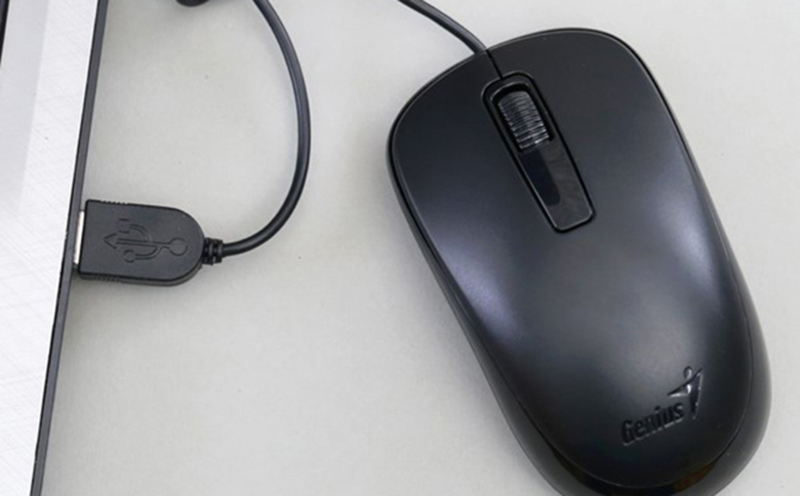
- Kết nối vật lý: Giúp liên kết các thiết bị với nhau, chẳng hạn như cổng USB kết nối với chuột, bàn phím, máy in hoặc ổ cứng ngoài.
- Truyền dữ liệu: Cho phép trao đổi dữ liệu giữa các thiết bị, điển hình như cổng Ethernet trong mạng LAN hoặc cổng USB giữa máy tính và thiết bị ngoại vi.
- Sạc và cung cấp điện: Một số cổng, như USB hay cổng sạc điện thoại, được dùng để cấp nguồn cho thiết bị.
- Kết nối mạng: Cổng Ethernet hỗ trợ kết nối internet và truy cập tài nguyên mạng.
- Giao tiếp âm thanh & hình ảnh: Cổng HDMI, cổng âm thanh giúp truyền tải tín hiệu từ máy tính đến màn hình, loa hoặc thiết bị giải trí khác.
>>>> XEM THÊM: Gateway là gì? Chức năng và hình thức hoạt động
3. Các loại Port phổ biến hiện nay
Hiện nay, cổng Port có nhiều loại khác nhau, phục vụ cho các mục đích như kết nối thiết bị, truyền dữ liệu, sạc pin và kết nối mạng. Dưới đây là những loại Port phổ biến nhất mà bạn thường gặp trong các thiết bị công nghệ.
3.1. Phân loại theo chức năng cụ thể
Các cổng kết nối Port được phân loại theo chức năng cụ thể, giúp thiết bị giao tiếp hiệu quả với nhau. Dưới đây là một số loại cổng Port phổ biến được phân loại theo chức năng:
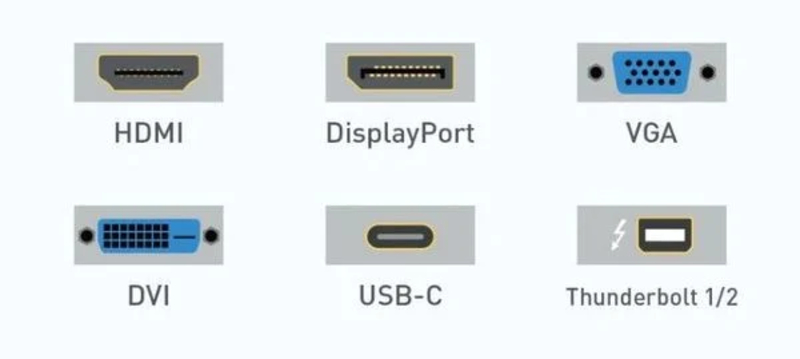
- USB (Universal Serial Bus): Cổng đa năng dùng để kết nối thiết bị ngoại vi như chuột, bàn phím, ổ đĩa di động, máy in...
- Ethernet: Kết nối máy tính với mạng LAN hoặc Internet qua cáp mạng, đảm bảo tốc độ truyền tải ổn định.
- HDMI (High-Definition Multimedia Interface): Truyền tải âm thanh và hình ảnh chất lượng cao giữa thiết bị và màn hình, loa hoặc hệ thống giải trí.
- Thunderbolt: Cổng dữ liệu tốc độ cao, hỗ trợ kết nối màn hình, ổ cứng ngoài và nhiều thiết bị khác.
- DisplayPort: Chuyên dùng để xuất hình ảnh và âm thanh, phổ biến trên màn hình máy tính và thiết bị chuyên dụng.
- Audio Jack: Kết nối tai nghe, loa, micro và các thiết bị âm thanh khác.
3.2. Phân loại theo phiên bản
Mỗi cổng Port đóng vai trò nhất định trong việc truyền tải dữ liệu và kết nối giữa các thiết bị. Dưới đây là một số cổng Port phổ biến được phân loại theo phiên bản:
- Port 20 (TCP): Truyền dữ liệu FTP, hỗ trợ upload và download file.
- Port 21 (TCP): Kiểm soát kết nối FTP, giúp quản lý quá trình truyền tải.
- Port 22 (TCP/UDP): Hỗ trợ kết nối SSH, đảm bảo truy cập máy chủ từ xa an toàn.
- Port 23 (TCP): Dùng cho Telnet, hỗ trợ kết nối từ xa nhưng ít bảo mật.
- Port 25 (TCP): Gửi email qua giao thức SMTP.
- Port 80 (TCP): Truy cập website thông qua giao thức HTTP.
- Port 119 (TCP/UDP): Kết nối với dịch vụ tin tức trực tuyến qua NNTP.
- Port 143 (TCP/UDP): Hỗ trợ truy cập email từ xa qua IMAP.
- Port 161 (TCP/UDP): Giám sát và quản lý thiết bị mạng với SNMP.
4. Các yếu tố ảnh hưởng đến việc đăng ký Port
Việc đăng ký Port không chỉ đơn giản là lựa chọn một con số, mà còn chịu ảnh hưởng bởi nhiều yếu tố quan trọng. Dưới đây là những yếu tố quan trọng cần cân nhắc khi đăng ký Port.
4.1. Thông số ổ cứng
Thông số ổ cứng ảnh hưởng trực tiếp đến việc lựa chọn cổng Port. Loại và số lượng cổng cần dùng sẽ tùy thuộc vào cấu hình ổ cứng của máy. Vì vậy, hãy tìm hiểu kỹ hoặc nhờ tư vấn để đảm bảo kết nối phù hợp.
4.2. Cơ sở lưu trữ và khả năng chứa tập tin
Mỗi cổng Port được thiết kế để phù hợp với từng loại dữ liệu, dung lượng và định dạng tập tin khác nhau. Vì vậy, khi đăng ký Port, bạn cần xem xét hai yếu tố chính:
- Loại tập tin mà máy tính hỗ trợ.
- Dung lượng lưu trữ của hệ thống.
>>>> TÌM HIỂU THÊM: Port 443 là gì? Tìm hiểu chức năng và cách sử dụng Port 443
5. Cách kiểm tra số Port trên Windows
Kiểm tra số port trên Windows giúp bạn quản lý kết nối mạng và khắc phục sự cố dễ dàng. Dưới đây là cách thực hiện kiểm tra số Port nhanh chóng:
- Mở hộp thoại Run bằng Windows + R hoặc tìm kiếm trên thanh Search.
- Nhập cmd sau đó nhấn Enter để mở cửa sổ Command Prompt.
- Gõ ipconfig và nhấn Enter để xem thông tin mạng.
- Tiếp tục nhập netstat để hiển thị danh sách các port đang hoạt động.
6. FAQ
6.1. Port 8080 là gì?
Port 8080 là cổng mạng thường được sử dụng cho giao thức HTTP, hoạt động như một giải pháp thay thế cho cổng 80. Port 8080 phổ biến trong các trường hợp: Chạy dịch vụ web thay thế. Phát triển và thử nghiệm website. Triển khai dịch vụ nội bộ.
6.2. IP port là gì?
IP Port là sự kết hợp giữa địa chỉ IP và số cổng, giúp xác định chính xác một điểm kết nối trên mạng. Nếu địa chỉ IP giống như địa chỉ nhà của thiết bị, thì số port chính là số phòng, chỉ định ứng dụng hoặc dịch vụ cụ thể đang hoạt động. Nhờ IP Port, dữ liệu được truyền tải đúng nơi, đúng đích trong hệ thống mạng.
6.3. Network port là gì?
Network port (cổng mạng) là điểm kết nối logic trên thiết bị mạng, cho phép truyền dữ liệu giữa các thiết bị. Mỗi cổng được xác định bằng một số duy nhất từ 0 đến 65.535, giúp định tuyến thông tin chính xác trong hệ thống mạng.
6.4. Port 80 là gì?
Port 80 là cổng mạng mặc định cho giao thức HTTP, cho phép trình duyệt và máy chủ web truyền tải dữ liệu như văn bản, hình ảnh, và mã HTML. Đây là cổng quan trọng giúp hiển thị các trang web mà bạn truy cập hằng ngày.
6.5. Interface là gì?
Trong thiết kế phần mềm, Interface (giao diện) chính là cầu nối giữa người dùng và hệ thống, cho phép con người tương tác với phần mềm một cách trực quan, dễ dàng.
Đọc thêm:
- Cơ sở hạ tầng Internet: Nó là gì và tại sao nó quan trọng
- Giải thích về Dịch vụ lưu trữ VPS: Nó là gì và hoạt động như thế nào
- WebRTC là gì? Cách trình duyệt xử lý giao tiếp thời gian thực
- Tìm hiểu DNS: Các loại, bảo mật và cách ngăn chặn rò rỉ DNS






