



The comment section on YouTube is not only a place for viewers to share their opinions but also a channel that helps creators and businesses increase engagement with their community. However, manually replying to or leaving comments on multiple videos can be quite time-consuming. Therefore, many people have started looking for automatic YouTube commenter tools to support more effective management and engagement. In this article, let's join Hidemyacc to explore popular tools, how to set up a basic comment bot, and important notes for safe usage.
1. What is an automatic YouTube commenter?
An automatic YouTube commenter involves using software, scripts, or bots to post comments instead of a user's manual actions. These tools can be set up to automatically reply to audience comments on a channel or post comments across multiple different videos to increase engagement, promote content, and attract viewers.
Classification:
- Supportive auto-commenting: This is a basic form of automation, typically used to manage comments on one's own channel. The tool saves response templates so users can quickly reply to audience comments.
- Bulk commenting: This method uses bots or software to post comments across multiple videos. The goal is usually to increase channel awareness, promote content, or drive traffic from videos with similar topics.
In general, automating YouTube comments helps save time and boosts engagement if used correctly. However, users need to clearly understand each type of automation tool and how to set them up properly. In cases where you operate multiple accounts to deploy bots, you should also learn how to manage multiple social media accounts to minimize the risk of being detected by the platform.
2. Popular automatic YouTube commenter tools
Currently, there are many tools that support automatic YouTube commenting for various purposes, from managing comments on a main channel to deploying seeding campaigns across multiple videos. Below are the popular tools commonly used today.
2.1. TubeBuddy

TubeBuddy is a browser extension officially certified by YouTube as a partner, so its safety level for accounts is quite high. This tool mainly supports channel optimization and comment management rather than automatically posting bulk comments on multiple videos.
Website: tubebuddy.com
Starting price: around $3.60/month
TubeBuddy provides a canned responses feature, allowing users to create answer templates in advance. When a new comment appears, you simply select the appropriate template for a quick reply. Additionally, the tool supports automatically inserting the user's name, making the interaction more personalized.
2.2. TubeAssistPro

TubeAssistPro is a quite popular YouTube marketing software in the SEO and affiliate communities. This tool focuses on automating engagement activities on the platform.
Website: tubeassistpro.com
Starting price: around $147/month for the basic plan
The software allows users to set up Auto Comment campaigns to automatically search for videos by keywords or target specific channels. The system can then automatically post comments to attract attention and drive traffic to your channel.
2.3. YTMonster

Unlike typical bot software, YTMonster operates based on a user traffic exchange model rather than using fully automated bots.
Website: ytmonster.net
Starting price: operates on cross-point exchange (free version available)
The system allows users to create campaigns to receive comments from the community. You accumulate points by watching videos or interacting with others' content, then use those points to receive comments on your own videos in return.
2.4. CommentShark (YouTube Comment Assistant)

CommentShark is a specialized tool for searching videos and automatically posting comments on YouTube.
Website: commentshark.com
Starting price: around $9.99/month (free trial available)
The software can scan newly posted videos or trending videos in a specific niche. Users can then set up the comment content and let the system automatically submit it to the target videos. This tool is often used in affiliate marketing or backlink building campaigns.
2.5. Socinator

Socinator is a versatile social media automation platform that supports multiple platforms like Facebook, Instagram, Twitter, and YouTube.
Website: socinator.com
Starting price: $4.99/profile.
For YouTube, Socinator allows users to set up automatic commenting campaigns based on various criteria such as keywords, video topics, or geographical regions. Furthermore, the tool supports scheduling activities to simulate more natural user behavior.
2.6. Qnibot (YouTube Comment Bot)

Qnibot is an in-depth automation software designed for large-scale seeding campaigns on YouTube.
Website: qnibot.com
Starting price: around $15/2-day trial.
This tool enables automatic video searching based on keyword lists and uses multiple accounts to post comments. In addition, Qnibot supports proxy management and continuous IP rotation to reduce the risk of being detected for spamming by the system.
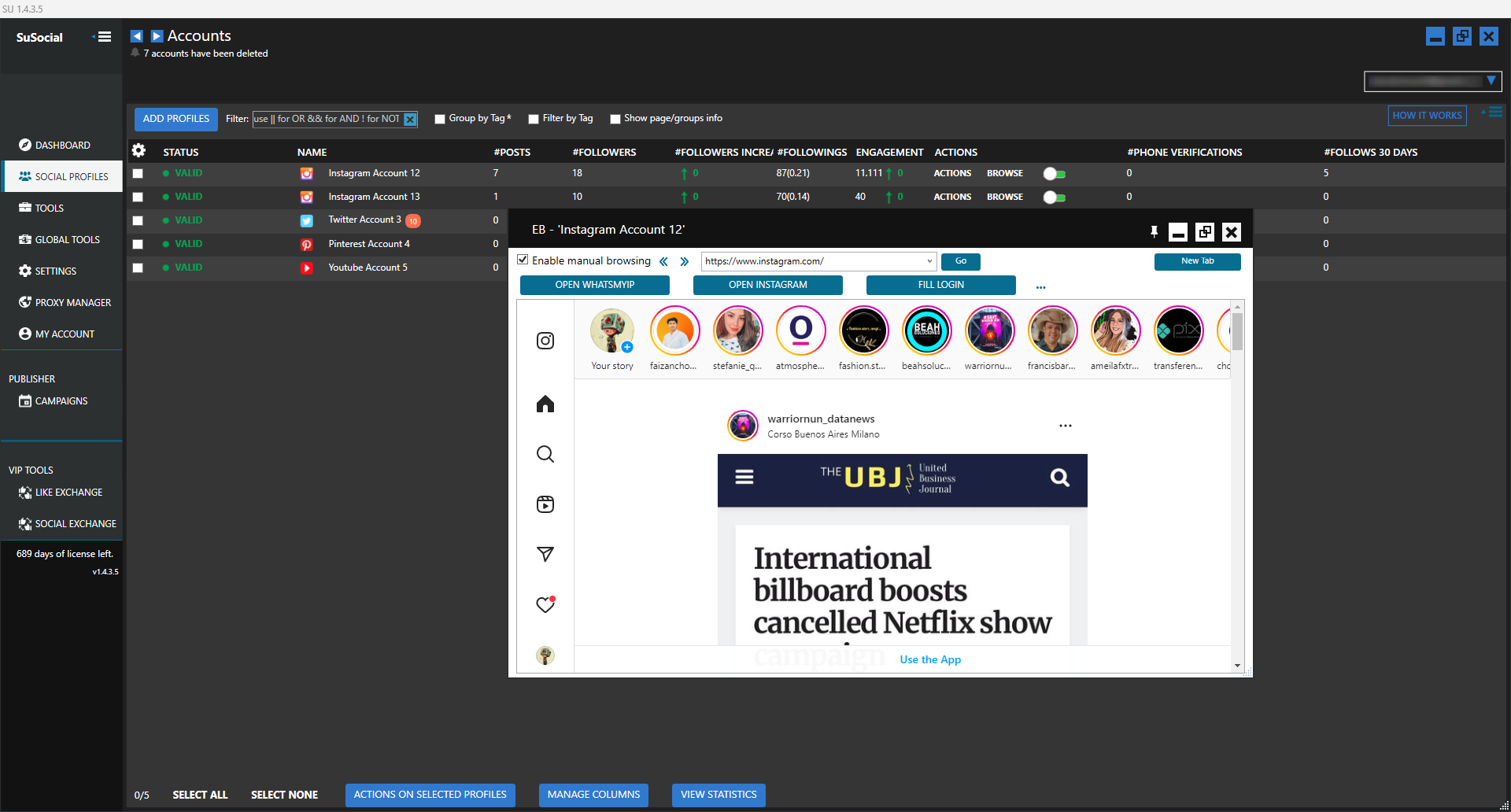
2.7. SuSocial
SuSocial is considered the successor to Jarvee - an automation tool that was once very popular in the social media marketing field.
Website: susocial.com
Starting price: around $39.97/10 accounts for the basic plan
SuSocial can manage a large number of social media accounts and simulate real user behavior. Users can set rest times between actions, adjust activity frequencies, and deploy automated comment campaigns on a large scale.
2.8. Custom Automation Scripts
Besides available software, many marketing teams or developers choose to build their own custom automation scripts to serve specific needs.
These scripts are often written using libraries like Selenium or Puppeteer, allowing for automatic video searches, page scrolling, and watching videos for a certain period before posting a comment. Thanks to high customization, self-written scripts can simulate real user behavior better and reduce the risk of the system detecting spam.
In short, each automatic YouTube commenter tool has its own advantages. Therefore, the choice should be based on your usage goals, desired security level, and campaign scale.
3. Comparison table of automatic YouTube commenter tools
To easily visualize the differences between the tools, you can refer to the comparison table below:
|
Tool |
Strengths |
Limitations |
Suitable for |
|
TubeBuddy |
Absolutely safe, officially certified by YouTube. |
Only supports replying on the main channel, cannot be used for roaming seeding. |
Creators/Channel owners who want to optimize engagement. |
|
TubeAssistPro |
Deep targeting by keyword/channel. |
Requires installation on a computer, configuration can be a bit time-consuming. |
Professional marketers running traffic-driving campaigns. |
|
YTMonster |
Comments from 100% real users. |
Comment growth speed depends on the community and can be slow. |
People looking to naturally increase Social Proof. |
|
CommentShark |
Specializes in hunting new/trending videos to compete for top comments. |
Simple features, lacks accompanying marketing tools. |
Affiliate Marketers, backlink builders. |
|
Socinator |
Multi-platform automation, flexible campaign scheduling. |
Feature-heavy interface, so beginners might get overwhelmed. |
Agencies or Freelancers managing multiple projects. |
|
Qnibot |
Runs a large number of accounts, excellent Proxy management. |
Maintenance costs for proxies and accounts can be high. |
Bulk seeders running wide-scale coverage. |
|
SuSocial |
Extremely sophisticated user behavior simulation, great at bypassing scans. |
Learning curve is quite steep for beginners. |
"Heavyweight" marketers tackling complex campaigns. |
Choosing a tool depends on your campaign's scale and goals:
- If prioritizing safety to take care of your main channel: TubeBuddy is a suitable choice.
- If the goal is to expand coverage and seed across multiple videos: you can use tools like SuSocial or Socinator to accelerate deployment.
Regardless of the tool used, the key factor remains diversifying comment content and adjusting frequency reasonably to avoid being flagged as spam by YouTube.
4. Benefits of using an automatic YouTube commenter
When used correctly, automatic YouTube commenter tools can significantly support the process of managing engagement and deploying viewer outreach campaigns.
- Significant time savings: Instead of manual operations on every single video, users can pre-set comment content and let the system automatically post to multiple videos in a short time.
- Increase brand coverage: Appearing frequently in the comment sections of videos with similar topics helps your brand or channel become more widely known. Besides commenting to attract attention, many creators also integrate strategies to increase YouTube views to improve their videos' reach.
- Attract potential customers: Comments that share insights, offer suggestions, or provide useful information can draw viewers to visit your channel, website, or related content.
- Maintain continuous engagement: Automation tools help accounts maintain regular activity, thereby contributing to positive engagement signals on the platform.
Overall, if set up logically and used with control, an automatic YouTube commenter tool can become an effective assistant in expanding reach and maintaining engagement levels for your channel.
5. Risks of using an automatic YouTube commenter
Alongside the benefits of saving time and expanding coverage, using an automatic YouTube commenter also harbors certain risks if not set up and controlled reasonably. Users need to clearly understand the dangers below to avoid negatively impacting their accounts and reputation.
- YouTube's scanning mechanism: The platform uses machine learning algorithms to detect abnormal behaviors such as commenting too quickly, posting too much in a short time, or repeating the same content across multiple videos.
- Risk of account restrictions: If the system detects signs of spam, your account may face shadowbans on comments (you can see them but others cannot), have the commenting feature locked, or in severe cases, experience YouTube account suspension.
- Impact on channel reputation: When bots leave generic comments that are irrelevant to the video content or out of context, viewers might judge the channel as spam, thereby reducing goodwill and brand credibility.
Therefore, when using automatic YouTube commenter tools, users must combine an appropriate content strategy and control activity frequency to minimize potential risks.
6. How to create content when auto-commenting on YouTube using Spintax
One of the major issues when using automatic commenting tools is that content easily becomes repetitive. To limit this and reduce the risk of being flagged as spam by YouTube's system, many people use the Spintax technique to generate various comment variations from a single content template.

Spintax is a structure that allows the system to automatically randomly select synonymous words or phrases within a sentence. Thanks to this, every time a comment is posted, the content changes to feel more natural.
- How it works: In Spintax, substitute words or phrases are placed inside curly braces { } and separated by a pipe symbol |. When running the bot, the system randomly selects one of these options to form a complete sentence.
- Example: {Hi|Hello|Hey} there, great {video|content|post}, I really {love|enjoyed} how you explained {this topic|this issue}.
- Result: With every post, the system generates a different version of the comment. This makes the content more diverse and reduces the risk of YouTube recognizing it as duplicate content.
Due to its ability to generate multiple variations from a single template, Spintax has become a popular technique when setting up automatic comment bots on YouTube.
7. How to automatically comment on YouTube: Basic bot setup process
To effectively deploy automatic YouTube comments and limit the risk of system detection, users should set up the bot following a clear process rather than running it fully automated right from the start. Below are the basic steps commonly applied in most automation tools.
- Step 1: Choose the appropriate tool: First, define the goals of your campaign to select the right tool. You can use free scripts, automation software, or paid bots integrated with many advanced features.
- Step 2: Prepare comment content: Prepare a diverse list of comment templates instead of using just one fixed sentence. Incorporating Spintax structures will help the system automatically generate various content variations when posting.
- Step 3: Set up target video filters: Configure the bot to search for videos based on keywords, topics, or specific channel lists. Besides commenting to gain attention, many creators also utilize strategies to get 1000 free YouTube views to boost video reach.
- Step 4: Set activity limits: Establish the number of daily comments and the rest intervals between posts. This helps the bot's behavior resemble a real user more closely and decreases the chances of detection by YouTube's system.
Executing these initial setup steps correctly will help your automatic commenting campaign operate more stably and safely during deployment.
8. Rules for safely using an automatic YouTube commenter bot
To minimize the risk of system detection and limit account hazards, using an automatic YouTube commenting bot must adhere to some fundamental rules. The rules below will help automation activities occur more naturally and safely.
- Control commenting frequency: Do not post comments continuously in a short time frame. Set random delay intervals of about 60–120 seconds between each post so the behavior mirrors a real user.
- Diversify comment content: Avoid using a single sentence for all videos. You should prepare at least 50–100 different content templates and combine them with Spintax to create multiple variations. Before running the bot, thoroughly check to ensure the content does not contain sensitive words, phishing links, or content that violates community guidelines.
- Combine automation and manual interactions: Bots can help generate initial engagement, but when there are real responses, you should step in to reply manually to build trust and create a more authentic interaction vibe.
- Use logical IPs or proxies: You shouldn't have too many accounts commenting from the same IP address. Allocating IPs or using proxies will help lower the risk of the system flagging it as unusual activity.
- Protect your main channel: In seeding campaigns or automation testing, it's best to use secondary accounts rather than your main channel to avoid affecting your primary asset.For safe setups, you can refer to guides on creating multiple YouTube channels under one account to optimize the management process.
Adhering to these rules will make using a comment bot on YouTube safer and minimize the risk of account restrictions.
In many cases, users often run multiple YouTube channels to test content or run separate seeding campaigns. If you are operating multiple accounts simultaneously, learning how to use a YouTube proxy will help the system run more stably and reduce the chance of being marked for abnormal activity.
9. Conclusion
An automatic YouTube commenter can help save time and support an increase in reach if used reasonably. However, you should prioritize comments with content relevant to the video over posting bulk generic sentences. This not only prevents being marked as spam by the system but also leaves a better impression on viewers. As the channel gradually builds steady engagement, you can also expand your content strategy and look into more ways to monetize YouTube Shorts to grow revenue from the platform.
>>> How does Youtube pay? Simple way to receive YouTube money
10. FAQ
Does auto-commenting violate YouTube's terms of service?
The platform strictly prohibits behaviors that use automated systems to artificially inflate engagement metrics. However, if you use tools to assist in replying to fans or use bots subtly with valuable content, the risks are minimized.
Is an automatic YouTube commenter actually effective?
If used correctly, an automatic YouTube commenter tool can help boost initial engagement levels and expand channel reach. However, long-term effectiveness still relies heavily on content quality and how you interact with your audience.
Should I use my main channel to run automated comments?
You should not. To mitigate risks, many people typically use secondary accounts when running automated comment campaigns on YouTube. If issues arise like comment restrictions or being marked as spam, your main channel remains protected.
Why does the system report a successful post but the comment isn't publicly visible?
You may have been shadowbanned. This is a state where YouTube allows the comment to be posted, but hides it so no one else can see it besides you. This frequently happens when algorithms identify the content as inappropriate or excessively duplicated.
Can a YouTube comment bot lead to an account ban?
It can. If the system detects an account posting comments too quickly, repeating content, or exhibiting spam behaviors, YouTube can shadowban comments, lock the commenting feature, or even suspend the account entirely.
What is the safe threshold for daily comments?
There isn't an official number, but to reduce risks, you should limit it to around 20–50 comments per day and set a random interval of 60–120 seconds between posts to mimic real user behavior.






