Sellers looking to scale their business on eBay often need more than one seller account. However, creating an additional seller account is not simply a matter of registering a new email and listing products right away. Every account requires thorough preparation, verification, and configuration according to eBay rules. This guide walks you through setting up and operating multiple eBay seller accounts from preparation to daily management, highlighting key precautions to stay fully compliant with platform policies.
1. What are multiple eBay seller accounts?
Operating multiple eBay seller accounts refers to an individual or business using two or more separate eBay accounts for selling activities. Each account can serve a distinct brand, product line, or niche, depending on how the business is structured.
This differs from merely creating a second personal eBay account. With multiple seller accounts, every account actively lists products, processes orders, links dedicated payout methods, and builds its own seller performance metrics.
How do multiple seller accounts differ from a second eBay account?
A second eBay account might be created for various non-commercial purposes, such as personal shopping. In contrast, multiple seller accounts are dedicated to segregating commercial operations into standalone entities.
| Second eBay account | Multiple seller accounts |
|---|---|
| May only be used for buying | Focused on selling activities |
| Does not require listings | Maintains listings and processes orders |
| Serves personal shopping needs | Serves business and commercial goals |
| Does not require seller onboarding | Requires complete seller setup and verification |
Therefore, if your goal is to build and manage multiple sales channels on eBay, you need to focus on account creation, seller onboarding, and identity verification rather than just opening a standard personal account.
Read more: Creating a Second eBay Account: How to Avoid Suspensions and Linking
2. When should you create multiple eBay seller accounts?
Not every seller requires multiple accounts. Before registering, clarify what purpose the new account serves and whether separating operations is genuinely necessary. Common legitimate use cases include:
- Managing distinct brands or product lines: Different brands or niches often require tailored branding, targeted audiences, and separate supplier networks. For instance, Account A sells consumer electronics while Account B sells home goods.
- Managing multiple teams or account managers: When scaling with multiple team members, assigning dedicated accounts to specific teams establishes clear operational responsibilities and avoids order fulfillment errors.
- Expanding into diverse business verticals: The primary account manages core operations, while the new account is dedicated to a distinct product line with different business strategies.
However, managing multiple product lines does not automatically make opening new accounts mandatory. If your current business is running smoothly under one account, expanding may be unnecessary. If your existing account lacks stability, or if you lack sufficient staff and inventory control, opening additional accounts adds operational overhead. Crucially, never create a new account to evade selling limits, active restrictions, or suspensions on an existing account.
3. What to prepare before creating multiple eBay seller accounts?
Setting up multiple selling accounts involves much more than preparing a few email addresses. Before beginning registration, identify the operational scope, responsible personnel, and required credentials for each account. Preparing per account streamlines registration and minimizes operational confusion.
3.1. Plan each account's operational scope
Define which account serves which brand, product category, target market, and operational team.
Documenting this structure clarifies the business reason for each account and how it will be operated. As your account volume grows, clear records make tracking accounts easier than relying on memory.
3.2. Prepare email and registration details
Every account requires distinct login credentials, including a clear, recognizable email address documented specifically for that account to prevent mix-ups. Additionally, prepare full names, physical addresses, phone numbers, business entity documentation (if registering a Business account), payout details, and verification documents.
All provided information must be completely accurate and verifiable. Never use fabricated identities or nonexistent business entities to open extra accounts.
3.3. Prepare product and inventory details
Before launching a seller account, determine its product focus in advance, including product categories, SKU lists, pricing models, inventory levels, supplier contacts, shipping methods, and return policies. Establishing a clear product scope beforehand ensures a smooth transition to listing.
4. Choose an account type before creating a seller account
Before registering multiple seller accounts, determine whether each account will operate under an Individual or Business structure based on your actual business model.
4.1. Individual Account vs. Business Account
An Individual Account is designed for casual sellers, requiring only standard personal identity verification as requested by eBay. It is suitable for individuals selling occasionally, those not operating under a registered legal entity, or those starting at a modest scale.
A Business Account is designed for incorporated businesses and regular commercial merchants, requiring legal company documentation during setup and verification. It is the proper choice for ongoing commerce, branded storefronts, or teams managing sales together.
Should you choose Individual or Business for multiple accounts?
| Scenario | Recommended account type |
|---|---|
| Occasional or personal sales | Individual |
| Regular ongoing commerce | Business |
| Operating a dedicated brand | Business |
| Company with a management team | Business |
This table serves as a general guideline. You do not necessarily need a separate legal company entity for every single seller account. Never create a Business account with fake company records just to open more accounts.
4.3. Is an eBay Store considered a seller account type?
This is a common point of confusion. Individual and Business are core account classifications that determine how you register and what documentation eBay verifies. An eBay Store subscription is an optional paid add-on that provides lower final value fees and additional listing tools, but it does not change your account type.
Subscribing to an eBay Store does not create a new seller account. Conversely, creating a new seller account does not obligate you to buy an eBay Store subscription for that account.

5. Step-by-step guide to creating multiple eBay seller accounts
Follow a systematic process account by account to maintain accuracy and prevent credential mix-ups. Complete all registration, verification, and basic configuration steps for one account before moving to the next.
5.1. Create a new eBay account
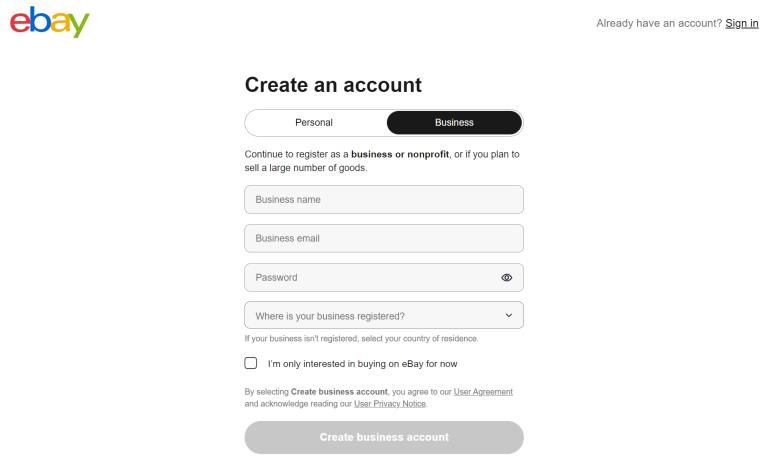
Navigate to the eBay registration page and choose the appropriate account registration path. Enter the required information, then complete email or phone verification if prompted by eBay.
The standard workflow involves:
- Accessing the eBay registration page.
- Selecting your registration method (Personal or Business).
- Entering the required account information.
- Completing email or phone verification as prompted.
- Finalizing account creation.
At this stage, you have created a basic eBay account. Transitioning it into an active seller account takes place in the subsequent steps.
Learn more: How to Create an eBay Seller Account: Step-by-Step Guide
5.2. Complete seller onboarding
Having an eBay account does not automatically make it ready for commercial selling. You must complete seller onboarding, which includes submitting required business or personal data, setting up payout details, and passing verification. When doing this for multiple accounts:
- Each account maintains its own verification status; do not assume a new account will be approved as quickly as previous ones.
- Payout information for each account must be verified and tracked independently to prevent payment routing errors.
- eBay may request additional documentation depending on the marketplace region, account type, and individual risk profile.
Tracking each account separately right from the onboarding stage ensures full control as your seller operations expand.
5.3. Complete seller verification
Verification is among the most critical steps in launching a seller account. eBay uses this process to validate seller credentials before granting full selling privileges.
Depending on the account classification, you may need to verify:
- Identity: Full legal name and relevant government-issued identification.
- Contact details: Phone number and physical address.
- Business details: Company registration and entity documents for Business accounts.
- Payout / bank information: Validated bank accounts or payment service accounts linked for payouts.
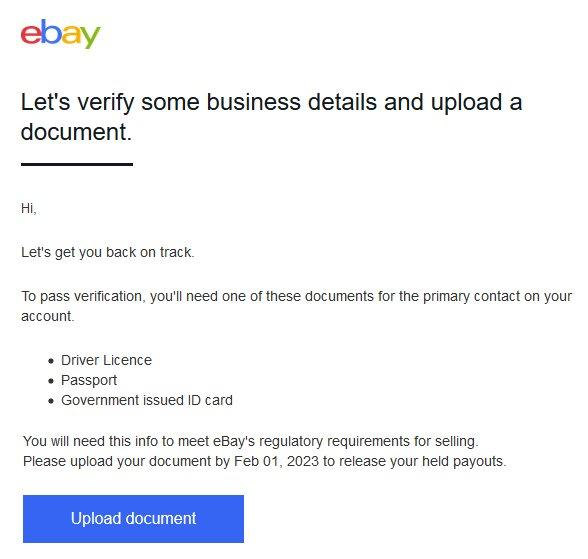
If eBay requests documentation, provide valid, official documents that perfectly match the registered account information.
When creating multiple seller accounts, never assume registering a new email is enough. Every account must independently satisfy all eBay seller verification standards. The data used must be accurate, authentic, and verifiable.
If an account is pending verification, resolve all requirements before listing inventory. This keeps account operational health organized and manageable.
5.4. Configure seller policies before listing
Once registered and verified, configure foundational business policies on the account before publishing listings. Verify that all selling policies align with the account's specific product line and fulfillment strategy.
Key configuration areas include:
- Seller profile: Complete public profile information and business details.
- Payment / Payout preferences: Confirm connected payout methods.
- Shipping policies: Set up fulfillment methods, shipping rates, handling times, and item locations.
- Return policies: Configure domestic and international return rules.
- Store branding: Add store banners, descriptions, and categories if using an eBay Store.
- Listing defaults: Configure default listing preferences and automation rules.
Review these settings thoroughly before publishing listings, especially when dedicating distinct accounts to different brands or product categories.
5.5. Create subsequent seller accounts
To scale from one seller account to multiple eBay seller accounts, repeat this structured process.
Apply the same methodical workflow while supplying the unique, designated information for each account.
This structured method ensures you know the exact operational status of each account. For instance, Account A might be fully verified and actively selling, while Account B is awaiting payout verification. You can track progress clearly without having to re-audit entire account histories.
Avoid opening accounts in bulk without an organized tracking system. As account counts rise, tracking emails, verification states, payout details, brand assignments, and responsible team members becomes prone to error.
Most importantly, never create an additional account to circumvent restrictions or suspensions on an existing account. Each account must have a legitimate business purpose and accurate registration details.
5.6. Document details for each account
Upon completing each account setup, record its key parameters in a centralized tracking sheet to simplify ongoing multi-account management.
Essential details to record include:
- Registered email address.
- eBay username.
- Account type (Individual or Business).
- Assigned brand.
- Product line and niche.
- Responsible manager or team member.
- Verification and approval status.
- Current selling limits.
- Active eBay Store subscription (if applicable).
Documenting these data points from day one ensures you always know which account serves which brand, who manages it, and what setup stages are complete. As your operational scale expands, this record system prevents administrative errors.
6. Verifying multiple seller accounts: Essential guidelines
Verification is an essential step when creating multiple eBay seller accounts. Unlike standard shopping accounts, selling accounts require extensive verification regarding identity, business legitimacy, and financial payout routes. Prepare accurate data per account and track their verification statuses individually.
6.1. Personal identity verification
Identity verification allows eBay to match the registrant with the details submitted during seller onboarding, serving as a core security check.
During review, eBay may request personal identification documents. Ensure all submitted information matches your registration details exactly.
Requested details typically include:
- Full legal name.
- Date of birth and personal identification numbers.
- Residential address and contact details.
- Official government-issued photo ID (passport, driver's license, or national identity card).
When running multiple accounts, never assume simply using a fresh email is sufficient. Every account must independently fulfill eBay's seller verification requirements. All information provided must be truthful and verifiable.
6.2. Business entity verification
For Business Accounts, eBay requires verification of the commercial entity under which the selling activities take place.
This is especially relevant when dedicating distinct accounts to separate corporate brands or business units.
eBay may request:
- Legal business name: Registered company name.
- Registered business address: Official commercial address.
- Entity registration documentation: Articles of incorporation, business licenses, or tax certificates.
- Beneficial ownership and representative details: Information for primary stakeholders and authorized account operators.
This process allows eBay to cross-reference declared business operations with official regulatory registries.
6.3. Payout verification
Payout setup is an essential milestone during seller onboarding, as it governs the disbursement of sales proceeds.
Key checkpoints include:
- Linked bank account or payment processor details.
- Tax identification details and compliance forms.
- Matching payout account naming details.
- Bank statement uploads when requested by eBay.
If eBay requests bank verification documents, supply clear, matching documentation as instructed. For multiple accounts, document payout routes separately to prevent bookkeeping mix-ups.
6.4. What if verification cannot be completed?
If a seller account encounters a verification hold, do not abandon it to open a new account. Creating another account to bypass active verification complicates resolution and risks account linking issues.
Instead, follow these steps:
- Review all submitted details for typographical errors.
- Identify the exact supplementary documentation requested by eBay.
- Upload clear, high-resolution documentation meeting eBay specifications.
- Ensure naming and address details match across submitted identity, business, and banking records.
- Contact eBay Customer Support directly if the issue cannot be resolved through the automated portal.
When operating multiple accounts, track each account's verification queue independently, noting which are cleared and which are awaiting review. This structured approach maintains control over your account fleet.
7. How to operate multiple eBay seller accounts without violating policy
Creating additional seller accounts supports legitimate business scaling, but new accounts must never be used to circumvent restrictions on other accounts. Keep these core compliance principles in mind from the start:
Crucial compliance rules:
- Never create accounts to evade suspensions: A new account is not a workaround for a suspended or restricted account. Moving operations to a new profile to evade platform enforcement violates eBay policy.
- Do not use multiple accounts to circumvent selling limits: Do not distribute inventory across accounts solely to bypass assigned listing thresholds.
- Do not use false registration details: Every account must use genuine personal, corporate, and banking information. Never fabricate data to make accounts appear unrelated.
- Avoid cross-account transaction manipulation: Never purchase your own items, generate artificial transaction volume, or leave cross-account feedback (shill feedback/bidding).
Regarding account associations, eBay's systems can detect when multiple accounts belong to the same individual or corporate entity. You do not need to hide this connection; what matters is that each account serves a valid commercial purpose and operates in compliance with platform policies. To explore long-term account governance in depth, review our guide on managing multiple eBay accounts.
8. Initial setup checklist after creating multiple seller accounts
Once accounts are registered and verified, complete these foundational tasks before scaling up sales volume:
- Complete your seller profile, including store names, logos, branding assets, and customer service details.
- Configure distinct shipping and return policies per account, defining shipping carriers, handling times, return rules, and item origin locations.
- Publish initial test listings systematically: select product, assign category, craft title, upload high-quality images, write descriptions, set pricing, update inventory, and assign shipping policies.
- Review assigned selling limits before scaling: check current item and dollar limits, list within comfortable thresholds, monitor performance metrics, and avoid rapid listing spikes.
- Establish operational tracking metrics for each account to maintain control as your account portfolio expands.
Completing these steps upfront ensures new accounts operate stably from day one, preventing disruptions once live customer orders begin coming in.
9. Isolating login environments for multiple seller accounts
As your number of seller accounts grows, managing sessions manually on a single browser risks confusion, session mixing, and operational errors without proper environment isolation.
9.1. Why account mix-ups occur during multi-account management
Operating multiple accounts involves multiple sets of credentials and concurrent tasks. Keeping dozens of tabs open in a single browser, repeatedly logging in and out of different emails, or having multiple team members access accounts from shared computers increases the likelihood of order management mistakes.
Common operational challenges include:
- Managing numerous email addresses and passwords.
- Handling simultaneous active sessions.
- Tab overload within a standard browser window.
- Multiple virtual assistants (VAs) or staff collaborating on account operations.
- Accessing accounts across different unmanaged workstations.
Instead of relying on memory, implement an organized system that makes identifying and switching between account environments clean and straightforward.
9.2. Create dedicated browser profiles for each account
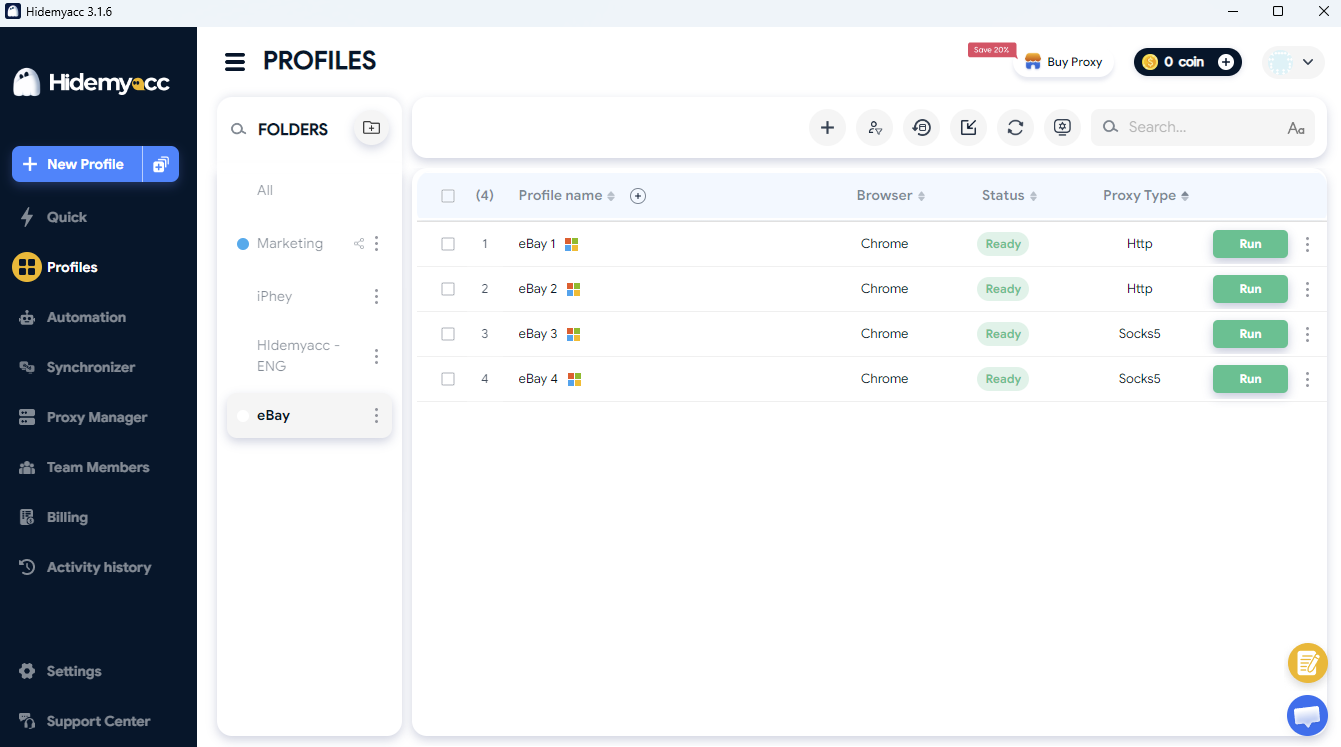
A practical method is assigning a dedicated browser profile to each seller account. Name each profile after its designated store or brand for instant identification before starting work.
Each profile stores its own cookies, session cache, and browsing data. This lets you toggle between accounts without constantly logging out and signing back in on a shared browser session.
Benefits of this workflow:
- Separates cookies and active sessions across accounts.
- Reduces the risk of logging into the wrong account.
- Makes identifying the active operational workspace effortless.
- Simplifies task delegation and handoffs between team members.
Learn more: What is a Browser Fingerprint? How to Block Fingerprinting
9.3. Delegating profile access to staff and virtual assistants
When working with virtual assistants or operations teams, assign profile access based on specific account roles. Team members need access only to the environments relevant to their assigned tasks.
Best practices for access delegation:
- Assign designated profiles per seller account.
- Grant operational permissions tailored to team member roles.
- Restrict access strictly to required workspaces.
- Revoke profile access promptly when staff or VAs change assignments.
This role-based division keeps account management structured and prevents team members from overlapping actions within the same workspace.
9.4. Using the antidetect browser Hidemyacc
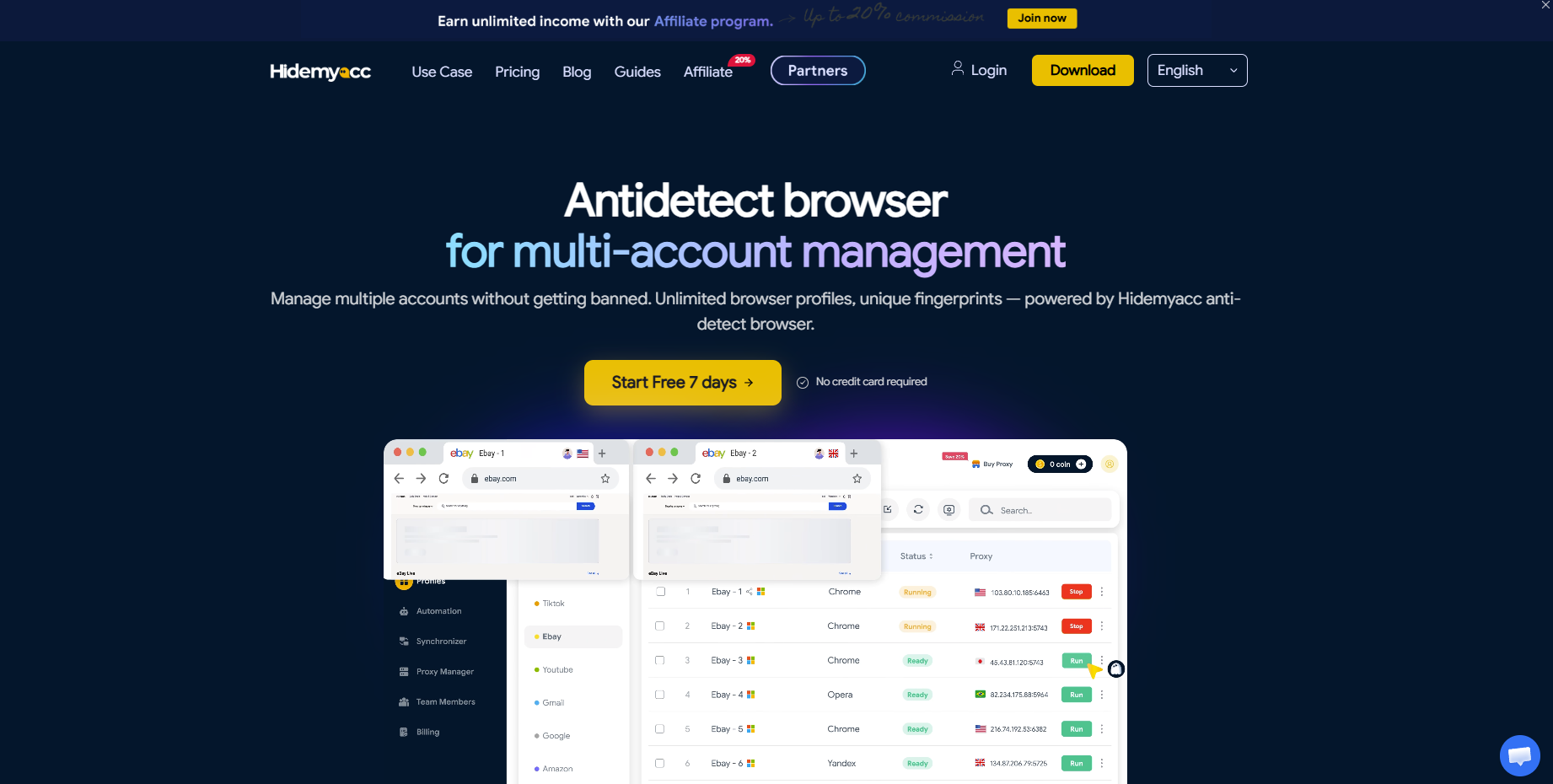
The antidetect browser Hidemyacc enables creating and managing multiple browser profiles within a unified workspace. Each eBay seller account operates within its own isolated profile, which can also be securely shared among team members.
Key features supporting multi-account operations:
- Create dedicated, isolated profiles for each seller account.
- Organize dozens of profiles within a centralized management dashboard.
- Share profile access with team members with granular permission controls.
- Structure clean, isolated working environments tailored to each account.
The goal of isolating profiles is operational organization and preventing cross-session mix-ups. Profile separation does not serve to evade platform enforcement or hide illegitimate activity. Sellers must always follow eBay rules and supply accurate information for every account.
10. Conclusion
eBay permits sellers to operate multiple accounts when conducted in full compliance with platform policies. Establishing multiple selling accounts requires preparing dedicated emails, authentic seller details, verified payout methods, and valid documentation for each account. Complete the full seller onboarding process on each account before scaling to the next, and never create new accounts to bypass selling limits, account restrictions, or suspensions. As your account portfolio expands, maintaining clear profile segregation and structured workflows prevents administrative errors in daily operations.
If you operate multiple eBay accounts on the same computer or within a team, use dedicated browser profiles for each account to keep sessions organized and workflows clean.
11. FAQ
1. Does eBay allow a seller to have multiple accounts?
Yes. eBay allows users to operate multiple accounts for legitimate business purposes. However, each account must adhere to platform policies and must never be created to evade restrictions or disciplinary actions on another account.2. Do I need a separate email address for each eBay seller account?
Yes. Each account requires unique login credentials. Prepare and document distinct email addresses for each account to avoid registration and login mix-ups.3. Does each eBay seller account need to be verified separately?
Yes. Every seller account must independently fulfill eBay verification requirements, including identity verification, business documentation, and bank payout verification where applicable.4. Can I create a new seller account to bypass selling limits?
No. Creating new accounts to circumvent assigned selling limits on existing accounts violates platform policies. Every account should be opened based on genuine business expansion needs and operated legitimately.5. What should I do if a new seller account fails verification?
Review all submitted information for discrepancies, upload clear supplementary documentation as requested, and contact eBay Customer Support if needed. Do not open another account simply to bypass pending verification.