A cloud browser is a browser model that operates on a remote server infrastructure instead of processing data directly on the user's device. Thanks to its flexible accessibility, enhanced security, and support for centralized management, this technology is being applied in many fields, from remote work to software testing. So, how does a cloud browser work, what are its advantages and limitations, and is it a suitable choice for every usage need? Let's find out in the article below.
1. What is a cloud browser?
Unlike familiar browsers like Chrome, Edge, or Firefox, a cloud browser does not download and process websites directly on the user's device. Instead, the entire process of accessing, parsing source code, and rendering web pages takes place on cloud infrastructure. The user's device only serves to display the content and send interactive actions such as clicking, scrolling, or entering data.
You can imagine this technology as using a remote computer over the internet, where the heavy processing is performed on a centralized system, while the personal device handles only the display section.

Popular cloud browser models today
Depending on the purpose of use, cloud browsers can be deployed in several different forms.
Disposable browser
A disposable browser is a temporary web browsing environment created for a specific work session.
After the session ends, all data such as cookies, browsing history, and login information will be deleted. This type is often used when accessing untrusted websites or when wanting to increase privacy during the web browsing process.
Browser-as-a-Service (BaaS)
Browser-as-a-Service is a model that provides browsers as a service on a cloud platform.
Users do not need to install the browser on their device but can access it directly via the internet. This model is often applied in website testing activities, workflow automation, or web data collection.
Remote Browser Isolation (RBI)
Remote Browser Isolation is a security solution in which all web browsing activities are isolated on a remote server.
The user's device does not directly download website content, significantly reducing the risk of attacks by malware or malicious scripts. This is a technology chosen by many businesses to protect internal systems.
Cloud-based Antidetect browser
This is a hybrid model combining cloud storage technology and the ability to manage multiple separate browser profiles. Each profile can be synchronized and stored on the cloud, making it easy for teams to access, share, and manage multiple online accounts from many different devices.
2. How does a cloud browser work?
To clearly understand the benefits of a cloud browser, it is first necessary to grasp how this technology processes data during website access.
2.1. The operating process of a cloud browser
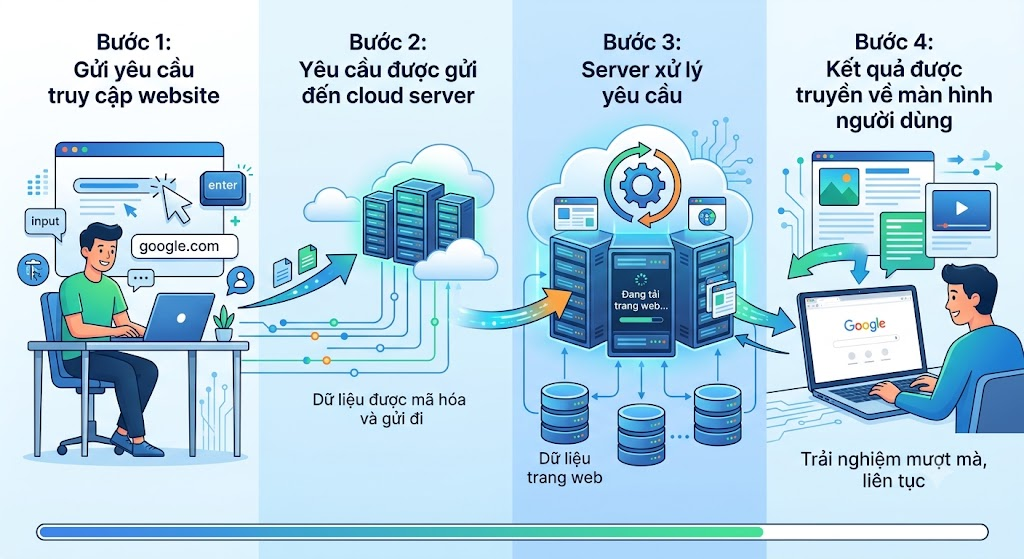
The operating process of a cloud browser typically takes place in four basic steps.
- Step 1: Send a website access request: The user enters a website address, clicks, or performs interactive actions just like on a conventional browser.
- Step 2: The request is sent to the cloud server: These actions will be transmitted to the remote server via an internet connection.
- Step 3: The server processes the request: The server will access the website, download the necessary content, and process all tasks before rendering the result.
- Step 4: Results are transmitted back to the user's screen: After processing is complete, the display result will be sent back to the user's screen. This process happens continuously to create a usage experience similar to a browser installed directly on the machine.
Thanks to this mechanism, most of the processing workload is shifted to the cloud system instead of taking place on the personal device.
2.2. Conditions for a cloud browser to operate effectively
Your experience will be smoothest when the following conditions are met:
- Stable internet connection: This is the most important factor. If the network is intermittent or low-speed, page loading and interaction with the website will be significantly affected.
- Powerful enough server infrastructure: The more powerful the server, the faster the data processing capability. Conversely, if the server is overloaded or low-configuration, users may experience slow page loading or stuttering during use.
- Distance between the user and the server: The closer the server is to the user's location, the faster the response speed usually is. Conversely, if the server is located in a very distant geographical area, latency may increase and affect the access experience.
When the above conditions are met, a cloud browser can provide a stable usage experience and significantly reduce slowness or interruptions during access.
3. Advantages of a cloud browser
The development of cloud computing technology has helped cloud browsers become an attractive choice for both individuals and businesses. Compared to traditional browsers, this model brings many benefits regarding security, accessibility, and system management.
3.1. Enhanced security when accessing the web
One of the biggest reasons why many businesses choose cloud browsers is security capability.
When using a conventional browser, websites are downloaded and processed directly on the device. This means that malware, malicious scripts, or web-based attacks can directly impact the user's computer. With a cloud browser, this entire process takes place on the server while your device only receives the display results, so exposure to security risks is significantly reduced.
Thanks to this isolation mechanism, cloud browsers help limit the risk of malware infection when opening links of unknown origin, downloading suspicious files, or accessing websites with low trustworthiness.

3.2. Flexible access from any device
A cloud browser does not depend on a specific device. You can log in from an office computer, continue work on a personal laptop, and then access it again from a phone while still maintaining the work session.
Some platforms also support cloud data synchronization, making the transition between devices more convenient. This is an especially useful advantage for those who travel frequently or work on many different devices.
3.3. Independent of computer configuration
With traditional browsers, opening many tabs or using complex web applications can slow down the computer significantly.
A cloud browser solves this problem by shifting the entire processing workload to the server. This means that even when using a device with a configuration that is not too powerful, you can still access heavy websites or run multiple tasks simultaneously without significantly affecting the performance of the machine.
3.4. Support for remote work and centralized management
Instead of having to install and modify the browser on each employee's computer, managers can handle configurations centrally right on the cloud platform. Controlling access rights or monitoring activities is also easily done remotely, making system operation much simpler and safer.
3.5. Easy scaling and reduced costs
As the number of employees increases, deploying and maintaining systems on each computer can take a lot of time and cost. Cloud browsers help solve this issue with flexible scalability.
Businesses can increase or decrease the number of users according to their needs without investing in many new devices. In addition, updates and security patches only need to be executed on the server instead of being deployed separately for each computer, saving significant IT resources.
4. Disadvantages of a cloud browser
Alongside the outstanding advantages, cloud browsers also possess some limitations that need to be considered before implementation.
4.1. Complete reliance on an internet connection
A cloud browser operates based on continuous data transmission between the user and the server. Therefore, if the internet connection is unstable or low-speed, the usage experience will be clearly affected. Slow page loading speeds, poor responsiveness, or stuttering are common problems when the transmission line is not guaranteed.
4.2. Higher latency than local browsers
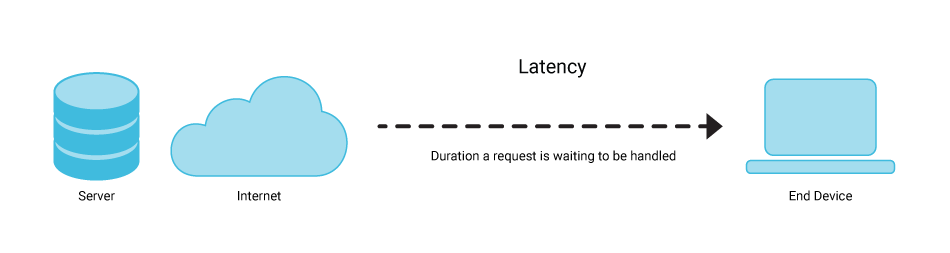
Because data must pass through an intermediate server before displaying on the screen, a cloud browser always has a certain degree of latency. In conventional tasks, this difference might not be too obvious. However, for jobs requiring real-time response, latency can affect the usage experience. The greater the geographical distance between the user and the server, the more latency increases.
4.3. Operating costs can be high
Many cloud browser services operate under a monthly subscription model. Initially, the cost may be insignificant, but when used long-term or scaled up for many users, the total operating cost can be higher than using a browser installed directly on the device. This is a factor you need to weigh carefully when evaluating investment efficiency.
4.4. Customization capabilities are still limited
Not every cloud browser platform allows installing extensions or changing advanced settings. In many cases, users can only utilize features pre-supported by the provider. This makes the level of flexibility lower compared to a traditional browser installed on a personal computer.
4.5. Not optimized for managing multiple accounts
Cloud browsers are built with the goal of enhancing security and supporting remote access. However, this is not a solution specialized for the need to manage multiple online accounts. Most cloud browser platforms do not support creating separate browser environments for each account, do not control the browser fingerprint per profile, and do not provide a proxy management mechanism at the account level.
Therefore, if needing to operate multiple social media, e-commerce, or affiliate marketing accounts, users usually have to look for more specialized solutions.
5. When is a cloud browser used?
Although not as popular as traditional browsers, cloud browsers are still chosen by many user groups due to cloud-platform processing capability and high flexibility in the usage process. Depending on specific needs, this technology can be applied in many different fields.
- Users wanting enhanced safety when accessing the Internet: Some people choose cloud browsers when needing to access websites whose trustworthiness has not been verified or wanting to minimize the risk of impacting personal devices. Because web content is processed on a remote server, the user's device will have less direct exposure to potential threats from the internet.
- People frequently working on multiple devices: For those who switch frequently between a computer, laptop, and phone, a cloud browser can make accessing data and maintaining work sessions more convenient. Some platforms also support cloud data synchronization, helping to continue work without re-configuring from scratch on each device.
- Website / application testing teams: In the process of developing websites or web applications, testing compatibility across multiple browser environments is an almost mandatory requirement. Cloud browsers allow development teams to access and test across many different environments without preparing multiple physical devices or separate virtual machines.
- Automation and web data collection developers: Cloud browsers are also used in certain workflow automation activities on web platforms. Thanks to deployment capability on cloud infrastructure, users can easily scale resources when needing to perform tasks such as automated testing, website monitoring, or data scraping from many different sources.
- Enterprises needing to manage access: Many businesses use cloud browsers to provide access to internal systems or applications without direct installation on each device. This approach simplifies deployment, management, and access control, especially in remote work models or teams distributed across multiple locations.
It can be seen that cloud browsers are not only for businesses but are also applied in many daily activities of individual users and specialized work groups.

6. Alternatives to a cloud browser
Each browser technology is developed to serve different purposes. While a cloud browser focuses on remote access, security, and cloud-platform data processing, certain other solutions are designed for more specialized needs such as managing multiple accounts, controlling browser fingerprints, or automating web tasks.
Depending on the purpose of use, users can consider choosing the appropriate tool instead of being limited to a cloud browser.
6.1. When is it necessary to look for an alternative solution?
In practice, some users do not just need safe website access but must also operate multiple online accounts at the same time. This is a very common demand in fields like social media marketing, e-commerce, affiliate marketing, MMO, etc.
Users may need to find another solution if wanting to:
- Manage multiple social media accounts or e-commerce store storefronts simultaneously
- Separate data between accounts
- Maintain a distinct browser fingerprint for each browser environment
- Use different proxies for each account
- Share account management rights within a team
- Deploy automation or scraping on a large scale
For these needs, multi-account management tools are usually a more suitable choice thanks to the ability to create and operate multiple independent browser environments on the same device.
6.2. What is an Antidetect Browser and how does it differ from a cloud browser?
Antidetect browser is a type of browser designed to create multiple independent browser environments on the same device. Each environment, often called a profile, can possess its own distinct browser fingerprint, cookies, proxy, and browsing data.
Thanks to this, users can manage multiple online accounts without affecting the data or identification information of other accounts. This is an important distinction compared to a cloud browser, which focuses on moving the data processing process to a remote server instead of managing browser identity.
Comparison table between Cloud Browser and Antidetect Browser
| Criteria | Cloud Browser | Antidetect Browser |
|---|---|---|
| Main goal | Remote access, security | Browser identity management |
| Browser fingerprint | Not specialized | Deep customization |
| Multi-account management | Basic | Specialized |
| Proxy | Platform dependent | Strong support |
| Automation | Limited | Good support |
| Suitable audience | Businesses, remote work | Marketer, MMO, seller, affiliate |
From the table above, it can be seen that cloud browsers and antidetect browsers do not compete directly with each other but solve different needs. If cloud browsers are suitable for tasks related to security, remote access, and working on a cloud platform, this tool group is built for the need to manage multiple accounts and control browser identity.
6.3. Hidemyacc – An effective solution for multi-account management
Currently on the market, there are many antidetect browsers with different features and approaches. Among them, the antidetect browser Hidemyacc is a solution developed for multi-account management needs.
Instead of logging into multiple accounts in the same browser environment, Hidemyacc allows creating multiple separate profiles, helping each account operate in an independent environment with its own data and identity parameters.
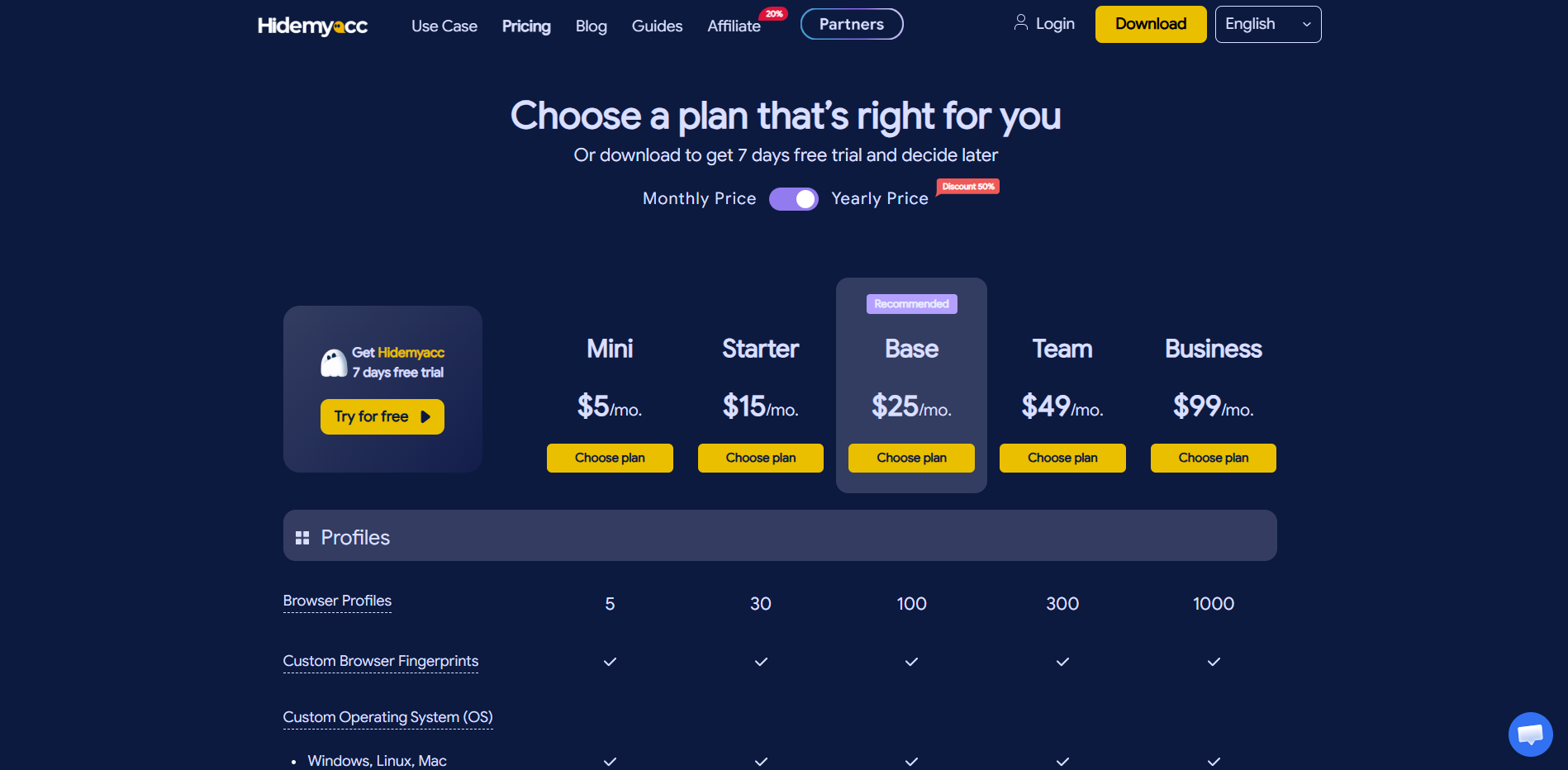
Some prominent features include:
- Completely independent profiles: Each account operates in a separate browser environment with cookies, cache, local storage, and session data not shared with each other, even when running simultaneously on the same device. This helps limit data confusion between accounts and reduces risks arising from sharing a browser environment.
- Deep fingerprint customization: Hidemyacc allows detailed control over identification parameters such as User-Agent, Canvas, WebGL, WebRTC, timezone, language, and many other components for each profile. The system also supports automatic creation of suitable browser fingerprints instead of configuring each parameter manually, saving time when managing a large number of accounts. This is a capability that most cloud browsers are not designed to support.
- Proxies assigned per profile: Each profile can be assigned its own proxy, helping to completely separate IP addresses between accounts. Unlike cloud browsers that often use a shared server infrastructure for multiple sessions, Hidemyacc allows controlling IPs at the individual profile level, giving users more flexibility in operating multiple accounts.
- Flexible permission system: Hidemyacc supports creating sub-accounts with different access levels, allowing profile access sharing by role without providing main login credentials. This helps teams coordinate more conveniently, especially in agencies or businesses managing multiple clients and multiple accounts simultaneously.
Thanks to these features, Hidemyacc becomes a suitable solution for multi-account management needs and operating multiple independent browser environments.
Some real-world cases:
E-commerce seller: A person operating 5 stores on Amazon simultaneously needs a separate IP and separate device fingerprint for each storefront to avoid Amazon detecting links between accounts. Hidemyacc creates 5 independent profiles, each assigned its own proxy, helping to keep the storefronts separated.
Affiliate marketer: A person running ads on multiple Facebook Ads accounts needs a separate environment for each account so campaigns operate independently, without merging browsing data or impacting each other when managing multiple clients in parallel.
Digital marketing agency: A team of 5 people managing social media accounts for 20 different clients needs clear permissions on who can access which account. Hidemyacc allows dividing profiles by client and assigning permissions by member without sharing passwords.
You may be interested in: How to Make Money with Affiliate Marketing for Beginners by Using Hidemyacc
7. Conclusion
A cloud browser is a solution that brings the entire web browsing process to a cloud platform, helping to enhance security, improve accessibility, and support more efficient system management. Thanks to this, users can work stably across multiple devices independent of machine configuration.
However, this technology is more suitable for centralized access and operation demands, rather than tasks related to managing multiple online accounts.
In cases where controlling fingerprints, proxies, and operating multiple independent browser environments is required, an antidetect browser will be a more suitable choice thanks to clear identity separation between profiles.
Related articles:
What is a Virtual Browser? Comparison with Conventional Browsers
Guide on How to Use Proxies in Hidemyacc
Why Do You Need to Use Hidemyacc?
8. FAQ
1. Is a cloud browser free?
Some cloud browser platforms offer a free tier, but it is usually limited in session time or features. For stable use and full functionality, most services require a monthly subscription fee.
2. Can a cloud browser completely replace a conventional browser?
It cannot completely replace it yet. Cloud browsers rely entirely on an internet connection and have higher latency than local browsers, so for daily common tasks, a browser installed directly on the machine still provides a smoother experience.
3. Is a cloud browser the same as a VPN?
Cloud browsers and VPNs are two different technologies. A VPN encrypts the connection and hides the user's IP address, whereas a cloud browser shifts the entire browsing activity to a remote server so the user's device does not directly load or process web content.
4. Is a cloud browser safer than a conventional browser?
Regarding malware isolation, cloud browsers are safer because all web content is processed on the server, not touching the user's device. However, browsing data passes through the provider's server, so the privacy level still depends on the privacy policy of each specific service.
5. Is a cloud browser suitable for managing multiple social media accounts?
Not optimized. Cloud browsers are not designed for multi-account demands, lacking the ability to create independent fingerprints and assign separate proxies for each account. For this demand, an antidetect browser like Hidemyacc will be a more suitable choice.