Do you need to track hundreds or thousands of keywords on Google and automate data collection instead of manually inspecting them one by one? However, after sending continuous requests for a short period, your scraper encounters CAPTCHAs, HTTP 429 Too Many Requests errors, or search results that fail to reflect actual rankings. What exactly is Google SERP scraping, is it legal, and how can you minimize blocking risks? This article addresses these questions, covers popular extraction methods, and highlights key technical considerations for successful deployment.
1. What is Google Search result scraping?
Scraping data from Google search results, commonly referred to as SERP scraping, is the automated process of extracting information from Google Search Engine Results Pages (SERPs) instead of manually performing queries and recording data. Rather than typing individual keywords, viewing pages, and logging values into spreadsheets, an automated script or tool executes this entire workflow in seconds.
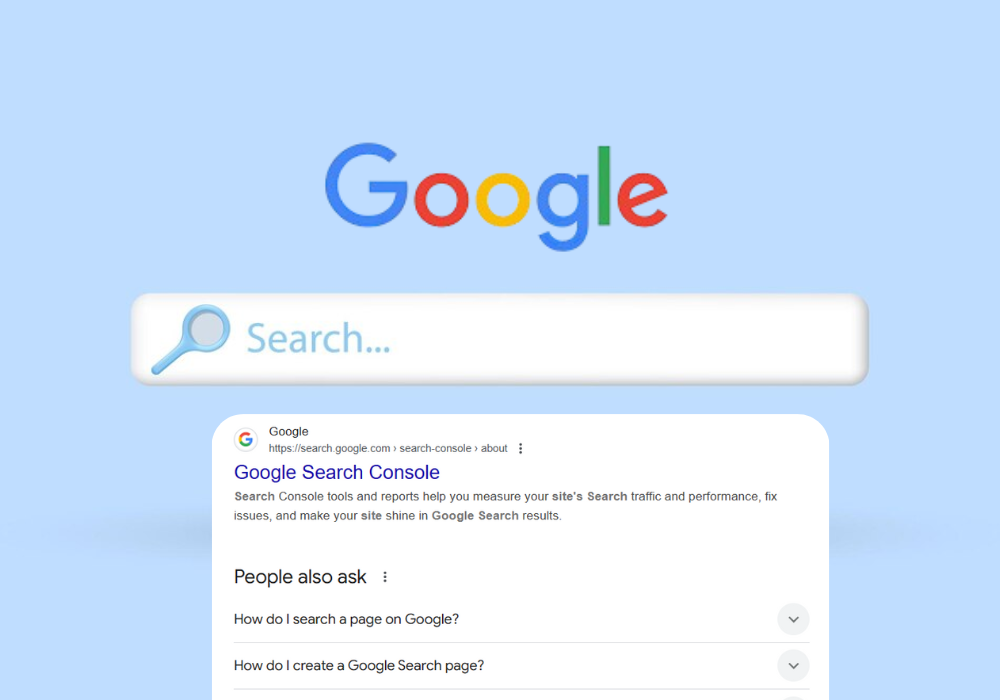
Historically, a standard SERP consisted primarily of 10 organic blue links. Today, the SERP architecture has evolved significantly and incorporates diverse rich search elements, including:
- Organic Results
- Sponsored Ads (Google Ads)
- Featured Snippets
- AI Overviews
- People Also Ask (PAA)
- Local Packs
- Images
- Videos
- Shopping listings
- Knowledge Panels
Each component features a distinct HTML layout. Consequently, scraping Google involves more than extracting URLs and page titles; it requires parsing and extracting multiple structured data types from a single result page.
For SEO professionals, SERP data provides insights far beyond keyword positions. You can monitor ranking fluctuations over time, track whether your site or competitors occupy Featured Snippets or AI Overviews, analyze top-ranking page titles and meta descriptions, or mine People Also Ask and Related Searches to expand keyword research.
2. Is scraping Google search results legal?
If you have researched SERP scraping, you have likely encountered conflicting opinions. Some argue that automated data collection from Google violates regulations, while many major SEO platforms provide daily SERP data to millions of users. What is the actual status?
In practice, Google Terms of Service strictly prohibit automated access to its services. This means Google actively discourages sending automated queries to scrape search result pages. However, contractual terms do not automatically render all public SERP scraping illegal under general law.
The primary concern revolves around scale and intended use. Tracking a few dozen keywords for internal SEO reporting differs significantly from running automated infrastructure that sends tens of thousands of requests daily or reselling scraped data to third parties. Risk levels vary depending on the operational scale.
In practice, the main challenge SEO specialists encounter is not legal action, but Google detecting automated traffic. When detected, scrapers face CAPTCHAs, IP rate limiting, or account blocks if logged into a Google account during execution. This is why rank-tracking systems rely on residential proxies, request throttling, and browser fingerprint management to mitigate detection risks.
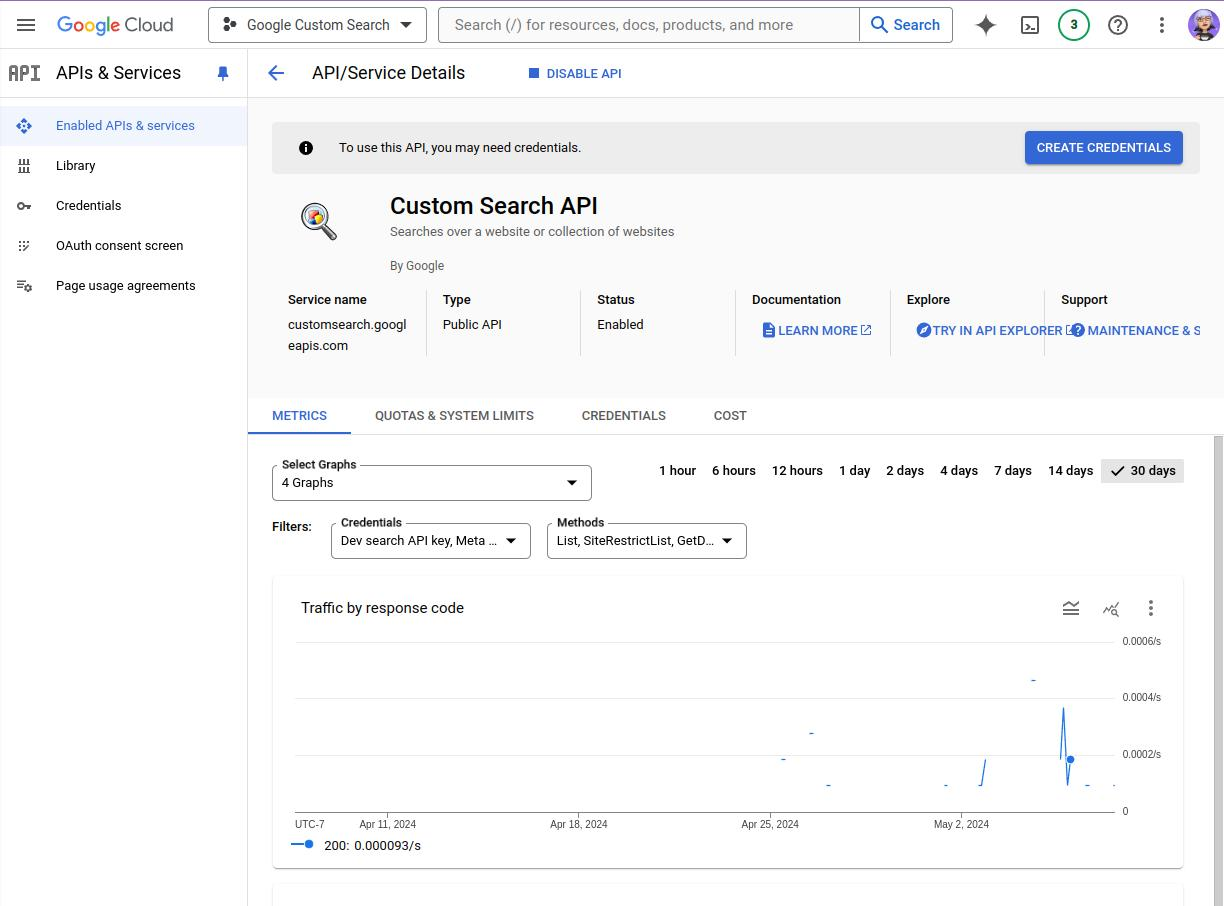
If you prefer an official route, consider the Google Custom Search JSON API. This API suits basic needs but imposes query volume limits and restricts returned data fields. For large-scale SERP monitoring or extracting complete features like Featured Snippets, AI Overviews, or People Also Ask, organizations generally choose third-party SERP APIs or construct custom scraping infrastructure tailored to their requirements.
3. Methods for scraping Google search results
No single method fits every use case. Your selection depends on scale, budget, technical resources, and risk tolerance. Below are five common approaches, ranging from simple to advanced.
3.1. Why manual scraping fails for regular rank tracking
The simplest way to gather data is manually entering keywords into Google and copying rankings, titles, or URLs into Excel or Google Sheets. However, this method is only practical for checking a handful of terms. As keyword lists grow into the hundreds, manual checks become time-consuming and error-prone. Furthermore, without incognito browsing or logging out of personal Google accounts, personalized search results distort data, preventing an accurate view of objective rankings.
3.2. Is Google Custom Search JSON API sufficient?
This is Google's official API for programmatic search access. Its primary advantage is eliminating the need to manage proxies, CAPTCHAs, or anti-bot defenses. However, the Google Custom Search JSON API only satisfies basic requirements. The free tier limits daily queries, and returned JSON payloads omit many rich SERP features present on the actual web interface. For instance, it does not supply Featured Snippets, People Also Ask blocks, or AI Overviews, making it unsuitable for advanced SEO workflows.
This approach suits low-volume requirements where official compliance is prioritized over complete SERP feature parity.
3.3. Third-party SERP APIs vs. custom scrapers
If you prefer not to maintain internal scraping infrastructure, third-party services like SerpApi, DataForSEO, Bright Data, or built-in rank trackers within SEO platforms like Ahrefs and Semrush offer ready-made solutions. These services manage proxy rotation, CAPTCHA solving, and HTML parsing, returning structured JSON or visual dashboards for rapid deployment without extensive engineering.
The trade-offs include usage costs calculated per request or subscription, vendor dependence, and limited customizability if you require specialized data points that the provider does not parse. This option suits teams needing reliable data immediately without managing infrastructure.
3.4. How to build a custom Google scraper
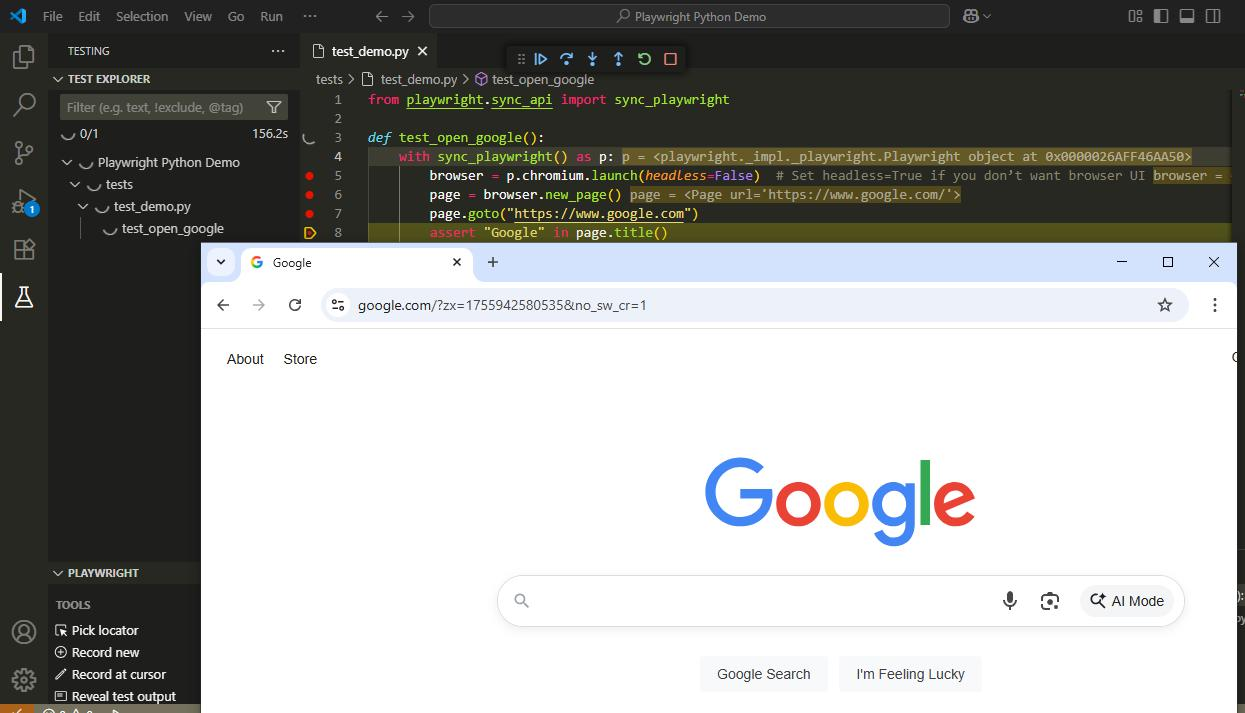
Building a custom scraper offers maximum operational control. This typically involves Python scripts using BeautifulSoup to parse static HTML, or browser automation frameworks like Selenium or Playwright to control headless browsers and render JavaScript-heavy elements. The core pipeline opens the SERP URL, waits for rendering, extracts target HTML elements, and stores structured outputs in a database or file.
However, scaling custom scripts requires handling CAPTCHAs, proxy management, dynamic HTML layout changes, and Google's anti-bot mechanisms. This approach is best suited for technical teams managing large request volumes who want complete control over their data pipeline.
3.5. Using an antidetect browser with proxies for stable scraping
When scraping via real browser instances, proxies alone only solve part of the detection puzzle. Google identifies automated sessions through browser fingerprints, including User-Agent headers, Timezones, Canvas fingerprints, WebGL signatures, Fonts, and system hardware properties. If multiple scraping threads share identical fingerprints, Google can link them to the same identity despite distinct IP addresses.
This is why large-scale scraping operations pair antidetect browsers with proxy networks instead of relying strictly on IP rotation. Each browser profile generates a distinct fingerprint synchronized with its assigned proxy and geographic location, making scraping instances appear as independent human sessions and reducing anti-bot flags.
This is where the antidetect browser Hidemyacc provides value. Hidemyacc allows you to create and manage multiple browser profiles with isolated fingerprints while assigning dedicated proxies to each profile. Integrated with automation frameworks like Playwright or Selenium, every profile operates as an isolated browser environment to collect SERP data reliably. This allows you to scale scraping pipelines without manually configuring device parameters for every session.
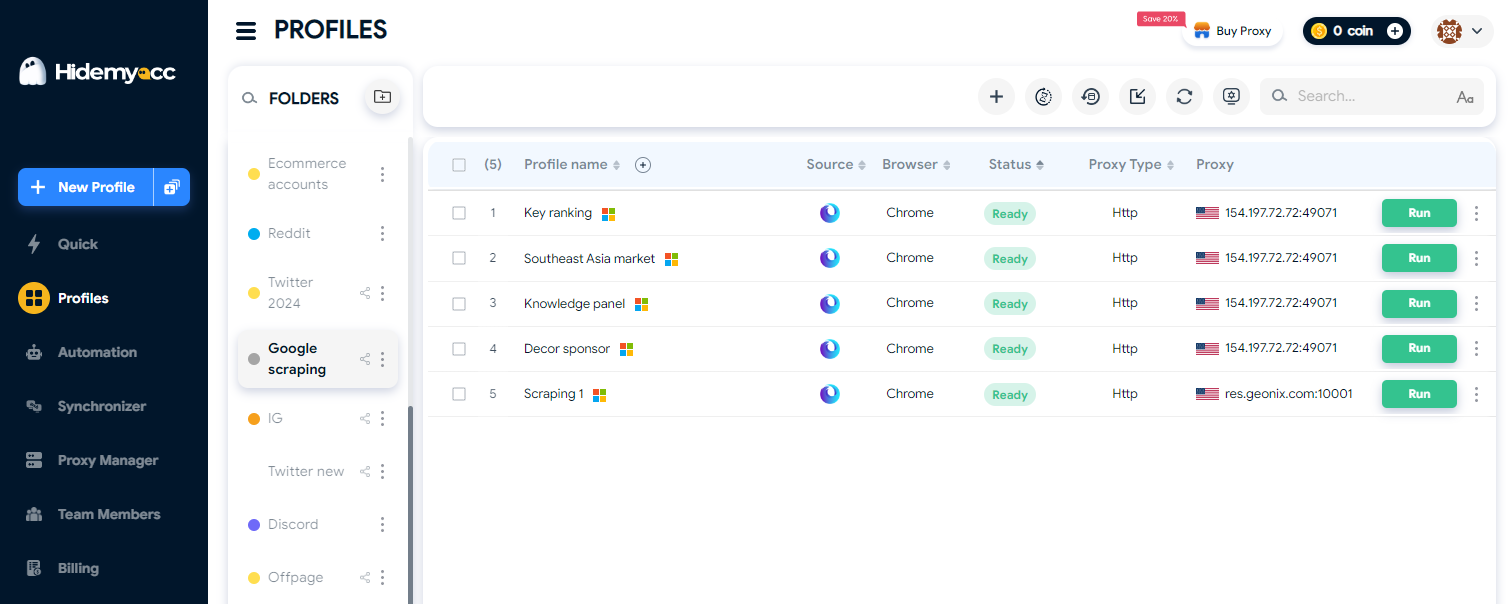
Beyond fingerprint management, Hidemyacc includes a Proxy Manager to assign, track, and rotate proxies across profiles directly within the interface. When tracking thousands of keywords or running parallel scraping threads, managing profiles, fingerprints, and proxies on a unified platform streamlines deployment and enhances operational control.
Hidemyacc's Proxy Manager simplifies proxy assignment and switching per browser profile.
Read more: How to use proxies in Hidemyacc
4. Comparison of Google SERP scraping methods
Each Google SERP data collection method presents trade-offs. For checking a small set of keywords, simple official methods are sufficient. Conversely, for tracking thousands of daily keywords or supporting enterprise SEO software, evaluation criteria extend beyond cost to include scalability, infrastructure stability, and operational control.
| Method | Cost | Stability | Ease of Use | Request Limits |
|---|---|---|---|---|
| Manual Scraping | Free | Low | Very Easy | Dozens/day |
| Google Custom Search API | Free tier / Paid tiers | High (Official) | Moderate | 100 queries/day (free) |
| Third-party SERP API | Per request / Monthly plan | High | Easy | Based on plan |
| Custom Scripts | Infrastructure (Proxies, Servers) | Moderate (Maintenance needed) | Difficult | Self-controlled |
| Antidetect Browser + Proxy | Proxy costs + Tool pricing | High (If configured well) | Moderate | Controlled per profile |
As shown above, no single method suits every scenario. If rapid deployment and maintenance-free operation are your priorities, the Google Custom Search API or third-party SERP APIs are optimal. For custom pipelines processing massive data volumes, pairing automated scripts with proxies and antidetect browsers like Hidemyacc provides greater long-term control and scalability.
5. Essential rules for scraping Google search data
Regardless of your chosen extraction method, following technical best practices significantly lowers the risk of IP blocks and CAPTCHA triggers.
5.1. Why rotating proxies and User-Agents is critical
The first rule is avoiding static IP addresses for all requests. Rotate IP addresses per session or request batch to prevent a single IP from accumulating suspicious request volumes in short timeframes. Concurrently, rotate User-Agent headers across sessions to avoid sending uniform browser signatures. When possible, prioritize residential proxies over datacenter proxies, as residential IPs carry higher trust scores and are flagged less frequently by anti-bot systems.
For large-scale SERP scraping, choosing a proxy provider with a diverse residential IP pool and flexible geographic targeting can make data collection more reliable. OkkProxy's rotating residential proxies support country, state, and city-level targeting, allowing SEO teams to collect localized search results, monitor rankings, and conduct competitor research across different markets.
Further reading:
- Residential proxies vs. Datacenter proxies: Key differences and selection guide
- Google Scraping Proxy Guide: Top 7 services in 2026
5.2. Setting reasonable request rate limits
High request frequency is one of the easiest indicators for Google to detect automated traffic. Instead of sending rapid requests at fixed intervals, introduce random delays (e.g., 3 to 10 seconds) between queries to mimic human search behavior. Additionally, break large keyword lists into smaller batches (e.g., 50 keywords per run) rather than executing thousands of queries in a single continuous session. This reduces strain on individual IPs and simplifies error handling if connection drops occur.
5.3. Handling CAPTCHAs when blocks occur
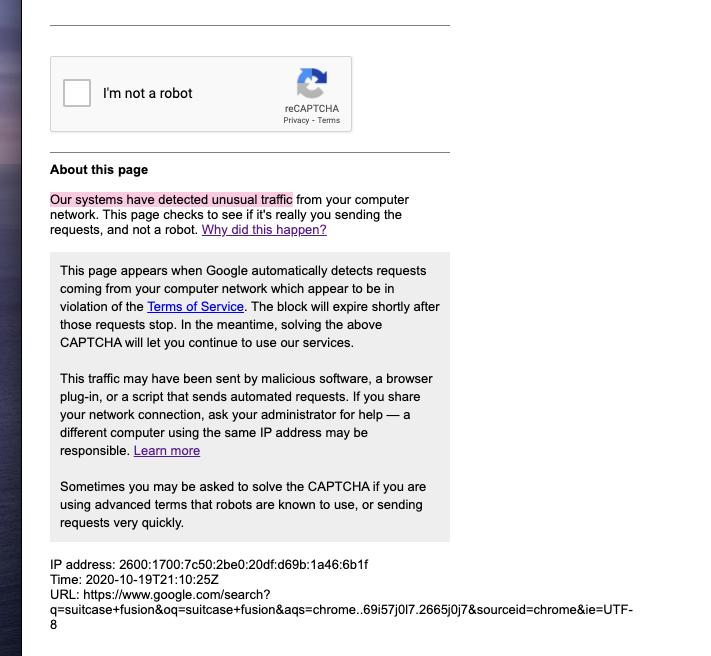
Even with proxies and rate limits, CAPTCHAs can appear if Google detects unusual traffic patterns. Automated CAPTCHA solving services like 2Captcha or Anti-Captcha can solve these challenges, but relying heavily on them increases operational costs. Over the long term, preventing CAPTCHAs through rate limiting, proxy rotation, and browser fingerprint consistency is far more cost-effective than solving them repeatedly.
You may also like:
- 7 effective ways to bypass CAPTCHAs in 2026
- Top 5 automatic CAPTCHA solving services in 2026
5.4. Respecting robots.txt guidelines
The robots.txt file provides directives for web crawlers, specifying which paths website owners permit or restrict. While not a strict technical firewall, respecting robots.txt directives and avoiding excessive server load is standard web scraping etiquette. If scraped data is repurposed commercially, review data usage terms and extraction boundaries to minimize compliance risks.
6. Common mistakes in Google SERP scraping
Not all scraper blocks stem from poor proxy pools or outdated code. In many cases, failure results from basic implementation errors. Avoiding these common mistakes ensures higher scraping success rates:
- Changing proxies while keeping static browser fingerprints: Rotating across 50 IP addresses using an identical browser fingerprint allows Google to link requests to a single source. Similarly, burst requests without random delays clearly signal automated bot traffic. Lastly, relying strictly on Datacenter IPs increases flagging rates compared to Residential IPs.
- Sending unthrottled requests: Issuing hundreds of queries per minute without delays is a clear indicator of bot activity. Divide keyword lists into smaller batches and add randomized sleep intervals between requests.
- Relying exclusively on Datacenter Proxies: Datacenter IPs are easily identified compared to Residential IPs, especially under high query volumes. For large-scale SERP monitoring, Residential Proxies provide better trust ratings.
- Failing to update HTML parsers when SERP layouts change: Google frequently updates its search interface and HTML DOM structure. Outdated parsers lead to extraction errors or missed data points like Featured Snippets, AI Overviews, or People Also Ask sections.
- Running all target keywords through a single browser profile: Concentrating all scraping tasks within one browser profile risks flagging the entire profile if a single block occurs. Distribute scraping workloads across multiple isolated profiles to limit risk and improve scalability.
No scraping framework guarantees 100% block-free execution forever. However, avoiding these common pitfalls stabilizes data pipelines and significantly reduces CAPTCHAs and HTTP errors, giving you clean SERP data for SEO analysis.
7. Real-world SEO applications for scraped SERP data
Scraped Google search data powers far more than rank tracking. When collected and analyzed systematically, SERP data provides actionable intelligence for SEO audits, competitor monitoring, and content strategy optimization.
7.1. Automated daily keyword rank tracking
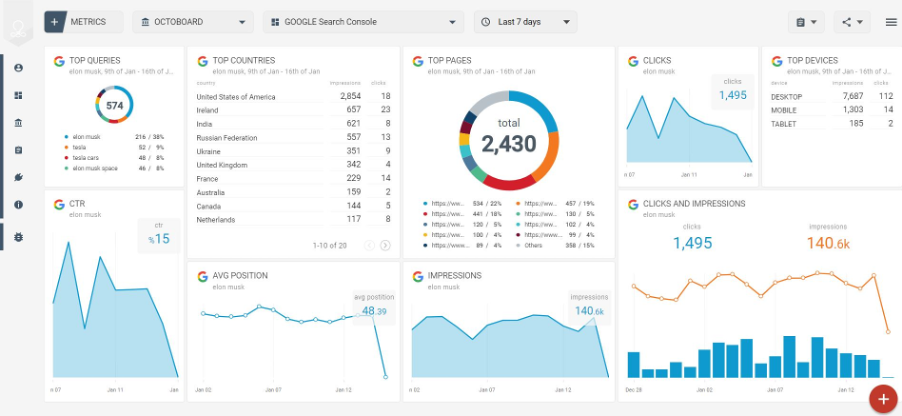
Position tracking is the most widespread SERP data application. Instead of checking terms manually, automated pipelines log daily or weekly rankings to measure the impact of content updates, on-page optimizations, or link-building campaigns. Continuous tracking also flags ranking drops early, allowing swift technical interventions.
7.2. Monitoring SERP features (AI Overviews, PAA, Featured Snippets)
Modern SERPs feature dynamic elements like AI Overviews, Featured Snippets, and People Also Ask boxes alongside traditional links. Tracking these blocks reveals whether your site or competitors occupy prime real estate, allowing you to optimize page structures for higher click-through rates (CTR).
7.3. Competitor SERP landscape monitoring
SERP scraping allows you to analyze competitor strategies by tracking page titles, meta descriptions, and URL structures ranking for your target keyword clusters. You can also spot new market entrants and detect shifting SERP layouts to adapt your SEO strategy accordingly.
8. Key takeaways for scraping Google Search data
While Google SERP scraping delivers immense value for SEO analysis, proper implementation is vital to avoid unnecessary technical disruptions. First, recognize that Google does not offer an official public API for full web SERP extraction. Outside of the Google Custom Search JSON API—which carries quota and feature limits—most HTML scraping techniques and third-party SERP APIs operate outside Google's official channels.
Second, operational risks scale with request volume and data usage. Monitoring dozens of keywords for a personal site differs fundamentally from operating an enterprise data pipeline or reselling SERP data as a service. Choose an approach that fits your operational requirements rather than over-engineering your setup.
Finally, monitor CAPTCHA rates, HTTP response codes, and SERP layout changes regularly to refine your scraper. A well-maintained, rate-limited extraction pipeline will always outperform an unthrottled scraper focused purely on speed.
9. Conclusion
Scraping Google search results successfully depends on proper pipeline design and infrastructure management rather than relying on a single tool. For low-volume needs, the Google Custom Search JSON API or third-party SERP APIs offer fast, low-maintenance setups. For large-scale browser scraping, combining Residential Proxies, automated scripts, and the antidetect browser Hidemyacc allows you to maintain unique browser fingerprints per profile, minimizing anti-bot triggers and ensuring steady data flow. Regardless of your approach, monitor error logs and SERP changes continuously to keep your pipeline running smoothly.
10. FAQ
1. Is scraping Google search results legal?
There is no single universal answer. Google Terms of Service restrict automated access, but legal precedents vary by jurisdiction. Operational risk depends heavily on scraping volume, request frequency, and data usage.
2. How many requests can I send before Google blocks my scraper?
There is no fixed request threshold. Google evaluates IP reputation, request velocity, User-Agent consistency, and behavioral signals rather than request counts alone.
3. Should I use a third-party SERP API or build a custom scraper?
It depends on budget and engineering resources: SERP APIs suit teams wanting rapid setup without managing proxies or HTML parsing. Custom scrapers suit high-volume projects requiring complete pipeline control.
4. Do I need an antidetect browser for SERP scraping?
Not if you are making basic, low-volume HTTP requests. However, if you scrape via real automated browsers and maintain parallel sessions, an antidetect browser manages unique browser fingerprints and prevents cross-session tracking.
5. Can the Google Custom Search API replace HTML web scraping?
Only partially. The official API avoids blocking issues but imposes query quotas and omits key SERP features like Featured Snippets, AI Overviews, and People Also Ask blocks.
6. Can I scrape Google to track keyword rankings daily?
Yes, provided your pipeline utilizes reliable proxies, reasonable request delays, and active monitoring to adjust for SERP layout updates.