
Virtual browsers are increasingly utilized by both independent entrepreneurs and enterprise corporations to operate multiple digital profiles on a single physical machine. However, many operators lack a clear understanding of what a virtual browser is, how its engine functions under the hood, and how it differs from mainstream consumer browsers like Chrome or Edge. Within this article, we will explore in detail how virtual browser engines run, the core business benefits they introduce, and the critical selection parameters to consider when sourcing the matching tool for your workflow.
1. What is a virtual browser?
A virtual browser (commonly referred to as an antidetect browser) is a category of software application specifically engineered to spoof and customize device identification parameters. Instead of leaking your workstation's real underlying hardware details, a virtual browser enables the creation of vast arrays of diverse machine configurations on a single physical device. Consequently, individual profiles are indexed by external website hosts as unique, standalone equipment contexts, supporting secure multi-account management.
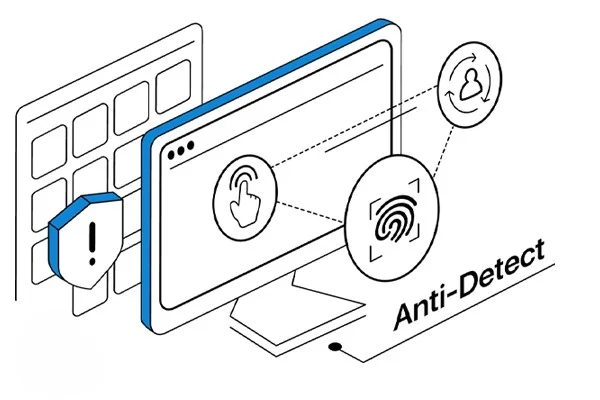
Operational mechanism:
To generate completely isolated browser sessions within unified physical equipment, a virtual browser relies heavily on two primary operational pillars:
- Parameter emulation: The virtual browser alternates critical identification metadata, including operating system versions, browser kernels, screen resolutions, language preferences, and localized system time zones. This ensures each profile matches the signature of an independent workstation.
- Isolated workspace containerization: Every newly initialized profile runs inside a completely independent sandbox, holding its own data structures, cookie jars, and local cache layers. This strict isolation blocks data leaks or structural linking indicators across profiles during ongoing use.
By blending these two technical pillars, a virtual browser constructs completely isolated browsing contexts inside a single workstation, empowering operators to handle massive account clusters with superior efficiency and safety.
2. How does a virtual browser differ from conventional browsers?
If your digital activity is restricted to reading generic articles, streaming media content, or executing casual daily tasks, a virtual browser might appear structurally identical to mainstream platforms like Chrome, Edge, or Firefox.
However, when your operations require handling massive multi-account clusters concurrently, the architectural differences between the two categories become stark. The primary variations are anchored to profile management caps, data sandbox isolation depth, and how the engines process hardware identification fingerprints.
2.1. Multi-account management capabilities
Mainstream browsers do allow operators to spin up multiple user profiles to log into varying accounts. However, these local sessions continue to execute straight on top of a single underlying operating system, leaking identical core machine parameters down the line.
Consequently, when you log into distinct user profiles, target platform filters effortlessly trace data overlaps and hardware commonalities across your profiles. This leads to swift systemic profiling and links your accounts together.
Conversely, a virtual browser engineers fully separate equipment signatures for individual profile instances. Every container holds its own unique identification markers, cookies, and local configurations, enabling accounts to operate in absolute isolation.
Furthermore, you completely bypass the manual friction of constantly logging in and out when jumping between distinct account channels, streamlining your macro management loop.
2.2. Data sandbox isolation depth
Another monumental technical asset introduced by virtual browsers is the sheer depth of data sandboxing enforced across individual accounts.
Conventional browsers: platform clients like Chrome feature local user profiles with separate cookie storage and session caches. However, because these instances run naked on the same physical equipment—sharing identical public IP footprints and raw system hardware specs—external web applications easily cross-check and link your data profiles together.
In contrast, every profile initialized inside a virtual browser functions as an isolated digital workspace. Session data generated by a specific profile stays strictly confined within that unique container. Thus, the operational history of one account can never spill over or jeopardize alternate accounts, facilitating frictionless management of massive profile matrices.
2.3. Browser fingerprint customization
A browser fingerprint is a comprehensive matrix of hardware and software indicators harvested by external websites during a connection handshake. This dataset captures your operating system version, browser kernel specifications, screen canvas dimensions, language headers, local time zones, system fonts, and deep hardware markers. Combined, these values establish a unique device signature, allowing web filters to track users without relying on standard account login credentials.

Under mainstream browsers, these configuration metrics stay rigidly bound to your workstation\'s real physical specs. When multiple accounts access a platform matching an identical identification fingerprint, the risk of link blocks escalates exponentially.
Virtual browsers address this by allowing you to manually configure or dynamically generate a distinct browser fingerprint per profile instance. Every account maps to a randomized array of technical parameters, ensuring your scrapers and marketing profiles mirror independent workstations running in separate equipment contexts.
2.4. Comprehensive structural comparison matrix
To help visualize the structural variations, review the architectural contrast between the two browser tracks below:
| Evaluation Metrics | Conventional Browsers | Virtual Browsers |
|---|---|---|
| Concurrent Account Capacities | Supports multi-profile creation, but web hosts easily detect that all active sessions share a single physical computer workstation, triggering blanket suspensions. | Scales across massive profile arrays; every container is emulated into an independent workstation context with zero cross-linking traces. |
| Hardware Specifications | Rigidly locked to the real hardware component parameters of the local machine. | Enables deep customization and emulation of diverse virtual machine hardware specifications. |
| Data & Cookie Sandboxing | Data is isolated across profiles locally, but web platforms track and link profiles via shared public IPs and hardware signatures, triggering bulk blocks. | Splits data into isolated, fully separate sandbox containers dedicated per individual account. |
| Network IP (Proxy) Configuration | Applies globally to the entire browser application or requires complex third-party extensions to route profiles individually. | Features built-in network connection panels to seamlessly assign separate proxy profiles per individual container directly. |
As detailed above, a virtual browser does more than just support multi-account operations on a single machine; it delivers vital protective layers like full sandbox containerization, customized hardware fingerprint synthesis, and integrated proxy routing. These elements combine to give users a highly secure environment to scale their online workflows safely.
3. Key business benefits of deploying virtual browsers
By engineering fully separate hardware signatures, virtual browsers unlock immediate, practical returns for anyone running multi-profile setups. These advantages safeguard your digital accounts while optimizing task execution throughput via these core solutions:
- Streamlined bulk account orchestration: The client dashboard aggregates all profile containers inside a single centralized management interface, enabling users to alternate profiles within a few clicks. This completely replaces manual login routines and eliminates the overhead of purchasing bulky secondary physical hardware phones, laptops, or clumsy legacy virtual machines.
- Neutralizes cross-account data linking: By mapping independent cookie stores, randomized hardware fingerprints, and dedicated proxy IPs to individual profiles, web security filters fail to detect that your accounts operate from a single physical station. This safety layer minimizes the risk of chain account sweeps if a single node in your matrix triggers a verification check.
- Elevates data privacy and network security: Enforcing strict sandbox isolation over browsing data completely blocks tracking filters from capturing or leaking your true historical activity across the internet. This provides an excellent shield for operators who demand anonymity or handle sensitive corporate data archives for clients and partners.
- Optimizes workflow delegation and team collaboration: Master account owners can effortlessly share specific browser profiles with virtual assistants or remote agency partners without ever revealing the master login credentials of the target account. This feature streamlines task assignment while securing sensitive assets under firm administrative control.
These core assets establish virtual browsers as an indispensable cornerstone utility, granting complete peace of mind to growth marketers and enterprise operations managing large-scale account matrices.
4. Critical parameters to evaluate when sourcing a virtual browser
The current market space provides diverse antidetect software choices, tracking widely different pricing tiers and feature offerings. Therefore, before locking into a tool, carefully audit these critical parameters to ensure optimal alignment with your actual business payload needs.
4.1. Core tech stack and browser kernel update frequency
The single most important parameter governing tool efficacy is the sophistication of its underlying tech stack.
A premier solution must be engineered on top of a highly stable platform that emulates machine configurations naturally while minimizing script crashes during non-stop operations. Concurrently, regular browser kernel updates aligned with upstream consumer releases (like chromium-based updates for Chrome or Edge styles) are paramount.
This frequency ensures your running profiles do not leak outdated browser version footprints, sustaining stable trust marks when mainstream platforms adjust their anti-bot detection matrices.
Hidemyacc is an excellent option here, placing heavy development focus on providing flawless identification parameter synthesis and deep sandbox isolation, matching the stringent requirements of high-volume operations.
4.2. Functional alignment with your specific business goals
A software suite packed with endless features holds little utility if those tools do not actively serve your specific task payloads. Focus on clear target alignment with your primary business models.
Prior to selection, define your workflow targets, whether that involves multi-profile account growth, ad optimization, scaling affiliate links, running multi-store e-commerce, or automation scripting. This clarity keeps you from overpaying for complex enterprise features your team does not require.
Core performance features that users must look for include:
- Seamless management of massive workspace profile databases
- Built-in workflow automation scripting
- Centralized proxy integration dashboards
- Granular role delegation parameters for team collaboration
When features map perfectly to your business goals, your daily operations execute smoothly with zero resource waste.
4.3. Pricing models and budget scaling limits
Most provider networks run tiered subscription pricing scaled to total profile limits, team seat allocations, and advanced automation feature access. Bypas single-minded focus on the entry-level cost card; evaluate the overall performance value delivered instead.
In many instances, locking into an overly cheap plan with restrictive feature caps will trigger early upgrade friction or block your ability to scale operations efficiently. Conversely, an enterprise tier tracking a slightly higher cost but unlocking unrestricted workflow access secures stable execution, yielding superior long-term cost efficiency.
4.4. Availability of free trial policies
Platforms that offer structured free trial options introduce an exceptional asset for young startups and fresh operators.
Securing direct, hands-on experience lets you audit software stability, system resource consumption, and UI navigation under real-world conditions rather than relying purely on marketing copy.
Furthermore, running a trial helps you gauge if the layout matches your team\'s operational routine before committing financial capital to a long-term contract.
4.5. Efficacy and speed of the technical support team
When running live high-volume operations, encountering technical bugs or requiring rapid configuration assistance is an inevitable operational reality.
Consequently, the speed and expertise of the customer success team is a vital pillar. Prioritize virtual browser vendors that provide rapid response times, actionable technical guides, and proven experience troubleshooting complex profile or proxy connection faults. This support shields your pipeline from expensive operational downtime.
4.6. Dashboard navigation and UI layout ergonomics
The design quality of the user interface directly rules your team\'s daily task throughput. A clean, ergonomic dashboard layout with straightforward controls enables rapid onboarding, especially when handling extensive profile databases. Proper interface design slashes human operational errors during repetitive tasks, saving substantial execution time.
5. How Hidemyacc clears elite virtual browser benchmarks
With core virtual browser definitions and selection parameters established, evaluating whether a specific tool can satisfy your business needs becomes a highly objective process.
Hidemyacc stands out as a highly specialized platform engineered explicitly to orchestrate extensive account matrices on a single machine while enforcing deep sandbox isolation during active operations.
5.1. What is Hidemyacc?
The antidetect browser Hidemyacc is a specialized software utility that empowers users to instantiate multiple isolated browsing environments through completely independent browser profile cards.
Every profile acts as a standalone virtual device, packing its own isolated cache stores, cookie registries, and distinct hardware identification parameters. Consequently, you can operate numerous online profiles simultaneously on a single computer workstation while preserving absolute separation across individual accounts without jumping between separate physical computers.
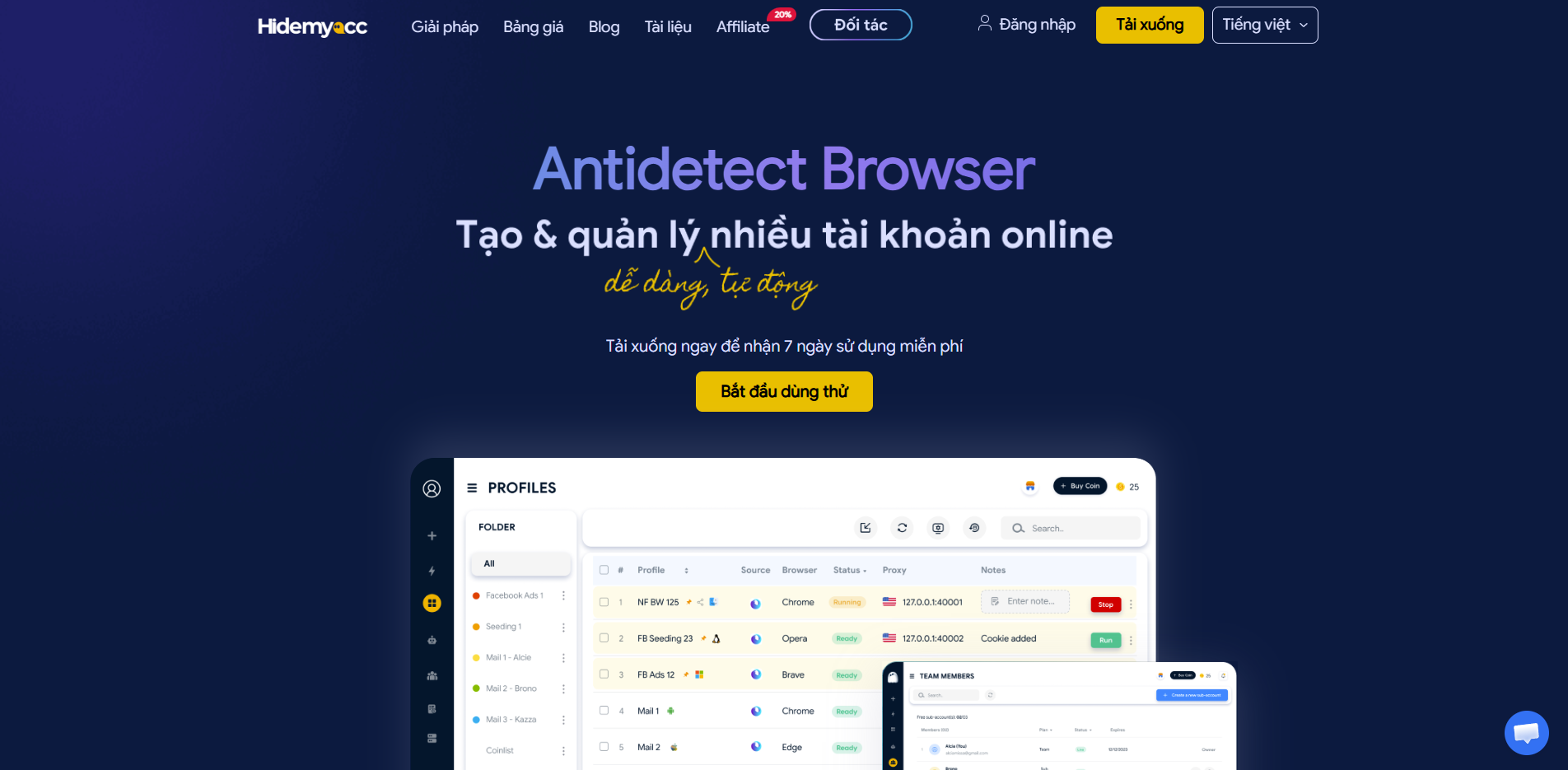
5.2. Prime features running inside the Hidemyacc engine
Hidemyacc is built with a deep array of management tools engineered to streamline high-volume account matrices. Prime highlights include:
- Granular browser fingerprint manipulation: Users can customize deep hardware and software configuration values, including User-Agent strings, WebRTC leak parameters, Canvas rendering traits, and WebGL structures. Beyond manual editing, the system can automatically synthesize a natural, valid fingerprint configuration per profile card.
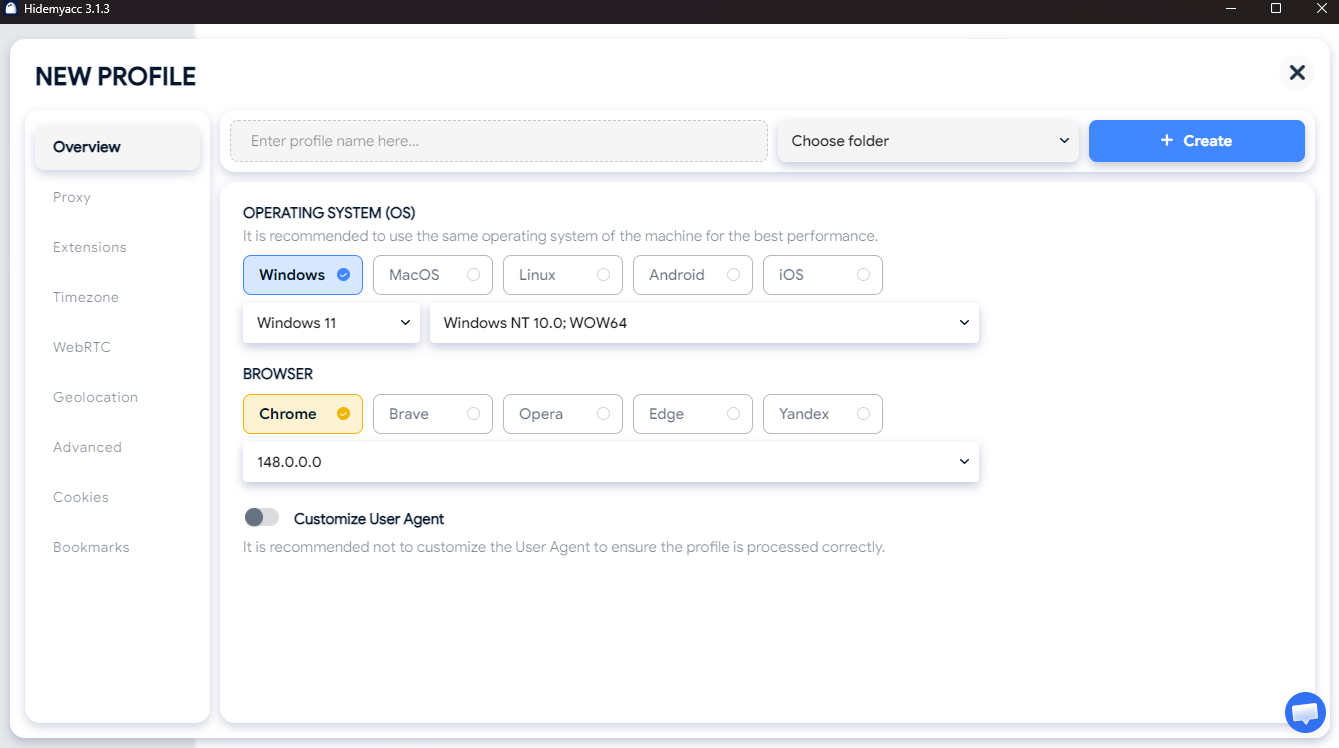
- Template-based profile configuration mapping: Save successful browser configurations as standard templates to apply them instantly when spinning up fresh profiles. This asset accelerates large-scale matrix deployment while securing firm structural consistency.
- Granular role delegation and team workflows: The software supports establishing sub-accounts tracking distinct access control levels based on team structures. This allows companies to delegate operational access to remote assistants without ever exposing master account passwords.
- Centralized proxy management panels: Proxies are managed straight within a unified control center, enabling operators to bulk-import, status-check, and assign connection paths to target profiles in just a few clicks, keeping your infrastructure highly organized.
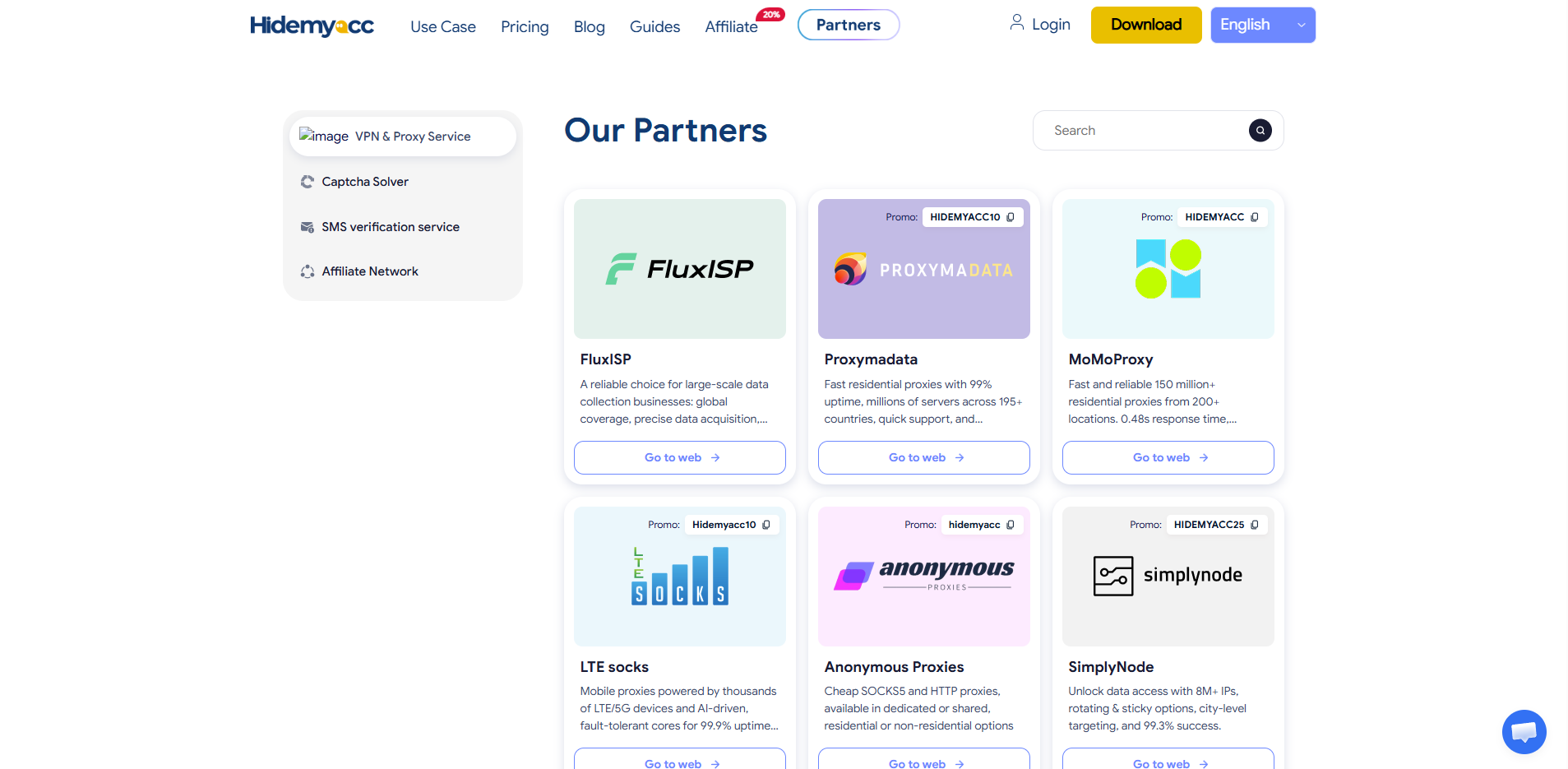
- Global proxy partner discount directory: To assist growth teams in optimizing operational overhead, Hidemyacc partners with leading global proxy networks to deliver exclusive partner discounts inside the client app, unlocking premium residential or static ISP data lines at competitive rates.
- Frictionless fingerprint transition via Magic Link: A convenient data migration utility designed to cleanly copy identical hardware fingerprint parameters from alternate antidetect tools into your active Hidemyacc system via a single processing path.
- Integrated two-factor authentication (2FA) codes: The 2FA security validation layer is inner-built directly within the client app, shielding your account matrices from unauthorized access without needing separate third-party authenticator programs.
- Bulk task automation engines: Enables users to engineer custom interaction scripts (such as account warming, feed сrawling, or automated engagement logs) to execute across extensive profile arrays simultaneously, multiplying your execution output.
By blending advanced parameter synthesis with robust workflow support tools, Hidemyacc serves as a heavy growth engine for high-volume digital business operations.
Recommended reading: Step-by-step proxy configuration guide inside Hidemyacc
5.3. Vertical industry tracks optimized for Hidemyacc
Thanks to its flexible feature stack and deep configuration capacity, the software is engineered to maximize operational throughput across diverse online sectors:
- Affiliate marketing practitioners (Affiliate Marketing): Delivers vital support for media buyers who must run multiple ad manager profiles concurrently to split-test campaigns. Isolating each profile inside its own equipment sandbox keeps metrics accurate and blocks chain account locks.
- Dropshipping and multi-store e-commerce (Dropshipping): Streamlines managing multiple storefronts across market networks like Amazon, eBay, or Shopee. Every brand operates within its own closed environment, neutralizing cross-account data linking traps.
- Digital marketing firms and growth agencies: Addresses the need to run diverse projects and sensitive client data architectures simultaneously. Intelligent role delegation lets agencies assign profiles to remote assets or grant direct viewing rights to corporate clients securely.
- Social media optimization and seeding networks: Solves the logistical block of warming large account arrays to scale organic interaction and follower growth. Injecting distinct equipment identification traits ensures profiles remain stable against platform anti-bot sweeps.
- The crypto and Web3 hunting community: Supports orchestrating extensive account matrices or wallet clusters to maximize entry slots for airdrops, retroactive allocations, or project whitelists. Isolating device signatures and IP nodes per wallet increases win rates while blocking automated sybil disqualifications.
Whether operating as an independent freelancer or coordinating an enterprise agency matrix, users can access tailored solutions to shield and scale their digital business real estate.
5.4. Why do professional growth teams select Hidemyacc?
Hidemyacc is heavily favored by professional marketing teams due to its balance between complex capability and user-centric experience design:
- Intuitive, ergonomic dashboard navigation: The clear visual layout lets users configure profile cards, deploy proxies, and launch accounts rapidly without getting lost in complicated system settings.
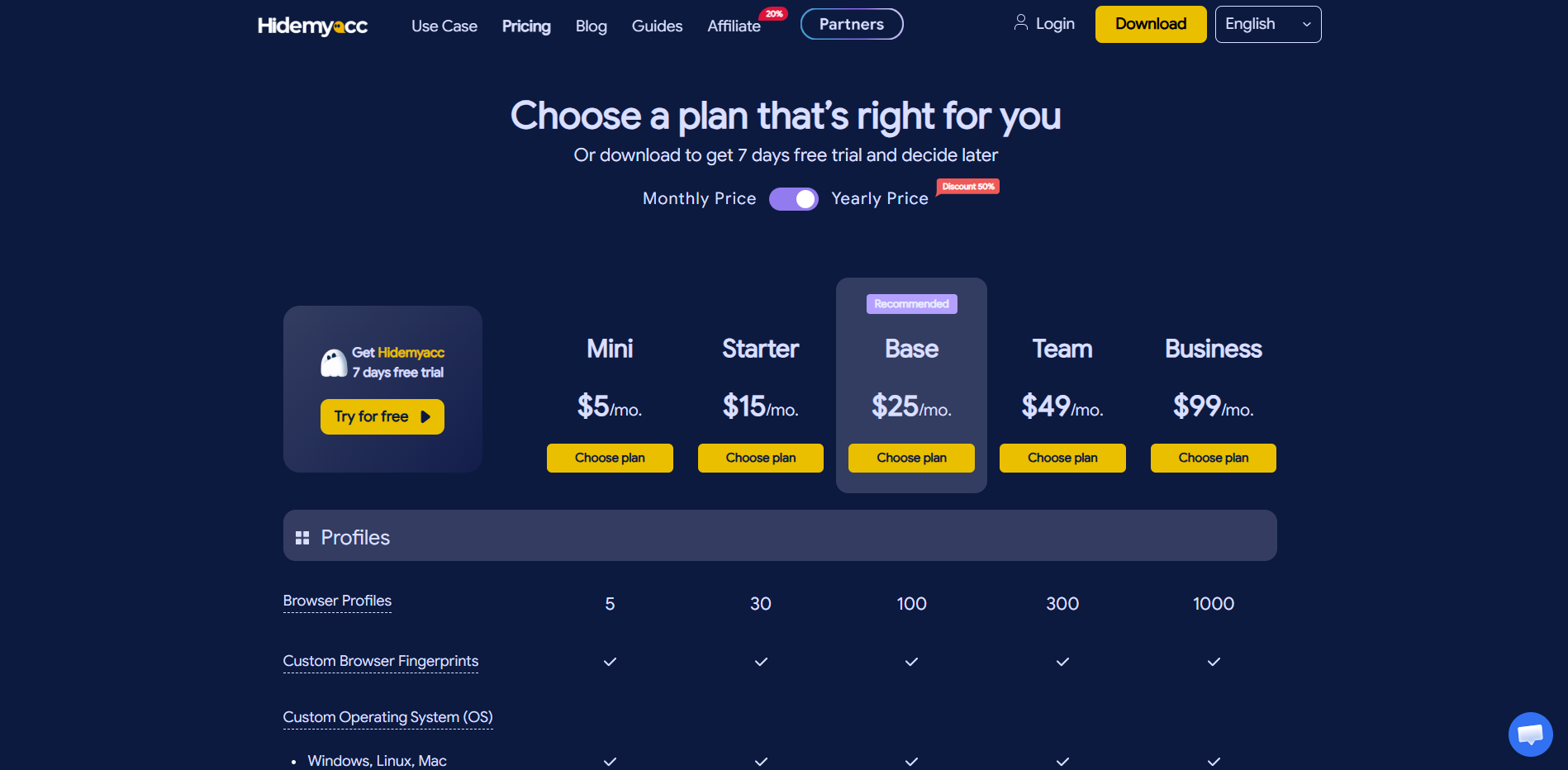
- Cost-efficient plans built to scale your business: Provides a flexible spectrum of service tiers tailored to match independent freelancers, scaling agencies, or massive data teams coordinating thousands of digital profiles.
- Multi-language client assistance: Users can access customer support and technical documentation across multiple languages, smoothing onboarding and configuration troubleshooting.
- Infinite scaling capacity for extensive matrices: Supported by deep container generation, granular team delegation, and bulk task automation, the system effortlessly accommodates your infrastructure demands as your business scales.
Ultimately, Hidemyacc moves past serving as a simple browser parameter changer, delivering an all-in-one multi-account orchestration engine that minimizes risk while maximizing output.
6. Conclusion
Virtual browsers represent the ultimate technical milestone solution for anyone whose business relies on managing multiple online accounts concurrently. By sealing data into isolated sandboxes and dynamically synthesizing randomized computer identification traits, this utility shields your profile matrices from strict platform anti-bot algorithms.
If you are sourcing an antidetect tool that delivers advanced profile containerization, centralized proxy tools, role delegation, and built-in task automation, Hidemyacc ranks as a premier choice to test. Integrating the matching virtual browser into your tech stack simplifies day-to-day operations, establishing a solid, unblocked launchpad to scale your business across digital platforms.
7. FAQ
1. Is using a virtual browser fully legal?
Yes. Virtual browsers simply spoof your local device's technical identification traits, which does not violate any legal frameworks. However, utilizing this software to run fraudulent schemes or launch malicious bots remains a violation of individual web platform service guidelines.2. What sets a virtual browser apart from a standard VPN?A VPN strictly modifies your public IP address and network location metrics globally. A virtual browser comprehensively recreates your hardware configuration identity parameters (fingerprint) while generating isolated sandbox profiles, yielding superior security metrics when running large-scale account matrices.3. Does deploying a virtual browser guarantee my accounts will never get banned?Virtual browsers drastically slash the risk of chain profile suspensions triggered by cross-account data links, but cannot offer a 100% block against bans. Your accounts can still face suspension if your content output violates platform rules or your profiles log highly erratic activity markers.4. Does running a virtual browser require advanced technical engineering knowledge?从本质上讲 No. Most leading virtual browsers feature highly intuitive visual interfaces, requiring just a few basic steps to spin up a profile and attach a proxy line. Beginners can comfortably master dashboard navigation within a brief learning window.5. How many virtual browser profiles can a single computer workstation handle?The maximum profile limit scales according to your local physical workstation specifications (RAM, CPU) and your configuration settings; the software itself does not impose a fixed ceiling. High-end workstations can comfortably execute hundreds of profiles concurrently on a single machine.6. Is it mandatory to pair a virtual browser with custom proxy lines?It is not a rigid software prerequisite, but it is highly recommended. Attaching independent proxies ensures each profile container tracks its own separate network IP address, maximizing sandbox separation and locking out data linking flags.





