Once a widely chosen tool thanks to its fast speed and excellent performance on low-configuration machines, Leaf Browser no longer maintains its former position. After years of halted development, this browser reveals a string of limitations regarding security, account management, and anti-detection capabilities. Is this browser still worth using in 2026, or is it time to find an alternative solution? The detailed Leaf Browser review below will help you find the answer.
1. What is Leaf Browser?
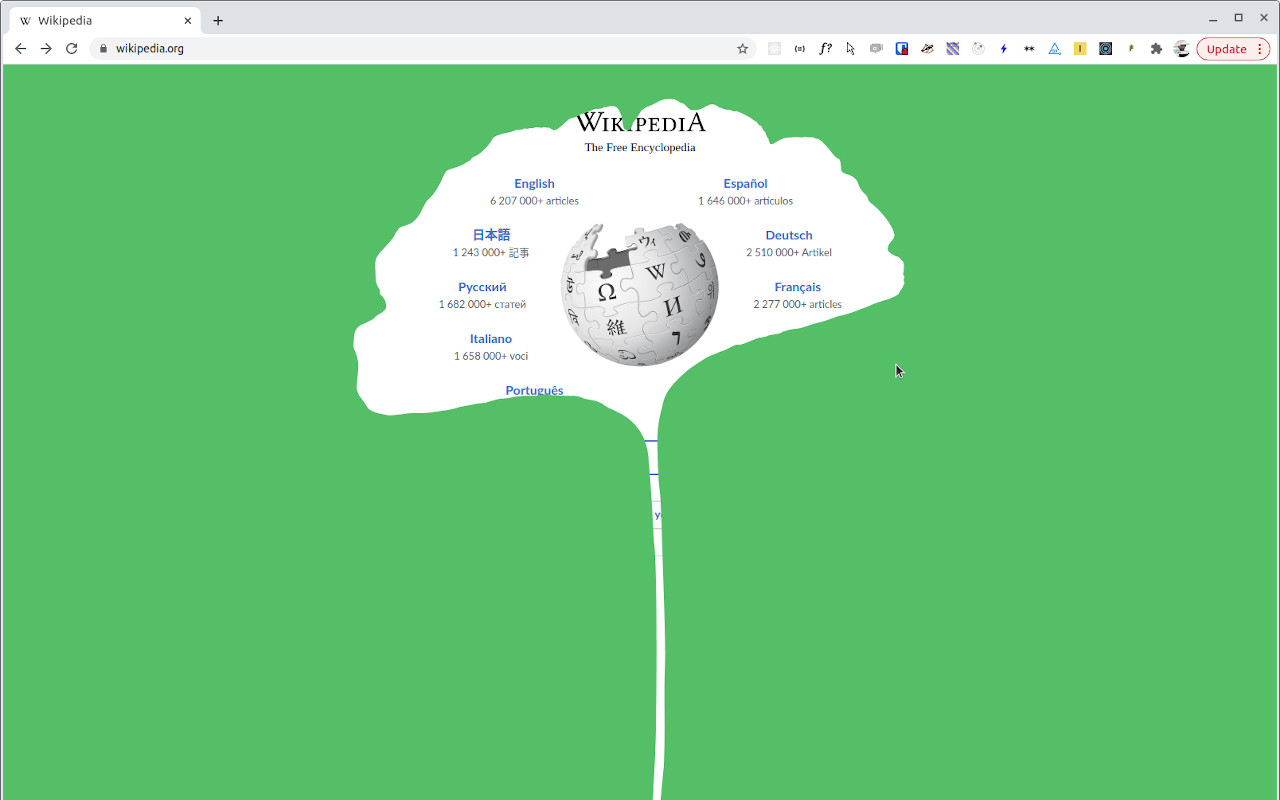
Leaf Browser is not an independent standalone browser like Chrome or Firefox, but rather an extension operating directly within the Google Chrome environment. This extension is built entirely on top of the open-source Chromium platform, which is also the core foundation utilized to develop the standard Chrome browser today.
This tool was created by independent developer s0 and published openly on GitHub. The initial goal was relatively straightforward: to provide a lightweight, minimalist web browsing environment that allows opening separate tabs to quickly test website layouts or execute basic tasks without wanting to launch a new standard Chrome window.
How does the original Leaf Browser differ from clone versions?
From the initial original version, the user community developed several variants to accommodate practical real-world needs:
- Leaf Browser Alpha: This version concentrates primarily on improving tab management features and appending a few minor interface customizations; however, the system has not been integrated with any substantial security elements.
- Leaf Browser Pro: The developers of this version experimented with appending device information alteration and simulating browser fingerprints at a minimal level; despite this, the tool remains highly susceptible to detection and is currently virtually unmaintained.
- Leaf Browser 2.0: This is an enhanced edition adding network configuration integration and a slight upgrade to session management capabilities to make it more user-friendly for general users, but the core vulnerability of lacking an anti-fingerprinting mechanism remains unresolved.
Even though subsequent modified versions attempted to introduce new features, they still failed to thoroughly resolve the core security issues of the original version.
2. Development History
The formulation and existence of Leaf Browser are closely tied to the continuous shifts in digital technology standards across the internet. For a comprehensive view, we can highlight key chronological milestones in the tool's operational history right below:
- The Phase Prior to 2019: The extension was quite widely utilized within the developer community and early-stage MMO practitioners. Thanks to its open-source benefits and simple installation process directly via the Chrome Web Store, the extension reached a diverse group of users at that time.
- The Year 2019: The project officially ceased updates when the developer decided to halt software support. Since this milestone, technical bugs that arose were no longer fixed, newly emerging security vulnerabilities were left unaddressed, and the tool gradually became incompatible with modern web technology standards.
- The Phase After 2019: Noticing that the original project was no longer active, the community independently engineered modified versions such as the Alpha, Pro, or 2.0 editions. These editions implemented minor interface shifts and appended network configuration support features; however, all lacked stable maintenance personnel, and no single version succeeded in replacing the original.
- The Year 2026: At the current moment, this utility has become an obsolete tool. The system is easily detected by the automated security verification filters of major tech platforms like Facebook, Google, or TikTok, and the tool completely lacks identity protection features for its users.
Ceasing updates so early caused Leaf Browser to lag behind the rapid evolution rate of current cyber security infrastructure, turning this tool into a solution laden with potential risks for users.
Understand the security mechanics of mainstream platforms to see why Leaf Browser is no longer viable:
Facebook Suspended My Account: Reasons and How to Recover ItTikTok Account Banned? Appeals and Rapid Recovery Actions
3. Detailed Feature Evaluation
To give you the most realistic and accurate perspective before making a choice, it is necessary to analyze deeply into each specific feature aspect of this tool. Below is a detailed assessment regarding usage experience, security capabilities, and the operational performance that Leaf Browser delivers:
3.1. Interface & User Experience
The system possesses a minimalist design style, concentrating completely on optimizing the display area for users. When you select this tool, real-world experiences regarding the interface include the following specific traits:
- Minimalist layout that strips out default toolbars to optimize display space.
- The installation process executes exceptionally fast directly via the Chrome Web Store.
- The system runs smoothly and triggers no stuttering or lag issues even on computers with low hardware configurations.
- Users do not need to waste much time getting familiar or learning how to operate it, thanks to the intuitive layout.
If you are merely searching for a tool that appears simple and is easy to handle, this utility accommodates that demand quite well.
3.2. Tab & Session Management
The capacity to synchronize and divide workspaces is a critical factor if users want to manage multiple accounts simultaneously. However, the tab management mechanism of Leaf Browser exposes characteristics that require serious caution:
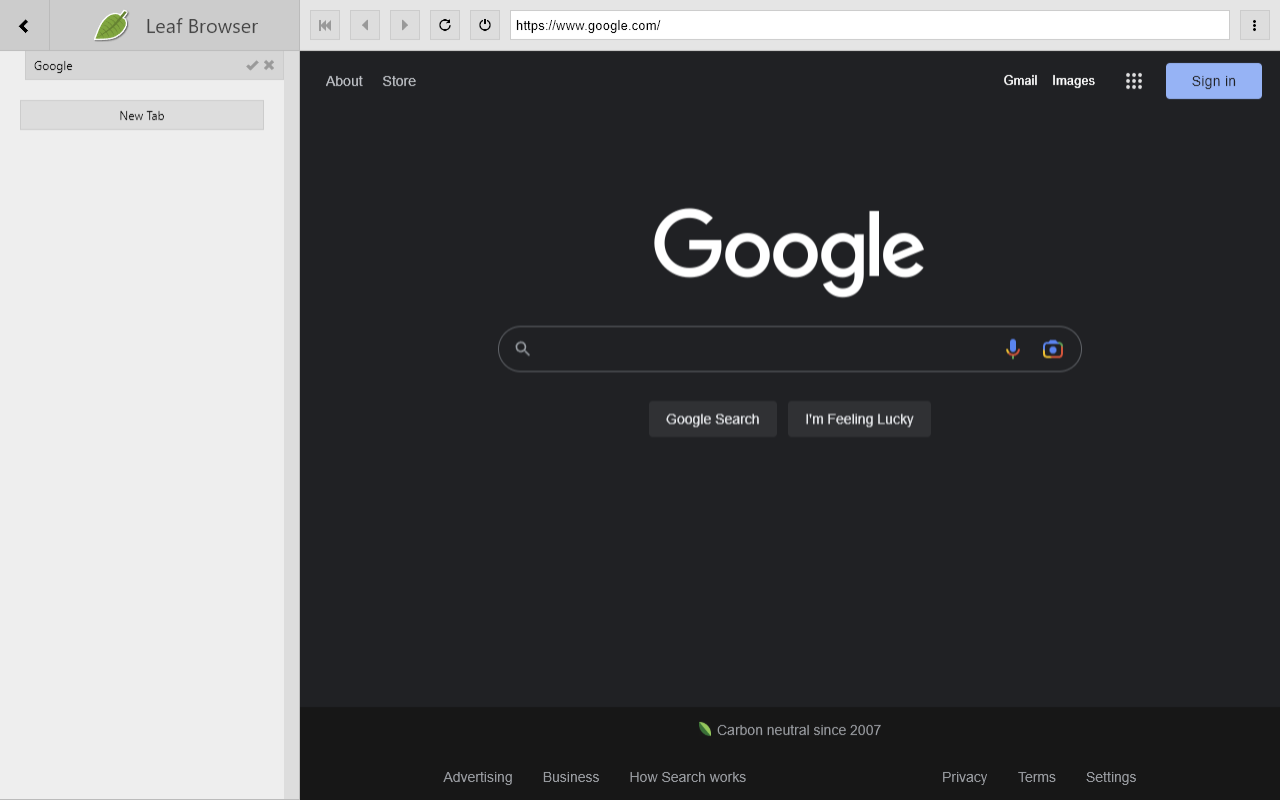
- Tabs are only separated at the most basic level, and the system lacks the ability to completely isolate environments between them.
- Data components such as cookies or browsing history still run the risk of leaking and cross-sharing across tabs when system errors occur.
- The risk of behavioral linking is extremely high when logging into multiple accounts at the exact same time.
Precisely due to this loose separation mechanism, users must exert extreme caution as the risk of data duplication between work sessions is remarkably high.
3.3. Security & Anonymity
From an identity protection perspective, this utility bears specific technological constraints, including:
- Completely lacks any integrated features to mask or modify the browser hardware configuration or browser fingerprint.
- The operational mechanism of its incognito mode halts at a basic level, equivalent to a standard incognito window within normal Chrome.
- The entire access session is highly susceptible to detection and restriction by stringent security filters from major tech platforms.
These security technology deficiencies place your personal information in a risky situation when accessing modern web networks.
3.4. Proxy Support
Altering network addresses is a familiar solution users deploy to protect privacy or shift connection locations. When you configure a network on this extension, the system exposes the following characteristics:
- Only provides support capabilities for two elementary connection protocols: HTTP and SOCKS5.
- Lacks features to automatically change or rotate network addresses over time.
- Requires executing manual configuration steps for each individual tab, offering no centralized profile-based management, which easily leads to human errors.
Because of this mandatory manual execution, users must expend significant effort and time whenever they want to adjust network connection parameters.
3.5. Performance & Speed
Regarding execution speed and lightness for basic tasks, Leaf Browser satisfies requirements reasonably well due to stripping out Chrome's heavy components. However, on a technical level, since each tab operates as an independent process, if too many tabs are launched concurrently, this tool still devours an immense volume of RAM, causing lag issues on older machine generations.
4. Advantages and Disadvantages of Leaf Browser
Below is a detailed summary table highlighting the core strengths as well as the practical limitations that this tool possesses for your reference:
| Advantages | Disadvantages |
|---|---|
| Lightweight and resource-saving: Consumes very little memory, operating smoothly on computers with low hardware configurations. | Updates halted since 2019: The project is abandoned, offering no technical bug fixes or interface optimization. |
| Free and open-source: Users can access, install, and utilize the full feature spectrum without incurring costs. | Lacks identity protection features: No integration of mechanisms to alter or mask the browser fingerprint. |
| Easy installation and usage: Integrates directly as an extension on the Chrome Web Store; minimalist layout demands no onboarding time. | Poor work session isolation: Tabs are only basic-separated; cookie data and history easily leak or cross-share between tabs. |
| Suited for basic tasks: Fits the need to quickly check website layouts or harvest data on pages lacking anti-bot systems. | Inconvenient proxy management: Requires manual configuration per individual tab, lacking centralized proxy management by catalog or profile. |
| High security risks: Harbors multiple unpatched cyber security vulnerabilities, making it easy for major platforms (Facebook, Google, TikTok) to detect and block accounts. |
Through this compilation, you can clearly perceive that the advantages of this utility lie primarily in basic operational aspects and its lightweight profile. However, the security drawbacks and total lack of updates represent massive downsides. If you merely require a free tool for straightforward jobs, this extension remains a fair option; but for workflows demanding high information security, users should think twice before using it.
5. Cases when you should use Leaf Browser
Despite exposing numerous technological limitations, this tool can still support processing a handful of elementary requirements:
5.1. Basic Data Collection
For workflows involving market research or data scraping, Leaf Browser is reasonably suitable when you access public websites that lack advanced security architecture. Since the system is not blocked in places devoid of automated detection loops, you can scrape data comfortably without friction. However, users must note the bottleneck that the tool is entirely unsuited for pages backed by advanced anti-bot systems, as the lack of device simulation capacity will trigger tracking filters, leading to instant blocks.

5.2. Managing Low-Risk Social Media Accounts
If you own secondary burner accounts that contain no critical personal data, this remains a deployable workaround. You should only use this utility for low-risk accounts, because the tab isolation framework is far from perfect, leaving session data prone to cross-sharing. Users must absolutely avoid using this tool for large-scale business assets or ad-running profiles, as the modern verification systems of major networks effortlessly identify such login discrepancies.
5.3. Layout Auditing and Lightweight Web Development
For developers or students learning website design, Leaf Browser brings an isolated testing sandbox that avoids mixing with old cached data from the primary native browser. The tool is highly suitable for users to quickly audit page layouts or run basic programming code snippets, which are tasks demanding execution speed rather than complex anonymity configurations. Nevertheless, for large-scale projects or intricate web structures needing a full-featured specialized testing suite, users should look for more robust solutions.
5.4. Students Accessing Academic Resources
Within school and academic environments, this tool can assist pupils and students in smoothly loading document download pages even under poor network feeds. Thanks to its lightweight design, the utility operates very stably in network environments constrained by bandwidth caps or on older school computer systems. This stands as a major benefit helping everyone complete information lookup assignments without encountering machine freezes or network congestion.
Isolating your exact needs clearly will help you make a calculated decision on whether to trust this extension. If your workflows begin stretching outside the basic boundaries mentioned above, it is an unmistakable sign that you need to upgrade to a more modern, advanced tool.
6. Comparing Leaf Browser with Other Popular Browsers
To give you an organic perspective and make decision-making simple, we can perform a quick cross-comparison between this utility and current mainstream browsers. Below is a detailed mapping covering operational criteria, security capabilities, and system management that you should reference:
| Criteria | Leaf Browser | Google Chrome | Mozilla Firefox | Anti-detect browser |
|---|---|---|---|---|
| Speed | Fast (light tasks) | Fast | Medium | Medium |
| Security | Low | Low-Medium | Good | Very Good |
| Multi-Account Management | No support | No support | No support | Full Support |
| System Resources | Very lightweight | Heavy | Medium | Medium |
| Updates Cadence | Halted since 2019 | Frequent | Frequent | Frequent |
| Extension Ecosystem | None | Very Strong | Strong | Limited |
| Anti-Detection Capability | None | None | Partially better than Chrome | Very Good |
| Proxy Management | Manual | Limited | Limited | Advanced |
Based on the cross-references above, you can very clearly see the processing performance gap between the tools. Despite possessing solid speeds and stable execution on low-configuration hardware, Leaf Browser completely fails to meet advanced security requirements and expansion options for you.
While mainstream conventional browsers like Chrome or Firefox consistently receive cyclic updates to protect users, anti-detect browsers dramatically outperform them regarding anonymity, advanced proxy control, and handling multiple accounts concurrently. This fundamental difference indicates that Leaf Browser will have a hard time serving your tasks if you possess serious and deeper professional requirements.
7. When to Switch from Leaf Browser to Another Tool
After processing a clear visual comparison, you can easily grasp the generational gap between an obsolete extension and modern architecture tools. To help you isolate exactly when to halt using Leaf Browser, let's look into the practical drawbacks encountered during operations and why a specialized tool serves as an absolute mandatory replacement for you:
7.1. Leaf Browser lacks compatibility with current security standards
The core nature of Leaf Browser is merely a tool supporting layout checks. The moment users begin scaling up their operations, this extension immediately triggers multiple problems:
- Security architectures grow increasingly intelligent: Major digital platforms continuously upgrade data scanning algorithms to uncover abnormal accounts. A utility that has long ceased updates like Leaf Browser possesses zero capability to disguise true computer parameters, making your account networks highly prone to bulk suspension sweeps.
- The operational burden of repetition: When your account matrix expands from a handful to dozens, assigning individual proxies and logging into sessions manually eats up massive chunks of time equity, degrading your workflow output.
- Risks of severe data asset loss: Placing enterprise-scale business accounts or highly sensitive financial data inside an obsolete tool like Leaf Browser exposes you to immense cyber security risks, because system vulnerabilities here are left unaddressed by patches or core upgrades.
When these complications occur frequently, wasting your time and labor, continuing to rely on a free utility like Leaf Browser ceases to be viable. At this juncture, the workflow demands a more robust tool capable of modifying computer configuration parameters and managing independent proxies per account.
Among anti-detect browsers meeting this industrial metric, Hidemyacc stands as a prominent, highly selected option chosen by many as a successor.
7.2. What is Hidemyacc?
Antidetect browser Hidemyacc is engineered and updated continuously to serve the demands of managing large volumes of multi-accounting profiles. The software enables you to generate a vast array of unique browser profiles directly on the exact same physical computer.
Each configuration acts as an insulated, closed-loop workspace, encompassing private data directories, cookies, and專有 identification parameters. Thanks to this, you can operate multiple accounts online concurrently while maintaining absolute independence between environments, bypassing complex transitions across distinct tools. This unified deployment model completely filters out data cross-linking risks, which represents an inherent technical weakness inside Leaf Browser.
7.3. Why does Hidemyacc outperform Leaf Browser?
If weighed on a balance scale, you will see Hidemyacc brings monumental breakthroughs that Leaf Browser can never achieve across core operational domains:
- Absolute Session Data Isolation: Unlike Leaf Browser where data easily cross-pollinates, Hidemyacc secures all cookies and session state files of individual accounts inside distinct browser profile repositories. This guarantees accounts execute in parallel without ever leaking crossover trails or triggering algorithmic link sweeps.
- Deep Deep Hardware Simulation: Rather than just swapping basic user strings, Hidemyacc intervenes deeply to simulate hardware configuration components accurately, including local fonts, audio contexts, WebGL graphics configurations, screen resolutions, and precise geo-locations. This outputs an entirely natural digital footprint against tracking filters owned by Facebook or Google.
- Persistent Core Core Core Upgrades & Support: Hidemyacc hosts a dedicated expert technical engineering squad, continuously monitoring and upgrading the application kernel relative to algorithmic shifts rolled out by major networks, preventing security vulnerabilities from being left unaddressed like Leaf Browser.
These total upgrades regarding cloud synchronization and data protection enable Hidemyacc to solve long-standing technical gaps, ensuring absolute peace of mind during account operations.
7.4. Outstanding Core Features
To optimize your workflows to the highest degree, Hidemyacc introduces an array of advanced features you cannot find within Leaf Browser:
- Customizable Browser Fingerprints: You have complete freedom to adjust identification parameters as desired, or simply let the system automatically generate a random hardware footprint that fits each profile naturally.
- Centralized & Automated Proxy Management: Completely opposite to Leaf Browser where you must enter network parameters manually per tab with high friction, Hidemyacc allows you to mass-import, catalog, and assign proxy connections across bulk accounts simultaneously.
- Built-in Free Proxies: When operating Hidemyacc under the Base plan tier or higher, the system provides users with free built-in proxies directly inside the interface, saving you the effort of hunting external third-party sources.
- Team Permissions and Asset Delegation: For users driving operations under structured corporate enterprise models, this software supports generating sub-accounts with tiered permission structures to safely share profile access with employees while retaining absolute control over primary assets.
- Code-Free Automation: The built-in visual task recording tool enables users to automate repetitive, daily timeline actions effortlessly, freeing up your labor equity without demanding any complex coding capabilities.
Transitioning from an abandoned utility like Leaf Browser to a professional, industry-grade софт like Hidemyacc represents a necessary leap forward to protect your digital assets and scale your task efficiency metrics to the maximum.
8. Conclusion
Leaf Browser remains a viable workaround if your sole requirement is handling basic web browsing tasks, operating on low-end machines, and your workflow demands no advanced information security defense layers. For serious operators looking to manage multiple social media assets, run complex ad campaigns, or run global e-commerce matrixes, Leaf Browser will definitely fall short of your expectations.
If you are applying Leaf Browser to high-value workflows, now stands as the correct tactical moment to upgrade to a modern, frequently updated anti-detect browser to secure your digital assets.
9. FAQ
1. Is Leaf Browser completely free?
Yes, Leaf Browser is entirely free and open-source. However, the project ceased development in 2019, so it lacks technical support or modern kernel updates.
2. Is Leaf Browser safe to use?
At an elementary level, it is functional, but because it is unmaintained, newly discovered security loopholes remain unpatched. You should avoid using this tool for high-security workflows.
3. Does Leaf Browser still function?
It remains technically operational but obsolete. Community fork editions like the Alpha, Pro, or 2.0 versions still exist but lack stable core maintenance.
4. Does Leaf Browser support proxy connections?
Yes, but strictly on a manual level, supporting HTTP and SOCKS5. The extension offers no centralized management or automated proxy rotation features.
5. How does Leaf Browser differ from an anti-detect browser?
Leaf Browser possesses zero capability to simulate custom browser fingerprints or execute real closed-loop session isolation. Anti-detect browsers like Hidemyacc are engineered specifically for this purpose.