
Wondering how to get 2FA and strengthen the security of your online accounts? This guide walks you through activating two-factor authentication on major platforms, explains why it’s essential for protecting your digital identity, and equips you with the steps you need to stay secure before threats strike.
1. What is Two-Factor Authentication (2FA)?
Before we dive into the "how-to" part, let's start with a simple explanation of what 2FA is. Two-factor authentication is a security process that requires users to provide two different authentication factors when logging into an account. This adds an extra layer of protection compared to traditional password-only systems.
- First factor: Something you know – your password.
- Second factor: Something you have (e.g., a smartphone, an authentication app, or a hardware token).
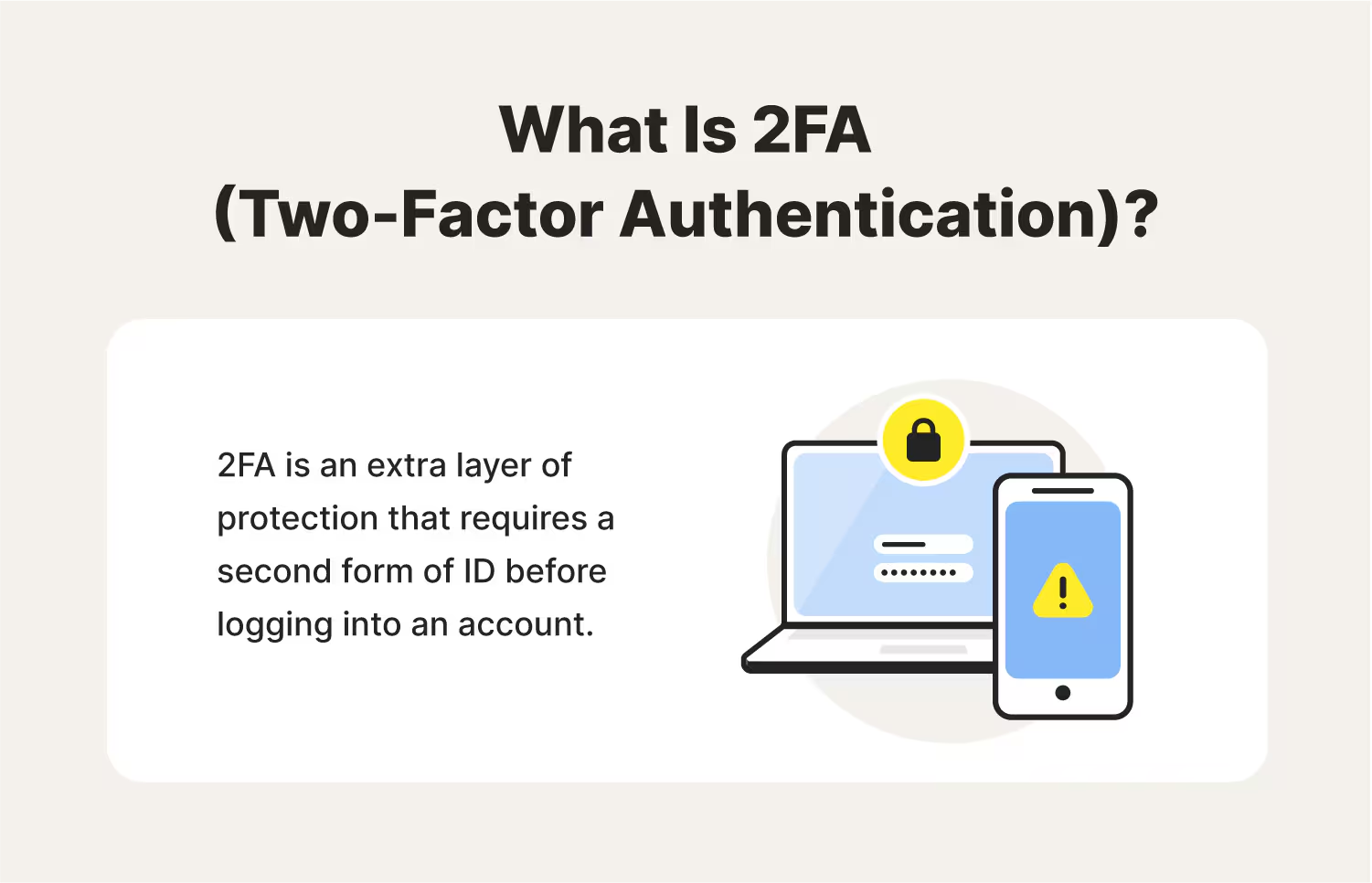
The second factor is often time-sensitive, changing periodically, making it much harder for hackers to gain unauthorized access to your account
2. Why should you use 2FA?
The primary benefit of 2FA is the enhanced security it provides. Passwords alone are no longer enough to keep your accounts safe, especially in light of frequent data breaches and phishing attacks. With 2FA enabled, even if someone manages to steal your password, they would still need the second factor to access your account.
Here’s why you should use 2FA across your online accounts:
- Mitigates risk of password theft: Hackers are constantly trying to steal login credentials. By enabling 2FA, you prevent them from gaining access even if they have your password.
- Protects sensitive information: Whether it's your banking details, personal emails, or social media accounts, 2FA ensures that your sensitive data stays safe.
- Reduces the impact of data breaches: In case of a data breach, your account will remain secure if you’ve enabled 2FA since the hacker would need to pass the second layer of security.
According to statistics, enabling 2FA reduces the risk of account hacking by 99.9%. Given this, there's no excuse not to turn it on.
3. Different types of Two-Factor Authentication (2FA)
There are several methods of 2FA, each offering varying levels of security and convenience. Here are the most common types:
3.1. SMS-based authentication
With SMS-based authentication, a code is sent to your phone via text message each time you attempt to log into an account. You enter this code after typing in your password.
- Pros: Easy to set up and use.
- Cons: SMS can be intercepted or spoofed, making it less secure than other methods.
3.2. Authenticator apps
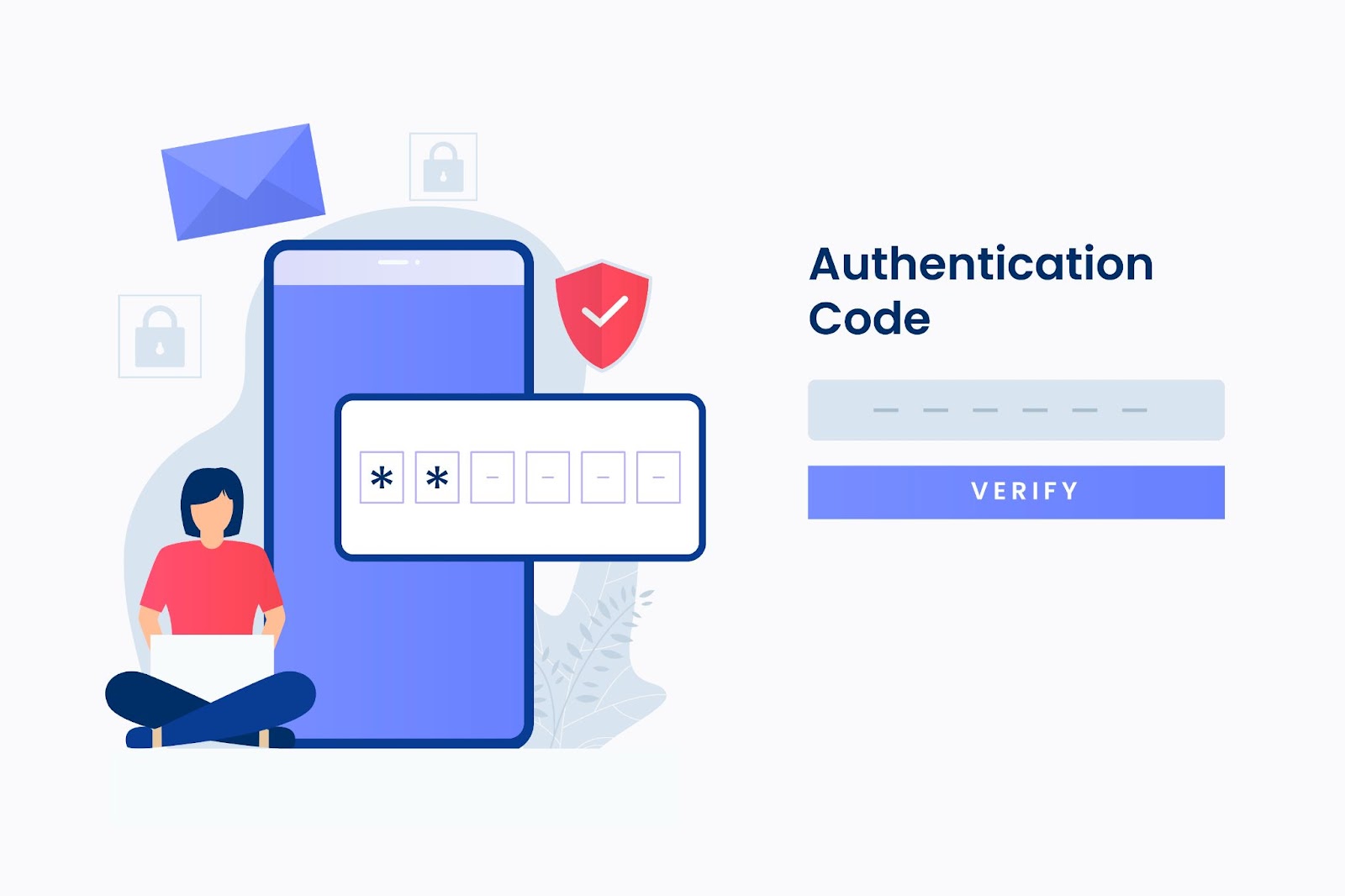
Authenticator apps like Google Authenticator and Authy generate a time-based one-time password (TOTP). You use this code to authenticate your login attempt. The code typically expires after 30 seconds.
- Pros: More secure than SMS as the code is generated on your device and not transmitted over potentially vulnerable channels.
- Cons: Requires you to install and manage the app.
3.3. Hardware tokens (e.g., Yubikey, U2F)
Hardware tokens are physical devices that generate authentication codes. These keys plug into your device via USB or connect wirelessly using Bluetooth or NFC.
- Pros: Extremely secure as they are physical devices and difficult to replicate.
- Cons: Inconvenient for users who don’t want to carry around an extra device.
4. Biometric Authentication
Biometric factors such as fingerprint recognition or face ID are becoming increasingly popular as a form of 2FA. These methods use your unique biological traits to verify your identity.
- Pros: Extremely convenient and fast.
- Cons: Some devices may not support biometric authentication or it may not be as secure as other methods.
3.5. Backup codes
Backup codes are one-time-use codes that you can store in case you lose access to your primary 2FA method. These codes can often be printed or stored securely.
- Pros: Provide an emergency solution if you lose access to your phone or hardware token.
- Cons: Backup codes need to be stored securely, or they may become compromised.
4. Step-by-step guide: How to get 2FA on popular platforms?
Now, let’s walk you through how to enable 2FA on some of the most popular platforms. The process is generally straightforward, and we’ll highlight the steps for each service.
4.1. Enable 2FA on Google (Gmail, Google Account)
Google is one of the first major services to implement 2FA, and setting it up is easy.
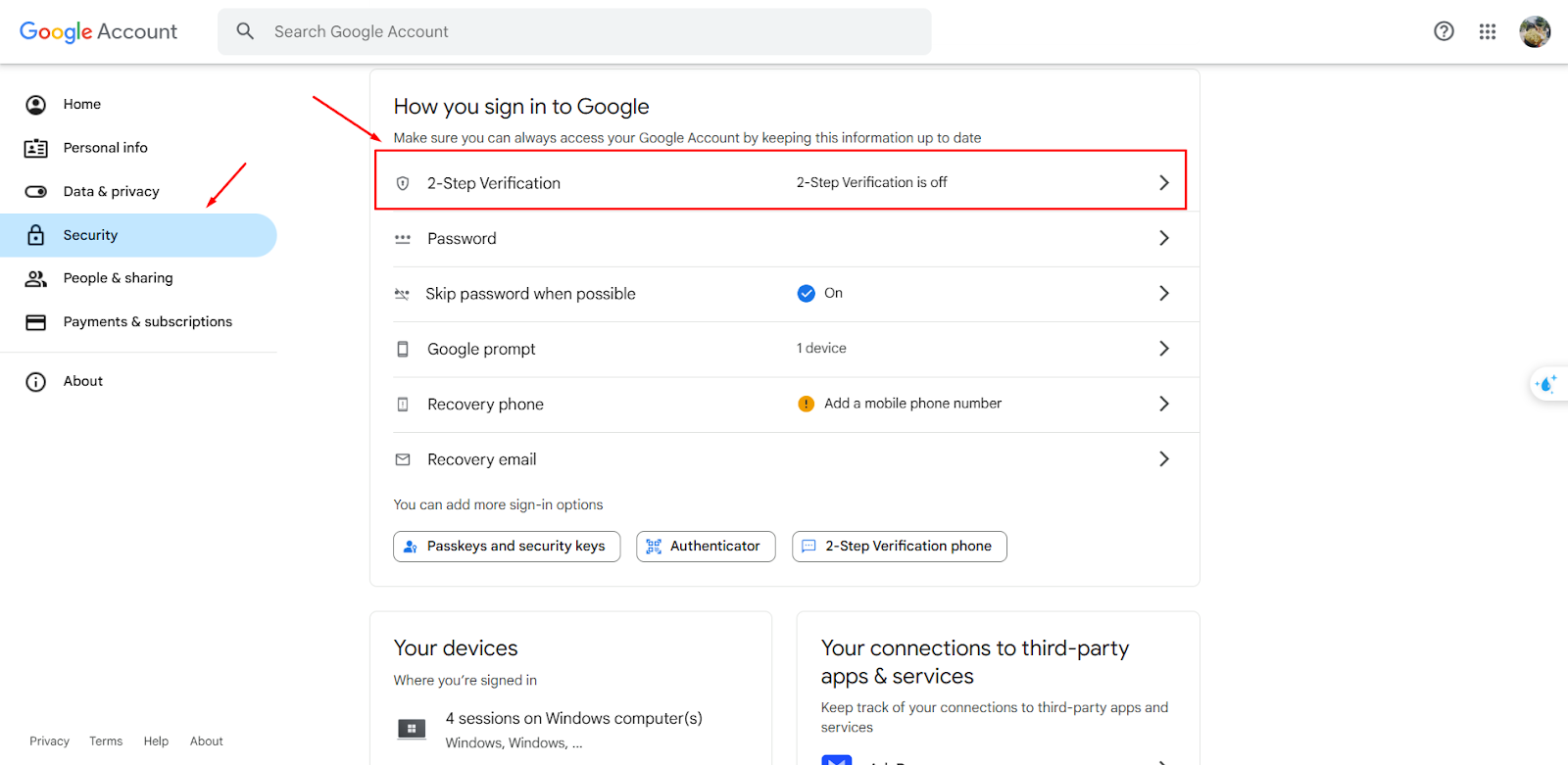
- Go to the Security settings.
- Click on 2-Step Verification and click Get Started.
- Choose your preferred 2FA method (SMS or Authenticator app).
- Verify your method by entering the code you received.
- Once verified, you’ll receive a confirmation that 2FA is now enabled.
4.2. How to get 2FA on Facebook?
To enable 2FA on your Facebook account, follow these steps
- Sign in to your Facebook account.
- Navigate to Settings & Privacy and select Settings.
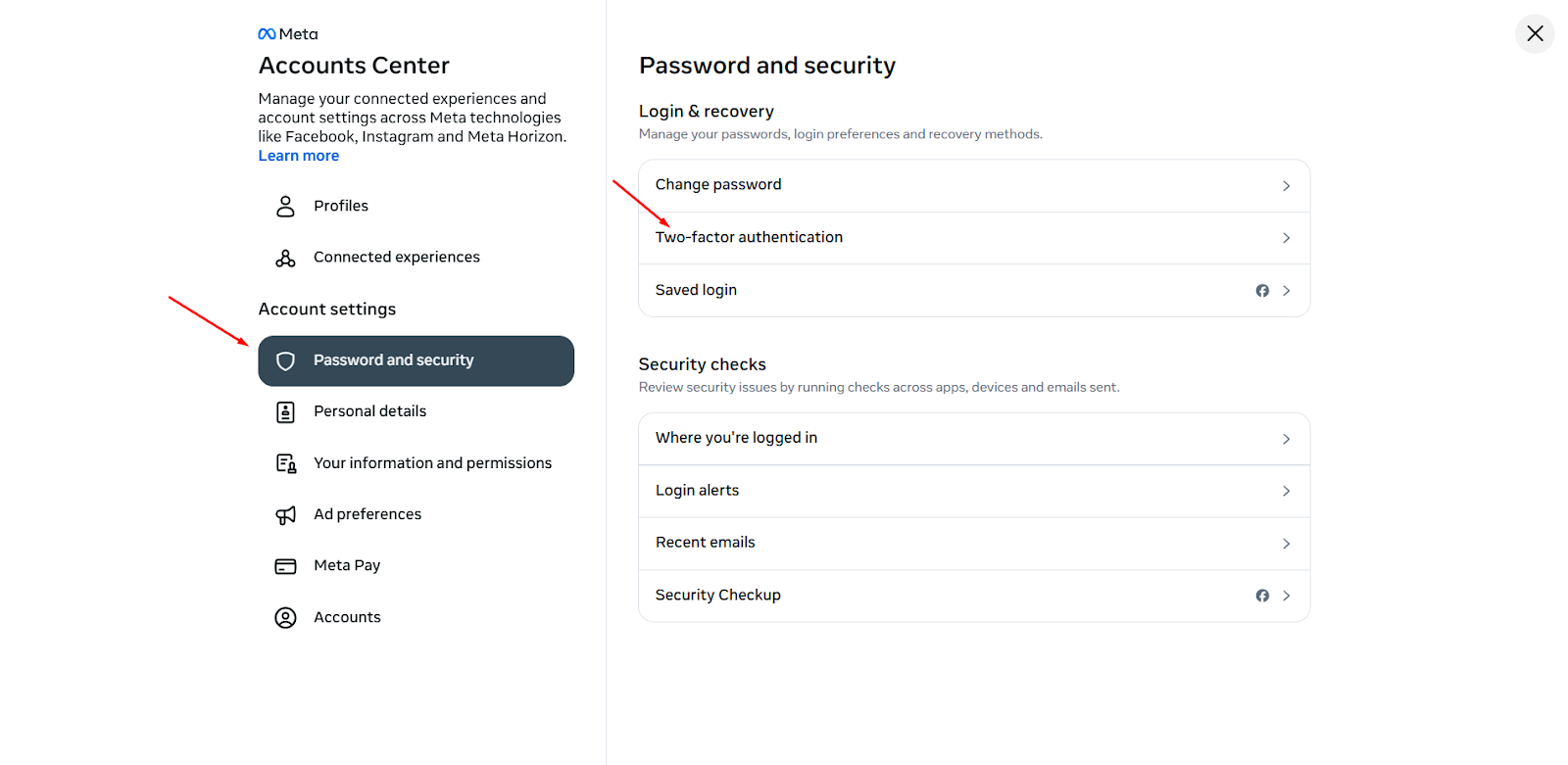
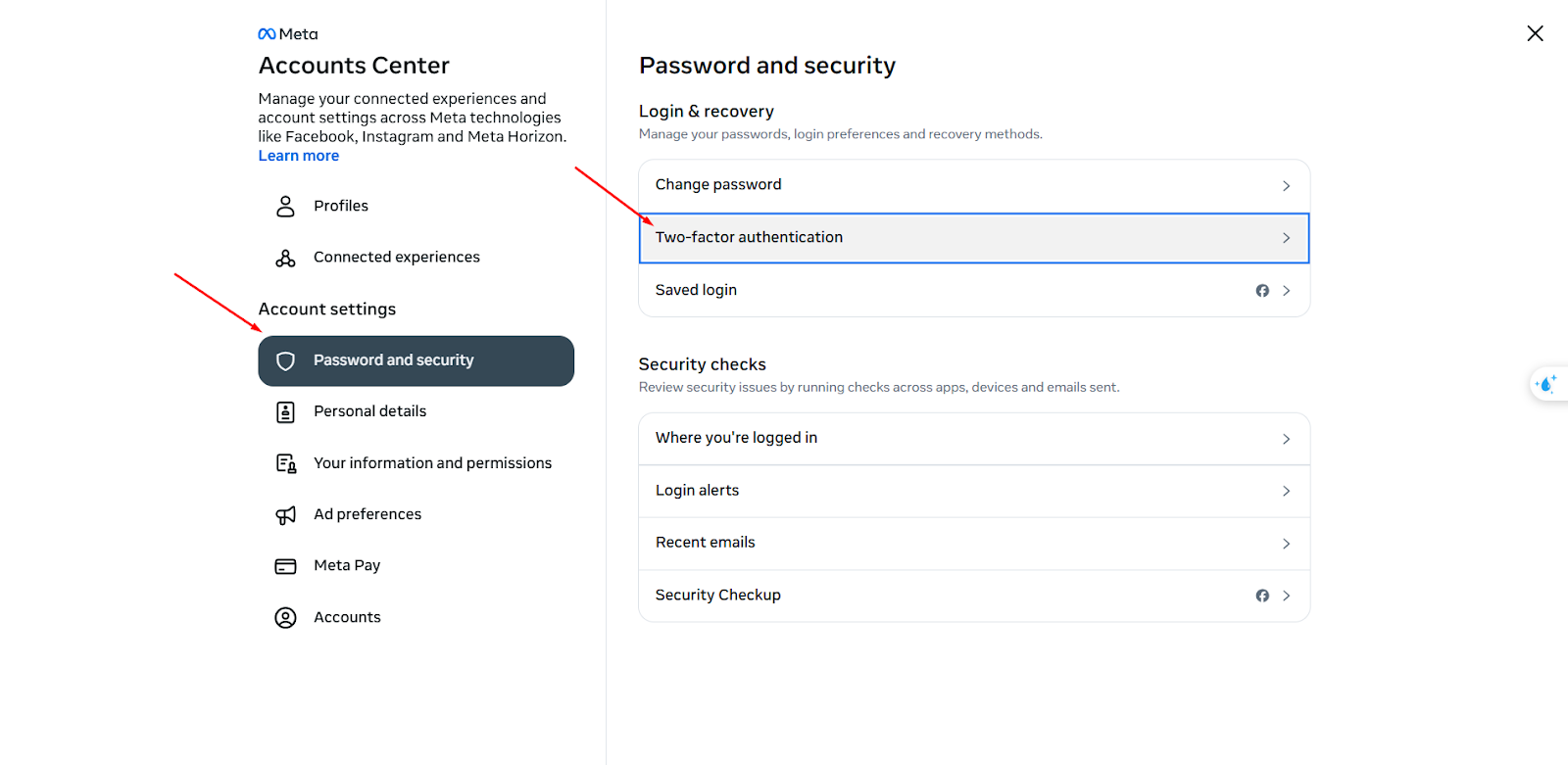
- Click on Accounts Center, then select Password and Security.
- Next, click on Two-Factor Authentication and choose the account you wish to update.
- Select the security method you'd like to add and follow the on-screen instructions.
4.3. Get 2FA on Instagram
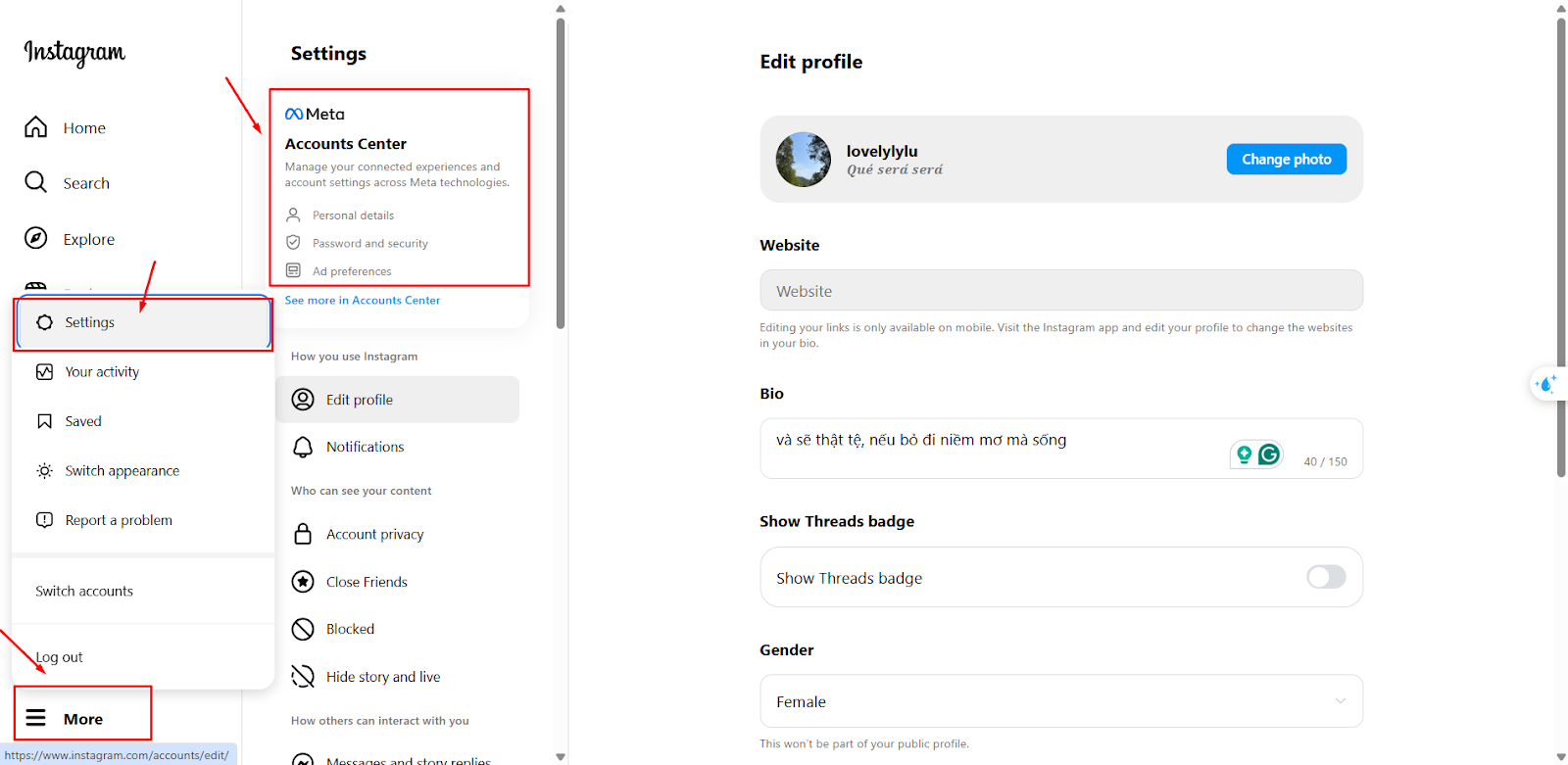
Instagram uses the same Facebook system for 2FA, so it’s similarly easy to set up:
- Open Instagram and go to Settings.
- Tap Account Center, then choose Password and security
- Select 2FA and follow the instructions. This part is similar to what you do on Facebook
- Verify and complete the setup
4.4. Turn on 2FA on X accounts
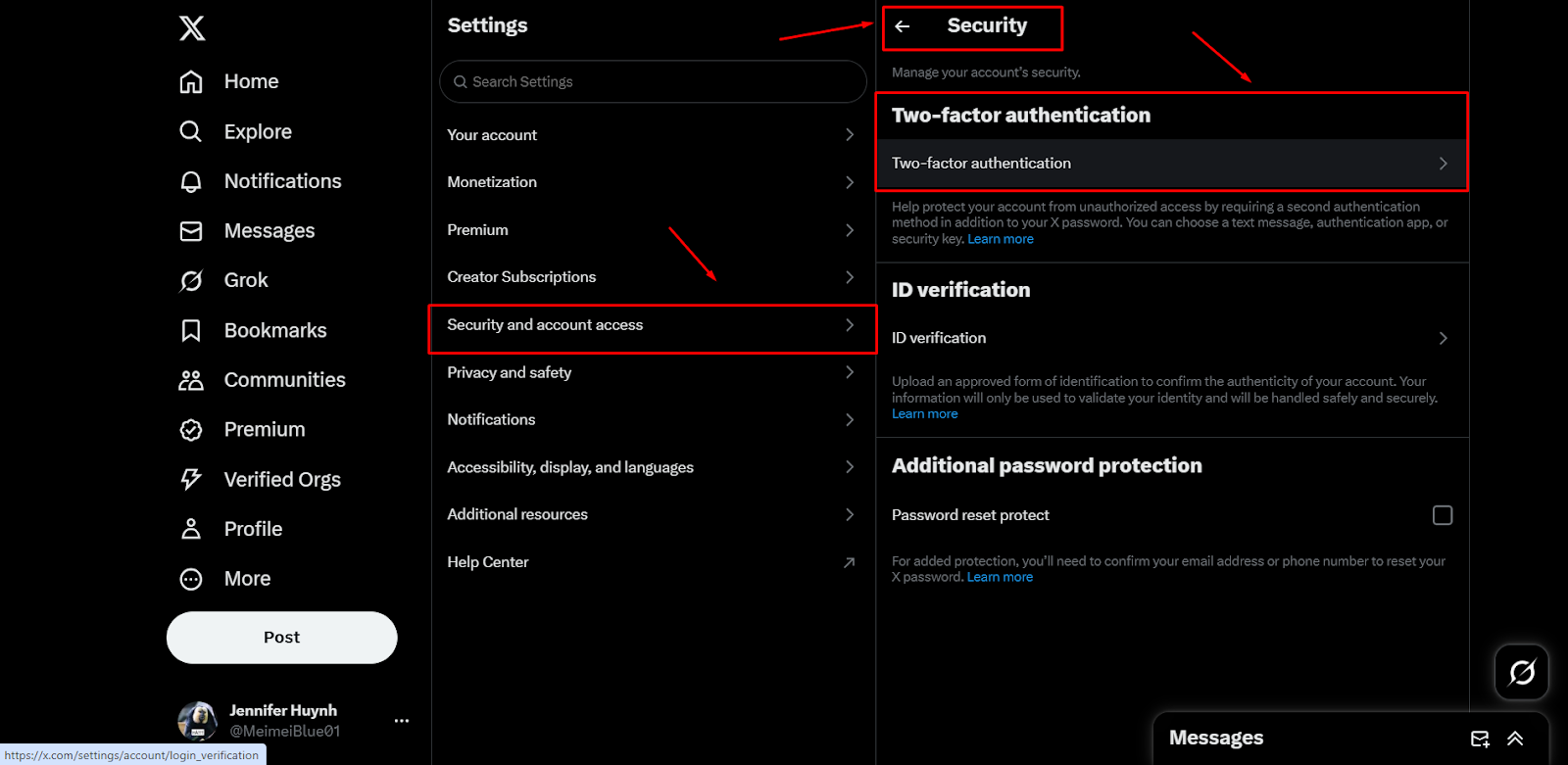
Setting up 2FA on X is a breeze. Follow these steps to enable 2FA on your X account
- Open Twitter and go to Settings.
- Navigate to Security and Account Access and choose Security.
- Under Two-Factor Authentication, select Set Up.
- Choose your preferred 2FA method (SMS or Authenticator App).
- Complete the setup and confirm that it works.
5. Common issues with 2FA and how to solve them
While 2FA is an excellent security feature, users often encounter a few issues. Here are some common problems and solutions:
- Lost phone or authenticator app access: If you lose your phone or can’t access your authenticator app, most platforms will allow you to recover access via backup codes or email verification.
- 2FA codes not working: If the code doesn’t work, make sure your device’s time is synchronized. Sometimes, the time on your phone or computer may be out of sync, causing the code to be incorrect.
- Difficulty accessing accounts with 2FA: If you’re having trouble accessing your account despite having 2FA enabled, many services offer account recovery options such as email verification or customer support.
While setting up 2FA is a crucial first step, here are some best practices for making sure your accounts are as secure as possible:
- Don’t rely on SMS: For better security, use an authenticator app or hardware token instead of SMS.
- Enable 2FA on all your accounts: Protect all of your online accounts, not just the most important ones.
- Keep backup codes safe: Store backup codes in a secure location, such as a password manager.
- Review your security regularly: Check your 2FA settings periodically to ensure your accounts remain secure.
2FA is an effective tool for securing your accounts, but don’t place too much emphasis on it and forget about the importance of other security practices such as using a strong password or using secure networks, etc.
6. How to manage multiple safely with Hidemyacc?
Antidetect browser Hidemyacc allows users to create and manage multiple accounts on the same device securely and efficiently. Each Hidemyacc profile has its own device parameters, and when a proxy is added to a profile, it functions independently as if it were a separate device with its own network connection.

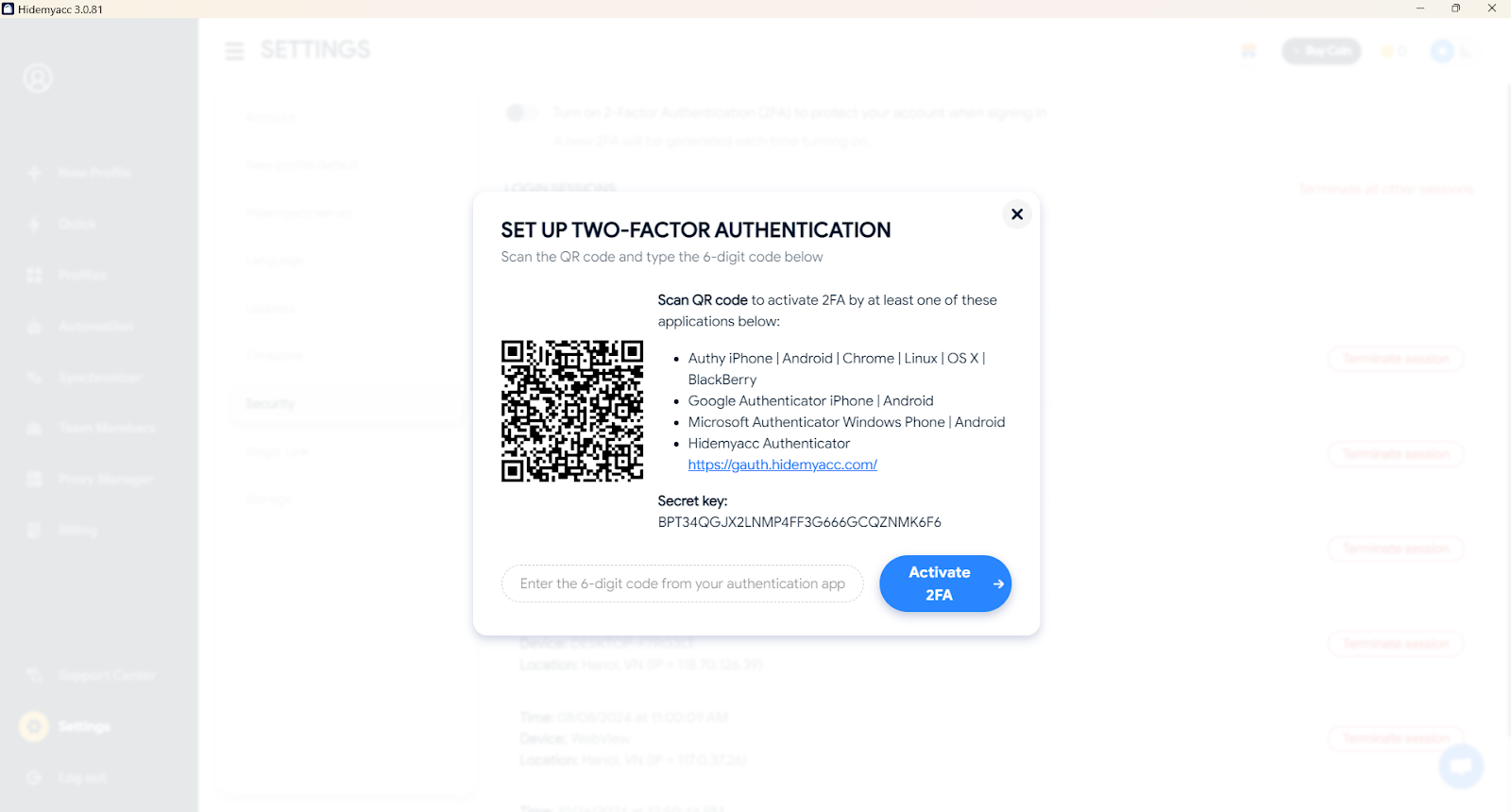
To enhance account security for customers, Hidemyacc offers a 2FA feature. Once enabled, 2FA will be required every time you log in, delete a profile, or transfer a profile. You will need to enter a code to proceed with the action.
You can use the following apps to scan the QR code:
- Authy: iPhone | Android | Chrome | Linux | OS X | BlackBerry
- Google Authenticator: iPhone | Android
- Microsoft Authenticator: Windows Phone | Android
- Hidemyacc Authenticator: https://gauth.hidemyacc.com/ (You will need to enter the secret key provided by Hidemyacc)
7. Conclusion
Two-factor authentication is one of the simplest and most effective ways to secure your online accounts. Whether you choose SMS, an authenticator app, a hardware token, or biometric methods, enabling 2FA adds a crucial layer of protection to your digital life. With cyber-attacks on the rise, now is the time to learn how to get 2FA and take proactive steps to safeguard your personal data.






