Have you ever heard of Telnet but weren't sure what it is or how it works? In today’s hyper-connected world, Telnet was once the "gold standard" for remote device management. In this article, Hidemyacc will break down everything from its definition and history to its practical applications and critical security limitations.
1. What is Telnet?
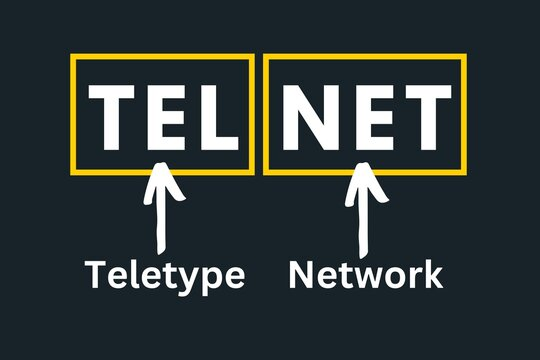
Telnet (short for Teletype Network) is a network protocol used on the Internet or local area networks to provide a bidirectional interactive text-oriented communication facility using a virtual terminal connection.
Essentially, it allows you to connect to a remote computer or network device (like a router or switch) and execute commands as if you were physically sitting in front of it. While it has largely been replaced by more secure protocols, Telnet remains a foundational piece of internet history.
2. The History of Telnet
Telnet was developed in 1969, starting with RFC 15, and was later formalized in the early days of ARPANET, the precursor to the modern Internet. It was designed to provide a remote command-line interface (CLI) at a time when graphical user interfaces (GUIs) did not yet exist. For decades, it was the primary way for researchers and engineers to access large mainframe computers from remote terminals.
>>>See more: What is WLAN? Are WLAN and WiFi the same?
3. How Telnet works: The client-server model
Telnet operates on a simple Client-Server architecture:
- Telnet Client: The software or device used by the user to initiate the connection.
- Telnet Server: The remote host that accepts the connection and allows access to its system.

The connection process:
- The Client initiates a request to the Server via Port 23 (the default port for Telnet).
- The Server listens for the request and establishes a TCP (Transmission Control Protocol) connection.
- Once connected, the user is typically prompted for a username and password.
- After authentication, the user gains access to the command line of the remote machine.
>>>See also: What is Postman? Learn About the Leading API Testing Tool
4. Key features and modern applications
While Telnet is no longer the standard for general remote logins due to security concerns, it remains an indispensable "Swiss Army Knife" for network administrators and developers. Its lightweight nature allows it to excel in specific technical niches:
4.1. Precision port connectivity testing (The admin's best friend)
Today, Telnet's most frequent use is troubleshooting network connectivity. It allows you to determine if a specific service is reachable on a remote server, helping you distinguish between a service being "down" versus a firewall blocking the path.
- How it works: By specifying a port number after the IP address, you can test specific services:
telnet 192.168.1.1 80: Tests for HTTP (Web servers).telnet 192.168.1.1 25: Tests for SMTP (Email servers).telnet 192.168.1.1 443: Tests for HTTPS (SSL/TLS).
- Interpreting Results: If the screen goes blank or shows a "Connected" message, the port is open. If you see "Connection refused" or "Connect failed," you know there is a blockage or the service isn't running.
4.2. Management of legacy and embedded hardware
Many industrial devices, older Cisco routers, and embedded systems were built long before SSH became the standard.
- Legacy Systems: In controlled laboratory environments or isolated industrial plants, Telnet is still used to configure hardware that does not have the processing power to handle the heavy encryption overhead required by SSH.
- Simplicity in Setup: Since it doesn't require complex SSH key management or certificate exchanges, it allows for near-instant configuration of internal hardware during the initial staging phase.
4.3. Debugging application protocols
Telnet is an excellent tool for "talking" directly to application servers in their native tongue. Because Telnet sends data exactly as you type it, developers use it to manually test APIs or mail servers:
Manual SMTP/HTTP Requests: A developer can connect to an email server via Port 25 and manually type commands like HELO or MAIL FROM: to see exactly how the server responds, which is invaluable for debugging "invisible" errors in application code.
4.4. Extreme efficiency and low overhead
Unlike modern protocols that require complex "handshakes" to establish an encrypted tunnel, Telnet is nearly instantaneous.
Minimal Resources: It uses negligible CPU and RAM, making it the ideal choice for testing connectivity on low-powered IoT (Internet of Things) devices or during critical system recoveries where every bit of system resource matters.
4.5. Accessing public "Information servers"
Believe it or not, a small community still maintains Telnet-accessible servers for nostalgia and text-based information. From weather reports to Bulletin Board Systems (BBS) and even text-based games (MUDs - Multi-User Dungeons), Telnet provides a portal back to the text-only era of the internet.
5. The fatal flaw: Security and "plain text"
The biggest drawback of Telnet is that it transmits data in Plain Text. This means:
- No Encryption: Your usernames, passwords, and every command you type are sent over the network exactly as they appear.
- Packet Sniffing: If a hacker uses a tool like Wireshark on the same network, they can easily "sniff" the packets and read your credentials in clear text.
- Man-in-the-Middle (MitM) Attacks: Without encryption, it is easy for attackers to intercept and even alter the communication between the client and the server.
Note: Because of these risks, you should never use Telnet over the public internet. It should only be used within highly secured, isolated internal networks.
6. Telnet vs. SSH: Which one to use?
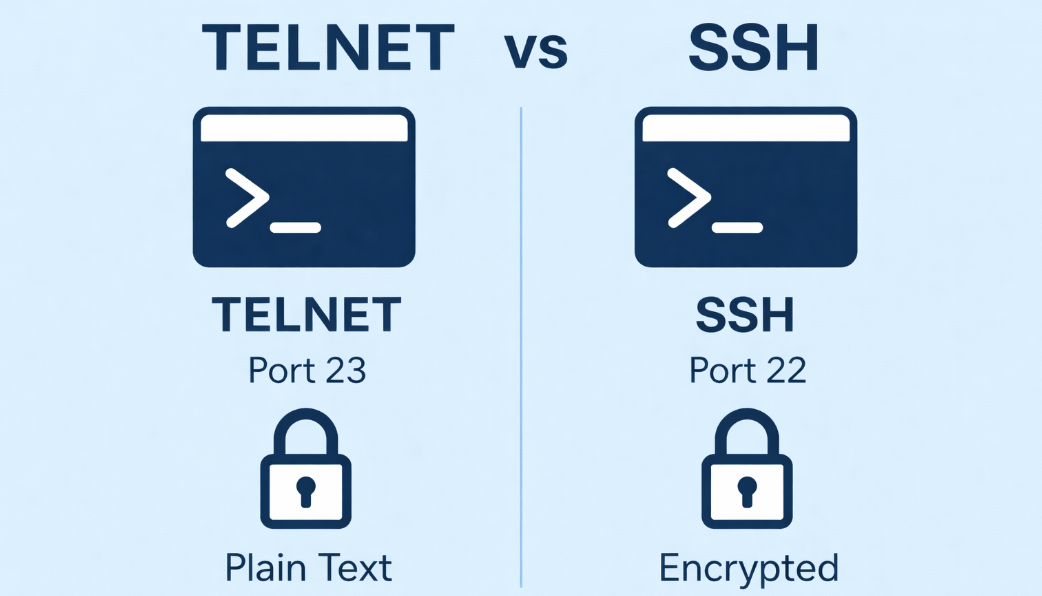
Although both Telnet and SSH are network protocols that allow remote device control, they differ significantly in how they handle data and security. To understand why SSH has become the complete replacement for Telnet in modern environments, let's look at the detailed comparison table below.
| Feature | Telnet | SSH (Secure Shell) |
| Security | None (Plain Text) | High (Fully Encrypted) |
| Data Integrity | Vulnerable to tampering | Protected by MAC (Message Auth Code) |
| Authentication | Basic Username/Password | Supports Public/Private Key Pairs |
| Standard Port | 23 | 22 |
| Use Case | Internal testing, legacy systems | Public servers, modern infrastructure |
>>>SEE MORE: What is Port in networking? Functions and how to classify them correctly
7. How to enable Telnet
On Windows
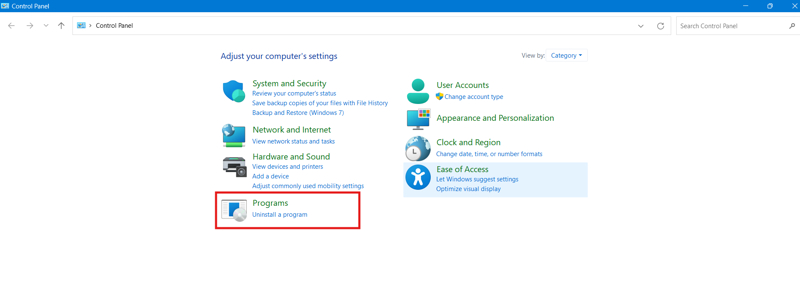
By default, the Telnet client is disabled in Windows 10 and 11. To enable it:
- Open Control Panel > Programs.
- Click Turn Windows features on or off.
- Scroll down and check the box for Telnet Client.
- Click OK and wait for the installation to finish.
On Linux/Mac
Most Linux distributions and macOS (via Homebrew) allow you to use Telnet via the Terminal.
- Command:
telnet [IP_Address] [Port] - If not installed on Linux, use:
sudo apt-get install telnet(for Debian/Ubuntu).
8. Common remote management commands
When you are logged into a remote system (via Telnet or SSH), these basic commands are essential:
ls: List files in the current directory.cd [folder]: Change directory.pwd: Show the current directory path.mkdir: Create a new folder.rm: Delete a file.grep: Search for specific text within files.
9. Fun fact: Star wars via Telnet
Did you know you can watch an ASCII version of Star Wars: A New Hope using Telnet? It’s a classic internet "Easter Egg."
How to do it: Open your terminal/command prompt and type: telnet towel.blinkenlights.nl (Note: This requires your Telnet client to be enabled).
10. Conclusion
Telnet was a pioneer protocol that helped build the internet we know today. While its lack of security makes it unsuitable for modern web servers, it remains a handy tool for network diagnostics and managing legacy hardware. However, for 99% of remote tasks, SSH is the safer and smarter choice.
>>> Related article:
- Internet infrastructure: What it is and why it matters
- What is a VPN? How it can protect you from online threats
- What are MAC Addresses and how to change it?
- DNS - The glue that holds the Internet together
- PAN Network Overview: Everything You Need to Know