
What is WLAN ? WLAN is a wireless network technology that allows multiple devices to connect together via radio waves. So are WLAN and Wifi the same? Let'sexplore the detailed answer in the post with Antidetect Browser Hidemyacc
1. What is Wlan network?
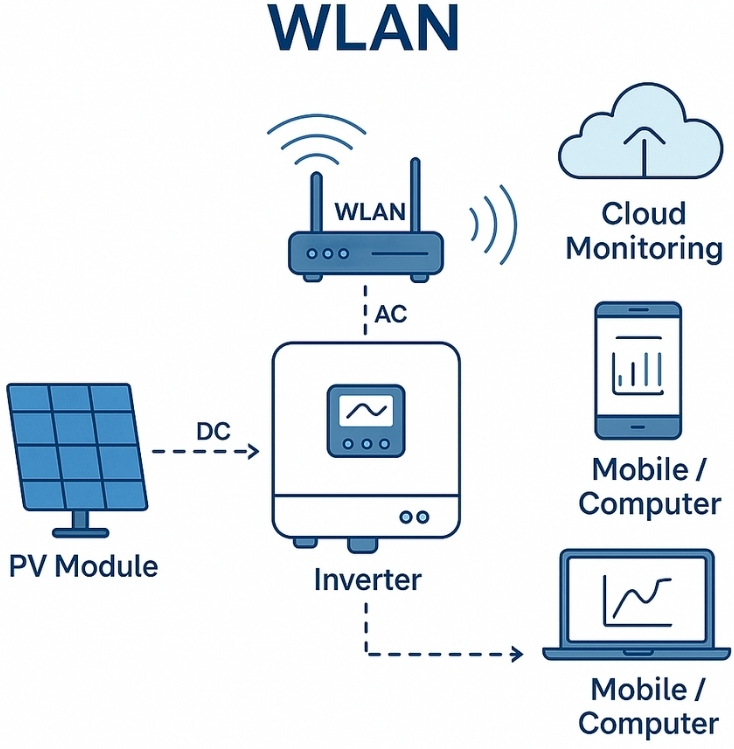
Wlan (Wireless Local Area Network) is a local computer network that uses radio waves to connect devices such as computers, phones, and tablets together without cables. The main purpose of WLAN is to provide flexible, easy-to-deploy, and cost-effective network connectivity for users.
2. How WLAN works
Now that we have a clear understanding of what WLAN is, we will move on to explore how WLAN operates and how it works.
2.1. Wlan operating principle
Devices in a WLAN communicate with each other using radio waves. At the heart of a WLAN is a device called an Access Point (AP), which broadcasts and receives signals from other devices. When a device wants to transmit data, it sends a signal to the AP, which then forwards the data to the destination device.
2.2. Operating frequency
WLANs typically operate on two main frequency bands: 2.4 GHz and 5 GHz. The 2.4 GHz band is widely supported by older devices and covers longer distances, including better wall penetration, but it's more prone to interference. Meanwhile, the 5 GHz frequency is less susceptible to interference and offers higher speeds, but has a shorter range.
3. Relationship between WLAN and Wifi
WLAN and Wifi are often used interchangeably, but they are not exactly the same. WLAN is a general term for wireless local area networks, while Wi-Fi (Wireless Fidelity) is a specific technical standard used to build WLANs.
In other words, Wi-Fi is a form of WLAN, but not all WLANs use Wi-Fi.
4. Distinguish between WLAN and WAN
WAN, or Wide Area Network, is completely different from WLAN in terms of purpose.
WANs are designed to connect over large distances, from hundreds to thousands of kilometers, even across continents. In contrast, WLANs (Wireless Local Area Networks) primarily serve smaller ranges and may not require a fixed physical infrastructure.
Wireless WANs typically use satellites to maintain connectivity, while wired WANs rely on fiber optic cables. WLANs, on the other hand, support a much more limited number of users than WANs. WANs are suitable for geographically spread networks, such as connecting continents, while WLANs focus on local space.
>>>>SEE MORE: What is a Port ? Functions and exact classification
5. What are the advantages of WLAN?
WLAN was born in the US, initially mainly serving households. At that time, the demand for wireless Internet access here skyrocketed due to the difficulty of the cable system (most Americans live in villas with gardens) and the popularity of laptops and tablets. This promoted the strong development of WLAN. Compared to wired networks, WLAN brings many outstanding advantages:
- Convenient and flexible: WLAN allows wireless connection, especially suitable for large, complex spaces such as restaurants, airports, hotels, trains, airplanes or public areas, providing optimal mobility.
- Cost savings: No need for large investments in cable infrastructure, WLAN is deployed quickly, reducing costs compared to wired networks.
- Scalable: WLAN is flexible, easy to upgrade equipment and expand coverage to meet modern technology needs.
- Convenient access: Users can easily connect to the Internet and network resources as long as they are within the coverage area, simple and efficient.
6. Disadvantages of WLAN
- Security: Wireless signals can be eavesdropped and attacked more easily than wired networks.
- Lower Speeds: Data transmission speeds over radio waves are typically slower than over cables.
- Less reliable: Radio waves are susceptible to distance, obstacles, or interference from other devices.
7. Security measures for WLAN
To enhance the security of WLAN, users can apply the following measures:
- Use WPA2/WPA3 encryption: These are the most advanced encryption protocols available today, helping to protect data against attacks.
- Set a strong password: Choose a complex password that combines letters, numbers, and special characters to avoid being hacked.
- Disable SSID broadcasting: Only allow devices with known network name (SSID) to connect to limit unauthorized access.
WLAN is an indispensable technology in the connected era. With advantages such as flexibility, cost savings and ease of deployment, WLAN has become the top choice for wireless Internet access needs.
However, users need to be aware of security issues and take appropriate measures to protect data. In the future, with the development of Wi-Fi 6 and new standards, WLAN promises to bring even better wireless experiences.
Through this article, Hidemyacc hopes that you have clearly understood what WLAN is and the great utilities it brings to modern life. However, like any other type of network, focusing on WLAN security and safety is necessary to protect the safety of devices in the system.
>>> Read more:
- PAN Network Overview: Everything You Need to Know
- What is Hotspot Shield? Advantages and How to Download






