What is Radmin VPN? What are its uses? Let's explore the features and how to use this free VPN tool in detail with Antidetect Browser Hidemyacc in the article below.
1. What is Radmin VPN?
What is Radmin VPN? Radmin VPN is a free virtual private network (VPN) software, designed to create and manage secure virtual local area networks (LANs). When downloading Radmin VPN, users can connect computers securely, even if they are behind uncontrolled firewalls.
Developed by Famatech, a prestigious company in the field of remote control and networking software, Radmin VPN allows users to connect remotely and work on their computers from anywhere such as home, hotels, or airports. This software is very useful in creating a secure network environment for businesses, while also helping gamers set up virtual LANs for multiplayer gaming.
2. Download the latest Radmin VPN
Download the latest Radmin VPN: Download
- Category: VPN Software
- Developer: Famatech
- Supported platforms: Windows 11, 10, 8, 7
Radmin VPN provides a fast, secure, and effective networking solution, meeting various needs from individual users to businesses. This is an ideal tool for enhancing security and network management, especially in remote working situations or for the gaming community.
>>>> REFER NOW:
- What is Shadowrocket? Simple installation and usage 2026
- What is iTop VPN? How to install and use iTop VPN 2026

3. Outstanding features of Radmin VPN
What are the outstanding features of Radmin VPN that make it so popular? Radmin VPN stands out not only for being free and having a user-friendly interface but also for attracting users with its impressive features. Below are the strengths that make this software popular and favored:
- Free and easy to use: Radmin VPN is completely free and has a simple, intuitive interface, making it easy to install and use for all types of users.
- High speed: The software provides connection speeds up to 100 Mbps, ensuring a smooth experience for entertainment, study, and online work.
- LAN connection: Radmin VPN allows for the creation of secure virtual LANs, helping users remotely access devices and network resources such as game servers, printers, files, etc., just like using a common local network.
- Integration with Radmin Remote Control: Combined with Radmin Remote Control software, you can easily access and control computers remotely.
- High security: Your data is always protected with strong AES 256-bit encryption, ensuring the VPN connection is always safe and secure.
- Good compatibility: Radmin VPN is compatible with most popular Windows operating system versions such as Windows 11, 10, 8, 7, making it easy to install and download Radmin VPN on multiple devices.
- Support for multiple users: The software supports connecting multiple computers at the same time, which is ideal for online gaming or teamwork needs.
- Auto-reconnect mode: With the auto-reconnect mode, Radmin VPN ensures the user experience is not interrupted at any time.
Thanks to these superior features, Radmin VPN is an excellent choice for both personal and work needs, especially in situations requiring a safe and stable network.

Radmin VPN is compatible with most popular Windows operating system versions
4. Things to know about Radmin VPN
Radmin VPN is a free software that allows users to create a virtual private network (VPN), helping to establish secure connections between computers over the Internet or a local area network. Below is some basic information about Radmin VPN:
Purpose of use
Radmin VPN is primarily designed to connect computers within a virtual local network, making the sharing of files and resources between computers easier. It is also very popular for creating virtual networks to play online games via a virtual LAN.
Features
Radmin VPN supports connection speeds up to 100Mbps and has the capability to connect up to 150 computers in the same virtual network. Besides, it also provides encryption for data transmitted between computers, ensuring safety for the information exchange process.
Installation and use
The software has a simple and easy-to-use interface, helping users easily set up and manage their networks. You can create a virtual network or join an existing one with just a few easy steps.
Security
Although Radmin VPN uses encryption to protect data, it is not a comprehensive security solution. If you need to protect personal information or remain anonymous on the Internet, you may need to consider other professional VPN services.
Compatibility
Radmin VPN is compatible with many popular Windows operating systems, making it easy for users to use on Windows-based devices.
Free of charge
One of the great advantages of Radmin VPN is that the software is completely free. However, this may mean it does not have the full range of premium features found in paid VPN services.
Not a traditional VPN service
It should be noted that while Radmin VPN helps establish a private virtual network between computers, it is not a traditional VPN service typically used to hide IP addresses, access geo-restricted content, or protect data when using public Wi-Fi.

Radmin VPN is not a traditional VPN service
5. When should you use Radmin VPN?
Radmin VPN is not a traditional privacy VPN — it does not hide your IP address or bypass geo-restrictions. Instead, it is built specifically for two main use cases:
- LAN gaming: Radmin VPN lets you and your friends play LAN-only games over the internet by simulating a shared local network. Games like Minecraft, Age of Empires, or CS 1.6 that require a LAN connection work seamlessly through Radmin VPN without any additional configuration.
- Remote access and file sharing: If you need to access another computer remotely — whether for work or personal use — Radmin VPN creates a secure, encrypted connection between devices. This makes it easy to transfer files, access shared resources, or connect to a work computer from home.
- When Radmin VPN is NOT the right tool:If your goal is to hide your IP address, access geo-restricted content like Netflix libraries, or protect your data on public Wi-Fi, you will need a traditional VPN service instead. Radmin VPN is not designed for these purposes.
>>>> LEARN MORE:
- What is Cloudflare WARP? Benefits and installation guide
- Express VPN Review: Pros, cons, and features

You should use Radmin VPN when your access is restricted
6. Frequently Asked Questions when using Radmin VPN
6.1. Does using Radmin VPN cause lag?
Using Radmin VPN can affect your Internet speed, and this may be due to several factors:
- Data encryption: Radmin VPN encrypts data to protect privacy and security, which can reduce connection speeds due to the encryption and decryption process.
- VPN server location: If the VPN server you connect to is far away, transmitting data over long distances will increase latency and reduce speed.
- Overloaded VPN server: If the VPN server is under a heavy load with many people using it at the same time, your connection performance may be affected.
- Quality of your Internet connection: If your original Internet connection is unstable or has low bandwidth, using a VPN can significantly reduce speed.
6.2. Is Radmin available on phones?
Currently, there is no supported version of Radmin VPN on phones. This software only has versions for Windows operating systems (Windows 7, 8, 10, 11). Therefore, if you want to use Radmin VPN, you must have a computer running the Windows operating system.
Note: The Radmin VPN app that you may find on the Google Play Store is not an official version from Radmin VPN.
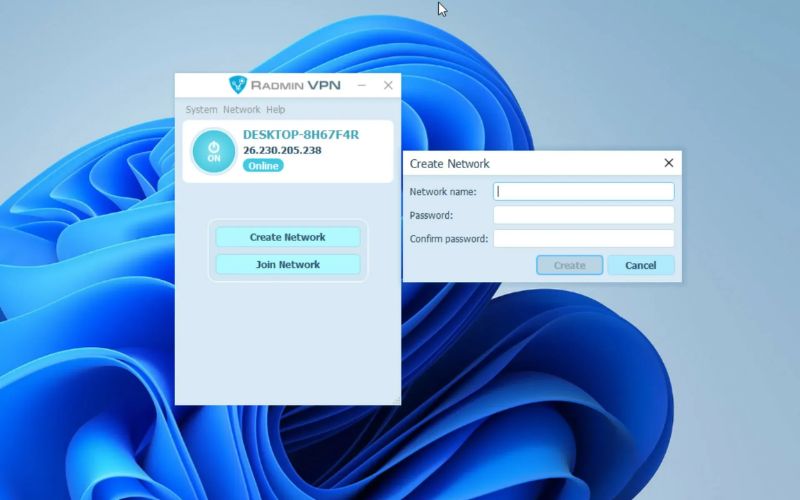
Radmin VPN currently only supports computers
Hopefully, the article above has helped you better understand what Radmin VPN is and its outstanding features. If you are looking for a secure and free VPN solution, Radmin VPN could be an excellent choice. If you have any issues, contact Hidemyacc immediately to discover more effective security tools and services for yourself!
>>>> RELATED ARTICLES: