Most people assume that changing their IP address is enough to make a website treat them as a completely new visitor. In reality, an IP address is only one part of the identity signals websites can observe.
Spoof IP is commonly discussed in areas such as privacy, geo-testing, SEO research, and multi-account management. However, simply switching to another IP does not automatically make an online identity independent. Browser fingerprint, cookies, DNS, WebRTC, timezone, and other signals can still reveal inconsistencies.
This guide explains what spoof IP means, how it works, the main ways to change your visible IP address, and how to keep your browsing environment consistent for legitimate use cases.
1. What Is Spoof IP?
Before choosing a VPN or proxy, it's important to understand what spoofing an IP actually means. This section covers the definition, how it works, and how it differs from similar terms like hiding or changing an IP address.
1.1. Definition
Spoof IP is the technique of making a website or online service see a different public IP address instead of the one originally assigned to your internet connection.
For most users, spoofing an IP simply means routing internet traffic through a VPN or proxy server. The destination website sees the intermediary server's IP rather than your real one.
It's worth distinguishing this from network-layer IP spoofing, a cybersecurity technique that forges the source IP inside data packets. That meaning is mainly related to networking and security research, while this guide focuses on the everyday practice of changing your visible IP address.
Common legitimate reasons to spoof an IP include:
- Accessing geo-restricted websites and services
- Researching localized Google search results
- Testing region-specific advertisements
- Protecting your real IP while browsing
- Managing multiple business accounts with separate identities
1.2. Spoof IP vs. Hide IP vs. Change IP
Although these terms are often used interchangeably, they describe different goals.
| Purpose | Hide IP | Change IP | Spoof IP |
|---|---|---|---|
| Main goal | Protect privacy | Replace your current IP | Present a new online identity |
| What websites see | A masked IP | A different public IP | A believable IP linked to another location |
| Typical use case | Private browsing | Switching networks | SEO, geo-testing, multi-account management |
The key takeaway: hiding an IP is primarily about privacy, while spoofing an IP is about presenting a different and consistent identity to the website you're visiting.
1.3. How Does Spoof IP Work?
Every time you open a website, your device sends a request containing a public IP address. Websites use that IP to estimate your location, internet provider, and sometimes calculate a trust score.
Here's the typical flow:
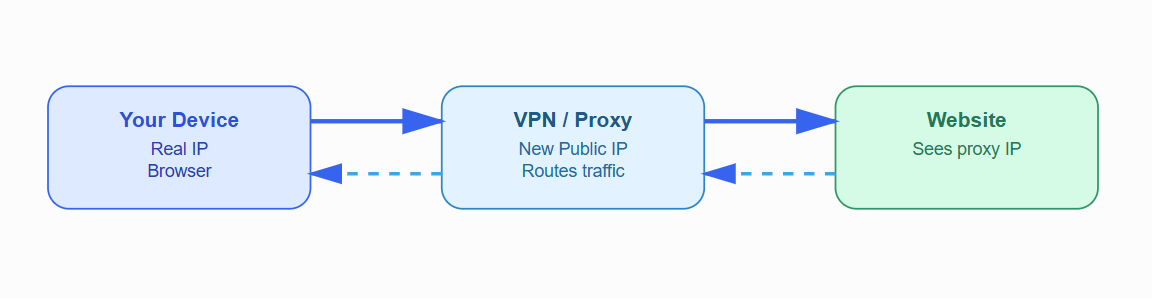
The process works in four steps:
- Your device sends a request to access a website.
- The VPN or proxy receives the request and forwards it using its own connection.
- The website only sees the intermediary server's IP, not your original public IP.
- The response travels back through the VPN or proxy before reaching your device.
Changing your IP only affects one identity layer. Browser fingerprint, cookies, DNS, and WebRTC can still expose inconsistencies, which is why many users are still detected even after switching IPs.
2. Why Do You Need to Spoof Your IP?
There are several legitimate situations where changing your visible IP can be useful.
- Access Geo-Restricted Content: Some websites and online services provide different content depending on the visitor's region. A VPN can route your connection through another country, allowing you to test how a service behaves for users in that location.
- Avoid IP-Triggered Account Restrictions: Some services use IP addresses as one signal when evaluating login activity. A sudden login from an unfamiliar network can trigger additional verification or temporary restrictions. Using a consistent connection for legitimate account activity can help avoid unnecessary network-related inconsistencies.
- Track Localized Search Results: SEO professionals often need to see search results from different cities or countries. Changing the apparent location of a connection makes it easier to test how search results vary by region.
- Manage Multiple Accounts: Businesses sometimes need to operate multiple legitimate accounts for different brands, clients, stores, or teams. Separating network connections can help keep account environments organized. An IP alone, however, is not enough for account separation.
- Test Region-Specific Ads and Content: Advertisers can use different network locations to check whether regional landing pages, advertisements, pricing, or localized content are being displayed correctly. This is particularly useful before launching campaigns across multiple markets.
This can be particularly useful before launching a campaign across multiple markets.
3. Common Methods to Spoof Your IP
No single method works best for every situation. VPNs, residential proxies, ISP proxies, and antidetect browsers solve different parts of the problem, so understanding their trade-offs is important.
3.1. Spoofing IP with a VPN
A VPN encrypts your traffic and routes it through a VPN server. Websites generally see the VPN server's public IP instead of your original connection's IP.
Pros:
- Easy to set up.
- Quick to switch locations.
- Usually affordable.
- Encrypts traffic between your device and the VPN server.
Cons:
- Public VPN IPs may be shared by many users.
- Some services can identify and restrict known VPN ranges.
- Server locations may have limited availability.
- Performance can vary depending on the server and network.
Best for: accessing region-specific content, general privacy, and situations where convenience is more important than having a highly stable dedicated IP.
Read more:
- How to change VPN on phone and PC to fake IP effectively
- How to install VPN on Android phone most effectively
- Top 9 best free VPN software for Android
- 7 best free VPN software for iOS 2024
- 15 best free VPN software for PC
3.2. Spoofing IP with a Residential Proxy
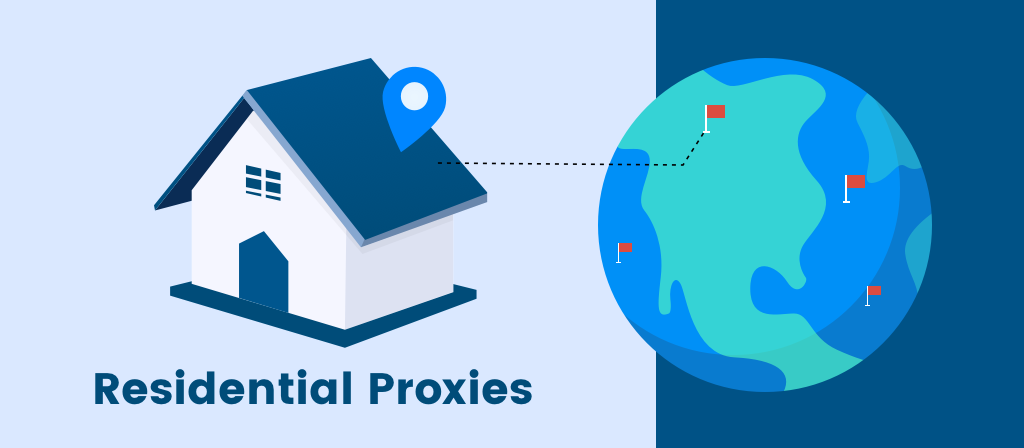
A residential proxy routes traffic through an IP address associated with a residential internet connection. From the destination's perspective, the IP is generally associated with an ISP and residential network rather than a conventional hosting provider.
Pros:
- Residential IPs can appear more representative of ordinary users.
- Useful for location-specific browsing and research.
- Available across many geographic regions.
- Suitable for workflows where IP location matters.
Cons:
- Usually more expensive than basic VPN services.
- Connection speed can vary.
- IP availability and quality depend heavily on the provider.
- Some residential proxy networks use rotating IPs, which may not suit every workflow.
Best for: local SEO, e-commerce research, regional testing, and business workflows where residential IP characteristics are important. For users who need residential IPs across different regions, 711Proxy, Databay, Thordata provide residential proxy solutions across 200+ locations, including rotating residential, static residential, and mobile proxies. Its API access also supports direct integration with automated workflows, while flexible traffic- and IP-based plans can accommodate different usage requirements.
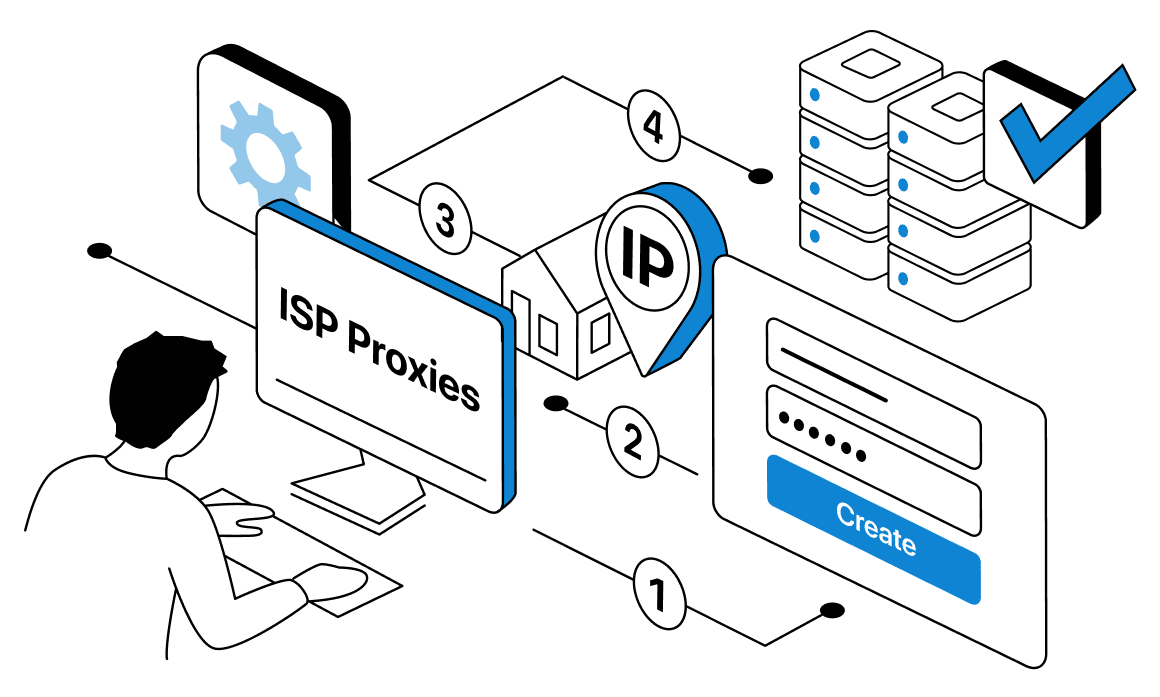
3.3. Spoofing IP with an ISP Proxy
An ISP proxy is typically hosted on infrastructure associated with a data center while using IP space registered to an internet service provider. This gives it characteristics that sit between conventional data-center proxies and residential connections.
Pros:
- Generally fast and responsive.
- Can provide a stable IP for longer-running sessions.
- Lower latency can be useful for automation and data-intensive workflows.
- Often suitable when consistency matters.
Cons:
- Can be more expensive than standard data-center proxies.
- The quality of available IPs varies between providers.
- Not every ISP proxy has the same geographic coverage.
- It may not provide the same residential characteristics as a genuine household connection.
Best for: workflows that prioritize speed, stability, and a consistent IP over a long period.
3.4. Spoofing IP with an Antidetect Browser
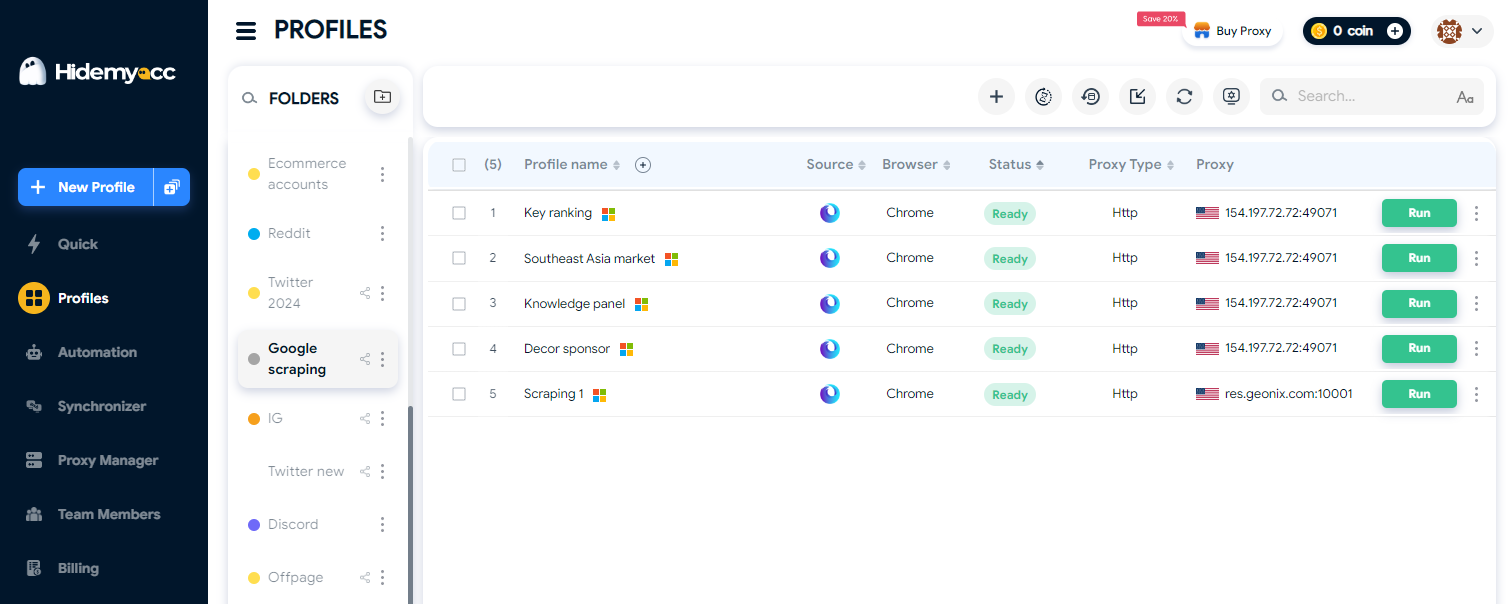
An antidetect browser does not generate or assign IP addresses by itself. Instead, it creates isolated browser environments where different profiles can have separate cookies, local storage, and browser fingerprint configurations.
When an antidetect browser is combined with a proxy, the proxy handles the network identity while the browser profile handles the browser-side identity.
Pros:
- Keeps browser profiles separated.
- Allows different profiles to maintain independent cookies and local storage.
- Can synchronize browser settings with the intended environment.
- Useful for managing multiple legitimate business accounts.
Cons:
- Requires more configuration than a basic VPN.
- There is a learning curve when creating profiles.
- Poorly configured profiles can still contain inconsistencies.
Best for: multi-account workflows that require stronger separation between browser environments.
3.5. Geolocation Spoofing — Spoofing Location on Mobile
Geolocation spoofing goes beyond changing the IP address. On mobile devices, apps can access location information from the device itself, meaning an IP change may not be enough to make the apparent location consistent.
For example, a connection may appear to come from New York based on its IP while the device's location services report Hanoi. That mismatch can create an obvious inconsistency for applications that compare network and device location signals.
A typical location-spoofing setup may combine a location-mocking method with a VPN or proxy. Depending on the device and application, users may also need to consider timezone and language settings.
This matters particularly for apps that rely heavily on location, such as social platforms, dating applications, navigation services, and location-based games.
However, some applications actively detect mocked locations or other signs that the reported GPS position is not genuine. Therefore, location spoofing is not guaranteed to work across every application or device version.
Quick Comparison Table
After reviewing each method, the table below helps you make a quicker choice based on three key factors: speed, naturalness, and cost.
| Method | Speed | Trust/Naturalness | Cost |
|---|---|---|---|
| VPN | High to medium | Medium | Low |
| Residential Proxy | Medium | High | Medium to high |
| ISP Proxy | High | Medium to high | Medium to high |
| Antidetect Browser + Proxy | Depends on proxy | Depends on overall setup | Medium to high |
The right option depends on the goal. A VPN is usually the simplest choice, while residential or ISP proxies may be more suitable when IP characteristics and stability matter. An antidetect browser becomes useful when browser-level separation is also required.
4. Why You Still Get Detected After Spoofing Your IP
Changing only the IP is one of the most common mistakes. Modern websites can evaluate multiple signals at the same time, so a new IP does not automatically make every other part of the environment look different.
4.1. Ignoring IP Reputation
Not every IP address has the same reputation.
An IP may have previously been associated with spam, automated traffic, abuse, or suspicious activity. If a website already has a negative history associated with an address, changing to that IP may not improve the situation.
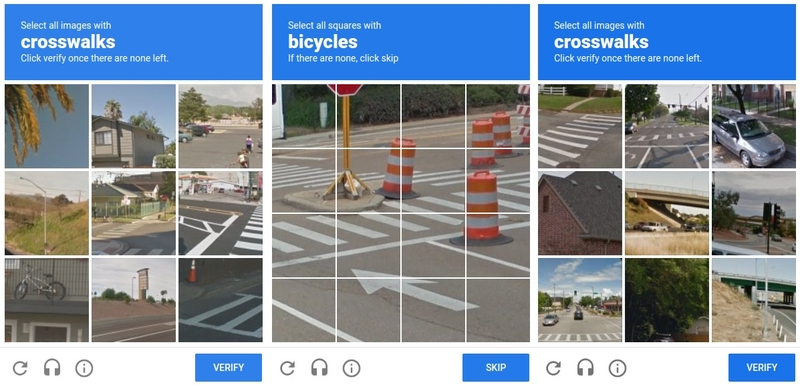
For example, an IP address that has previously been used for spam or excessive automated activity may have a low reputation. As a result, even if you are using the IP for the first time, a website may still require a CAPTCHA or restrict access.
This is one reason why some data-center IPs can encounter more restrictions than residential IPs. Hosting-provider IP ranges are often easier for platforms to classify, while residential addresses can more closely resemble ordinary consumer connections.
4.2. Not Syncing Your Browser Fingerprint
A browser fingerprint consists of various technical characteristics that can help a website distinguish one browser environment from another.
Common fingerprint signals include:
- User Agent: Provides information about the browser and operating system.
- Canvas fingerprint: Can generate unique data based on how a device processes images.
- WebGL: Relates to the browser and device's graphics capabilities.
- Font: The list of available fonts can become part of a browser fingerprint.
- Hardware information: Certain hardware details can also be used to distinguish devices.
For example, two visitors can use the same IP address but still appear to be completely different browsers because their fingerprints differ.
Likewise, changing your IP while leaving the rest of your environment unchanged does not necessarily create a new browser identity.
4.3. DNS and WebRTC Leaks
A VPN or proxy can change the IP visible to a website while other network information remains exposed if the configuration is incorrect.
DNS leaks can occur when domain-name requests are sent through a DNS resolver associated with your original network instead of the intended VPN or proxy environment.
WebRTC leaks can expose additional IP information through browser-based communication mechanisms, depending on the browser and configuration.
After changing your IP, it is therefore worth checking both DNS and WebRTC status instead of assuming the new IP is the only information being exposed.
4.4. Timezone and language mismatch
Location inconsistencies can be another source of suspicious-looking behavior.
Imagine that your IP appears to originate from New York, while your browser uses a GMT+7 timezone and Vietnamese as its primary language. None of these settings is inherently suspicious on its own, but together they create a geographic mismatch.
For legitimate regional testing or account workflows, keeping location-related settings consistent makes the environment easier to understand and manage.
5. How to spoof your IP safely
A safer setup is not about simply finding a new IP. It is about choosing an appropriate connection and making sure the surrounding browser environment is configured consistently.
5.1. Choose the right IP type for the purpose
Start with the purpose of your workflow.
If you only need to test a website from another country, a VPN may be sufficient. For localized SEO research, a residential proxy may provide more relevant results. If you need a stable connection for a long-running workflow, an ISP proxy can be worth considering.
For multi-account business operations, an antidetect browser paired with an appropriate proxy can provide an additional layer of profile separation.
There is no universally "best" IP type. The right choice depends on location, stability, speed, budget, and the requirements of the service you are using.
5.2. Sync your browser fingerprint to the IP
The IP should not be considered separately from the browser environment.
If your connection appears to originate from one country, consider whether the browser's timezone, language, screen resolution, and rendering characteristics are consistent with that environment.
For example, a profile configured for a U.S. region should not accidentally retain an unrelated timezone simply because the browser was originally configured elsewhere.
The goal is consistency rather than making every signal look artificially different.
5.3. Check your environment before logging in
Before using a newly configured environment, check the main identity signals.
- IP: Confirm that the visible IP shows the intended location.
- DNS: Verify that DNS requests are not unexpectedly associated with your original network.
- WebRTC: Check whether your browser exposes an unintended IP address.
- Fingerprint: Make sure the browser's key characteristics are consistent with the profile and intended location.
Running these checks before logging in can help identify configuration problems before they affect your workflow.
5.4. Keep one identity per account
For multi-account workflows, a useful rule of thumb is to keep each account associated with its own consistent browser environment and network configuration where appropriate.
Avoid casually sharing cookies or local storage between unrelated accounts. These data points can connect sessions even when the visible IP addresses are different.
It is also better to avoid unnecessary IP switching within a short period. Frequent changes between unrelated locations can create an inconsistent login history and trigger additional verification on some platforms.
Most importantly, account management should follow the rules of the service being used. IP separation is not a substitute for complying with platform policies.
5.5. Set up antidetect browser Hidemyacc to spoof your IP safely
Changing your IP is only half of the setup. If your browser fingerprint, cookies, timezone, and local storage still belong to the same environment, websites can continue linking your accounts together. That's why the safest approach is to combine a proxy with an isolated browser profile.
Antidetect browser Hidemyacc helps you create a fully isolated browser profile for each account. When paired with a matching proxy, every profile has its own fingerprint, cookies, local storage, and IP environment, reducing the fingerprint mismatches, DNS leaks, and timezone inconsistencies discussed in the previous section.
Follow these steps to set it up correctly:
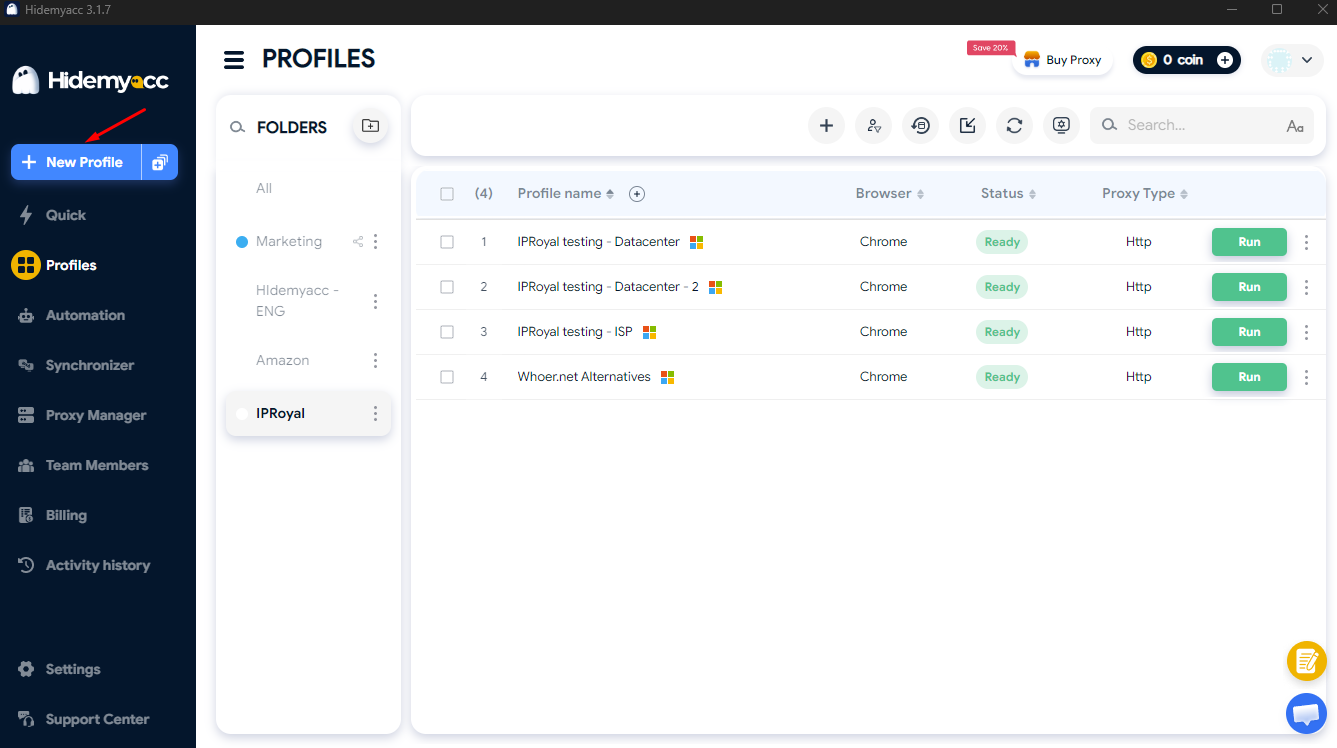
Step 1: Create a separate profile for each account
Open Hidemyacc, sign in to your account, and click New Profile to create a new browser environment. Create one dedicated profile for each account instead of using the same profile across multiple accounts.
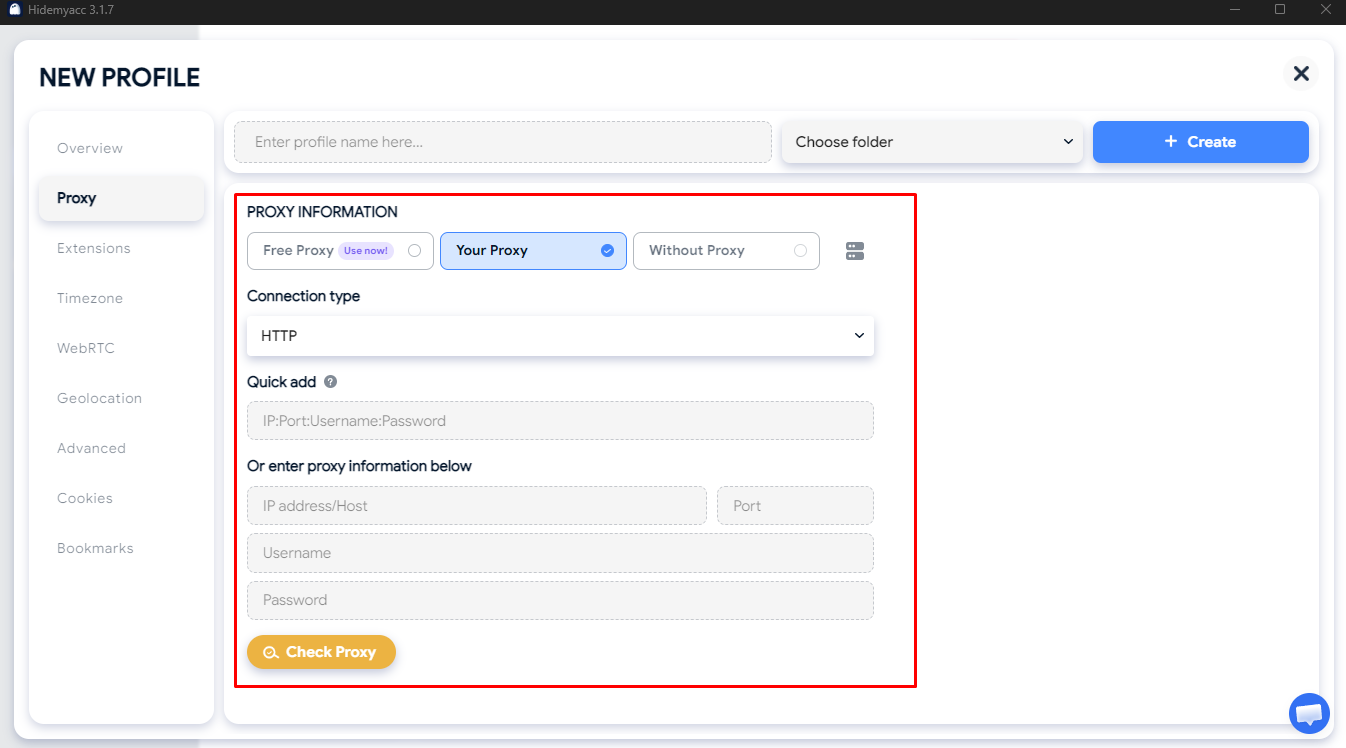
Step 2: Attach a proxy to the profile
Go to the profile's connection settings and add the proxy you want to use. Choose the proxy type based on your workflow, and whenever possible, keep one stable IP assigned to each profile for long-term use.
Step 3: Configure the browser environment
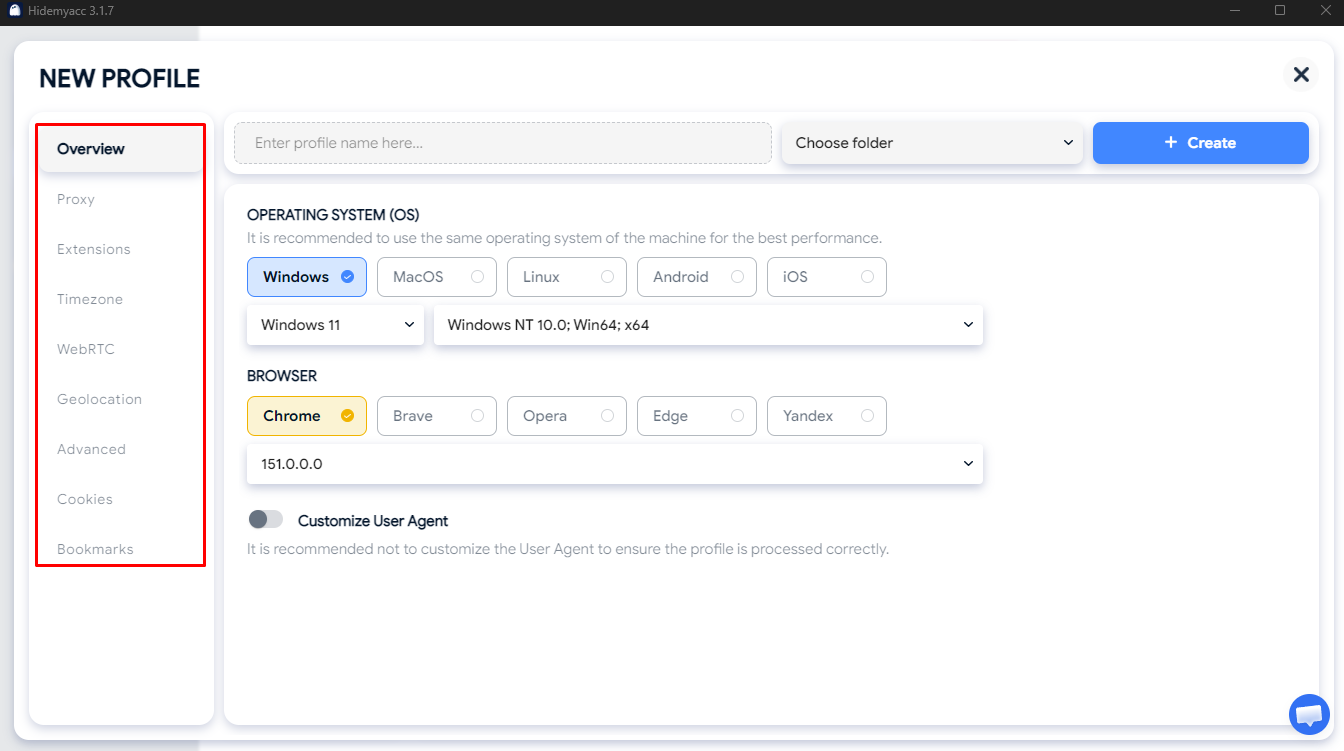
Review the profile's timezone, language, screen resolution, and fingerprint settings. These values should be consistent with the geographic location of the proxy so the browsing environment appears coherent.
Step 4: Check your IP and test for leaks
Launch the profile after connecting the proxy and verify that the displayed IP matches the intended location. Then run both a DNS leak test and WebRTC leak test to confirm that no unexpected network information is exposed.
Step 5: Save and label the profile
Once everything is configured correctly, save the profile and give it a clear name. A simple naming system makes it much easier to manage multiple accounts while keeping each browser identity separate.
6. Important things to keep in mind
Spoofing your IP is much more effective when the rest of your browsing environment stays consistent. Before using a VPN, proxy, or antidetect browser long term, keep these practical best practices in mind.
- Changing your IP doesn't make you anonymous: Websites can still recognize your browser through fingerprint, cookies, DNS, and other signals, so your IP is only one part of your online identity.
- Incognito mode is not IP spoofing: Private browsing only clears local browsing data after the session ends. It does not change the public IP address that websites see.
- Changing your DNS doesn't hide your IP: Services like 1.1.1.1 improve DNS resolution, but they do not replace the source IP your device presents to websites.
- Choose a VPN or proxy based on your goal: A VPN is often enough for privacy and geo-testing, while residential or ISP proxies are generally better suited for SEO, e-commerce, and multi-account workflows.
- Re-check your environment after every configuration change: Whenever you switch a proxy or adjust browser settings, verify your IP, DNS, WebRTC, timezone, and language before logging into important accounts.
- Avoid reusing the same IP across too many accounts: Even with isolated browser profiles, sharing one IP between many unrelated accounts can make your traffic appear less natural.
- Monitor long-term IP reputation: If you keep the same IP for weeks or months, periodically check whether it has developed a poor reputation that could affect account trust.
Following these guidelines helps create a more stable and believable online identity, reducing the risk of avoidable detection caused by configuration mistakes rather than the IP itself.
7. Conclusion
Spoofing your IP is no longer just about connecting through a different country. Modern websites evaluate multiple identity signals, including your IP address, browser fingerprint, cookies, DNS, WebRTC, timezone, and browsing behavior. Changing only the IP often leaves obvious inconsistencies that can still trigger detection.
The safest approach is to choose the right IP type for your goal, keep your browser environment synchronized with that location, and maintain one consistent identity for each account. For long-term multi-account management, combining a reliable proxy with Hidemyacc provides isolated browser profiles and a more stable way to manage separate online identities.
8. FAQ
1. Can an IP address really be spoofed, and can it be detected?
Yes, an IP address can be spoofed using tools like a VPN, proxy, or antidetect browser. Detection is still possible, though — if your fingerprint, DNS, or timezone don't match the spoofed IP, anti-fraud systems can flag the mismatch even when the IP itself looks fine.
2. Is spoofing your IP address legal?
Using a VPN or proxy to change your IP is legal in most everyday use cases. That said, using a spoofed IP to commit fraud or violate a specific platform's terms of service is a separate issue, and users should weigh that against their own local laws and the platform's rules.
3. What's the difference between a Residential Proxy and an ISP Proxy?
A Residential Proxy uses a real IP issued by an ISP to an actual household, so it reads as highly natural. An ISP Proxy sits in a datacenter but is registered under a carrier's ASN, combining high speed with trust levels close to residential. The right choice depends on whether you're prioritizing naturalness or speed/stability.
4. Does spoofing your IP make managing multiple accounts safer?
IP is only one part of a detection-avoidance setup. You also need an independent browser profile — for example through an antidetect browser — so each account has its own fingerprint and data, rather than relying on IP alone.
5. Does 1.1.1.1 hide your IP address?
No. 1.1.1.1 is a public DNS resolver — it changes how domain names get looked up, not the source IP address your device presents to a website. Hiding or spoofing your IP requires a VPN, proxy, or similar tool, not a DNS change.
6. Is IP spoofing still effective in 2026?
Yes, but the approach has shifted. Platforms increasingly combine multiple signals — IP, fingerprint, and behavior — so spoofing the IP alone is no longer enough; it needs to be paired with fingerprint and location syncing as covered earlier in this guide.
7. Is IP tracing legal?
Platforms, service providers, and authorities tracing an IP address within their legal authority — for example to investigate fraud or a terms-of-service violation — is generally legal. Individual users should check the specific rules that apply in their own region before engaging in IP-tracing activity themselves.
8. Is IP spoofing the same as network-security IP spoofing (used in attacks)?
No, these are two different things. Network-security IP spoofing refers to forging the source IP at the packet level, commonly associated with attacks like DDoS. Spoof IP in this guide refers to legitimately changing your visible IP using a VPN, proxy, or antidetect browser for personal or business purposes.