Temu Affiliate has emerged as an attractive way to make money online for many users. But can you withdraw money from Temu? How to withdraw money on Temu exactly? Let's find out with Antidetect Browser Hidemyacc right through the article below!
1. Is it possible to withdraw money on Temu?
You can withdraw money on Temu through two forms: withdrawing to the Temu internal wallet or withdrawing via PayPal.
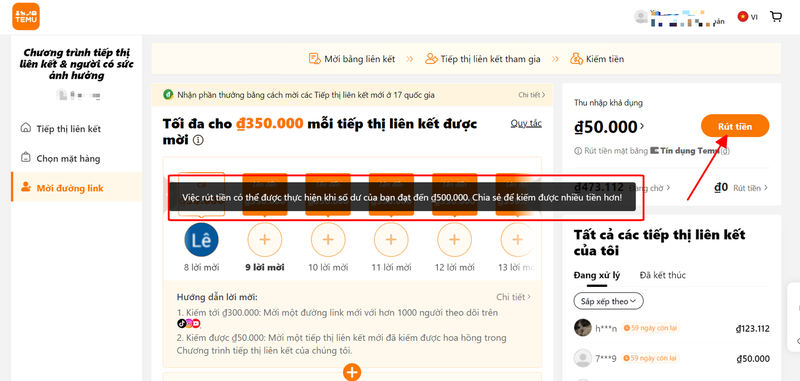
Currently, Temu has allowed users to withdraw money to their Temu wallet for shopping use or direct transfer to a PayPal wallet. To perform this transaction, you need to note that the minimum value for withdrawal is 500,000 VND.
>>>> SEE MORE:
- 8 ways to make money from Temu Affiliate simple and latest 2026
- Is Temu a scam? Guide to using Temu safely
2. Conditions for withdrawing money on Temu
Before making a withdrawal from Temu, you need to understand some conditions and notes to ensure the process goes smoothly, including:
- Minimum balance: You must have at least $20 (about 500,000 VND) in your account to be eligible for withdrawal.
- Transaction fees: When withdrawing via PayPal, you will be charged a fee of 60,000 VND for each transaction.
Make sure you have fully met these conditions before performing a withdrawal to avoid unwanted incidents.

>>>> RELATED ARTICLES:
- 11 Ways to get Temu discount codes quickly and easily
- Does Temu ship to Vietnam? Temu shipping policy
3. How to withdraw money on Temu simply and quickly
If you have met the conditions for withdrawing money from Temu, the process becomes very simple and fast. Below is a step-by-step guide so you can withdraw money effectively, helping you manage your personal finances more easily.
3.1 How to withdraw money on Temu into the Temu internal wallet
Temu is an e-commerce platform attracting interest with many attractive offers. If you are learning how to withdraw money on Temu into the internal wallet, follow the steps below:
Step 1: Open the Temu app on your phone or log in to the Temu website on your computer.
Step 2: Check the available amount in your Temu account. This amount must reach at least $20 to be able to execute a withdrawal order.
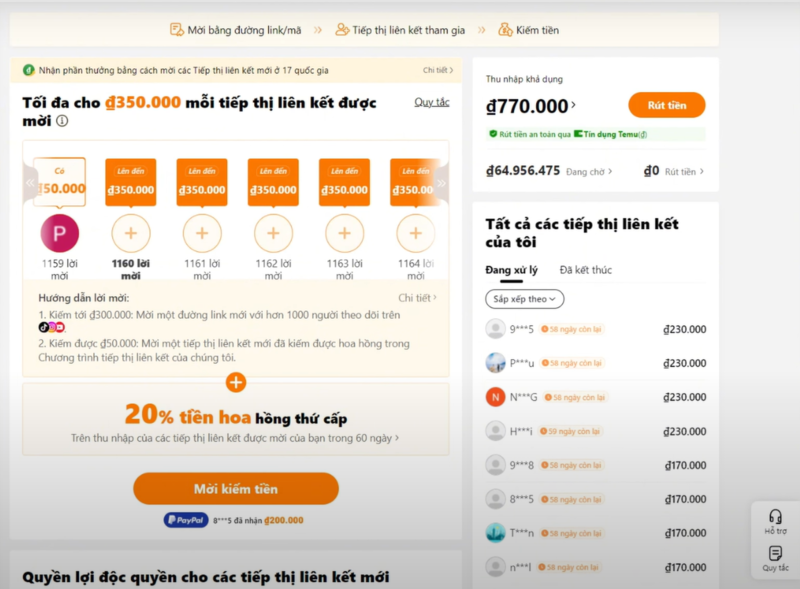
Step 3: In the Withdraw section, select transferring money to the Temu wallet for shopping.
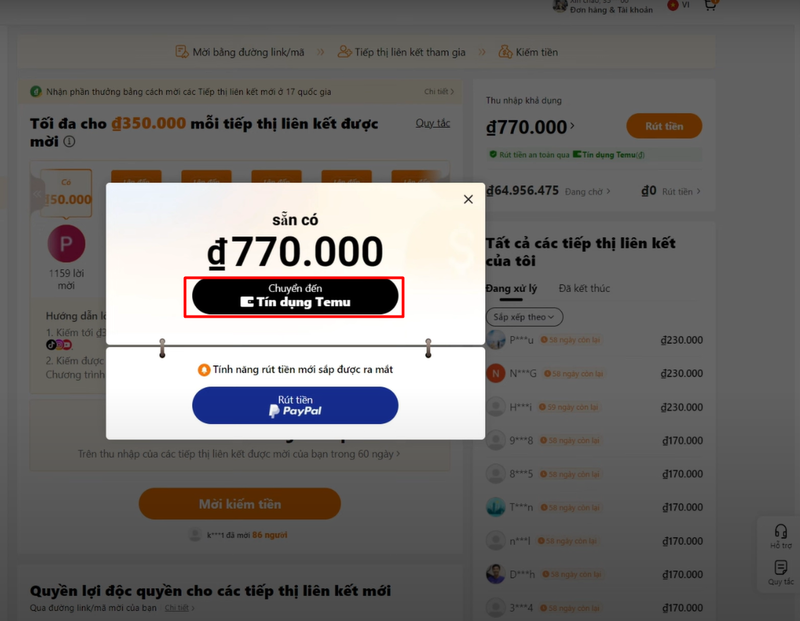
3.2 How to withdraw money on Temu via PayPal
Withdrawing money from Temu via PayPal is a simple process that helps you easily transfer money from your Temu Affiliate account. Here is a detailed guide on how to withdraw on Temu via PayPal so you can do it smoothly:
- Step 1: Open the Temu app on your phone and log in to your Temu Affiliate account.
- Step 2: Find and select the "Withdraw" section.

-
Step 3: Select the "Withdraw Paypal" method to proceed with the withdrawal via PayPal. If you don't have a PayPal account yet, register now to perform the next steps.
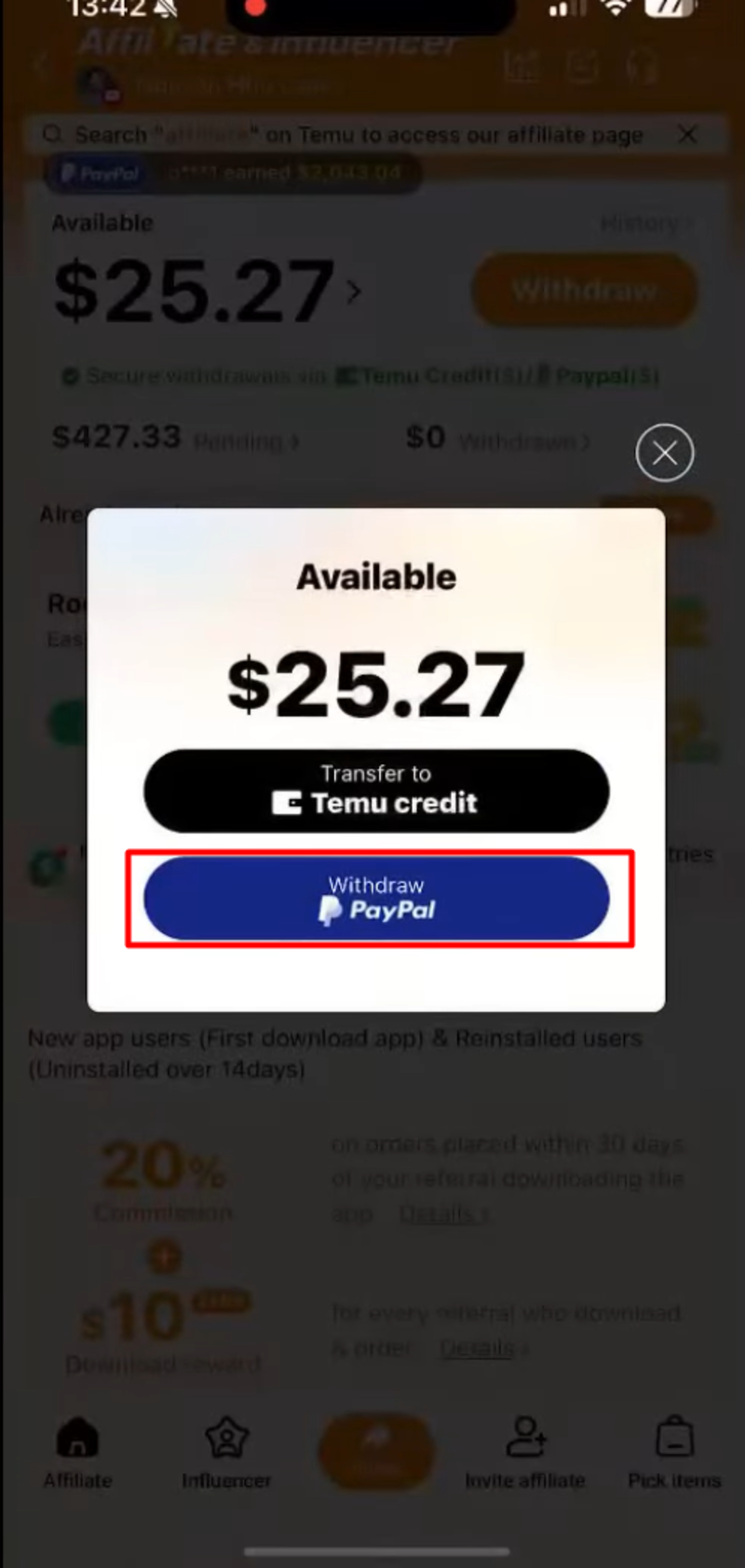
-
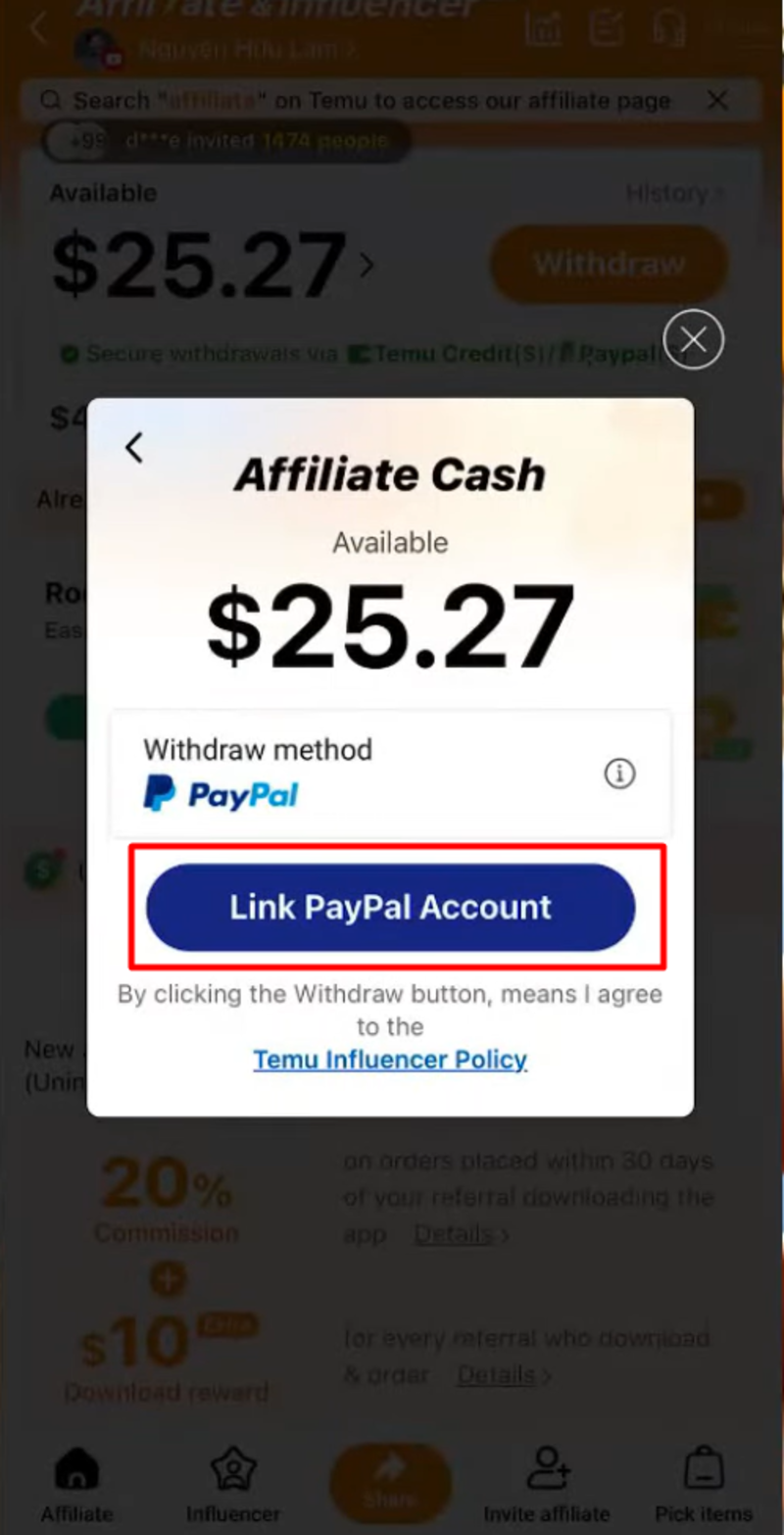
Step 4: Link your PayPal account with Temu by clicking on "Link Paypal Account".
-
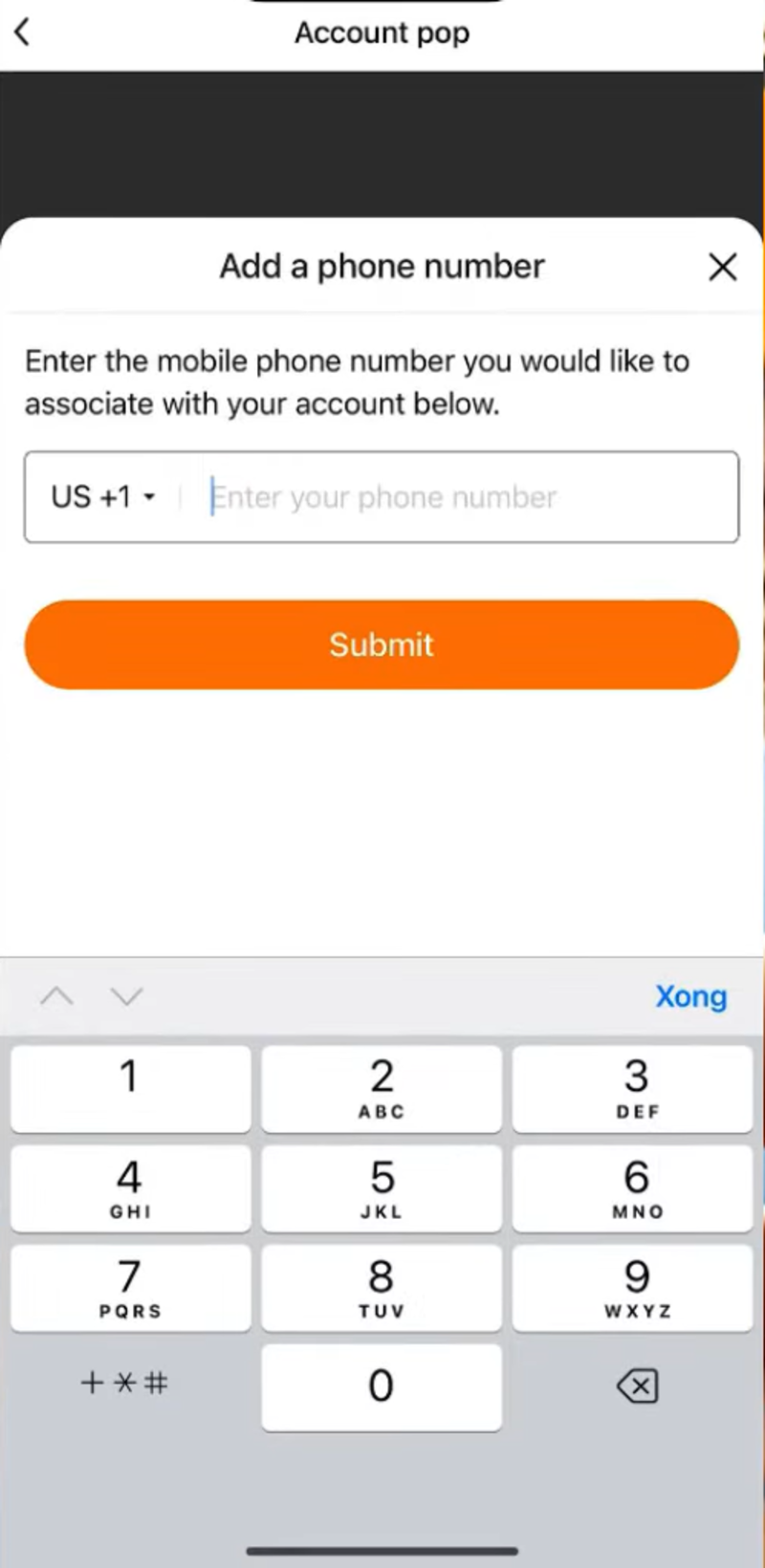
Step 5: Enter your phone number and receive an OTP code for authentication.
-
Step 6: Enter the email or phone number and password of your PayPal account, then select "Log In".

-
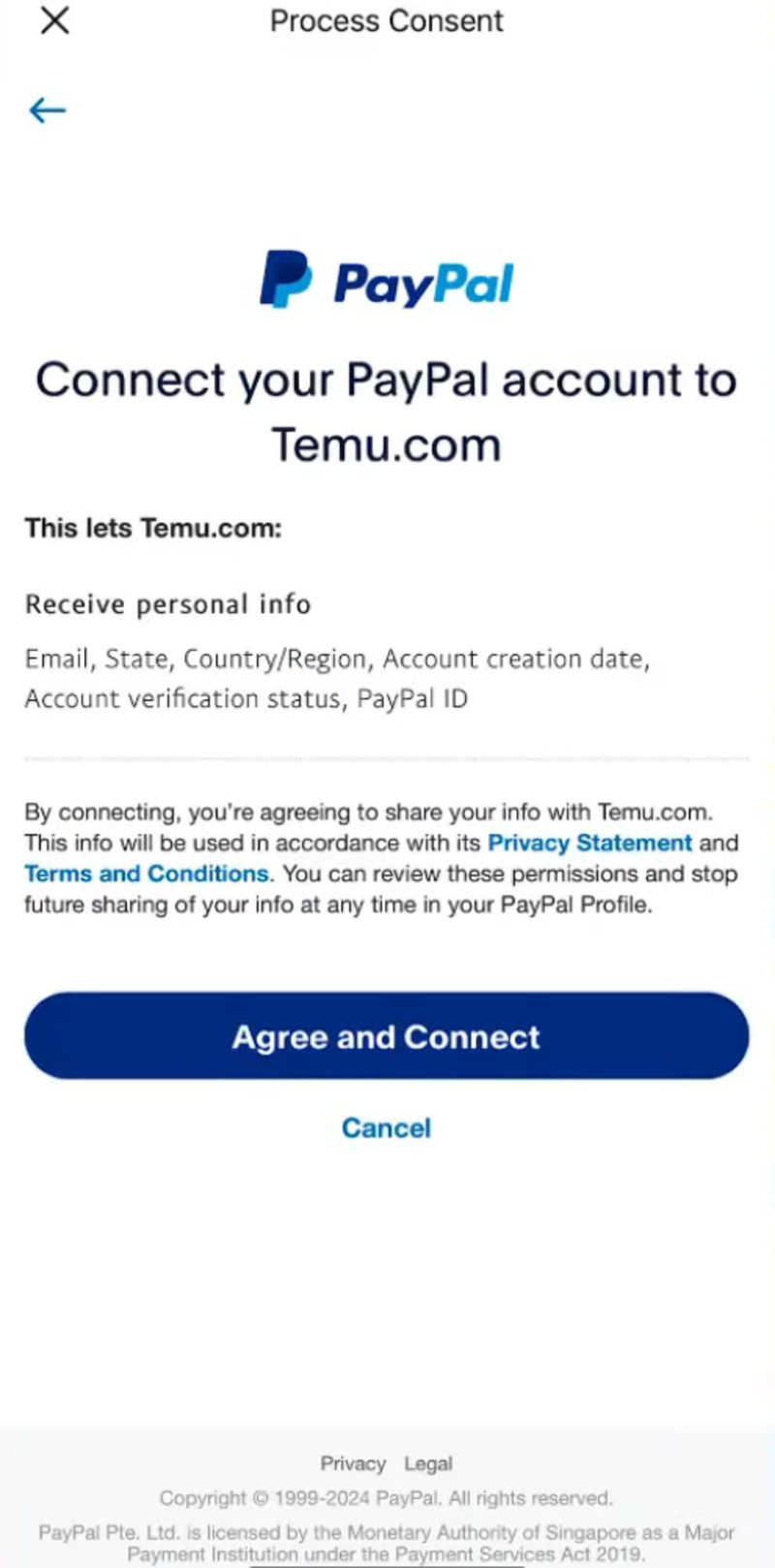
Step 7: Press "Agree and Connect" to agree to the link between Temu and PayPal.
-
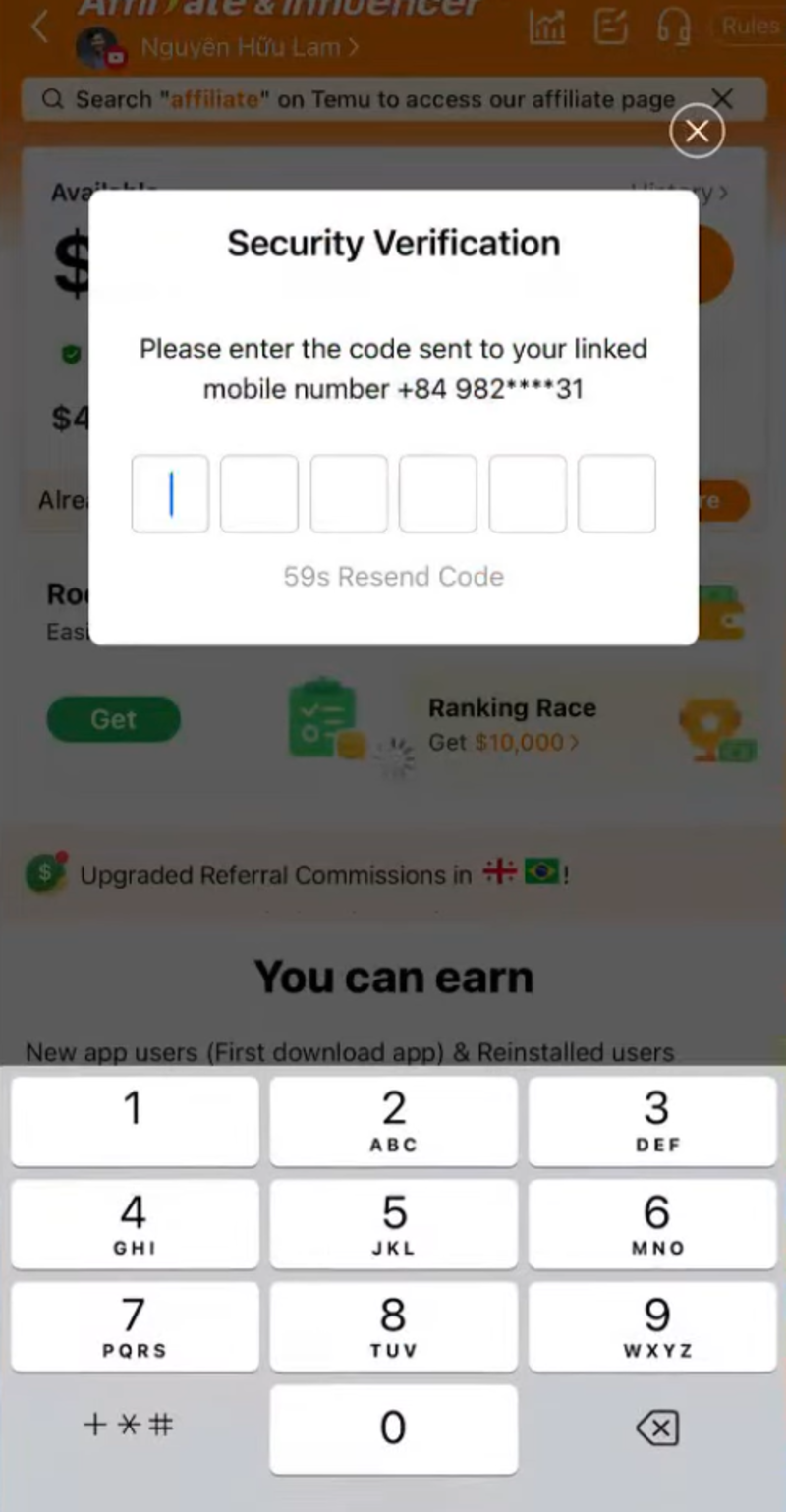
Step 8: Enter the OTP code sent to your phone number to complete authentication.
-
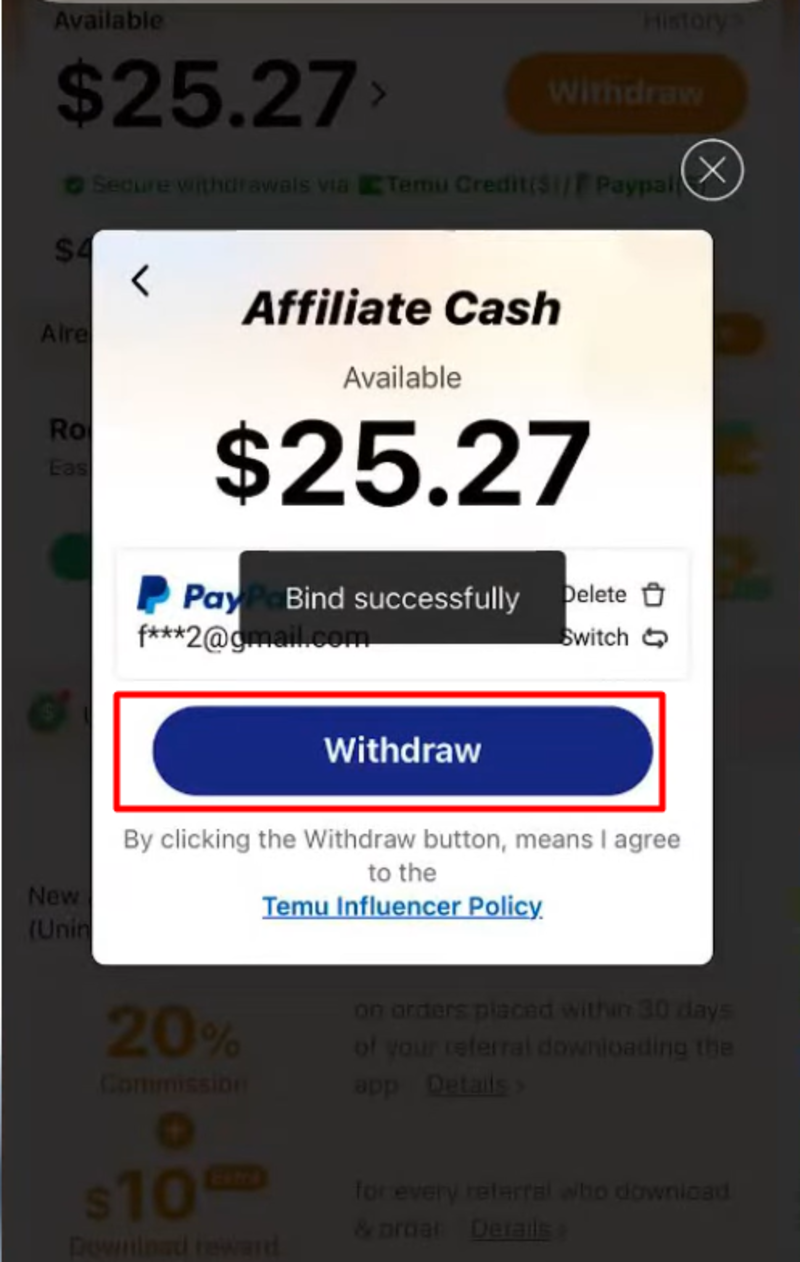
Step 9: On the redirected screen, select "Withdraw" to confirm the withdrawal request from Temu.
-
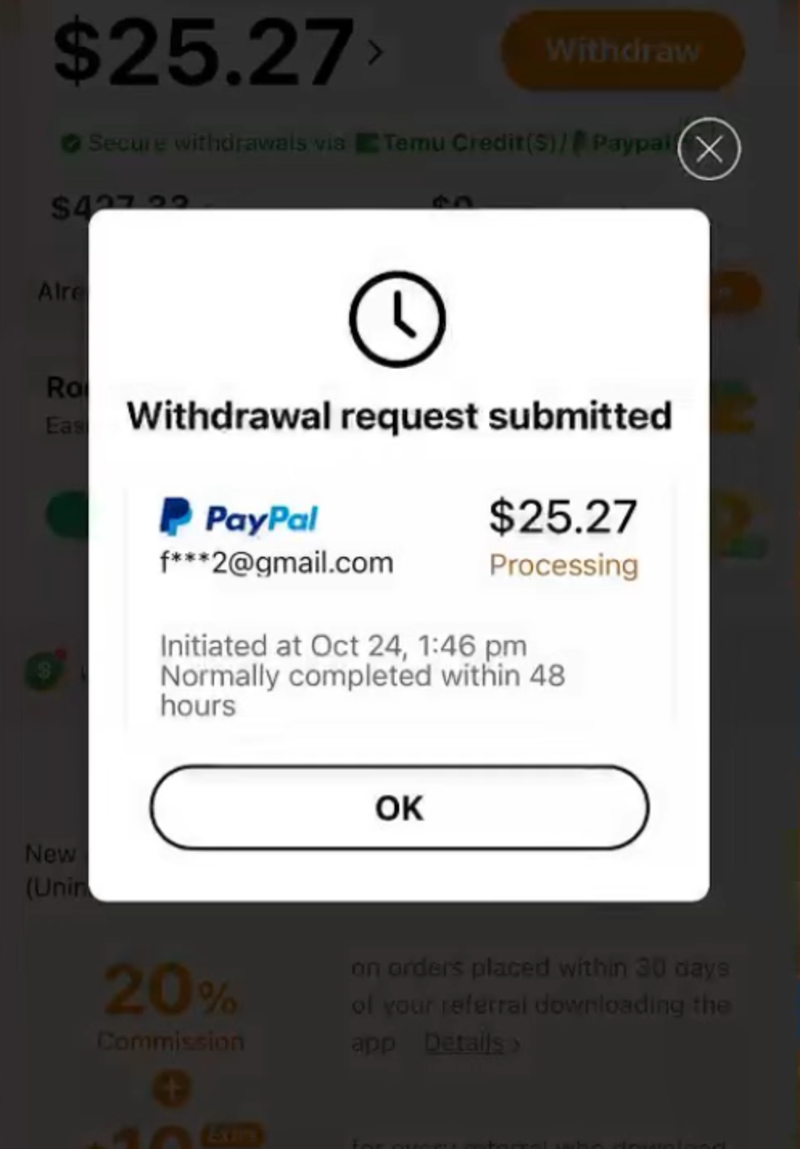
Step 10: When the withdrawal process is successful, you will receive a notification. Note that the withdrawal request will be processed within 48 hours from the time you create the request.
>>>> SEE NOW:
- Detailed guide on how to get free Temu items simply
- How to pay on Temu simply, detailed from A -> Z
4. Frequently Asked Questions when withdrawing money on Temu
Below are common questions related to the withdrawal process, helping you resolve common issues and better understand how the system works.
How long is the processing time for withdrawal on Temu?
Withdrawing via PayPal takes about 48 hours for the money to enter the account. The time from PayPal to a bank account depends on the withdrawal method; for PayPal in Vietnam, there is only the standard method, processing time is from 2 to 4 business days. In total, you can receive money within 4 to 6 business days.
Is there a fee for withdrawing money from Temu Affiliate?
Temu does not charge transaction fees when withdrawing to PayPal, but PayPal may apply a currency conversion fee of about 4% if applicable. Additionally, the fee for withdrawing from PayPal to a bank is 60,000 VND per transaction. The total cost you will bear is about 60,000 VND plus 4% conversion fee.
Is the Temu account limited in the number of withdrawals per day?
Temu is not limited in the number of withdrawals per day; you can withdraw multiple times as long as the account meets the requirements, especially the minimum balance. However, you should accumulate to perform one large withdrawal to save on transaction costs.
Above is the detailed guide on how to withdraw money on Temu, helping you easily perform your transactions. Hope that the information Hidemyacc shared will help you withdraw money quickly and conveniently. If you still have questions, don't hesitate to contact Hidemyacc for support!
>>>> ARTICLES ON THE SAME TOPIC: