With the current surge in Internet usage, WiFi has become an indispensable part of daily life. A proxy server is essential to ensure safe and stable network access. So, what exactly is a proxy? What are its benefits, and is it easy to set up a proxy server? Let’s explore these questions together with Hidemyacc through the article below.
1. What is a Proxy Server? Benefits of using a proxy server
A proxy server acts as an intermediary between a user's device and the internet. When you use a proxy server, your internet requests first go through the proxy, which then forwards them to the desired website. The response from the website is then returned through the proxy server to your device. This setup offers several benefits:
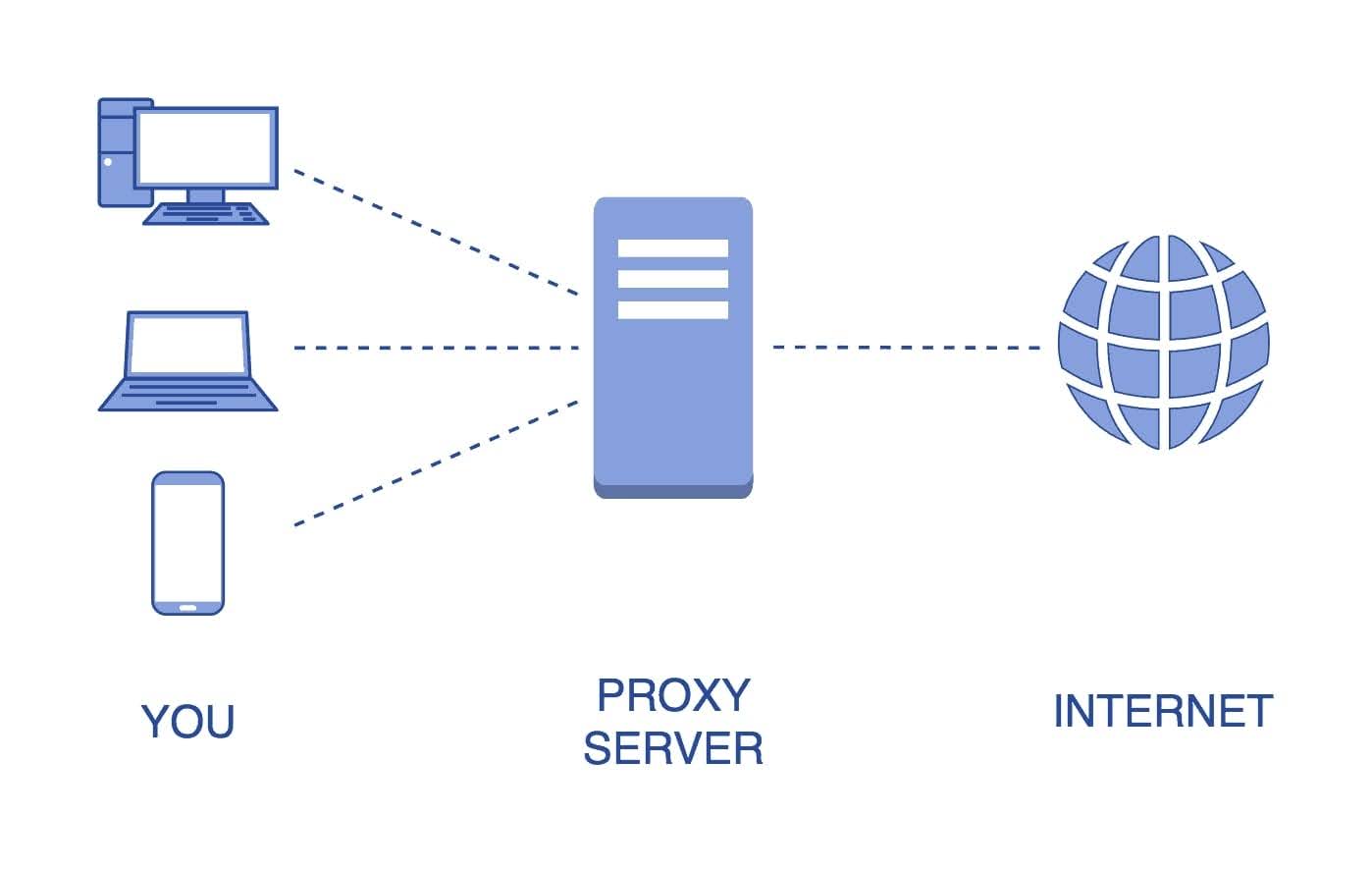
Currently, proxy servers are widely used due to several benefits, including:
-
Managing and controlling Internet traffic closely
-
Maximizing bandwidth efficiency
-
Optimizing and enhancing Internet speed on various devices
-
Ensuring private and secure Internet access
-
Accessing restricted content and data sources
2. What features does a proxy server offer?
Now that we know what a proxy server is, it’s clear that it provides users with a wide range of essential Internet access and network management features.
|
Features |
Function |
|
Firewall và Filtering |
|
|
Share connection with Proxy Server |
|
|
Proxy Server and Caching |
|
3. Four types of proxy servers
Proxy servers are highly diverse and flexible, allowing users to manage personal information and use the Internet freely. This flexibility is evident as you can select the type of proxy that best suits your specific needs. Below are four commonly used types of proxy servers:
3.1. Transparent Proxy
This type of proxy uses your IP address to verify web access requests. Transparent proxies are mainly used in public places because they easily filter content thanks to the simple configuration of both server and client names.
3.2. Anonymous Proxy
An anonymous proxy acts similarly to an incognito browsing mode, allowing you to surf the web for personal purposes. This type of proxy grants you access to websites without exposing your IP address, helping to safeguard your data and leave no trace when visiting other websites.
3.3. Distorting Proxy
A distorting proxy also hides your IP and replaces it with a fake one. This helps you access websites that might otherwise be blocked.
3.4. High Anonymity Proxy
This is the most secure and private type of proxy. It frequently changes your IP address when accessing a website's server, making it more challenging to track your browsing and control Internet traffic.
4. How to Set Up a Proxy on Chrome Browser
To set up a proxy server in the Chrome browser, follow these steps:
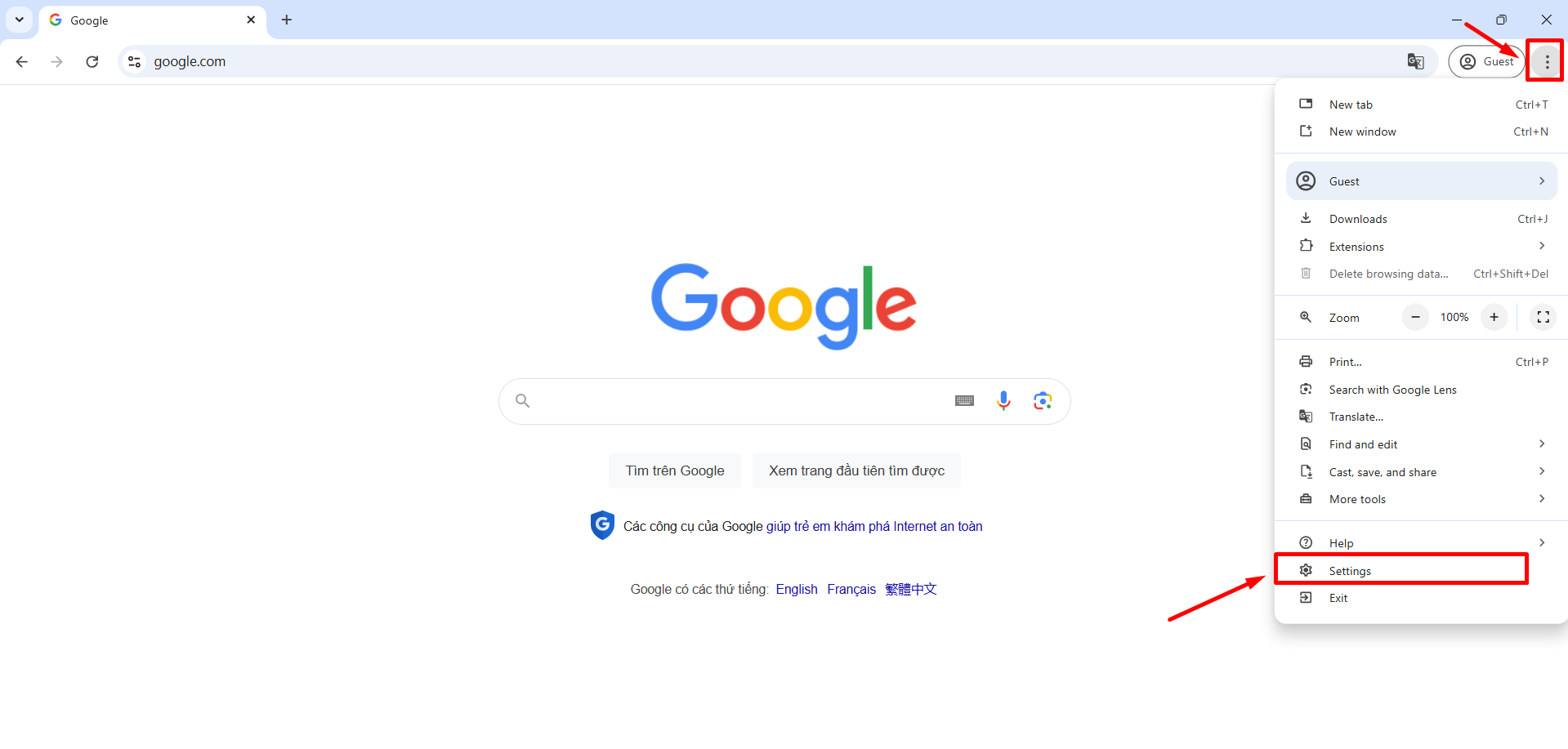
Step 1: Open the Chrome browser and click on the three-dot icon => Then select "Settings."
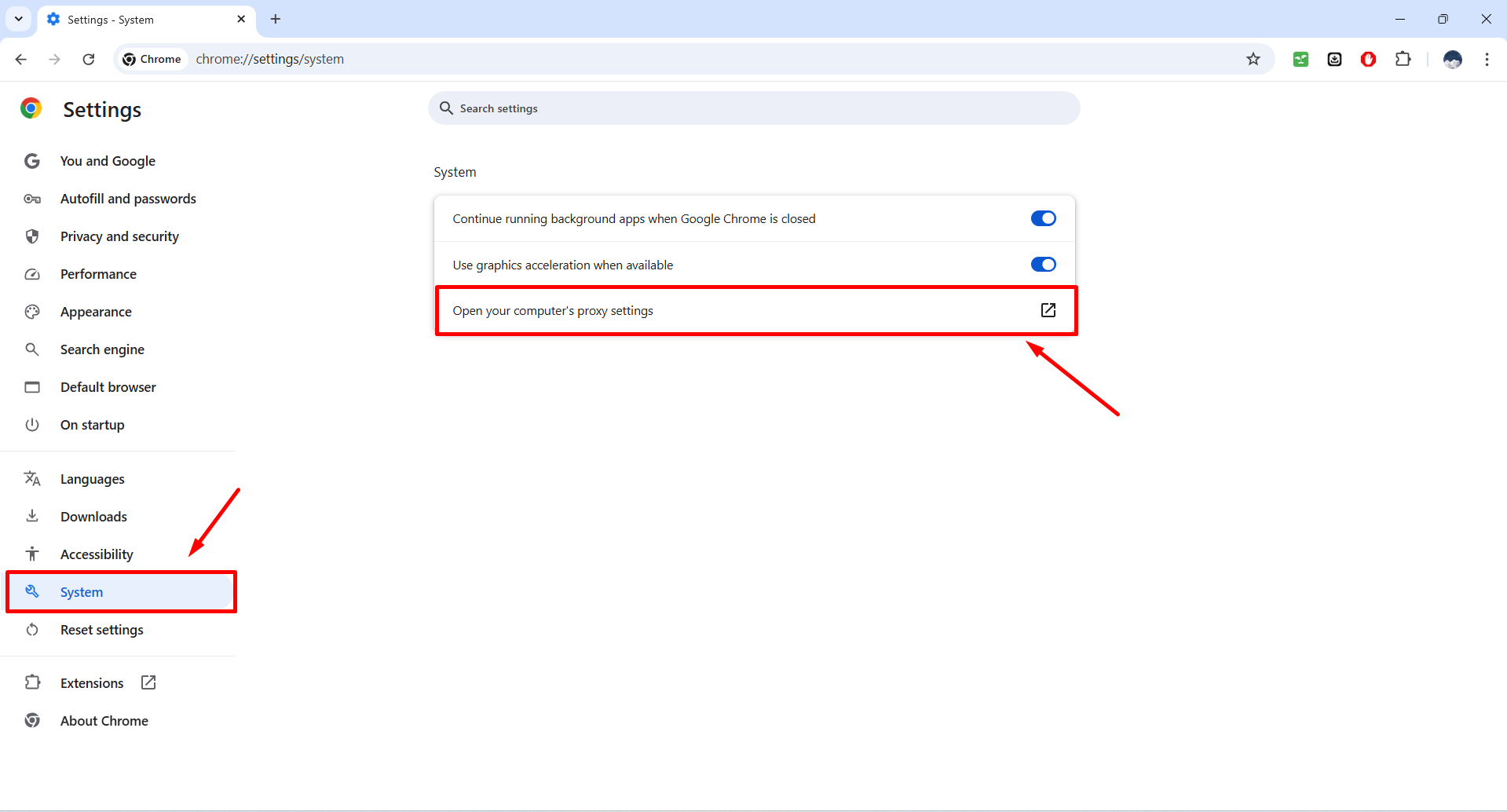
Step 2: In the settings window, select "System" => Click "Open your computer’s proxy settings."
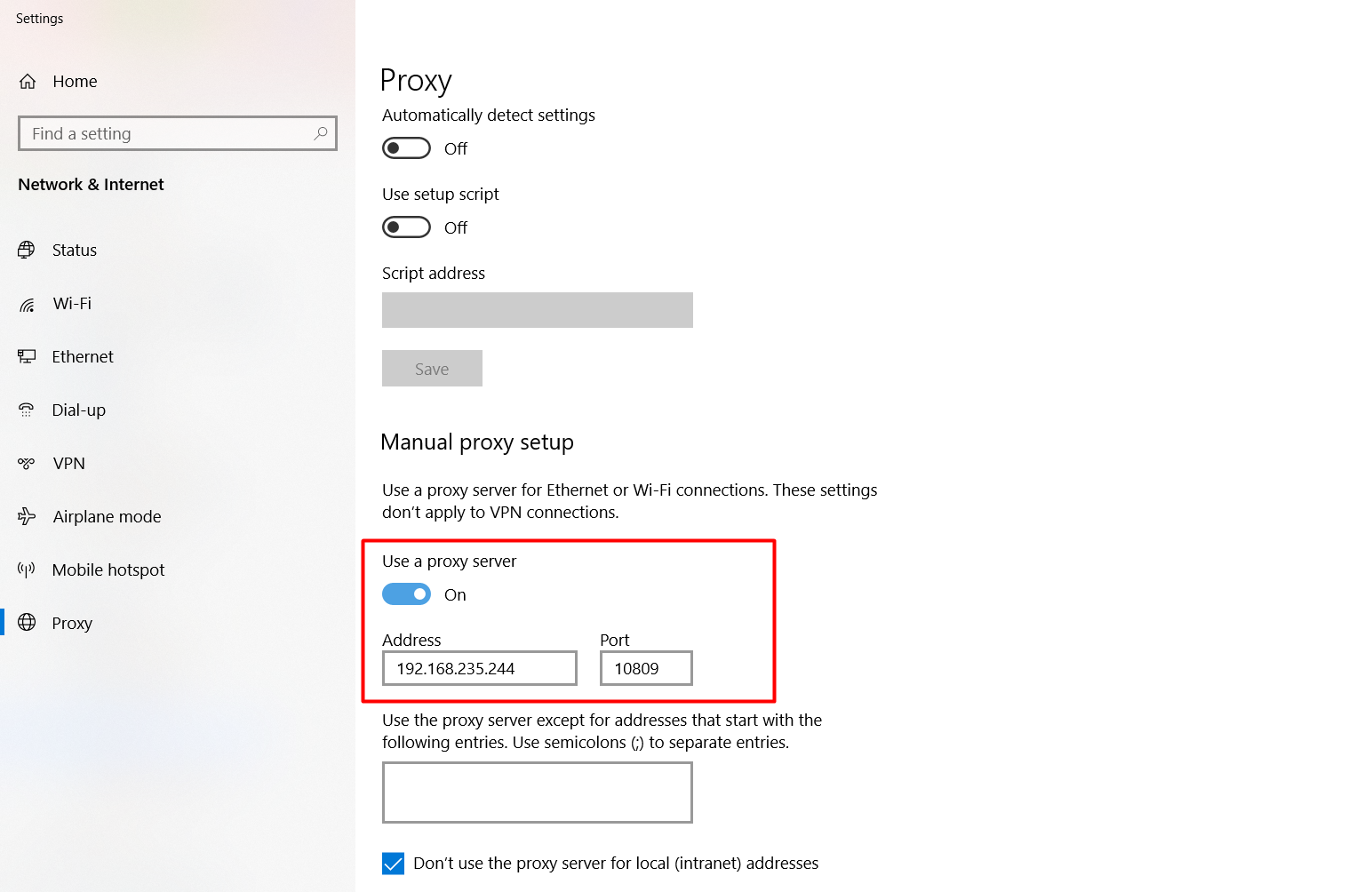
Step 3: In the "Manual proxy setup" section, toggle "Use a proxy server" from Off to On => Enter the proxy address you wish to use => Click "Save."
5. Should You Use a Proxy with the Anti-detect Browser Hidemyacc?
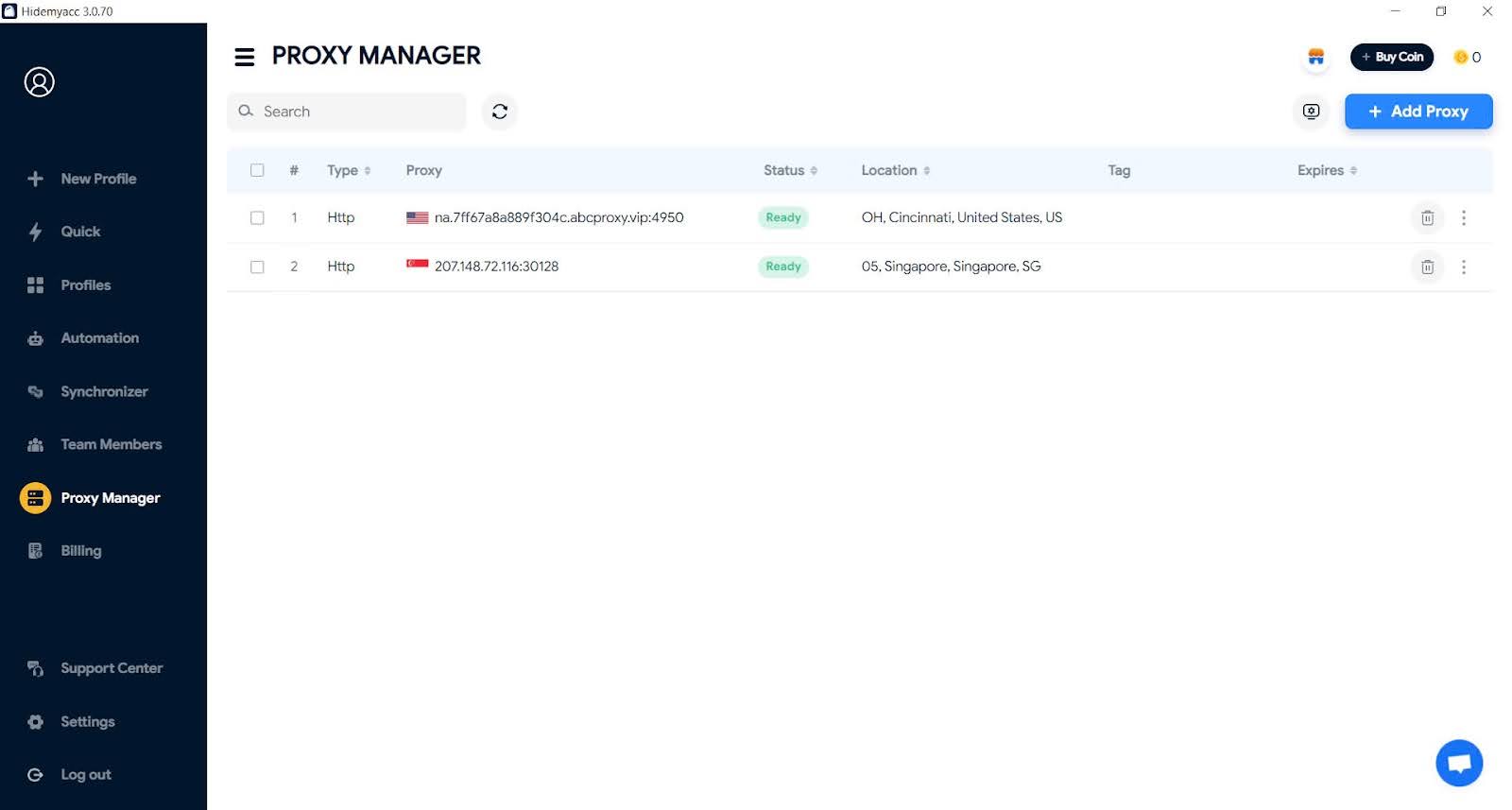
Most people use proxy servers to access accounts to avoid IP duplication. This makes it difficult for websites to detect when you are logging into multiple accounts on the same device. In reality, to create and manage multiple accounts, users not only need to change the IP address but also modify device parameters. Hidemyacc can help you accomplish this. With Hidemyacc, you can add a proxy to each profile, thereby changing the IP address along with other Anti-detect Browser settings, so the website perceives you as a new user. Just a few simple steps allow users to connect a proxy once per profile without needing to reconnect each time.
Read more:
- Internet infrastructure: What it is and why it matters
- VPS Hosting Explained: What it is and how it works
- What is WebRTC? How browsers handle real-time communication
- Understanding DNS: Types, Security, and How to Prevent DNS Leaks
- What is Port in networking? Functions and how to classify them correctly
6. How to Use a Proxy in the Hidemyacc Browser
Using Hidemyacc and adding a proxy is also straightforward. You only need to follow the steps below:
-
Click on "New Profile."
-
Select the "Proxy" tab.
-
Choose the "Connection Type." There are six types to choose from: without proxy, HTTP Proxy, Socks 4 Proxy, Socks 5 Proxy, Tinsoft Proxy, TM Proxy.
6.1. HTTP Proxy, Socks 4 Proxy, Socks 5 Proxy
-
Enter the IP and Port of the Proxy (username and password if necessary).
-
Click "Import" to automatically fill in the Proxy Server and Port (username and password if required).
-
Click "Check Proxy" to verify if it’s functioning correctly.
6.2. Tinsoft Proxy, TM Proxy
Since these two proxy types are specific to Vietnam, the connection methods are quite similar:
-
Enter the API key.
-
Select the desired IP location.
After reading this article, you should have a clearer understanding of what a proxy server is, its benefits, features, and how to set up a proxy on your device. Proxy servers play a crucial role in securing personal information and accessing the Internet safely. With the feature of using proxies to configure anti-detect browsers for altering digital fingerprints, Hidemyacc stands out as one of the best anti-detect browsers available. Contact Hidemyacc for the best advice and support.