Proxy error 429, labeled "Too many requests," is a server's way of telling you to back off. Whether you are managing hundreds of social media profiles or crawling high-authority websites, hitting a 429 error means your current strategy has been flagged for "spammy" behavior.
In this guide, Hidemyacc will dive deep into why this happens and, more importantly, how professional users can bypass these limits using advanced proxy management and anti-detect techniques.
1. What is proxy error 429?
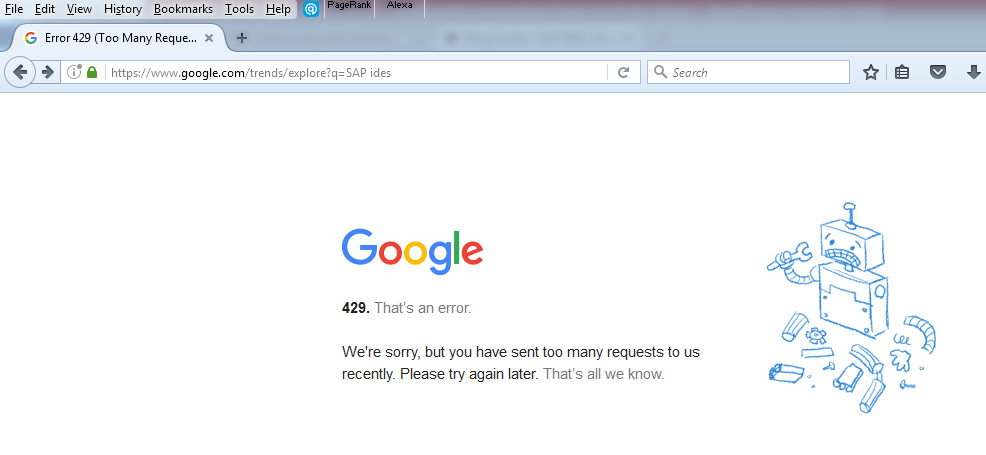
The 429 Too Many Requests error is an HTTP response status code indicating that the user has sent too many requests in a given amount of time ("rate limiting").
When you see "Proxy Error 429," it typically means the rate-limiting threshold was triggered at the intermediary level, such as a proxy server, a load balancer, or a security gateway (like Cloudflare), before the request even reached the destination website's main server.
The mechanics of rate limiting, servers use rate limiting to:
- Prevent DDoS attacks: Protecting the infrastructure from being overwhelmed.
- Manage resources: Ensuring fair usage for all users (common in API services like OpenAI or Claude).
- Stop bot activity: Detecting and blocking non-human behavior, such as aggressive data scraping.
>>> Learn about: Internet infrastructure - What it is and why it matters
2. Common scenarios: Where you’ll encounter proxy error 429
The "Too Many Requests" error doesn't look the same everywhere. Depending on the platform you are using, the trigger and the message might vary.
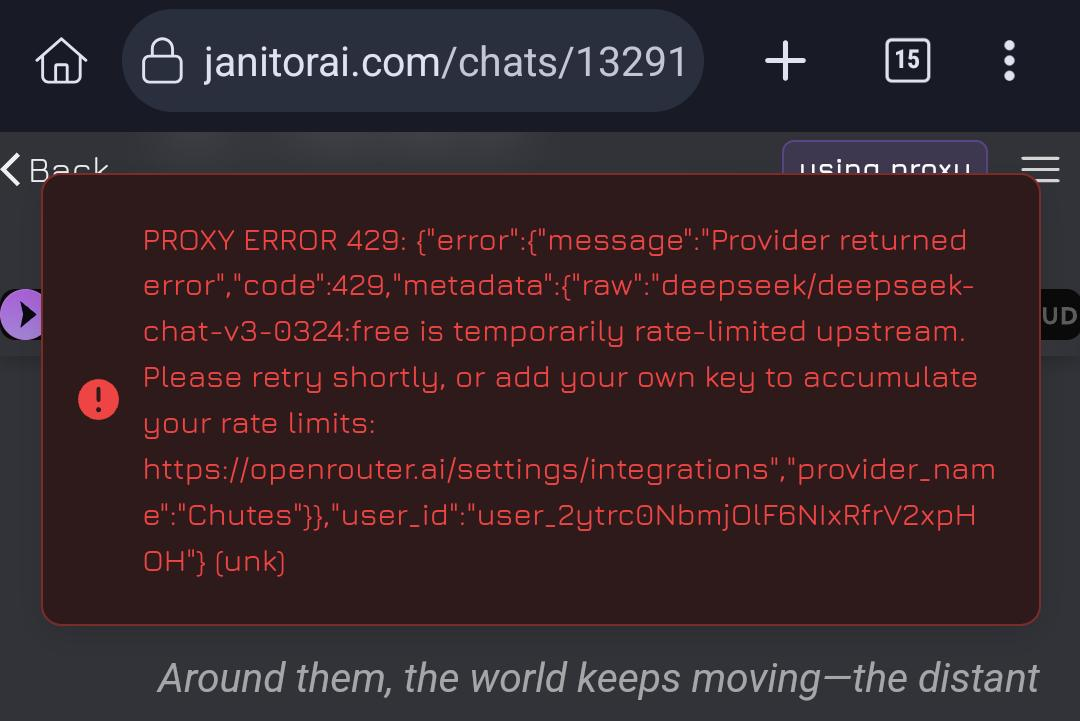
2.1. AI chatbots (Janitor AI, ChatGPT, Claude)
In the AI world, a 429 error usually means you’ve hit a quota limit.
- Free tier limits: Services like OpenRouter (used by Janitor AI) often cap free users at a specific number of messages per day (e.g., 50 messages).
- API Rate Limiting: Even with a paid API, if you send too many prompts per minute (TPM) or tokens per minute (RPM), the server will pause your access to preserve bandwidth for other users.
2.2. Social media management (Facebook, LinkedIn, X/Twitter)
For those involved in multi-accounting or automated seeding, the 429 error is a warning sign.
- Aggressive actions: Performing too many "likes," "comments," or "follows" within a short window.
- Account farming: If you are logging into 10+ accounts from the same IP address too quickly, the platform’s security system will trigger a 429 to prevent bot-driven mass-engagement.
Warning: From 429 Error to permanent ban
When error 429 appears in account farming or seeding scenarios, it's also a warning from the anti-spam system. If you ignore it and try to access your account, a large number of accounts will be pushed into a verification checkpoint or even banned.
Not only will your account be affected, but your IP address will also be blacklisted. Any new accounts logging in from this IP address will then be scrutinized more closely and are more likely to be banned than usual.
2.3. E-commerce & Search engines (Google, Amazon, Shopee)
This is the "Scraping Wall." These platforms have the most advanced anti-bot protections.
- Search results scraping: Google will present a CAPTCHA or a 429 error if it detects automated queries coming from a single proxy.
- Price monitoring: Scraping product prices on Amazon or Shopee requires a high level of "human-like" delay; otherwise, the server will block your IP range.
2.4. Gaming & Communication (Discord, Steam)
Gamers often encounter this during high-traffic events.
- Rapid login/refresh: Constantly refreshing a profile or attempting to log in multiple times with incorrect credentials will result in a temporary 429 block.
- Discord webhooks: If a bot sends too many automated messages to a Discord channel in a few seconds, the API will return a 429 "Rate Limit Exceeded" response.
Seeing a "429 Too Many Requests" error across these platforms is more than just a coincidence, it is a systematic response to your digital activity. But what exactly triggers these alarms? Why does a server decide to block one IP while allowing thousands of others to pass? To solve the 429 problem for good, we must look under the hood at the technical triggers and the hidden vulnerabilities in your current proxy setup.
3. Root causes: Why are you getting hit with proxy error 429?
Understanding the "Why" is the only way to build a sustainable strategy to bypass these limits. While the error message is simple, the technical triggers behind it are often a combination of three main factors:
3.1. Poor IP reputation (The "Bad neighbor" effect)
If you are using cheap or Shared Proxies, you are likely suffering from a poor IP reputation. Since multiple users share the same IP address, someone else’s aggressive scraping or spamming on a platform like Facebook or Google can get that IP flagged. When you try to use it, you inherit their "history," and the server issues a 429 error before you have even sent your first request. In the proxy world, a "burnt" IP is a 429 waiting to happen.
3.2. Aggressive rate limiting
This is the most direct cause. Every modern server has a Rate Limit policy, a predefined threshold of how many requests an IP can send per second or minute. If your script, bot, or browser exceeds this limit, the server’s firewall automatically triggers a 429 response to protect its resources. It doesn't matter if your intent is legitimate; if the numbers don't add up, you are out.
3.3. Improper proxy configuration & blacklisting
Sometimes the error isn't about how much you send, but how you send it.
- Header mismatch: If your HTTP headers (like User-Agent or Accept-Language) don't match the characteristics of your proxy IP, servers flag the inconsistency as "bot-like" behavior.
- Target blacklists: Many high-security websites maintain active blacklists of known Datacenter proxy ranges. If your proxy belongs to one of these ranges, the server will preemptively rate-limit or block you with a 429 status code.
A 429 error is a sign that your automation is "too loud" and your proxy is "too obvious." The server has successfully identified your activity as non-human or high-risk.
4. Quick fixes: How to solve proxy error 429 instantly
If you are a casual user facing a 429 error on an AI chatbot or a website, you don’t always need a complex infrastructure. Sometimes, a "quick and dirty" fix is enough to get you back online. Here are the three most effective immediate actions:
4.1. The "wait and see" strategy
Since most 429 errors are temporary "cool-down" periods, the simplest solution is often to just stop.
- Duration: Usually, a rate limit lasts anywhere from 15 to 60 minutes.
- Why it works: Giving the server a break allows your IP’s "request counter" to reset. If you keep hitting the refresh button, you might actually extend the lockout duration.
4.2. Change your IP address
If the server has flagged your specific IP, changing it is the fastest way to bypass the block.
- For home users: Simply restart your router. Most ISPs use dynamic IPs, so a quick reboot will often assign you a brand-new, clean IP address.
- For proxy users: Switch to a different proxy server or a new location in your proxy list. This "resets" your identity in the eyes of the target website.
4.3. Clear cache and cookies
Sometimes, a 429 error is "sticky" because of a tracking cookie stored in your browser. Even if you change your IP, the site might still recognize your previous session.
Action: Clear your browser's cache and cookies, or try accessing the site in Incognito/Private mode.
While these quick fixes are perfect for a single user, they are not scalable. If you are running an SEO agency, managing hundreds of accounts, or scraping millions of data points, you can't afford to wait 60 minutes or manually restart your router every time a block occurs. For those whose business depends on 24/7 uptime, we need something much more powerful.
5. The "Pro" way to never see proxy error 429 again
For businesses, SEO agencies, and data scrapers, "waiting 15 minutes" for a reset is not an option. To scale your operations, you need a bulletproof infrastructure that remains invisible to server-side rate limiters. Here is the professional blueprint for bypassing Error 429:
5.1. Switching to rotating proxies
Static IPs are easy to track. If you send 1,000 requests from one IP, you will hit a wall. Rotating proxies solve this by automatically assigning a new IP address for every request (or after a set interval).
The secret sauce: By spreading your traffic across thousands of different IPs, the target server sees each request as coming from a "unique new visitor." This makes it mathematically impossible for the server to trigger a 429 rate limit against you.
5.2. Residential vs. Datacenter: Choosing the right "mask"
Not all proxies are created equal.
- Datacenter proxies are fast and cheap, but they belong to known server ranges. Most high-security sites (Amazon, Etsy, Reddit) have these ranges blacklisted or set to extremely low rate limits.
- Residential proxies use IP addresses assigned by real ISPs to actual homes. They have the highest Trust Score because they look exactly like a real person browsing the web. Servers are much more hesitant to issue a 429 to a residential IP, as they don't want to block a legitimate customer.
5.3. Optimization: Mastering "human-like" behavior
A proxy is only half the battle; you must also optimize your automation patterns:
- Custom Delays (Sleep/Wait): Avoid sending requests at a perfect 1.0-second interval. Use "Jitter" or random delays (e.g., 1.2s, 3.5s, 0.8s) to mimic human browsing patterns.
- User-Agent Rotation: Every request should rotate its User-Agent string. If a server sees 10,000 requests from "Chrome 120" on a single Windows machine, it triggers an alarm. By rotating headers, you appear as a diverse group of users across different devices.
5.4. Antidetect browser: Creating a clean enviroment
The ultimate weapon against Proxy Error 429 is an antidetect browser Hidemyacc.
- Browser fingerprint separate: Even with a clean proxy, servers can track your Canvas, WebGL, and Hardware ID. Anti-detect browsers allow you to create isolated profiles where every parameter is unique.
- The result: When you pair a rotating residential proxy with a Hidemyacc profile, you aren't just hiding your IP, bypassing the 429 error becomes a byproduct of having a perfectly clean, unique digital environment for every single session.
6. Conclusion
The Proxy error 429 is a digital speed bump, not a dead end. While casual users can simply "wait and reset," professionals in SEO, scraping, or multi-accounting need a smarter infrastructure. By switching to rotating residential proxies and using an antidetect browser like Hidemyacc, you eliminate the robotic patterns that trigger rate limits. Staying online isn't about how fast you hit a server, it's about how perfectly you can blend in with real human traffic.
To learn more about other proxy errors, you can read here: What is a proxy error? Causes and effective solutions
7. FAQ
7.1. What does the HTTP 429 error mean in social media management?
It means your IP or browser has sent too many requests (likes, logins, or comments) in a short period, triggering the platform's anti-spam filter.
7.2. How long does the 429 "Too Many Requests" restriction usually last?
The cooldown period typically ranges from 15 minutes to 24 hours, depending on the severity of the automated behavior and the specific platform's rules.
7.3. Can I fix a 429 error simply by clearing my browser cookies and cache?
No, because the restriction is usually tied to your IP address and hardware fingerprinting on the server side, not just your local browser data.
7.4. Why am I getting a 429 error even though I am using a proxy?
You are likely using a "Shared Proxy" where other users have already exceeded the limit, or your automation script lacks natural, randomized delays.
7.5. Will my accounts be permanently banned after receiving multiple 429 errors?
Yes, repeated 429 errors are a major red flag that often leads to mass checkpoints, account suspensions, or permanent bans for "bot-driven" activity.
7.6. Is there a way to check exactly when the 429 restriction will be lifted?
You can check the "Retry-After" field in the HTTP response header, which often specifies the number of seconds you must wait before trying again.
7.7. How can I manage 10+ accounts on one device without triggering this error?
You must use an anti-detect browser to isolate fingerprints and assign high-quality residential or mobile proxies to each individual account profile.