
TikTok Affiliate Marketing is a huge opportunity to earn commissions by promoting products on this popular platform. However, not everyone knows how to fully leverage its potential. This article will guide you step by step on how to become an Affiliate on TikTok effectively, helping you grow your revenue and build a loyal customer community. Let’s explore with Hidemyacc!
1. What is TikTok Affiliate Marketing?
TikTok Affiliate Marketing is a form of affiliate marketing on the TikTok platform that allows users to create video content to promote products or services. When someone makes a purchase through your video link, you earn a commission. Becoming a TikTok affiliate offers many attractive benefits for both sellers and content creators, such as:
- Easy connections: Sellers can quickly find suitable TikTokers to promote products on TikTok Shop and reach customers through videos or livestreams.
- Inspiring purchases: Creative content like product showcase videos or livestreams with purchase links makes it easier for customers to make buying decisions.
- Clear performance tracking: TikTok’s tools allow you to monitor promotional performance and evaluate campaign quality.
- Convenient management: TikTok’s system supports easy campaign management and quick commission payments.
>>> [Answer] How many followers do you need to make money on TikTok?
2. Requirements to Become a TikTok Affiliate
To participate in TikTok affiliate marketing, both sellers and content creators need to meet certain requirements. Here are the specific requirements for becoming a TikTok Affiliate:
For Sellers:
Sellers need to register an account and set up a shop on TikTok Shop. The requirements to qualify as a TikTok Affiliate Seller include:
- Minimum number of orders: 1,000 orders.
- Order cancellation rate: Below 10%.
- Late delivery rate: Below 10%.
- Return rate: Below 1.5%.
- Valid order tracking rate: Over 95%.
- Negative review rate: Below 10%.
- Community violation points: Under 12 points.
For Content Creators:
Creators’ accounts must meet the following criteria:
- Minimum followers: At least 1,000 followers.
- Negative Review Rate (NRR): Must be low.
- Product Quality Rate (PQR): Should be high.
- Account restrictions: Cannot be directly linked to any shop for receiving vouchers.
- Revenue distribution: Sales from a single shop must not exceed 80% of total monthly revenue.
Following these requirements ensures that you can successfully participate and start earning as a TikTok Affiliate. Understanding these rules is a crucial step in learning how to become an Affiliate on TikTok.
>>> How to do Affiliate Marketing on TikTok without 1,000 followers?
3. Detailed steps for TikTok affiliate marketing for KOC and KOL
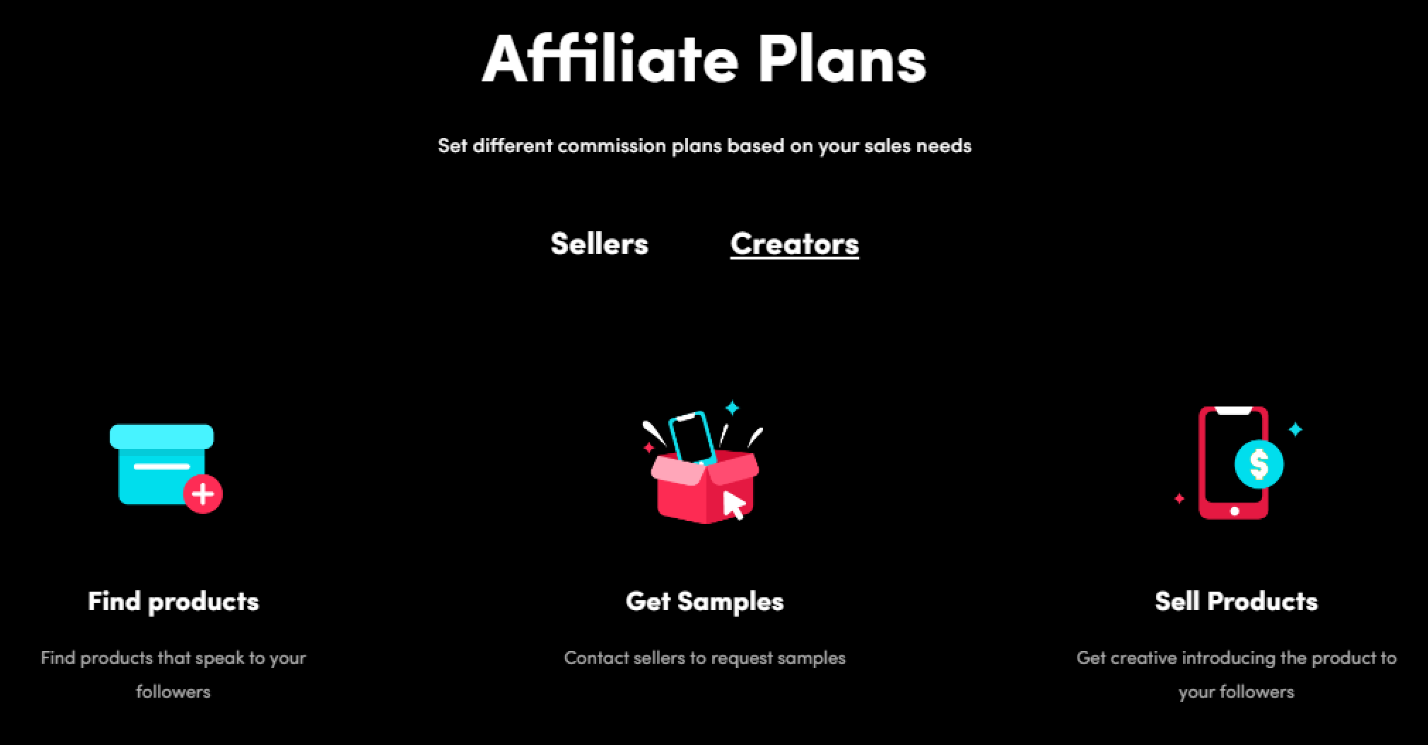
To join TikTok Shop Affiliate and start earning from content creation, follow these detailed steps on how to become an Affiliate on TikTok:
Step 1: Create a personal TikTok account
Download the TikTok app on your phone from the App Store (iOS) or Google Play (Android). Register a personal account by providing basic information such as your email, phone number, and password.
Step 2: Set Up a TikTok Shop account
Create a TikTok Shop account by following these steps:
- Visit the TikTok Shop registration page.
- Fill in your email, phone number, and password.
- Click Verify Now and upload identification documents such as your ID card or citizen card.
- Complete the verification requirements to activate your TikTok Shop account.
Step 3: Link your personal TikTok account with TikTok Shop
Next, link your personal TikTok account to your TikTok Shop account:
- Go to My Account in TikTok Shop.
- Select Linked Accounts, then click Link a New TikTok Account.
- Enter your personal TikTok account information and send the link request.
- Open the TikTok app, go to Notifications, accept the request, and select Link Account to complete the process.
Once linked, you can manage products and track your commissions from TikTok Shop.
Step 4: Register as a TikTok Shop Affiliate
When adding your first affiliate product, you need to register to receive commissions:
- Provide accurate information such as your full name (matching your bank account) and account number.
- Confirm the information to ensure smooth payment processing.
Step 5: Choose and add Affiliate Products to your profile
Select and add products to your profile by following these steps:
- Search for the products you want to promote using keywords in TikTok Shop.
- Select the product, then click Add to include it in your affiliate list.
- You can add multiple products that fit the content you plan to create.
Step 6: Create videos and attach product links
Finally, create videos with relevant content and attach your product links:
- Record and edit creative videos related to the products you are promoting.
- Before posting the video, click Add Link.
- Select the products you added in TikTok Shop and attach the links.
- Publish the video, or attach product links in TikTok livestreams to increase customer reach.
By following these steps, you can start generating income and grow your presence on TikTok while learning how to become an Affiliate on TikTok successfully.
4. How to make your TikTok Affiliate videos go viral quickly
To succeed as a TikTok Affiliate and get your videos trending while attracting attention, pay attention to the following key factors:
- Research and select suitable products: Carefully study the products or services you plan to promote. Choose products that match the needs and interests of your target audience on TikTok.
- Create engaging content: Produce attractive and unique videos using sound effects, professional video editing, and clear scripts to highlight the products you are promoting.
- Use relevant hashtags: Combine trending hashtags with product-related ones to make your videos easier for users to discover and increase the chances of going viral.
Additionally, to prevent your videos from being removed and reach a wider audience, follow TikTok’s moderation process:
- Open the TikTok app and upload your video.
- Videos are reviewed based on TikTok policies. Videos that violate policies will be removed.
- If approved, your video will be evaluated for concept and content quality.
- For videos with 0–10k views, TikTok analyzes viewer behavior (watch time, likes, comments, shares) to determine viral potential.
- If your video is engaging enough, TikTok will boost its visibility, helping it go viral.
Formula to help your TikTok video get recommended:
Recommended Video = Policy + WoW Content
- Policy: Follow TikTok’s guidelines and avoid unfriendly content.
- WoW Content: Create compelling content that encourages repeat views and high engagement, such as likes, comments, and shares.
Following these tips will significantly increase your chances of trending on TikTok and earning more commissions, an essential step in learning how to become an Affiliate on TikTok successfully.

>>> What are the best time to post on TikTok? A complete guide to maximize your reach
5. How to withdraw earnings as a TikTok Affiliate
To withdraw your commissions as a TikTok Affiliate, follow these steps carefully. Commissions are confirmed after the order is successfully delivered and no refund requests are made within 14 days. The transfer usually takes 21 to 30 days after confirmation.
Step 1: Log in to Your TikTok Account: Open the TikTok app and log in to your account.
Step 2: Access Your Profile: Tap the Me icon at the bottom right corner of the screen.
Step 3: Go to Account Settings: Select Settings and Account Management to manage your account information.
Step 4: Check Your Commission Balance: Tap Earnings to view the total commission you have earned from the affiliate program.
Step 5: Withdraw Funds: Click the Withdraw button, then enter your bank account information accurately.
Step 6: Wait for Confirmation and Receive Funds: TikTok will process your withdrawal request. The time to receive money may vary depending on TikTok’s verification process and your bank.
Notes:
- You must reach the minimum commission threshold before withdrawing.
- Processing time may vary depending on TikTok’s system and the linked bank.
Following these steps ensures that you can efficiently receive your affiliate earnings, completing the full cycle of how to become an Affiliate on TikTok and start monetizing your content.
>>> TikTok Affiliate Marketing: Grow Your Income Step-by-Step!
6. Key notes when doing TikTok affiliate marketing
When participating in TikTok Affiliate Marketing, both shop owners and content creators should pay attention to several important points to maximize campaign effectiveness. Here are the essential tips:
6.1. Choose the right Affiliate Collaboration Type
When joining a TikTok Affiliate campaign, shop owners can choose between two collaboration types:
-
Open Collaboration: This type allows all creators to participate. Shop owners create marketing programs for products, and KOCs, KOLs, or influencers can register and start promoting once approved.
Example: A fashion accessories shop allows creators to join as affiliates to promote products and earn commissions. -
Targeted Collaboration: In this type, shop owners personally invite selected creators to promote their products. Sellers can plan campaigns, choose the number of creators, and assign commission rates for each product.
Example: A fashion store may select 30 creators to promote new dress collections with a goal of selling 100,000 items and a 2% commission rate.
6.2. Check Affiliate Product Links in Videos
After publishing your promotional video, make sure the product link is attached in the caption. This helps customers easily access and purchase the product, increases conversion rates, and ensures accurate commission tracking.
6.3. Accumulate Vouchers by Completing TikTok Affiliate Tasks
Creators can earn vouchers by completing TikTok Affiliate tasks. These vouchers can be used to purchase products or services from TikTok partner shops, saving costs and improving campaign efficiency.
6.4. Confirm and Withdraw TikTok Affiliate Commissions
The time to confirm and transfer affiliate commissions usually ranges from 21 to 30 days. Both shop owners and creators should carefully check commission amounts to ensure accuracy and avoid errors during payment processing.
Paying attention to these points will help you optimize your TikTok campaigns and better understand how to become an Affiliate on TikTok successfully.
Becoming a TikTok Affiliate offers significant benefits for content creators on the platform. However, to succeed, you need to fully understand how the platform works and the key factors to optimize your campaigns. Hidemyacc hopes you can apply the guidelines above and keep creating innovative content to become a successful TikTok Affiliate. Contact Hidemyacc today for support and guidance on how to become an Affiliate on TikTok!
>>> More on TikTok topic:
- Multiple TikTok Accounts: Best Practices to Avoid Shadowbans
- Is it legal to run multiple TikTok Shop accounts?
- TikTok Automation: How to boost engagement and manage multiple accounts effortlessly?
7. FAQ
7.1. What is TikTok Affiliate and how does it work?
TikTok Affiliate is a program that allows creators to earn commissions by promoting products from TikTok Shop. You add product links to your videos or livestreams, and when viewers purchase through your link, you earn a commission.
7.2. Who can become a TikTok Affiliate?
Anyone with a TikTok account can join. You don’t need a minimum follower count, but having an active account with consistent content will help you get better results.
7.3. Do I need many followers to start earning?
No. TikTok Affiliate does not require a minimum follower threshold. Even small accounts can earn if the content is engaging and reaches the right audience.
7.4. How do I sign up for the TikTok Affiliate program?
You can join through TikTok Shop (Creator Affiliate section). Simply agree to the terms, complete your profile, and start browsing products available for promotion.
7.5. How do I choose the right products to promote?
Select products from TikTok Shop that match your niche, have good reviews, and offer a competitive commission rate. Promoting products you genuinely like will also increase conversion.
7.6. How do I earn commissions from TikTok Affiliate?
Once you add product links to your videos or livestreams, TikTok tracks purchases made through your unique link. Each successful sale earns you a commission, which is paid through your TikTok Shop account.
7.7. What type of content works best for TikTok Affiliate marketing?
Short, engaging videos such as reviews, tutorials, unboxing videos, and “TikTok Made Me Buy It” content usually perform best. Authenticity and clear product demonstrations boost conversions.
7.8. How long does it take to see results as a TikTok Affiliate?
It depends on your posting consistency and content quality. Some creators earn commissions within days, while others take weeks to build momentum. The key is testing different content formats and staying consistent.






