Have you ever tried to access a website only to be blocked by a frustrating message stating that the Proxy Server Refused Connection? This error is a common hurdle for digital marketers, SEO specialists, and privacy-conscious users who rely on proxy networks to manage their online presence. Unlike a simple "connection failed" alert, a "refused" status means your browser successfully reached the proxy, but the server actively rejected the request. Understanding why this happens and how to bypass it - is essential for maintaining a seamless workflow.
1. Distinguishing "Refused connection" vs. "Connection failed"
To resolve network issues effectively, you must first identify the nature of the disruption. While both errors prevent you from accessing a website, a Proxy Server Refused Connection carries a very different technical meaning than a "Connection Failed" alert. Correcting this distinction helps you apply the right "medicine" to the specific "ailment" your browser is facing.
1.1. What is a "Refused Connection"?
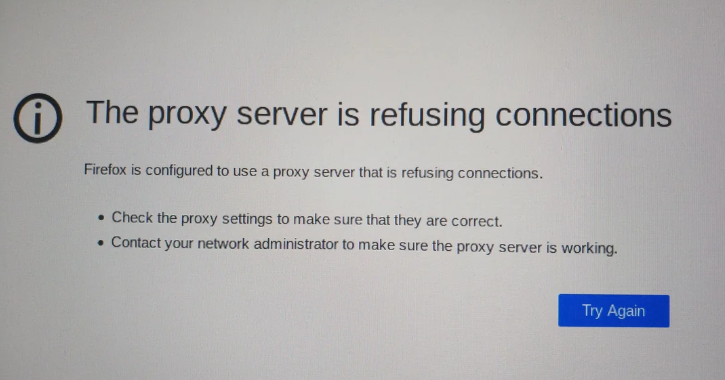
A Proxy server refused connection occurs when your browser successfully locates the proxy server on the network, but the server explicitly rejects the request. In this scenario, the "handshake" is attempted, but the server says "No."
-
The technical reality: The server is online and active.
-
Common culprits: This is usually triggered by authorization issues (such as a missing IP whitelist), reaching a concurrency limit, or a port mismatch where the server is listening but not for the type of traffic you are sending.
1.2. What is a "Connection failed"?
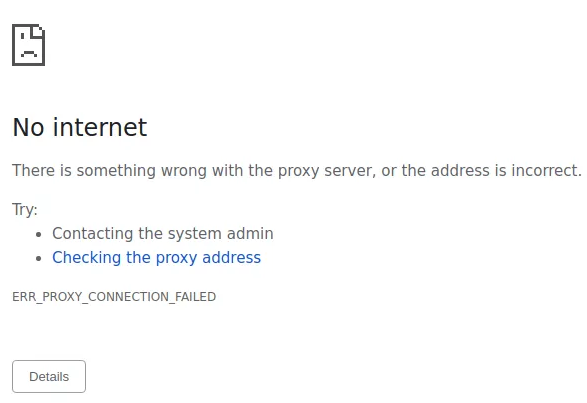
In contrast, a "Connection failed" (or "Timed out") error means your browser could not find or reach the proxy server at all. There is no communication happening because the path to the server is broken.
-
The technical reality: The server is unreachable or non-existent.
-
Common culprits: This typically points to an incorrect IP address, the proxy server being offline (down), or a total loss of local internet connectivity.
1.3. Why the distinction matters
If you treat a Proxy server refused connection as a "dead server" and keep changing your IP address, you will likely fail to fix it. Instead, for a Proxy server refused connection, you should focus on your credentials and access permissions. Conversely, for a "Connection Failed" error, you should check your internet hardware or contact your provider to see if the server is under maintenance.
>>>> Learn more about:
- Proxy Server: What is it and how does it work?
- Internet infrastructure: What it is and why it matters
2. Common causes behind the "Proxy server refused connection" error
Understanding the "why" behind a Proxy server refused connection is the fastest way to a solution. Most refusals are not random; they are the result of specific security or configuration barriers.
-
Incorrect configuration
Even a single digit off in your Port number (e.g., using 8080 instead of 8081) will lead to a Proxy server refused connection. The server is there, but it isn't "listening" on the port you provided.
-
Authentication & authorization failures
If your proxy provider uses IP-based authentication and your home IP address has changed, the server will trigger a Proxy server refused connection because it doesn't recognize you. Similarly, expired or mistyped "User:Pass" credentials will result in a hard rejection.
-
Local software conflicts
Security suites, such as Windows Defender or third-party Antivirus programs, often monitor outbound ports. If they perceive the proxy tunnel as a threat, they will force a Proxy server refused connection to protect your system.
-
Resource and account limits
Many high-performance proxy services cap the number of "Concurrent Sessions." If you try to open 101 tabs on a plan limited to 100, the 101st request will face a Proxy server refused connection.
-
Browser-specific logic
Browsers like Firefox or specialized Tor-based browsers have internal proxy handlers. If the internal "Tor Launcher" or a proxy extension like SwitchyOmega crashes, the browser may report a Proxy server refused connection because the local proxy gateway is no longer responding.
>>> Discover:
- Troubleshooting Internet Issues? Learn how to disable proxy
- Who are the best proxy providers? Top 15 services reviewed
3. Step-by-step troubleshooting for "Proxy server refused connection"
Now that we have diagnosed the "why," it is time to apply the "how." Follow these steps in order, moving from the simplest configurations to deeper system adjustments, to resolve the Proxy server refused connection error.
Step 1: Verify proxy credentials and IP whitelist
The most common "silent" killer of proxy access is an unauthorized IP address. If your office or home IP changed recently, your provider will trigger a Proxy server refused connection.
- Action: Log into your proxy provider’s dashboard.
- Check: Confirm your current public IP is whitelisted.
- Update: If you use "User:Pass" authentication, re-enter your credentials in your browser's proxy settings to ensure no hidden spaces or typos are causing the Proxy server refused connection.
Step 2: Adjust OS and browser proxy settings
Different browsers handle network traffic differently, which can lead to a Proxy server refused connection if settings are misaligned.
-
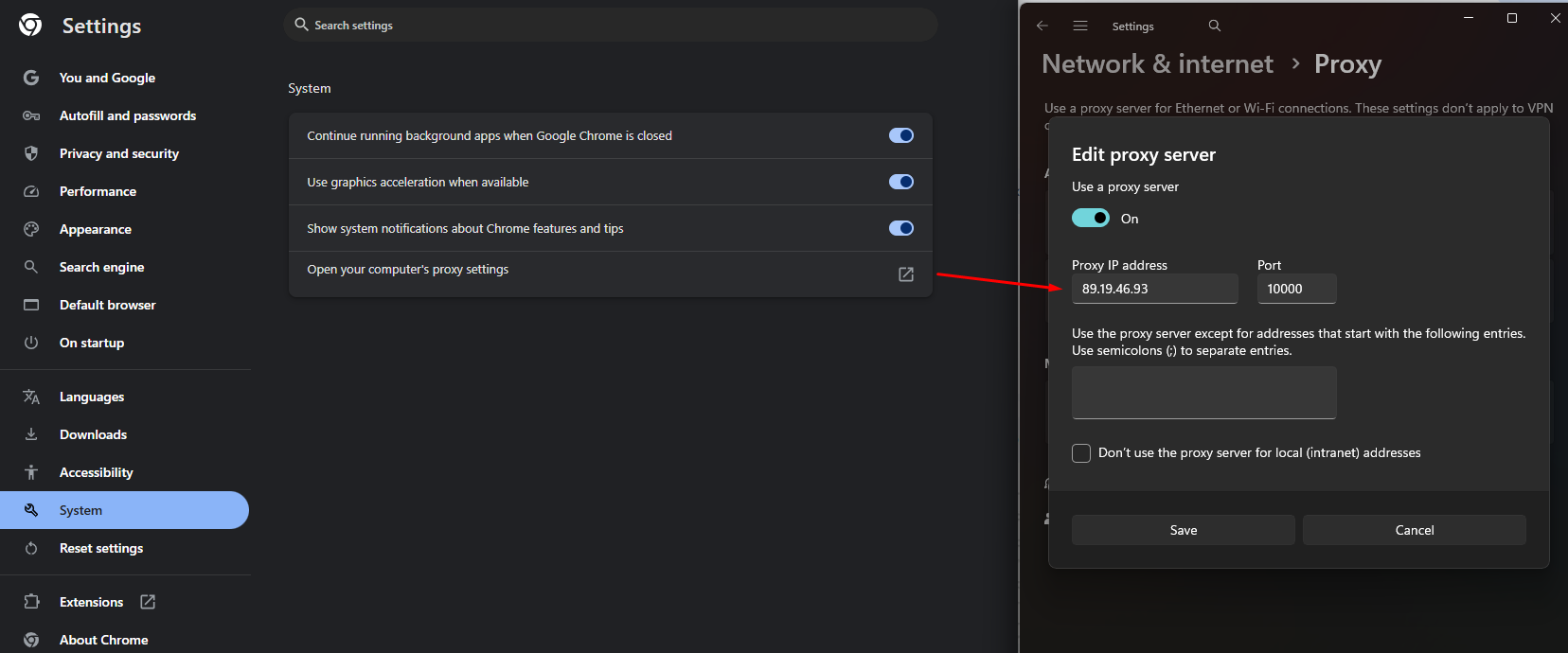
For Chrome/Edge (Windows): Go to Settings > System > Open your computer’s proxy settings. Ensure "Manual proxy setup" has the correct Address and Port. Sometimes, toggling "Automatically detect settings" to OFF can fix a stubborn Proxy server refused connection.
-
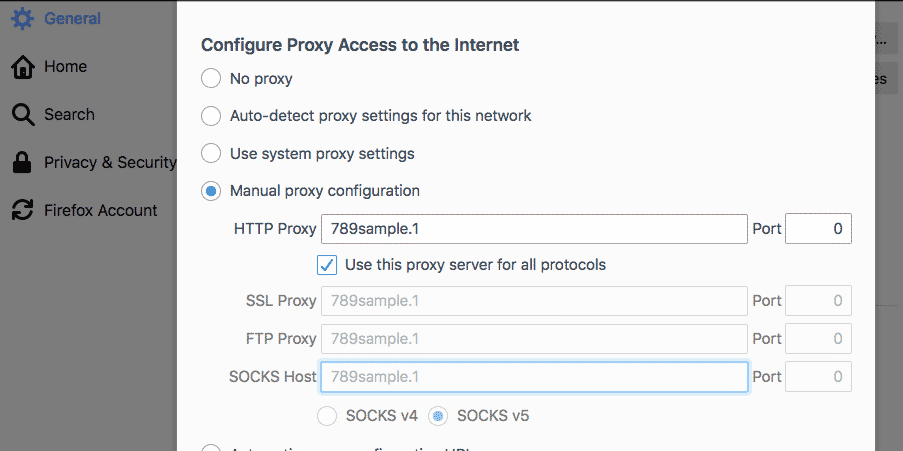
For Firefox: Firefox operates on its own internal network stack. Navigate to Settings > Network Settings. Ensure the "HTTP Proxy" or "SOCKS Host" fields match your provider’s documentation exactly.
Step 3: Audit security software and firewalls
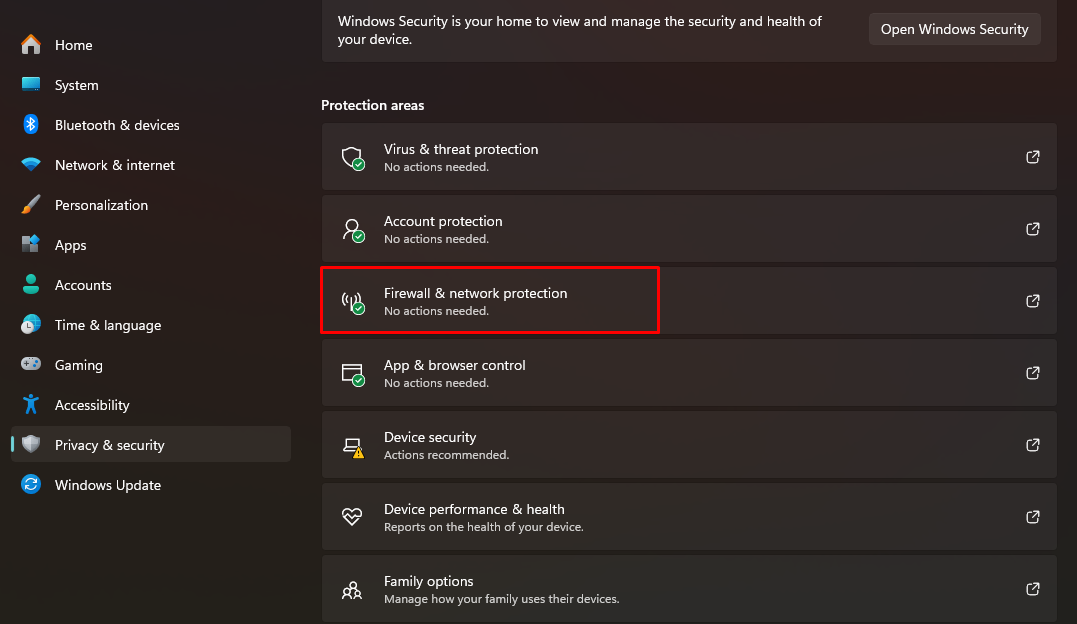
Local security tools are designed to block unauthorized tunnels. If they flag your proxy's port (e.g., 8080 or 1080), they will force a Proxy server refused connection.
- Action: Temporarily disable your Windows Firewall or third-party Antivirus (like Norton or Bitdefender).
- Test: If the site loads, the software is the cause. You must add your proxy's IP and Port as an "Inbound/Outbound Rule" exception to stop the Proxy server refused connection from recurring.
>>> About proxy and firewall:
- Why You Should Check Proxy and Firewall Settings for a Secure Connection
- How to Check Proxy and Firewall Settings for Secure Internet Access
Step 4: Resolve extension and VPN conflicts
Using a VPN alongside a proxy manager like Proxy SwitchyOmega often results in a Proxy server refused connection because both tools are fighting for control over the browser’s network layer.
- Action: Disable all VPN software and proxy-related browser extensions.
- Test: Try connecting with only the native browser settings. If it works, re-enable your extensions one by one to find the specific tool causing the Proxy server refused connection.
>>> Proxy vs VPN: Key Differences You Should Know
4. Special considerations for professional browsers
For SEO experts and developers using specialized environments, a Proxy Server Refused Connection often requires a more technical approach.
4.1. Tor browser and Privacy browsers
In the Tor ecosystem, the Proxy Server Refused Connection error usually means the "Tor Circuit" or "Tor Launcher" failed to start.
- Check: Ensure tor.exe is running in your Task Manager.
- Port Check: Tor typically listens on Port 9150 or 9151. If another application (like a local web server) has claimed these ports, you will get a Proxy Server Refused Connection. Changing the port in torrc or closing the conflicting app is the standard fix.
4.2. Antidetect browsers
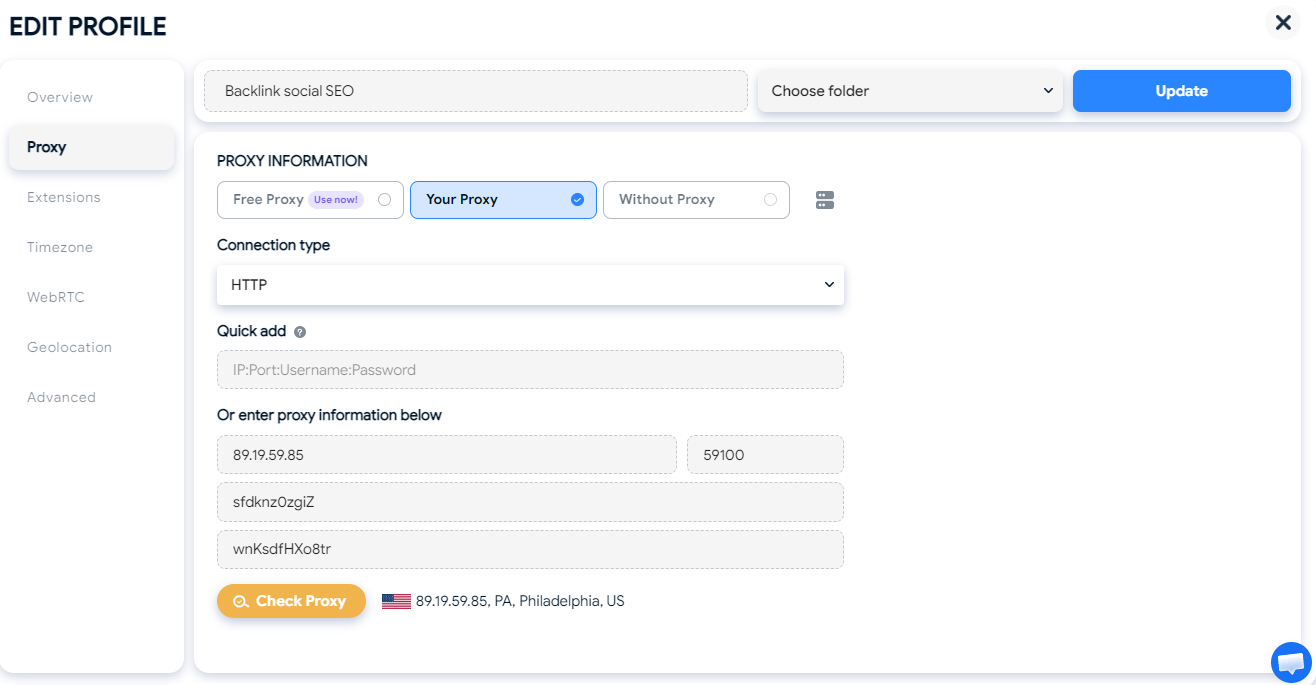
If you manage multiple profiles and see a proxy server refused connection, the issue is often tied to the "Proxy Manager" within the software.
- Profile Audit: Check if the specific profile’s proxy settings have been "checked" (validated) before launching.
- Cache Clear: Sometimes, old proxy authentication cookies remain in the profile's cache, leading to a proxy server refused connection even after you update the password. Clearing the profile cache is highly effective here.
5. Conclusion
Fixing a Proxy Server Refused Connection is all about checking things one by one. Once you know it’s not a broken server, you can stop worrying about the internet being "down." Instead, you can focus on the real fixes: checking your login details, fixing port errors, or unblocking your firewall.
If you do a lot of online work, like SEO or managing social media, keeping your IP whitelist updated is key. Making sure your security software doesn't block your proxy will also help. These simple steps will stop the Proxy Server Refused Connection error from slowing you down.
>>> Read more:
- IP ban: 6+ ways to fix and effective anti-block tips
- Free Proxy List: 15+ Trusted Sources for Free Proxy Servers
6. FAQ
6.1. Why is my proxy server refusing connections on Chrome?
On Google Chrome, a Proxy Server Refused Connection error usually happens because Chrome uses your computer's system proxy settings. If your Windows or macOS proxy configuration has an outdated IP or the wrong port, Chrome will be blocked. To fix this, go to Settings > System > Open your computer’s proxy settings and ensure the details match your provider’s current info.
6..2. How do I fix "The proxy server is refusing connections" in Firefox?
Unlike other browsers, Firefox has its own connection settings. If you see this error, go to Settings > Network Settings. Check if "Manual proxy configuration" is selected and verify the HTTP or SOCKS proxy address. If you aren't intentionally using a proxy, switch the setting to "No proxy" to restore your connection.
6.3. Can a VPN cause a Proxy Server Refused Connection?
Yes. VPNs and proxies often compete for control over your network traffic. If you have a VPN active while trying to use a browser proxy, it can lead to a Proxy Server Refused Connection. Always disable your VPN before using a proxy, or use a proxy manager extension to handle the routing properly.
6.4. Is a "Proxy Server Refused Connection" a sign of a virus?
Not necessarily, but it could be. Some malware changes your browser's proxy settings to redirect your traffic through a malicious server. If that server goes down, you will see a Proxy Server Refused Connection error. If you didn't set up a proxy yourself, run a full system scan with your antivirus software immediately.
6.5. What should I do if my Tor Browser says the proxy is refusing connections?
For Tor users, a Proxy Server Refused Connection usually means the Tor process (the "background engine") failed to start. Try restarting the browser. If the problem persists, check if your firewall is blocking tor.exe or if another program is using Port 9150/9151, which Tor needs to function.