Hotspot Shield VPN is a popular virtual private network (VPN) service that attracts the attention of many users thanks to the convenient features it brings. This software is considered an effective support tool for users in connecting to the Internet safely and securely. So what is Hotspot Shield ? Join Antidetect Browser Hidemyacc to explore the advantages and how to download this software through the article below.
1. What is Hospot Shield?
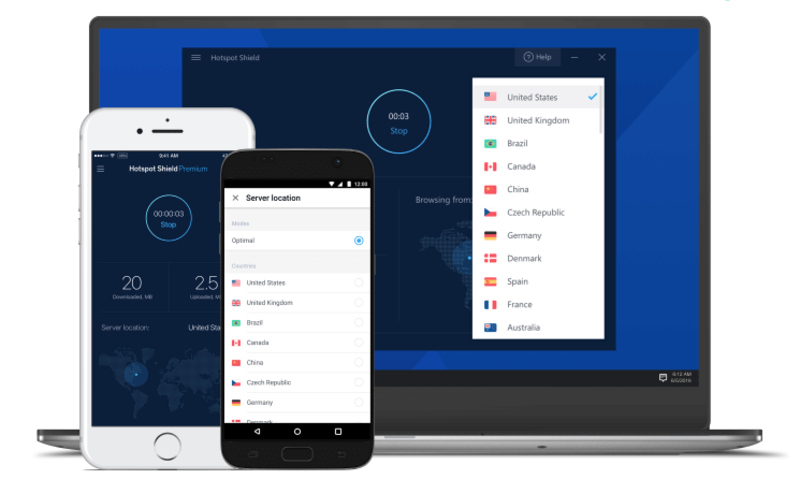
Hotspot Shield VPN is a leading free VPN software today, helping to turn public networks into private connections, protecting users' identities from third-party surveillance. In particular, this software allows creating virtual IP addresses, helping users easily access websites blocked by network operators. With thousands of servers worldwide, Hotspot Shield VPN provides many virtual IP address options for users.
>>> What is a VPN? How it can protect you from online threats
2. Advantages and disadvantages of Hotspot Shield VPN
Before deciding to use Hotspot Shield VPN, let's find out the pros and cons of this service to get an overview and make the right choice.
2.1. About advantages
Hotspot Shield VPN has many outstanding advantages, bringing a safe and convenient experience to users. Below are the main strengths of this service:
- Ensures secure internet connection between user and server.
- Encrypt data to protect sensitive information like online transactions, browsing history, and personal data.
- Easily access websites without facing restrictions from filters.
- Provides security protection when using public Wi-Fi networks.
2.2. About disadvantages
In addition to outstanding features, Hotspot Shield VPN also has many advantages that make users satisfied, but there are still certain limitations:
- Connection speed is reduced when connecting to remote servers.
- The free plan features are limited.
- The encryption protocol is strong but not up to the highest security standards, so the level of privacy protection is only relative.
3. Key Features of Hotspot Shield
Hotspot Shield VPN impresses with many outstanding features, of which some important features are always mentioned when talking about this service. Here are some of the key features of this software:
3.1. Free Trial
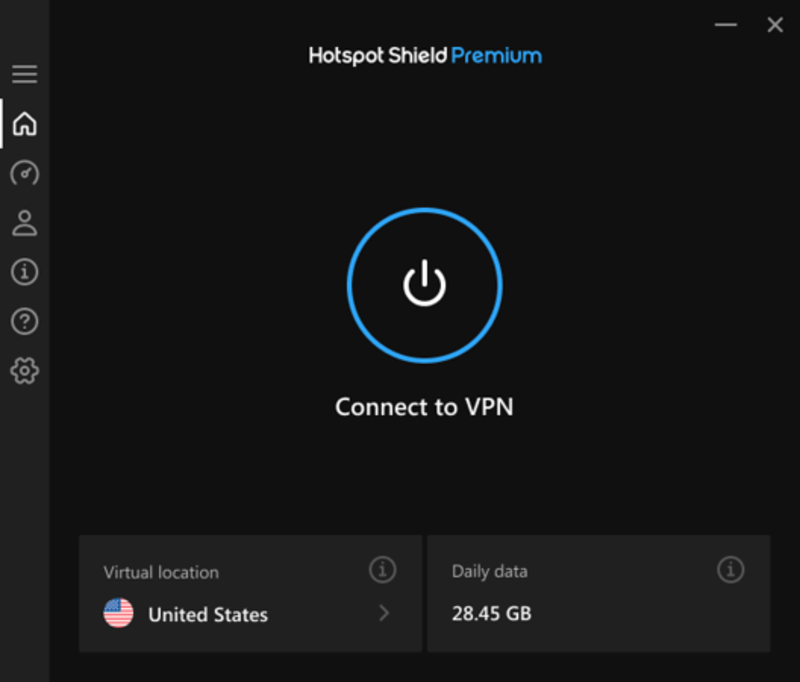
Hotspot Shield VPN is equipped with large buttons that help users easily connect or disconnect from the server with just one click. The connection time is displayed via an analog clock, allowing you to easily schedule a time to connect or disconnect. The Settings menu is displayed on a single page, giving users quick access to the necessary parameters and options (with the paid plan). In addition, this application also has the ability to automatically connect when Windows starts, ensuring the safety and stability of your connection.
3.2. Hide IP address
Hotspot Shield VPN creates a virtual IP address for users during web browsing, thanks to the encrypted connection, helping to protect your personal information from the risk of being stolen by hackers. In Vietnam, you can use this software to register an account on your favorite websites, games, or forums without any restrictions.
3.3. Unblock websites, unlock global content
Hotspot Shield helps you bypass restrictions and access blocked websites, and supports watching platforms like Twitter, YouTube, Netflix, Disney+, Prime Video, and more at blazing fast speeds.
3.4. Fast and secure web browsing
When connecting to public Wi-Fi networks at cafes, hotels or restaurants, you are at risk of being tracked and having your information stolen by hackers. With Hotspot Shield VPN, all your access data will be protected and encrypted, helping to ensure your safety online. The application also secures personal information such as online transactions, messages and sensitive data, giving users peace of mind.
3.5. Protection against malware
Hotspot Shield VPN will automatically warn and block you from accessing malicious websites, which are listed as over 3.5 million dangerous websites, without using antivirus software. In addition, Hotspot Shield's anti-phishing and spam protection also helps you stay away from online dangers.
>>>> SEE MORE: 7 Best Free Chinese VPNs | Updated 2025
4. Instructions for installing Hotspot Shield VPN software
Now that you know what Hotspot Shield is, if you want to download and install Hotspot Shield VPN on your computer and phone, follow these simple steps:
On computer:
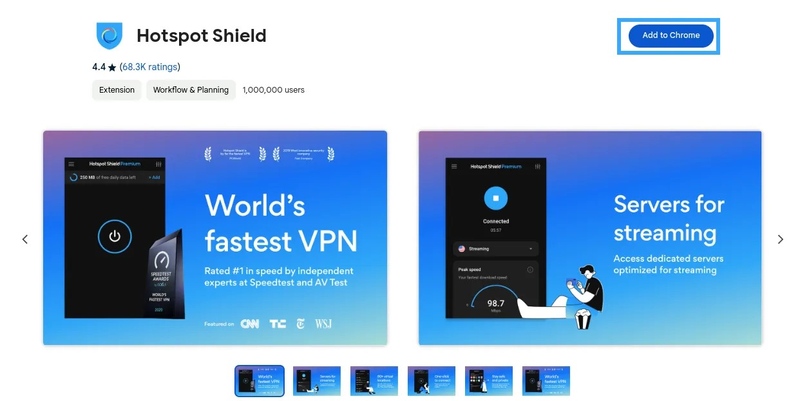
Step 1: Download the Hotspot Shield Extension plugin to your computer.
Step 2: Click the "Add to Chrome" button to add the extension to your browser.
Step 3: When the welcome interface appears, select "Continue For Free" to start using the free version.
Step 4: Go to Google Chrome's extension settings, select "Manage extensions" and pin the Hotspot Shield icon to the toolbar to complete.
On phone:
Visit one of the links below to quickly download Hotspot Shield VPN:
- iOS: Download from App Store
- Android OS: Download from Google Play
5. Compare Hotspot Shield Business and Hotspot Shield Premium
Hotspot Shield Business and Hotspot Shield Premium are both popular VPN plans, but each has its own unique features and benefits. We'll compare Hotspot Shield Business and Hotspot Shield Premium in detail to help you choose the plan that best suits your needs.
|
Features |
Hotspot Shield Premium |
Hotspot Shield Business |
|
Ability to add members to the group |
No |
Yes (1 Manager + 5 Users, total 6) |
|
Dedicated Server |
No |
Yes |
|
Management console |
Yes |
Yes (Role and User Management) |
|
Dedicated support |
Yes (priority email support) |
Yes (24/7 chat support and priority email) |
|
Virtual Location |
24 |
24 |
|
Unlimited access |
Yes |
Yes |
|
Unlimited data bandwidth |
Yes |
Yes |
|
Ad-free browsing |
Yes |
Yes |
|
Link up to 20 devices to your account |
No |
Yes (Overall Business Account) |
|
Multi-platform |
Yes |
Yes |
Information about " What is Hotspot Shield? " has been fully answered in the above article, including the features, installation methods and advantages and disadvantages of this tool. If you are looking for a solution to protect your privacy and access the Internet without restrictions, contact Hymedyacc immediately for advice and dedicated support!
>>>> RELATED ARTICLES:
- Kiwi VPN: What is it & easiest setup guide for beginners
- Proxy vs VPN: Key Differences You Should Know
- 7 Best free VPN for iOS 2025
- Best free VPN for Android: Top 9 services to try in 2025
- 15 Best free VPN software for PC