What is Cloudflare WARP ? It's a VPN (Virtual Private Network) service developed by Cloudflare, designed to protect data and optimize internet connection speeds. Read on to learn more about this service, its benefits, and how to install it!
1. What is Cloudflare WARP?
What is Cloudflare WARP? This is undoubtedly a top question of interest today. Generally speaking, it's a VPN service that helps you access the internet securely and quickly by using Cloudflare's 1.1.1.1 DNS. This service not only encrypts the connection but also optimizes speed, providing a smoother experience.
The WARP app integrates both 1.1.1.1 DNS and advanced security technology, allowing you to take advantage of the best of both worlds.
Unlike traditional VPNs that can slow down your connection, Cloudflare WARP uses Cloudflare's global network of servers to maintain high and stable speeds. This ensures you can access the internet quickly even with a weak network.
Initially, WARP was designed to improve internet performance and security on mobile devices. Compared to conventional VPN services, it consumes less battery power and reduces network latency, providing a smoother and more efficient experience.

>>> Discover: What is a VPN? How it can protect you from online threats
2. Should I use Cloudflare WARP?
Yes, you should use Cloudflare WARP if you want to improve your internet connection speed, enhance security, and protect your privacy while browsing the web. With its vast global network of servers, WARP can connect to most users worldwide in just milliseconds. According to numerous Cloudflare tests, WARP has demonstrated the ability to significantly improve internet connection performance.
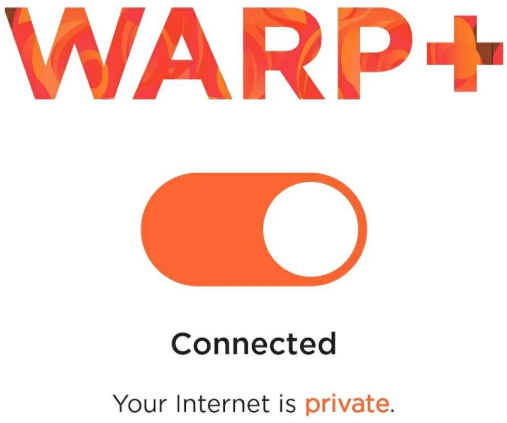
The WARP service is currently available for free through Cloudflare's 1.1.1.1 app. Additionally, the WARP+ version offers faster connection speeds for a reasonable monthly fee, providing added value for users.
Beyond performance, Cloudflare prioritizes user privacy. Browsing data will not be sold to third parties or used for advertising purposes. Cloudflare also commits to not collecting personally identifiable log information. Users do not need to provide personal information such as name, phone number, or email address when using WARP. To ensure transparency, the company also invites independent organizations to conduct regular audits.
>>>> SEE MORE:
- Review of Express VPN : Pros, cons, and features
- What are the differences between Proxy and VPN ? A detailed comparison.
3. Key advantages of Cloudflare WARP
Besides understanding what Cloudflare WARP is , exploring its benefits is also crucial. Cloudflare WARP offers numerous outstanding advantages, not only enhancing the web browsing experience but also ensuring optimal security and privacy for users' personal information. This is an ideal solution for those seeking a fast, efficient, and secure internet connection thanks to the following key advantages:
3.1. Strong security
When using Cloudflare WARP, your data is fully encrypted using advanced security protocols. This effectively prevents tracking, data theft, or unauthorized access from third parties, including your internet service provider (ISP).
In addition to protecting personal information, WARP also ensures that your browsing history and online activities are not exposed. This is especially useful when using public Wi-Fi networks, which pose a high risk of hacking.
3.2. Accessing content using local IP address
Cloudflare WARP provides the ability to route connections through servers located in multiple countries around the world. This allows users to easily access online content that is geographically restricted.
For example, you can choose to use an IP address from another country to view services or content exclusive to that region, such as TV shows, movies, or streaming services. This not only expands your entertainment experience but also effectively supports your work when you need to access resources from other countries.
3.3. Increase access speed
One of Cloudflare WARP's biggest advantages is its routing optimization technology, which significantly improves internet connection speeds. By detecting and selecting the fastest route for data transmission, WARP minimizes latency when accessing websites and speeds up page loading.
This is especially useful for those who frequently work online, play games, or stream videos. With WARP, you'll have a smoother, more efficient web browsing experience, regardless of whether you're using a phone or a computer.
3.4. Protection against online threats
As a product from one of the leading cybersecurity companies, WARP provides an extra layer of security to protect users from threats such as malware, cyberattacks, or online scams. With WARP, you can have more confidence when accessing websites or downloading files from the internet.
3.5. Easy to use
Cloudflare WARP is designed with an intuitive and user-friendly interface, suitable even for those with little technological experience. Installing and activating the application only takes a few minutes with simple steps.
Additionally, WARP offers various setup options that users can customize to their individual needs. From quickly enabling/disabling the VPN to customizing advanced features, everything can be easily done without requiring complex technical knowledge.
4. Does Cloudflare WARP have a fee?
After understanding what Cloudflare WARP means , the cost will likely be your next concern. Cloudflare is well-known for offering technology solutions with free options, and WARP is no exception.
Users can enjoy the full benefits of WARP completely free of charge, without bandwidth or time limits. This makes WARP an attractive option for those who want to improve their internet connection without paying a fee.
Additionally, Cloudflare offers a WARP+ version that enhances connection speeds by utilizing the company's Argo network. WARP+ helps detect network bottlenecks in real time and optimally route traffic, providing a smoother browsing experience.
The cost of using WARP+ varies by region, but compared to traditional VPN services, it's considered quite low. Cloudflare aims to make this technology accessible to everyone, even those with limited budgets. For example, in India, the WARP+ subscription cost is only about $1 per month, a very reasonable price for the value the service offers.
LEARN MORE:
- What is NordVPN ? Advantages and disadvantages of NordVPN
- Kiwi VPN: What is it & easiest setup guide for beginners
5. Instructions for installing Cloudflare WARP
Now that you understand what Cloudflare WARP is and its benefits, you'll likely want to have WARP on your computer and phone. Here's a detailed guide to help you easily do it:
5.1. Install Cloudflare WARP on your phone.
Installing Cloudflare VPN on your phone is now much simpler. Below is a detailed guide to installing WARP on your phone, suitable for all users.
Step 1: Access your phone's app store (Google Play Store for Android or App Store for iOS) and search for the WARP app . Then, download and install the app on your device.
Step 2: Once the installation is complete, open the WARP application. The initial startup screen will appear. Press the " Get Started " button to begin. Next, press " Done " to complete the instructions and select " Accept " to agree to the application's terms and conditions.
Step 3: On the main interface of the application, you will see a toggle switch. To turn on the VPN, slide this switch to the right. This action activates the VPN on your device.
Step 4: When you activate it for the first time, the application will request permission to add a VPN profile to your device. Tap " Install VPN Profile " and select " OK " to grant permission. Note that this request only appears the first time you use it; you will not need to repeat this step in subsequent uses.
Step 5: After successfully enabling Cloudflare VPN, you can check your internet connection speed to see a noticeable change in performance.
5.2. Install Cloudflare WARP on your computer
With the following instructions, you can easily install and use Cloudflare WARP on your computer to enjoy a faster, more secure web browsing experience.
Step 1: First, you need to access the official Cloudflare website at https://1.1.1.1/. Here, you will find WARP software versions specific to your operating system, such as Windows, macOS, or Linux . Choose the appropriate version and click download.
Step 2: After the installation file has finished downloading, open it and begin the installation process. Click the " Setup " button to start the installer. Then, select " Next " and click " Install " to complete the installation of the WARP software on your computer.
Step 3: Once the installation is complete, the software will display basic instructions on how to use it. At this point, simply click " Next " to review the instructions and select " Accept " to agree to the terms of service.
Step 4: To activate the VPN and speed up your internet connection, open the WARP software and turn on the switch on the main interface. Once the VPN is activated, the software icon will be minimized and displayed in the Taskbar (the toolbar at the bottom of the screen). From there, you can easily access the application whenever needed.
Hopefully, the above article has fully answered the question " What is Cloudflare WARP ?" and helped you understand the benefits this service offers. Don't forget that protecting your data and optimizing your browsing speed are extremely important in today's online world. Therefore, contact Hidemyacc immediately for advice and support on optimal VPN solutions!
RELATED ARTICLES:
- What is Hotspot Shield? Advantages and how to download it.
- How to Easily Enable a VPN on iPhone, Android, and Computer
- How to turn off VPN on multiple devices super quickly and easily
6. FAQ
What is Cloudflare WARP?
Cloudflare WARP is a secure Internet connectivity service by Cloudflare that encrypts traffic and improves network performance using the WireGuard protocol.
Is Cloudflare WARP a VPN?
Cloudflare WARP is not a traditional VPN because it does not allow users to choose IP locations and focuses on security and performance rather than anonymity.
Is Cloudflare WARP free to use?
Yes, Cloudflare WARP offers a free version, along with paid plans such as WARP+ and WARP+ Unlimited for improved performance.
Is Cloudflare WARP safe?
Yes, Cloudflare WARP uses strong encryption and follows Cloudflare’s privacy-first policies to protect user data.
Does Cloudflare WARP log user activity?
Cloudflare states that WARP does not log browsing history or sell user data, collecting only minimal operational information.
Does Cloudflare WARP hide your IP address?
Cloudflare WARP masks your IP from most websites but does not fully anonymize your identity like a traditional VPN.
Can Cloudflare WARP improve Internet speed?
In many cases, Cloudflare WARP can improve speed by optimizing routing through Cloudflare’s global network.
Can Cloudflare WARP slow down my Internet connection?
In some network environments, WARP may not improve speed and could cause slight slowdowns depending on ISP routing.
What is the difference between WARP and WARP+?
WARP+ uses Cloudflare’s premium network routes to provide better performance compared to the free WARP version.
Which devices support Cloudflare WARP?
Cloudflare WARP is available on Windows, macOS, Android, and iOS devices.
Can I use Cloudflare WARP at work or school?
Some organizations block Cloudflare WARP, so its availability depends on network policies and administrative restrictions.
Does Cloudflare WARP work with other VPNs?
Running Cloudflare WARP alongside another VPN may cause connection conflicts and is not recommended.
What protocol does Cloudflare WARP use?
Cloudflare WARP is built on the WireGuard protocol, which is known for speed, security, and efficiency.
Can Cloudflare WARP bypass geo-restricted content?
Cloudflare WARP is not designed to bypass geo-blocking and does not guarantee access to restricted content.
Is Cloudflare WARP legal to use?
Yes, Cloudflare WARP is legal to use in most countries as a security and connectivity tool.
Should I use Cloudflare WARP instead of a VPN?
Cloudflare WARP is ideal for secure and fast Internet access, while a VPN is better suited for anonymity and location masking.