
Whenever you visit a website, you often see a message asking you to accept cookies, but you may not fully understand their nature. In fact, these are small data files that help remember your behavior and personalize your online experience in the smoothest way possible.
However, misunderstanding how they work can inadvertently expose you to the risk of leaking important personal information. This article will help you understand the definition, role, and how to control your privacy when using the Internet.
1. What are cookies on the internet?
Cookies are small data files created by website servers and sent to your browser. Web browsers store received cookies for a certain period of time, or throughout the user's browsing session on that website.
Cookies help websites better understand their users, allowing them to personalize the user experience. For example, e-commerce websites use cookies to know which items users have added to their shopping carts.
Cookies can also have simple functions, such as remembering your login details for a specific website like Facebook, so you can close that page and reopen it later without having to log in again.
Cookies used on the Internet are also known as "HTTP cookies". Like most other websites, cookies are sent using the HTTP protocol.
2. What are cookies used for?
Websites use HTTP cookies to optimize your browsing experience. Without cookies, you would have to log in again every time you leave a website or recreate your shopping cart if you accidentally close the page. Creating cookies is an important part of the modern internet experience. In short, cookies are used for the following purposes:
- Session management: For example, cookies allow websites to identify users and remember their login information and personal preferences, such as sports news versus politics.
- Personalization: Customized advertising is the primary way cookies are used to personalize your browsing session. You may view certain items or sections of the website, and cookies use this data to help create targeted ads that you may like. They are also used for language preferences.
- Tracking: Shopping websites use cookies to track items users have previously viewed, allowing websites to suggest other products they might like and keep items in their shopping carts while they continue shopping elsewhere on the site. They will also track and monitor performance analytics, such as how many times you visit a page or how long you spend on a page.
While this primarily benefits you, web developers also benefit greatly from this setup. Cookies are stored locally on your device to free up storage space on the website's server. This allows websites to personalize content while saving on server maintenance and hosting costs.

>>> See more about:
- What is browser fingerprinting? How does it track you online?
- Can blocking and spoofing browser fingerprints prevent accounts from being banned?
- Secure Browser - How to Protect Your Online Privacy?
3. How do cookies work?
Essentially, cookies function like a smart membership card that a website provides you. This process occurs when you visit a website for the first time; the website's server creates a small file (cookie) containing a unique ID code and saves it to your computer's hard drive. From that moment on, the browser uses this ID code to "identify" you throughout your browsing session.
This session is your overall visit to their website from start to finish. The reason is to track things like which items you added to your cart or which items you viewed. So, it can suggest similar items or even save discount codes for you to use later, even if you leave the website and then return.
4. Types of cookies on the internet
There are many different types of cookies, and here are some examples depending on how they are categorized:
4.1 Depending on their lifespan
4.1.1. Session Cookies
Session cookies only exist for the duration of a user's use of the website. Web browsers typically delete session cookies upon exiting. Session cookies expire if the user does not visit the website within a server-selected time period (inactivity timeout). If someone comes after us and uses our computer, they will not be able to see anything on the website using session cookies because they would have to re-enter our username and password.
4.1.2. Persistent Cookies
Persistent cookies last longer than a user's session. If a persistent cookie has a maximum expiration date of one year, then within that year, the original value set in the cookie will be sent back to the server each time the user visits the server. This can be used to record important information, such as how the user first accessed the website.
4.2. Domain Name Evaluation
4.2.1. First-party cookies
First-party cookies are created and stored by the website you are visiting. They allow website owners to collect customer analytics data, remember language settings, and perform other functions to provide you with a good user experience.
4.2.2. Third-party cookies
Third-party cookies are cookies set using a domain name different from the domain name displayed in the address bar.
For example, if you visit SendFflowers.com, it might set a cookie for the ad address someadvertiser.com. Later, when you visit RebuildEngines.com, it will set a cookie for ad.SomeAdvertiser.com . Both of these cookies will be used by SomeAdvertiser.com to identify that you are the flower sender and working remotely. This is where cookies come in a bit tricky.
Third-party cookies are used by advertising agencies whose clients pay to display ads for products and services, but they don't want to waste money showing them to people who won't become customers. Therefore, they need to track the types of websites you visit and make an informed guess about whether you're the type of person who will enter the market for what they offer.
We have an article on first-party cookies versus third-party cookies to provide a detailed comparison of these two types of cookies.
4.3. Storage Mechanism and Scope of Influence
4.3.1. Zombie Cookie
Zombie cookies are any cookies that are automatically recreated after a user deletes them. This is done by a script that stores the contents of the cookie in some other location, such as local storage available for Flash or Silverlight content, HTML5 games, and other client-side mechanisms.
Zombie Cookies were originally used to prevent people from cheating in online games. These cookies are written by small utilities that you download to play the game. You have to “accept” the download to write any of this content to your computer, so if you are not playing the game or do not know exactly what is being installed, select “No”.
4.3.2. Super Cookie
A Super Cookie is a cookie with a public domain suffix, such as “.com”, “.co.uk”, or “.k12”. By default, most browsers allow first-party cookies – cookies with the same domain or subdomain as the requesting server. For example, a user visiting www.google.com can set cookies for all .google.com domains.
As companies add more and more services, they want you to easily switch between their services. These Super Cookies do just that. Make sure you “opt in” to each service; some malicious individuals will try to make their website look like the real one to trick you.
5. Why do all websites want you to accept their cookies?
Technically, cookies are just static data files, incapable of running or executing commands. Therefore, under normal circumstances, they cannot spread viruses or damage your computer system. However, security boundaries still exist: sophisticated malware is sometimes disguised as cookies to infiltrate browsers. More importantly, the real threat lies not in damaging your computer, but in the violation of your privacy.
Advertising services and web servers crave your cookies because they are the most effective tracking tools. Third-party cookies allow them to know which websites you recently left, what products you viewed, and your spending habits.
For businesses, indiscriminately accepting cookies is a major disadvantage. E-commerce or social media platforms use cookies to build "browser fingerprints," making it easier for them to detect and scan fake accounts, leading to mass account suspensions when unnatural behavior or duplicate data is detected.
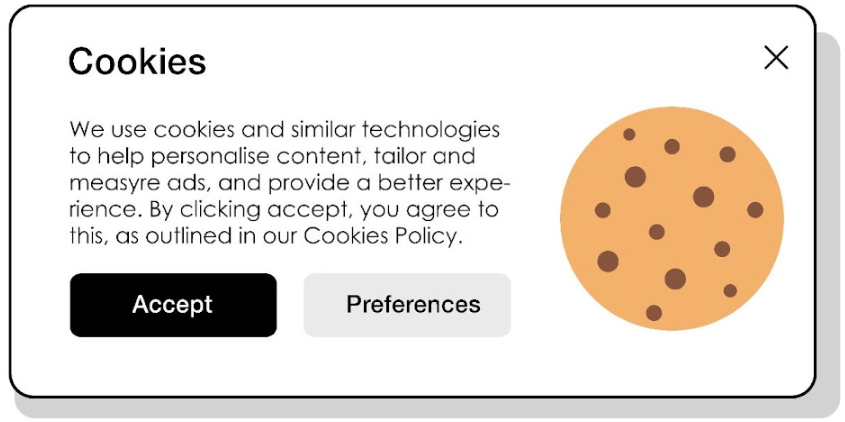
Nowadays, most websites display a message requesting acceptance of cookies to demonstrate transparency. However, the reality is that the modern internet is built to prioritize data collection. These pop-ups often offer little protection, as large websites still find ways to access your data for commercial purposes.
Even more concerning, we users are unwittingly contributing to this behavior. For convenience and quick access to content, most people click "Agree" without reading the terms and conditions. Cookie policies are often too long and full of complex technical jargon, discouraging ordinary users and causing them to give up control over their own personal information.
>>> See more:
- How to manage cookie settings in your browser: Chrome, Firefox & Edge
- Cookie Bot: Automatically collects your browser's cookie history.
- What is an API? A beginner's guide to APIs, their functions, and their benefits .
- Basic web data collection: How it works and what you can do with it.
- Free AI-powered web data collection tools: Which one is best for your project?
6. Internet cookie security threats
Although cookies are essentially static data files that cannot spread viruses on their own, they are still targets for hackers. Because cookies often store login status and personal information, exposing them can lead to serious security risks.
For example, if a session cookie is stolen, an attacker could impersonate you to access your bank accounts or social media accounts without knowing your password. Below are four common methods cybercriminals use to steal your cookies:
6.1 Violent Attacks
In a brute-force attack, hackers attempt to guess each digit in your session cookie. As you can imagine, this isn't very efficient and can be time-consuming, but it still puts you at risk if successful. This is the most basic and tedious type of cookie hijacking.
6.2. Malware Infection
Malware can also be used to track you and record your browsing sessions. Hackers can infect your device with malware to record and hijack your browser's cookie files, including your session cookies.
6.3. Cross-site scripting
Cross-site scripting attacks allow hackers to inject client-side scripts into websites. Using JavaScript, attackers attempt to steal your session cookies. The easiest way to do this is through phishing links.
6.4. Sniff the package
When malicious parties collect and record packets traveling across a computer network without your knowledge or consent, this action is called packet sniffing. Network or Wi-Fi analyzers are tools for this. Through packet sniffing, attackers can intercept and log your data, including your session cookies.
7. Managing cookies: safety tips for users
Effective cookie management requires a balance between maintaining website functionality and protecting individual privacy. Understanding how to control cookie settings across different browsers and platforms helps safeguard your digital footprint.
7.1 Managing browser settings
Modern web browsers offer built-in tools and settings that allow users to control their cookie preferences, so understanding these features is essential for better privacy management.
- View and delete cookies
Most modern browsers allow you to view and delete cookies through privacy settings. Access your browser's settings menu, navigate to the privacy section, and find the cookie management options. Regularly clearing cookies helps prevent tracking and maintain browser performance.
-
Use private mode.
Use your browser's private or incognito mode when accessing sensitive websites. This prevents the storage of cookies and automatically deletes session cookies when you close the browser window.
7.2 Scheduled Maintenance
- Please delete cookies and browsing data at least once a month.
- Review the specific cookie access rules for each website on a quarterly basis.
- Accept only essential cookies where possible.
- Install reputable cookie management extensions.
- Monitor and adjust cookie settings after updating your browser.
7.3 Enhancing Security
- Allow cookies to be automatically deleted when the browser is closed.
- Blocks third-party cookies by default.
- Use a privacy-focused browser when browsing sensitive websites.
- Consider using a dedicated IP address for trusted websites.
- Allow cookie encryption via HTTPS-only mode.
- You can strengthen your privacy by installing ad-blocking/script-blocking extensions like Privacy Badger, uBlock Origin, or Ghostery.
Furthermore, at an advanced level, if you need to use many profiles and want complete security for your professional work, you may want to consider using the Hidemyacc antidetect browser tool for a better security solution. It will help you create separate browsing environments with your own digital fingerprint, allowing you to control seller profiles on e-commerce platforms like Amazon or run Google Adwords.
Therefore, each profile will contain a different cookie and will be uploaded to the cloud (or not, depending on your permission). This means you can freely earn money online (MMO) without being tracked or detected by web servers like Google, Facebook, Amazon, Etsy, eBay, etc.
In addition to internet cookies, you should have a basic understanding of Pixel tracking and the difference between Pixel tracking and cookies for the specific task you are looking for.
8. FAQ
8.1 What exactly are cookies?
Cookies (often called internet cookies) are text files containing small pieces of data such as usernames and passwords, used to identify your computer when you use the internet.
8.2 What are cookies used for?
They help maintain login status, save shopping carts, remember personal preferences, and assist businesses in tracking behavior to display relevant ads.
8.3 How to enable cookies?
Go to your browser settings > Privacy and security > Cookies and site data, then select "Allow" to enable it.
8.4 How to block cookies?
You can select "Block third-party cookies" in your privacy settings or use Incognito Mode so that the browser doesn't save data after closing.
8.5 How to delete cookies from Chrome?
Press Ctrl + Shift + Delete, select the time range as "From the beginning", check the box "Cookies and other website data", and then click Delete data.






