Looking to collect Instagram data to analyze competitors, identify creators, or track content trends? Instead of manually transcribing posts one by one, you can deploy Instagram scraping workflows to gather structured metrics faster and export datasets into JSON, CSV, or Excel formats.
This guide walks you through every approach to Instagram data extraction—from manual sampling and open-source packages to managed scraper APIs and custom Python automation—while demonstrating practical safeguards to prevent account checkpoints and IP blocks.
1. What is Instagram scraping and what data can you collect?
If you want to track a competitor's publishing cadence, uncover trending industry hashtags, or calculate influencer engagement rates, Instagram scraping offers an automated mechanism to extract those metrics. Rather than copying content manually, a scraper accesses publicly available web pages, parses the required fields, and formats the output into structured files like JSON, CSV, or Excel for downstream reporting.
A crucial distinction must be drawn between Instagram scraping and the Instagram Graph API. The Graph API is Meta's official programmatic interface, which restricts access primarily to authenticated accounts that have granted explicit management permissions. Scraping, on the other hand, captures publicly visible signals from profiles, hashtags, and Reels to support independent market intelligence and competitive benchmarking.
What data points can you extract?
Available fields depend on your tooling and session permissions, with the most common data points including:
| Data Type | Collectible Fields & Metrics |
|---|---|
| Profiles & Bios | Username, profile picture URL, biography, external links, total post count |
| Posts & Reels | Captions, media URLs, timestamps, like counts, view counts |
| Comments | Comment text, user handles, comment likes, base engagement rates |
| Hashtags & Explore | Posts tagged with target hashtags, trending topics, Explore feed contents |
| Followers | Public aggregate follower counts (exhaustive follower exports are heavily restricted) |
Once parsed, structured files can be ingested directly into business intelligence dashboards like Google Sheets, Power BI, or internal analytics pipelines.
Learn more: How to scrape the Instagram Explore page: Tools and practical tips
2. Manual Instagram data collection
Manual recording represents the simplest starting point when you only need to evaluate a small batch of accounts, hashtags, or specific campaign posts. While it does not scale to high-throughput operations, this approach remains valuable during preliminary discovery phases because it requires zero software setup or script authoring.
Every collection method involves trade-offs. For manual workflows, consider the following parameters:
Pros
- Completely free with no software dependencies or installations.
- Accessible across desktop browsers and mobile devices alike.
- Virtually zero risk of automated platform restrictions since no automated bots are deployed.
Cons
- Excessively time-consuming as post volumes scale up.
- Difficult to maintain continuous, recurring data updates.
- Prone to human entry errors and transcription discrepancies.
Implementation workflow
You can record essential indicators from profiles or campaign hashtags using this baseline process:
- Navigate to the target profile, hashtag feed, or Reel.
- Log the post caption, like counts, visible comment tallies, and publication dates.
- Record the metrics systematically into categorized spreadsheet columns in Excel or Google Sheets.
- Audit and deduplicate records before generating final analytical charts.
When tracking a modest sample size for short-term research, manual extraction remains an effective, zero-cost method prior to investing in automation infrastructure.
3. Open-source tools for scraping Instagram data
For practitioners with foundational Python skills who want custom scraping workflows, open-source libraries provide a balanced middle ground between operating cost and architectural flexibility. They grant full ownership over dataset structures and integrate cleanly with downstream analytics stacks.
3.1. Instaloader
Instaloader is optimal when your core objective is harvesting public surface data—such as accounts, visual posts, or hashtag feeds—without committing to commercial SaaS subscriptions.
Instaloader supports extracting:
- Public profile metadata
- Standard feed posts and Reels
- Hashtag aggregations
- Raw JSON responses and media assets
Before deployment, weigh its core strengths and operational limits:
Pros
- Free, open-source, and actively maintained by the community.
- Seamless integration with native Python environments and scripts.
- Well-suited for academic research, one-off audits, and small data projects.
Cons
- Severely limited when querying gated content requiring authentication.
- Susceptible to aggressive rate limits when executing bulk queries.
For harvesting public Instagram data, Instaloader remains an accessible, low-friction framework supported by comprehensive documentation and an active developer community.
Workflow with Instaloader
Running an extraction pipeline involves four core steps:
- Install the package via pip inside your virtual environment.
- Pass target account handles or hashtag parameters into the script.
- Execute extraction routines to pull target media and metadata.
- Parse downloaded artifacts into consolidated JSON or CSV formats.
Once exported, datasets can be normalized and piped into visualization tools like Excel or Power BI.
3.2. instagrapi / aiograpi
When tasks require broader metrics—such as social graph relationships (followers/following), nested comment threads, or ephemeral content—instagrapi and its asynchronous counterpart, aiograpi, provide greater utility than Instaloader by interacting directly with mobile private endpoints.
These libraries facilitate extracting:
- Account profile details
- Follower and following rosters
- Multi-tier comment feeds
- Active Stories and highlights
- Granular post metadata
Because they interact with internal app endpoints, consider their advantages alongside the platform security risks involved.
Pros
- Deep, granular data schemas unavailable via public web scraping.
- Fast execution and asynchronous network throughput.
- Highly extensible for building sophisticated automation pipelines.
Cons
- Mandatory authentication using active Instagram credentials.
- Elevated risk of account checkpoints or verification challenges upon anomalous activity.
- Requires continuous library maintenance as internal mobile endpoints evolve.
Overall, instagrapi serves projects that require deep social metrics, though it demands careful credential hygiene and disciplined session handling.
Workflow with instagrapi
A resilient pipeline typically follows this structure:
- Authenticate using a dedicated, secondary Instagram account.
- Query target endpoints (e.g., user followers, media comments).
- Capture and serialize raw response payloads into JSON.
- Clean, validate, and structure the data schema for downstream analytics.
While this approach provides deeper access than public scrapers, maintaining proper session persistence is necessary to minimize security challenges.
4. Managed scraper APIs for Instagram data extraction
Teams seeking to bypass the engineering overhead of building scrapers from scratch can deploy managed scraper APIs. These enterprise platforms manage proxy rotation, anti-bot mitigation, and CAPTCHA solving behind the scenes, delivering parsed, structured data through standardized API endpoints.
4.1. Bright Data
Bright Data offers high-concurrency Instagram Scraper APIs engineered for enterprise-scale data harvesting. The platform supports programmatic extraction of profiles, posts, Reels, comments, and hashtags without requiring internal proxy or crawler management.
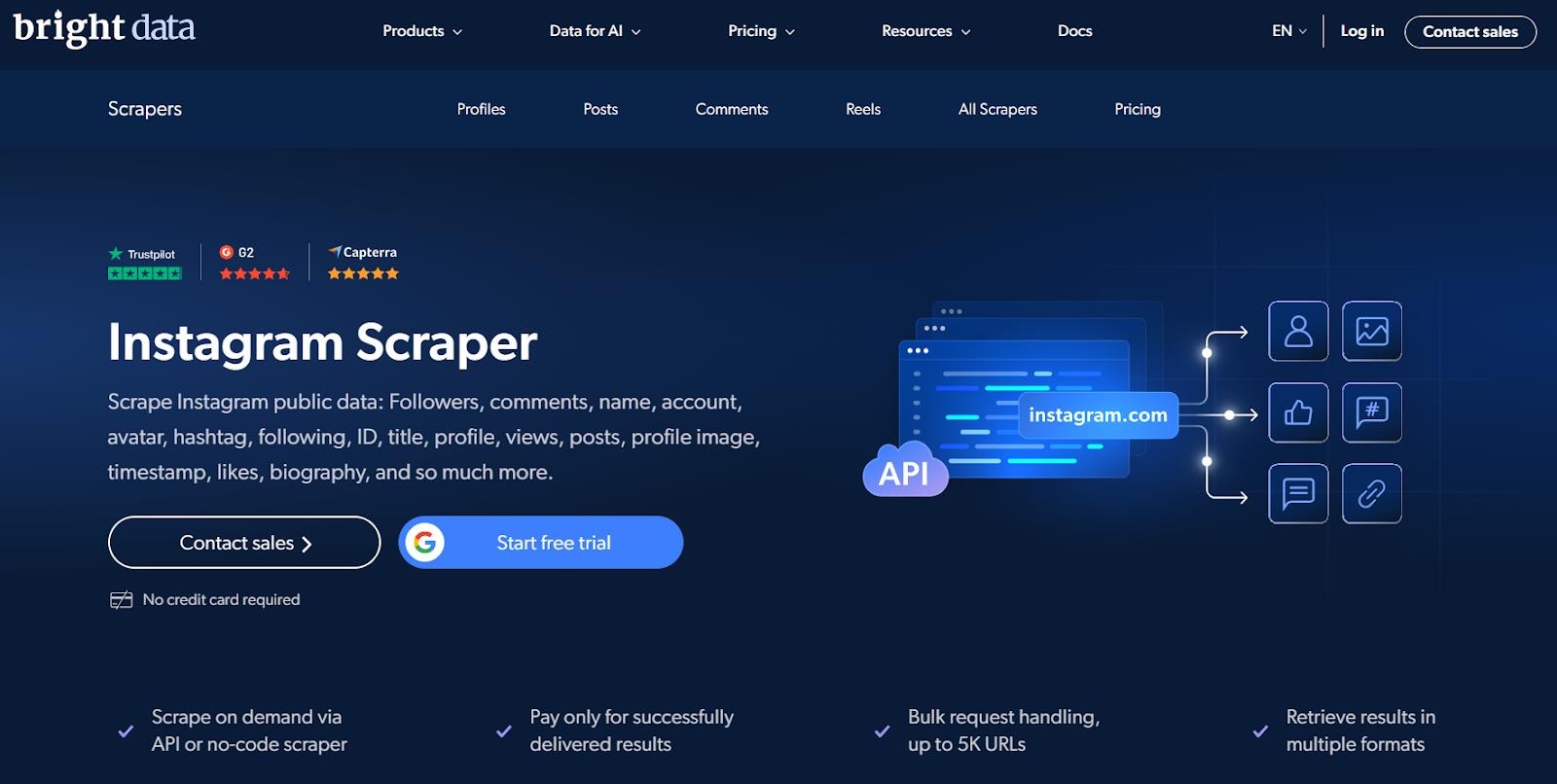
Key architectural highlights:
- Comprehensive coverage across public Instagram endpoints.
- Structured JSON payloads delivered via RESTful calls or webhooks.
- Integrated residential proxy networks designed to maintain extraction uptime.
- Elastic scalability suited for high-volume data engineering pipelines.
Considerations
- Premium, usage-based cost structure compared to entry-level no-code extensions.
- Requires precise capacity planning across varied commercial tiers.
For organizations running continuous social listening engines across thousands of targets, Bright Data provides higher operational resilience than basic browser scripts.
4.2. Oxylabs
Oxylabs provides an Instagram Scraper API tailored for direct integration into business intelligence databases and market research pipelines. Compared to consumer visual scrapers, Oxylabs emphasizes network stability and massive horizontal concurrency.
Supported features:
- Automated harvesting of public user profiles
- Feed post and hashtag data extraction
- Clean programmatic ingestion via API
- Backed by a global residential proxy pool
Pros
- High delivery success rates backed by enterprise SLAs.
- Straightforward API payloads for automated data warehouse pipelines.
- Engineered to support recurring, long-term extraction jobs.
Cons
- Pricing plans reflect enterprise-level data budgets.
- Feature breadth may introduce unnecessary complexity for small, ad-hoc tasks.
If you are building dedicated competitor intelligence systems that run continuously, Oxylabs offers an alternative to maintaining local browser infrastructure.
4.3. Apify
Apify enables data extraction without requiring engineers to build scrapers from the ground up. Instead of writing custom Python crawlers, users deploy pre-configured modules called Actors to extract profiles, hashtags, posts, and comment threads into structured deliverables.
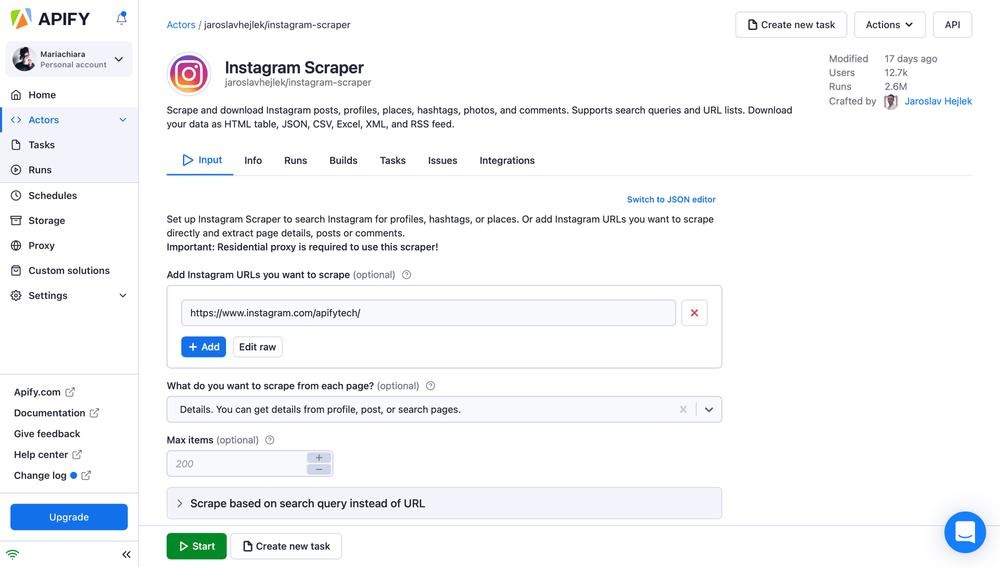
Apify capabilities:
- Targeted user profile extraction
- Post and Reel metrics parsing
- Hashtag feed harvesting
- Public comment collection
- Direct exports to JSON, CSV, or Excel
Pros
- No programming experience required to launch pre-built Actors.
- Fast setup with an intuitive web-based dashboard.
- Diverse export formats ready for analysis or CRM synchronization.
- Built-in scheduler for automated, recurring jobs.
Cons
- Actor performance and reliability vary depending on community maintainers.
- High-volume scraping requires pairing with external residential proxy pools.
- Less structural flexibility than fully customized codebases.
Operational note
The Apify Store features diverse community-authored Actors; always review user ratings, update histories, and execution run counts before selecting one. For large-scale extractions, route the Actor through dedicated residential proxies to ensure pipeline stability.
For marketing professionals needing rapid turnaround without code, Apify provides an accessible entry point among visual automation platforms.
4.4. PhantomBuster
PhantomBuster emphasizes social media lead generation and growth workflows over raw developer scraping. It fits teams that want to collect recurring lead lists and sync data directly to Google Sheets or CRMs.
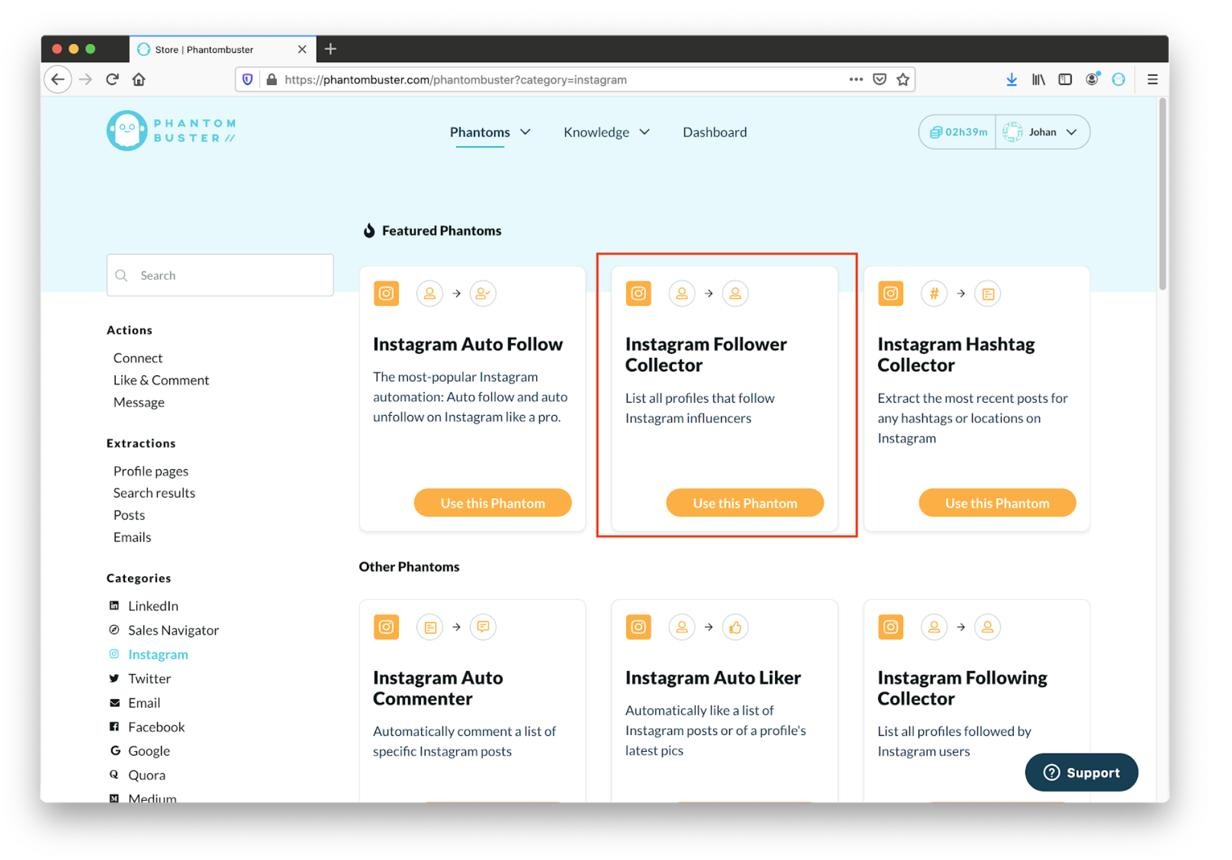
PhantomBuster capabilities:
- Public profile information capture
- Public post comment exports
- Automatic data synchronization with Google Sheets
- Scheduled background execution
Pros
- Completely code-free setup.
- Rapid workflow creation via visual configurations.
- Native integrations with digital marketing ecosystems.
Cons
- Execution time is strictly metered according to monthly plan tiers.
- Unsuited for enterprise-scale or big data extraction.
- Limited customization for complex data schemas.
Operational note: PhantomBuster operates on daily execution allowances. Segment extraction jobs into smaller batches rather than scraping large account lists in single runs. This approach conserves execution limits while minimizing checkpoint triggers.
For recurring workflows such as competitive benchmarking or daily lead enrichment, PhantomBuster offers convenience without script maintenance.
5. Building an Instagram scraper with Python, Selenium, or Playwright
When third-party tools fail to fit your data schema, building an in-house Instagram scraper provides end-to-end control over your pipeline. Custom development is ideal when you need bespoke parsing logic, deep internal database integration, or multi-account coordination.
The three most widely used automation frameworks are Selenium, Playwright, and Puppeteer. Each can control headless browsers, navigate Instagram's dynamic interface, and extract targeted DOM elements.
Step 1: Prepare the development environment
Configure your development environment to ensure operational stability. Proper dependency management minimizes runtime exceptions during execution.
Prerequisites:
- Python or Node.js runtime
- Selenium, Playwright, or Puppeteer libraries
- Dedicated proxy endpoints (mandatory for multi-account or high-volume runs)
- Structured storage directories for JSON/CSV outputs
With these dependencies installed, proceed to establishing browser sessions with Instagram.
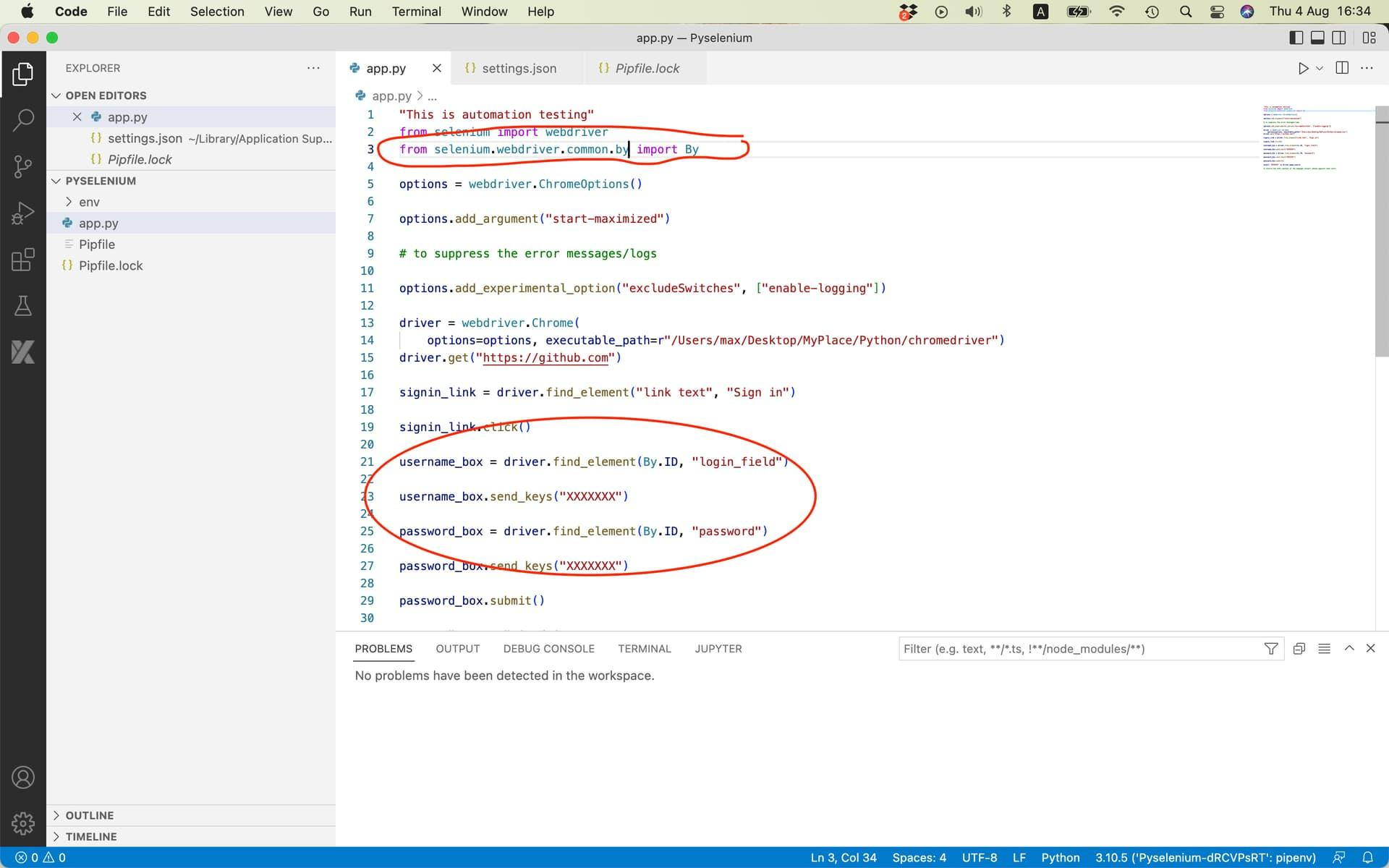
Development environment utilizing Python or Node.js alongside Selenium, Playwright, or Puppeteer automation libraries.
Step 2: Connect to Instagram
The scraper launches a browser instance and navigates to the target account or hashtag feed. Depending on your pipeline, you can parse public feeds anonymously or authenticate via dedicated accounts to preserve session longevity.
Core navigation sequence:
- Initialize the browser instance with explicit viewport and user-agent parameters.
- Navigate to the target profile or hashtag URL.
- Handle authentication routines if access requires an active session.
- Implement explicit waits to ensure dynamic DOM hydration completes before parsing.
Ensuring complete page hydration prevents empty payloads, particularly when dealing with infinite-scroll Reels and dynamic media containers.
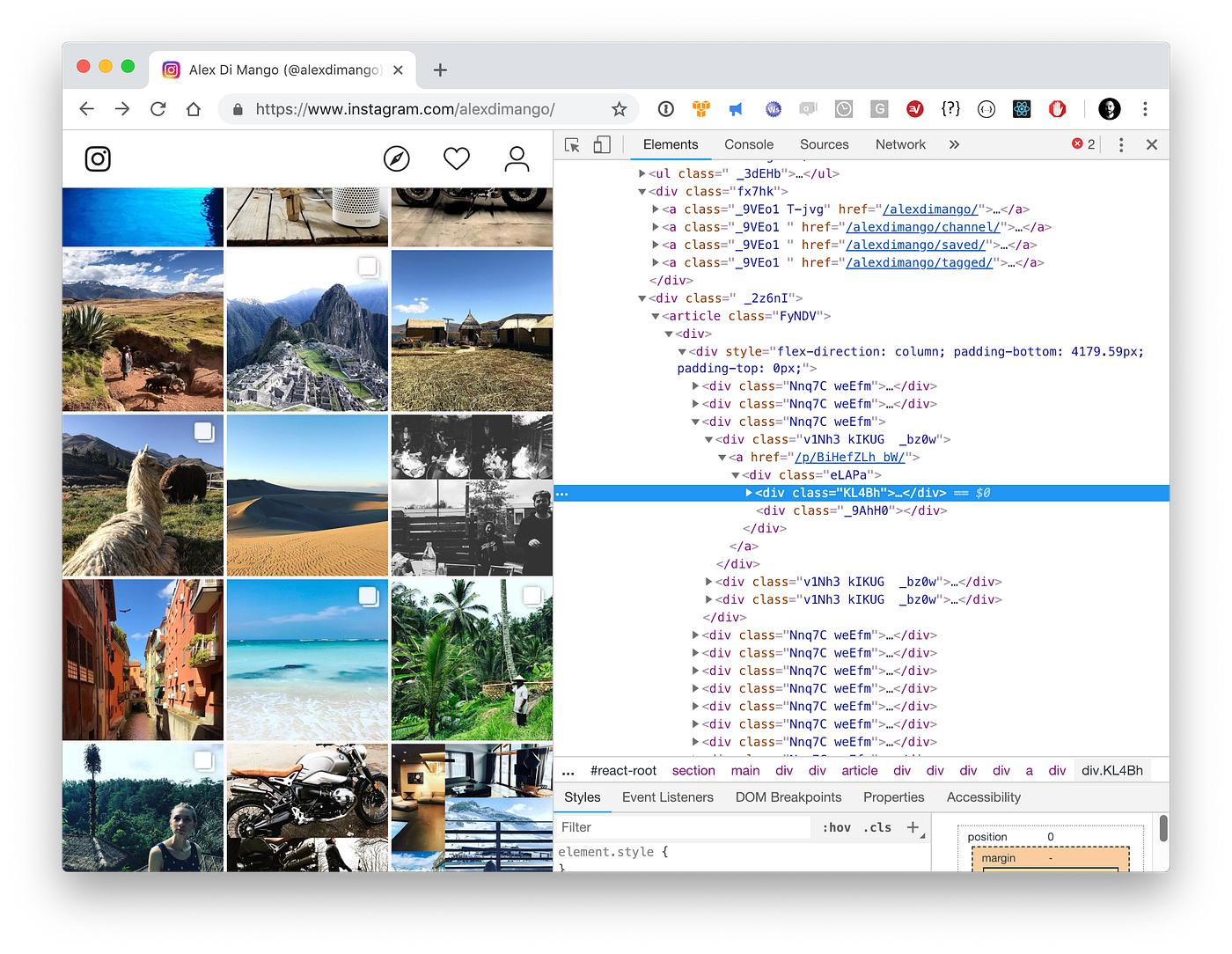
Step 3: Extract target data elements
Once the page is fully rendered, your scraper queries the target DOM selectors and transforms visual elements into structured objects. Define your data schema based on project requirements.
Common extraction fields:
- Username and handle
- Post caption text
- Like and reaction counts
- Comment tallies
- Included hashtags
- Media publication timestamps
- Canonical post URLs
Standardize field names from the start to streamline subsequent analysis in Excel, Power BI, or relational databases.
Step 4: Clean and export data to JSON or CSV
Raw scraped data should be cleaned before downstream analysis. This normalization step protects data integrity across reporting systems.
Data cleaning steps:
- Deduplicate records based on post IDs or URLs.
- Normalize ISO timestamp formats across timezones.
- Clean special characters, emojis, and handle UTF-8 text encodings.
- Serialize the final structured records into JSON or CSV.
The resulting deliverables are ready for direct ingestion into analytics platforms, data warehouses, or reporting pipelines.
Step 5: Connect your scraper to a Hidemyacc profile
When running concurrent Instagram scraping sessions on a single machine, avoid having Selenium or Puppeteer launch clean, default browser windows. Standard browser automation flags make these instances vulnerable to bot detection. Instead, connect your scraper directly to an isolated, running profile in Hidemyacc using the Chrome DevTools Protocol (CDP).
Three-step connection process:
- Invoke Hidemyacc's local Profile API to launch an existing profile by ID.
- Capture the remote CDP debugging address (WebSocket Debug URL) returned by the API.
- Attach Puppeteer or Selenium to that debugging port to execute your automation scripts.

Connecting a scraper to an existing Hidemyacc profile
Rather than launching a generic browser instance, Puppeteer attaches to a profile that retains consistent cookies, assigned proxies, and realistic hardware fingerprints. This keeps each Instagram session isolated and reduces correlation risks across concurrent scraping pipelines.
Implementation example (Node.js + puppeteer-core):
const axios = require("axios");
const puppeteer = require("puppeteer-core");

async function scrapeWithHidemyaccProfile(profileId) {
  const { data } = await axios.post(
    "http://127.0.0.1:PORT_LOCAL_API/api/v3/profile/start",
    { profile_id: profileId }
  );

  const browser = await puppeteer.connect({
    browserWSEndpoint: data.ws_endpoint,
  });

  const page = await browser.newPage();

  await page.goto("https://www.instagram.com/target_profile/", {
    waitUntil: "networkidle2",
  });

  // Execute extraction logic here

  await browser.disconnect();
}
This implementation connects your script to an existing, configured browser profile rather than generating a fresh browser instance. When orchestrating parallel scraping workers, assign a unique CDP endpoint to each profile to prevent resource collisions.
6. Comparison of Instagram data collection methods
Every collection method involves operational trade-offs. For minor audits, manual entry or no-code scrapers minimize setup friction. Conversely, high-throughput enterprise pipelines require dedicated APIs or custom scrapers built with headless automation libraries.
| Method | Cost | Technical Barrier | Ideal Use Case |
|---|---|---|---|
| Manual Collection | Free | Very Low | Small-scale audits, brief research |
| Open-Source Libraries | Free | Moderate | Python developers, academic projects |
| Managed APIs | Usage-based / Paid | Low | Enterprises, growth marketers |
| Custom Scrapers | Development Overhead | High | Bespoke internal data pipelines |
Choosing the right approach early prevents wasted development cycles and infrastructure overhead as your data collection requirements scale.
7. Does Instagram allow web scraping?
This is a common question among teams building social listening pipelines. In short, Instagram does not provide unrestricted public APIs for external scraping, and the platform actively deploys anti-bot countermeasures to restrict automated harvesting.
Understanding the distinction between public and private data—as well as the behavioral signals Instagram monitors—is necessary before deploying any automated collection pipeline.
7.1. Meta Terms of Service
Meta directs developers to the Instagram Graph API for building commercial applications and managing data across Creator and Business accounts. Web scraping bypasses official API endpoints by reading rendered DOM elements directly from the web interface, placing it outside the platform's sanctioned developer protocols.
While public web data has been subject to favorable legal rulings in various jurisdictions, automated scraping directly contravenes Meta's Terms of Service. Limiting your operations to strictly public data and enforcing rate limits helps mitigate platform enforcement risks.
7.2. Public data vs. private data
Not all data hosted on Instagram can be ethically or technically harvested. Before architecting your pipeline, separate data fields into clear classifications:
| Public Data | Private Data |
|---|---|
| Public profiles and bios | Direct Messages (DMs) |
| Public post captions | Private account media and captions |
| Hashtag aggregations | Private account follower rosters |
| Public comment threads | Follower-restricted Stories |
| Aggregate follower counts | User account settings and private emails |
Web scrapers should target only publicly accessible web data. Private user content remains protected behind authentication and access control barriers.
Why the Graph API is insufficient for research
While the Instagram Graph API is Meta's sanctioned endpoint, it was designed for first-party asset administration rather than macro-level platform intelligence. This is why data analysts often combine API access with web scraping for comprehensive market research.
Key Graph API constraints:
- Restricted solely to owned, authorized accounts.
- Cannot extract competitor metrics or unauthorized third-party creator profiles.
- Imposes strict limits on querying external hashtags and non-owned accounts.
If your objective is tracking industry-wide content trends or benchmarking competitor performance, web scraping provides greater flexibility than the official Graph API.
7.3. How does Instagram detect scraping activity?
Relying solely on basic IP rotation is rarely enough to avoid detection. Instagram analyzes a matrix of behavioral and technical signals to determine whether an active session reflects genuine human browsing or automated bot activity.
Key detection mechanisms:
- Rate limiting: Enforces request quotas over rolling time windows. Bursting requests trigger temporary IP bans or session resets.
- CAPTCHAs and checkpoints: Deployed when traffic patterns deviate from normal human activity or when authentication originates from suspicious network nodes.
- Behavioral heuristics: Evaluates viewport scroll acceleration, mouse trajectories, and interaction delays to identify robotic automation.
- IP reputation scoring: Assesses the risk profile of requesting IP addresses. Data center subnets and previously flagged IPs face elevated scrutiny compared to residential connections.
- Browser fingerprinting: Cross-references User-Agent headers, Canvas hashes, WebGL renderers, font enumerations, and language preferences to detect spoofing.
Rather than maximizing raw request speeds, prioritize session longevity by spacing requests, inserting randomized delays, and maintaining stable browser fingerprints to prevent Action Blocks and account checkpoints.
8. How to scrape Instagram data while minimizing blocking risks
A reliable scraping pipeline prioritizes operational longevity over raw speed. In practice, most Action Blocks and checkpoints stem from shared IP pools, excessive request velocity, or erratic fingerprint shifts across sessions. Follow these five strategies to reduce detection risks.
8.1. Assign dedicated proxies per scraping session
Your IP address serves as the initial parameter anti-bot systems evaluate. Operating multiple concurrent scraping accounts across a single IP address allows platform defenses to easily link and flag your sessions.
Operational guidelines:
- Assign a unique, dedicated proxy to each account or scraping thread.
- Prioritize residential proxies or mobile proxies over static data center IP ranges.
- Avoid rapid, randomized IP rotation within an active authenticated session.
Maintaining a stable, consistent IP location throughout a session appears far more natural than switching addresses every few minutes.
Related guide: Top 6 Instagram proxy providers for secure account management
8.2. Isolate unique browser fingerprints
Even with clean residential proxies, Instagram can track and link client environments via browser fingerprinting. This technique cross-references hardware and software parameters to generate a persistent identifier for your browser instance.
A coherent fingerprint configuration must align:
- User-Agent parameters
- System timezone offsets
- Browser language headers
- Canvas and WebGL rendering signatures
- System font profiles and display resolutions
Ensuring every session operates with a distinct, internally consistent browser fingerprint significantly reduces cross-session correlation.
8.3. Distribute scraping across isolated browser profiles
Managing multiple Instagram accounts within a single browser instance leads to cookie collisions, shared local storage, and correlated fingerprints—especially during automated workflows.
Core isolation rules:
- Maintain a strict 1:1 ratio: one Instagram account per browser profile.
- Isolate cookies, cache, and session tokens within dedicated storage sandboxes.
- Bind dedicated proxies directly to their respective profiles.
- Keep fingerprint parameters static between logins to avoid triggering security challenges.
This is why engineering teams pair antidetect browser Hidemyacc with Selenium, Playwright, or Puppeteer. Rather than spawning generic, unmasked browser instances, the scraper connects directly to profiles orchestrated by Hidemyacc via CDP, providing an isolated, consistent execution environment for each account.
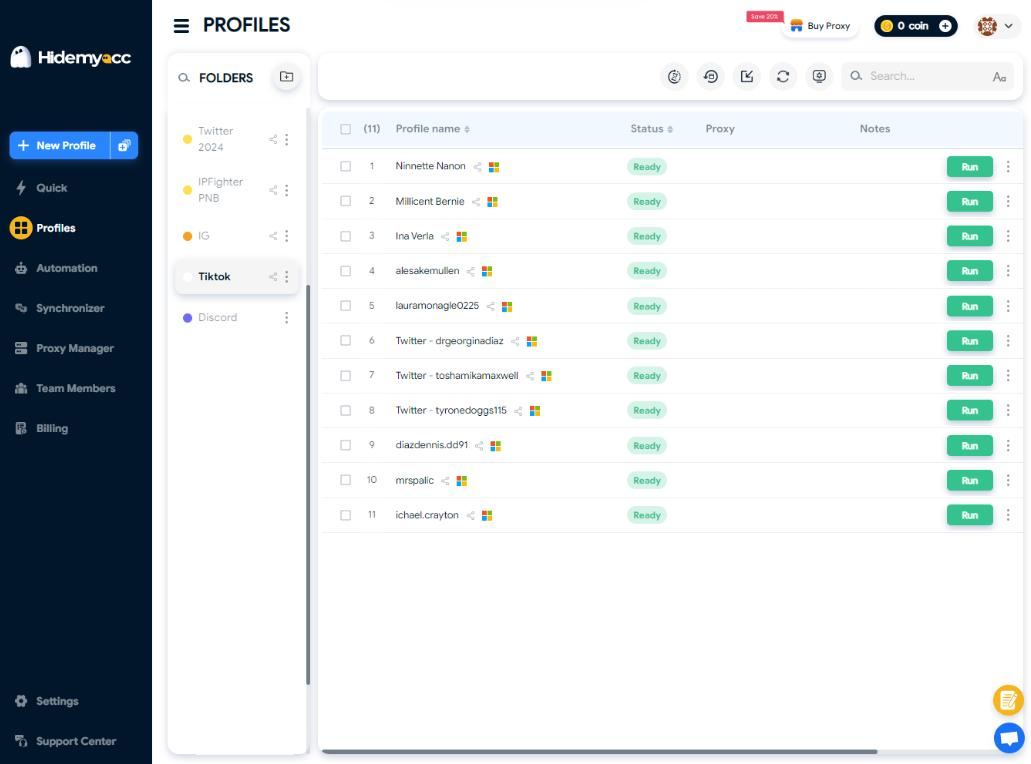
8.4. Introduce delays to emulate organic browsing behavior
Instagram monitors interaction cadences alongside raw request volumes. A script that navigates profiles, scrolls feeds, and queries data within milliseconds exhibits robotic behavioral patterns that rapidly trigger CAPTCHAs or Action Blocks.
Incorporate human-like browsing patterns into your scripts:
- Insert randomized delays between requests instead of relying on uniform, static timers.
- Implement progressive scrolling to allow dynamic media elements to hydrate naturally.
- Introduce brief pauses when transitioning between distinct profile URLs or hashtag feeds.
- Cap total profile extractions per session to stay within realistic human browsing thresholds.
Pacing your collection scripts increases overall execution time, but it protects session longevity and minimizes automated bot flags.
Learn more: How to resolve "We suspect automated behavior on your account" warnings on Instagram
8.5. Track DOM and internal API endpoint updates
Instagram frequently updates its frontend DOM structures, CSS class obfuscations, and internal API routes. A scraper that functions smoothly today can return empty payloads tomorrow following a platform layout update.
Regular maintenance checklist:
- Verify selectors for profile metadata and post cards.
- Audit internal API response payloads.
- Validate output JSON schemas for structural drift.
- Track request failure rates and missing field ratios.
Proactive code reviews reduce downtime and ensure pipeline resilience as Instagram updates its underlying web architecture.
9. Common pitfalls to avoid in Instagram scraping
Even robust scraping tools will fail if the surrounding pipeline architecture lacks basic safeguards. Avoid these common operational missteps to keep accounts from getting restricted:
- Sharing identical IP pools across accounts: Routing multiple accounts through the same proxy lets anti-bot systems quickly link and restrict your sessions. Assign dedicated proxies to each profile to prevent cascade bans.
- Omitting request throttling: Firing bursts of concurrent requests within seconds deviates sharply from human browsing behavior. Incorporate randomized delays and batch tasks to maintain pipeline stability.
- Disregarding platform terms: Focus your extraction strictly on publicly accessible data for market research. Attempting to scrape private or restricted content introduces compliance issues and security restrictions.
- Neglecting payload validation: Scrapers can complete execution loops successfully while saving corrupted or incomplete fields. Implement automated schema validation to verify data quality before storage.
Addressing these common pitfalls creates a more resilient pipeline and significantly reduces the risk of your Instagram accounts getting suspended.
10. Conclusion
Instagram scraping is an effective method for collecting public social data to drive competitor analysis, influencer discovery, and market research. Depending on your operational requirements, solutions range from manual sampling and open-source packages to managed APIs and custom scrapers built with Selenium, Playwright, or Puppeteer.
However, tooling is only one component of a successful extraction architecture. Maintaining long-term pipeline stability requires disciplined management of residential proxies, browser fingerprints, authentication states, and request pacing. Isolating environments across distinct profiles reduces checkpoint triggers and preserves data integrity.
When engineering multi-account Instagram scraping systems, prioritize environmental isolation and sustainable request cadences over raw extraction velocity.
Related reading:
- Top X (Twitter) scraping tools for structured data collection
- Google scraping proxy guide: Top 7 providers for 2026
- LinkedIn scraping for marketing and B2B lead generation
- Top free AI web scraping tools you should consider
12. FAQ
1. Is Instagram scraping legal?
Scraping publicly available web data has been upheld in various legal jurisdictions, though automated extraction violates Meta's Terms of Service. If harvesting public data for research or commercial intelligence, adhere to applicable privacy frameworks and platform policies.
2. Can you scrape data from private Instagram accounts?
No. Public scraping pipelines target only accessible web data, such as public accounts, posts, and hashtags. Private account content is gated behind access permissions and cannot be extracted without authorization.
3. How does the Instagram Graph API differ from web scraping?
The Graph API is Meta's official programmatic endpoint, requiring explicit account authentication and designed primarily for first-party management. Scraping parses rendered web data directly from public pages, making it ideal for independent competitor audits and market research.
4. Can scraping follower lists lead to account bans?
Yes. Querying follower lists at high volumes or rapid cadences triggers anti-bot checkpoints, CAPTCHAs, or temporary action blocks. Applying realistic request pacing and session delays helps mitigate account restrictions.
5. Which Instagram scraping tool is best for non-technical users?
For teams without programming experience, managed no-code tools like Apify or PhantomBuster provide visual setups with automated export options. For developers with Python experience, Instaloader offers a flexible, free alternative.