As web scraping operations expand, data extraction extends well beyond single HTTP requests or standalone scripts. Managing multiple sessions, routing through diverse proxies, and running concurrent browser instances turn environment orchestration into a pivotal element of the workflow. This is why antidetect browsers are deployed in modern scraping architectures: they isolate and manage individual browser profiles equipped with unique fingerprints, cookies, proxies, and session data. This guide compares the leading antidetect browsers for web scraping, examines their underlying mechanics, and highlights critical factors to consider before choosing a solution.
1. Best antidetect browsers for web scraping in 2026
Each antidetect browser adopts a distinct approach to fingerprint spoofing, automation support, and profile management. Certain platforms cater to code-heavy pipelines requiring programmatic APIs, whereas others focus on manual profile organization or visual, built-in automation routines.
Below is a breakdown of prominent antidetect browsers and how they align with varied web scraping requirements.
1.1. Hidemyacc
Antidetect browser Hidemyacc specializes in managing multi-profile browser environments designed for operations that require rigorous session separation, including web scraping. Each profile maintains an isolated fingerprint, cookie jar, and proxy configuration, allowing teams to organize discrete scraping tasks systematically.
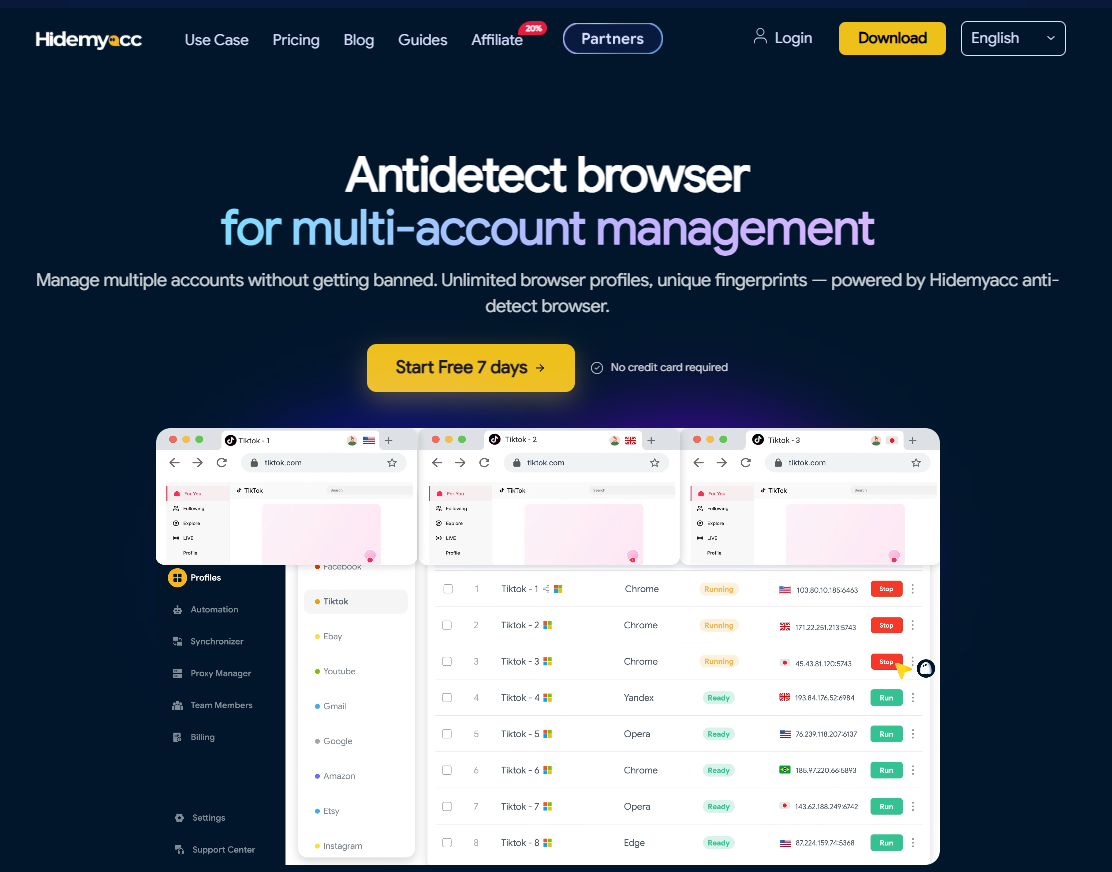
A key strength of Hidemyacc is its seamless bridge between profile management and programmatic automation. Rather than limiting users to manual interaction, profiles can be launched via API and hooked into standard automation frameworks.
Key highlights:
- Profiles retain distinct cookies, fingerprints, and local storage data for every session.
- Customizable fingerprints maintain realistic, coherent environments across all profiles.
- Dedicated proxy support per profile, backed by a Proxy Manager for bulk assignment and testing.
- Profile API allows automated profile launches and returns debug ports for Puppeteer and custom frameworks.
- Mobile profile emulation enables seamless scraping of mobile-optimized website versions.
- Synchronizer replicates manual actions across multiple active browser windows simultaneously.
For web scraping, Hidemyacc is well-suited for pipelines requiring persistent logins, multi-account rotation, or headless browser framework integration. Local session storage also guarantees clean cookie management across long-running jobs.
Note: Hidemyacc is not a standalone distributed crawler framework for harvesting petabyte-scale data on its own. High-throughput workflows requiring thousands of rapid requests should pair Hidemyacc profiles with a dedicated scraping pipeline. Additionally, official API documentation focuses on primary integration patterns, meaning bespoke architectures may require custom implementation effort.
1.2. Multilogin
Multilogin is one of the earliest antidetect browsers on the market. It utilizes two proprietary browser cores: Mimic (Chromium-based) and Stealthfox (Firefox-based).
Multilogin supports Selenium, Puppeteer, Playwright, and a dedicated Local API, catering to technical teams needing programmatic execution. The ability to switch between independent browser rendering engines is valuable when diversifying fingerprint topologies.
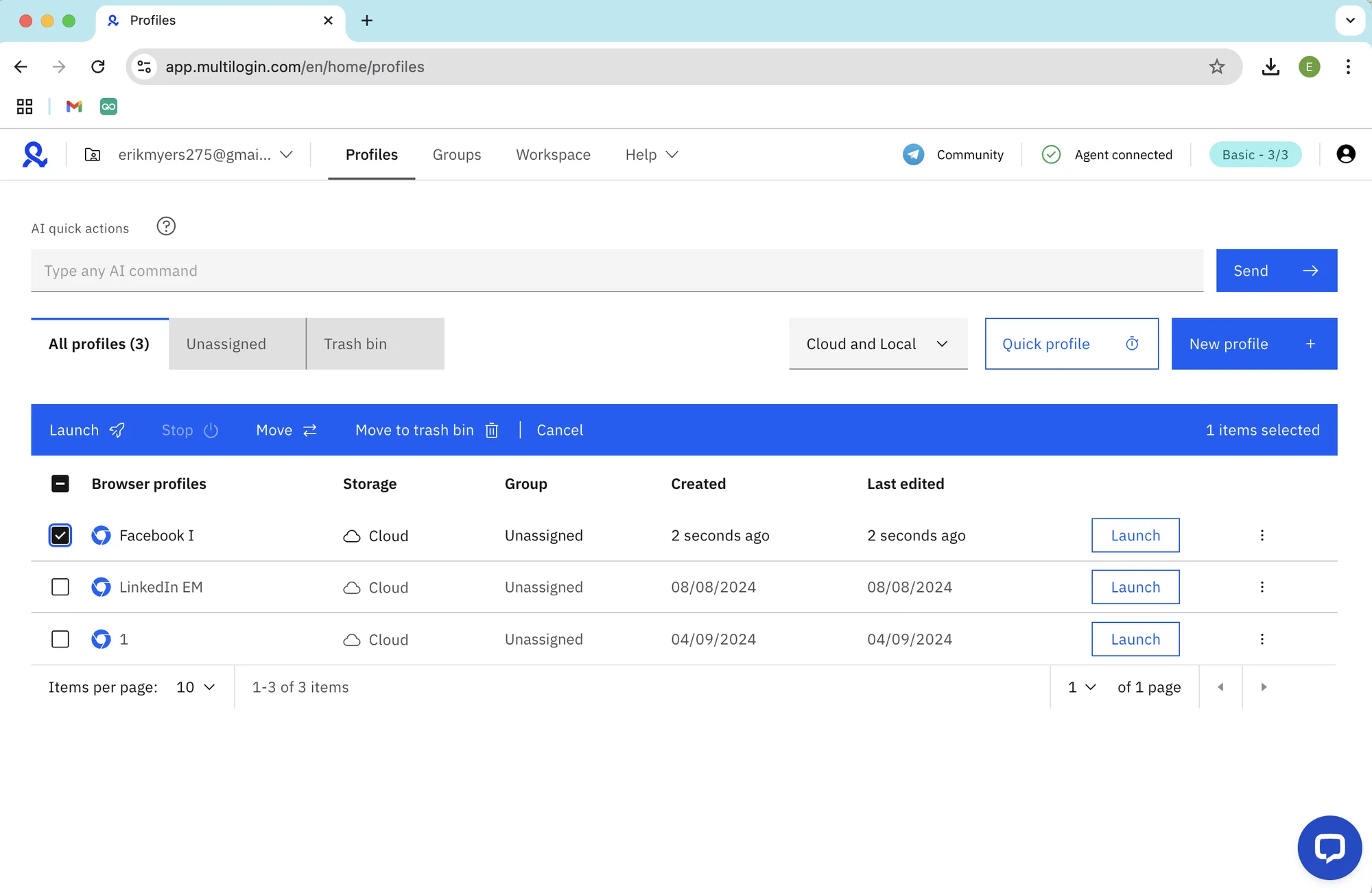
Multilogin suits engineering teams looking for structured profile control paired with mature code-level automation interfaces.
Note: Multilogin does not provide a perpetual free tier, and its entry pricing is considerably higher than most market alternatives.
Read more:
- Multilogin review 2026: Hands-on Cloud Phone testing
- What is Multilogin antidetect browser? In-depth evaluation
1.3. AdsPower
AdsPower allows operators to manage extensive profile databases with granular fingerprint parameter adjustments. It supports Selenium, Puppeteer, and native no-code Robotic Process Automation (RPA).
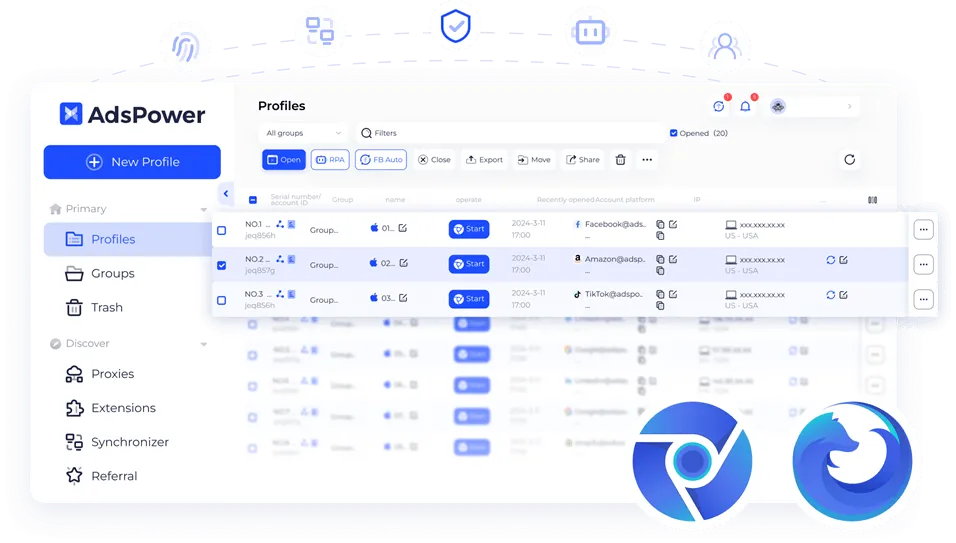
The visual RPA builder is a key selling point, allowing users to automate navigation and data extraction without writing code. The platform also offers robust operational features for bulk profile management within a centralized team system.
AdsPower is ideal for operators looking to combine manual review tasks with visual task automation.
Note: Full API capabilities and advanced automation features are gated behind higher-tier subscription plans. Verify plan restrictions prior to deployment.
1.4. GoLogin
GoLogin offers a streamlined interface that appeals to beginners entering the antidetect browser landscape. It supports profile sandboxing and connects with Selenium, Puppeteer, and Playwright via standard debugging endpoints.
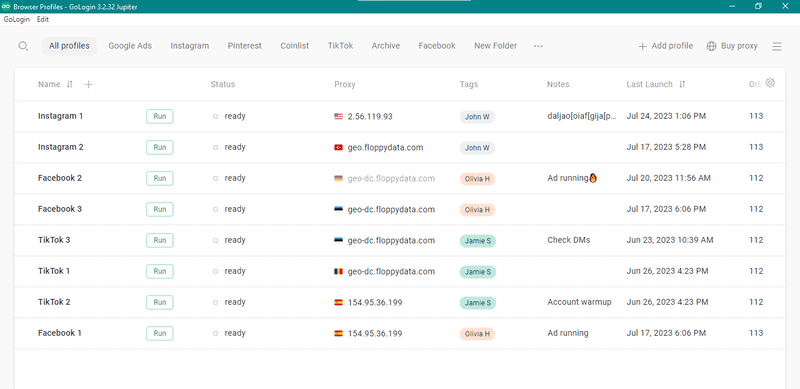
A notable feature is cloud profile storage, which synchronizes browser states seamlessly across team members and different physical computers.
GoLogin is practical for workflows requiring dependable profile isolation without demanding deep manual technical configuration from day one.
Note: API access is excluded from free trial tiers. If automated extraction is your primary objective, review tier specifications carefully.
1.5. Incogniton
Incogniton is a budget-conscious option for testing antidetect environments across modest profile volumes. It maintains profile, cookie, and cache separation for each assigned workspace.
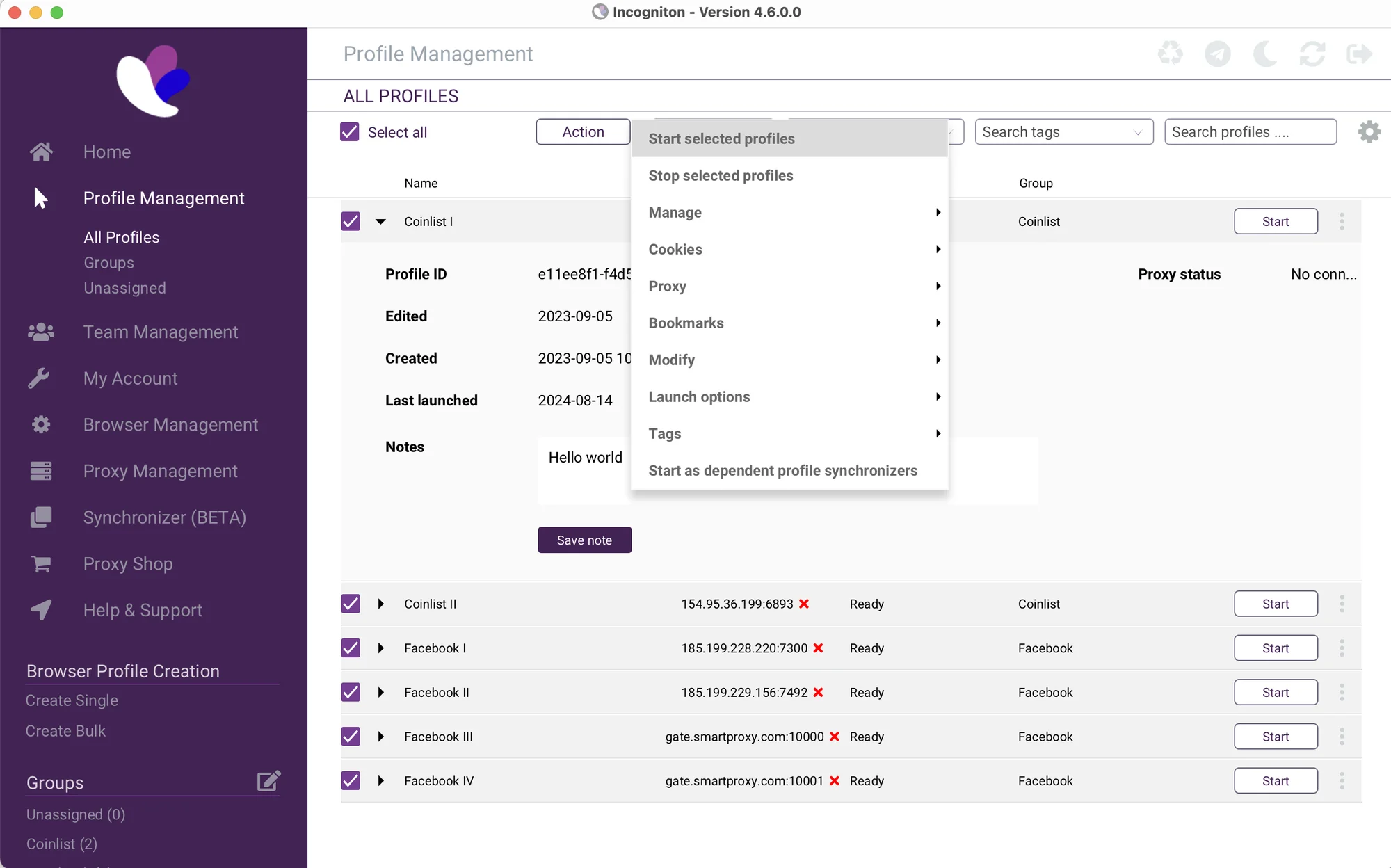
Its free package includes up to 10 profiles, offering an accessible testbed before committing to commercial tiers.
Incogniton fits basic pipelines or practitioners looking to understand the fundamentals of profile sandboxing.
Note: Automation features are restricted to paid tiers, and complex anti-fraud defenses may expose edge-case inconsistencies.
1.6. Kameleo
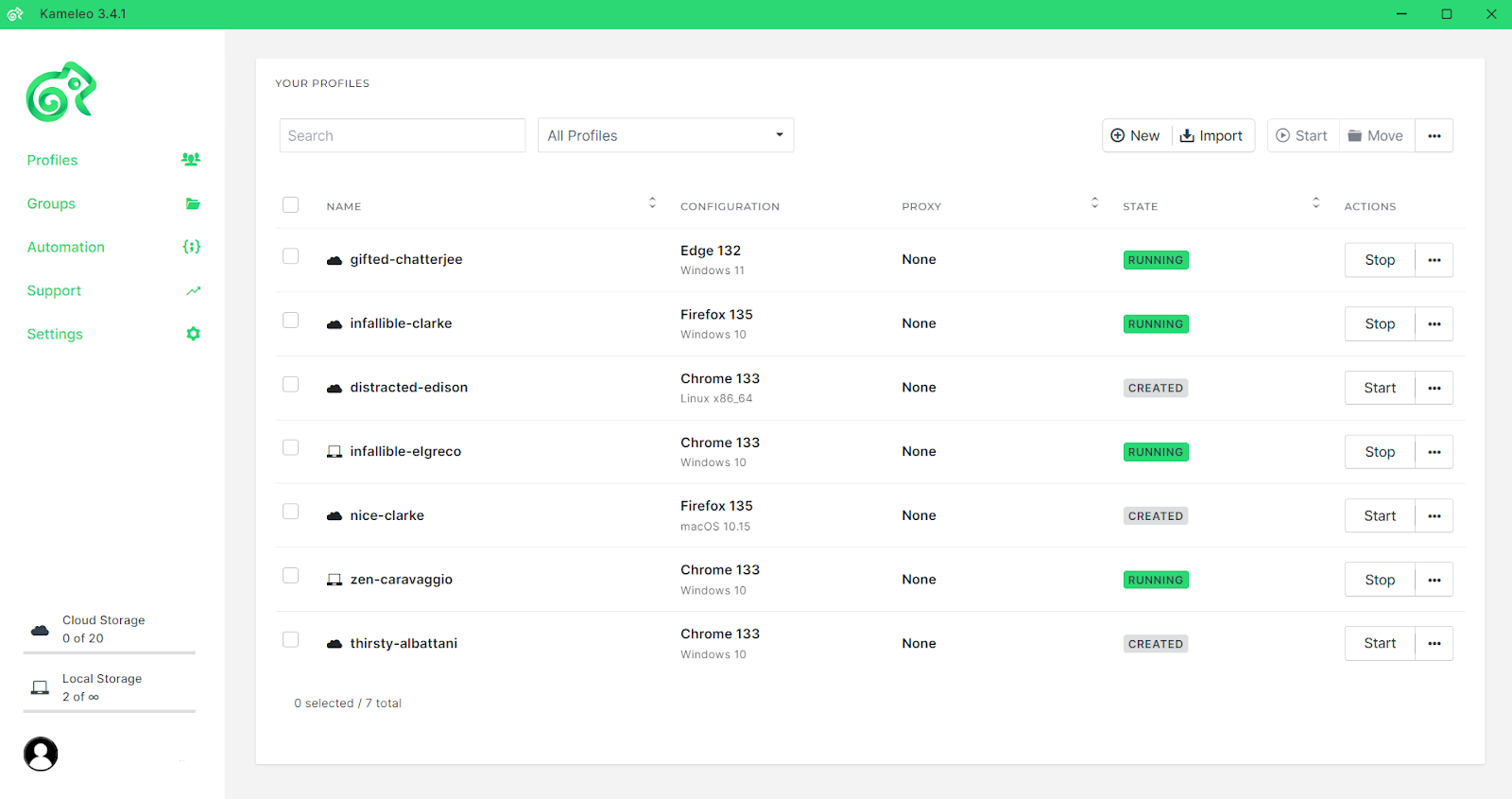
Kameleo stands out by supporting both desktop and native mobile operating system environments (Android and iOS). It provides official APIs and dedicated SDKs for Python, JavaScript, and C#.
This developer-first architecture makes Kameleo suitable for engineers embedding antidetect profiles directly into code-driven scraping architectures. Instead of relying on manual desktop dashboards, users can orchestrate operations via programmatic calls.
Note: Kameleo does not maintain a perpetual free tier, and its code-heavy setup entails an initial learning curve for non-developers.
2. Quick comparison table
Each antidetect browser presents unique strengths regarding fingerprint spoofing, profile sandboxing, proxy management, and automation hooks. The table below summarizes their key differences for scraping tasks.
| Tool | Fingerprint Quality | Automation Options | Real Core Engines | Mobile Profiles | Free Options | Primary Limitations |
|---|---|---|---|---|---|---|
| Hidemyacc | Customizable per profile | Native visual tool + Profile API for Puppeteer | Yes | Yes | Free trial available | Requires supplementary crawler infrastructure for high-throughput scraping |
| Multilogin | Advanced customization | Selenium, Puppeteer, Playwright, API | Yes | Yes | No (limited 3-day trial) | High entry pricing |
| AdsPower | High, multi-parameter | Selenium, Puppeteer, RPA, headless | Yes | No | Free tier available | API access gated behind paid plans |
| GoLogin | High | Selenium, Puppeteer, Playwright via CDP | Yes | No | Free plan (limited profiles) | No API on free tier |
| Incogniton | Basic to Moderate | Restricted to paid plans | Yes | No | Free plan (10 profiles) | May trigger heuristic flags under continuous behavioral scoring |
| Kameleo | High, device-matched | API + SDK (Python/JS/C#) | Yes | Yes (Android/iOS) | Time-limited trial | No perpetual free plan, no native cloud sync |
No single antidetect browser suits every scraping scenario. If headless automation is paramount, prioritize API documentation and Puppeteer/Playwright stability. If manual multi-session monitoring dominates your workflow, interface ergonomics and visual proxy assignment take precedence.
3. What is an antidetect browser and why is it needed for web scraping?
An antidetect browser is software that generates and manages multiple isolated browser profiles on a single machine. Each profile operates with its own independent browser fingerprint, cookies, local storage, and proxy configuration.
In web scraping, managing isolated environments becomes mandatory whenever a pipeline must maintain authenticated sessions, distribute requests across multiple IPs, or prevent session bleed across parallel operations.
Comparison: Regular Browsers vs. Headless Browsers vs. Antidetect Browsers
- Regular Browsers (including Incognito mode): Simply clear local cache and history upon closing windows. Underlying hardware identifiers and network parameters remain identical across sessions.
- Headless Browsers (Puppeteer, Playwright, Selenium): Focus on automated programmatic control of browser actions, but typically exhibit known automation flags out of the box.
- Antidetect Browsers: Specialize in generating consistent, natural browser environments with isolated storage and customizable fingerprints per profile.
The distinction between headless browsers vs. antidetect browsers lies in their primary function: headless frameworks automate execution, whereas antidetect platforms manage and mask the execution environment.
These two technologies are complementary. In an antidetect scraping setup, the antidetect software provides the masked environment and proxy routing, while Puppeteer, Playwright, or Selenium executes the automated navigation and data extraction logic.
For example, a profile preserves a pre-warmed session with cookies, a static proxy, and consistent hardware parameters. Puppeteer connects to that profile's remote debugging port to scrape protected pages without triggering immediate anti-bot challenges. This cleanly separates environment management from extraction scripts.
Read more: What is an antidetect browser? Why it outperforms basic VPNs and proxies
4. Browser fingerprinting, TLS/JA3-JA4, and CDP: How websites detect scraping automation
Modern anti-bot solutions do not rely on single identifiers. Defense systems analyze a matrix of telemetry signals spanning JavaScript execution, network protocols, and low-level browser flags.
Consequently, browser fingerprinting for web scraping involves far more than simply modifying User-Agent strings or Canvas noise.
4.1. Surface fingerprints (JavaScript-level)
These attributes are collected via client-side JavaScript execution when a browser loads a target webpage.
Standard data points include:
- Canvas fingerprint
- WebGL renderer and vendor
- System font enumerations
- AudioContext frequency responses
- Screen resolution and color depth
- System timezone offset
- Language preferences (Accept-Language)
- Hardware parameters (CPU concurrency, device memory)
Anti-fraud models evaluate these parameters for internal consistency rather than inspecting them in isolation.
For instance, an alleged high-end GPU must align logically with the WebGL extensions reported by the browser. Similarly, timezone offsets, language headers, and IP geolocation must correspond to the same geographical region.
In web scraping, parameter coherence matters more than randomized noise. Artificially contradictory values (such as a Linux User-Agent exposing Windows-exclusive fonts) trigger immediate bot flags. This is why balanced profile templates are preferred over ad-hoc manual attribute spoofing.
4.2. Network-layer fingerprints: TLS, JA3, and JA4
Before any JavaScript executes, the browser establishes an encrypted TLS handshake with the destination web server.
During this negotiation, the specific cipher suites, extensions, and elliptic curve formats supported by the client generate a network-level signature known as a JA3 or JA4 fingerprint.
These cryptographic parameters exist at the socket layer and cannot be modified via JavaScript variables or DOM overrides.
This means that simply altering your User-Agent or Canvas output is inadequate if your network stack does not match. When evaluating antidetect browsers, the core browser binary and its underlying network implementation are critical factors.
4.3. Detection via Chrome DevTools Protocol (CDP)
The Chrome DevTools Protocol (CDP) provides the programmatic interface used to control Chromium instances. Puppeteer communicates directly over CDP, while other tools employ CDP or proprietary driver bridges.
When a browser is driven via automated protocols, runtime signals emerge that distinguish it from human operation:
- Exposed automation flags (such as navigator.webdriver).
- Internal functions patched or overridden by driver scripts.
- Strictly mechanical execution cadence without human variance.
- Unnatural, perfectly linear cursor and scroll movements.
This explains why identical browser profiles can succeed during manual testing but face instant CAPTCHA challenges under script control. The fingerprint remains unchanged, but behavioral telemetry and runtime environment flags reveal the automated nature of the session.
Key takeaway: When choosing an antidetect browser for web scraping, look beyond simple fingerprint attribute checklists. The browser core, network stack authenticity, and clean automation hooks determine long-term operational success.
5. Connecting Puppeteer to a Hidemyacc profile: A practical code example
Many discussions claim tool compatibility with Puppeteer without illustrating how integrations work in practice. The standard architecture for connecting automation frameworks to an antidetect browser follows three steps:
- Invoke the antidetect browser's Local API to launch a designated profile.
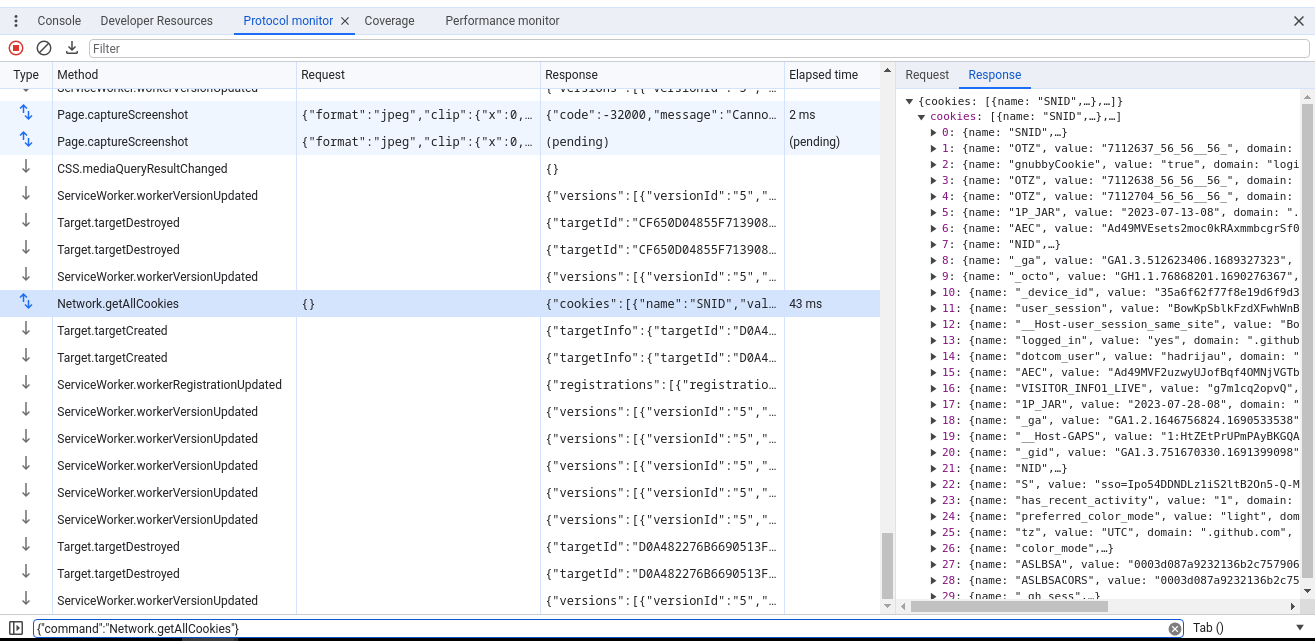
- The API returns a remote debugging address (CDP endpoint), typically structured as a local WebSocket URL (http://127.0.0.1:PORT with a webSocketDebuggerUrl).
- The automation framework connects to that existing endpoint via puppeteer.connect() instead of spawning a new, unmasked browser instance.
In Hidemyacc, this workflow is executed through the Profile API. The snippet below demonstrates this three-step integration. Verify exact endpoints and parameters against the latest API documentation prior to production deployment:
Key operational considerations for this architecture:
- Use browser.disconnect() to detach the automation script while preserving the browser profile state; browser.close() terminates the running profile instance entirely.
- When running concurrent profiles, manage local ports and system processes carefully to avoid resource exhaustion.
- Review local API rate limits and concurrency capacities before scaling across dozens of simultaneous instances.
6. How to choose an antidetect browser for web scraping
Selecting an antidetect browser requires looking beyond raw feature lists. The platform must align with how your pipeline executes, especially concerning proxy distribution, session persistence, and headless script control.
6.1. Fingerprint quality and internal coherence
Do not evaluate fingerprinting capabilities solely by the number of adjustable knobs. Internal parameter coherence is far more critical.
Operating system identifiers, browser versions, GPU renderers, and WebGL extensions must form a natural, uncontradicted profile.
6.2. Browser engine authenticity
The underlying browser engine dictates low-level runtime behavior and cryptographic handshakes during web requests.
Verify whether the platform maintains customized, up-to-date Chromium and Firefox cores rather than simply applying superficial JavaScript shims on top of standard browsers.
6.3. Storage and session isolation
Cookies, IndexedDB, local storage, cache, and session states must be compartmentalized strictly within their respective profiles.
Robust isolation prevents data leakage across scraping workflows, ensuring authenticated accounts maintain independent session histories.
6.4. Comprehensive proxy integration
An effective antidetect tool must support standard network protocols, including HTTP, HTTPS, and SOCKS5.
Look for native proxy rotation, bulk importing, individual profile assignment, and built-in connection checkers.
Related reading: HTTP/HTTPS Proxy vs SOCKS Proxy: Which should you use?
6.5. Automation framework compatibility
If your extraction relies on code, smooth integration with Puppeteer, Playwright, or Selenium is essential.
Ensure the platform provides reliable Local APIs, clear CDP debugging endpoints, and adequate SDK documentation for your programming language.
6.6. Resource efficiency and scalability
As scraping concurrency grows, local CPU, RAM consumption, and process management become critical bottlenecks.
An antidetect browser that runs smoothly with two profiles may become unstable when orchestrating twenty simultaneous instances.
6.7.Session persistence across restarts
Many scraping workflows rely on pre-authenticated profiles to access gated data.
Ensure profiles reliably save authentication cookies, local storage tokens, and session states across restarts so scripts do not need to re-authenticate on every execution.
7. Step-by-step workflow: Using an antidetect browser for web scraping
While specific steps vary by platform, a standard operational workflow follows this sequence:
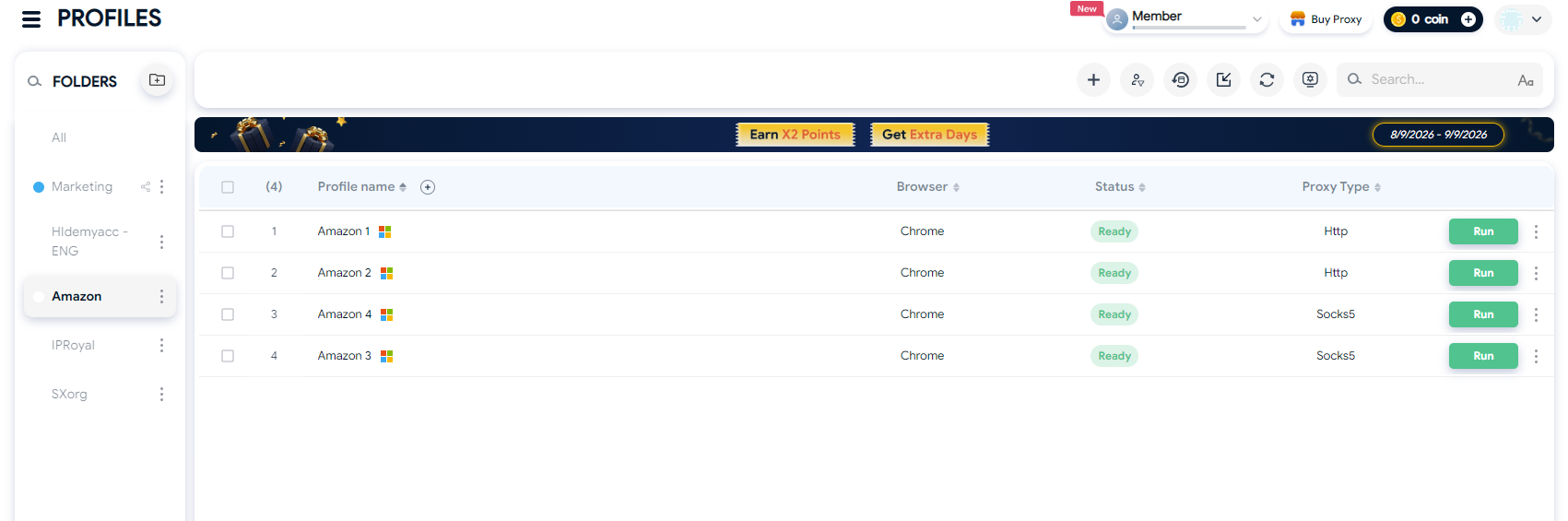
Step 1: Create dedicated profiles for each scraping target
Build distinct browser profiles for each specific domain or scraping pipeline.
This isolates cookies, sessions, and configurations, preventing shared data across unrelated extraction jobs.
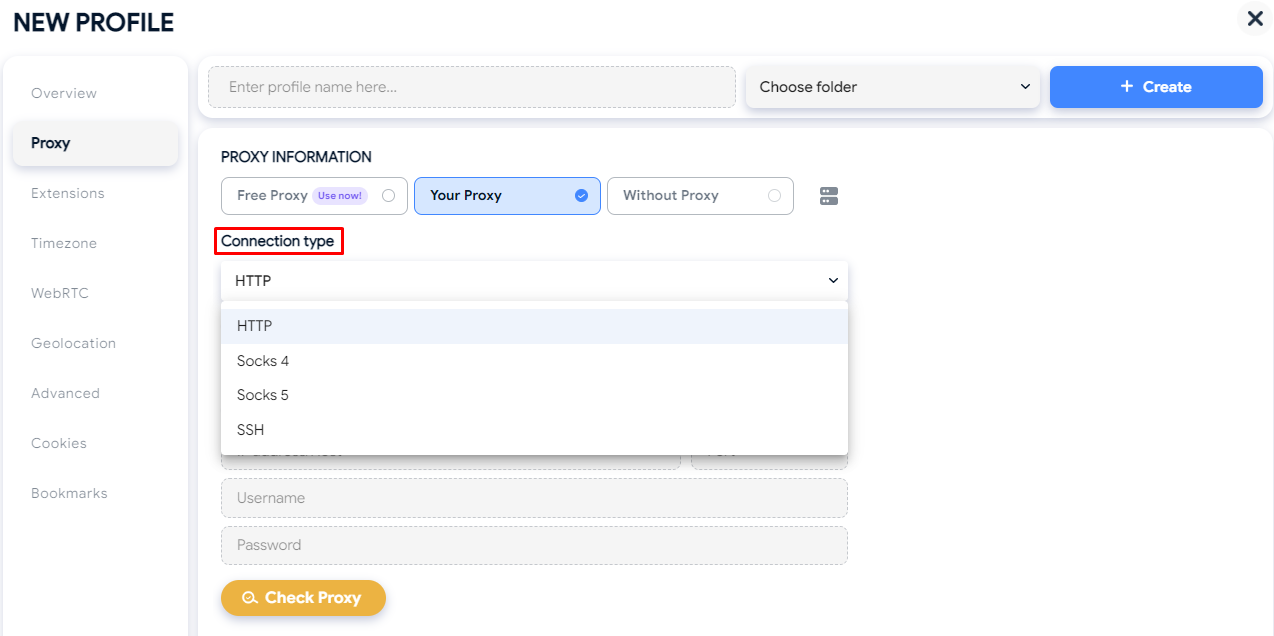
Step 2: Assign dedicated proxies per profile
If routing traffic through external networks, configure proxies directly within individual profile settings.
Select HTTP, HTTPS, or SOCKS5 proxies based on your target website's protocol and security demands.
Step 3: Validate environmental consistency
When configuring geo-targeted proxies, verify that timezone, language preferences, and WebRTC parameters match the proxy's IP location.
Ensure that all telemetry vectors within the profile present a coherent, realistic setup.
Step 4: Audit profiles prior to scaling
Before launching large multi-instance tasks, confirm that cookies, session tokens, and proxy connections operate correctly.
Test remote debugging connections with your automation framework (Puppeteer, Playwright, or Selenium) on a single test profile first.
Step 5: Connect automation scripts to active profiles
Instead of having your framework spawn fresh browser instances, hook your scripts into running profiles via the API or WebSocket debug port provided by the antidetect tool.
This ensures scripts execute inside fully configured, authenticated environments.
Step 6: Scale extraction pipelines incrementally
Once stable across a handful of profiles, increase concurrency gradually.
Monitor hardware resources (CPU, RAM), request failure rates, and session longevity to identify system limits and avoid crashes.
8. Best practices to reduce detection risks while scraping
An antidetect browser does not guarantee immunity from bot detection. Defense systems evaluate broad operational patterns beyond device fingerprints.
Follow these operational principles:
- Do not reuse single browser profiles across unrelated target platforms.
- Synchronize proxies, system timezones, and language headers to target locations.
- Avoid rigid, mechanical request cadences; introduce randomized delays between actions.
- Keep cookies, local storage, and session tokens isolated across tasks.
- Keep browser cores updated to avoid obsolete user-agent anomalies.
- Audit WebRTC and DNS routing to prevent local IP exposure.
- Avoid excessive or chaotic parameter spoofing that creates unnatural fingerprint profiles.
- Structure session persistence according to the specific workflow.
Beyond technical safeguards, always review a platform's terms of service, robots.txt guidelines, and official APIs before collecting data.
9. Conclusion
An antidetect browser does not replace parsers, proxies, or automation frameworks. Its primary function is to manage and isolate browser environments, including fingerprints, profiles, cookies, and active sessions.
For basic data extraction from static pages, standard HTTP libraries or lightweight headless browsers are often sufficient. However, when tasks involve authenticated sessions, distributed proxy fleets, or sophisticated anti-bot protections, antidetect browsers provide a valuable management layer.
When selecting a platform, focus on factors that directly support your operational architecture: fingerprint coherence, profile isolation, proxy integration, browser core authenticity, and stable automation APIs.
10. FAQ
1. Is an antidetect browser strictly necessary for web scraping?
Not always. For public, unprotected data, simple HTTP clients or standard headless browsers are completely adequate. Antidetect browsers become necessary when scraping requires login persistence, multi-profile isolation, or bypassing complex behavioral anti-bot systems.
2. Why are scrapers blocked even after configuring browser fingerprints?
Blocks often stem from network-layer TLS discrepancies (JA3/JA4 mismatches), internal parameter contradictions, or runtime CDP automation flags. JavaScript fingerprints represent only one layer of modern bot detection.
3. Must I use proxies with an antidetect browser?
Antidetect browsers function without proxies. However, proxies are essential when workflows require IP rotation, geographic geo-targeting, or network separation across accounts.
4. Which automation framework works best with antidetect browsers?
There is no universal choice. Puppeteer, Playwright, and Selenium are supported across modern antidetect platforms via CDP debug endpoints. The optimal framework depends on your programming stack and existing scraping architecture.