High-demand ticket drops often turn into an intense contest over account authority, session stability, and the ability to run multiple browser environments concurrently. When relying on standard browsers, juggling separate profiles becomes inefficient as ticketing volume expands. This is why ticket brokers and acquisition teams rely on antidetect browsers for ticketing to build and control isolated browser sessions. What are the best tools for this task? Below are 6 leading options alongside their core advantages and operational constraints.
1. What role does an antidetect browser play in ticketing?
During ticket sales, teams rarely rely on a single account; instead, they manage multiple concurrent login sessions. Attempting this inside standard Chrome instances leads to crossed cookies, leaked session storage, and time-consuming manual profile switching.
An antidetect browser resolves this operational bottleneck by generating independent browser profiles. Each profile functions as a distinct physical machine equipped with its own fingerprint, cookies, persistent session, and dedicated proxy.
Learn more: What is an antidetect browser? Why it outperforms basic VPNs and proxies
What components make up a browser profile?
- Fingerprint: System-level hardware and rendering telemetry including operating system, Canvas, WebGL, font libraries, screen resolution, and audio context.
- Cookies: Retains persistent authentication tokens and shopping cart cookies for individual accounts.
- Sessions: Preserves active login states so browsers do not require re-authentication before queues open.
- Proxies: Binds a dedicated, geo-matched residential IP address to each isolated profile.
It is crucial to clarify: an antidetect browser is not an automated checkout bot. Its purpose is to deliver a stable, undetectable browser execution environment. To automate form filling, queue navigation, or payment processing, you must integrate automation frameworks such as Puppeteer or Playwright.
Why does ticketing require antidetect browsers more than other use cases?
Major primary ticketing platforms enforce strict pre-registration protocols tied to verified identities, such as Verified Fan programs. Each account is audited against its historical login telemetry, cookie continuity, device consistency, and network behavior.
If multiple buyer accounts access a queue from a standard browser instance, their telemetry profiles quickly overlap and trigger fraud defenses. Placing each account into a completely isolated browser profile establishes consistent, clean parameters that avoid correlation.
For example, a group of 5 people coordinating concert ticket purchases can manage 10 to 15 profiles across their team. Each member operates 2 to 3 profiles with dedicated cookies and residential proxies, avoiding repeated logins and logouts on a shared browser. This isolated profile architecture serves as the backbone of professional ticketing operations today.
2. Top antidetect browsers for ticketing
Antidetect browsers are built with different operational strengths. Some excel at scaling hundreds of profiles across team environments, while others focus on simple consumer interfaces or native no-code automation features.
Below are 6 recommended solutions to evaluate when building a ticketing workflow.
2.1 Hidemyacc
Antidetect browser Hidemyacc is well-suited for ticketing operations requiring the centralized administration of extensive profile databases within a unified workspace. Beyond establishing isolated environments, the software enables teams to coordinate dozens to hundreds of active sessions rapidly before sale windows open.
Key Features
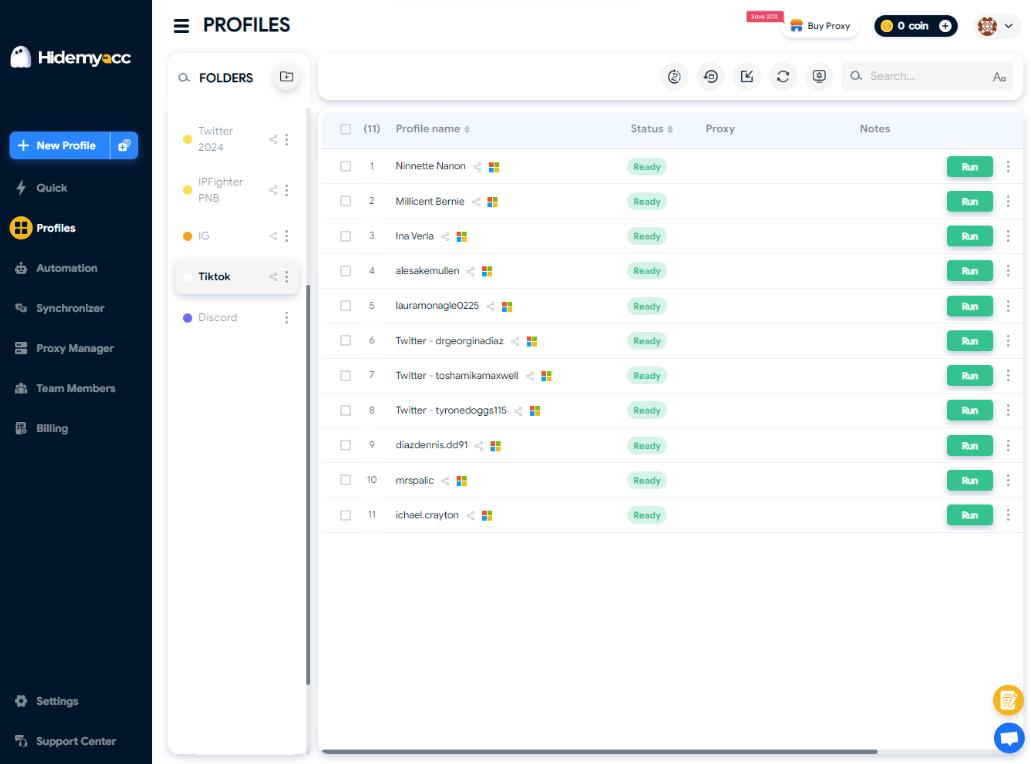
Hidemyacc supports building and organizing hundreds of browser profiles within a centralized console, assigning each profile an independent fingerprint, cookie store, local session cache, and dedicated proxy. Profiles can be structured with tags, folders, and project groups, making profile retrieval straightforward as operational volume grows.
Ticketing-Focused Capabilities
- Batch Profile Launching: Select target profiles and open them simultaneously rather than launching windows one by one. This provides a decisive operational edge during sales that sell out in minutes.
- Team Profile Sharing: Transfer profiles directly between team members without exporting or importing raw cookies, eliminating configuration errors during collaborative drops.
- Bulk Proxy Assignment: Add, assign, or rotate proxies across multiple profiles in a single action, backed by an integrated proxy store for quick scaling.
- Flexible Automation Support: Connect Puppeteer and Selenium via local Chrome DevTools Protocol (CDP) debugging endpoints on paid tiers, with built-in no-code tools available for non-programmers.
Pros
Hidemyacc excels in its balance between profile isolation and team collaboration. Profiles transfer directly between team members with granular access permissions, allowing multiple operators to execute a coordinated drop without handling credential files manually. Furthermore, support for both CDP-based Puppeteer/Selenium scripts and visual no-code automation fits diverse technical skill sets within the same team.
Cons
When running dozens of browser profiles concurrently, performance depends heavily on local hardware specifications (CPU, RAM, and system throughput). For high-volume drops, benchmark how many active instances your machine can maintain under load before sales go live.
Best For
Hidemyacc is ideal for medium-to-large ticketing teams that must manage extensive profile inventories and collaborate in real time. It is particularly effective when launching mass sessions during narrow sale windows, sharing profiles securely across members, and expanding into custom automation scripts.
2.2 Multilogin
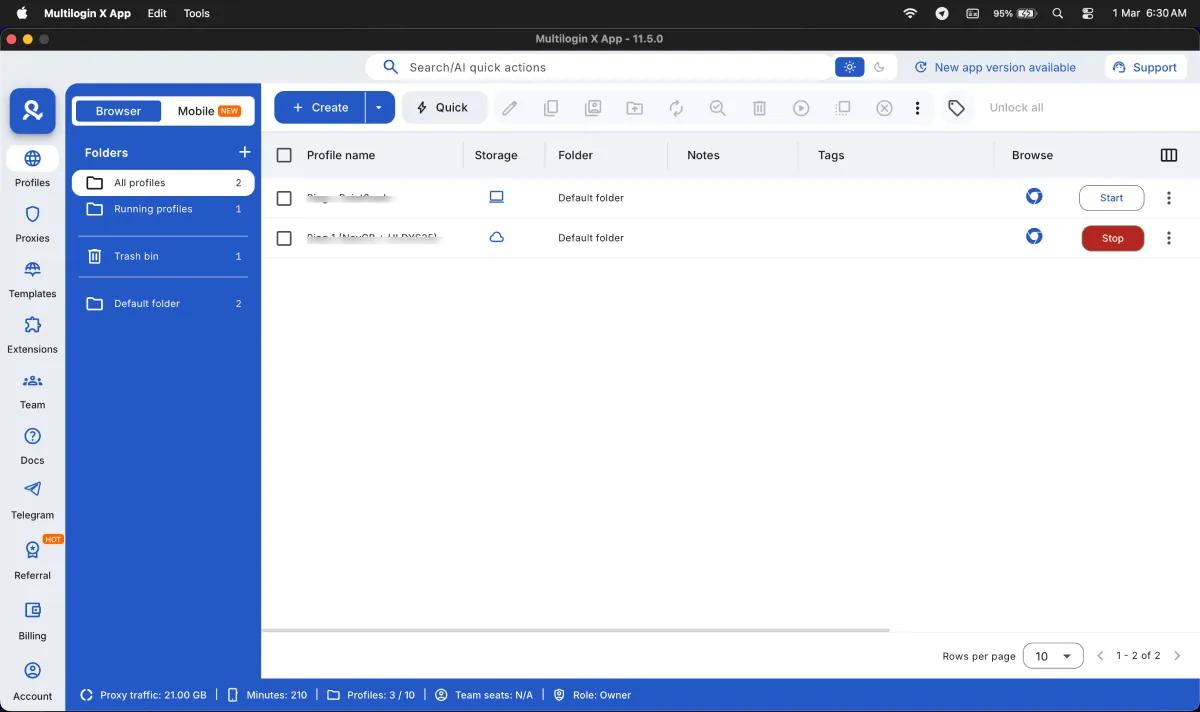
While Hidemyacc delivers a balanced platform for collaboration and scale, Multilogin is recognized for long-term fingerprint consistency across large-scale workflows. As an established antidetect browser, it is frequently used by ticketing groups, affiliate marketers, and automation teams managing hundreds of active sessions.
Key Features
Multilogin generates browser profiles with tailored fingerprints per environment while managing proxies, cookies, and active sessions within a central dashboard. It provides robust local APIs to hook into custom automation pipelines for programmatic operations.
Pros
- High fingerprint stability designed for persistent, long-term workflows.
- Capable of orchestrating large profile volumes within a single workspace.
- Comprehensive API support for Selenium, Puppeteer, and Playwright.
- Built-in team workspace features with permission controls.
Cons
Although Multilogin introduced a limited free tier for testing, subscription costs for Pro and Business plans rise steeply as profile allowances and team seat counts increase. Additionally, its extensive configuration settings require an initial learning curve for teams setting up ticketing pipelines for the first time.
Best For
Multilogin is suitable for experienced teams running high-volume ticketing setups that prioritize proven fingerprint longevity and require mature API endpoints for code-driven automation.
Related reading:
- What is Multilogin antidetect browser? In-depth evaluation
- Multilogin review 2026: Hands-on Cloud Phone testing
2.3 GoLogin
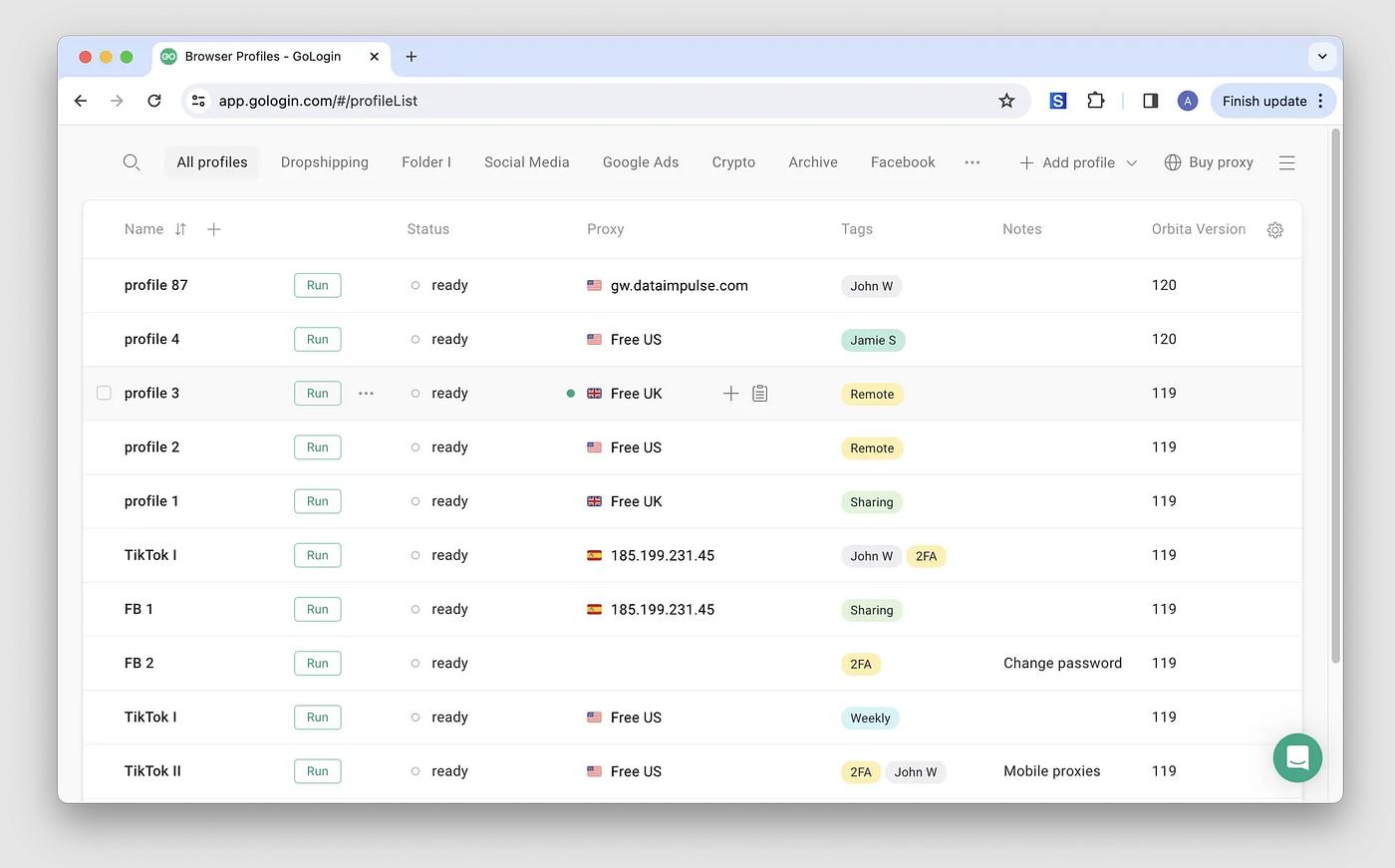
GoLogin is a widely adopted antidetect browser for newcomers thanks to its clean interface and accessible pricing. Compared to complex enterprise platforms, GoLogin prioritizes user ergonomics, making multi-profile setup fast and straightforward.
Key Features
GoLogin generates independent browser profiles backed by isolated fingerprints, with direct options to manage cookies, active sessions, and proxy configurations. All actions are handled inside an intuitive dashboard built for moderate operational scales.
Pros
- Clean, beginner-friendly interface that minimizes setup time.
- Fast profile creation and intuitive management menus.
- Integrated proxy configuration and basic cloud data synchronization.
- Provides a 7-day free trial to test full feature sets before purchasing.
Cons
As team size and profile counts expand, GoLogin provides fewer granular permissions and organization controls than enterprise tools like Multilogin or Hidemyacc. Its built-in automation features remain relatively basic.
Best For
GoLogin fits individual buyers and small partnerships seeking an accessible antidetect tool to manage a moderate batch of ticketing accounts without deep technical overhead.
2.4 AdsPower
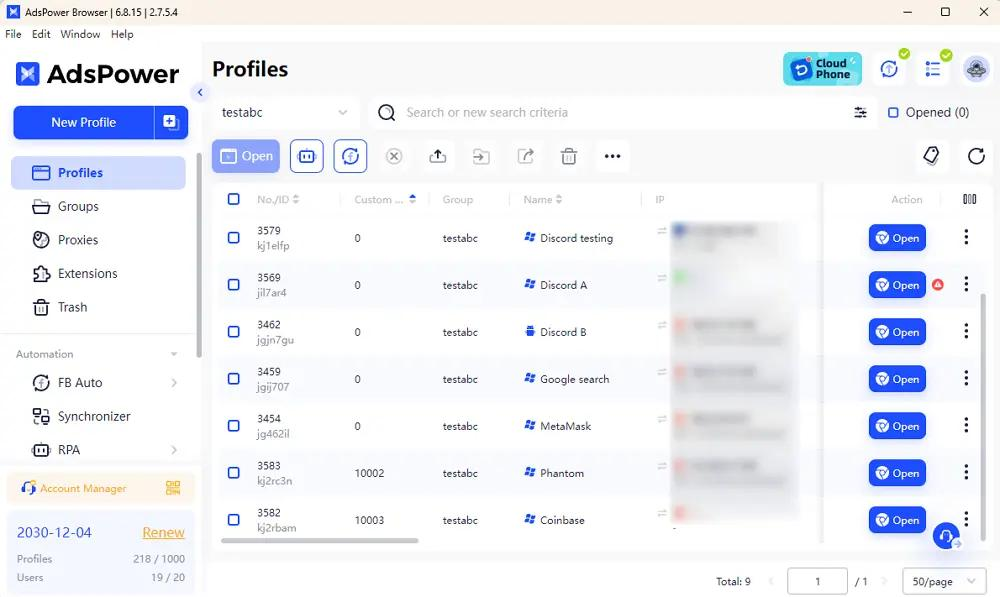
AdsPower is known for integrating multi-profile management with native automation capabilities. If your ticketing routine requires repetitive interactions across numerous accounts, AdsPower is worth evaluating.
Key Features
AdsPower manages extensive profile databases from a single interface, supporting bulk proxy binding, cookie persistence, and role-based permissions for teams. It features an integrated no-code RPA (Robotic Process Automation) builder alongside traditional Local APIs.
Pros
- Handles large profile batches smoothly within a unified console.
- Built-in RPA engine and API for automating complex navigation sequences.
- Supports bulk proxy configuration and simultaneous multi-account operations.
- Granular permission settings for delegating tasks to team members.
Cons
Its broad feature set creates a denser, more complex interface that can overwhelm beginners. If you only need to manage a few profiles for manual queue access, many advanced features will go unused.
Best For
AdsPower is optimal for teams seeking to combine browser isolation with visual, no-code automated task sequences across medium-to-large account inventories.
2.5 Dolphin Anty
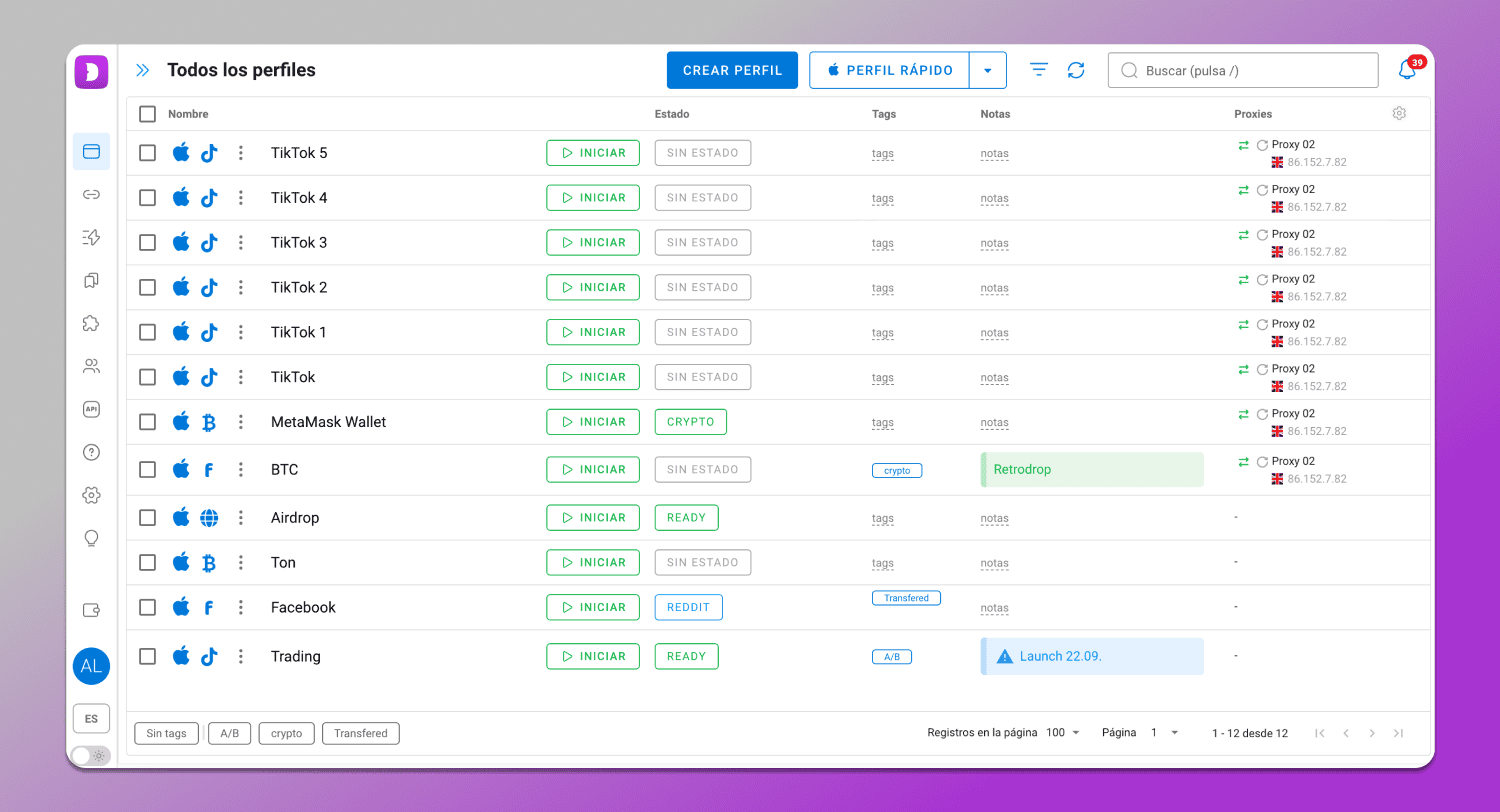
Dolphin Anty is built on a customized Chromium core, delivering a browsing experience familiar to Chrome users. It stands out for detailed fingerprint customization and an in-app proxy marketplace, allowing operators to acquire proxies and manage profiles within the same desktop client.
Key Features
Dolphin Anty configures browser profiles across more than 20 adjustable fingerprint parameters, including OS identifiers, Canvas, WebGL, timezone, and language preferences. The built-in Dolphin Store allows users to purchase residential or mobile proxies without visiting third-party providers.
Pros
- Granular, flexible fingerprint parameter control for every profile.
- Integrated proxy marketplace embedded directly in the application.
- Built-in team collaboration tools and profile sharing options.
- Compatible with basic automation scripts and extensions.
Cons
Its free package is restricted to 5 profiles, which is narrow for testing multiple accounts. Furthermore, marketplace proxies carry separate fees, which increases operating expenses when scaling your setup.
Best For
Dolphin Anty serves individuals and boutique teams who value an integrated proxy purchasing workflow paired with granular fingerprint control.
2.6 Incogniton
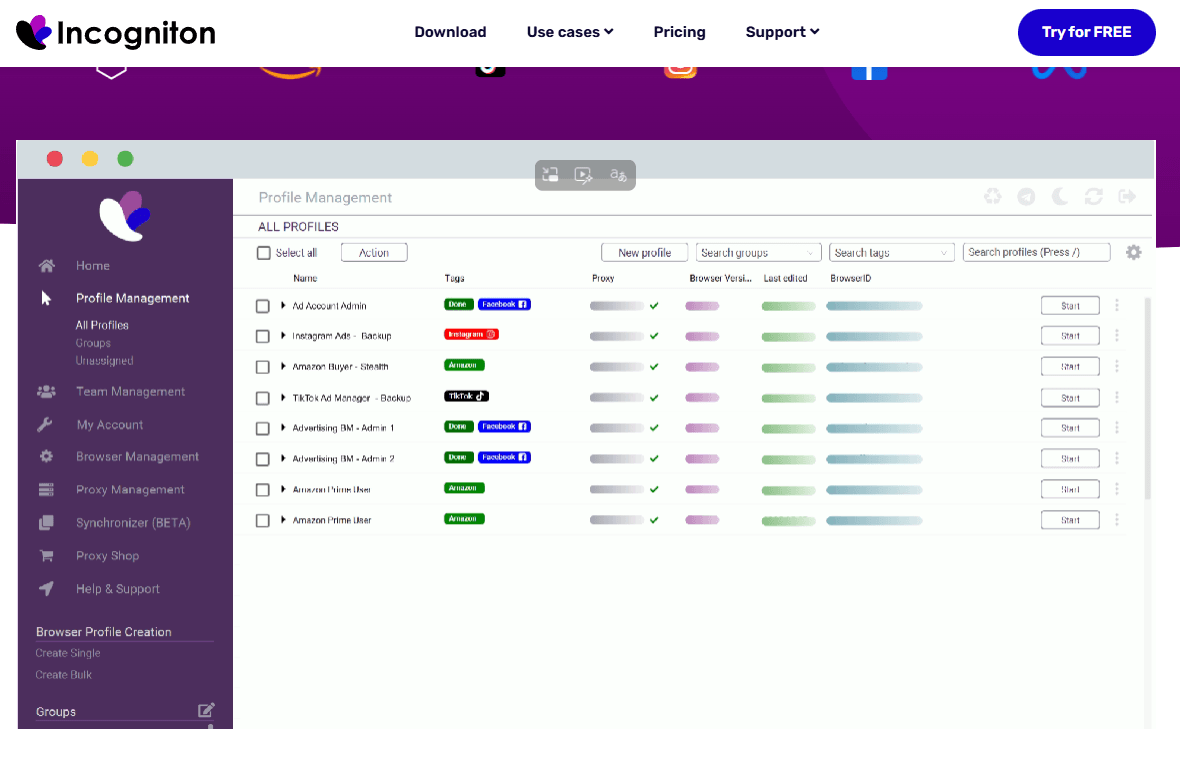
For teams requiring substantial profile capacity while managing operational costs, Incogniton is an accessible option. The software provides an entry-level free package alongside built-in utilities like a Cookie Collector and Synchronizer to orchestrate multi-profile operations.
Key Features
Incogniton allows users to generate profiles with custom fingerprints, including OS platforms, timezones, language headers, browser plugins, and screen dimensions. It includes an automated Cookie Collector for profile warming and a Synchronizer tool that mirrors mouse clicks across multiple windows simultaneously.
Pros
- Free tier includes up to 10 browser profiles.
- Supports bulk profile generation and management.
- Built-in Synchronizer tool mirrors actions across active windows.
- Useful for validating ticketing pipelines prior to upgrading.
Cons
Its user interface is technical and feels dated compared to modern alternatives. Additionally, subscription pricing increases considerably when scaling into higher-tier commercial packages.
Best For
Incogniton suits practitioners comfortable with technical setups who want to leverage a 10-profile free plan or use action-synchronization tools across active windows.
3. Comparison of antidetect browsers for ticketing
Each platform emphasizes different strengths across profile organization, fingerprint consistency, and automation. The table below summarizes these distinctions to guide your selection.
| Tool | Key Strengths | Free Option | Best Suited For |
|---|---|---|---|
| Hidemyacc | User-friendly, seamless team profile sharing | Free trial available | Individuals and growing collaborative teams |
| Multilogin | High fingerprint consistency and stability | Limited trial | Large teams requiring enterprise reliability |
| GoLogin | Lightweight, intuitive, accessible pricing | 7-day free trial | Solo operators and small-scale testing |
| AdsPower | Robust built-in RPA and automation tools | Free tier (limited) | Teams focused on rapid, automated tasks |
| Dolphin Anty | Integrated in-app proxy marketplace | Free plan (5 profiles) | Small teams wanting turnkey proxy sourcing |
| Incogniton | Synchronizer tool for batch window control | Free plan (10 profiles) | Technically experienced operators |
Which tool should you choose?
If you are new to ticketing, GoLogin and Incogniton are accessible entry points due to their simple onboarding and free options. For operations managing dozens of accounts, collaborating across team members, or integrating automation scripts, Hidemyacc, AdsPower, and Multilogin provide the scalability, profile controls, and reliability needed for live drops.
4. Key criteria for evaluating ticketing antidetect browsers
Choosing an antidetect browser for ticketing requires looking beyond advertised profile counts or headline prices. A resilient workflow depends on profile management flexibility, fingerprint consistency, and system stability under high load.
- Profile Management: The ability to build, group, tag, search, and transfer dozens of profiles across a shared workspace. This is the single most important factor for solo and team ticketing.
- Fingerprint Authenticity: Reliable emulation of Canvas, WebGL, OS architectures, timezones, and system fonts to ensure every profile maintains a realistic, unflagged identity.
- Proxy Configuration: Support for binding dedicated residential proxies to individual profiles, guaranteeing that accounts maintain isolated IP addresses.
- Cookie and Session Persistence: Reliable preservation of authentication tokens, shopping cart sessions, and local cache so profiles do not require re-authentication before queues launch.
- Automation Compatibility: Local API access and CDP endpoints for integrating Puppeteer, Playwright, or Selenium scripts when scaling automated interactions.
- Configuration Longevity: The ability to preserve profile parameters over weeks or months without encountering data corruption or needing profile rebuilds between sales.
- Total Cost of Ownership: Calculate subscription fees, profile upgrade thresholds, and necessary proxy data costs to ensure your operational scale remains cost-effective.
For ticketing, the three primary performance pillars are profile organization, fingerprint consistency, and operational stability under load. These determine whether your browser sessions remain intact throughout high-traffic waiting rooms.
5. Best practices when using antidetect browsers for ticketing
An antidetect browser provides isolated, clean environments, but it does not bypass ticketing bot-detection systems on its own. Apply these operational safeguards to protect your accounts:
- Review Platform Terms of Service: Ticketing platforms enforce specific policies regarding account limits, session caps, and automated tools. Understand these rules before launching a campaign.
- Maintain Static Fingerprints: Once a profile is created, avoid frequently altering its OS, timezone, language, or canvas noise. Consistent telemetry builds platform trust over time.
- Preserve Cookies and Sessions: Do not wipe cookies or local cache after each sale. Keeping data intact ensures the profile continues to appear as the same trusted device across successive events.
- Never Rotate Proxies While Queuing: Changing proxy IPs while standing in a virtual queue or navigating checkout triggers security flags, resets your session, and kicks you out of line.
- Pacing and Interaction Cadence Matter: Beyond hardware telemetry, anti-fraud algorithms evaluate click velocity, cursor trajectories, and input timing in real time. Even a well-configured profile will trigger challenges if actions appear mechanical.
For instance, consider a profile that has queued successfully but switches its proxy mid-session. Even if authentication cookies remain valid, the sudden change in IP and network route signals suspicious activity to security algorithms, prompting immediate re-verification and losing your place in line.
Antidetect browsers should be treated as professional environment managers, not as automated tools that guarantee ticket checkouts or completely eliminate CAPTCHA challenges.
7. Conclusion
No single antidetect browser fits every ticketing use case. The right tool depends on your target account volume, team size, automation requirements, and operational budget.
If you need a balanced solution offering structured profile management, reliable fingerprinting, and team collaboration, Hidemyacc is a practical choice. Meanwhile, Multilogin serves high-volume enterprise setups, GoLogin and Incogniton provide low-barrier options for beginners, and AdsPower and Dolphin Anty offer strengths in native automation and integrated proxy sourcing.
Ultimately, a successful ticketing pipeline relies on more than software alone—it requires maintaining consistent fingerprints, persistent sessions, and clean residential proxies for every active account.
Related reading:
- Hidemyacc vs Multilogin: Which is the best antidetect browser in 2026?
- Hidemyacc vs AdsPower: Finding the right antidetect browser for your needs
- Hidemyacc vs GoLogin: Which is better for multi-account management?
- Top Incogniton alternatives for managing multiple accounts
- Hidemyacc vs Dolphin Anty: A comprehensive comparison
8. FAQ
1. Is an antidetect browser necessary for ticketing?
An antidetect browser is valuable when managing multiple accounts that require separate fingerprints, cookies, and proxies. It is especially useful for ticketing workflows that involve concurrent browser environments.
2. Can antidetect browsers be used with ticket-buying bots?
Yes. You can connect automation scripts or ticket bots to individual profiles via local debugging endpoints. Integration details depend on the specific bot architecture and the ticketing platform being targeted.
3. What is a ticket broker browser?
A ticket broker browser refers to an environment management setup used to coordinate bulk ticket purchasing and account management. Antidetect browsers fulfill this role by isolating profiles and maintaining independent device parameters.
4. Is automated ticket-buying software the same as an antidetect browser?
No. Antidetect browsers focus on building and isolating browser environments with unique fingerprints, while automated ticket software focuses on executing automated clicks, form fills, and checkout sequences.
5. Can I use an antidetect browser with Ticketmaster and other platforms?
Yes. Browser profiles, proxies, and automation hooks can interact with major ticketing platforms depending on the capabilities of each tool. Always review platform terms and rate limits before operating.
6. Does an antidetect browser prevent CAPTCHA during ticket sales?
Antidetect browsers maintain consistent fingerprints and reduce anomalous device signals, but they do not eliminate CAPTCHAs entirely. Platforms evaluate network traffic, velocity, and behavioral signals to determine when to issue challenges.
7. Which antidetect browser is best for ticketing?
The choice depends on profile counts, team requirements, and automation needs. Hidemyacc and Multilogin excel at larger team operations, while GoLogin and Incogniton serve smaller, entry-level setups well.