You've built five Instagram accounts to grow your brand's reach. Then, overnight, all five vanish suspended within hours of each other.
This isn't bad luck. It's the platform detecting a shared fingerprint: same device, same IP, same browser signature across all your accounts. Once one account gets flagged, the ban spreads to every account sharing that digital trail.
A multi-accounting browser solves this by creating isolated browser profiles, each with its own unique fingerprint (canvas, WebGL, fonts, timezone, user-agent) so every account looks like it's coming from a completely different device, even when they're all running on the same computer.
In this guide, you'll learn how multi-accounting browsers work, why platforms detect shared devices so aggressively, the top use cases (social media, e-commerce, affiliate marketing, and more), and how Hidemyacc puts this into practice.
1. What is a Multi-accounting browser?
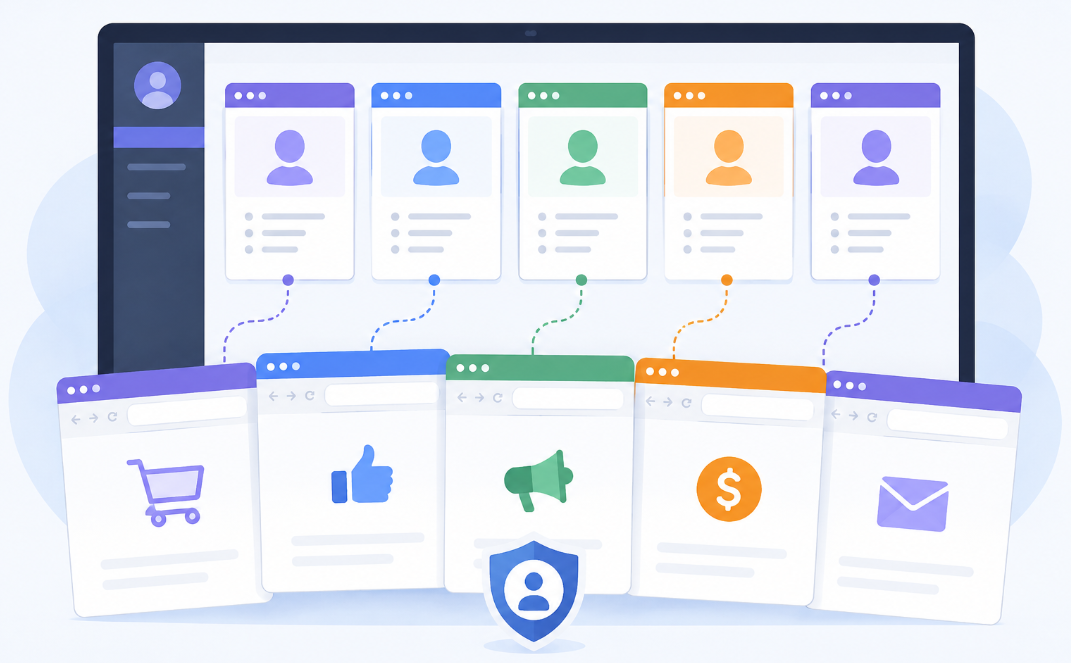
A multi-accounting browser is software that lets you run multiple, completely isolated browser profiles on a single device. Each one appearing to websites and platforms as a separate, unique device with its own digital identity.
Every time you visit a website, your browser quietly shares a set of technical details: your operating system, screen resolution, installed fonts, timezone, graphics card, and dozens of other data points. Combined, these details form a "fingerprint" - a signature unique enough to identify your device even without cookies or login data. Platforms use this fingerprint to link accounts together, regardless of whether you're logged out, using incognito mode, or switching IP addresses.
A multi-accounting browser breaks this link. Instead of one fingerprint shared across all your browsing activity, it generates a distinct, consistent fingerprint for each profile so account A and account B look like they belong to two entirely different people, on two entirely different devices, even though they're running on the same laptop.
1.1. How is this different from regular browser profiles, incognito mode, or a VPN?
These tools are often confused because they all sound like they offer "privacy" — but they solve completely different problems. Here's how they compare:
|
Criteria |
Regular Browser |
Incognito Mode |
VPN |
Multi-Accounting Browser |
|
Clears cookies/local history |
❌ |
✅ |
❌ |
✅ |
|
Changes IP address |
❌ |
❌ |
✅ |
✅ (via integrated proxy) |
|
Changes digital fingerprint (canvas, WebGL, fonts...) |
❌ |
❌ |
❌ |
✅ |
|
Supports isolated profiles for multiple accounts |
❌ |
⚠️ Limited |
❌ |
✅ Unlimited |
|
Prevents platforms from linking accounts together |
❌ |
❌ |
❌ |
✅ |
The key gap: incognito mode and VPNs only change surface-level signals (cookies, IP), while your underlying fingerprint: canvas rendering, WebGL signature, fonts, hardware details, stays identical. That's exactly what platforms cross-reference to detect multi-accounting, no matter how many times you clear your cache or switch your IP.
1.2. How it works (Technical breakdown)
Multi-accounting browsers rely on three core mechanisms working together:
Fingerprint spoofing
Each profile is assigned its own set of fingerprint parameters - canvas rendering output, WebGL renderer, audio context signature, installed fonts, screen resolution, hardware concurrency, and user-agent string. These aren't randomized every session (which would itself look suspicious); instead, each profile keeps a consistent fingerprint over time, mimicking a real, unique device.
Profile isolation
Cookies, cache, local storage, and session data are fully separated between profiles. Nothing from Profile A ever leaks into Profile B. There's no shared browsing history, autofill data, or saved credentials to create a cross-reference point.
IP/proxy separation
Fingerprinting alone isn't enough, platforms also flag accounts sharing the same IP address. That's why multi-accounting browsers integrate with proxies (residential, mobile 3G/4G, or datacenter), assigning a different IP to each profile. Combined with a unique fingerprint, this makes each profile appear as an independent user browsing from an independent location.
Together, these three layers reconstruct what platforms are actually looking for: a real, distinct device and user behind every account even when everything is technically running from the same physical machine.
2. Why do you need a Multi-accounting browser?
Understanding how fingerprinting works is one thing. Seeing why it actually matters for your accounts is another. Here's what's really at stake if you skip this step, and how a multi-accounting browser fixes it.
2.1. The problem: Platform detection & ban waves
If you're running multiple accounts, you already know the drill: one account gets hit, and suddenly your whole farm goes down with it.
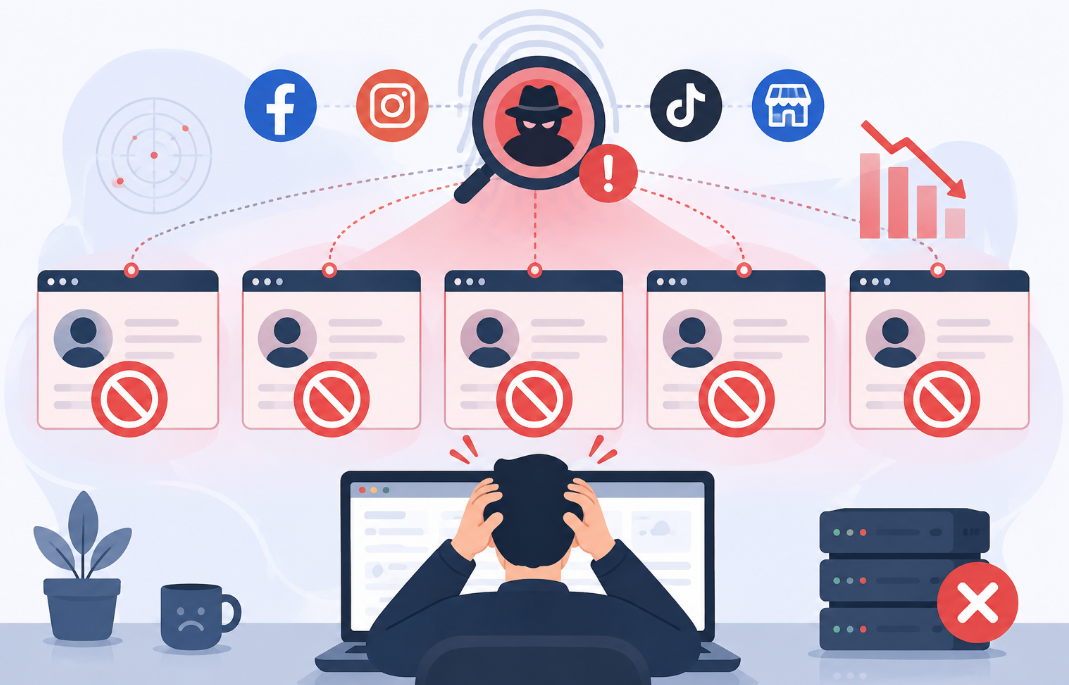
That's not bad luck. That's the platform doing exactly what it's built to do. Every major platform (social media, marketplaces, ad networks) actively hunts for accounts sharing the same device. They don't just check accounts one by one. They cluster them by fingerprint and IP. So the second one account trips a flag, whether it's a spam report or weird activity, the platform traces it back to every other account on that same fingerprint and nukes them all together.
This is the classic ban wave, and it hurts for a few reasons:
- You lose the whole stack at once. Weeks or months of warm-up, followers, seller rating, all gone in one sweep, not just on the flagged account.
- Appeals basically don't work here. Once accounts are fingerprint-linked, the platform treats the whole cluster as one violation. Good luck getting individual accounts back.
- It keeps happening. Rebuild on the same device without changing anything, and you'll get flagged again, often faster, because that device is already on their radar.
2.2. The solution: Isolated, safe browsing environments
The fix isn't "be more careful." It's killing the shared fingerprint that ties your accounts together in the first place.
A lot of people try to get around this with separate physical devices, one phone or laptop per account. It works, but let's be real:
- The cost adds up fast. 20 accounts means 20 devices to buy and maintain. That math doesn't work once you're scaling.
- It doesn't scale with a team. You can't hand off 20 physical devices to your VAs and expect smooth operations.
- Still not bulletproof. Devices on the same home Wi-Fi can still leak IP-level signals to each other.
This is exactly the gap a multi-accounting browser fills. It gets you the same result as separate devices, without buying a device farm. Each profile gets its own fingerprint and its own IP (via proxy), so every account looks like it's coming from a completely different setup, all from one machine.
What you actually get out of it:
- Scale without the hardware bill. Run dozens or hundreds of accounts from a single computer.
- Way lower suspension risk. No shared fingerprint means no cluster for the platform to trace back to.
- Team-friendly. Your team can work the same set of profiles without exposing everything to one shared device fingerprint.
- One flag doesn't sink the fleet. If a profile gets hit, it stays isolated. The rest of your accounts keep running like nothing happened.
3. Key use cases of Multi-accounting browser
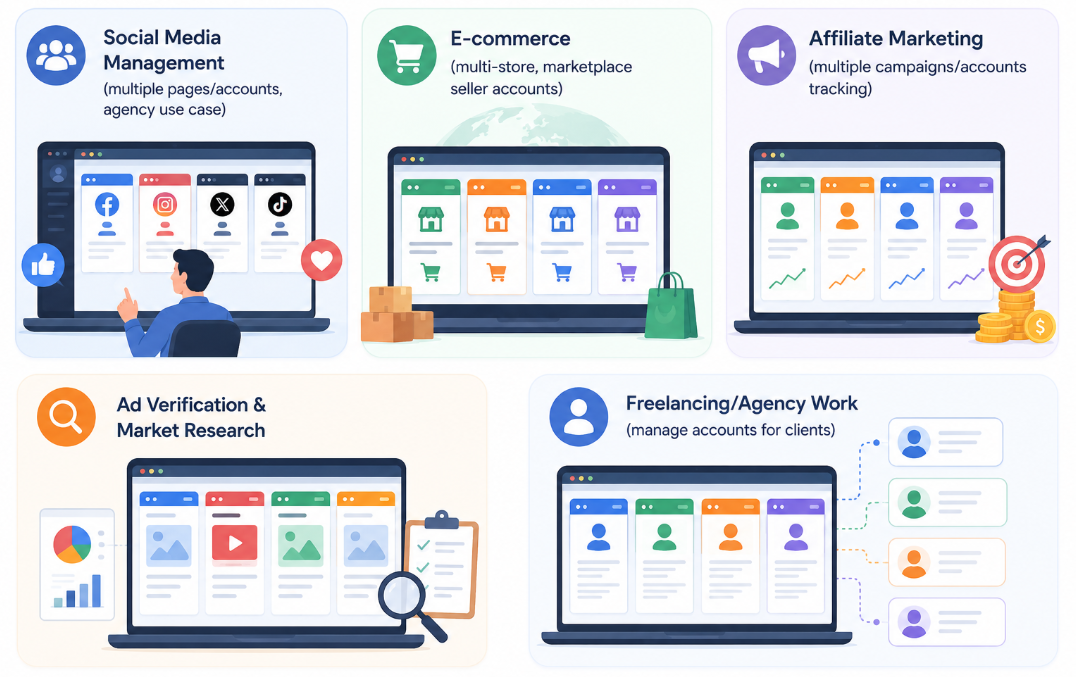
A multi-accounting browser isn't tied to one niche. Anywhere platforms restrict multiple accounts per device, this tool becomes the workaround. Here's where it gets used the most.
3.1. Social media management
Running multiple Instagram, Facebook, TikTok, or Twitter accounts is the most common use case, and the most heavily policed. Whether you're managing client pages as an agency, running a network of niche accounts, or scaling personal brands, platforms treat every extra account on the same device as a red flag.
A multi-accounting browser lets you log into each account from its own isolated profile, so you can post, engage, and grow multiple pages at once without triggering the shared-device pattern that gets accounts banned in bulk.
The following guide provides a more detailed look at how to manage multiple social media accounts.
3.2. E-commerce
Sellers running multiple stores on the same marketplace, whether it's Amazon, Shopee, eBay, or Etsy, face the same problem. Marketplaces link seller accounts by device and IP, and getting flagged for "related accounts" can mean losing your seller privileges across every store you run, not just one.
With isolated profiles and separate IPs per store, you can manage multiple seller accounts side by side without the marketplace connecting the dots between them. I’ve included links to detailed guides on managing accounts for each platform.
3.3. Affiliate marketing
Affiliate marketers often run multiple accounts across ad platforms, affiliate networks, or landing pages to test offers, split traffic, or work around single-account limits. The problem is that ad networks and affiliate platforms are just as aggressive about detecting shared devices as social platforms are.
A multi-accounting browser keeps each campaign account isolated, so one flagged account or rejected campaign doesn't take down your other active accounts with it.
Learn How to start affiliate marketing as a beginner in this article. If you need tools to support your affiliate marketing, this post is for you: Best affiliate marketing tools to skyrocket sales fast.
3.4. Ad verification & Market research
Brands and agencies use multiple accounts to check how their ads actually appear to different audiences, in different regions, or on different devices, without their main account skewing the results - a practice especially common when running multiple Google Ads accounts for the same brand or across different clients. Multi-accounting browsers make this possible by combining unique fingerprints with location-specific proxies, so each verification account behaves like a real, independent user in that target market. This same isolated-profile approach also underpins web scraping at scale, where market researchers need many independent sessions running in parallel without getting blocked or rate-limited.
3.5. Freelancing & Agency work
If you manage accounts on behalf of multiple clients, whether that's social media, ads, or marketplace accounts, keeping each client's accounts fully separated isn't optional. Mixing client accounts on the same device risks getting all of them flagged together, and it's a trust issue if a client finds out their account shares a fingerprint with someone else's.
A multi-accounting browser lets you keep every client's accounts in their own isolated environment, while still managing all of them from a single workstation.
4. How Hidemyacc works as a Multi-accounting browser
Understanding the theory is one thing. Here's how Hidemyacc actually puts it into practice.
Unlimited isolated profiles
Every profile you create in Hidemyacc gets its own consistent fingerprint, covering canvas, WebGL, fonts, timezone, user-agent, and hardware parameters. There's no cap on how many profiles you can run, so whether you're managing 5 accounts or 500, each one stays fully separated from the rest.
Deep fingerprint customization
Most tools only mask fingerprints at a surface level. Hidemyacc goes deeper, letting you directly modify the underlying parameters that platforms actually check, rather than just spoofing values on top. This gives each profile a fingerprint that holds up under closer inspection, not just basic detection scripts, and stays consistent over time instead of looking randomized or suspicious.
Magic Link for profile migration
If you need to move an account to a new profile, whether it's a device change, a fresh setup, or recovering from an issue, Hidemyacc's Magic Link feature transfers the full profile data (session, cookies, fingerprint configuration) from the old profile straight into the new one. You keep the account's history and login state intact instead of starting over.
Built-in proxy manager
Fingerprint isolation alone isn't enough. Hidemyacc's Proxy Manager lets you store, organize, and assign proxies (residential, mobile 3G/4G, or datacenter) directly inside the browser, so attaching a proxy to a profile takes a few clicks instead of juggling separate proxy software. Depending on your plan, you also get access to unlimited proxy usage.
Flexible automation
Hidemyacc supports three ways to automate your workflow: import existing automation scripts from outside sources, build your own using a drag-and-drop command builder, or record your on-screen actions directly and replay them later. This covers everyone from users who want a quick, no-code setup to those who need custom, repeatable workflows across many profiles.
Team collaboration and profile sharing
Beyond creating sub-accounts with controlled, permission-based access, Hidemyacc also lets separate accounts (not just main and sub-accounts) share or transfer profiles directly between each other. This makes it easier to hand off accounts between team members or collaborators without re-creating profiles from scratch or exposing login credentials.
Automation and API access
For users who want to scale further, Hidemyacc offers a REST API (Profile API and User API) to automate profile creation, management, and account workflows, useful if you're integrating profile management into your own tools or scripts rather than doing everything manually through the interface.
What sets Hidemyacc apart
Most multi-accounting browsers are strong in one area but average everywhere else. Here's how Hidemyacc compares:
|
Tool |
Strength |
Where Hidemyacc pulls ahead |
|
Cloud-based, budget-friendly |
Deeper fingerprint intervention, plus Magic Link and profile sharing GoLogin doesn't offer |
|
|
Top-tier fingerprint quality |
Comparable fingerprint depth, but with no-code automation instead of required coding |
|
|
Broad feature set, built-in proxy marketplace |
Magic Link migration and cross-account profile transfer fill gaps AdsPower doesn't cover |
|
|
Popular for affiliate marketing, Synchronizer |
Same synchronized bulk actions, plus deeper fingerprint customization and flexible profile sharing |
Ready to try a multi-accounting browser built for scale?
Hidemyacc is a multi-accounting browser that gives every profile its own fingerprint and proxy, so you can manage unlimited accounts safely from a single device.
5. How to Get Started with Hidemyacc
Getting your first isolated profile up and running takes just a few steps:
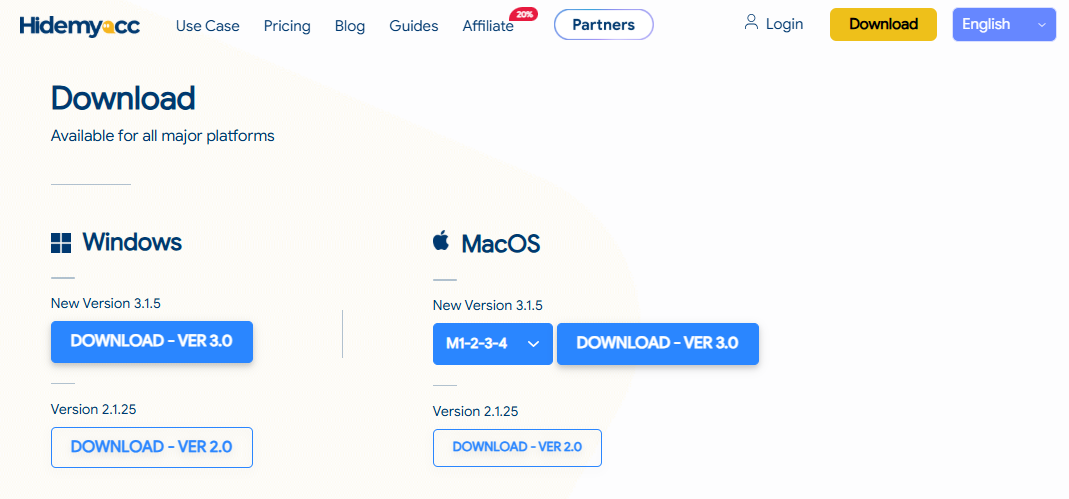
Step 1: Download Hidemyacc
Download the Hidemyacc app for your operating system (Windows or macOS) and install it on your device.
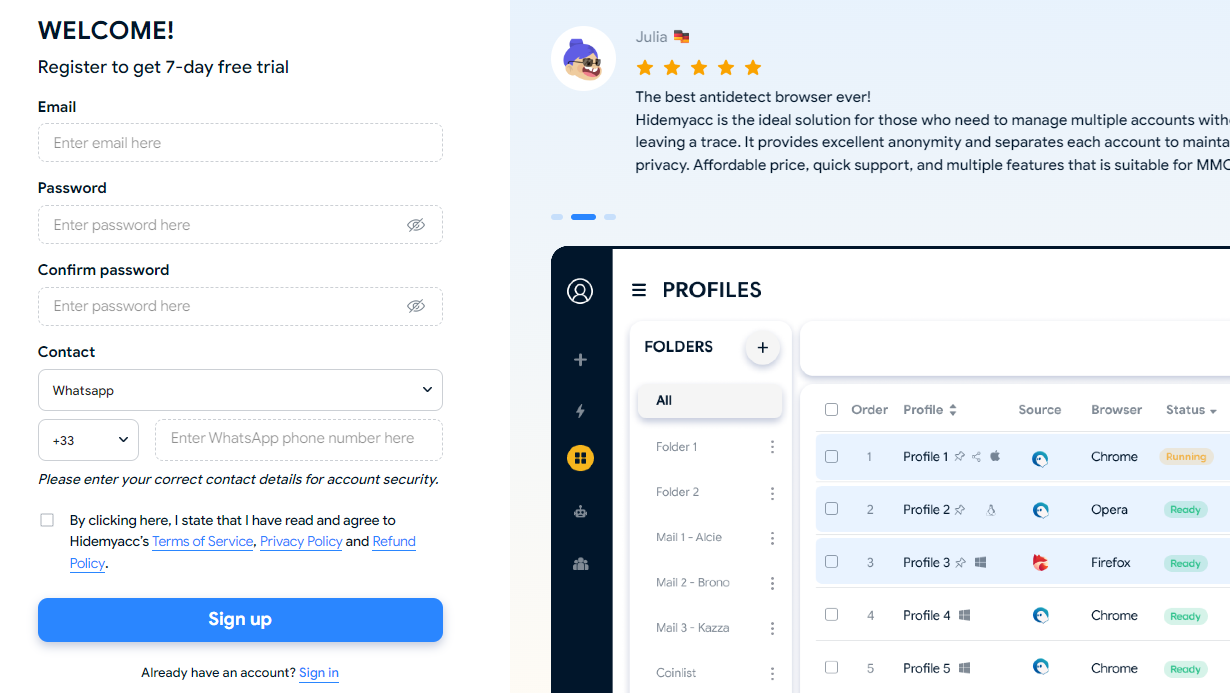
Step 2. Create your Hidemyacc account
Sign up on the Hidemyacc website and choose a plan based on how many profiles you need. There's a free tier available if you want to test the workflow first.
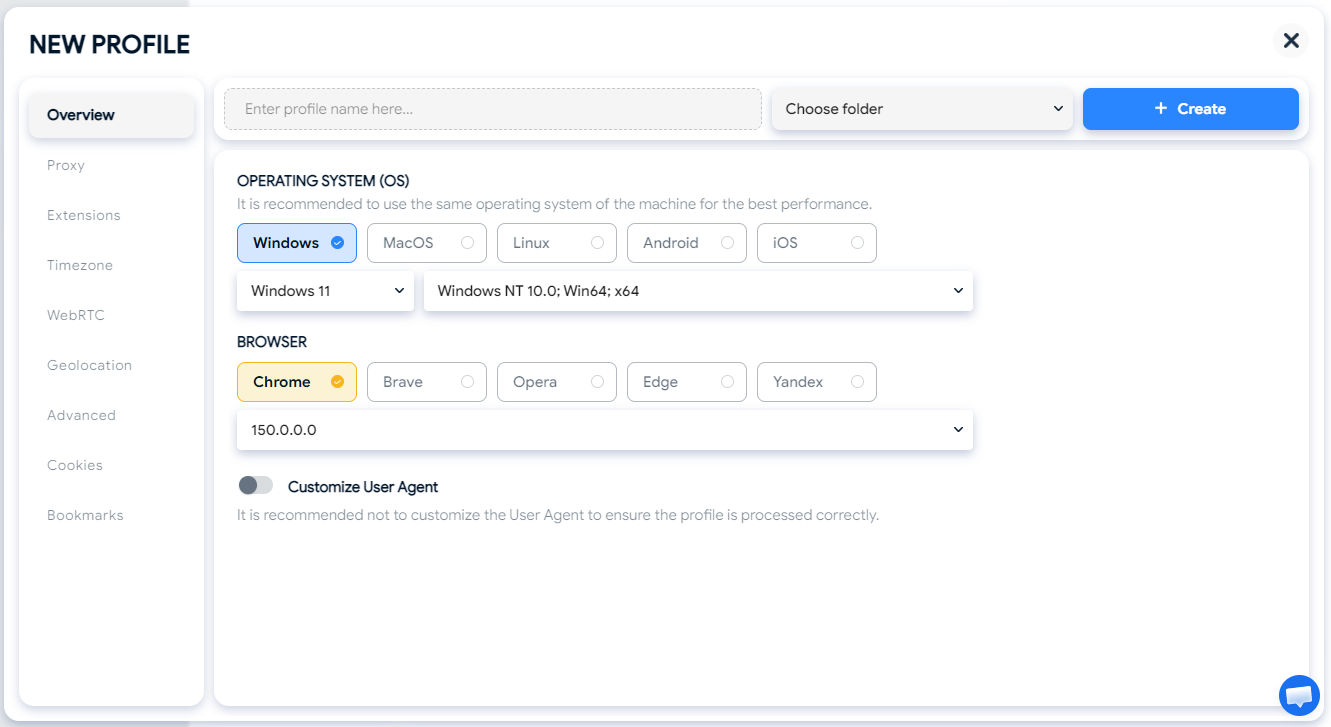
Step 3. Create your first profile
Set your fingerprint parameters (or let Hidemyacc auto-generate a consistent one), assign an operating system and browser type, and save the profile.
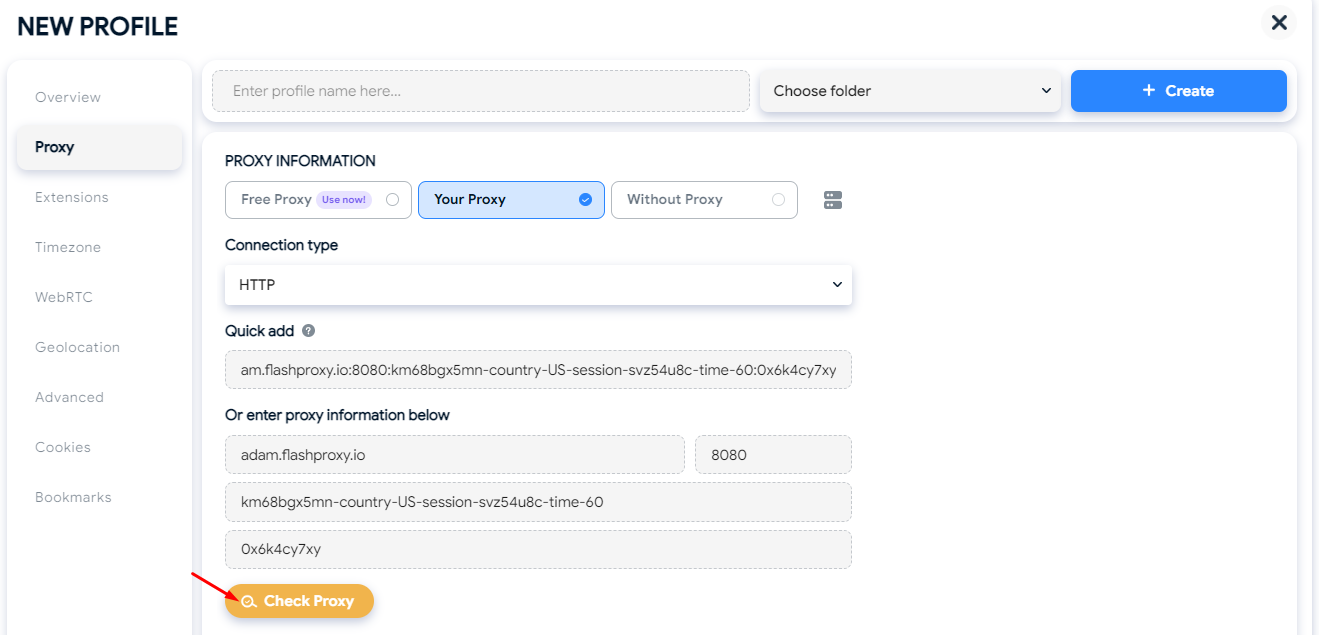
Step 4. Attach a proxy
Use the built-in Proxy Manager to assign a residential, mobile, or datacenter proxy to your profile, matching the location relevant to the account you're managing.
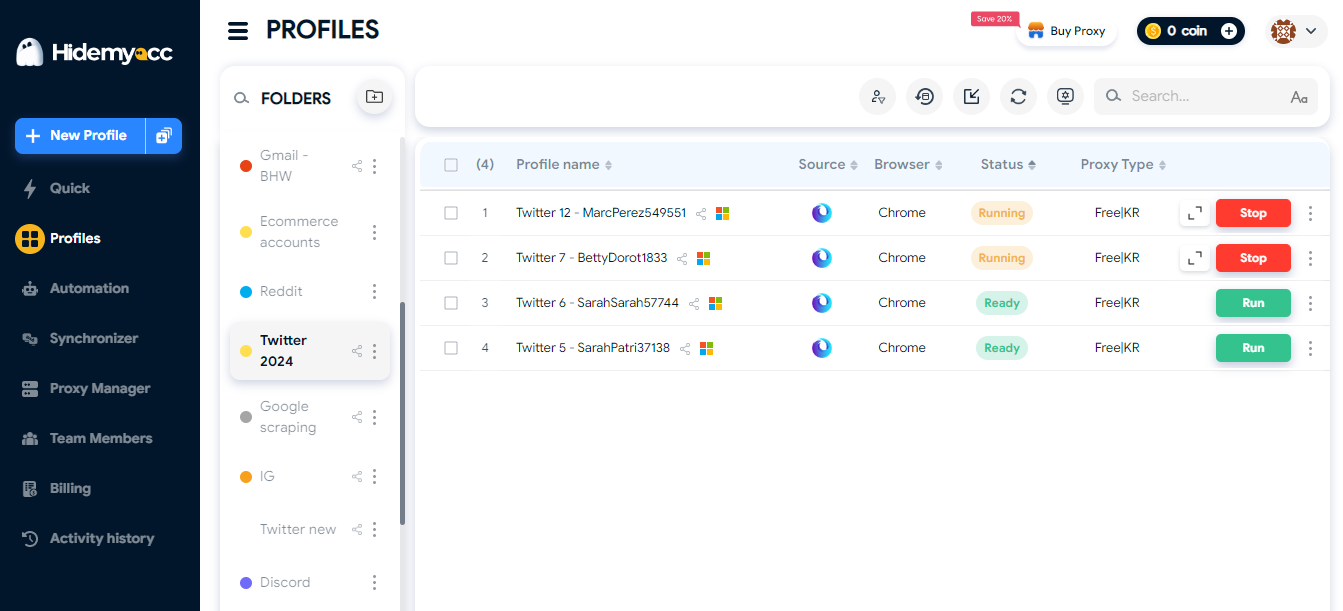
Step 5. Log in and start managing your account
Launch the profile like a regular browser window, log into your account, and work exactly as you would normally, the isolation runs in the background.
Step 6. Scale up as needed
Once your first profile is running smoothly, duplicate the setup for additional accounts, organize profiles into folders or tags, and bring your team in with sub-accounts if needed.
7. Conclusion
Running multiple accounts doesn't have to mean risking a ban wave every time one account gets flagged. A multi-accounting browser gives you what separate physical devices used to require, isolated fingerprints and IPs, without the hardware cost or operational headache.
Whether you're managing social media pages, e-commerce stores, affiliate campaigns, or client accounts as an agency, the core problem is the same: platforms detect shared devices, and a multi-accounting browser is what breaks that link.
If you want to see this in action, explore how Hidemyacc's fingerprint technology works in more depth, or check out our guide on choosing the right antidetect browser for your specific use case.
8. FAQ
Is using a multi-accounting browser safe?
Yes, when used correctly. A multi-accounting browser is a legitimate tool for managing multiple accounts across platforms, commonly used by agencies, e-commerce sellers, and marketers. Its purpose is to keep accounts isolated, not to enable spam or fraud. That said, always follow each platform's terms of service for how you use your accounts.
Is it legal to use a multi-accounting browser?
Yes. Multi-accounting browsers are legal tools, similar to VPNs or password managers. What matters is how you use your accounts, running legitimate business operations across multiple accounts is different from using the tool to commit fraud or abuse a platform's systems.
What's the difference between a multi-accounting browser and a VPN?
A VPN only changes your IP address. It doesn't touch your browser's underlying fingerprint (canvas, WebGL, fonts, and other technical markers), which is what platforms actually use to link accounts together. A multi-accounting browser changes both the fingerprint and the IP, giving each profile a genuinely separate identity.
How many accounts can I manage with Hidemyacc?
There's no hard cap on the number of profiles you can create. The exact number available depends on your plan, with higher tiers supporting larger-scale operations.
Do I need technical skills to use a multi-accounting browser?
No. Hidemyacc's interface is built for non-technical users, profile creation, proxy setup, and automation (via drag-and-drop or screen recording) don't require coding. Developers who want deeper control can still use the API.
Can I use a multi-accounting browser with a team?
Yes. Hidemyacc supports sub-accounts with controlled access, as well as profile sharing and transfer between accounts, so teams can collaborate without exposing login credentials or mixing up account access.