When accessing a website protected by Cloudflare, you may unexpectedly encounter a Checking your browser message, a verification request, or a CAPTCHA before you can continue. This does not necessarily mean that you are using a bot. Cloudflare Bot Detection analyzes traffic signals to determine whether a request shows signs of automation, helping the website decide how to handle it appropriately.
So, how does Cloudflare Bot Detection work? How are Cloudflare Challenge and Turnstile different, and why do legitimate users sometimes still have to complete verification? This article will help you understand Cloudflare's bot detection mechanisms, common verification methods, and the reasons why a browsing session may be challenged.1. What Is Cloudflare Bot Detection and Where Does It Operate in the Traffic Flow?
Cloudflare Bot Detection is a mechanism that helps websites identify and classify automated traffic. Instead of relying on a single indicator, Cloudflare analyzes multiple signals from requests, browsers, and user access patterns to determine whether traffic comes from a bot.
Not all bots are harmful. Search engines and verified crawlers are legitimate bots, while unauthorized data scraping tools, spam bots, and vulnerability scanners are examples of malicious bots. After analyzing a request, Cloudflare may allow it to proceed, require verification, or block it, depending on the assessment results and the security rules configured by the website owner.

After analyzing a request, Cloudflare may allow it to proceed, ask the user to complete verification, or block the traffic. The specific action depends on the assessment results and the security rules configured by the website owner.
To meet different security requirements, Cloudflare provides several solutions, including Bot Fight Mode, Super Bot Fight Mode, and Bot Management.
| Feature | Primary Role | Characteristics |
|---|---|---|
| Bot Fight Mode | Detects and mitigates malicious bot traffic | Identifies known bot patterns and applies mitigation measures |
| Super Bot Fight Mode | Provides bot protection with more granular controls | Supports traffic classification and allows actions to be configured for different bot categories |
| Bot Management | Provides in-depth bot analysis and management | Offers Bot Score, along with advanced signals and management tools |
Simply put, Bot Fight Mode meets basic bot protection needs, while Super Bot Fight Mode provides additional control over different traffic categories. Bot Management is designed for websites that need more detailed traffic analysis and want to build custom handling rules based on bot detection signals.
Features and availability may vary depending on the Cloudflare plan. Therefore, not every website using Cloudflare has access to the same bot protection tools or traffic analysis data.
2. How Does Cloudflare Detect Bots?
Cloudflare does not rely solely on IP addresses or browser information. Instead, the system combines multiple signals to evaluate the traffic source, the consistency of the browser environment, and client behavior during a session. The main signal categories may include:
- IP and network reputation: Examines activity history, the trustworthiness of an IP address, and other indicators associated with unusual traffic.
- HTTP Headers and request patterns: Analyzes information such as User-Agent, Accept, Accept-Language, and how a client sends requests to a website.
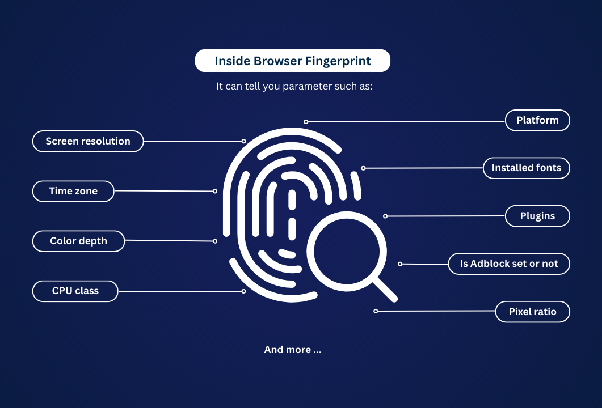
- Browser fingerprints: Evaluates browser and device characteristics, such as the operating system, screen resolution, language, and timezone.
- JavaScript Detections: Collects signals from the browser through JavaScript to help assess the browsing environment.
- Machine Learning and Bot Score: Analyzes multiple request characteristics to estimate the likelihood that traffic comes from a bot.
- Behavioral and session analysis: Examines the frequency, methods, and patterns of requests over a period of time.
Combining multiple signals allows Cloudflare to assess requests more comprehensively instead of making decisions based on a single indicator. For example, an IP address with a history of unusual activity is not enough to confirm that the current user is a bot. The system also needs to consider other information from the request and browser environment.
You can learn more about this topic in our article: Bot Detection Techniques: How Do Websites Detect Bots?
3. What Is Cloudflare Challenge and How Does It Work?
Cloudflare Challenge is a verification step displayed when a website needs to check a request further before allowing access. A Challenge can be triggered by WAF, Bot Management, or Rate Limiting, depending on the security rules configured by the website owner.
| Challenge Type | How It Works | User Experience |
|---|---|---|
| Non-Interactive Challenge | Performs verification without requiring direct user interaction | May only display a verification status while the check is in progress |
| Managed Challenge | Cloudflare automatically selects the verification method based on the signals it collects | Usually requires no interaction, but may ask users to interact if further verification is needed |
| Interactive Challenge | Requires users to perform a verification action | May display a CAPTCHA or require direct confirmation |
After a Challenge is completed, Cloudflare may issue a cf_clearance cookie to record the verification status. This cookie helps prevent the browser from having to complete verification again within the configured scope and validity period, but it does not grant permanent access.
A Challenge Page returns a complete HTML page. Therefore, if a website applies a Challenge to an AJAX, XHR, or fetch request that is waiting for JSON data, the process may fail because the request receives HTML instead of the expected data.
4. What Is Cloudflare Turnstile and How Is It Different from a Challenge Page?
Cloudflare Turnstile is a verification tool that can be integrated directly into a website without requiring all incoming traffic to pass through the Cloudflare CDN. It helps reduce reliance on traditional CAPTCHAs.
Unlike a Challenge Page, Turnstile is embedded by the website owner in specific locations, such as login forms, registration pages, or information submission forms. After verification, the widget generates a token that the website validates through Cloudflare's Siteverify API. The widget offers three modes: Managed, Non-Interactive, and Invisible. Among them, Managed is recommended by Cloudflare for most use cases.
The following table helps distinguish the roles of Turnstile, Challenge Page, and Bot Management:
| Criteria | Challenge Page | Turnstile Widget | Bot Management |
|---|---|---|---|
| Where It Appears | A separate verification page that may temporarily prevent users from accessing the destination page | Embedded in a form or a specific location on a website | Operates at the traffic processing layer and does not provide a verification interface |
| Implementation | Configured through Cloudflare security tools | Integrated using a Sitekey and Secret Key | Configured through the Bot Management feature |
| What Users See | Checking your browser or a verification request | A verification widget on the website | Usually has no separate user-facing interface |
| Does It Require Cloudflare CDN? | Yes, when Challenge Pages are applied to traffic proxied through Cloudflare | No. It can be integrated into websites that do not use Cloudflare CDN | Requires the corresponding Bot Management service |
| Role | Performs additional checks when a request requires verification | Verifies users during a specific process | Analyzes, classifies, and handles bot traffic |
Therefore, both Turnstile and Challenge Page support user verification, but they differ in how they are implemented. Bot Management, on the other hand, evaluates traffic in the background rather than providing a CAPTCHA interface for website visitors.
5. Why Does Cloudflare Ask Legitimate Users to Complete Verification?
Cloudflare Challenge does not always appear because a visitor is using a bot. Regular users may still be asked to complete verification when their browsers cannot load the required components, their network connections encounter problems, or their requests are flagged as potentially risky.
5.1. Browser or Extension Interferes with the Verification Process
Some extensions may block JavaScript, cookies, or connections to Cloudflare's verification servers, preventing the browser from completing the required checks. Similar issues can occur when using outdated browsers or when JavaScript is disabled. If only one profile encounters the error, check that profile's extensions and individual settings first.
5.2. The IP Address or Network Connection Shows Signs of Risk
According to Cloudflare's troubleshooting documentation, IP addresses with poor reputations, which are commonly found with shared VPNs or corporate proxies, may cause visitors to undergo additional verification. However, not every VPN, proxy, or datacenter IP address is automatically considered high-risk. An unstable network connection may also prevent verification scripts from loading properly.
5.3. Inconsistent Browser Configuration
If the User-Agent, operating system, and other characteristics of a profile do not correspond with one another, the request may show unusual signals. For example, a profile may identify itself as Chrome on Windows, while some of its environmental characteristics do not match. This is only an illustrative scenario. It does not mean Cloudflare always checks every attribute precisely, and you should not assume that an unusual fingerprint setting is necessarily the cause of a Challenge.
5.4. Automated Browsers Are Not Compatible with Challenges
According to Cloudflare's Supported Browsers documentation, Selenium, Puppeteer, Playwright, and Cypress are not supported for solving Challenges in production environments. This does not mean that all automation activities are blocked. The issue lies in the compatibility between the verification process and automated browsers. When testing a website, use Turnstile test keys instead of attempting to solve Challenges on live websites.
5.5. What Is a Challenge Loop and Why Does It Happen?
A Challenge loop occurs when users are repeatedly redirected to a verification page but cannot proceed to access the website. The Checking your browser message keeps appearing every time the page reloads. Possible causes include disabled JavaScript, extensions blocking scripts, unsupported browsers, unstable network connections, or the website's security rules.
You can update your browser, enable JavaScript, temporarily disable extensions, and try using private browsing mode. If the issue persists, try another device or network. If the page displays an error code and a Ray ID, save this information and send it to the website owner.
6. How to Check and Reduce Repeated Verification Requests
When you encounter a Cloudflare Challenge, you should identify the cause before changing your browsing environment. For regular users, the problem may lie in the browser or network connection. Meanwhile, website owners and people managing multiple accounts may also need to check security configurations and the environment of each profile.
6.1. Steps to Take When You Encounter a Cloudflare Challenge
If you are frequently asked to complete verification or cannot finish a Challenge, you can perform the following checks in order:
- Check your browser: Update it to the latest version and make sure JavaScript and cookies are enabled.
- Disable conflicting extensions: Temporarily disable ad blockers, script blockers, or tracking prevention extensions to test whether they are causing the issue.
- Try private browsing mode: Open the website in an incognito window to determine whether the error is related to browser data or extensions.
- Check your network connection: Try accessing the website through another network to see whether the issue is related to your current connection.
- Check your browser environment: You can use BrowserLeaks or Pixelscan to inspect information such as User-Agent, timezone, and fingerprint. However, these tools only help examine the browser environment and cannot accurately identify why Cloudflare issued a Challenge.
- Save error information: If you still cannot access the website, record the error code, Ray ID, and time when the issue occurred so you can send them to the website owner for investigation.
During troubleshooting, you should change one factor at a time. For example, try disabling extensions first before switching networks. This approach makes it easier to identify the cause than changing multiple settings simultaneously.
6.2. Check Security Configuration If You Manage a Website
If you are a website owner or developer, repeated verification requests may be related to how Challenges, WAF, and request rate-limiting rules are configured. In this case, you should review your security settings instead of only trying to change browser settings.
Some important points to check include:
- Review WAF and Rate Limiting rules: Identify the conditions that trigger Challenges. Also, check for overlapping rules that may cause users to complete verification multiple times.
- Use Managed Challenge appropriately: This mode allows Cloudflare to automatically select the verification level based on its assessment signals instead of always requiring users to perform the same action.
- Check Turnstile integration: Make sure your website sends the token to the Siteverify API and verifies the result on the server before processing login requests or form submissions.
- Use test keys in development environments: Cloudflare provides Turnstile test keys to test verification scenarios without using production keys.
In particular, if your website uses Turnstile, you also need to check the server-side token verification process. A widget displaying a completed status does not replace the need to verify the token through the Siteverify API.
6.3. What Should You Consider When Managing Multiple Browser Profiles?
If you manage multiple accounts, you need to check the browsing environment of each profile rather than only checking the general browser settings. Each profile may have different fingerprint configurations, cookies, extensions, and proxies. Therefore, an error occurring in one profile does not necessarily mean that the same issue will affect the others.
Tools such as Antidetect browser Hidemyacc support creating and managing separate browser profiles, while allowing you to configure fingerprints and proxies for each profile. This makes it easier to inspect configurations, maintain consistency, and manage session data across different accounts.
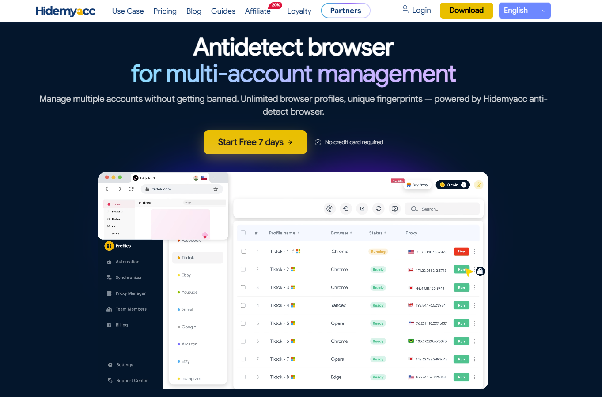
However, using an antidetect browser does not guarantee that Cloudflare Challenge or Turnstile will be eliminated. Cloudflare can still evaluate requests based on multiple signals, including network connections, browsing behavior, and website security rules. Therefore, Hidemyacc helps manage browser environments but does not determine the outcome of Cloudflare verification.
7. Conclusion
Cloudflare detects bots by combining multiple mechanisms and signal categories, ranging from heuristic checks and JavaScript Detections to machine learning and session-based analysis. After evaluating a request, the system helps websites choose appropriate actions, such as allowing access, blocking the request, or requiring verification.
Therefore, encountering a Cloudflare Challenge does not necessarily mean that you are a bot. Regular users should check their browsers, extensions, and network connections before investigating other possible causes. People managing multiple accounts should pay attention to the consistency of each profile's environment and the stability of their connections. Meanwhile, developers should use Turnstile test keys when testing automation instead of attempting to solve Challenges in production environments.
8. FAQ
1. Why does Cloudflare identify me as a bot?
Cloudflare evaluates requests based on multiple signals, such as browser characteristics, browsing behavior, and website security rules. Regular users may still encounter verification requests because extensions block scripts, JavaScript is disabled, or network issues occur. Receiving a Challenge does not mean Cloudflare has concluded that you are a bot.
2. How does Cloudflare know that I am not a bot?
Cloudflare evaluates multiple signals rather than relying on a single indicator. With Managed Challenge, the system automatically selects an appropriate verification method, and many cases are handled automatically without requiring user interaction. However, not every legitimate user is verified immediately.
3. Can Hidemyacc stop Cloudflare from asking me to complete verification?
No. Hidemyacc manages separate browser profiles with independent configurations and session data, but it does not guarantee the removal of Cloudflare Challenges. Verification still depends on requests, network connections, browsing behavior, and the website's security rules.
4. Is it true that 51% of Internet traffic comes from bots?
This cannot be confirmed without identifying the specific report, statistical year, and measurement methodology. The percentage varies depending on the research scope and how automated traffic is classified. It is also important to distinguish bots in general from malicious bots, as not all automated activities pose a risk to websites.