Looking for a way to hide your IP address, access geo-restricted content, or stay secure on public Wi-Fi? NordVPN is one of the most popular VPN services in the world, but is it really worth using in 2026? In this guide, we'll break down NordVPN's features, pricing, advantages, disadvantages, and whether it's suitable for multi-account users.
1. What is NordVPN and how does it work?
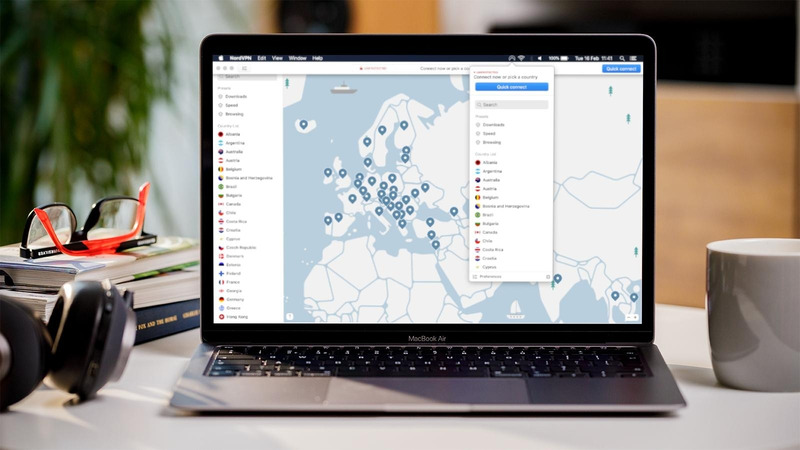
NordVPN is a virtual private network service designed to enhance users’ security and privacy. When connected to NordVPN, user data is encrypted and internet traffic is routed through intermediary servers, which helps hide the IP address and makes it easier to access content restricted by geographic location. Notably, NordVPN is also compatible with many operating systems and popular browsers such as iOS, Apple TV, Chrome, Windows, and more.
>>>> LEARN MORE:
- Rent VPN Server: 7 Tips to choose the best cheap VPN
- What is Hotspot Shield? Advantages and how to download
2. Is NordVPN safe?
Yes, NordVPN is generally considered one of the safest VPN services available today.
The service uses AES-256 encryption, the same level of encryption widely adopted by banks, enterprises, and government organizations. It also operates under a strict no-logs policy, meaning it does not store users' browsing history, connection timestamps, or IP addresses.
Several additional security features make NordVPN stand out from many competitors:
- AES-256 encryption for secure internet traffic
- A Kill Switch that disconnects your device if the VPN connection drops unexpectedly
- DNS leak protection to prevent accidental exposure of your real IP address
- Threat Protection to block malicious websites and trackers
- RAM-only servers that automatically wipe all data after every reboot
For most users, NordVPN provides more than enough protection for activities such as:
- Browsing on public Wi-Fi networks
- Accessing geo-restricted content
- Preventing ISPs from monitoring browsing activity
- Hiding your real IP address
However, it is important to understand the limitations of any VPN service.
NordVPN protects your network identity by masking your IP address, but it does not change your browser fingerprint, device characteristics, cookies, or local storage data. Websites and platforms can still use these signals to recognize and link accounts together.
As a result, NordVPN is an excellent solution for privacy and security, but it may not be sufficient for users who manage multiple accounts, run advertising campaigns, or operate large-scale automation workflows.
3. Advantages of NordVPN
NordVPN possesses superior technology, providing an optimal solution for users who want to surf the web safely and access without limits. Below are the outstanding advantages that NordVPN brings:
3.1. High Security
NordVPN stands out for its excellent data protection thanks to the use of AES-256 encryption technology and DHE-4096 key exchange for forward secrecy. In addition, the Double VPN feature also enhances security by transmitting data through two servers, ensuring information is always protected even on unsecured networks.
3.2. Killswitch feature prevents privacy breaches
NordVPN's Killswitch feature is used to disconnect, helping to prevent the risk of data leakage when the VPN connection is interrupted. When activated, Killswitch will automatically disconnect the Internet, ensuring personal information and online activities are not exposed. This is the ideal solution to help you protect your privacy when accessing public networks.

3.3. CyberSec feature blocks ads and malware
CyberSec is a feature of NordVPN that helps block ads and malware to protect users from threats from malicious software. In addition, CyberSec also helps protect privacy, preventing websites from tracking user activities to display advertisements. At the same time, excessive advertising will interrupt the user's web browsing experience and slow down page loading speeds; therefore, CyberSec blocking ads can improve performance better.
3.4. Connect 6 devices across multiple Platforms
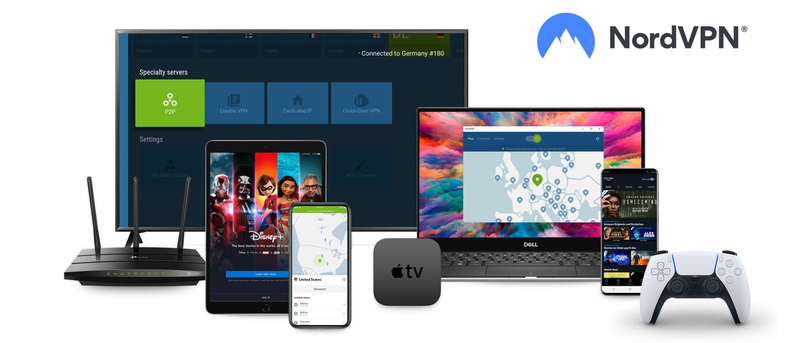
NordVPN allows users to simultaneously connect 6 devices across multiple Platforms such as iOS, Windows, Android… This allows users to protect multiple devices at the same time or use it with other family members. With NordVPN, you can ensure online security anytime, anywhere, on multiple devices at once.
3.5. Reasonable pricing
NordVPN provides subscription plans with extremely preferential prices, suitable for many different user needs. Users can choose long-term plans such as 1 month, 1 year, or 2 years, helping to save more costs. With such reasonable prices and stable service quality, users can feel completely secure when using it for a long time.
3.6. Enthusiastic customer support
When using NordVPN services, users can be completely assured about customer care. The support team is always ready to answer customer questions via online chat or email. With powerful security features and professional support, NordVPN is a suitable choice for both individuals and businesses who need to ensure privacy and online security.
>>>> REFER NOW:
- Kiwi VPN: What is it & easiest setup guide for beginners
- What Is Radmin VPN? Download the Latest Free
4. Disadvantages of NordVPN
Despite being one of the most popular VPN providers in the market, NordVPN still has several limitations that users should consider before subscribing.
4.1. More expensive than some competitors
NordVPN offers premium features, but its monthly plans are noticeably more expensive than alternatives such as Surfshark or CyberGhost. While long-term subscriptions significantly reduce the cost, users looking for a budget VPN may find cheaper options elsewhere.
4.2. Performance may vary depending on server location
Although NordVPN generally delivers excellent speeds, connection performance can vary depending on the selected server and geographic distance. Users connecting to heavily loaded or distant servers may occasionally experience higher latency or slower download speeds.
4.3. Some streaming servers may require switching locations
NordVPN works well with streaming platforms in most cases, but certain servers can occasionally be detected or blocked by streaming services. Users may need to switch servers to regain access.
4.4. A VPN cannot hide browser fingerprints
NordVPN changes your IP address and encrypts internet traffic, but it does not modify browser fingerprints, cookies, device identifiers, or local storage data.
Modern platforms such as advertising networks, social media platforms, and e-commerce marketplaces often rely on these signals to identify users and link accounts together.
NordVPN remains an excellent VPN for privacy, security, streaming, and bypassing geo-restrictions. However, users should understand that VPN protection focuses primarily on network identity rather than browser identity.
5. Can NordVPN protect multiple accounts?
The short answer is: not completely.
NordVPN is highly effective at hiding your real IP address and encrypting your internet traffic. This makes it a great solution for improving online privacy, bypassing geo-restrictions, and protecting your connection on public Wi-Fi networks.
However, modern websites and online platforms use far more than IP addresses to identify users.
Today, platforms such as Facebook, Google, Amazon, TikTok, and advertising networks can track a wide range of browser and device signals, including:
- Browser fingerprints
- Installed fonts and extensions
- Screen resolution
- Operating system information
- Canvas and WebGL fingerprints
- Cookies and local storage data
- Time zone and language settings
Even if multiple accounts use different IP addresses through NordVPN, they may still appear to originate from the same device if these browser fingerprints remain identical.
The table below highlights the difference:
| Protection Method | NordVPN |
|---|---|
| Changes IP address | ✅ |
| Encrypts internet traffic | ✅ |
| Hides browsing activity from ISPs | ✅ |
| Changes browser fingerprints | ❌ |
| Creates isolated browser environments | ❌ |
| Prevents account linkage | ❌ |
For ordinary users, these limitations are rarely a problem.
However, users involved in:
- Affiliate marketing
- E-commerce
- Social media management
- Advertising campaigns
- Account farming
- Web automation
often require additional layers of identity isolation beyond a VPN.
In these cases, many professionals combine VPNs or proxies with browser profile isolation technologies to create separate browsing environments for each account.
NordVPN is excellent for protecting network identity by masking IP addresses and encrypting traffic.
However, managing multiple accounts safely requires protecting both your network identity and your browser identity. A VPN solves only one part of that equation.
>>>> RELATED ARTICLES:
- What is iTop VPN? A guide to install and use iTop VPN
- Is ExpressVPN Safe? Full ExpressVPN Review for Beginners
- What is a VPN? How it can protect you from online threats
6. FAQ
Is NordVPN safe to use?
Yes. NordVPN is widely considered one of the safest VPN services available. It uses AES-256 encryption, a strict no-logs policy, DNS leak protection, and a Kill Switch feature to help protect user privacy and online activities.
Is NordVPN free?
No. NordVPN is a premium VPN service and requires a paid subscription. However, it offers a 30-day money-back guarantee, allowing users to test the service with minimal risk.
Is NordVPN worth it in 2026?
For most users, yes. NordVPN offers strong security, fast speeds, a large global server network, and support for streaming and torrenting. It remains one of the best all-around VPN solutions available in 2026.
Can NordVPN hide my IP address?
Yes. NordVPN replaces your real IP address with the IP address of the selected VPN server, helping improve privacy and bypass geographic restrictions.
Can websites detect that I am using NordVPN?
Some websites and streaming services may detect and block known VPN IP addresses. In these situations, switching to another server often resolves the issue.
Does NordVPN hide browser fingerprints?
No. NordVPN only changes your IP address and encrypts your internet traffic. It does not modify browser fingerprints, cookies, installed fonts, device information, or other browser identifiers that websites use for tracking.
Is NordVPN enough for managing multiple accounts?
Not always. While NordVPN can help separate accounts by IP address, it cannot isolate browser fingerprints or create independent browser environments. Users managing multiple accounts often require additional browser isolation solutions.
NordVPN vs Proxy: Which is better?
NordVPN provides encryption and privacy protection, while proxies primarily route traffic through another IP address. VPNs are generally better for security, while proxies are often preferred for specialized tasks such as automation and multi-account management.
Can NordVPN be used for Netflix and streaming?
Yes. NordVPN works with many popular streaming services and can help users access region-restricted content. However, some servers may occasionally be blocked and require switching to another location.
Can NordVPN prevent account bans?
No VPN can guarantee protection from account bans. Platforms use multiple signals such as browser fingerprints, cookies, device information, and behavioral patterns to identify users. A VPN only addresses IP-based detection.