Did you just change your IP address and want to ensure your browser does not leak your real identity? Whoer.net is one of the most widely referenced tools for quickly checking your IP address, connection environment, and anonymity level. But what can it actually do, is its VPN worth using, and who is it designed for? This comprehensive Whoer.net review provides an objective assessment of its core features, pricing, and limitations to help you decide.
1. What is Whoer.net and is it trustworthy?
Whoer.net is an online platform that provides testing tools for IP information, internet connections, and browser environments. Instead of simply displaying an IP address, Whoer.net allows users to inspect extensive network metadata such as geographic location, Internet Service Provider (ISP), DNS servers, browser fingerprint, DNS leaks, WebRTC exposure, connection speeds, and open port statuses.
A major advantage is that most of these tools can be accessed directly inside your browser without installing third-party software. You can start with a basic diagnostic check and progress to advanced tools to evaluate your network connection in detail.
In addition to diagnostic tools, Whoer.net provides paid services, including a VPN and a multi-account management solution. However, these are supplementary products; the core identity verification and checker tools remain the foundation of the Whoer.net experience.

What is Whoer.net and is it trustworthy?
2. What tools does Whoer provide and how do they perform?
Whoer.net is more than a standard IP checker. The platform aggregates multiple diagnostic utilities focused on IP data, browser environments, network performance, and privacy. Below are its primary features.
2.1. IP and Browser Fingerprint Checker
This is Whoer.net's flagship tool, delivering the most comprehensive diagnostic breakdown. All core checking features are completely free to use without requiring additional software installations.
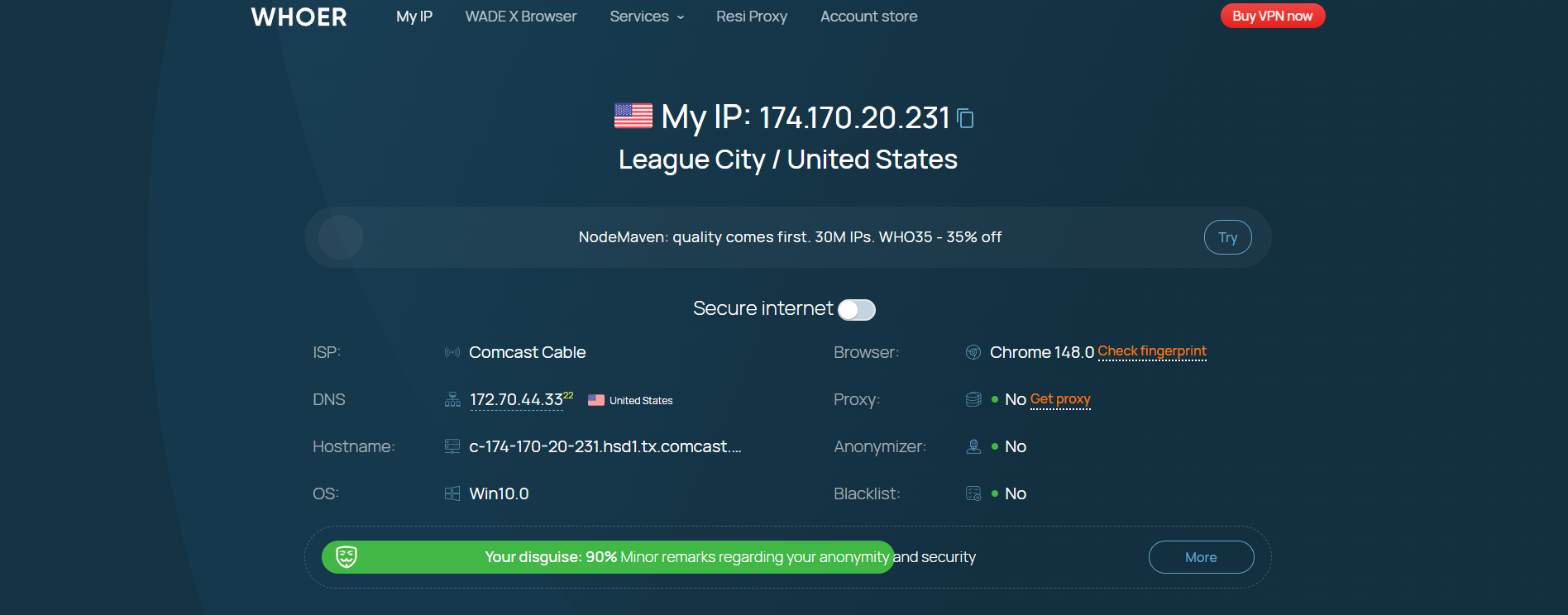
At the top of the page, Whoer.net displays foundational parameters such as your public IP address, country, region, city, and ISP. If your goal is simply to verify your current IP address, this overview gives you an immediate answer.
Scrolling down reveals deeper technical details. Whoer.net provides network metrics including hostname, IP range, ISP, organization, Autonomous System (AS) number, and geolocation coordinates. The Browser Fingerprint section identifies attributes your browser exposes to websites, including JavaScript support, cookies, language headers, and operating system details.
The interface groups parameters into distinct modules, making initial review straightforward. However, navigating the deeper technical data might require additional research for beginners to interpret every single field accurately.
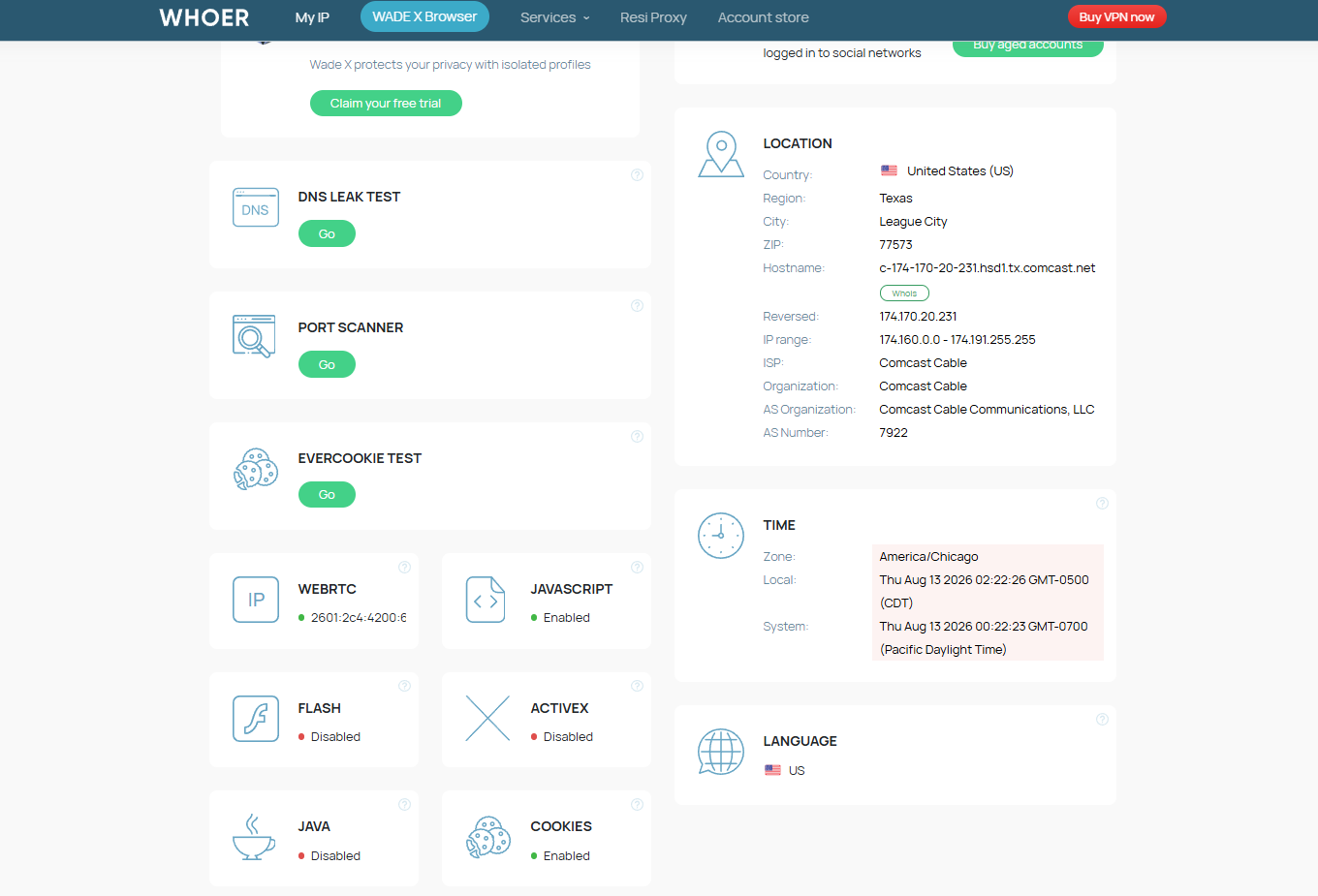
Test results load quickly. Basic connection details appear almost instantly upon page load, while deeper diagnostic tests complete shortly thereafter. For quick IP and fingerprint audits, waiting times are minimal.
Verdict: This is Whoer.net's most valuable tool for understanding what websites can detect from your IP address and browser environment.
You may also like:
What is a Privacy Browser? Effective Ways to Protect Online Data
3 Effective Ways to Change Browser Fingerprints for Privacy
9 Best Free Browser Fingerprint Testing Tools
2.2. Whoer Speed Test
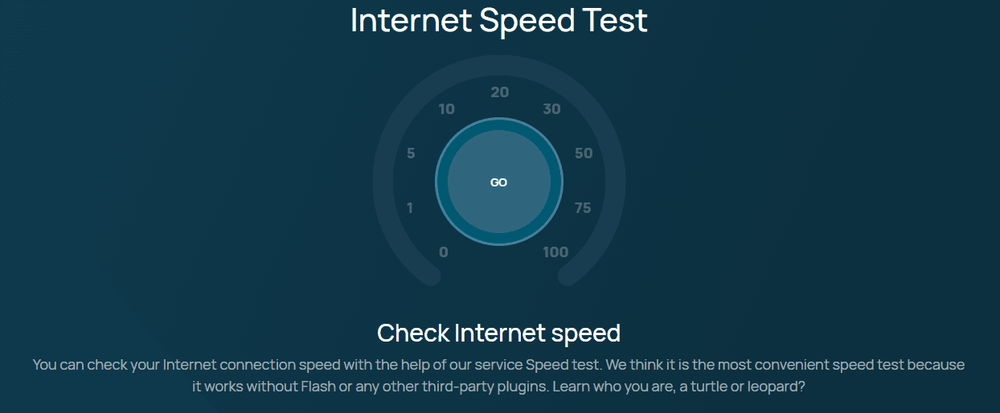
While the IP Checker inspects connection identity, Speed Test assesses network transmission quality. This utility is freely accessible on the website without setup requirements.
Once initiated, the tool benchmarks download and upload speeds and displays the performance metrics. The clean interface allows users of any technical skill level to run tests effortlessly.
Unlike the instant IP Checker, the Speed Test takes a brief period to benchmark traffic transfer rates. The duration varies depending on your network conditions, requiring only that you wait for the final scorecard.
Verdict: Speed Test works well for verifying connection performance, especially before and after enabling a proxy or VPN tunnel.
2.3. Whoer Ping
Alongside bandwidth speeds, latency is a key indicator of connection responsiveness. Whoer Ping focuses specifically on latency metrics and is available for free on Whoer.net.
The tool is straightforward: start the test, and the system pings target servers to display response times so you can measure connection delay.
Compared to the Speed Test, Ping tests run faster with minimal wait time, offering an efficient way to check if a route has high or low latency.
2.4. Check Whois
For investigating specific IP addresses or domain names, Whoer.net includes a Whois Lookup tool, accessible directly without a paid subscription.
Enter the target query to retrieve ownership data, registration details, Autonomous System numbers, and technical records associated with the domain or IP block.
The interface is direct and returns results quickly since it queries public database records rather than running active network benchmarks. The output is technical, catering primarily to network administrators rather than casual users.
Verdict: Whois Lookup is ideal for professionals managing domain infrastructure or analyzing IP ownership. For personal identity audits, the standard IP Checker is sufficient.
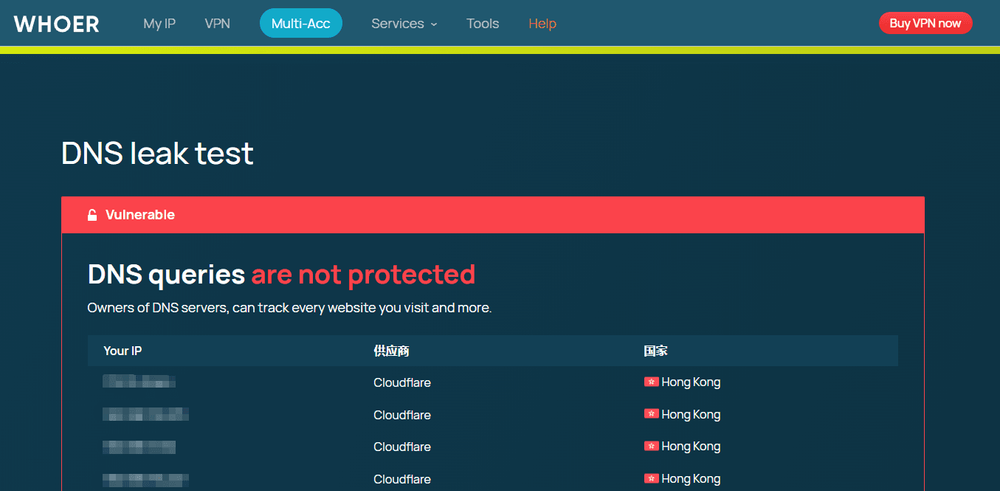
2.5. DNS Leak Test
The DNS Leak Test is an essential diagnostic utility, particularly after reconfiguring VPNs, proxies, or custom DNS resolvers. This feature is also completely free.
The tool queries active DNS servers handling your browser requests and reports whether your ISP's default servers are being exposed instead of your encrypted tunnel endpoints.
Whoer.net formats this test cleanly, presenting overall leak status first, followed by resolved server IPs. It requires no complex configuration and serves as a reliable way to spot DNS mismatches against your assigned proxy or VPN location.
Verdict: The DNS Leak Test is a must-run tool for privacy-conscious users verifying network isolation after configuring proxies or VPN tunnels.
2.6. Port Scanner
While previous utilities evaluate identity and throughput, Port Scanner is a specialized network diagnostic tool focused on identifying open network ports on your public IP. It is available for free on Whoer.net.
Operation is simple, though interpreting open port statuses requires familiarity with networking protocols and firewall architectures.
Scan duration depends on the range of ports checked. For standard port checks, the process completes in a reasonable timeframe.
Verdict: Port Scanner is suited for technical users auditing network configurations. Everyday users rarely need this feature on a regular basis.
2.7. Supplementary Services
Beyond its free diagnostic suite, Whoer.net integrates paid premium offerings.
- WhoVPN: Whoer's proprietary VPN service designed for IP masking and connection encryption. It operates as a commercial subscription alongside the free diagnostic tools.
- Whoer Multi Account: A multi-account management solution designed for managing separated environments. This is a commercial offering that serves as a supplementary product within the Whoer ecosystem.
Whoer.net is divided into two distinct components: free web-based diagnostic checkers and commercial privacy services.
3. Whoer.net and multi-account management
When operating multiple online accounts, users must manage IP addresses, browser fingerprints, and other identifiers that websites use to track sessions.
Whoer Test is useful for auditing an active environment to verify what parameters a browser reveals, helping you identify configuration leaks.
However, Whoer.net is strictly a diagnostic platform. It does not create, isolate, or manage separate browser profiles for individual accounts.
If you need to generate multiple profiles with isolated environments, consider using the antidetect browser Hidemyacc. It enables creating isolated browser profiles, configuring distinct hardware fingerprints, and assigning dedicated proxies per profile.
4. Is Whoer.net safe to use?
Safety and privacy policies should be evaluated carefully when choosing a diagnostic tool. Providing privacy checks does not automatically make a platform completely risk-free for every use case.
Whoer.net Data Policy
According to its privacy policy, Whoer.net is operated by WHOIX LTD, based in Cyprus. The website processes technical connection metadata including IP addresses, device specifications, browser types, operating systems, language headers, and diagnostic usage logs.
Processing these data points is technically necessary to run diagnostic tests. However, users should review these policies before using the platform extensively.
WhoVPN and Log Policy
For WhoVPN, Whoer.net states a strict no-logs policy, claiming it does not track or store online user activity. The service highlights features such as AES-256 encryption and built-in DNS leak protection.
However, published terms should be weighed against the presence of independent third-party audits. A self-declared no-logs statement should not be the sole criteria for assessing a VPN provider.
User Feedback
Community feedback regarding Whoer.net varies. Many users utilize the platform to verify IP changes, detect DNS leaks, and diagnose routing issues. Conversely, some users report occasional discrepancies between Whoer's geographic IP mapping and other network databases.
This highlights that no single IP checking tool should be treated as an absolute source of truth. When encountering unusual metrics, cross-checking with secondary diagnostic platforms is recommended before drawing conclusions about your connection integrity.
5. Pros and cons of Whoer.net
Evaluating its toolset, user experience, pricing, and privacy policies reveals clear strengths and weaknesses. Whoer.net excels at rapid, centralized diagnostics, but has limitations for advanced workflows. Below are the key pros and cons to consider.
| Pros | Cons |
|---|---|
| All-in-one diagnostic suite: Audits IP, browser fingerprints, connection speeds, ping, DNS, and open ports on a single page. | Diagnostic only: Identifies configuration leaks but cannot actively remediate or isolate environments. |
| High accessibility: Most tools run directly in your web browser without installing software. | Technical interface: Advanced parameters may require technical networking knowledge to interpret. |
| Detailed IP & fingerprint testing: Displays both high-level summaries and comprehensive low-level configuration data. | Cannot replace profile managers: Does not provide dedicated profile isolation for multi-account workflows. |
| Integrated commercial upgrades: Provides optional add-ons like WhoVPN and multi-account services. | Paid services may not suit everyone: The free web tools already satisfy the needs of most general users. |
Whoer.net delivers convenience by centralizing multiple network diagnostic utilities in a readily accessible web format. However, its scope is limited to auditing environments rather than creating and managing isolated environments—a key distinction for users to keep in mind.
6. Who is Whoer.net best suited for?
Based on its feature set and testing capabilities, Whoer.net aligns with specific use cases. It is a suitable choice for:
- Users auditing IP and network parameters: Those needing to confirm their current IP address, approximate geolocation, ISP details, or verify proxy/VPN routing.
- Privacy-conscious individuals: Users who want to inspect browser fingerprints, DNS requests, WebRTC leaks, and exposed headers.
- Casual VPN users: Those seeking a straightforward VPN for basic IP masking and encryption alongside built-in checking tools.
- Users needing quick, installation-free tests: Anyone requiring fast, browser-based diagnostic checks without installing local software.
- Multi-account operators: Teams that use Whoer.net to audit IP addresses and connection environments, though it should not be used as a multi-account manager since it cannot create or maintain isolated browser profiles.
In short, Whoer.net is ideal for users auditing connection parameters, inspecting browser metadata, or using basic VPN services. If your workflow requires managing multiple distinct browser profiles with isolated fingerprint control, specialized solutions are required.
7. Conclusion
Whoer.net is a practical platform for verifying IP addresses, inspecting browser fingerprints, and diagnosing connection parameters. Bringing multiple utilities together into a single web interface simplifies testing, particularly for users regularly managing network environments.
However, Whoer.net specializes in diagnostics rather than environment isolation. If you simply need to check IP, DNS, speed, or fingerprint leaks, its free toolset is well-equipped. For managing multiple accounts with granular fingerprint isolation, a dedicated antidetect browser is the appropriate choice.
Related reading:
Browserleaks Review: How to Test Browser Profiles Effectively
iPhey Test: Fingerprint Auditing and How to Improve It
Pixelscan Review: Browser Fingerprint Testing Tool
8. FAQ
1. Is Whoer.net trustworthy?
Whoer.net has operated as an IP and privacy testing platform for years. Trustworthiness should be evaluated based on its operating entity, published terms, and user feedback. Reviewing these policies is recommended before long-term use.
2. What features does Whoer.net offer?
Whoer.net provides diagnostic tools including Whoer Test, IP Checker, DNS Leak Test, Speed Test, Ping, Whois Lookup, Port Scanner, and WhoVPN. These utilities help test connection details, inspect browser parameters, and encrypt traffic.
3. Is Whoer.net free?
Most diagnostic tools on Whoer.net are free to use directly in the browser. Paid services like WhoVPN require separate subscriptions.
4. Can Whoer.net check browser fingerprints?
Yes, Whoer Test inspects browser fingerprint parameters and environment settings. However, it is an audit tool, not a solution for generating or managing isolated fingerprints.
5. Is Whoer.net suitable for managing multiple accounts?
Whoer.net can audit IP addresses and connection environments during multi-account operations, but it cannot create or manage isolated browser profiles. Dedicated antidetect tools are needed for full environment isolation.
6. Is Whoer.net better than alternative tools?
No single tool fits every requirement. Whoer.net excels at combining IP checks, privacy diagnostics, and VPN services in one place, but specialized workflows may require dedicated alternative tools.